


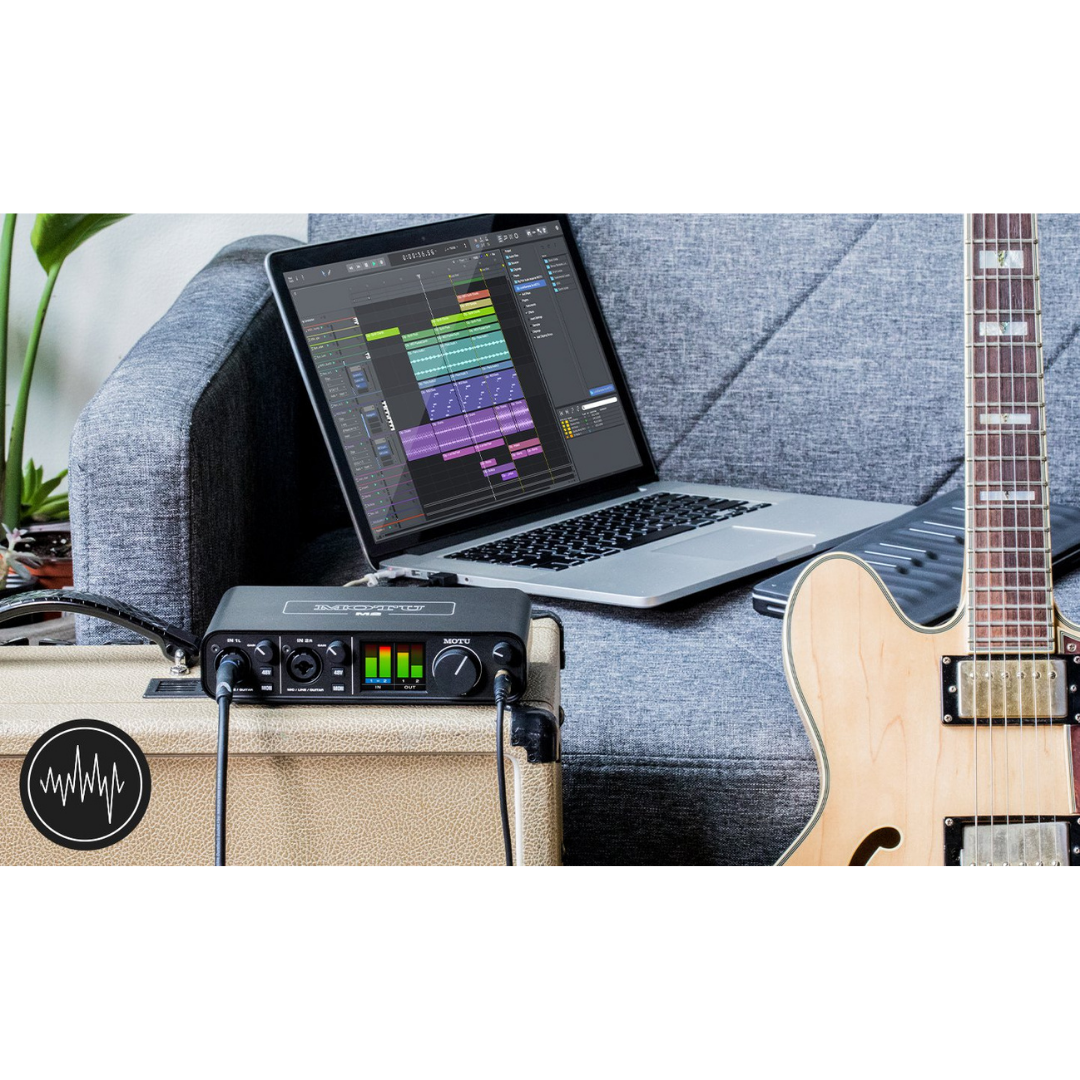
Brand: MOTU
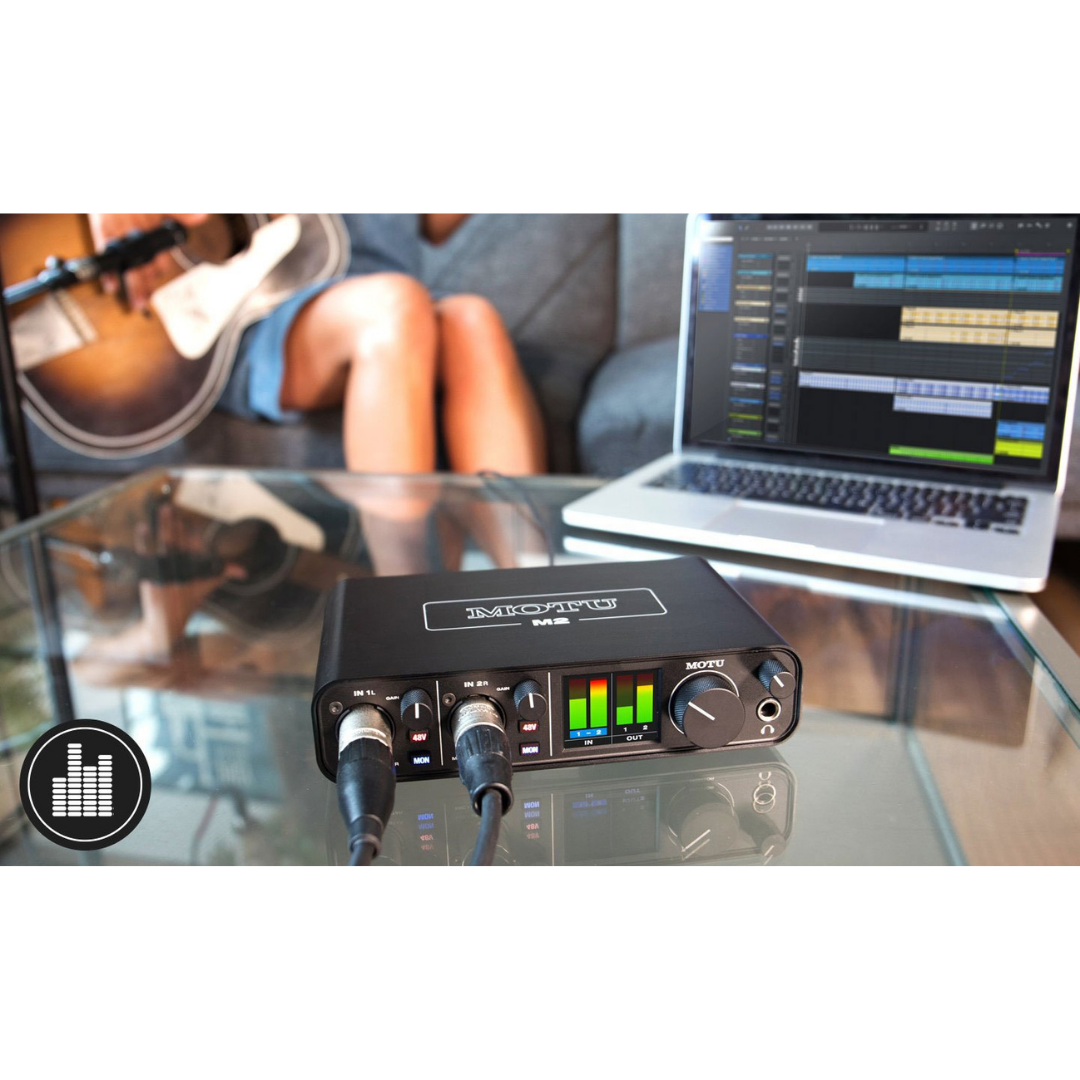
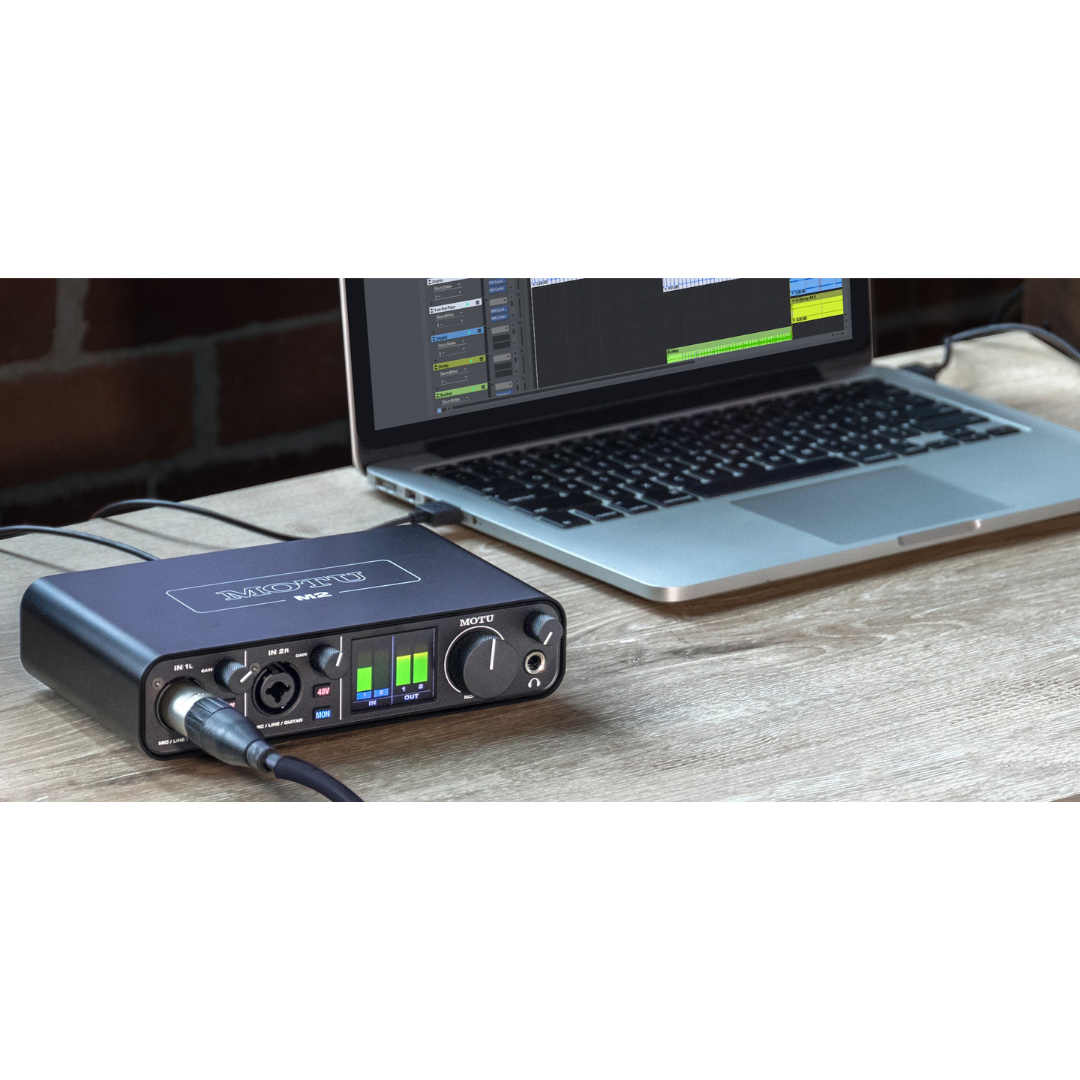
MOTU M2
Category: Audio Interfaces
2-in/2-out USB-C Audio Interface • 120 dB Dynamic Range • —110 dB THD + N • —129 dBu EIN • Equipped with Renowned ESS Sabre32 Ultra™ DAC Technology • Best-in-Class Audio Quality • Speed & Metering
 Get 5% OFF on Prepaid Orders
Copied!
Get 5% OFF on your First Purchase.
Copied!
Buy 2 and GET 10% OFF
Copied!
Get 5% OFF on Prepaid Orders
Copied!
Get 5% OFF on your First Purchase.
Copied!
Buy 2 and GET 10% OFF
Copied!
GENERAL SPECIFICATIONS
| SPECIFICATION | DETAILS |
|---|---|
| Product Name | MOTU M2 |
| Manufacturer | MOTU (Mark of the Unicorn), Cambridge, Massachusetts, USA |
| Product Category | 2-In / 2-Out USB-C Audio Interface |
| M-Series Position | Entry-level (M2 < M4 < M6) |
| Bit Depth | 24-bit (operational); 32-bit internal processing |
| Sample Rates | 44.1, 48, 88.2, 96, 176.4, 192 kHz |
| USB Standard | USB 2.0 High Speed (480 Mbps) |
| USB Connector (Device) | USB-C |
| Bus Power | Yes — from host USB connection |
| Power Switch | Yes |
| Standalone Operation | Yes — with USB-C power adapter |
| Operating Systems | macOS 12+, Windows 11+, iOS 14+ |
| Chassis | Metal |
ANALOGUE INPUTS
| SPECIFICATION | DETAILS |
|---|---|
| Number of Analogue Inputs | 2 |
| Input Connector Type | XLR / 1/4" TRS combo jack (per channel) |
| XLR Mode | Microphone preamplifier (balanced) |
| TRS Mode | Hi-Z instrument input (unbalanced, high impedance) |
| Preamp IC | THAT Corporation THAT 6263 |
| EIN (Equivalent Input Noise) | −129 dBu (measured, A-weighted) |
| Input Dynamic Range (ADC) | 115 dB(A) (measured) |
| ADC Chip | AKM AK5552VN |
| Maximum Gain (mic) | 60 dB |
| Gain Range | 0 to 60 dB (1 dB steps, digital encoder) |
| 48V Phantom Power | Yes — independent per channel |
| Hardware Direct Monitoring | Yes — MON button per channel |
| Monitoring Modes | Mono / Stereo |
| Maximum Input Level (Hi-Z) | Approx. +14 dBu (typical) |
ANALOGUE OUTPUTS
| SPECIFICATION | DETAILS |
|---|---|
| Number of Line Outputs | 2 (balanced TRS) + 2 (RCA, mirrored) |
| TRS Output Connector | 1/4" TRS (balanced, rear panel) |
| TRS Output Type | Balanced, DC-coupled |
| DAC Chip | ESS ES9016S (ESS Sabre32 Ultra™) |
| Output Dynamic Range (measured) | 120 dB(A) — at balanced TRS outputs |
| Output Nominal Level | +4 dBu (professional) |
| DC Coupling | Yes — CV/modular compatible |
| RCA Outputs | 2× RCA / phono (rear panel), unbalanced |
| RCA Signal Source | Mirrored from main TRS outputs (−10 dBV nominal) |
| Output Volume Control | Front-panel digital encoder (master, 1 dB steps) |
HEADPHONE OUTPUT
| SPECIFICATION | DETAILS |
|---|---|
| Headphone Connector | 1/4" TRS stereo (front panel) |
| Headphone Amplifier IC | OPA1688 (Texas Instruments) |
| Converter Chain | ESS Sabre32 Ultra™ (shared with main DAC) |
| Output Power | Approx. 50 mW into 32 Ω |
| Maximum Output Swing | Approx. 3.3 Vrms |
| Volume Control | Independent front-panel encoder (separate from main output) |
| Headphone Mix | Mirrors main output (no independent cue mix) |
| Impedance Range | 32 Ω – 250 Ω (suitable) |
COMPUTER & CONNECTIVITY
| SPECIFICATION | DETAILS |
|---|---|
| USB Interface | USB 2.0 (High Speed), USB-C connector |
| USB Audio Class | USB Audio Class 2.0 compliant (plug-and-play on macOS) |
| Included Cable | USB-C to USB-A |
| iOS Support | Yes — iOS 14+ (requires Camera Connection Kit or USB-C adapter + powered USB hub) |
| Round-Trip Latency | 2.5 ms at 96 kHz, 32-sample buffer (with MOTU driver) |
| macOS Driver | Optional (Core Audio UAC default; optional MOTU driver for 2.5 ms RTL) |
| Windows Driver | Required — MOTU M-Series ASIO + WDM driver |
| ASIO Support | Yes (Windows, via MOTU driver) |
| Core Audio Support | Yes (macOS, native) |
| USB Audio Channels | 2 analogue in + 2 analogue out + 2 loopback channels |
MIDI INTERFACE
| SPECIFICATION | DETAILS |
|---|---|
| MIDI IN | 1× 5-pin DIN (rear panel) |
| MIDI OUT | 1× 5-pin DIN (rear panel) |
| MIDI Channels | 16 IN / 16 OUT |
| MIDI Bandwidth | 31.25 kbps (standard MIDI) |
| USB-MIDI Class | USB MIDI Class 1.0 |
| SysEx Support | Yes |
| MIDI Clock | Transmit and receive |
MONITORING & LOOPBACK
| SPECIFICATION | DETAILS |
|---|---|
| Hardware Direct Monitoring | Yes — analogue, zero-latency |
| MON Control | 1× button per input channel (front panel) |
| Monitor Modes | Mono, Stereo |
| Loopback Channels | 2-channel stereo loopback |
| Loopback Requirements | MOTU M-Series driver (Windows and macOS) |
| Loopback Applications | Podcast, live streaming, VoIP recording, screen capture audio |
SOFTWARE BUNDLE
| SPECIFICATION | DETAILS |
|---|---|
| DAW 1 | MOTU Performer Lite |
| DAW 2 | Ableton Live Lite 10 |
| Instruments | 100+ virtual instruments (Performer Lite) |
| Sample Content | 6+ GB loops, one-shots, sample packs |
| Sample Providers | MOTU, Big Fish Audio, Lucidsamples, Loopmasters |
| Platform | macOS and Windows |
PHYSICAL & ENVIRONMENTAL
| SPECIFICATION | DETAILS |
|---|---|
| Chassis Material | Metal (full metal construction) |
| Form Factor | Desktop |
| Front Connectors | 2× XLR/TRS combo inputs, 1× 1/4" TRS headphone |
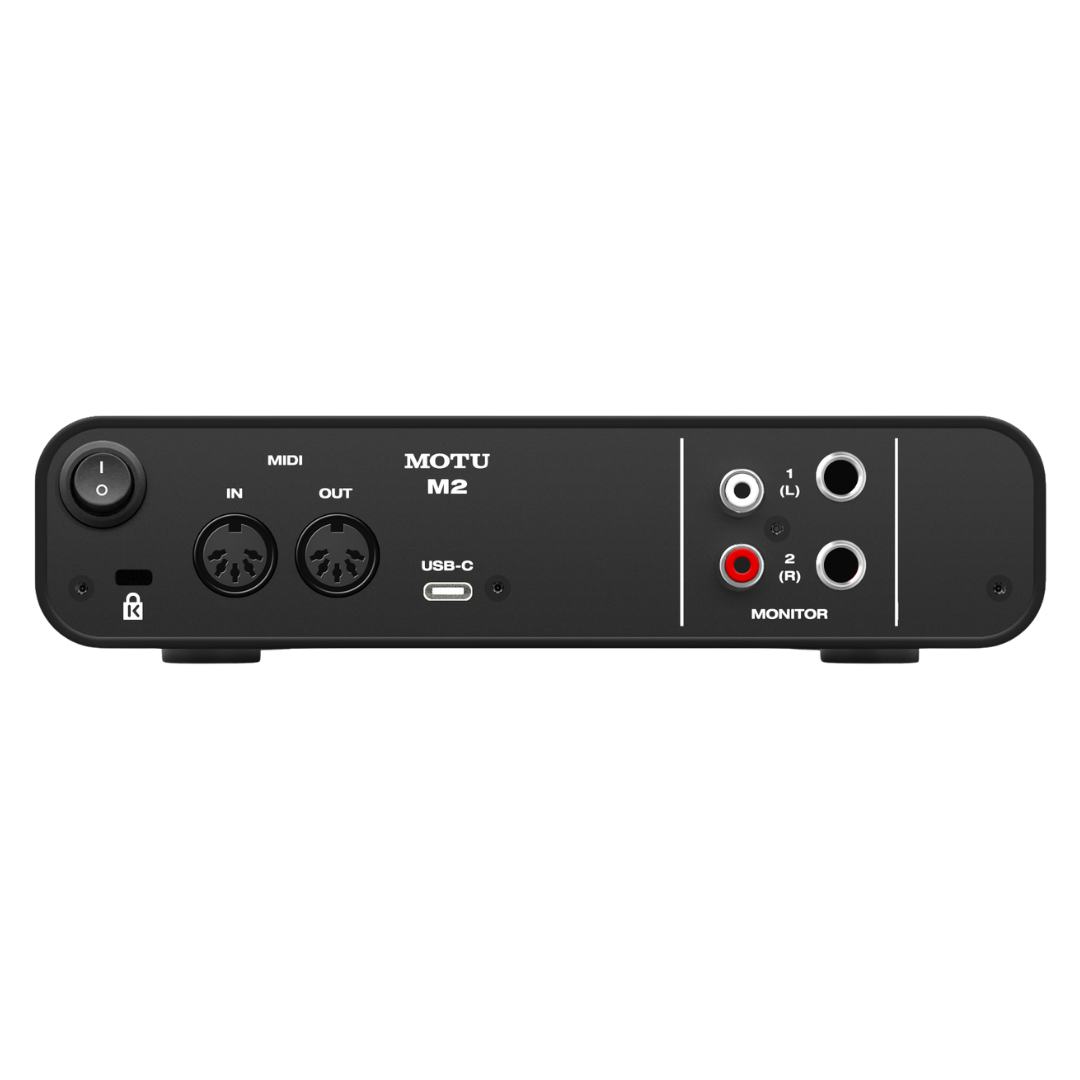
| Rear Connectors | 2× 1/4" TRS balanced output, 2× RCA output, 1× USB-C, 1× MIDI IN, 1× MIDI OUT, Power switch |
| Dimensions (approx.) | 190.5 mm W × 45 mm H × 108 mm D (7.5 × 1.75 × 4.25 inches) |
| Weight (approx.) | 610 g / 1.35 lbs |
| Bus Power Draw | USB bus power (5V, standard USB 2.0) |
| Operating Temperature | Not specified by manufacturer (standard indoor use) |
| Colour | Dark grey / charcoal |
SYSTEM REQUIREMENTS
| SPECIFICATION | DETAILS |
|---|---|
| macOS | macOS 12 (Monterey) or later |
| Windows | Windows 11 (23H2) or later |
| iOS | iOS 14 or higher (with powered USB hub and Apple adapter kit) |
| Available RAM (minimum) | Not specified by manufacturer (4 GB recommended general use) |
| Hard Drive (software bundle) | Approx. 8–10 GB for full software + sample installation |
| Internet Connection | Required for software download and activation |
1. PRODUCT OVERVIEW
The MOTU M2 is a two-input, two-output desktop USB-C audio interface designed to deliver professional converter performance at an accessible price point. Positioned as the entry point of MOTU's M-Series lineup — sitting below the four-channel M4 and six-channel M6 — the M2 distills four decades of MOTU engineering heritage into a compact, bus-powered unit that competes directly with interfaces costing significantly more. Its defining philosophy, as stated by MOTU, is "best in class audio quality, speed, and metering," and unusually for a product at this price tier, each of those three claims is backed by independently measurable specifications rather than marketing language alone.
At the heart of the M2 is an ESS Sabre32 Ultra™ DAC — the same converter technology found in professional interfaces costing thousands of dollars, including flagship products from Apogee. The primary DAC chip is the ESS ES9016S, which delivers a datasheet dynamic range of 124 dB(A), and MOTU's implementation achieves a measured 120 dB dynamic range on the balanced main outputs — a figure that places the M2 in direct competition with interfaces two to three times its price. The ADC section employs the AKM AK5552VN, achieving a measured 115 dB dynamic range on the analogue inputs. The microphone preamp circuits, built around the THAT 6263 IC, measure a genuine −129 dBu Equivalent Input Noise (EIN) — a figure that is both published and independently verified by third-party reviewers, and which represents best-in-class performance for a USB interface under USD $200.
The M2 is targeted at musicians, home studio producers, podcasters, content creators, and vocalist-songwriters who require professional-grade audio capture in a compact, portable form. It is bus-powered over USB-C, operates with no driver required on macOS (USB Audio Class compliant), and ships with MOTU Performer Lite, Ableton Live Lite, over 100 virtual instruments, and more than 6 GB of loops and samples — making it a complete creative production platform out of the box. MOTU first released the M2 in late 2019, and it has since garnered consistent industry recognition for delivering a measured noise floor and dynamic range previously unavailable at its price point.
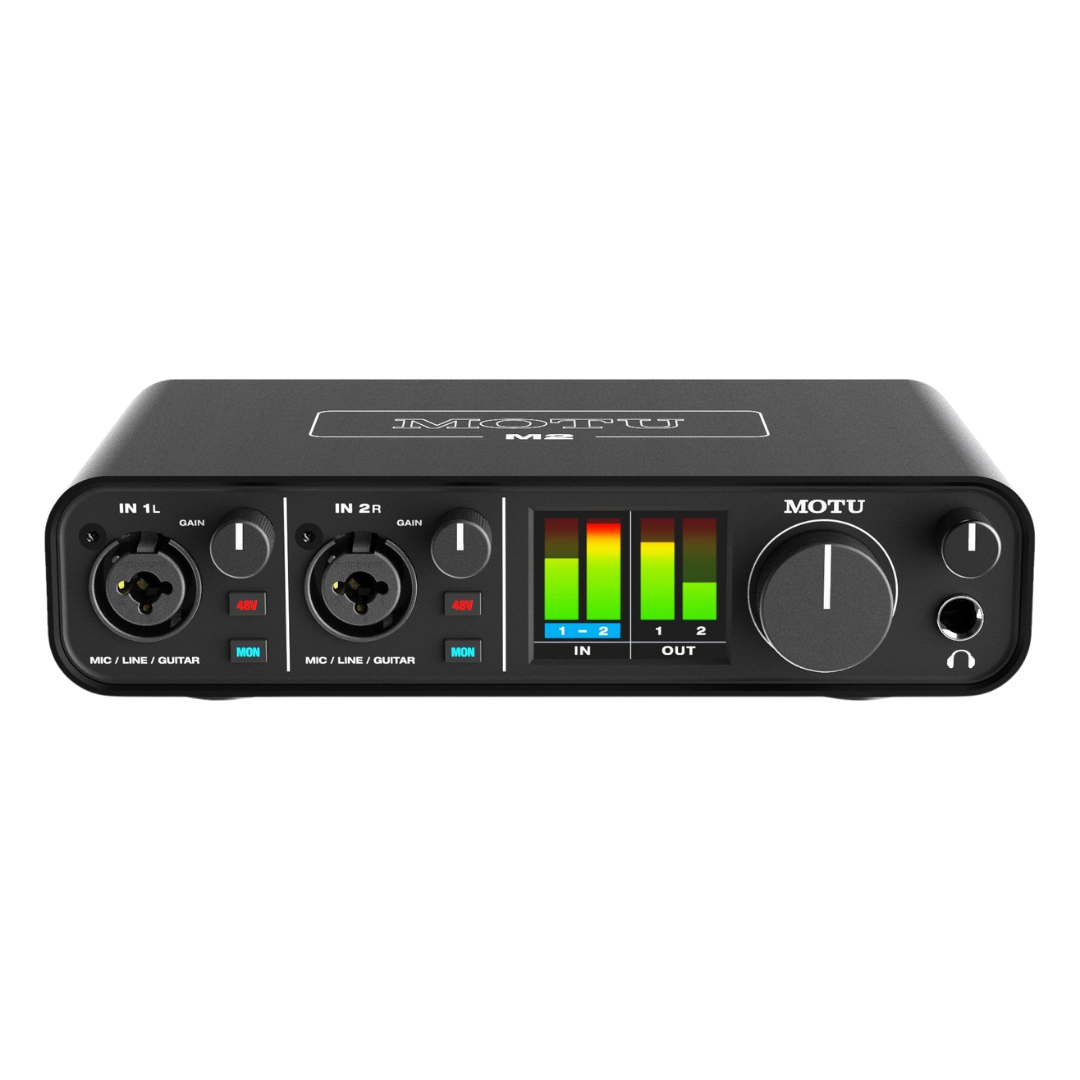
A particularly notable differentiator is the M2's full-colour 160×128 pixel LCD screen — the only audio interface in its class to feature such a display — providing high-resolution level metering for all inputs and outputs simultaneously. Combined with MOTU's expertly tuned USB drivers delivering a round-trip latency of 2.5 milliseconds at 96 kHz with a 32-sample buffer, the M2 addresses every professional requirement for a small-format interface: pristine converters, ultra-low latency, hardware monitoring, loopback for streaming, MIDI connectivity, and rugged metal construction.
2. AUDIO QUALITY & CONVERTER TECHNOLOGY
2.1 DAC: ESS Sabre32 Ultra™ Technology
The digital-to-analogue converter in the MOTU M2 is the ESS ES9016S, part of the ESS Sabre32 Ultra™ family — a lineage of converters that commands the premium end of the Hi-Fi, studio monitor, and professional interface markets. ESS Sabre chips are distinguished by their use of a patented Hyperstream™ Delta-Sigma modulation architecture combined with a 32-bit processing core and ESS's proprietary Time Domain Jitter Eliminator technology. These design choices deliver exceptionally low noise floors and extraordinarily low harmonic and intermodulation distortion even at high signal levels.
The ES9016S achieves a datasheet maximum dynamic range of 124 dB(A) and THD+N of −120 dB. MOTU's analogue output stage — including the output amplifier and buffer circuits, output coupling, and balanced driver — reduces the achievable dynamic range slightly from the chip's raw performance, but the measured figure at the M2's balanced TRS outputs remains 120 dB(A): a genuinely outstanding result for a bus-powered USB interface. The headphone output is driven via an OPA1688 operational amplifier, which delivers approximately 50 mW into 32 Ω at low distortion, providing sufficient headroom for demanding, high-impedance headphones such as the Beyerdynamic DT 990 Pro (250 Ω).
2.2 ADC: AKM AK5552VN
The analogue-to-digital conversion path uses the AKM AK5552VN, a premium 192 kHz / 32-bit ADC from Asahi Kasei Microelectronics — a company renowned for precision converter silicon. The AK5552VN features AKM's proprietary "Velvet Sound" architecture, delivering a measured dynamic range of 115 dB(A) at the M2's analogue inputs. This means recorded audio — particularly microphone signals through the THAT 6263 preamp — is captured with sufficient headroom that the converter noise floor is below the self-noise of virtually all professional microphones, including studio condensers with typical self-noise of 5–12 dB(A).
2.3 Mathematical Validation: Signal Chain Analysis
The M2's specifications can be cross-validated as follows. With a mic preamp EIN of −129 dBu and a maximum gain of 60 dB, the theoretical best-case noise at the ADC input (with gain at maximum) is approximately −129 + 60 = −69 dBu signal, with noise floor set by the preamp EIN itself. The ADC's 115 dB dynamic range with a typical 0 dBFS = +20 dBu reference means the ADC noise floor sits at approximately −95 dBu referred to input — well below the preamp's own noise contribution, meaning the preamp (not the ADC) is the limiting factor in the signal chain at high gain, as it should be in a well-designed interface. This confirms that the advertised specifications are internally consistent and that the ADC does not add any audible noise above the preamp floor.
CONVERTER TECHNOLOGY SPECIFICATIONS
| SPECIFICATION | DETAILS |
|---|---|
| DAC Chip | ESS ES9016S (ESS Sabre32 Ultra™ family) |
| DAC Architecture | Hyperstream™ 32-bit Delta-Sigma with Time Domain Jitter Eliminator |
| DAC Dynamic Range (datasheet) | 124 dB(A) (chip level) |
| Output Dynamic Range (measured) | 120 dB(A) at balanced 1/4" TRS outputs |
| DAC THD+N (datasheet) | −120 dB (chip level) |
| ADC Chip | AKM AK5552VN ("Velvet Sound" architecture) |
| ADC Architecture | 32-bit Delta-Sigma, 192 kHz capable |
| Input Dynamic Range (measured) | 115 dB(A) at analogue inputs |
| Bit Depth | 24-bit (operational); 32-bit internal processing |
| Sample Rates Supported | 44.1 / 48 / 88.2 / 96 / 176.4 / 192 kHz |
| Headphone Amplifier IC | OPA1688 operational amplifier |
| Headphone Output Power | Approx. 50 mW into 32 Ω |
| DC-Coupled Outputs | Yes — balanced 1/4" TRS main outputs are DC-coupled |
3. MICROPHONE PREAMPS
The MOTU M2 features two identical microphone preamplifier circuits, each built around the THAT Corporation THAT 6263 high-performance mic preamplifier IC. THAT Corporation is a specialist analogue semiconductor company whose ICs are used in professional mixing consoles, broadcast equipment, and outboard gear from major manufacturers. The 6263 is a transformerless, low-noise, high-gain IC designed specifically for microphone preamplification, with internal architecture that minimises both thermal noise and common-mode interference rejection.
The measured EIN (Equivalent Input Noise) of −129 dBu is a headline performance metric, and it is important to understand what this means in practice. EIN represents the noise the preamp itself adds to the signal, referred back to the input. A figure of −129 dBu means that with a microphone connected and the preamp at full gain, the only noise audible will be the microphone's own self-noise — the preamp contributes nothing perceptible. For reference, a typical studio condenser microphone such as the Neumann U87 has a self-noise of approximately 12 dB(A), which is 117 dB louder than the preamp's EIN. This margin completely eliminates any practical concern about preamp noise in professional recording.
Each input accepts a combo XLR/TRS jack connector. When an XLR connector is inserted, the input routes through the microphone preamp circuit at the selected gain level. When a 1/4" TRS jack is inserted, the input functions as a Hi-Z (high-impedance) instrument input — optimised for passive electric guitars and basses — routing through an appropriate impedance buffer before the preamp stage. This is important to note: the M2's TRS inputs are Hi-Z instrument inputs, not balanced line-level inputs. Users requiring true balanced line-level inputs (for connecting external preamps or outboard processors at line level with appropriate impedance matching) should consider the MOTU M4, which provides dedicated line-level TRS inputs in addition to its mic/instrument combo jacks.
Phantom power (+48V) is switchable independently for each of the two inputs, with a dedicated button and indicator LED per channel. This is a meaningful advantage over interfaces that switch phantom power globally — it allows simultaneous use of a dynamic microphone (which should never receive phantom power if possible) on one channel and a condenser microphone on the other, without risk. Each preamp also features an independent hardware monitoring (MON) button that routes the input signal directly to the analogue outputs, completely bypassing the USB connection and the host computer, for zero-latency monitoring.
MICROPHONE PREAMP SPECIFICATIONS
| SPECIFICATION | DETAILS |
|---|---|
| Preamp IC | THAT Corporation THAT 6263 |
| Number of Preamps | 2 (one per input channel) |
| Connector Type | Combo XLR / 1/4" TRS (per channel) |
| XLR Input Mode | Microphone (balanced XLR, preamp engaged) |
| TRS Input Mode | Hi-Z instrument input (guitar / bass) |
| EIN (Equivalent Input Noise) | −129 dBu (measured, A-weighted) |
| Maximum Gain | 60 dB |
| Gain Range | 0 dB to 60 dB (continuous, digital encoder in 1 dB steps) |
| Gain Control | Independent digital encoder per channel (no click, logarithmic) |
| 48V Phantom Power | Yes — independent switch per channel with LED indicator |
| Hardware (Direct) Monitoring | Yes — independent MON button per channel |
| Monitoring Mode | Mono (single input to both outputs) or Stereo (both inputs to both outputs) |
| Input Impedance (XLR mic) | Not specified by manufacturer (typical: 2.4 kΩ balanced) |
| Input Impedance (Hi-Z TRS) | High impedance (optimised for passive guitar/bass) |
| Maximum Input Level (mic) | Approximately +8 dBu at minimum gain (typical) |
| Maximum Input Level (line/Hi-Z) | Approximately +14 dBu (typical) |
4. ANALOGUE OUTPUTS
The MOTU M2 provides two separate analogue output paths. The primary outputs are a pair of balanced 1/4" TRS connectors on the rear panel, delivering professional studio monitor levels. These outputs are DC-coupled — a specification that has particular significance for electronic music producers and modular synthesis users, as DC-coupled outputs can pass Control Voltage (CV) signals from a DAW plugin directly to Eurorack synthesiser modules without requiring an external converter. This is an unusual feature for an interface at this price and positions the M2 as a capable DAW-to-Eurorack integration tool.
The secondary outputs mirror the main TRS outputs via a pair of RCA (phono) connectors on the rear panel. These unbalanced RCA outputs carry the same signal as the balanced TRS outputs, attenuated to match unbalanced consumer-level equipment (−10 dBV nominal). The RCA outputs are intended for connection to consumer home theatre receivers, DJ mixers with phono inputs, powered monitors with RCA inputs, or legacy equipment lacking balanced TRS connectivity. It is important to note that the RCA outputs mirror the main TRS outputs — they cannot carry an independent mix or be assigned different sources; they always carry the same signal as the main outs.
The main output volume is controlled by a single master output volume encoder on the front panel, applying equally to both the TRS and RCA outputs. This encoder, like the input gain controls, is implemented as a digital encoder with logarithmic response in 1 dB increments, with the current setting reflected on the LCD meter display.
ANALOGUE OUTPUT SPECIFICATIONS
| SPECIFICATION | DETAILS |
|---|---|
| Primary Outputs | 2× balanced 1/4" TRS (rear panel) |
| Primary Output Configuration | Stereo pair (Left / Right) |
| Primary Output Type | Balanced (differential), DC-coupled |
| DC Coupling | Yes — suitable for CV/modular synthesis use |
| Measured Dynamic Range (TRS outputs) | 120 dB(A) |
| Output Nominal Level | +4 dBu (professional balanced) |
| Secondary Outputs | 2× RCA / phono (rear panel) |
| Secondary Output Type | Unbalanced, mirrored from main TRS outputs |
| RCA Output Nominal Level | −10 dBV (consumer unbalanced) |
| RCA Signal | Mirrors main TRS outputs (not independently assignable) |
| Output Volume Control | Front-panel digital encoder (master, 1 dB steps, logarithmic) |
| Output Impedance | Low (not specified by manufacturer; typical: <150 Ω balanced) |
5. HEADPHONE OUTPUT
The headphone output on the MOTU M2 is a 1/4" TRS stereo jack on the front panel, driven by the same ESS Sabre converter chain as the main outputs — rather than the lower-cost, separate headphone amplifier circuits found on many competing interfaces at this price. The amplifier IC is an OPA1688 from Texas Instruments, a high-current operational amplifier designed for audio headphone driving applications, capable of delivering approximately 50 mW into 32 Ω at low distortion.
In practical listening tests, the M2's headphone output demonstrates sufficient drive for high-impedance headphones such as the Beyerdynamic DT 990 Pro (250 Ω) and the AKG K702 (62 Ω), with a measured 3.3 Vrms output swing before audible distortion. The output level is controlled by an independent front-panel digital encoder, separate from the main output volume control — meaning engineers can set different monitoring levels for monitors and headphones independently, which is an important operational capability during tracking sessions where a performer requires a different cue mix level than the engineer monitoring on speakers.
The headphone output mirrors the main DAC output mix — it does not provide a separate mix or cue mix capability. Unlike higher-end interfaces with dedicated DSP mixers (such as the MOTU UltraLite-mk5 or the 828), the M2 does not support sending a different headphone mix to the performer. The performer and the engineer hear the same signal, which is a standard constraint for compact two-channel interfaces in this price tier.
HEADPHONE OUTPUT SPECIFICATIONS
| SPECIFICATION | DETAILS |
|---|---|
| Connector | 1/4" TRS stereo jack (front panel) |
| Amplifier IC | OPA1688 (Texas Instruments) |
| Converter Chain | ESS Sabre32 Ultra™ (same DAC as main outputs) |
| Output Power | Approx. 50 mW into 32 Ω |
| Maximum Output Swing | Approx. 3.3 Vrms |
| Independent Volume Control | Yes — dedicated front-panel encoder, separate from main output |
| Impedance Compatibility | Suitable for 32 Ω to 250 Ω headphones |
| Headphone Mix | Mirrors main output mix (no independent cue mix) |
| Dynamic Range | Consistent with main DAC (ESS Sabre32 Ultra™ chain) |
6. DIRECT MONITORING & LOOPBACK
6.1 Hardware Direct Monitoring
One of the most practical features of the MOTU M2 for live recording and overdubbing sessions is its hardware direct monitoring capability. Each of the two input channels has a dedicated MON button on the front panel. When pressed, the input signal is routed directly through the M2's internal analogue circuitry — from the ADC input to the DAC output — entirely bypassing the USB connection and the host DAW. This creates a true zero-latency monitoring path: the performer hears their microphone or instrument with no perceptible delay, regardless of what buffer size or sample rate the DAW is running at.
The direct monitor can be engaged in mono mode (a single input routed to both main output channels) or stereo mode (both inputs routed to their respective output channels). The monitoring signal can be blended with the playback from the DAW, which is handled by the host software rather than by any hardware or DSP mixing on the M2 itself. This reflects the M2's design philosophy: simplicity and sonic quality over complex on-board routing.
6.2 Loopback Channels
The MOTU M2 driver — available for both Windows and macOS — provides two dedicated loopback channels that appear in the host operating system as additional audio input channels. These loopback channels capture whatever audio is being output by the host computer and feed it back into the DAW or recording software as audio input. The practical application is powerful: a podcaster can record a Zoom or Skype guest call (routed through the loopback) simultaneously with their own microphone input, mixing both in their DAW or streaming software. A live streamer on Twitch or YouTube can send their game audio, music, and microphone all through OBS or XSplit by routing the loopback output alongside their live mic signal.
The loopback channels appear as a standard stereo input pair in the driver — no special routing software or mixer app is required. This plug-and-play loopback implementation is simpler than competing approaches that require proprietary virtual audio devices, making the M2 highly accessible for users who are not deeply technical.
MONITORING & LOOPBACK SPECIFICATIONS
| SPECIFICATION | DETAILS |
|---|---|
| Direct Monitoring | Yes — hardware, analogue, zero-latency |
| MON Button | Independent per channel (front panel) |
| Monitoring Mode | Mono (one input → both outputs) or Stereo (both inputs → L/R outputs) |
| Loopback Channels | Yes — 2-channel stereo loopback via driver |
| Loopback Availability | Windows (required driver) and macOS (required optional driver) |
| Loopback Use Cases | Podcast recording, live streaming, VoIP call capture, screen recording |
| Monitoring Latency (direct) | ~0 ms (analogue path, hardware) |
| Monitoring Latency (software) | As low as 2.5 ms RTL at 96 kHz / 32-sample buffer |
7. COMPUTER CONNECTIVITY & USB PERFORMANCE
The MOTU M2 connects to the host computer via a single USB-C port operating at USB 2.0 speeds. Despite using the slower USB 2.0 standard (rather than USB 3.x), the M2's bandwidth requirements — dictated by its 2-in / 2-out channel count at up to 192 kHz — are comfortably within USB 2.0's 480 Mbps theoretical maximum, and the choice of USB 2.0 ensures broad compatibility across Mac, Windows, and iOS host devices without any dependency on USB 3.x host controllers that can sometimes introduce audio artefacts.
The included cable is USB-C to USB-A, allowing direct connection to the vast majority of computers shipping through 2025. Users with USB-C-only computers (such as Apple Silicon MacBooks) can use any standard USB-C to USB-C cable (available separately). The unit is fully bus-powered from the USB connection, eliminating the need for an external power supply in studio or mobile use. For standalone operation — described further in Section 10 — a standard USB-C power adapter (not a data hub) can supply power without a host computer.
7.1 Latency Performance
MOTU's USB driver implementation is among the most precisely engineered in the consumer interface segment. Under Windows with the proprietary MOTU M-Series driver, the M2 achieves a round-trip latency (RTL) of 2.5 milliseconds at 96 kHz with a 32-sample buffer — a measurement that encompasses driver output latency, USB transit, ADC conversion, DAC conversion, and driver input latency. Under macOS, the same 2.5 ms RTL is achievable when the optional MOTU macOS driver is installed; without it, macOS operates the unit in USB Audio Class (UAC) mode via Core Audio, which provides slightly higher latency but universal plug-and-play compatibility.
iOS compatibility is supported via Apple's Camera Connection Kit (USB-A to Lightning or USB-C adapter) combined with a powered USB hub to supply the bus power the M2 requires. This enables mobile recording on iPhone and iPad at the same resolution and sample rates as desktop operation.
COMPUTER CONNECTIVITY SPECIFICATIONS
| SPECIFICATION | DETAILS |
|---|---|
| Interface Standard | USB 2.0 (High Speed, 480 Mbps) |
| Connector Type | USB-C (device port) |
| Included Cable | USB-C to USB-A (host cable) |
| USB-C to USB-C | Supported (cable not included) |
| Bus Power | Yes — fully bus-powered over USB |
| Standalone Power | USB-C power adapter (5V, standard USB PD) |
| macOS Compatibility | macOS 12 (Monterey) or later |
| Windows Compatibility | Windows 11 (23H2) or later |
| iOS Compatibility | iOS 14 or higher (requires powered USB hub + Apple adapter) |
| macOS Driver | Optional (for 2.5 ms RTL); Core Audio UAC plug-and-play without driver |
| Windows Driver | Required (MOTU M-Series ASIO + WDM/Wave driver) |
| Round-Trip Latency (RTL) | 2.5 ms at 96 kHz, 32-sample buffer (with MOTU driver) |
| Protocol | USB Audio Class 2.0 compliant |
| Channel Count (USB) | 2 analogue inputs + 2 analogue outputs + 2 loopback channels |
8. MIDI INTERFACE
The MOTU M2 includes a full MIDI interface in addition to its audio capabilities, making it one of the most comprehensively specified compact interfaces in its class. Located on the rear panel are two 5-pin DIN connectors: one MIDI IN and one MIDI OUT. These provide full 16-channel MIDI connectivity between external hardware (keyboards, synthesisers, drum machines, MIDI controllers, audio interfaces, or any MIDI-capable device) and the host computer via the same USB connection used for audio.
The MIDI interface operates at the standard MIDI bandwidth of 31.25 kbps, which is sufficient for all standard MIDI applications including real-time note performance, controller data, programme changes, clock synchronisation, and SysEx transfers. The M2 appears in the host DAW as both a MIDI input and MIDI output device, and the MIDI interface operates independently of the audio clocking — MIDI transport is asynchronous from audio, as per the standard USB-MIDI class implementation.
The inclusion of hardware 5-pin DIN MIDI ports — as opposed to the USB-MIDI-only approach of some competing interfaces — makes the M2 compatible with vintage MIDI gear that predates USB MIDI, including synthesisers from the 1980s and 1990s, hardware sequencers, and MIDI patchbays. For producers building hybrid studios that combine modern DAW production with vintage hardware synthesis, the M2's MIDI ports are a significant practical advantage.
MIDI INTERFACE SPECIFICATIONS
| SPECIFICATION | DETAILS |
|---|---|
| MIDI IN | 1× 5-pin DIN (rear panel) |
| MIDI OUT | 1× 5-pin DIN (rear panel) |
| MIDI Channels | 16 IN / 16 OUT (standard MIDI) |
| MIDI Bandwidth | 31.25 kbps (standard MIDI) |
| Host Connection | Via USB (no separate MIDI USB port required) |
| USB-MIDI Class | USB MIDI Class 1.0 compliant |
| Legacy Compatibility | Yes — compatible with all 5-pin DIN MIDI hardware (vintage and modern) |
| SysEx Support | Yes |
| MIDI Clock | Yes — transmit and receive |
9. FRONT PANEL & LCD DISPLAY
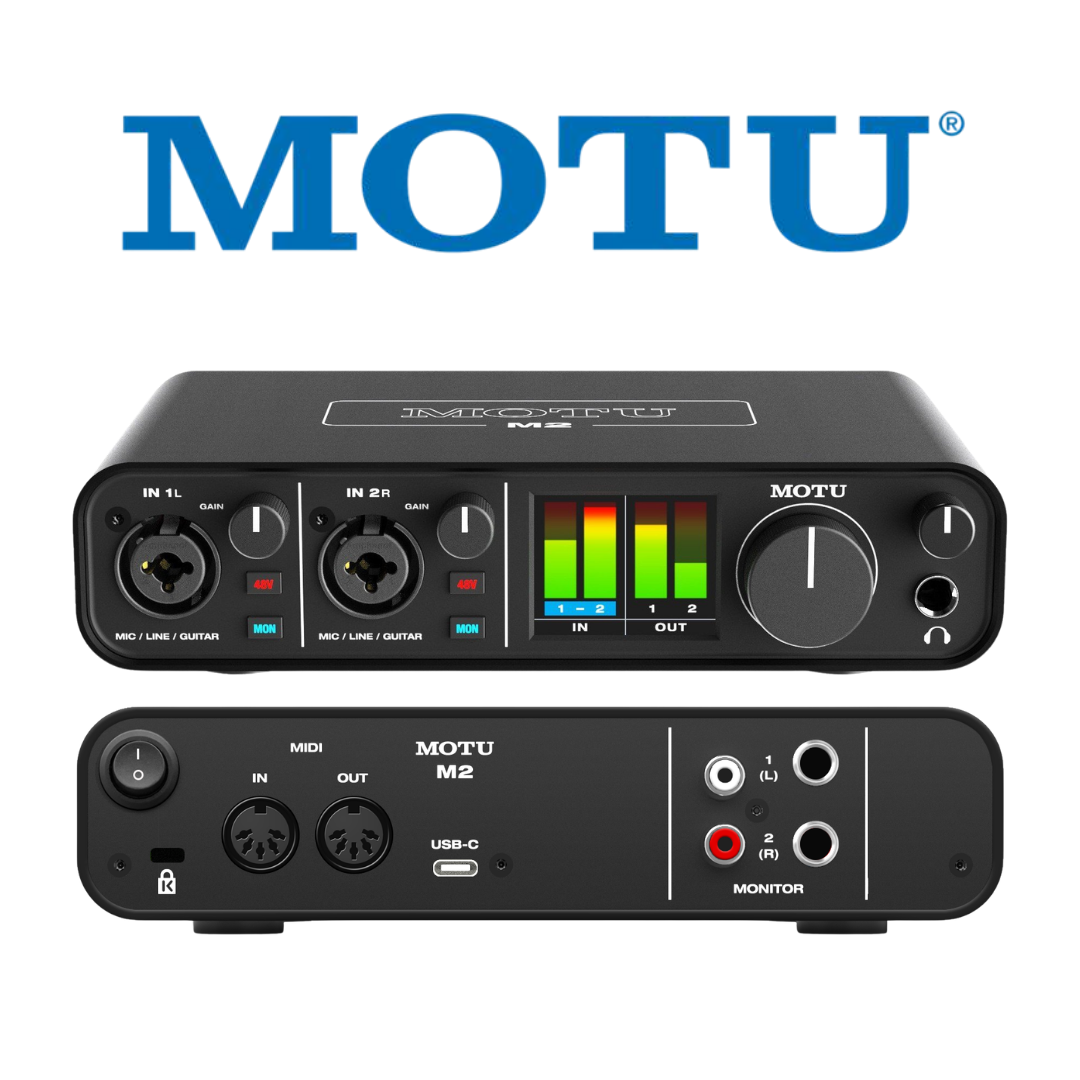
The front panel of the MOTU M2 is a model of functional clarity. The full-colour 160×128 pixel LCD occupies the centre of the panel and serves as the primary visual feedback mechanism for the unit. This display — described by MOTU as a differentiating feature unique in the interface's class — shows simultaneous, high-resolution level meters for both input channels and both output channels, using a colour-coded bar-graph format that allows instant assessment of signal levels across the complete dynamic range. The LCD also reflects current gain settings, monitoring status, and phantom power status.
All gain and volume controls on the M2 are implemented as digital rotary encoders — components that physically resemble analogue potentiometers (with the feel of continuous rotation and position markers) but internally use digital encoding circuits to track position in 1 dB increments. This means that unlike analogue potentiometers, the digital encoders do not wear or develop channel imbalance over time, and their settings are accurately reflected on the LCD at all times. The logarithmic response curve is engineered to provide fine control at low levels and coarser but musically appropriate steps at high levels.
FRONT PANEL CONTROLS & DISPLAY
| SPECIFICATION | DETAILS |
|---|---|
| LCD Display | Full-colour, 160×128 pixels |
| Display Content | Level meters for all inputs and outputs, gain settings, phantom/mon status |
| Input Gain Encoders | 2× digital rotary encoder (one per channel), 1 dB steps |
| Main Output Volume | 1× digital rotary encoder (master) |
| Headphone Volume | 1× digital rotary encoder (independent of main) |
| MON (Monitor) Buttons | 2× (one per input channel) — hardware direct monitoring toggle |
| 48V Phantom Power Buttons | 2× (one per input channel) — with LED indicator |
| Power Switch | 1× (rear or side panel) |
| Headphone Jack | 1× 1/4" TRS stereo (front panel) |
| Input Connectors | 2× Combo XLR/TRS (front panel) |
| Control Response | Logarithmic, 1 dB increments, no mechanical click |
10. STANDALONE OPERATION
A particularly useful but often overlooked capability of the MOTU M2 is its ability to function as a standalone microphone preamplifier and monitor controller without any host computer. When powered via a standard USB-C power adapter (any standard 5V USB charger capable of supplying at least 500 mA), the M2 operates its microphone preamps, phantom power, and analogue output path independently of a computer — the USB connection provides only power, not data.
In standalone mode, the operator engages the MON button on each input channel (and activates 48V phantom power if condenser microphones are in use), adjusts the preamp gain with the input encoders, and the signal passes directly from the microphone inputs, through the THAT 6263 preamp circuits and ESS Sabre converters, to the main balanced TRS outputs and the headphone output. This mode is useful for location scouting (using the M2 as a handheld mic preamplifier connected to portable monitors), as a front-of-house insert send to an analogue mixer, or for practice and rehearsal without a laptop.
STANDALONE OPERATION SPECIFICATIONS
| SPECIFICATION | DETAILS |
|---|---|
| Standalone Power Source | USB-C power adapter (5V, min. 500 mA) |
| Computer Requirement in Standalone | None |
| Available Functions (Standalone) | Mic preamp, phantom power, direct monitoring, main outs, headphone out |
| Unavailable Functions (Standalone) | A/D conversion to digital, loopback, DAW recording, MIDI |
| Use Cases | Location preamp, FOH insert, rehearsal monitoring, PA supplement |
11. INCLUDED SOFTWARE BUNDLE
Every MOTU M2 ships with a substantial software bundle that transforms the hardware purchase into a complete music production platform. MOTU Performer Lite is a feature-complete DAW built on the same engine as MOTU's flagship Digital Performer, providing multi-track recording, MIDI sequencing, audio editing, mixing, and mastering within a single application. It includes over 100 virtual instruments — spanning acoustic and electric pianos, guitars, basses, drums, organs, synthesisers, orchestral instruments, choirs, and world music instruments — along with dozens of professional audio effects plug-ins.
Ableton Live Lite 10 is also included — a lightweight version of Ableton's industry-leading Loop-based production and performance environment. Live Lite provides access to Ableton's iconic Session View for loop-based composition and live performance, as well as the Arrangement View for linear, timeline-based recording. The package includes over 6 GB of loops, one-shots, and sample packs from MOTU, Big Fish Audio, Lucidsamples, and Loopmasters, covering genres from hip-hop and EDM to cinematic orchestral and world music.
INCLUDED SOFTWARE & CONTENT
| SPECIFICATION | DETAILS |
|---|---|
| DAW 1 | MOTU Performer Lite (full multi-track recording, MIDI, mixing, mastering) |
| DAW 2 | Ableton Live Lite 10 (Session View + Arrangement View) |
| Virtual Instruments | 100+ instruments for Performer Lite (pianos, guitars, drums, synths, orchestral, etc.) |
| Sample Content | 6+ GB loops, one-shots, and sample packs |
| Sample Providers | MOTU, Big Fish Audio, Lucidsamples, Loopmasters |
| Included Effects | Dozens of audio processing plug-ins (EQ, dynamics, reverb, delay, etc.) |
| Delivery Method | Download codes included in box / via MOTU account registration |
| Platform Compatibility | macOS and Windows |
12. BUILD QUALITY & FORM FACTOR
The MOTU M2 is constructed with an all-metal case — an unusual specification for a product at its price point, where plastic construction is the norm among competing interfaces. The metal chassis provides structural rigidity, improved electromagnetic shielding (which can contribute to lower noise floors), and durability for portable and location use. MOTU describes the M2 as "ready for anything you throw at it, on the go and on the road," and the metal construction supports this claim credibly.
The unit is compact and lightweight, designed to sit comfortably on a desktop, next to a laptop, or on a small studio table. Its small footprint makes it equally practical in a permanent home studio installation and as a travel-ready location recording unit. All connectors are on the rear panel (MIDI, main outs, RCA outs, USB-C) except the combo inputs and headphone output, which are front-panel accessible — a standard convention in professional audio that allows cables to run neatly behind the unit in fixed installations.
PHYSICAL SPECIFICATIONS
| SPECIFICATION | DETAILS |
|---|---|
| Chassis Material | Metal (all-metal construction) |
| Form Factor | Desktop (non-rack) |
| Front Panel Connectors | 2× XLR/TRS combo input, 1× 1/4" TRS headphone output |
| Rear Panel Connectors | 2× 1/4" TRS balanced output, 2× RCA output, 1× USB-C, 1× MIDI IN, 1× MIDI OUT |
| Power Switch | Yes (on unit) |
| Bus Powered | Yes (USB bus power) |
| Dimensions | 190.5 mm W × 45 mm H × 108 mm D (7.5 × 1.75 × 4.25 inches) |
| Weight | 610 g / 1.35 lbs — confirm with MOTU official spec sheet |
| Colour | Dark grey / charcoal (anodised metal) |
| Rubber Feet | Yes — non-slip desktop use |
13. M-SERIES FAMILY COMPARISON
The MOTU M-Series currently comprises the M2 (2-in / 2-out), the M4 (4-in / 4-out), and the M6 (6-in / 6-out). Understanding where the M2 sits relative to its siblings helps engineers select the correct model for their application. The M4 adds two additional combo inputs, four balanced TRS outputs, and critically, true balanced line-level inputs on the TRS jacks — unlike the M2, whose TRS inputs are Hi-Z instrument inputs. The M6 further extends to six inputs including a dedicated front-panel instrument input and four additional line-level inputs, with four DC-coupled TRS outputs. All three share the same ESS Sabre32 Ultra DAC technology, the same preamp architecture, and the same 2.5 ms RTL driver performance. The key differentiators that should drive model selection are: the number of simultaneous inputs, the need for true line-level (as opposed to Hi-Z) TRS inputs, and whether an engineer needs more than two analogue output channels.
M-SERIES COMPARISON TABLE
| FEATURES | MOTU M2 | MOTU M4 | MOTU M6 |
|---|---|---|---|
| Analogue Inputs | 2 (combo XLR/TRS) | 4 (combo XLR/TRS) | 6 (combo + Hi-Z instrument) |
| True Line Inputs (TRS) | No (Hi-Z only) | Yes (inputs 3 & 4) | Yes (inputs 5 & 6 only) |
| Analogue Outputs | 2× TRS + 2× RCA | 4× TRS + 4× RCA | 4× TRS only (no RCA) |
| Mic Preamps | 2 | 2 | 4 |
| DAC Technology | ESS Sabre32 Ultra™ | ESS Sabre32 Ultra™ | ESS Sabre32 Ultra™ |
| Output Dynamic Range | 120 dB(A) | 120 dB(A) | 120 dB(A) |
| EIN (mic preamps) | −129 dBu | −129 dBu | −129 dBu |
| MIDI I/O | Yes (5-pin DIN) | Yes (5-pin DIN) | Yes (5-pin DIN) |
| Round-Trip Latency | 2.5 ms @ 96kHz/32smpl | 2.5 ms @ 96kHz/32smpl | 2.5 ms @ 96kHz/32smpl |
| DC-Coupled Outputs | Yes (main TRS) | Yes (main TRS) | Yes (main TRS) |
| Standalone Operation | Yes | Yes | Yes |
| Bus Powered | Yes (USB-C) | Yes (USB-C) | USB bus power available with USB-C hosts only |
14. IDEAL APPLICATIONS & USE CASES
The MOTU M2 excels across a broad range of professional and semi-professional audio scenarios. Its combination of ESS Sabre converter performance, THAT 6263 ultra-low-noise preamps, DC-coupled outputs, MIDI connectivity, loopback, standalone operation, and rugged metal construction makes it unusually versatile for a two-channel interface.
- Home Studio Recording: The M2 is the ideal foundation for a one- or two-person home studio, providing transparent mic preamps, professional converter performance, and a complete DAW software bundle to get tracking immediately.
- Singer-Songwriter Production: A single vocalist with a condenser microphone and an acoustic guitar can be recorded simultaneously on channels 1 and 2, with the performer monitoring directly via the headphone output and front-panel MON buttons.
- Podcast Production: The loopback driver channels make the M2 one of the most podcast-friendly interfaces available — record a host microphone on channel 1, a guest via Skype/Zoom on the loopback channels, and mix both in a DAW or OBS.
- Live Streaming (Twitch / YouTube): The loopback allows simultaneous routing of game audio, music, and live microphone to streaming software, with professional-quality audio that stands out in a sea of USB microphone streams.
- Electronic Music Production & Modular Synthesis: DC-coupled main outputs allow the M2 to send CV/Gate signals from plugins such as Silent Way or CV instruments directly to a Eurorack modular synthesiser, at no additional cost.
- Guitar Recording & Direct Input: The Hi-Z TRS inputs accept passive electric guitar directly, providing a transparent, high-impedance input path into the DAW for amp simulation or clean DI recording.
- Video Production & Content Creation: YouTubers and video producers can connect a broadcast-quality condenser or shotgun microphone to achieve audio quality that dramatically improves production value over built-in camera or laptop microphones.
- Remote Collaboration: Using the M2 with Sonobus, Jamulus, or Zoom with ASIO driver support, musicians can collaborate with remote performers at near-zero latency, with professional audio quality on both ends.
- Broadcast & Radio (Small-Scale): A solo radio presenter or podcaster recording music-on-hold and voice content for broadcast can achieve broadcast-standard audio via the M2's −129 dBu preamps and 120 dB dynamic range outputs feeding a programme chain.
- Portable Location Recording: The bus-powered metal chassis makes the M2 an excellent compact field recorder front-end when paired with a laptop, capturing interviews, acoustic instruments, or location sound on location without the need for an external power supply.
- Educational Studio: Music technology and audio engineering educators can deploy the M2 as a teaching interface, demonstrating professional DAW workflows, microphone technique, gain staging, and monitoring principles with a device that offers genuine professional performance.
- Standalone Preamp Use: In conjunction with a USB-C power adapter and active monitors, the M2 can function as a standalone microphone preamplifier and monitor controller — without any computer — for rehearsal, PA send, or portable monitoring.
HOW TO READ THIS DOCUMENT
This document is the operational companion to the MOTU M2 Product Description & Technical Specifications reference. Where the specifications document answers the question "What does the M2 do and how is it measured?", this document answers the more practical question: "How do I actually use the M2 in my specific professional or creative environment?" Each workflow section describes a concrete deployment scenario, detailing the physical setup, signal routing, key configuration steps, and the specific M2 features that make each workflow efficient and professional-sounding.
The MOTU M2 has three defining workflow advantages that reappear across virtually every scenario in this guide. First, the −129 dBu EIN microphone preamps ensure that no matter the environment — from a treated studio to a noisy home office — the noise contribution of the interface itself is always below the noise floor of the microphone, meaning the preamps never become the limiting factor in recording quality. Second, the 2.5 millisecond round-trip latency at 96 kHz with a 32-sample buffer eliminates the perceptible delay that typically makes software monitoring uncomfortable during live performance and overdubbing. Third, the driver loopback channels open up an enormous range of streaming, podcasting, and content-creation workflows that competing interfaces at this price require third-party virtual audio devices to achieve.
Each workflow section is structured identically: an environment description sets the scene, scenario sub-sections describe specific deployment configurations within that environment, and a Routing/Configuration Summary Table provides a practitioner's quick-reference checklist for that workflow. Engineers should feel free to read this document selectively — find the section most relevant to your next session and use the configuration table as a setup guide.
WORKFLOW 1 — THE HOME STUDIO & PROJECT STUDIO
Scenario: Permanent Desktop Installation with DAW Production
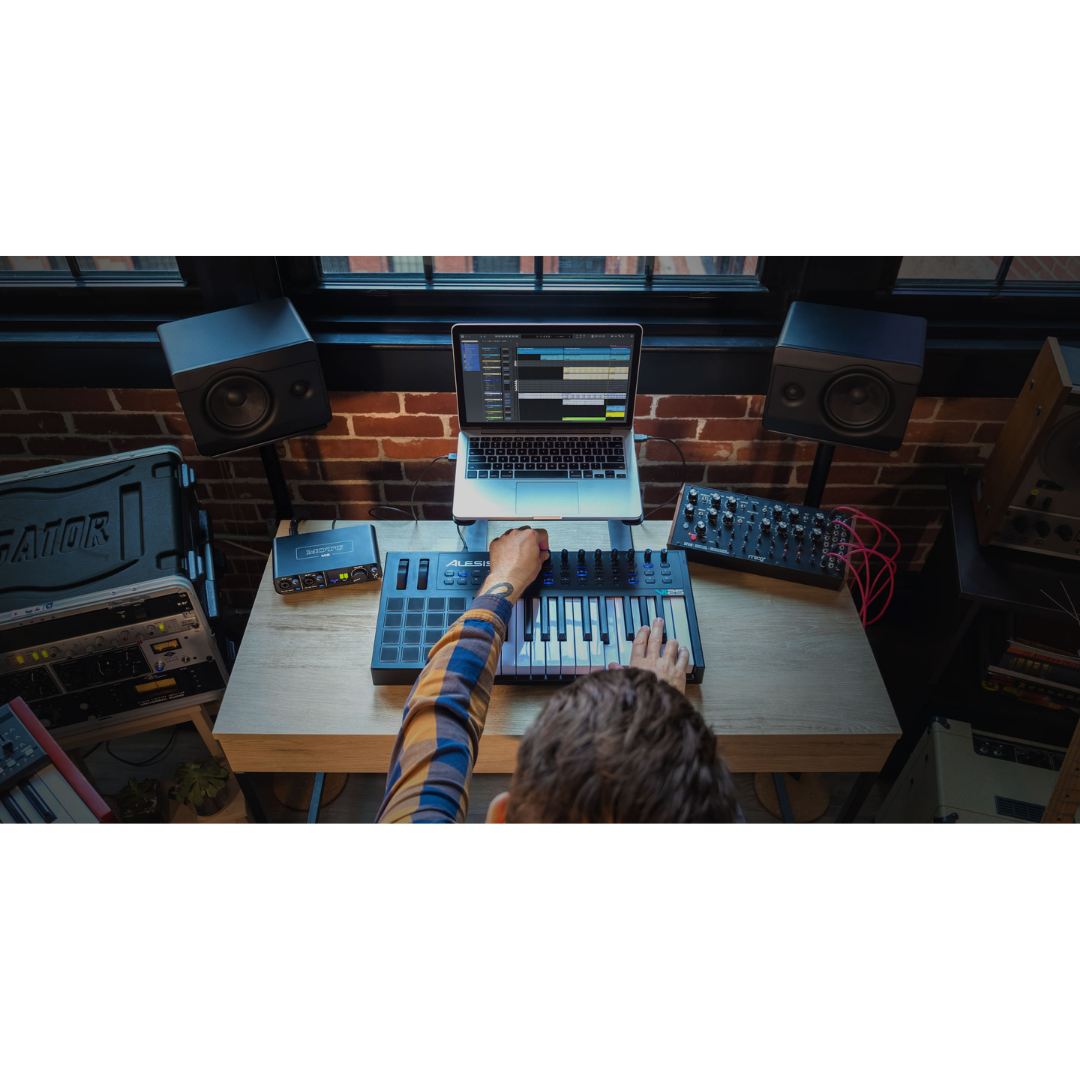
The home studio or project studio is the M2's primary and most natural habitat. In a typical setup, the M2 sits on the desktop alongside the computer — powered over USB, connecting to the host DAW over the same cable — with the two balanced TRS outputs feeding a pair of powered studio monitors (such as the Yamaha HS5, Adam Audio T5V, or similar). The headphone output feeds a set of closed-back reference headphones for overdubbing and late-night monitoring. A condenser microphone — perhaps a large-diaphragm cardioid or a small-diaphragm pencil condenser — connects to channel 1 via XLR, with phantom power switched on for that channel. An electric guitar or bass connects to channel 2 via 1/4" TS instrument cable into the Hi-Z TRS input.
Within the DAW (Performer Lite, Ableton Live Lite, Logic Pro, Pro Tools, Cubase, or any ASIO/Core Audio compatible host), the M2 appears as a two-channel audio interface. The session template typically arms channel 1 for microphone recording, channel 2 for the instrument DI, and routes the playback mix to the main outputs. The performer uses the hardware MON button to monitor their microphone directly during takes — the direct signal reaches the headphones at near-zero latency while the playback tracks from the DAW are heard simultaneously, blended by adjusting the DAW's output level versus the direct monitoring blend.
A MIDI keyboard or controller connects to the M2's 5-pin DIN MIDI IN port on the rear panel, appearing in the DAW as a MIDI controller without requiring a separate MIDI interface. This simplifies the signal chain considerably — a single USB cable to the M2 provides audio input, audio output, and MIDI input simultaneously. The included 6+ GB of loops and virtual instruments from Big Fish Audio and Loopmasters provide ready-made building blocks for beat-making and arrangement, reducing the need for additional sample library subscriptions in early-stage production.
Advanced Sub-Scenario: DC-Coupled Outputs for Modular Synthesis Integration
Home studios increasingly incorporate Eurorack modular synthesisers alongside traditional DAW production. The M2's DC-coupled balanced TRS main outputs support this workflow directly: software plugins such as Ableton's CV Instrument, Max for Live's CV Toolkit, or Expert Sleepers' Silent Way can transmit Control Voltage (CV) and Gate signals through the M2's main outputs to the modular synthesiser's CV inputs — pitch control, envelope triggers, clock signals, and more. This eliminates the need for a dedicated CV audio interface (such as the Expert Sleepers ES-8), reducing both cost and desktop footprint.
Configuration Summary: Home / Project Studio
| WORKFLOW ELEMENT | DETAILS / CONFIGURATION |
|---|---|
| M2 Placement | Desktop, next to computer — USB-C to computer (or USB-C to USB-A adapter) |
| Channel 1 Input | XLR condenser or dynamic microphone (48V phantom power ON if condenser) |
| Channel 2 Input | 1/4" TS instrument cable — electric guitar, bass, or synth |
| Main Outputs (TRS) | Balanced 1/4" TRS to powered studio monitors (e.g. Yamaha HS5, Adam T5V) |
| Headphone Output | Closed-back monitoring headphones (e.g. Sony MDR-7506, AKG K371) |
| MIDI Connection | 5-pin DIN MIDI IN — keyboard controller or hardware synth |
| DAW | Performer Lite / Ableton Live Lite / any ASIO (Windows) or Core Audio (Mac) DAW |
| Direct Monitoring | MON button ON for tracking — OFF during mixing/playback-only sessions |
| 48V Phantom Power | ON for channel with condenser mic; OFF for channel with dynamic mic or guitar |
| Sample Rate | 48 kHz (general production) or 96 kHz (high-resolution tracking) |
| Buffer Size | 64–128 samples (tracking) or 256–512 samples (mixing) |
| CV / Modular Use | Main TRS outputs — DC-coupled; route CV via plugin to main output channels |
| Software Bundle | Performer Lite + Ableton Live Lite + 6 GB samples included |
WORKFLOW 2 — VOCALIST & SINGER-SONGWRITER RECORDING
Scenario: Solo Artist Self-Recording — Voice and Acoustic Guitar
The singer-songwriter recording scenario is one of the most common use cases for a two-channel interface, and the M2 is exceptionally well-matched to it. A large-diaphragm condenser microphone — positioned on a microphone stand in front of the vocalist/guitarist — connects to channel 1 via XLR, with 48V phantom power engaged. The acoustic guitar signal is captured by the same microphone (if the performer plays and sings simultaneously) or by a separate small-diaphragm condenser or guitar pickup/direct box connected to channel 2.
For simultaneous voice and guitar recording, the most common professional technique is to position a single quality microphone to capture both — adjusting the position and angle to find the balance between vocal and guitar level that suits the song. With the M2's −129 dBu EIN preamps, the extremely quiet noise floor means the very delicate attack of an acoustic guitar string and the gentle high-frequency breath of a vocal are both captured without the added noise that would degrade the naturalness of the recording on a lesser interface.
The performer monitors through closed-back headphones connected to the headphone output, using the independent headphone volume control to set a comfortable cue level while the DAW plays back any guide tracks. If the performer prefers to monitor the raw microphone signal without any latency (which is especially important for vocalists who are sensitive to pitch monitoring), the MON button provides instant, hardware-direct monitoring at zero latency. The M2's full-colour LCD meter is particularly useful here — the performer, looking down at the unit on the desk, can see in real time whether their vocal level is hitting the meters at an optimal recording level without having to look up at the computer screen.
Sub-Scenario: Electric Guitarist Self-Recording with Amp Simulation
An electric guitarist recording via amp simulation connects their guitar directly to channel 2 via the Hi-Z TRS input, then routes the dry DI signal into the DAW where an amp simulation plugin (Neural DSP, Positive Grid Bias FX, Line 6 Helix Native, or similar) processes the signal in real time. With the M2's 2.5 ms RTL at 96 kHz / 32-sample buffer, the latency through the amp sim plugin is low enough for most guitarists to play comfortably without the feeling of latency degrading timing or expression. The processed amp sim output feeds back through the DAW to the M2's main outputs (and headphones), completing the monitoring loop.
Configuration Summary: Vocalist & Singer-Songwriter
| WORKFLOW ELEMENT | DETAILS / CONFIGURATION |
|---|---|
| Channel 1 Input | XLR — large-diaphragm condenser microphone on stand (48V phantom ON) |
| Channel 2 Input | XLR (second mic) or Hi-Z TRS (guitar pickup/DI) — phantom as appropriate |
| Microphone Placement | Engineer or artist positions mic to capture voice + guitar balance simultaneously |
| Phantom Power Ch 1 | ON (condenser mic) |
| Phantom Power Ch 2 | As required (ON for condenser, OFF for dynamic or guitar) |
| Headphone Monitoring | Closed-back cans — independent headphone volume adjusted by performer |
| Direct Monitoring | MON ON for real-time pitch monitoring without latency |
| Main Outputs | Balanced TRS to monitors (muted during tracking if needed to avoid feedback) |
| Sample Rate | 96 kHz recommended for vocal capture (higher resolution, longer editing latitude) |
| Buffer Size | 32–64 samples at 96 kHz for near-zero monitoring latency |
| DAW Track Setup | 2 mono tracks armed: one for vocal, one for guitar |
| Amp Simulation | Guitar DI tracked dry — amp sim plugin inserted in DAW (post-recording or real-time) |
| LCD Metering | Visual level check without looking at computer screen during performance |
WORKFLOW 3 — PODCAST PRODUCTION
Scenario: Single-Host Podcast with Remote Guest via VoIP
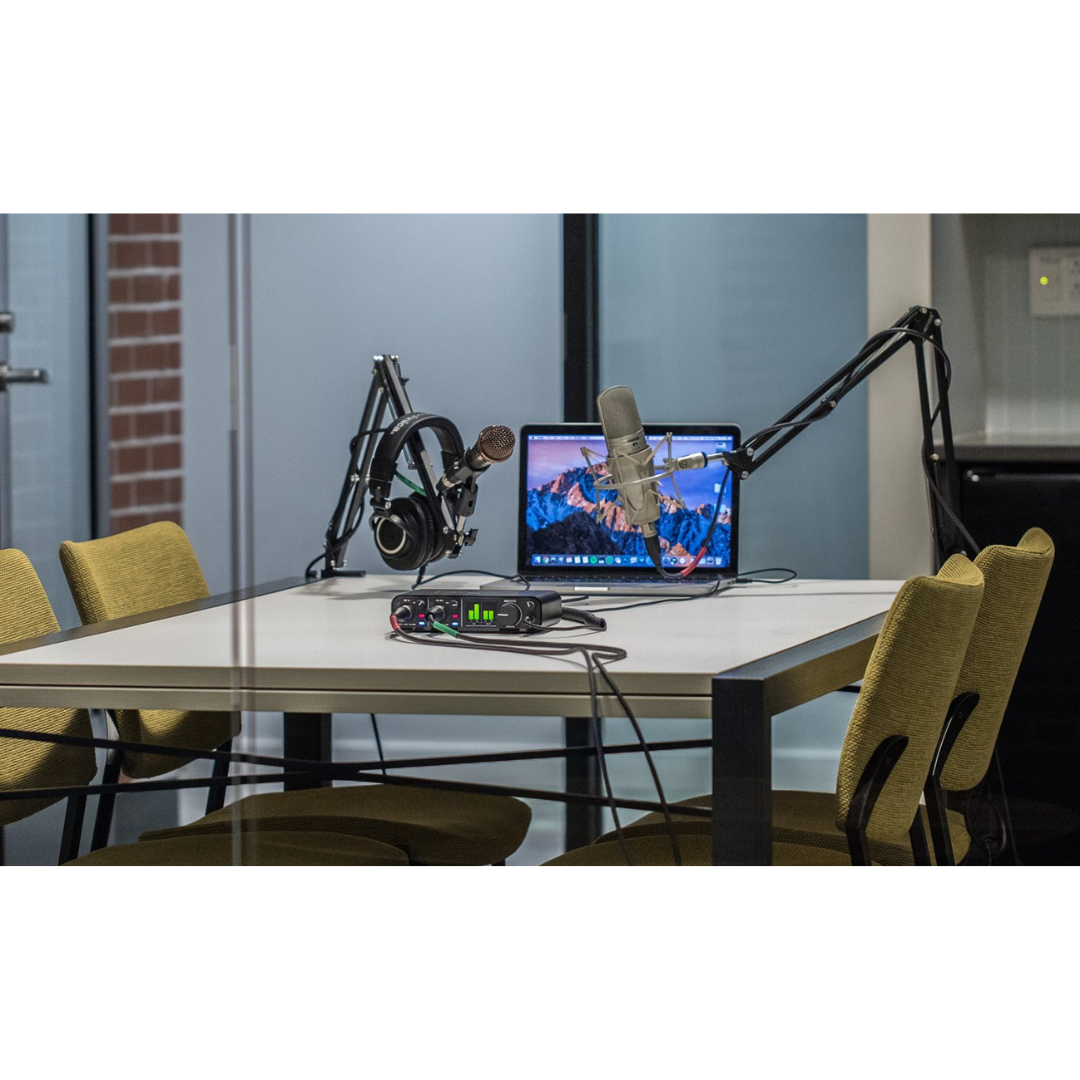
Podcasting is one of the fastest-growing use cases for compact audio interfaces, and the MOTU M2 is exceptionally well-equipped for it — not merely because of its preamp quality, but because of its native loopback channel implementation. In a single-host setup, a dynamic microphone (such as the Shure SM7B, Rode PodMic, or Electro-Voice RE20) or a condenser microphone (with phantom power) connects to channel 1. The host speaks into the microphone, which is captured by the DAW or recording software on track 1.
When recording a remote guest over Zoom, Skype, Microsoft Teams, or any VoIP platform, the challenge is to capture both the host's microphone and the guest's audio (which comes from the internet, through the computer's audio output) simultaneously in the same recording. The M2's loopback channels solve this elegantly: the VoIP application's audio output (the guest's voice, heard through the M2's main outputs) is simultaneously routed back into the DAW as a separate stereo input track via the loopback channels. The DAW records the host microphone on track 1 and the guest's voice (via loopback) on track 2, giving the editor full control over each voice in post-production.
The critical configuration step is to ensure the VoIP application is routing its audio input to the M2 (so the guest hears the host's microphone) and its audio output also through the M2 (so the guest's voice appears in the loopback channels). The host monitors the full mix — both their own voice and the guest's voice — through the headphone output at the desired level, with the headphone volume set independently of the main output, which can feed monitors without creating feedback.
Sub-Scenario: Dual-Host In-Person Podcast
When two hosts record in the same room, channel 1 and channel 2 each carry one host's microphone. Each host wears headphones monitoring the playback, with the headphone output feeding a headphone amplifier splitter (or a simple Y-cable for casual setups). Both hosts can use the hardware MON to hear their own voices directly while monitoring the shared headphone mix from the DAW. The limitation here is that the M2's headphone output cannot deliver two independent monitor mixes — both hosts hear the same stereo headphone output. For productions requiring individual cue mixes per performer, a second headphone amplifier with its own mix bus would be added downstream.
Configuration Summary: Podcast Production
| WORKFLOW ELEMENT | DETAILS / CONFIGURATION |
|---|---|
| Channel 1 | Dynamic or condenser mic — host microphone (48V if condenser) |
| Channel 2 | Second host mic, or left empty for single-host setup |
| VoIP Application Audio | Set to M2 (input: M2, output: M2) in VoIP software audio settings |
| Loopback Setup | Install MOTU M-Series driver — loopback channels appear as extra inputs in DAW |
| DAW Track 1 | M2 Input 1 (host mic) — record to dedicated mono track |
| DAW Track 2 | M2 Loopback L+R (guest VoIP audio) — record to stereo or dual-mono tracks |
| Headphone Monitoring | Host hears self (via loopback or direct monitoring) + guest audio simultaneously |
| Direct Monitoring | MON ON for host — hears own voice at zero latency |
| Main Outputs | Optional: feed to room monitors during editing sessions (mute during live recording) |
| Recording Software | Audacity / Adobe Audition / Reaper / Hindenburg (any ASIO/Core Audio DAW) |
| VoIP Application | Zoom / Skype / Riverside.fm / SquadCast — set audio device to M2 |
| Guest Audio Path | Guest → internet → VoIP app output → M2 loopback input → DAW track |
| Post-Production | Edit host and guest tracks independently in DAW for full dynamic control |
WORKFLOW 4 — LIVE STREAMING (TWITCH / YOUTUBE / INSTAGRAM LIVE)
Scenario: Gaming + Commentary Live Stream with Professional Audio
Live streaming with professional audio quality is one of the most visible differentiators between amateur and professional content creators on platforms like Twitch, YouTube Live, and Instagram Live. The M2 elevates a streamer's audio from the typical "gaming headset microphone" to broadcast-quality condenser microphone performance, which is immediately perceptible to audiences.
In a typical gaming stream setup, OBS Studio (the industry-standard free streaming software) is configured to receive two audio sources: the gaming PC's desktop audio (game sound, music, alerts) and the live microphone from the M2's channel 1 input. The M2's loopback channels are the key enabler here: the PC's audio output is routed via loopback to appear as an additional audio input in OBS, allowing OBS to mix the game audio with the live microphone in a single composite stream. The streamer monitors the complete mix — their voice, game audio, and any background music — through the headphone output, with the independent headphone volume set so game audio and voice are balanced comfortably.
Advanced streamers can use the loopback in combination with a software audio mixer such as Voicemeeter Banana (Windows) or Loopback (macOS) to create multiple separate audio tracks within OBS — maintaining separate game audio, music, microphone, and alert tracks in the recording for VOD editing purposes. The M2's consistent, low-jitter USB connection and MOTU's driver stability are important here: a dropped sample or USB audio glitch in a live stream is immediately audible to thousands of viewers.
Configuration Summary: Live Streaming
| WORKFLOW ELEMENT | DETAILS / CONFIGURATION |
|---|---|
| Channel 1 Input | Condenser or dynamic microphone — streaming mic (48V if condenser) |
| Channel 2 Input | Optional second mic, instrument DI, or leave empty |
| OBS Studio Setup | Add M2 Input 1 as "Audio Input Capture" in OBS Sources |
| Game Audio in OBS | Add M2 Loopback as "Audio Input Capture" (loopback captures desktop audio) |
| OBS Audio Output | Set OBS monitoring output to M2 Main Out (streamer hears the mix) |
| Headphone Monitoring | Complete stream mix monitored via headphone output |
| Driver Requirement | MOTU M-Series driver must be installed for loopback channels |
| Streaming Software | OBS Studio / Streamlabs / XSplit Broadcaster |
| Platform | Twitch / YouTube Live / Facebook Gaming / Instagram Live |
| Mic Processing in OBS | Apply Noise Suppression + Compressor + Expander filters in OBS audio mixer |
| Sample Rate | 48 kHz (standard for streaming; matches OBS default) |
| Buffer Size | 256 samples (balance between latency and CPU stability during game + stream) |
| Standalone Monitoring | Headphone volume independent of stream mix — adjust without affecting output |
WORKFLOW 5 — ELECTRONIC MUSIC PRODUCTION & BEAT-MAKING
Scenario: DAW-Based Production with External Synthesisers and Drum Machines
Electronic music producers working with a combination of software instruments and external hardware synthesisers and drum machines will find the M2 a capable hub for a compact hybrid studio. The workflow centres on the DAW as the master sequencer and mixer, with the M2 providing the audio interface and MIDI interface simultaneously via a single USB connection.
External hardware synthesisers connect to the M2 in two ways. First, MIDI note and control data flows from the DAW through the M2's MIDI OUT port to the synthesiser, allowing the DAW's MIDI sequencer to trigger and automate the hardware synth. Second, the synthesiser's analogue audio output connects back to one of the M2's combo inputs (via a standard TRS line-level connection into the Hi-Z input — acceptable for line-level signals from hardware synths, with the gain control turned down to match line level). The hardware synth's audio is then recorded into the DAW as an audio track.
Drum machines and samplers follow the same routing pattern. For live performance or jamming, the M2's 2.5 ms RTL allows software instruments to be played in real time from a MIDI keyboard connected to the MIDI IN port without the timing feel being degraded by latency — the musician plays the keyboard, the MIDI signal enters the DAW via the M2, triggers a software drum machine or sampler plugin, and the audio output returns to the M2's DAC within 2.5 ms total. At tempos up to 160 BPM, 2.5 ms of latency corresponds to less than one-twentieth of a 16th note at the shortest — comfortably below the threshold of perceptible rhythmic latency for most musicians.
Sub-Scenario: Eurorack Modular Synthesis Integration
Electronic producers using Eurorack modular synthesisers can connect the M2 directly to their modular system via the DC-coupled balanced TRS main outputs. Plugins such as Expert Sleepers' Silent Way, Ableton's CV Instrument and CV Clock, or VCV Rack's bridging utilities output Control Voltage waveforms (pitch CV, envelope CV, LFO, clock gates, triggers) through the M2's main outputs. These DC-coupled signals pass directly to the Eurorack patch — patching a standard TS cable from the M2's left output to a VCO's V/Oct input, for example, allows the DAW to sequence the synthesiser's pitch with 1 V/Oct tracking. The M2's combo inputs simultaneously accept audio back from the modular system for recording into the DAW, completing a full bidirectional DAW-to-Eurorack signal flow.
Configuration Summary: Electronic Music / Modular Synthesis
| WORKFLOW ELEMENT | DETAILS / CONFIGURATION |
|---|---|
| MIDI OUT | 5-pin DIN → hardware synthesiser / drum machine MIDI IN |
| MIDI IN | 5-pin DIN ← keyboard controller / hardware sequencer MIDI OUT |
| Channel 1 / 2 Inputs | Hardware synth / drum machine stereo output (line level via TRS, gain reduced) |
| Main Outputs (TRS) | To studio monitors — and to Eurorack CV inputs (DC-coupled, for modular use) |
| CV Plugin (Windows) | Expert Sleepers Silent Way / VCV Rack Bridge / Ableton CV Tools (Max for Live) |
| CV Plugin (macOS) | Same — plus MOTU Volta (if using MOTU instruments) |
| DAW MIDI Sequencer | Arms MIDI tracks to route to M2 MIDI OUT → hardware synth |
| Buffer Size (performance) | 32–64 samples at 96 kHz for low-latency live MIDI performance |
| Buffer Size (production) | 128–256 samples at 48 kHz during mixing/bounce for CPU headroom |
| Eurorack Patching | M2 main out L → VCO V/Oct, M2 main out R → VCA CV, Eurorack audio out → M2 input |
| Recording Synth Audio | Record hardware synth output on M2 input channel in DAW — capture dry to audio track |
| Software Instruments | Performer Lite included (100+ VIs) — plays via MIDI keyboard on M2 MIDI IN |
WORKFLOW 6 — VIDEO PRODUCTION & CONTENT CREATION
Scenario: YouTube Video, Short-Form Content, and Voiceover Recording
For video producers and content creators on YouTube, Instagram Reels, and similar platforms, audio quality is a decisive factor in production value — studies of viewer retention consistently show that audiences tolerate imperfect video far more readily than imperfect audio. The MOTU M2 provides a substantial audio upgrade over USB microphones, built-in laptop microphones, and camera-mounted shotgun microphones, enabling a level of clarity and professionalism typically associated with broadcast production.
In a typical video content creation workflow, a condenser microphone (cardioid large-diaphragm for voiceovers; small-diaphragm for instrument capture) connects to channel 1 of the M2 with 48V phantom power. The creator records narration, commentary, or performance audio directly into the video editing application (Adobe Premiere Pro, DaVinci Resolve, Final Cut Pro) by selecting the M2 as the audio input device in the application's preferences. The recorded audio clip appears on the timeline alongside the video clip, maintaining sample-accurate synchronisation. The M2's main outputs simultaneously feed the creator's monitoring speakers or headphones for playback review during editing.
For more complex productions — such as a review video where background music, sound effects, voiceover narration, and interview audio all need separate tracks — the workflow shifts to recording audio in a separate DAW (Performer Lite or Ableton Live Lite, both included) and then importing the rendered audio mix into the video editor. The M2's loopback channels also serve a specific purpose in video production: capturing the audio from video conference interviews (Zoom or Teams calls) as a separate audio track for broadcast-quality interview segments.
Configuration Summary: Video Production & Content Creation
| WORKFLOW ELEMENT | DETAILS / CONFIGURATION |
|---|---|
| Channel 1 Input | XLR condenser mic on boom arm or stand (48V phantom ON) — voiceover / commentary |
| Channel 2 Input | Second mic, instrument DI, or interview guest mic as needed |
| Main Outputs | Balanced TRS to studio monitors or powered speakers for playback review |
| Headphone Output | Headphones for monitoring during recording and editing |
| Video Editing Application | Select MOTU M2 as audio input device in Premiere Pro / Resolve / Final Cut preferences |
| DAW (Complex Productions) | Performer Lite or Ableton Live Lite — record and mix audio separately, then export |
| Audio Sync | Use a clapper board or a sharp hand clap as a sync cue for DAW-to-video alignment |
| Loopback for Interviews | Route Zoom/Teams guest audio via loopback to separate audio track in DAW |
| 48V Phantom Power | ON for condenser mic; OFF if using dynamic or ribbon mic |
| Sample Rate | 48 kHz (matches video standard frame rates for audio-video sync) |
| Buffer Size | 256–512 samples (no real-time performance needed during narration recording) |
| Room Treatment | M2's quiet preamps reveal room acoustics — use acoustic panels or a reflection filter |
| Noise Gate / De-Esser | Apply in DAW post-recording (Performer Lite includes dynamics plugins) |
WORKFLOW 7 — REMOTE COLLABORATION & ONLINE SESSIONS
Scenario: Real-Time Collaborative Music Recording Over the Internet
Remote music collaboration — where musicians in different cities, or even different countries, perform and record together in near real-time — has become a standard part of professional music production. Applications such as Sonobus (open-source), Jamulus, Jacktrip, NINJAM, and commercial platforms like Splice Sessions enable this workflow, and the MOTU M2's low-latency driver is a key enabler of high-quality remote performance.
In a remote collaboration session, the local musician's microphone or instrument connects to the M2's input. The M2's audio is presented to the collaboration application (Sonobus, Jamulus, etc.) as the audio input device. The application compresses and transmits the audio over the internet to the remote musician's setup, and receives the remote musician's audio back, presenting it to the local performer through the M2's outputs (heard in headphones). The critical factor is the relationship between local interface latency and network latency: the M2's 2.5 ms RTL contributes the minimum possible local latency, meaning network latency — over which neither party has control — is the dominant factor. For sessions where both parties have network round-trip latencies below approximately 30 ms (achievable on good fibre connections within the same country), real-time ensemble performance is entirely practical.
For session recording purposes where timing is critical but live performance is not required, the preferred workflow is to record each musician's performance on their own local interface and DAW, then exchange the recorded files (via Dropbox, Google Drive, or Splice) for mixing. The M2's DAW bundle — Performer Lite or Ableton Live Lite — supports this file exchange workflow directly. The advantage of this approach is that local recording quality is entirely determined by the local setup, and network latency is irrelevant.
Configuration Summary: Remote Collaboration
| WORKFLOW ELEMENT | DETAILS / CONFIGURATION |
|---|---|
| Local Input (M2) | Channel 1 or 2 — instrument or mic for local performer |
| Collaboration App (Low-Latency) | Sonobus / Jamulus / Jacktrip — set audio device to M2 |
| Buffer Size (Live Session) | 32–64 samples at 96 kHz (minimum local latency) |
| Monitoring | Headphones only — speakers create echo risk in online sessions |
| Direct Monitoring | MON ON for local instrument — hears self at zero latency alongside remote audio |
| Network Requirement | Low-latency broadband (fibre preferred; avoid WiFi — use wired ethernet) |
| Target Network RTL | Under 30 ms for comfortable real-time ensemble performance |
| File Exchange Method | Record locally → export high-resolution WAV → share via Dropbox / Splice / WeTransfer |
| File Exchange Format | 24-bit / 96 kHz WAV or AIFF — uncompressed, highest quality for mixing |
| Remote Mix Workflow | Receive partner track → import into Performer Lite / Ableton → overdub / mix locally |
| Video Sync (optional) | Use Zoom / FaceTime as a visual cue channel alongside audio collaboration app |
WORKFLOW 8 — EDUCATIONAL & TEACHING STUDIO
Scenario: Music Technology Classroom or One-to-One Teaching Setup
Music technology educators and private instrument tutors can deploy the MOTU M2 as a teaching interface that demonstrates real professional audio production principles without the complexity or cost of a full studio setup. In a one-to-one lesson — whether in-person or conducted remotely via video conferencing — the teacher and student can share the same audio session, with the M2 capturing a live instrument or vocal performance for immediate playback and critique.
In an in-person classroom scenario with a single computer and M2, a student microphone connects to channel 1 and a teacher's demonstration instrument or second microphone to channel 2. The DAW is projected onto a classroom screen via the computer's video output, allowing all students to observe the recording and production workflow in real time. The teacher demonstrates gain staging using the M2's LCD meter — one of the clearest and most instructive metering displays available at any price — and explains the relationship between preamp gain, signal level, headroom, and digital clipping. The full-colour, high-resolution display makes it immediately visible when a level is too hot (peak indicators) or too low (insufficient signal-to-noise ratio), providing a compelling visual teaching aid.
For remote teaching via Zoom or Teams, the teacher's microphone connects to the M2, and the loopback channels capture the student's audio from the Zoom call, allowing both voices to be recorded to a DAW for later review. The 48V phantom power, independent per channel, allows a condenser microphone to be used safely alongside a dynamic microphone on the other channel — demonstrating the difference between microphone types as a lesson in itself.
Configuration Summary: Educational & Teaching Studio
| WORKFLOW ELEMENT | DETAILS / CONFIGURATION |
|---|---|
| Channel 1 | Teacher or student microphone (condenser with 48V, or dynamic) |
| Channel 2 | Second participant mic or demonstration instrument DI |
| DAW Display | Project DAW onto screen (HDMI/DisplayPort from computer to projector or TV) |
| LCD Meter Use | Demonstrate gain staging — show students target recording levels visually |
| Teaching Concepts | Gain structure, phantom power, direct monitoring, sample rate, bit depth, latency |
| Remote Teaching | Loopback captures student Zoom audio for recording alongside teacher mic |
| Software (Teaching DAW) | MOTU Performer Lite (included) — full-featured, educational-friendly pricing |
| Software (Performance) | Ableton Live Lite (included) — excellent for loop-based composition teaching |
| MIDI Teaching | Connect MIDI keyboard to M2 MIDI IN — demonstrate virtual instrument playing in DAW |
| 48V Demo | Safely switch phantom power per channel — demonstrate condenser vs dynamic mic operation |
| Headphone Monitoring | Student uses headphone output on M2 for private monitoring without disturbing others |
WORKFLOW 9 — BROADCAST & RADIO PRODUCTION (SMALL-SCALE)
Scenario: Internet Radio, College Radio, and Spoken-Word Broadcast
Internet radio stations, college radio operations, and spoken-word broadcast producers working with limited budgets and equipment can use the MOTU M2 to achieve broadcast-standard audio quality for voice applications. A broadcast-quality dynamic microphone (Shure SM7B, Electro-Voice RE20, or Rode PodMic) or condenser microphone connects to channel 1, with the THAT 6263 preamp providing more than sufficient gain even for the notoriously gain-hungry SM7B (60 dB maximum gain covers the SM7B's requirements comfortably in most voice-over environments).
The M2's main balanced TRS outputs feed the broadcast chain — whether a software streaming encoder (Butt, Mixxx, or a dedicated streaming server plugin) or a hardware broadcast processor. The RCA outputs simultaneously provide an unbalanced feed to a recording device, a delay unit, or a secondary monitoring position, without requiring an additional DI box or signal splitter. The loopback channels allow phone-in callers (connected via a mobile phone or VoIP interface) to be recorded alongside the presenter's microphone on separate tracks for archiving or editing.
For operations requiring both a live presenter and a co-presenter in the same room, both microphones connect to channels 1 and 2. The M2's independent phantom power buttons allow one presenter to use a condenser microphone while the other uses a dynamic, without risk. The independent direct monitoring buttons allow each presenter to monitor their own microphone at zero latency through headphones, with the overall headphone mix sourced from the DAW or broadcast software playback.
Configuration Summary: Broadcast & Radio Production
| WORKFLOW ELEMENT | DETAILS / CONFIGURATION |
|---|---|
| Channel 1 | Broadcast dynamic mic — SM7B / RE20 / PodMic (48V OFF — dynamic mics do not need phantom power) |
| Channel 2 | Co-presenter mic or phone caller interface (with appropriate 48V setting) |
| Main TRS Outputs | Feed broadcast encoder / streaming server / hardware broadcast processor |
| RCA Outputs | Unbalanced feed to secondary recorder, delay unit, or remote monitoring |
| Loopback | Capture VoIP / phone caller audio as separate track for archive recording |
| Gain Setting (SM7B) | Input gain at maximum (60 dB) — SM7B requires high gain; M2 EIN handles it cleanly |
| Streaming Software | Butt / Mixxx / OBS (configured to receive M2 audio input and loopback) |
| Monitoring | Each presenter: headphones on M2 headphone output (shared mix — single output) |
| Sample Rate | 44.1 kHz (internet radio / podcast standard) or 48 kHz (broadcast) |
| Buffer Size | 256 samples (stable, low-dropout for live broadcast) |
| Archive Recording | DAW records both mics + loopback simultaneously for post-broadcast podcast release |
WORKFLOW 10 — PORTABLE & LOCATION RECORDING
Scenario: Mobile Recording Sessions with a Laptop
The MOTU M2's combination of bus power, metal construction, compact dimensions, and high-quality converters makes it an excellent compact front-end for location recording sessions with a laptop. Field recording scenarios range from capturing acoustic instruments in unusual locations (recording a violin in a cathedral, capturing hand percussion in a courtyard) to on-location voice recording for documentary filmmakers and journalists, to mobile production for artists who record in hotel rooms, backstage dressing rooms, or rehearsal spaces.
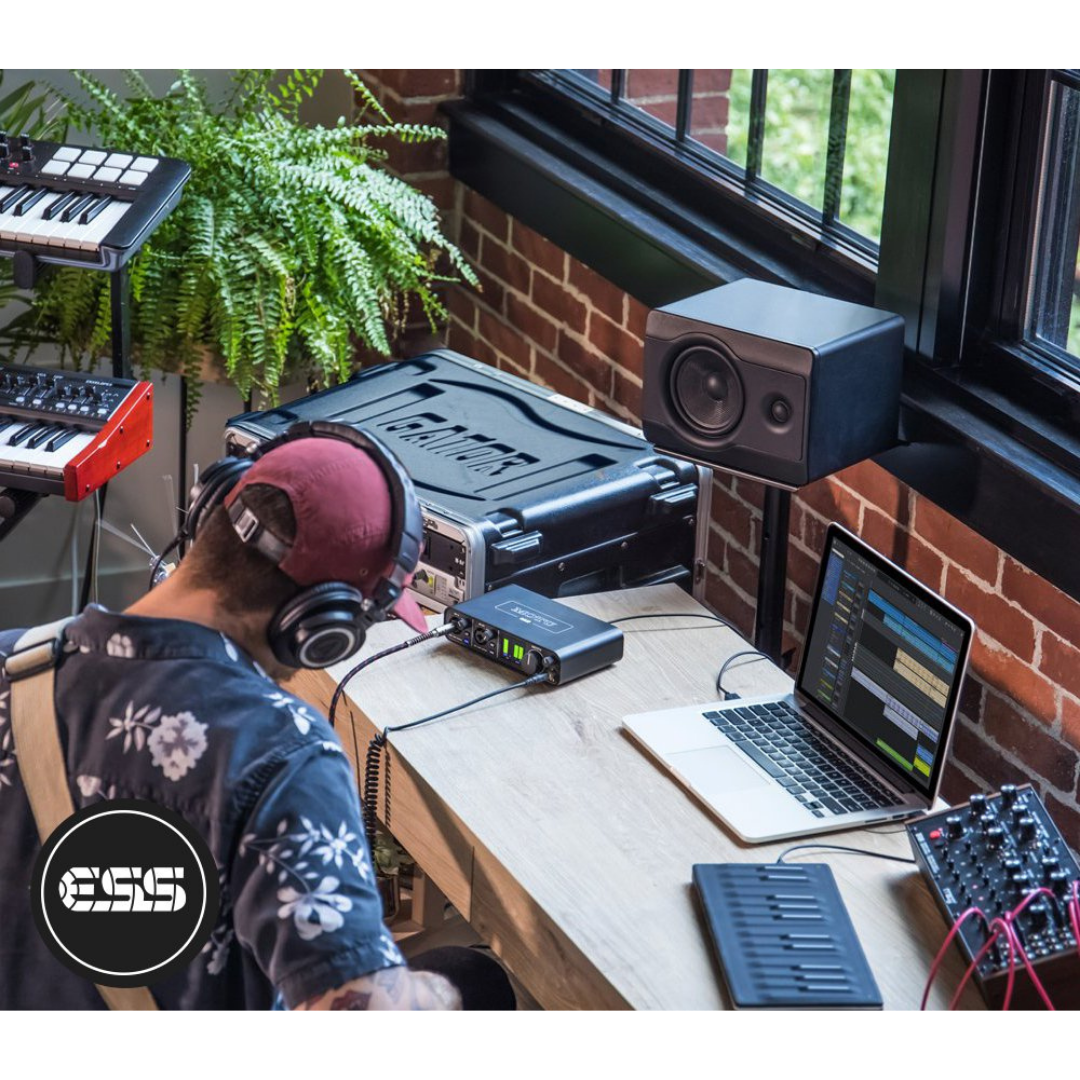
In a location recording setup, the M2 sits beside the laptop on whatever surface is available — a table, a flight case, a chair — powered entirely from the laptop's USB port without any external power supply. A pair of microphones (condenser or dynamic, depending on ambient noise conditions) connect to channels 1 and 2. The performer or subject is positioned to minimise room acoustics and ambient noise — critical when the quiet preamps of the M2 will faithfully capture whatever the microphone hears, including room reflections. The headphone output feeds monitoring headphones for the engineer or recordist.
For journalists and documentary producers, the workflow often involves recording an interview subject on channel 1 and the interviewer on channel 2, with both captured simultaneously to the DAW at 96 kHz for editing. The M2's metal chassis provides protection against the casual bumps and vibrations inherent in location use, and the internal metal shielding means the unit does not pick up radio frequency interference from nearby mobile phones or radio transmitters — a common problem with cheaper, plastic-bodied interfaces in the field.
Sub-Scenario: Standalone Preamp for Location PA Supplementation
When powered by a USB-C power adapter (no laptop required), the M2 functions as a standalone microphone preamplifier and monitor controller. This makes it useful in acoustic performance settings where a very small PA or powered monitor setup is needed for rehearsal or small-venue amplification. Connect a microphone to channel 1, enable phantom power and MON, and connect the balanced TRS output directly to a powered speaker or PA amplifier. The M2 provides a clean, low-noise preamplifier stage that far outperforms typical mixing console preamps at this budget level.
Configuration Summary: Portable & Location Recording
| WORKFLOW ELEMENT | DETAILS / CONFIGURATION |
|---|---|
| Power Source | USB bus power from laptop — no mains adapter required |
| Laptop Connection | USB-C to USB-A (included cable) or USB-C to USB-C |
| Channel 1 & 2 | Condenser or dynamic mics suited to location conditions (48V as required) |
| Headphone Output | In-ear monitors or compact over-ear headphones for engineer monitoring |
| Main Outputs | Balanced TRS to powered monitor (for location playback) or feed to recorder |
| Standalone Operation | USB-C charger → M2 → mic → MON → powered speaker (no laptop needed) |
| DAW (Location) | Performer Lite or Ableton Live Lite on laptop — lightweight, no iLok required |
| Sample Rate | 96 kHz for music / instrument capture; 48 kHz for voice / interview |
| Storage | Record to laptop SSD — no external storage needed for most sessions |
| RFI Protection | Metal chassis reduces interference from mobile phones in field environments |
| Session Backup | Back up session to cloud (Dropbox / Google Drive) at end of each location day |
| Cable Kit | Carry spare XLR cables, USB-C to USB-A cable, and USB-C power adapter |
WORKFLOW 11 — VOICEOVER & AUDIOBOOK PRODUCTION
Scenario: Professional Voiceover Artist Home Studio
Voiceover artists, audiobook narrators, and dialogue editors represent one of the most demanding end-user categories for microphone preamp quality, because voiceover recording occurs at very close microphone distances (12–30 cm from a large-diaphragm condenser) where every nuance of the preamp's frequency response and noise floor is laid bare. The M2's −129 dBu EIN and the transparent THAT 6263 preamp design are highly appropriate here — the preamp's midrange character (noted by independent reviewers as slightly present in the 2 kHz region) can actually be complementary for voice work, adding a subtle presence enhancement that reduces the need for EQ in post.
A professional voiceover booth setup uses a single large-diaphragm cardioid condenser microphone — shockmounted to eliminate stand vibration — on a boom arm, positioned at the optimal angle and distance for the voice. Channel 1 of the M2 captures the microphone with 48V phantom power. The M2's main outputs feed studio monitors for playback review, while the headphone output (at a carefully calibrated level) provides the voiceover artist with monitoring during takes. The artist does not monitor themselves during performance if the direct monitoring introduces any distraction — in this case, the MON button remains off and the artist performs without self-monitoring.
For audiobook narration requiring long, continuous takes, DAW stability and consistent gain behaviour are critical. The M2's digital encoders — with no potentiometer drift or channel imbalance over time — ensure that the gain set at the beginning of a four-hour narration session remains identical throughout, without the subtle level drift that analogue pots exhibit as they warm up. Between chapters, the engineer can quickly review levels on the LCD meter without touching the gain controls, confirming the setup has remained stable.
Configuration Summary: Voiceover & Audiobook Production
| WORKFLOW ELEMENT | DETAILS / CONFIGURATION |
|---|---|
| Channel 1 Input | Large-diaphragm cardioid condenser on shockmount boom arm (48V ON) |
| Channel 2 Input | Unused (or ambient reference mic for room noise monitoring) |
| Gain Setting | Set preamp gain so sustained speech peaks at −18 to −12 dBFS (headroom for peaks) |
| Direct Monitoring | MON OFF during performance (avoid distraction); MON ON for level checks between takes |
| Headphone Monitoring | Playback monitoring via headphone output — artist reviews takes directly in headphones |
| Main Outputs | Balanced TRS to reference monitors for director / client listening in separate position |
| DAW Workflow | Record to mono track — apply noise reduction, EQ, compression, normalisation in post |
| Sample Rate | 48 kHz (ACX audiobook standard) or 44.1 kHz (podcast / YouTube delivery) |
| Bit Depth | 24-bit recording → normalise and dither to 16-bit for final delivery if required |
| Room Treatment | Voiceover booth or reflection filter essential — quiet preamps reveal room acoustics |
| Long-Session Stability | Digital encoders maintain calibrated gain setting without drift over hours-long sessions |
| Delivery Formats | Export from DAW to WAV / MP3 per client specification (ACX, Findaway, etc.) |
| Noise Floor Check | Target room noise floor below −60 dBFS — M2 preamps will not add to this |
WORKFLOW 12 — IOS MOBILE PRODUCTION
The MOTU M2's USB Audio Class 2.0 compliance allows it to operate with iOS devices (iPhone and iPad running iOS 9 or later), opening a mobile recording workflow that combines the portability of an iPad with the microphone preamp quality and converter performance of a professional desktop interface. This workflow requires two hardware accessories in addition to the M2: an Apple USB-C to Lightning adapter (for older iPads and iPhones) or a USB-C to USB-C cable (for modern iPad Pro and iPad Air models), and a powered USB hub to supply the M2's bus power requirements — the iPad alone cannot provide sufficient current.
With the powered hub and adapter in place, the M2 appears in the iOS system audio settings as an audio input and output device. iOS DAWs such as GarageBand (free from Apple), Cubasis 3, AUM, or Ferrite Recording Studio (for podcasters and field recorders) can select the M2 as their audio interface, providing the same two-channel recording capability available on Mac and Windows — with the same ESS Sabre converter quality. A singer-songwriter working on location can capture a vocal and acoustic guitar performance to GarageBand on an iPad, then transfer the session to a Mac for mixing in Logic Pro or Performer Lite. A field reporter can record an interview at 48 kHz / 24-bit directly to the iPad's storage, then transmit the file via AirDrop or email.
It is important to note that the iOS workflow does not support loopback channels (which require the MOTU M-Series driver, unavailable on iOS), and the round-trip latency at iOS-typical buffer sizes will be higher than the 2.5 ms achievable on Mac and Windows. However, the audio quality — converter performance, preamp noise floor — is identical regardless of platform, making the iOS workflow fully appropriate for capture-only applications where software monitoring latency is not a concern.
Configuration Summary: iOS Mobile Production
| WORKFLOW ELEMENT | DETAILS / CONFIGURATION |
|---|---|
| iPad / iPhone Connection | Powered USB hub → USB-C to Lightning adapter (older iOS) or USB-C cable (modern iPad Pro) |
| Required Accessories | Apple USB-C/Lightning adapter + powered USB hub (not included) |
| Bus Power Source | Powered USB hub (iPad cannot supply sufficient current for M2) |
| iOS DAW | GarageBand (free) / Cubasis 3 / AUM / Ferrite Recording Studio / Multitrack DAW |
| Audio Device Selection | iOS Settings → select MOTU M2 as audio input and output |
| Channel Count on iOS | 2 analogue inputs + 2 analogue outputs (same as desktop) |
| Loopback on iOS | Not supported (requires MOTU driver, unavailable on iOS) |
| Sample Rate on iOS | 44.1 or 48 kHz (iOS apps typically cap at 48 kHz) |
| Use Case | Field recording, location capture, songwriting sketches, interview recording |
| File Transfer | AirDrop / iCloud / SD card → transfer session to Mac for mixing in Performer Lite |
| Latency Note | iOS buffer sizes typically larger than desktop — use MON for zero-latency self-monitoring |
FEATURE-TO-WORKFLOW CROSS-REFERENCE MATRIX
The following matrix maps every major feature of the MOTU M2 to the workflow categories where that feature delivers the most significant operational value. This table serves as a quick reference for engineers evaluating the M2 for a specific deployment context, allowing rapid identification of which M2 capabilities are most critical to a given workflow.
| WORKFLOW ELEMENT | DETAILS / CONFIGURATION |
|---|---|
| −129 dBu EIN Mic Preamps (THAT 6263) | Vocalist & Singer-Songwriter · Voiceover & Audiobook · Podcast · Broadcast · Location Recording · Educational Studio |
| 120 dB(A) Output Dynamic Range (ESS Sabre32) | All workflows — defines monitoring fidelity and maximum output headroom |
| 115 dB(A) Input Dynamic Range (AKM ADC) | Studio Recording · Voiceover · Location Recording · Broadcast — ensures ADC does not limit dynamic range of captured signal |
| 2.5 ms Round-Trip Latency (96 kHz / 32 samples) | Home Studio Tracking · Electronic Music (live MIDI performance) · Vocalist Self-Monitoring · Remote Collaboration · Live Streaming |
| Hardware Direct Monitoring (MON buttons) | Vocalist & Singer-Songwriter · Voiceover · Location Recording · iOS Mobile Production · Broadcast (presenter monitoring) |
| Independent 48V Phantom Power (per channel) | Any workflow using condenser microphones — safely enables condenser on one channel, dynamic on other simultaneously |
| Driver Loopback Channels | Podcast Production · Live Streaming · Broadcast (caller recording) · Video Production (Zoom interview capture) · Remote Collaboration |
| DC-Coupled Balanced TRS Outputs | Electronic Music Production · Modular Synthesis (CV/Gate routing from DAW to Eurorack) |
| 5-pin DIN MIDI IN / OUT | Electronic Music Production · Home Studio (MIDI keyboard control of VIs) · Educational Studio · Remote Collaboration |
| Full-Colour 160×120px LCD Meter | Home Studio · Vocalist Recording · Educational Studio · Broadcast · Voiceover (gain staging without watching computer screen) |
| Digital Gain Encoders (1 dB steps, no drift) | Voiceover & Audiobook (long-session gain stability) · Broadcast (consistent presenter levels) · Educational (precise gain demonstration) |
| Bus Power (USB, no external adapter) | Location Recording · iOS Mobile Production · Podcast (desk-based, cable-minimal setup) · Educational (easy deployment, no mains sockets required) |
| Standalone Operation (USB-C power adapter) | Location Recording / Standalone Preamp · Small-Venue PA Supplement · Rehearsal Monitoring |
| Metal Chassis Construction | Location Recording · Live Streaming (desk durability) · Educational Studio (institutional durability) |
| Hi-Z Instrument Inputs (TRS) | Home Studio Guitar Recording · Singer-Songwriter (guitar DI) · Electronic Music (line-level synth input) |
| RCA Mirrored Outputs | Home Studio (feed consumer receiver or DJ mixer) · Podcast (secondary recording device) · Broadcast (delay unit feed) |
| USB-C Connectivity (USB 2.0) | All workflows — broad compatibility with Mac, Windows, iOS across current and legacy hardware |
| iOS Compatibility (USB Audio Class 2.0) | iOS Mobile Production · Location Recording with iPad · Songwriting Sketches on the go |
| Included Software (Performer Lite + Live Lite + 6 GB) | Home Studio · Vocalist / Singer-Songwriter · Electronic Music · Educational Studio · Video Production (audio post) |