


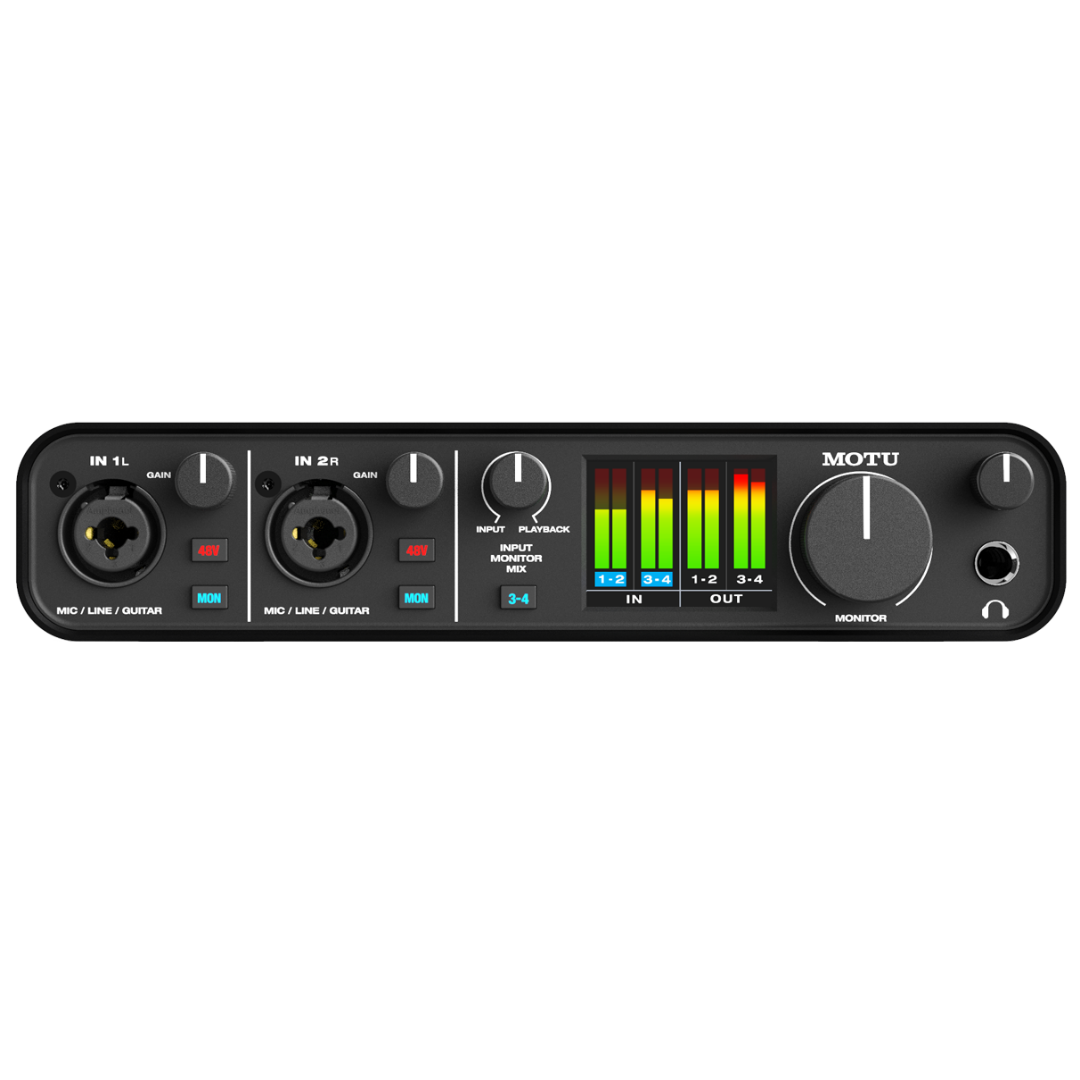
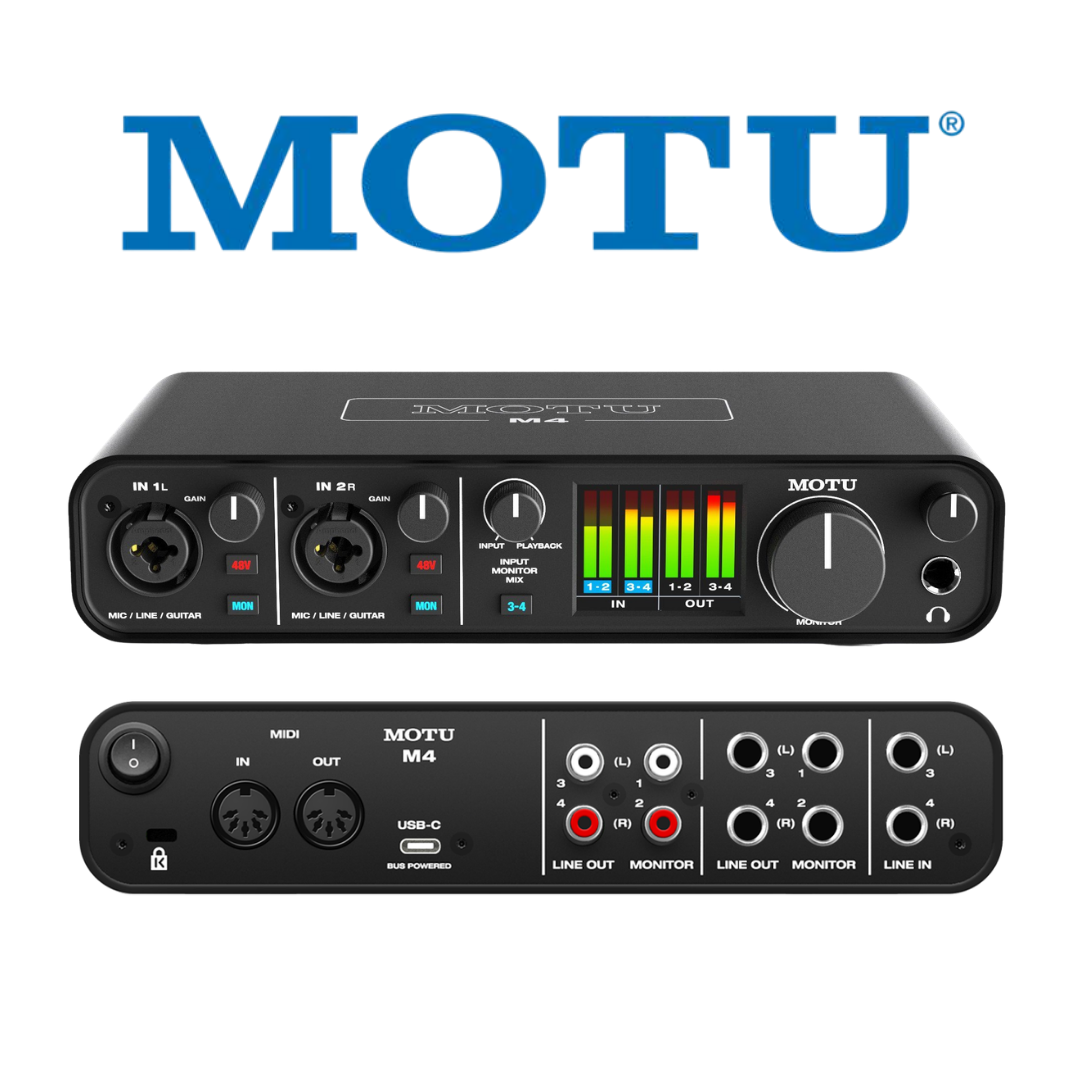
Brand: MOTU
MOTU M4
Category: Audio Interfaces
4-in/4-out USB-C Audio Interface • 120 dB Dynamic Range • —110 dB THD + N • —129 dBu EIN • Equipped with Renowned ESS Sabre32 Ultra™ DAC Technology • Best-in-Class Audio Quality • Speed & Metering • Best-in-Class Audio Quality • Speed & Metering
 Get 5% OFF on Prepaid Orders
Copied!
Get 5% OFF on your First Purchase.
Copied!
Buy 2 and GET 10% OFF
Copied!
Get 5% OFF on Prepaid Orders
Copied!
Get 5% OFF on your First Purchase.
Copied!
Buy 2 and GET 10% OFF
Copied!
GENERAL SPECIFICATIONS
| SPECIFICATION | DETAILS |
|---|---|
| Product Name | MOTU M4 |
| Manufacturer | MOTU (Mark of the Unicorn), Cambridge, Massachusetts, USA |
| Product Category | 4-In / 4-Out USB-C Audio Interface |
| M-Series Position | Mid-tier (M2 < M4 < M6) |
| Bit Depth | 24-bit (operational); 32-bit internal processing |
| Sample Rates | 44.1, 48, 88.2, 96, 176.4, 192 kHz |
| USB Standard | USB 2.0 High Speed (480 Mbps) |
| USB Connector (Device) | USB-C |
| Bus Power | Yes — from host USB connection |
| Standalone Operation | Yes — with USB-C power adapter (5V) |
| Operating Systems | macOS 12+, Windows 11+, iOS 14+ |
| Chassis | Metal |
ANALOGUE INPUTS
| SPECIFICATION | DETAILS |
|---|---|
| Total Analogue Inputs | 4 |
| Inputs 1 & 2 Connector | XLR / 1/4" TRS combo jack (front panel) |
| Inputs 1 & 2 XLR Mode | Microphone preamplifier (THAT 6263, balanced, transformerless) |
| Inputs 1 & 2 TRS Mode | Hi-Z instrument input (guitar/bass, unbalanced) |
| Inputs 3 & 4 Connector | 1/4" TRS balanced (rear panel) |
| Inputs 3 & 4 Mode | Balanced line input (no preamp, fixed gain) |
| Inputs 3 & 4 Nominal Level | +4 dBu (professional balanced) |
| Preamp IC (Ch 1/2) | THAT Corporation THAT 6263 |
| EIN (Ch 1/2, measured) | −129 dBu (A-weighted) |
| Maximum Gain (Ch 1/2) | 60 dB |
| Gain Control (Ch 1/2) | 0 to 60 dB, digital encoder, 1 dB steps |
| 48V Phantom Power | Yes — independent per channel, Ch 1 and Ch 2 only |
| ADC Chip (all inputs) | AKM AK5552VN ("Velvet Sound") |
| Input Dynamic Range (ADC) | 115 dB(A) (measured, all channels) |
ANALOGUE OUTPUTS
| SPECIFICATION | DETAILS |
|---|---|
| Number of TRS Outputs | 4 (balanced 1/4" TRS, rear panel) |
| Output Pairs | Outputs 1/2 (main stereo) and Outputs 3/4 (secondary stereo) |
| Output Type | Balanced, DC-coupled (all four) |
| DAC Chip | ESS ES9016S (ESS Sabre32 Ultra™) |
| Output Dynamic Range (measured) | 120 dB(A) — all four TRS outputs |
| Nominal Output Level | +4 dBu (professional) |
| DC Coupling | Yes — all four outputs; CV/modular compatible |
| RCA Outputs | 4× RCA/phono (rear panel), unbalanced |
| RCA Output Level | −10 dBV (consumer unbalanced) |
| RCA Assignment | Mirrors corresponding TRS outputs (1→1 through 4→4) |
| Output Volume Control | Front-panel digital encoder (master, 1 dB steps) |
HEADPHONE OUTPUT
| SPECIFICATION | DETAILS |
|---|---|
| Connector | 1/4" TRS stereo (front panel) |
| Amplifier IC | OPA1688 (Texas Instruments) |
| Converter Chain | ESS Sabre32 Ultra™ (shared with main DAC) |
| Output Power | Approx. 50 mW into 32 Ω |
| Maximum Output Swing | Approx. 3.3 Vrms |
| Volume Control | Independent front-panel encoder (separate from main outputs) |
| Impedance Suitability | 32 Ω to 300 Ω |
INPUT MONITOR MIX
| SPECIFICATION | DETAILS |
|---|---|
| Control Type | Analogue rotary knob (front panel, M4 exclusive) |
| Function | Hardware blend: direct-monitor live inputs vs. DAC computer playback |
| Range | Continuous (full live → balanced blend → full playback) |
| Availability | M4 and above (not present on M2) |
COMPUTER & DRIVER
| SPECIFICATION | DETAILS |
|---|---|
| USB Interface | USB 2.0 High Speed, USB-C connector |
| USB Audio Class | USB Audio Class 2.0 |
| iOS Support | Yes — iOS 14+ (powered hub + Apple adapter required) |
| Round-Trip Latency | 2.5 ms at 96 kHz, 32-sample buffer |
| macOS Driver | Optional (UAC default; MOTU driver for 2.5 ms RTL) |
| Windows Driver | Required — ASIO + WDM/Wave |
| USB Channels | 4 analogue in + 4 analogue out + 2 loopback channels |
| Loopback | Yes — 2-channel stereo (requires MOTU driver) |
MIDI
| SPECIFICATION | DETAILS |
|---|---|
| MIDI IN | 1× 5-pin DIN (rear panel) |
| MIDI OUT | 1× 5-pin DIN (rear panel) |
| MIDI Channels | 16 IN / 16 OUT |
| MIDI Bandwidth | 31.25 kbps |
| USB-MIDI Class | USB MIDI Class 1.0 |
| SysEx | Yes |
| MIDI Clock | Transmit and receive |
PHYSICAL
| SPECIFICATION | DETAILS |
|---|---|
| Chassis | Metal (full metal construction) |
| Form Factor | Desktop |
| Front Connectors | 2× XLR/TRS combo (Ch 1/2), 1× 1/4" TRS headphone |
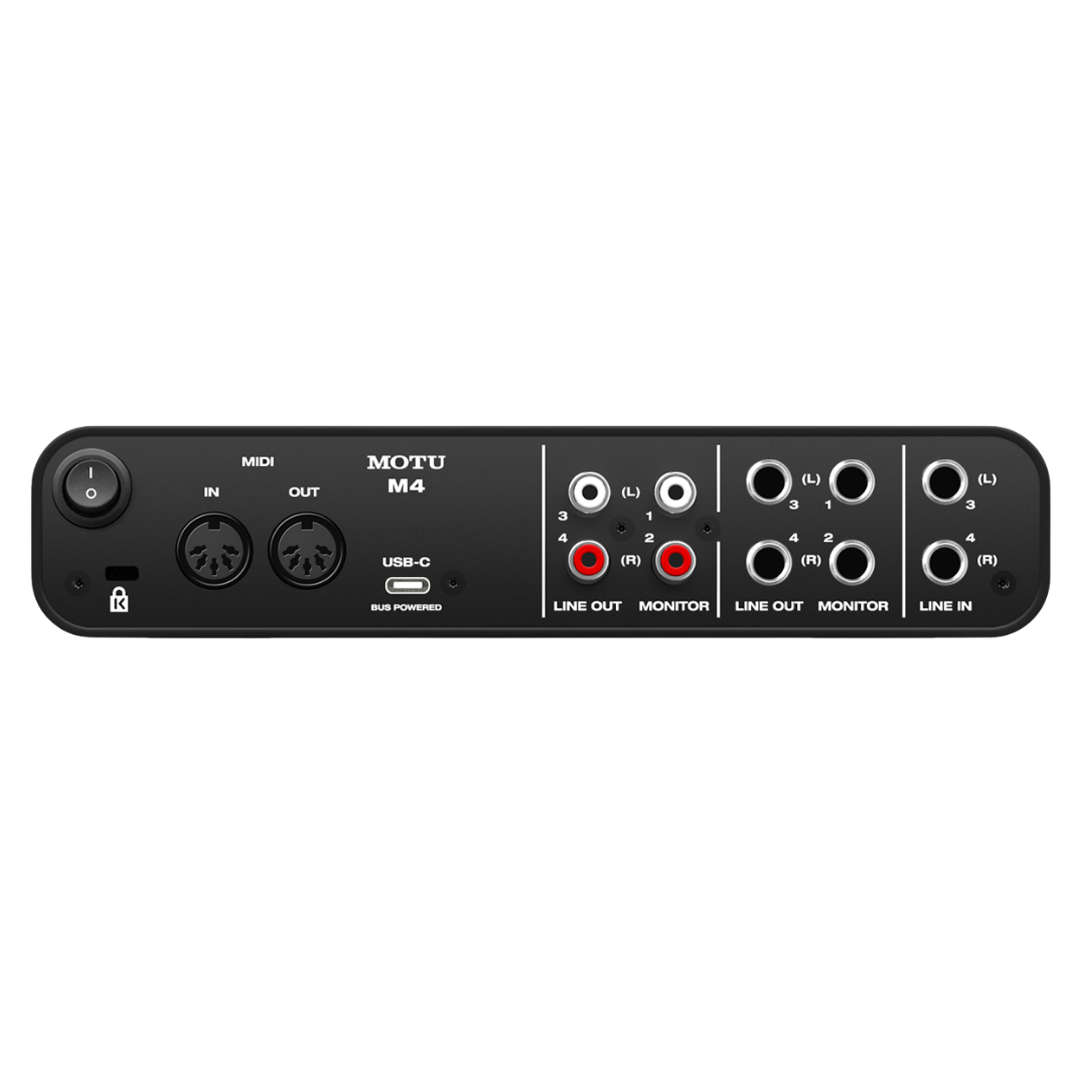
| Rear Connectors | 4× 1/4" TRS balanced output, 4× RCA, 2× 1/4" TRS line input (Ch 3/4), 1× USB-C, 1× MIDI IN, 1× MIDI OUT |
| Dimensions (approx.) | 209.55 mm W × 45 mm H × 108 mm D (8.25 × 1.75 × 4.25 inches) |
| Weight (approx.) | 700 g / 1.55 lbs |
| Colour | Dark grey / charcoal |
| Bus Draw | USB bus power (5V, standard USB 2.0) |
SYSTEM REQUIREMENTS
| SPECIFICATION | DETAILS |
|---|---|
| macOS | macOS 12 (Monterey) or later |
| Windows | Windows 11 (23H2) or later |
| iOS | iOS 14 or higher (powered USB hub + Apple adapter required) |
| Software Bundle Disk Space | Approx. 8–10 GB for full software + sample installation |
| Internet Connection | Required for software download and activation |
SOFTWARE BUNDLE
| SPECIFICATION | DETAILS |
|---|---|
| DAW 1 | MOTU Performer Lite |
| DAW 2 | Ableton Live Lite 10 |
| Virtual Instruments | 100+ instruments (Performer Lite) |
| Sample Content | 6+ GB loops, one-shots, sample packs |
| Sample Providers | MOTU, Big Fish Audio, Lucidsamples, Loopmasters |
| Platform | macOS and Windows |
1. PRODUCT OVERVIEW
The MOTU M4 is a four-input, four-output desktop USB-C audio interface and the mid-tier model in MOTU's M-Series lineup, sitting between the two-channel M2 and the six-channel M6. Where the M2 targets solo artists and singer-songwriters who need two channels of professional-grade capture, the M4 is designed for producers, small bands, content creators, and home studio engineers who regularly need to record multiple sources simultaneously, connect professional outboard processing, or route audio to multiple independent destinations. MOTU describes the product with the same headline claim as the M2: "best in class audio quality, speed, and metering" — and uniquely for the M4, each of those attributes is further amplified by the additional I/O that makes the interface genuinely usable for four-channel production.
The M4's most significant differentiator from the M2 — and the feature that most directly determines which model an engineer should select — is its analogue input architecture. Inputs 1 and 2 are combo XLR/TRS jacks routed through THAT 6263 microphone preamplifier circuits identical to those in the M2, providing 60 dB of gain, independent 48V phantom power, and a measured −129 dBu EIN. Inputs 3 and 4, however, are dedicated balanced 1/4" TRS line inputs — a genuinely distinct signal path with appropriate impedance characteristics for connecting professional outboard equipment such as compressors, equalisers, external preamplifiers, synthesisers with balanced outputs, or the line outputs of other audio interfaces. This makes the M4 not merely a two-channel interface with extra inputs bolted on, but a four-channel recording tool with a properly differentiated input architecture.
On the output side, the M4 provides four balanced 1/4" TRS outputs — double the M2's two — plus four mirrored RCA outputs. The four TRS outputs are all DC-coupled and driven by the same ESS Sabre32 Ultra™ DAC technology responsible for the measured 120 dB(A) dynamic range that places the M4's converters in the company of interfaces costing several times as much. Having four independent output channels opens up workflows unavailable on the M2: dual stereo monitoring (switching between two sets of reference monitors), 5.1 or quadraphonic monitoring (with appropriate routing), and sending independent headphone or cue mixes to a second amplifier or headphone distribution system.
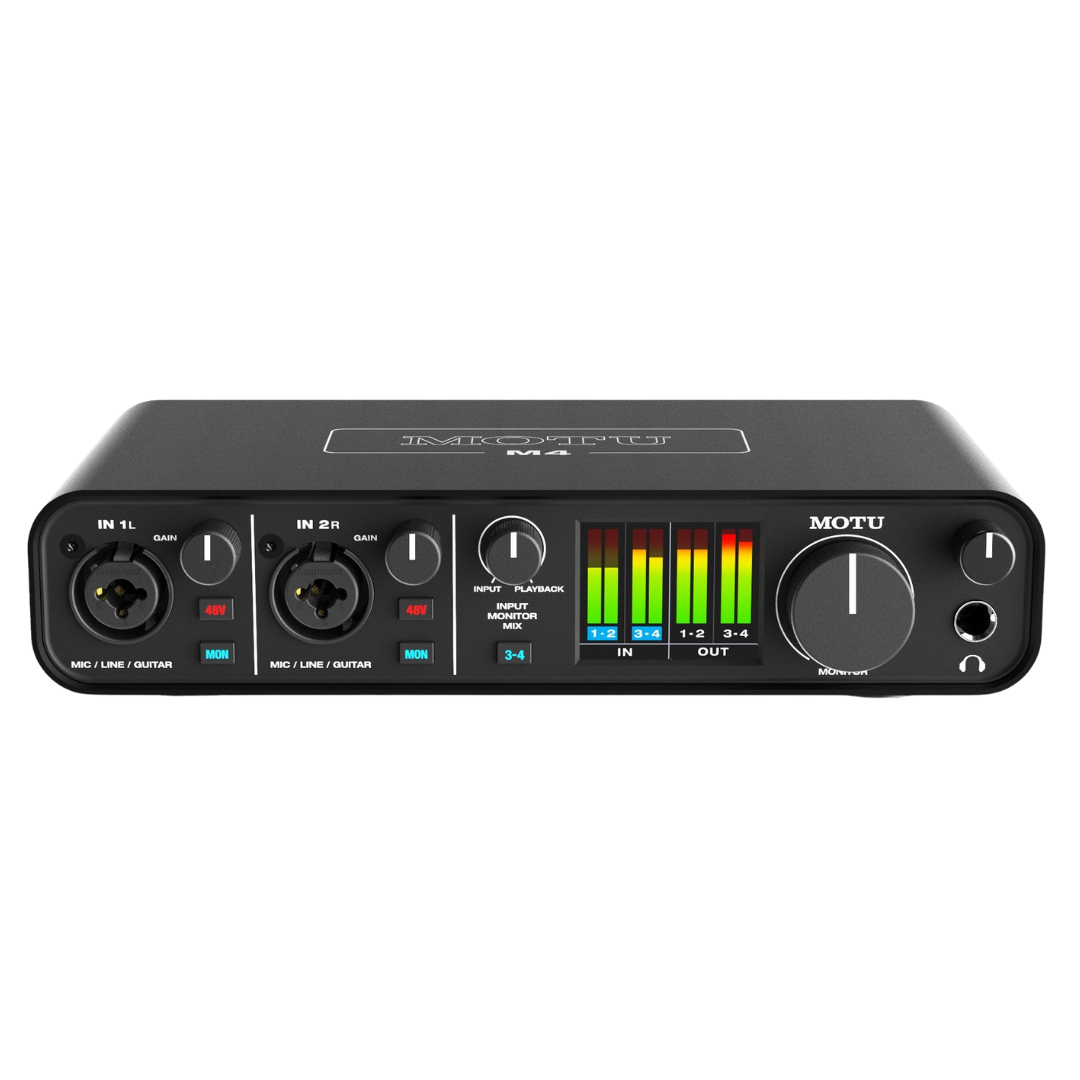
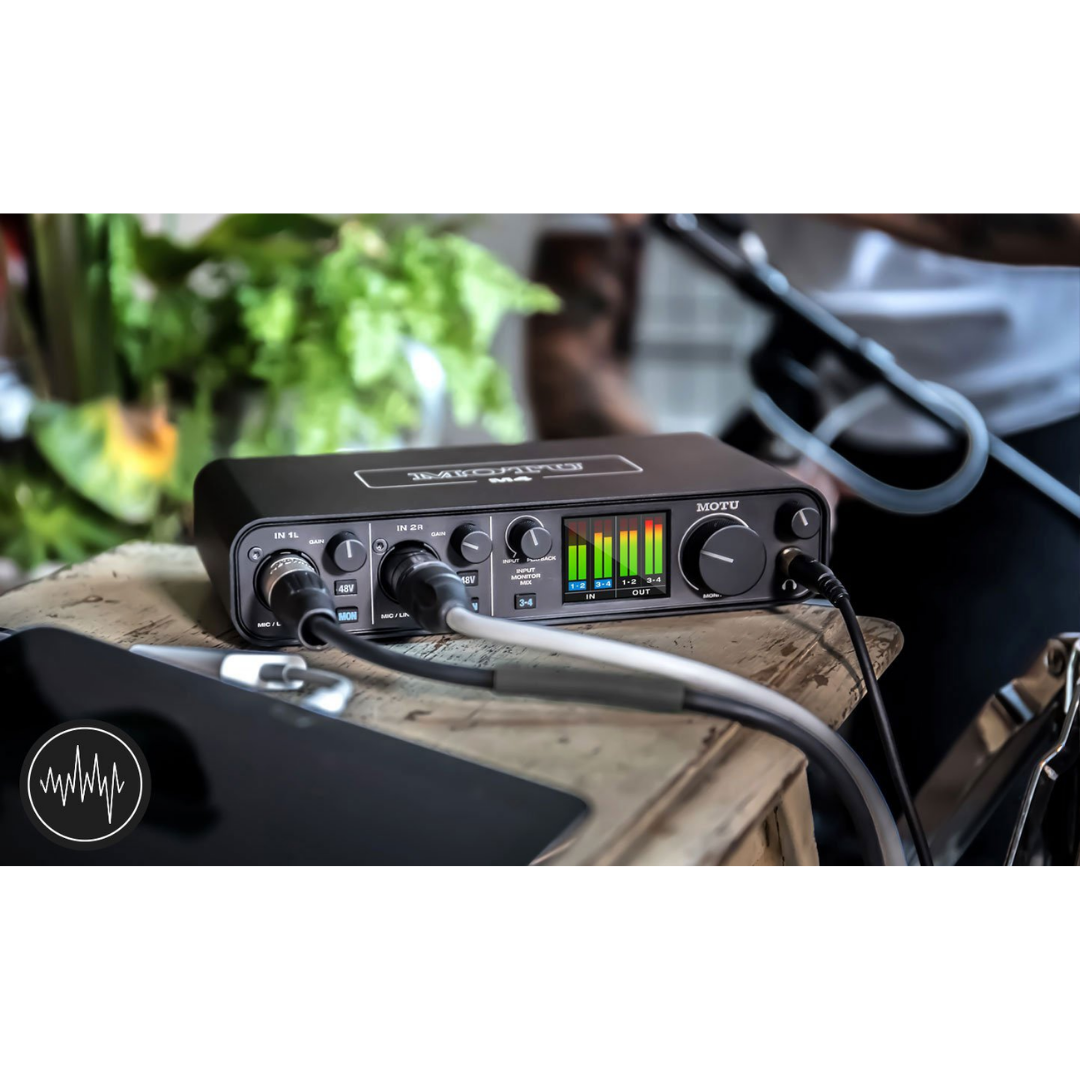
A hardware feature exclusive to the M4 within the M-Series is the Input Monitor Mix knob on the front panel — a physical control that sets the blend between live input signals (coming directly from the hardware monitoring path) and the computer playback mix. This is a meaningful ergonomic and workflow improvement over the M2, which achieves the same blend entirely through software. Being able to quickly adjust the performer's monitoring blend with a single hardware knob without touching the DAW or the computer is a real-world usability advantage during tracking sessions. Combined with the M4's full-colour LCD metering, independent gain encoders, and independent phantom power buttons, the front panel gives the working engineer a complete and immediately readable picture of all four input and four output levels at a glance.
2. AUDIO QUALITY & CONVERTER TECHNOLOGY
2.1 DAC: ESS Sabre32 Ultra™ Technology
The digital-to-analogue converter section of the MOTU M4 is driven by the same ESS ES9016S chip used in the M2 — a member of the ESS Sabre32 Ultra™ family renowned in both consumer Hi-Fi and professional audio for exceptionally low noise floors and distortion figures. The ES9016S employs ESS's patented Hyperstream™ Delta-Sigma modulation architecture with a 32-bit processing core and the Time Domain Jitter Eliminator™ circuit, which suppresses the clock jitter that is the primary source of DAC-output distortion in USB-connected interfaces. MOTU's output stage — which now drives four output channels rather than two — achieves the same measured 120 dB(A) dynamic range on the balanced TRS outputs that the M2 achieves, confirming that the additional output channels are driven with equal care in the analogue stage.
All four balanced TRS outputs of the M4 are DC-coupled, which has two important implications. First, it means the output stage passes signals all the way down to 0 Hz, making the outputs suitable for sending Control Voltage (CV) signals from DAW plugins to Eurorack modular synthesiser modules. Second, it means there is no high-pass filtering at the output stage that would attenuate very low-frequency content in music or sound design material — the full bandwidth of the digital signal passes unmodified through the output stage.
2.2 ADC: AKM AK5552VN
As in the M2, the analogue-to-digital conversion path in the M4 uses the AKM AK5552VN — a 192 kHz / 32-bit Delta-Sigma ADC from Asahi Kasei Microelectronics. This device delivers a measured input dynamic range of 115 dB(A) across all four analogue input channels. The ADC's noise floor, referred to the input, sits well below the self-noise of any professional microphone and below the noise contribution of the THAT 6263 preamp circuits on inputs 1 and 2 — confirming that the converter does not add any audible noise above the preamp floor in the signal chain.
2.3 Mathematical Validation: Four-Channel Signal Chain
The M4's specifications can be cross-validated across its four channels. For inputs 1 and 2 (mic preamp path): with −129 dBu EIN and 60 dB maximum gain, the preamp at maximum gain presents a noise floor of −129 dBu referred to input — the ADC's 115 dB(A) dynamic range (with a typical +20 dBu 0 dBFS reference yielding a noise floor of approximately −95 dBu) remains 34 dB lower than the preamp's own noise contribution, confirming the preamp — correctly — is the dominant noise source in the chain at high gain. For inputs 3 and 4 (line input path), with no additional preamplification, the ADC's 115 dB(A) dynamic range is the primary limiting factor on input dynamic range — appropriate for line-level sources which, by definition, present a significantly higher signal level than microphone sources. The output dynamic range of 120 dB(A) on the DAC path consistently exceeds the ADC's 115 dB(A) input dynamic range, meaning the output will always faithfully reproduce the full dynamic range of anything captured through the inputs.
CONVERTER TECHNOLOGY SPECIFICATIONS
| SPECIFICATION | DETAILS |
|---|---|
| DAC Chip | ESS ES9016S (ESS Sabre32 Ultra™ family) |
| DAC Architecture | Hyperstream™ 32-bit Delta-Sigma with Time Domain Jitter Eliminator™ |
| DAC Dynamic Range (datasheet) | 124 dB(A) (chip level) |
| Output Dynamic Range (measured) | 120 dB(A) — at all four balanced TRS outputs |
| Output Channels Driven | 4 (all DC-coupled balanced TRS outputs from same DAC chain) |
| ADC Chip | AKM AK5552VN ("Velvet Sound" architecture) |
| ADC Architecture | 32-bit Delta-Sigma, 192 kHz capable |
| Input Dynamic Range (measured) | 115 dB(A) — across all four analogue input channels |
| Bit Depth | 24-bit (operational); 32-bit internal DAC processing |
| Sample Rates | 44.1 / 48 / 88.2 / 96 / 176.4 / 192 kHz |
| Headphone Amplifier IC | OPA1688 (Texas Instruments) |
| Headphone Output Power | Approx. 50 mW into 32 Ω |
| DC-Coupled Outputs | Yes — all four balanced TRS outputs; suitable for CV/modular use |
3. MICROPHONE PREAMPS (INPUTS 1 & 2)
The MOTU M4 features two microphone preamplifier circuits on inputs 1 and 2, each built around the THAT Corporation THAT 6263 IC — the same preamplifier used in the M2. The THAT 6263 is a transformerless, low-noise microphone preamplifier IC whose architecture minimises thermal noise and maximises common-mode rejection ratio (CMRR), making it highly effective at suppressing hum and electrical interference from balanced microphone cables in practical studio and location environments.
The measured −129 dBu EIN on both channels represents best-in-class performance for a USB interface in this price segment. To contextualise: a typical large-diaphragm condenser microphone such as the Neumann TLM 103 has a self-noise of 7 dB(A), which is equivalent to −122 dBu in the signal chain. This means the THAT 6263 preamps in the M4 are 7 dB quieter than one of the quietest microphones in the world, effectively rendering the preamp's noise contribution completely inaudible regardless of what microphone is connected. For broadcast dynamics such as the Shure SM7B, which require maximum gain (the M4 provides 60 dB), the ultra-low EIN means the SM7B's recorded output is limited only by the microphone's own noise floor, not the preamp.
Each combo XLR/TRS input on the front panel accepts either a microphone via XLR (routing the signal through the THAT 6263 preamp at the selected gain) or an instrument via 1/4" TRS, where the input functions as a Hi-Z (high-impedance) input optimised for passive electric guitar and bass. The 48V phantom power is switchable independently per channel with a dedicated front-panel button and LED, enabling simultaneous use of a condenser microphone on one channel and a dynamic on the other without risk of phantom power feeding the dynamic microphone.
MICROPHONE PREAMP SPECIFICATIONS
| SPECIFICATION | DETAILS |
|---|---|
| Preamp IC | THAT Corporation THAT 6263 |
| Number of Mic Preamps | 2 (inputs 1 and 2 only) |
| Input Connectors (Ch 1/2) | XLR / 1/4" TRS combo jack (per channel) |
| XLR Mode | Microphone preamplifier (balanced, transformerless) |
| TRS Mode | Hi-Z instrument input (guitar / bass, unbalanced) |
| EIN (Equivalent Input Noise) | −129 dBu (measured, A-weighted) |
| Maximum Gain | 60 dB |
| Gain Range | 0 dB to 60 dB (digital encoder, 1 dB steps) |
| 48V Phantom Power | Yes — independent switch and LED per channel (Ch 1 and Ch 2) |
| Direct (Hardware) Monitoring | Yes — MON button per channel (Ch 1 and Ch 2) |
| Monitoring Modes | Mono (single input to both outputs) or Stereo |
| Input Impedance (XLR) | Not specified by manufacturer (typical transformerless: approx. 2.4 kΩ balanced) |
| Input Impedance (Hi-Z TRS) | High impedance — optimised for passive guitar/bass |
4. BALANCED LINE INPUTS (INPUTS 3 & 4)
The most architecturally significant feature distinguishing the M4 from the M2 is the presence of two dedicated balanced 1/4" TRS line inputs on the rear panel, designated inputs 3 and 4. These are not combo jacks and do not route through microphone preamplifier circuits — they are purpose-built balanced line inputs with impedance characteristics appropriate for connecting professional outboard equipment, synthesisers with balanced outputs, the line outputs of other audio interfaces or mixers, and any other source delivering a +4 dBu nominal professional balanced line signal.
The distinction between a Hi-Z instrument input and a balanced line input is technically fundamental and often confused by non-specialist users. A Hi-Z instrument input presents a very high impedance to the connected source (typically 1 MΩ or higher) to prevent loading the passive pickups of an electric guitar or bass — which need to see a high-impedance load to deliver their intended frequency response. A balanced line input, by contrast, presents a standard professional impedance (typically 10 kΩ balanced) to accept the low-impedance output of professional equipment correctly. Connecting a professional synthesiser with a balanced line output to a Hi-Z instrument input (as the M2 requires) will produce a technically functional but not ideally matched connection; the M4's dedicated line inputs on channels 3 and 4 provide the correct impedance match for these sources.
Inputs 3 and 4 pass directly to the AKM AK5552VN ADC without additional preamplification — their gain is not adjustable via front-panel encoders. The signal level presented to the ADC from a professional +4 dBu line source is already appropriate for the converter's input range, meaning no additional gain is needed or appropriate. The 115 dB(A) ADC dynamic range on these inputs is the primary measure of their performance.
For engineers building hybrid signal chains — where a hardware compressor or equaliser is inserted into the recording path, or where two different microphone preamplifiers (the M4's on-board THAT 6263 and a premium external preamp) feed the same recording session simultaneously — the M4's line inputs are the correct routing destination. Record the premium external preamp's output on channels 3 or 4 and the on-board preamp on channels 1 or 2, and the DAW receives four completely independent, simultaneous channels of professional-quality audio.
BALANCED LINE INPUT SPECIFICATIONS (INPUTS 3 & 4)
| SPECIFICATION | DETAILS |
|---|---|
| Input Connector (Ch 3/4) | 1/4" TRS balanced (rear panel) |
| Input Type | Balanced line input — no microphone preamp |
| Location | Rear panel |
| Nominal Input Level | +4 dBu (professional balanced) |
| Gain Control | Fixed — no front-panel gain encoder for channels 3/4 |
| 48V Phantom Power | Not available (not applicable — line inputs only) |
| ADC Chain | AKM AK5552VN (same ADC as inputs 1/2) |
| Input Dynamic Range | 115 dB(A) (measured) |
| Impedance | Professional balanced line impedance (not specified by manufacturer) |
| Suitable Sources | Hardware compressors, EQs, external preamps, synths (balanced), mixers, other interfaces |
5. ANALOGUE OUTPUTS
The MOTU M4 provides four balanced 1/4" TRS outputs on the rear panel — double the M2's two primary outputs — all driven by the ESS Sabre32 Ultra™ DAC and all DC-coupled. Outputs 1 and 2 form the primary stereo pair, typically assigned to the main studio monitors. Outputs 3 and 4 form a second stereo pair, providing the flexibility to connect a second set of reference monitors (such as a secondary pair of nearfields or a different speaker brand for reference comparison), an independent headphone amplifier for performer cue mixes, or to route to a summing mixer or outboard processor.
The practical workflow implications of four outputs are significant. A mastering engineer can monitor on two completely different speaker systems — switching between them at the DAW level — without any physical reconnection. A tracking engineer can send a performer a dedicated monitor mix through outputs 3 and 4 (via a headphone amplifier) while monitoring on studio monitors from outputs 1 and 2, with the performer and engineer hearing different mixes simultaneously. A 5.1-format audio post-production setup can assign the M4's four outputs to four of the six required channels (front left, front right, rear left, rear right), supplemented by a second interface or the headphone output for the centre and LFE channels.
Additionally, four RCA outputs on the rear panel mirror the four TRS outputs at consumer (−10 dBV) levels, providing unbalanced connections for consumer equipment, DJ mixers with phono inputs, or supplementary monitoring systems without requiring additional DI boxes or line level converters.
ANALOGUE OUTPUT SPECIFICATIONS
| SPECIFICATION | DETAILS |
|---|---|
| Number of TRS Outputs | 4 (balanced 1/4" TRS, rear panel) |
| Output Configuration | 2 stereo pairs (Outputs 1/2 and Outputs 3/4) |
| Output Type | Balanced, DC-coupled (all four) |
| DAC Chip | ESS ES9016S (ESS Sabre32 Ultra™) |
| Measured Dynamic Range | 120 dB(A) — all four TRS outputs |
| Nominal Output Level | +4 dBu (professional balanced) |
| DC Coupling | Yes — all four outputs; suitable for CV/modular synthesis use |
| Number of RCA Outputs | 4 (unbalanced, rear panel) |
| RCA Output Configuration | 2 stereo pairs (mirroring TRS outputs 1/2 and 3/4) |
| RCA Output Level | −10 dBV (consumer unbalanced) |
| RCA Signal Source | Mirrors corresponding TRS outputs (not independently assignable) |
| Output Volume Control | Front-panel master output encoder (applies to all four TRS outputs) |
| Secondary Monitor Pair Use | Outputs 3/4 can feed second set of monitors, headphone amp, or outboard processor |
6. HEADPHONE OUTPUT
The headphone output on the MOTU M4 is a 1/4" TRS stereo jack on the front panel, driven by the same OPA1688 operational amplifier and ESS Sabre32 Ultra™ DAC chain used in the M2. The output delivers approximately 50 mW into 32 Ω at low distortion, with a maximum output swing of approximately 3.3 Vrms, providing sufficient drive for high-impedance headphones including the Beyerdynamic DT 990 Pro (250 Ω) and the Sennheiser HD 650 (300 Ω). The headphone volume is controlled by a dedicated front-panel encoder, independent of the main output volume control.
An important architectural nuance distinguishes the M4's headphone output from those of higher-end interfaces: the headphone output mirrors the main DAC output mix and does not support an independent cue mix distinct from the main outputs. However, in the context of the M4's four-output architecture, a practical workaround is available: the performer's cue mix can be routed to outputs 3 and 4 (and then to an external headphone amplifier), while the engineer monitors on outputs 1 and 2, effectively creating a two-mix capability without requiring the headphone output to carry a separate mix.
HEADPHONE OUTPUT SPECIFICATIONS
| SPECIFICATION | DETAILS |
|---|---|
| Connector | 1/4" TRS stereo (front panel) |
| Amplifier IC | OPA1688 (Texas Instruments) |
| Converter Chain | ESS Sabre32 Ultra™ (same DAC as main outputs) |
| Output Power | Approx. 50 mW into 32 Ω |
| Maximum Output Swing | Approx. 3.3 Vrms |
| Volume Control | Independent front-panel encoder (separate from main output control) |
| Headphone Mix | Mirrors main output mix (no independent cue mix on headphone jack itself) |
| Impedance Range | 32 Ω to 300 Ω (suitable) |
7. INPUT MONITOR MIX KNOB
One of the M4's distinguishing hardware features — absent on the M2 — is a dedicated Input Monitor Mix knob on the front panel. This control sets the blend ratio between two signal sources: the live analogue input signals (arriving via the hardware direct monitoring path, bypassing the USB connection) and the playback mix from the host computer (arriving via the DAC from the DAW or other software). Rotating the knob toward one extreme sends only the live input signals to the outputs; rotating toward the other extreme sends only the computer playback to the outputs; the centre position blends both at equal levels.
Understanding why this hardware control is valuable requires understanding the fundamental monitoring challenge in recording sessions. During a tracking take, the performer needs to hear two things simultaneously: their own voice or instrument in real time (requiring zero latency to be natural) and the backing tracks from the DAW. The direct monitoring path of the M4 provides the performer's own signal at zero latency via the MON button, while the DAW playback comes through the DAC at the full RTL (2.5 ms). The Input Monitor Mix knob controls how much of each source the performer hears, allowing a quick, intuitive adjustment between "I can barely hear myself over the backing track" and "I can only hear myself and nothing else" without needing to touch the DAW software or the computer at all. For engineers working alone during self-recording sessions, this single knob replaces multiple mouse clicks in the DAW monitoring mixer, significantly reducing cognitive load during the creative flow of a performance.
INPUT MONITOR MIX SPECIFICATIONS
| SPECIFICATION | DETAILS |
|---|---|
| Control Type | Analogue rotary knob (front panel) |
| Function | Blend between live input (direct monitor) and computer playback (DAC output) |
| Range | Continuous: full live input signal → centre blend → full computer playback |
| Signal Path (Live) | Analogue direct monitor — hardware, zero-latency (MON path) |
| Signal Path (Computer) | ESS Sabre32 Ultra™ DAC — 2.5 ms RTL at 96 kHz / 32-sample buffer |
| M2 Equivalent | Not available on M2 — M4 exclusive feature |
| Primary Use | Tracking sessions — performer adjusts live-vs-playback balance without touching DAW |
8. DIRECT MONITORING & LOOPBACK
8.1 Hardware Direct Monitoring
Each of the two microphone/instrument inputs (channels 1 and 2) has an independent MON button on the front panel that engages the hardware direct monitoring path. When active, the input signal passes through the M4's internal analogue circuitry directly to the main outputs and headphone output, completely bypassing the USB connection and the host DAW. This creates a zero-latency monitoring path for performers: the microphone or instrument is heard in real time, with no perceptible delay regardless of the DAW's buffer size. The Input Monitor Mix knob (Section 8) then blends this zero-latency signal with the DAW playback to give the performer their complete monitoring environment.
The monitoring mode toggles between mono (a single input routed to both left and right output channels) and stereo (inputs 1 and 2 routed to left and right respectively). Stereo monitoring is the appropriate mode when recording two sources simultaneously and wanting each to appear in its correct stereo position in the monitoring mix.
8.2 Loopback Channels
The MOTU M4 driver provides two dedicated loopback channels — a stereo pair that captures whatever audio is being output by the host computer and feeds it back as an audio input source in the driver. These loopback channels are presented to the DAW and streaming software as an additional stereo input device, enabling streaming, podcasting, and VoIP recording workflows where both live microphone audio and computer-generated audio (game sound, music, phone caller audio) need to be simultaneously captured and mixed. The loopback implementation requires the MOTU M-Series driver on both Windows and macOS.
MONITORING & LOOPBACK SPECIFICATIONS
| SPECIFICATION | DETAILS |
|---|---|
| Direct Monitoring | Yes — hardware analogue, zero-latency (Ch 1 and Ch 2 only) |
| MON Button | Independent per channel (Ch 1 and Ch 2, front panel) |
| Monitoring Mode | Mono or Stereo (software selectable) |
| Input Monitor Mix Knob | Hardware blend: live input vs. computer playback (M4 exclusive) |
| Loopback Channels | 2-channel stereo loopback |
| Loopback Requirements | MOTU M-Series driver (Windows and macOS) |
| Loopback Applications | Live streaming, podcast, VoIP call capture, screen recording audio |
| Direct Monitor Latency | ~0 ms (analogue hardware path) |
| Software Monitor Latency | 2.5 ms RTL at 96 kHz / 32-sample buffer (with MOTU driver) |
9. MIDI INTERFACE
The MOTU M4 includes a full 5-pin DIN MIDI interface on the rear panel — one MIDI IN and one MIDI OUT port — appearing in the host DAW and operating system as a USB-MIDI device via the same USB cable used for audio. This provides 16-channel MIDI connectivity with all standard MIDI devices, including vintage synthesisers, drum machines, MIDI controllers, hardware sequencers, and MIDI patchbays. The M4's MIDI interface is identical to the M2's in specification and capability; the inclusion of hardware 5-pin DIN ports (rather than USB-MIDI-only) ensures compatibility with gear that predates USB MIDI.
MIDI INTERFACE SPECIFICATIONS
| SPECIFICATION | DETAILS |
|---|---|
| MIDI IN | 1× 5-pin DIN (rear panel) |
| MIDI OUT | 1× 5-pin DIN (rear panel) |
| MIDI Channels | 16 IN / 16 OUT (standard MIDI) |
| MIDI Bandwidth | 31.25 kbps (standard MIDI) |
| USB-MIDI Class | USB MIDI Class 1.0 compliant |
| SysEx Support | Yes |
| MIDI Clock | Transmit and receive |
| Host Connection | Via USB (same cable as audio — no separate MIDI USB port) |
10. COMPUTER CONNECTIVITY & USB PERFORMANCE
The MOTU M4, like the M2, connects to the host computer via USB-C at USB 2.0 High Speed (480 Mbps). The increased channel count of the M4 — four inputs and four outputs compared to the M2's two-in / two-out — still falls well within USB 2.0's bandwidth ceiling at all supported sample rates up to 192 kHz. The practical maximum bandwidth requirement of four channels of 24-bit audio at 192 kHz (approximately 18.4 Mbps in each direction) represents less than 4% of USB 2.0's 480 Mbps theoretical maximum, leaving ample headroom for USB protocol overhead and other USB devices on the same bus.
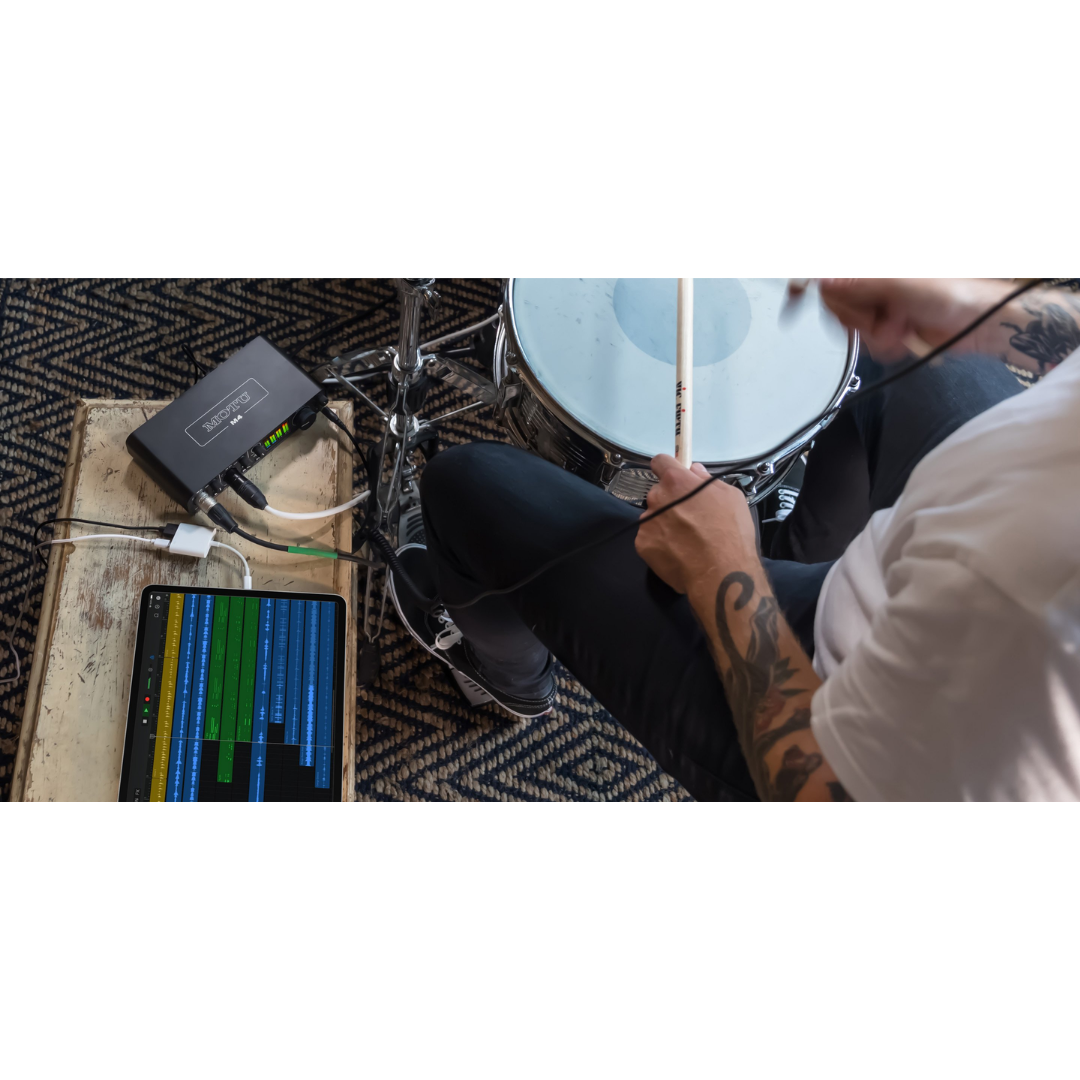
The M4 ships with a USB-C to USB-A cable and is fully compatible with USB-C to USB-C connections for computers with USB-C-only ports. It is fully bus-powered, requiring no external power supply in studio or field use. For iOS use, a powered USB hub plus an Apple USB-C/Lightning or USB-C/USB-C adapter is required to supply the bus power the M4 needs, since the iPad cannot supply sufficient current over its port alone. The round-trip latency specification — 2.5 ms at 96 kHz with a 32-sample buffer under Windows with the MOTU M-Series driver — is identical to the M2, confirming that the additional I/O channels have not compromised the driver's latency performance.
10.1 Driver Architecture & Platform Compatibility
On macOS, the M4 operates as a USB Audio Class 2.0 device without requiring any driver installation — the macOS Core Audio stack handles the device natively, providing immediate plug-and-play operation. The optional MOTU macOS driver is available for users who require the minimum 2.5 ms RTL; without the driver, Core Audio will operate the device at somewhat higher buffer sizes. On Windows, the MOTU M-Series driver is required and provides both ASIO (for professional DAWs) and WDM/Wave (for general Windows audio applications) interfaces. The loopback channels — providing a software routing path for streaming and podcasting — are available on both platforms when the MOTU driver is installed.
COMPUTER CONNECTIVITY SPECIFICATIONS
| SPECIFICATION | DETAILS |
|---|---|
| USB Standard | USB 2.0 High Speed (480 Mbps) |
| Device Connector | USB-C |
| Included Cable | USB-C to USB-A (host cable) |
| USB-C to USB-C | Supported (cable not included) |
| Bus Power | Yes — fully bus-powered over USB |
| macOS Compatibility | macOS 12 (Monterey) or later |
| Windows Compatibility | Windows 11 (23H2) or later |
| iOS Compatibility | iOS 14 or higher (requires powered USB hub + Apple adapter) |
| macOS Driver | Optional (Core Audio UAC plug-and-play without; MOTU driver for 2.5 ms RTL) |
| Windows Driver | Required — MOTU M-Series ASIO + WDM/Wave driver |
| Round-Trip Latency | 2.5 ms at 96 kHz, 32-sample buffer (with MOTU driver) |
| USB Audio Class | USB Audio Class 2.0 compliant |
| USB Channel Count | 4 analogue inputs + 4 analogue outputs + 2 loopback channels |
| ASIO Support | Yes (Windows, via MOTU driver) |
| Core Audio Support | Yes (macOS, native) |
11. FRONT PANEL & LCD DISPLAY
The front panel of the MOTU M4 is functionally similar to the M2 but extended to accommodate the additional inputs and the Input Monitor Mix knob. The full-colour 160×128 pixel LCD occupies the centre of the panel and displays simultaneous level meters for all four input channels and all four output channels — providing, in a single glance, the complete signal level picture of a four-channel recording session. On the M2, the LCD displays two input and two output channels; the M4 displays twice as many channels on the same-size display, using a more compact but still highly readable bar-graph format.
All gain and volume controls are implemented as digital rotary encoders, with no analogue potentiometers. The encoders track position in 1 dB increments with logarithmic response and display their current settings on the LCD. The Input Monitor Mix knob is an analogue rotary control (not a digital encoder) — its position provides a direct, immediate, and tactile control over the monitoring blend that a digital encoder with menu navigation cannot replicate.
FRONT PANEL CONTROLS & DISPLAY
| SPECIFICATION | DETAILS |
|---|---|
| LCD Display | Full-colour, 160×128 pixels |
| Metering Channels | All 4 inputs + all 4 outputs simultaneously displayed |
| Input Gain Encoders | 2× digital rotary encoder (Ch 1 and Ch 2 only — mic preamp channels) |
| Main Output Volume Encoder | 1× digital rotary (master, applies to all four TRS outputs) |
| Headphone Volume Encoder | 1× digital rotary (independent of main output) |
| Input Monitor Mix Knob | 1× analogue rotary knob — blends live inputs vs. computer playback |
| MON Buttons | 2× (one per mic/instrument input channel — Ch 1 and Ch 2) |
| 48V Phantom Power Buttons | 2× (one per mic channel — Ch 1 and Ch 2, with LED) |
| Headphone Jack | 1× 1/4" TRS stereo (front panel) |
| Front Input Connectors | 2× XLR/TRS combo (Ch 1 and Ch 2) |
| Control Step Size | 1 dB increments (digital encoders), logarithmic response |
12. STANDALONE OPERATION
The M4, like the M2, supports standalone operation — powered by a USB-C power adapter without any host computer, operating as a standalone microphone preamplifier and monitor controller. With the MON buttons engaged and phantom power active as required, microphone signals pass from the combo inputs through the THAT 6263 preamp circuits, through the ESS Sabre32 converters, and to the four balanced TRS outputs. In this mode the Input Monitor Mix knob continues to function, allowing the operator to adjust the balance between the live input monitoring signal and any other source connected to the DAC input path. Standalone operation is practical for rehearsal, location preamp use, PA supplement, or any scenario where a high-quality two-channel preamplifier and four-channel output stage are needed without a computer.
STANDALONE OPERATION SPECIFICATIONS
| SPECIFICATION | DETAILS |
|---|---|
| Standalone Power Source | USB-C power adapter (5V, standard USB, min. 500 mA) |
| Computer Requirement | None |
| Available Functions (Standalone) | Mic preamp (Ch 1/2), phantom power, direct monitoring, main TRS/RCA outputs, headphone output |
| Input Monitor Mix (Standalone) | Yes — hardware knob continues to blend live input vs. other sources |
| Unavailable Functions (Standalone) | A/D conversion to digital, loopback, DAW recording, MIDI |
| Use Cases | Rehearsal preamp, PA supplement, portable monitor controller, FOH insert send |
13. INCLUDED SOFTWARE BUNDLE
The MOTU M4 ships with the same comprehensive software bundle included with the M2: MOTU Performer Lite (a full multi-track DAW with 100+ virtual instruments and professional audio effects), Ableton Live Lite 10 (loop-based production and performance), and 6+ GB of loops, one-shots, and sample content from MOTU, Big Fish Audio, Lucidsamples, and Loopmasters. This bundle provides a complete production environment out of the box; combined with the M4's four-channel I/O, the user has the tools to record a full band (drums overhead + kick + snare + bass, for example), mix in the DAW, and master — all with included software.
SOFTWARE BUNDLE
| SPECIFICATION | DETAILS |
|---|---|
| DAW 1 | MOTU Performer Lite (full multi-track recording, MIDI, mixing, mastering) |
| DAW 2 | Ableton Live Lite 10 (Session + Arrangement View) |
| Virtual Instruments | 100+ instruments (pianos, guitars, drums, synths, orchestral, etc.) |
| Sample Content | 6+ GB loops, one-shots, sample packs |
| Sample Providers | MOTU, Big Fish Audio, Lucidsamples, Loopmasters |
| Delivery | Download codes via MOTU account registration |
| Platform | macOS and Windows |
14. BUILD QUALITY & FORM FACTOR
The MOTU M4 uses an all-metal chassis construction — the same rugged build philosophy as the M2 — providing electromagnetic shielding, structural rigidity for portable use, and institutional durability for educational or rental environments. The unit is a compact desktop form factor with all rear-panel connectors running the TRS outputs, RCA outputs, line inputs (Ch 3/4), USB-C, MIDI IN, and MIDI OUT, while front-panel connectors present the combo XLR/TRS inputs and headphone jack for easy cable management in fixed installations. The slightly larger front panel compared to the M2 accommodates the additional controls required by the four-channel I/O — the Input Monitor Mix knob, the four-channel LCD metering, and the four individual gain encoders for the output and headphone paths.
PHYSICAL SPECIFICATIONS
| SPECIFICATION | DETAILS |
|---|---|
| Chassis Material | Metal (all-metal construction) |
| Form Factor | Desktop (non-rack) |
| Front Connectors | 2× XLR/TRS combo (inputs 1/2), 1× 1/4" TRS headphone |
| Rear Connectors | 4× 1/4" TRS balanced output, 4× RCA output, 2× 1/4" TRS balanced line input (Ch 3/4), 1× USB-C, 1× MIDI IN, 1× MIDI OUT |
| Bus Powered | Yes (USB bus power) |
| Dimensions (approx.) | 209.55 mm W × 45 mm H × 108 mm D (8.25 × 1.75 × 4.25 inches) |
| Weight (approx.) | 700 g / 1.55 lbs |
| Colour | Dark grey / charcoal (anodised metal) |
| Rubber Feet | Yes — non-slip desktop use |
15. M-SERIES FAMILY COMPARISON
The M4 occupies a clearly defined position in the M-Series: it is the correct choice when two channels of microphone preamplification are required alongside two additional line-level inputs for outboard gear or secondary sources, when four independent output channels are needed for dual-monitor setups or performer cue mixes, or when the Input Monitor Mix hardware knob is preferable to software-only monitoring blending. The M2 remains the choice for compact, two-channel, minimal-footprint setups; the M6 is the step up for engineers requiring six inputs or a dedicated front-panel instrument input with switchable gain staging.
M-SERIES COMPARISON TABLE
| FEATURES | MOTU M2 | MOTU M4 | MOTU M6 |
|---|---|---|---|
| Total Analogue Inputs | 2 (combo XLR/TRS) | 4 (2 combo + 2 balanced TRS line) | 6 (combo + Hi-Z front + line) |
| Mic Preamps | 2 | 2 | 4 |
| Balanced Line Inputs | None (Hi-Z only on TRS) | 2 (inputs 3 & 4, rear panel) | 2 (inputs 5–6, rear panel) |
| Analogue Outputs (TRS) | 2 (balanced) | 4 (balanced) | 4 (balanced) |
| Mirrored RCA Outputs | 2× RCA | 4× RCA | None |
| DAC Technology | ESS Sabre32 Ultra™ | ESS Sabre32 Ultra™ | ESS Sabre32 Ultra™ |
| Output Dynamic Range | 120 dB(A) | 120 dB(A) | 120 dB(A) |
| EIN | −129 dBu | −129 dBu | −129 dBu |
| Input Monitor Mix Knob | No | Yes (hardware knob) | Yes (hardware knob) |
| DC-Coupled Outputs | Yes (2× TRS) | Yes (4× TRS) | Yes (4× TRS) |
| MIDI I/O | Yes (5-pin DIN) | Yes (5-pin DIN) | Yes (5-pin DIN) |
| RTL @ 96 kHz / 32 smpl | 2.5 ms | 2.5 ms | 2.5 ms |
| Bus Powered | Yes (USB) | Yes (USB) | USB-C hosts only (DC adapter required for USB-A) |
16. IDEAL APPLICATIONS & USE CASES
The MOTU M4's four-channel I/O, dual-monitor output capability, balanced line inputs, and Input Monitor Mix hardware knob give it a notably broader workflow range than the M2. It excels wherever two channels of microphone capture plus two channels of line-level input are needed simultaneously, or wherever four independent output channels unlock monitoring, routing, or production flexibility unavailable on a two-output interface.
- Band Self-Recording (Small Ensemble): Two vocalists or vocalists plus instrument on mic inputs 1 and 2, with a keyboard or drum machine stereo line output on line inputs 3 and 4 — the M4 captures a full four-channel live performance simultaneously.
- Dual-Monitor Mixing: Outputs 1 and 2 to primary reference monitors; outputs 3 and 4 to secondary monitors or NS-10 style nearfields. Switch between monitor pairs in the DAW without physical reconnection.
- Outboard Gear Integration: External compressor or equaliser inserted on inputs 3/4 — premium hardware processing at recording stage, with the on-board THAT 6263 preamps handling microphone capture on inputs 1/2.
- Performer + Engineer Separate Monitoring: Engineer monitors on outputs 1/2 (main mix); performer's cue feed goes to outputs 3/4 via a headphone amplifier (separate monitoring mix achievable by DAW routing).
- Podcast Production with Multiple Hosts: Two host microphones on inputs 1 and 2, loopback capturing remote guest audio, with four outputs providing independent monitoring positions for two hosts.
- Home Studio Hip-Hop / Electronic Production: Drum machine or sampler stereo feed on line inputs 3/4; vocal microphone on input 1; synth mono feed on input 2 — four-source simultaneous capture in a compact setup.
- Electronic Music & Modular Synthesis: All four DC-coupled outputs route CV and Gate signals from DAW CV plugins to Eurorack modular synthesiser modules while simultaneously monitoring on a separate monitor output.
- Video Production & YouTube Content: Two microphones for interview or multi-host format, plus a line-level return from a video camera or field recorder, all captured simultaneously.
- Live Streaming with Complex Audio Routing: Four outputs allow stream output (to encoder) on one pair and studio monitoring on a second pair, without audio routing conflicts.
- Educational Studio: Four-channel metering on the LCD demonstrates four-source recording, gain staging, and monitoring routing to students simultaneously on a single, affordable device.
- Location Recording with Outboard Preamp: Use the M4's THAT 6263 preamps on inputs 1/2 for primary sources while a premium portable preamp feeds the line inputs 3/4 — mixed-preamp location capture.
- House of Worship (Small Scale): Two directional microphones on speaker and lector (inputs 1/2), plus playback track return (line inputs 3/4), with the worship monitor and FOH on outputs 1/2 and 3/4 respectively.
- Post-Production ADR / Voiceover: Actor microphone on input 1; click track or guide audio on line input 3; dialogue and music on outputs 1/2 to studio monitors; director's talkback feed on output 3/4.
HOW TO READ THIS DOCUMENT
This document is the operational companion to the MOTU M4 Product Description & Technical Specifications reference. Where the specifications document establishes what the M4 is and what it measures, this document answers the question engineers and producers most often ask next: "How do I set it up for my specific situation, and what exactly does it give me that a simpler interface cannot?" Each workflow section describes a concrete deployment scenario, covering the physical signal routing, key configuration steps, and the M4 features that make that particular workflow efficient and professional-sounding.
The MOTU M4 has four defining workflow advantages that recur throughout this guide. First, the combination of two THAT 6263 mic preamps on inputs 1 and 2 plus two dedicated balanced line inputs on inputs 3 and 4 creates a genuinely differentiated input architecture — not merely four identical channels, but four channels optimised for the correct source type at each position. Second, four DC-coupled balanced TRS outputs unlock dual-monitor setups, independent performer cue monitoring, and DAW-to-Eurorack CV routing that are simply unavailable on two-output interfaces. Third, the hardware Input Monitor Mix knob provides a single, tactile control over the performer monitoring blend that eliminates the need to touch the DAW during a take. Fourth, the 2.5 ms round-trip latency at 96 kHz with a 32-sample buffer means that software monitoring through amp simulation, virtual instruments, or effects plugins is as comfortable as hardware monitoring for most players.
Select the workflow section most relevant to your next session and use the Routing/Configuration Summary Table at the end of each section as a practitioner's setup checklist. Engineers building complex hybrid signal chains should cross-reference multiple workflow sections — the M4 is frequently at the centre of setups that combine elements from the studio tracking, outboard integration, and modular synthesis workflows simultaneously.
WORKFLOW 1 — THE HOME STUDIO & PROJECT STUDIO
Scenario: Four-Source Simultaneous Recording in a Compact Studio
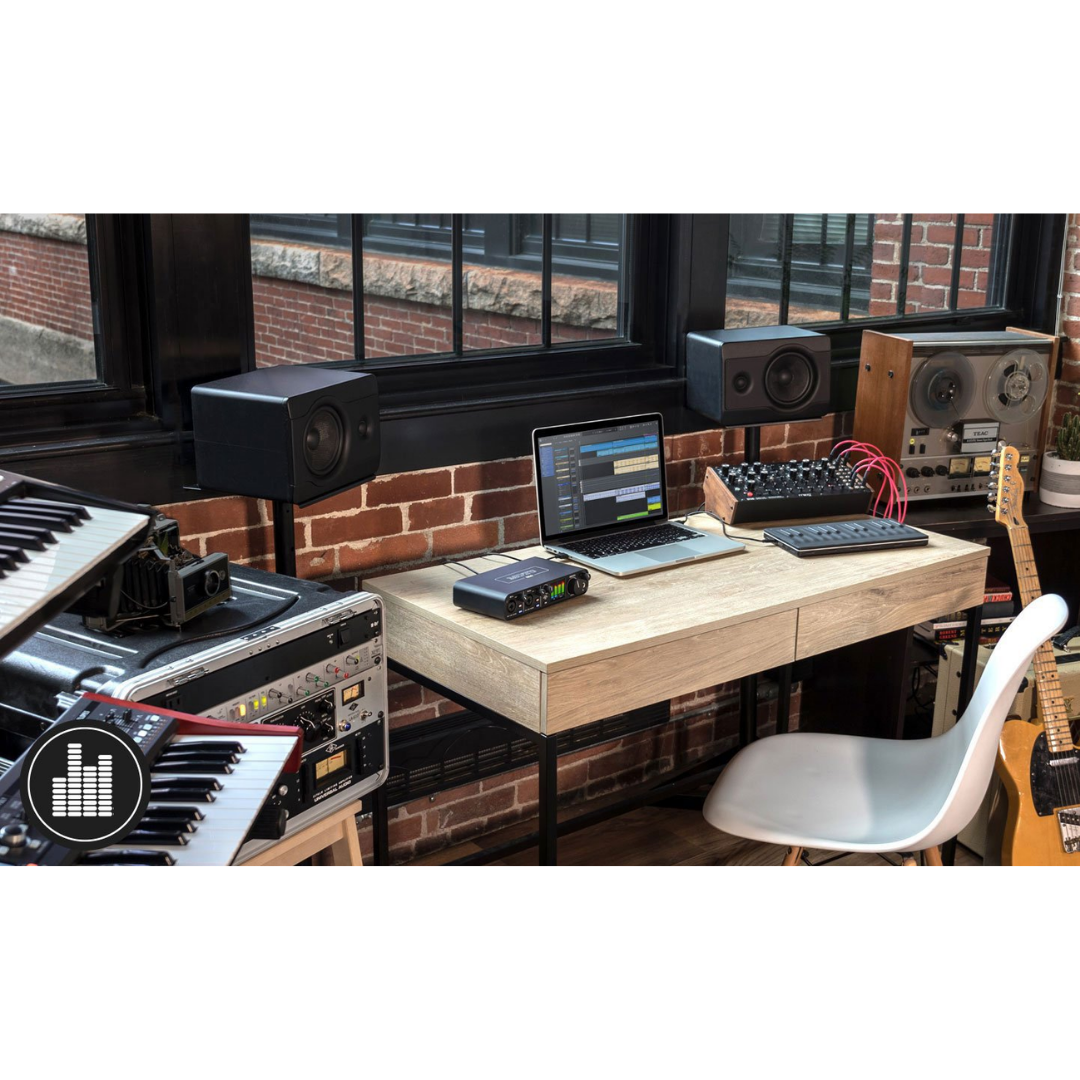
The home studio producer working with a hybrid setup — combining live microphone recording with keyboard workstations, drum machines, or hardware synthesisers — finds in the M4 the first interface at this price point that can capture all four primary sources simultaneously without any compromise. In a typical four-source session, a vocal microphone (large-diaphragm condenser with phantom power) occupies input 1, an acoustic guitar microphone or direct instrument occupies input 2, and a keyboard workstation's stereo balanced output connects to line inputs 3 and 4 via two standard TRS cables. All four channels record simultaneously in the DAW, with the performer hearing themselves through the headphone output, the Input Monitor Mix knob blending their live direct signal with the DAW playback.
The Input Monitor Mix knob is particularly valuable in this scenario. At the start of a session, the performer sets the knob to the position that feels comfortable — typically slightly toward the "live" side so their voice and instrument are clear in the mix without being drowned by the DAW playback. Once set, they can keep their hands on the microphone and guitar rather than reaching for a mouse or keyboard. The THAT 6263 preamps on channels 1 and 2 ensure that even in an untreated home studio room, the preamps are not the noise source — the room acoustics captured by the microphone will always be the limiting factor in recording quality, which is the correct engineering hierarchy.
Sub-Scenario: Outboard Compressor Insert for Vocal Tracking
A home studio producer who owns a hardware compressor (such as an Empirical Labs Distressor, Universal Audio 1176, or a budget hardware compressor from DBX or Warm Audio) can use the M4's line inputs to incorporate hardware compression at the recording stage. The signal chain runs: microphone → M4 input 1 (THAT 6263 preamp) → balanced TRS output 1 from M4 → hardware compressor input → hardware compressor output → M4 line input 3. This creates a hardware insert loop entirely within the M4's signal routing, with the compressed vocal printed to the DAW track connected to line input 3. The uncompressed signal on input 1 can be recorded to a parallel track simultaneously if the DAW is configured to record both — providing both a compressed and a dry reference take from the same performance.
Configuration Summary: Home / Project Studio
| WORKFLOW ELEMENT | DETAILS / CONFIGURATION |
|---|---|
| Input 1 (Combo XLR) | Vocal condenser microphone on stand (48V phantom ON) |
| Input 2 (Combo TRS) | Acoustic guitar mic (XLR) or electric guitar DI (Hi-Z TRS) |
| Inputs 3 & 4 (TRS line) | Keyboard / workstation stereo balanced output (TRS cables) |
| Main Outputs (TRS 1/2) | Balanced feed to primary studio monitors (Yamaha HS / Adam T-Series / etc.) |
| Outputs 3/4 (TRS) | Feed to headphone amplifier for performer cue, or secondary monitors |
| Headphone Output | Engineer or performer monitoring during session |
| Input Monitor Mix Knob | Set to comfortable live/playback blend before take begins — then leave alone |
| MON Buttons | ON for inputs 1 and 2 during tracking; OFF during playback-only mixing |
| DAW Channel Setup | 4 armed input tracks: Ch1 (vocal), Ch2 (guitar/instrument), Ch3 (keys L), Ch4 (keys R) |
| Outboard Insert (optional) | M4 Out 1 → hardware compressor → M4 Input 3 → compressed signal to DAW track |
| Sample Rate | 48 or 96 kHz — 96 kHz recommended for tracking |
| Buffer Size | 64 samples at 96 kHz (tracking) / 256+ samples (mixing) |
| MIDI | 5-pin DIN MIDI OUT → keyboard workstation MIDI IN for sequencer control |
WORKFLOW 2 — BAND SELF-RECORDING
Scenario: Small Ensemble Recording Without a Dedicated Engineer
A three- or four-piece band recording themselves — without a dedicated recording engineer — is one of the scenarios where the M4's four channels and hardware monitoring controls deliver a disproportionate advantage over simpler interfaces. The most common small-ensemble recording configuration for a band with a lead vocal, rhythm guitar, bass guitar, and keyboard is: lead vocal microphone on input 1 (XLR, 48V phantom power for condenser, or Hi-Z for a dynamic), rhythm guitar direct injection or a second microphone on input 2, and keyboard stereo line output on inputs 3 and 4. The bass guitar connects to a DI box, whose balanced output feeds input 1 or 2 when the vocal is being overdubbed in a separate pass.
The critical usability advantage for self-recording bands is the Input Monitor Mix knob. Without a dedicated engineer to ride the monitoring balance, the performer who is also operating the recording setup must be able to quickly set a comfortable blend before a take without interrupting the creative flow. The M4's hardware knob makes this genuinely fast and intuitive — unlike an M2, where achieving this requires adjusting a software fader in the DAW. The front-panel LCD simultaneously shows all four input levels, allowing the performers to confirm they are hitting appropriate levels before they commit to a take — a critical benefit in self-recording where no engineer is watching the meters on a computer screen.
For a band recording in shifts rather than simultaneously — tracking guitar first, then bass, then keys, then vocal as overdubs — the M4's four outputs allow previously recorded tracks to be played back through studio monitors on outputs 1 and 2 while the performer monitoring cue (including the live input signal via direct monitoring) is sent to a headphone amplifier on outputs 3 and 4. This creates an engineer-free, two-mix monitoring environment that allows the overdubbing musician to hear themselves correctly without disturbing the rest of the band in the room.
Configuration Summary: Band Self-Recording
| WORKFLOW ELEMENT | DETAILS / CONFIGURATION |
|---|---|
| Input 1 | Lead vocal condenser mic (XLR, 48V ON) or dynamic mic (48V OFF) |
| Input 2 | Guitar DI (Hi-Z TRS) or guitar amp mic (XLR) |
| Inputs 3 & 4 | Keyboard or bass/synth stereo balanced line output (TRS) |
| Monitor Mix Knob | Performer adjusts before take: enough live signal to hear self; enough playback for feel |
| LCD Metering | All band members verify their levels are hitting −18 to −12 dBFS before recording |
| Outputs 1/2 | Studio monitors for room playback (during rehearsal and playback review) |
| Outputs 3/4 | Headphone amplifier (performer cue mix): includes playback + direct monitor signal |
| DAW Arming | Arm only the channels being recorded in each pass; mute others |
| Overdub Passes | Track guitar → bass → keys → vocal in separate passes using M4 inputs as needed per pass |
| MIDI | MIDI OUT to keyboard for sequencer triggering during keyboard overdub pass |
| 48V Management | Channel 1 phantom ON for condenser vocal; Channel 2 OFF for guitar DI |
| Sample Rate | 44.1 or 48 kHz (standard production) |
WORKFLOW 3 — DUAL-MONITOR REFERENCE MIXING
Scenario: Two Sets of Reference Monitors for Critical Mixing Comparison
Experienced mixing engineers maintain two or more sets of reference monitors in their studios precisely because every speaker system has a different frequency response, dispersion pattern, and listening character — and a mix that sounds balanced on one speaker will reveal different problems on another. The classic approach is to mix primarily on a pair of high-quality studio nearfields (such as Genelec 8040s, Focal Alpha 65s, or similar) and regularly check the mix on a secondary "reality check" pair — traditionally Yamaha NS-10Ms or a cheap consumer speaker — that simulates what the mix sounds like on a non-studio playback system. The M4 is uniquely positioned for this workflow within the M-Series: its four balanced TRS outputs provide two complete, independent stereo monitor pairs without any additional switching hardware.
In this workflow, the primary reference monitors connect to outputs 1 and 2, and the secondary monitors connect to outputs 3 and 4. In the DAW, the main stereo bus is routed to outputs 1 and 2 as normal. When the engineer wants to hear the mix on the secondary monitors, they either switch the DAW's monitor output assignment to outputs 3 and 4, or — in more sophisticated setups — use the DAW's monitoring section to route simultaneously to all four outputs and manually control each monitor pair's power switch. Commercial speaker management software or DAW monitoring plugins (such as MOTU's own monitoring features in Digital Performer, or third-party tools like Reference from Mastering The Mix) can automate the switching workflow.
The DC-coupled nature of all four M4 outputs is not critical to this workflow but is valuable as a side benefit: the absence of output high-pass filtering means the bass frequency content reaching both monitor pairs is identical and uncoloured by any filtering in the M4's output stage, ensuring that the bass comparison between monitor pairs reflects only the speakers' own responses.
Configuration Summary: Dual-Monitor Reference Mixing
| WORKFLOW ELEMENT | DETAILS / CONFIGURATION |
|---|---|
| Outputs 1/2 | Primary reference monitors (Genelec / Focal / Adam / Neumann) |
| Outputs 3/4 | Secondary "reality check" monitors (Yamaha NS-10 / consumer speaker / small system) |
| RCA Outputs 1/2 (optional) | Additional unbalanced feed to subwoofer or secondary position |
| DAW Output Routing | Main stereo bus → Outputs 1/2 (primary); switch or duplicate to Outputs 3/4 (secondary) |
| Monitor Switching Method | Manual power switch on speakers, OR DAW monitor section, OR monitoring plugin |
| Volume Matching | SPL-match both monitor pairs before session (use a calibration tone and SPL meter) |
| DC Coupling | All four outputs DC-coupled — full-bandwidth bass reproduction on both pairs |
| Headphone Output | Engineer reference headphones for fatigue-free translation checking |
| Sample Rate | 44.1 or 48 kHz (match project sample rate) |
| Buffer Size | 256–512 samples (no live tracking — mixing session) |
| MIDI | MIDI controller (keyboard, control surface) via M4 MIDI IN |
| Monitor Volume | Master output encoder controls both output pairs simultaneously |
WORKFLOW 4 — OUTBOARD GEAR INTEGRATION
Scenario: Hardware Insert Loops with External Compressors and EQs
The M4's four balanced TRS outputs and two balanced line inputs (channels 3 and 4) create a hardware insert loop capability that the M2 cannot provide. A hardware insert loop routes audio out of the DAW through an external piece of hardware (typically a compressor, equaliser, transient designer, tape machine, or other analogue processor) and returns the processed signal back into the DAW on a different input channel. This allows hardware processors to be used on individual tracks during recording or mixing without the delay compensation headaches of digital insert processing in some DAW configurations.
The most straightforward M4 hardware insert configuration is a vocal chain: the vocalist's microphone connects to input 1 (THAT 6263 preamp), is recorded dry to a DAW track, and simultaneously the DAW routes a send from that track to M4 output 3 or 4, which feeds the input of a hardware compressor. The compressor's output connects back to M4 line input 3, which feeds a separate "hardware processed" DAW track. Both the dry and compressed vocal are recorded simultaneously. The engineer can blend them in the mix later, or decide during the session which take to use. This workflow is standard practice in professional studios and was previously only possible with larger interfaces; the M4 brings it within reach of home and project studios.
A slightly more complex configuration uses both line inputs 3 and 4 simultaneously for a stereo hardware processor inserted on the main bus. The DAW routes its stereo master bus output to M4 outputs 3 and 4, which feed the stereo hardware compressor or mastering EQ. The processor's stereo output returns to M4 line inputs 3 and 4, which are recorded to a stereo hardware processing return track in the DAW. This is the standard workflow for analogue summing or hardware mastering inserts — a technique previously requiring interfaces with significantly more I/O.
Configuration Summary: Outboard Gear Integration
| WORKFLOW ELEMENT | DETAILS / CONFIGURATION |
|---|---|
| Input 1 (Combo XLR) | Vocal or instrument microphone — THAT 6263 preamp (48V as required) |
| Input 3 (TRS Line) | Hardware processor RETURN (compressor/EQ output) — balanced TRS connection |
| Input 4 (TRS Line) | Second hardware processor RETURN, or stereo processor right channel |
| Output 1 (TRS balanced) | Studio monitors OR hardware processor SEND (vocal/instrument) |
| Output 3 (TRS balanced) | Hardware processor SEND (insert loop from DAW) — balanced TRS |
| Output 4 (TRS balanced) | Stereo hardware processor SEND right channel |
| Insert Loop Path | DAW track output → M4 Out 3 → Compressor IN → Compressor OUT → M4 In 3 → DAW return track |
| Dry/Wet Parallel | Record dry (M4 In 1) and processed (M4 In 3) simultaneously to separate DAW tracks |
| Stereo Bus Insert | DAW master bus → M4 Outs 3+4 → stereo mastering compressor → M4 Ins 3+4 |
| Cable Requirements | Balanced TRS cables for all hardware connections (avoid noise on long cable runs) |
| DAW Configuration | Set hardware insert track input to M4 inputs 3 or 4; enable monitoring while recording |
| Latency Compensation | Measure insert loop latency in samples and compensate in DAW (typical: 64–128 samples) |
WORKFLOW 5 — ELECTRONIC MUSIC PRODUCTION & MODULAR SYNTHESIS
Scenario: Full DAW-to-Eurorack Bidirectional Integration
The MOTU M4's four DC-coupled balanced TRS outputs are an exceptional asset for electronic music producers working with Eurorack modular synthesisers. All four outputs can simultaneously carry either audio signals or Control Voltage (CV) signals — the choice is made in the DAW software, not in the interface hardware. DC coupling means the output stage passes signals all the way down to 0 Hz, which is necessary for CV signals (which can be constant voltages representing a held pitch, a gate that stays open, or a slow modulation), and which audio-coupled outputs with capacitor-based filtering would block entirely.
In a typical DAW-to-Eurorack workflow using the M4, outputs 1 and 2 continue as normal audio monitoring outputs to studio monitors. Outputs 3 and 4 are dedicated to CV and Gate routing. In the DAW, plugins such as Expert Sleepers' Silent Way, Ableton's Max for Live CV Tools (CV Instrument, CV Clock, CV Triggers), or VCV Rack's bridge utilities generate CV waveforms as audio signals and route them to outputs 3 and 4. A standard TRS-to-TS patch cable connects each M4 output to the corresponding Eurorack CV input: output 3 to a VCO's V/Oct input for pitch sequencing, output 4 to an envelope generator's gate input for triggering. Meanwhile, the Eurorack system's audio output connects back to M4 line inputs 3 and 4, simultaneously recording the modular system's audio output into the DAW.
This creates a completely bidirectional DAW-to-modular signal flow: the DAW sequences the modular synthesiser via CV (through M4 outputs) while simultaneously recording the modular's audio output (through M4 line inputs). The M4 is functioning simultaneously as an audio interface, a CV interface, and a MIDI-to-modular bridge — all via a single USB cable. The included MIDI ports additionally allow hardware drum machines or sequencers connected to the M4's MIDI ports to trigger patterns that are synchronised to the DAW clock, adding a third synchronisation layer to the hybrid setup.
Configuration Summary: Electronic Music / Modular Synthesis
| WORKFLOW ELEMENT | DETAILS / CONFIGURATION |
|---|---|
| Outputs 1/2 (TRS, DC-coupled) | Studio monitors for audio monitoring |
| Output 3 (TRS, DC-coupled) | CV — Eurorack VCO V/Oct input (pitch sequencing from DAW) |
| Output 4 (TRS, DC-coupled) | CV or Gate — Eurorack envelope generator trigger, LFO, or clock |
| Inputs 3/4 (TRS line) | Eurorack system stereo audio output → recorded into DAW |
| Input 1 (Combo XLR/TRS) | Vocal, acoustic instrument, or external synth audio input |
| CV Plugin (Windows) | Expert Sleepers Silent Way / Ableton CV Tools (Max for Live) / VCV Rack Bridge |
| CV Plugin (macOS) | Same + MOTU Volta (for MOTU hardware) |
| MIDI OUT (5-pin DIN) | Hardware drum machine / sequencer MIDI IN — synced to DAW clock via MIDI Clock |
| MIDI IN (5-pin DIN) | Keyboard controller or modular MIDI-CV module MIDI OUT |
| Cable Type (CV) | Standard TRS-to-TS patch cables (M4 TRS out → Eurorack TS input) |
| Input Monitor Mix Knob | Blend live modular audio (via line in) with DAW playback for real-time monitoring |
| Buffer Size | 32–64 samples at 96 kHz — minimise CV timing jitter in real-time performance |
| Sample Rate | 96 kHz recommended — higher sample rate increases CV signal resolution |
WORKFLOW 6 — PODCAST PRODUCTION & LIVE STREAMING
Scenario: Multi-Host Podcast with Remote Guest and Independent Monitoring
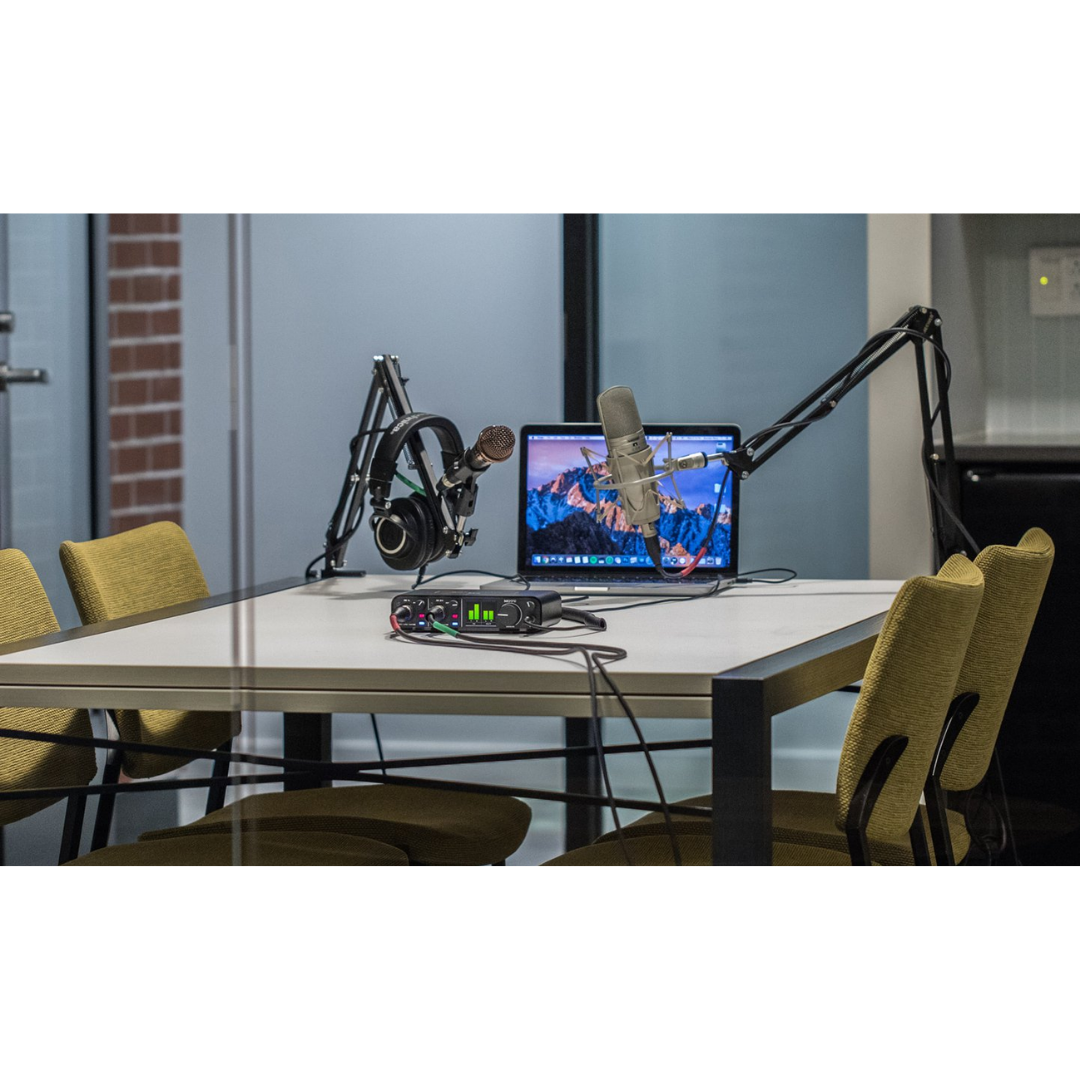
The M4's four outputs transform podcast production compared to the M2 by enabling a proper multi-host monitoring setup where each presenter can have an independent monitoring position — without the headphone output and outputs 1/2 both carrying the same mix. In a two-host studio setup, host A's dynamic or condenser microphone connects to input 1, and host B's microphone to input 2. A remote guest's audio arrives via VoIP (Zoom, Skype, Riverside.fm) through the M4's loopback channels, simultaneously recorded to a dedicated DAW track.
Outputs 1 and 2 feed a small pair of studio monitors in the recording room (or a mixer for the room PA if the podcast is produced in front of an audience). Outputs 3 and 4 feed a dual-channel headphone amplifier positioned between the two hosts, providing each host with independent headphone volume control at the amplifier while both receive the same composite monitoring mix from the DAW. The M4's headphone output feeds a third monitoring position — the recording engineer or producer — at a separate location in the room, listening to the master mix without interfering with the hosts' monitoring. This three-position monitoring architecture is standard in professional podcast studios and is typically only achievable with much larger, more expensive interfaces.
The loopback channels capture the remote guest's audio cleanly as a separate stereo input track in the DAW. The host's two microphones record to tracks 1 and 2, and the remote guest records to the loopback return tracks. In post-production, all three audio streams are available as independent tracks, providing full editorial control over each voice's level, EQ, noise reduction, and timing. The M4's −129 dBu EIN ensures that the hosts' microphones are captured with the lowest possible noise floor, which matters particularly when the podcast is released on platforms where listeners use earbuds and will hear every noise artefact in the recording.
Configuration Summary: Multi-Host Podcast
| WORKFLOW ELEMENT | DETAILS / CONFIGURATION |
|---|---|
| Input 1 | Host A microphone (dynamic or condenser, 48V as required) |
| Input 2 | Host B microphone (dynamic or condenser, 48V as required) |
| VoIP Audio (Remote Guest) | Route via loopback — VoIP app audio output captured as DAW input track |
| DAW Track 1 | M4 Input 1 (Host A) — mono track |
| DAW Track 2 | M4 Input 2 (Host B) — mono track |
| DAW Track 3/4 | M4 Loopback L+R (remote guest) — stereo or dual-mono tracks |
| Outputs 1/2 | Studio monitors in recording room (or room PA if live audience) |
| Outputs 3/4 | Dual-channel headphone amplifier between hosts (host monitoring) |
| Headphone Output | Producer/engineer monitoring — independent volume control |
| Input Monitor Mix Knob | Set blend so hosts hear themselves clearly without VoIP audio overwhelming the mix |
| MON Buttons | ON for both inputs during recording; hosts hear themselves via direct monitoring |
| VoIP Software Setup | Set audio input to M4, audio output to M4 — guest hears hosts, loopback captures guest |
| Recording Software | Any ASIO/Core Audio DAW; Hindenburg Journalist recommended for podcast production |
| Driver Requirement | MOTU M-Series driver required for loopback channels |
WORKFLOW 7 — LIVE STREAMING WITH COMPLEX AUDIO ROUTING
Scenario: Multi-Source Gaming Stream with Separated Audio Tracks
The M4's four-channel I/O is meaningful for live streamers who need more sophisticated audio routing than a two-channel interface can support. A professional gaming streamer typically deals with four or more simultaneous audio sources: their own microphone, game audio from the PC, background music, Discord or voice chat with teammates, and potentially a co-host or second microphone. The M4's loopback channels, four physical inputs, and four outputs give the streamer the routing flexibility to keep these sources separated and individually controllable in OBS Studio or Streamlabs.
In a typical advanced streaming setup, the streamer's primary microphone connects to M4 input 1. A co-host microphone or secondary source connects to input 2. Game audio, music, and other PC output is captured via the loopback channels. OBS is configured to record each audio source to a separate track in the video recording, which means the VOD editor can independently adjust the game audio level relative to the microphone audio in post, fixing balance issues that went unnoticed during the live broadcast. The M4's four outputs allow the streamer to monitor the complete composite stream mix on outputs 1/2 through headphones or monitors, while the stream encoder receives its audio feed from the DAW or OBS on a separate output routing.
Sub-Scenario: Music Producer Streaming Their Production Session
Music producers streaming their DAW sessions on Twitch or YouTube have specific audio routing requirements: the stream audience should hear the produced music clearly and without latency artifacts, the producer needs to monitor their production through headphones without the stream audio interfering, and the producer's microphone commentary should be mixed cleanly with the music. The M4's four outputs allow the producer to route the DAW production mix to outputs 1/2 (for their own monitoring) and simultaneously route a separate mix — including the microphone commentary mixed with the music — to outputs 3/4 feeding the stream encoder. This separation prevents the producer’s monitoring adjustments from affecting what the stream audience hears.
Configuration Summary: Live Streaming
| WORKFLOW ELEMENT | DETAILS / CONFIGURATION |
|---|---|
| Input 1 | Primary microphone (condenser or dynamic, 48V as required) |
| Input 2 | Co-host mic or secondary source (instrument, second mic) |
| Loopback Channels | Capture PC game audio, music, Discord, alerts in OBS as separate audio sources |
| Outputs 1/2 | Streamer monitoring (headphones or monitors) — full composite mix |
| Outputs 3/4 | Stream encoder audio feed (separate composite for stream vs. personal monitoring) |
| OBS Configuration | Add M4 Input 1 as Audio Input Capture; M4 Loopback as Audio Input Capture; separate tracks in recording |
| Multi-Track Recording | Enable separate audio tracks in OBS recording — independent levels in VOD editing |
| Sample Rate | 48 kHz (OBS default for streaming; set M4 to match) |
| Buffer Size | 256 samples (stable during CPU-intensive gaming + stream encoding) |
| Driver Requirement | MOTU M-Series driver for loopback channels |
| Input Monitor Mix Knob | Set to balance live microphone presence in monitoring against playback during setup |
| 48V Power | ON for condenser mic channels; OFF for dynamic or instrument inputs |
WORKFLOW 8 — POST-PRODUCTION & AUDIO FOR VIDEO
Scenario: ADR, Dialogue Editing, and Voiceover with Reference Monitoring
Post-production audio engineers working on audio-for-picture (dialogue editing, ADR replacement, Foley recording, voiceover, final mix) have specific monitoring and signal routing requirements that the M4 addresses efficiently. In an ADR (Automated Dialogue Replacement) session, an actor replaces a line of dialogue from a film scene by performing the line in sync with the picture while wearing headphones. The M4's microphone preamp on input 1 captures the actor's performance; the picture reference plays through the DAW on outputs 1 and 2 to studio monitors for the director and engineer; the actor monitors the original production audio and a click or breathing reference through the M4's headphone output at a level and mix set independently from the room monitors.
The M4's four balanced outputs are valuable for a 4.0 (LCRs + sub) or 5.1-oriented post-production workstation. In a 4.0 configuration, outputs 1 and 2 carry the front left and right channels, and outputs 3 and 4 carry the rear left and right channels, giving the engineer a four-speaker surround-format monitoring environment on a single M4. For full 5.1 work, the M4 covers four of the six required output channels, with the centre and LFE channels typically handled by the M4's headphone output (feeding an additional amplifier) or by a supplementary interface.
For voiceover and audiobook production specifically, the M4 provides the same excellent −129 dBu preamps as the M2, with the additional benefit that the engineer's talkback microphone can occupy input 2 while the voiceover artist’s recording microphone occupies input 1 — allowing the engineer to give direction to the artist through the headphone cue feed without setting up a separate talkback system. Outputs 3 and 4 feed the voiceover booth’s headphone amplifier while outputs 1 and 2 feed the control room monitors, completing a standard two-room voiceover monitoring architecture.
Configuration Summary: Post-Production / ADR / Voiceover
| WORKFLOW ELEMENT | DETAILS / CONFIGURATION |
|---|---|
| Input 1 | Actor or voiceover artist microphone (large-diaphragm condenser, 48V ON) |
| Input 2 | Director / engineer talkback microphone (dynamic, 48V OFF) |
| Outputs 1/2 | Control room studio monitors (engineer and director) |
| Outputs 3/4 | Booth headphone amplifier (actor/VO artist cue feed) or surround rear channels |
| Headphone Output | Engineer reference headphones |
| DAW Output Routing | Main stereo mix → Outputs 1/2; cue mix with guide audio → Outputs 3/4 |
| Talkback Path | Input 2 (talkback mic) → DAW routing → Outputs 3/4 (booth headphone amp) |
| Direct Monitor | MON OFF for VO artist — avoid latency during performance; MON ON for level checks |
| Monitor Mix Knob | Set for engineer monitoring blend during tracking |
| Sample Rate | 48 kHz (standard post-production / broadcast) |
| Video Sync | DAW handles picture playback sync; M4 provides audio output only |
| Delivery Format | 24-bit / 48 kHz WAV (broadcast) or as per client specification (ACX, Netflix, etc.) |
| Surround Use (4.0) | Outputs 1/2 = Front L/R; Outputs 3/4 = Rear L/R (4-channel surround monitoring) |
WORKFLOW 9 — EDUCATIONAL & MUSIC TECHNOLOGY STUDIO
Scenario: Music Technology Classroom with Multi-Source Demonstration
The MOTU M4 is particularly well-suited for music technology teaching environments because its four-channel I/O, full-colour LCD metering across all four channels simultaneously, and hardware Input Monitor Mix knob provide a richer set of practical demonstrations than a two-channel interface can offer. An instructor can simultaneously demonstrate microphone technique (input 1), instrument recording (input 2), and line-level source integration (inputs 3/4) within the same session and at the same time, with every channel's signal level visible on the LCD for students to observe directly.
The dual-monitor output capability is educationally powerful: the instructor can route a mixed track to outputs 1/2 (feeding reference studio monitors) and simultaneously to outputs 3/4 (feeding a consumer-quality desktop speaker or earbud-level system), and ask students to compare how a mix translates between professional and consumer playback systems. This is the core lesson in referencing and translation that forms the basis of professional mixing technique, and the M4 demonstrates it with a single interface rather than requiring a dedicated monitor controller or a second interface.
For practical recording sessions in educational contexts, the four-source capability allows students to simultaneously experience the roles of vocalist, guitarist, keyboard player, and engineer — each contributing a live signal to the same recording session. The instructor manages the session from the DAW while the students observe all four input levels on the LCD, learn to set preamp gain correctly on inputs 1 and 2, understand the difference between mic preamp (channels 1/2) and line input (channels 3/4), and hear the results of their gain staging decisions immediately through the monitoring system.
Configuration Summary: Educational Studio
| WORKFLOW ELEMENT | DETAILS / CONFIGURATION |
|---|---|
| Input 1 | Student vocal or demonstration microphone (condenser, 48V ON) |
| Input 2 | Student instrument DI or second microphone (as required) |
| Inputs 3/4 | Keyboard or playback source (line level balanced) — demonstrates line vs. mic input distinction |
| Outputs 1/2 | Primary reference studio monitors — projected DAW screen and monitors for class observation |
| Outputs 3/4 | Secondary consumer speaker — demonstrates translation comparison in class |
| Monitor Mix Knob | Teaching tool: instructor demonstrates how blend between live input and playback works |
| LCD Metering | All four channels visible — class can observe gain staging in real time |
| 48V Demonstration | Teach phantom power: ON for condenser ch1, OFF for dynamic ch2 — safe simultaneous operation |
| DAW | MOTU Performer Lite (included) or Logic / Pro Tools / Ableton (institution-owned) |
| MIDI Teaching | MIDI IN from keyboard controller — demonstrates virtual instrument triggering and MIDI workflow |
| Hardware Insert Demo | M4 Out 3 → outboard compressor → M4 In 3 — demonstrates hardware insert loop concept |
| Dual Monitor Demo | Route main mix to Outs 1/2 and Outs 3/4 simultaneously — demonstrate translation lesson |
WORKFLOW 10 — LOCATION RECORDING & PORTABLE PRODUCTION
Scenario: Multi-Source Location Recording with a Laptop
Location recording sessions — capturing acoustic instruments in a church, hall, or outdoor setting — benefit significantly from the M4's four-channel capability compared to a two-channel interface. A common professional approach to recording a solo instrumentalist in an acoustic space is to deploy two microphones simultaneously: a close microphone capturing the direct instrument sound with good detail, and an ambient microphone capturing the room character, reverb tail, and spatial information. On a two-channel interface, these two microphones consume both available inputs, leaving no capacity for a DI safety track, a monitoring reference feed, or a third source. The M4's four inputs allow the close mic on input 1, the ambient mic on input 2, and a DI direct signal (from an acoustic guitar pickup or piano direct output) on line input 3, simultaneously, with line input 4 available for a reference microphone or room monitor feed.
For documentary and interview location recording, two directional microphones — one for the interviewer and one for the subject — occupy inputs 1 and 2, while a wide-area ambient microphone capturing the location atmosphere occupies input 3 via a small portable preamplifier, whose balanced output feeds the line input directly. This gives the post-production editor three independent audio layers: interviewer, subject, and atmosphere — enabling much more flexible sound design in the cut than a stereo interview recording would provide.
The M4 is fully bus-powered for location use, requiring only the laptop's USB port and no external power supply. The metal chassis protects the unit from the casual physical impact of location work. The Input Monitor Mix knob gives the location recordist immediate monitoring blend control without touching the laptop. For standalone location operation — where the laptop is running DAW software and the recordist needs both hands free — the hardware knob means monitoring can be adjusted without keyboard or mouse interaction.
Configuration Summary: Location Recording
| WORKFLOW ELEMENT | DETAILS / CONFIGURATION |
|---|---|
| Input 1 | Close microphone — instrument or subject (XLR, 48V as required) |
| Input 2 | Ambient or secondary microphone (XLR, 48V as required) |
| Input 3 (TRS line) | DI direct signal or portable preamp balanced output |
| Input 4 (TRS line) | Room reference microphone (via portable preamp) or left empty |
| Outputs 1/2 | Monitor headphones or portable powered monitor (IEM or battery speaker) |
| Outputs 3/4 | Secondary monitoring point or leave disconnected on location |
| Headphone Output | Recordist in-ear monitoring — independent volume from main outputs |
| Input Monitor Mix | Set before leaving for location — adjust while hands-free during recording |
| Power Source | USB bus power from laptop — no external power supply needed |
| Laptop DAW | MOTU Performer Lite or Reaper — lightweight, stable on location laptop |
| Sample Rate | 96 kHz for music; 48 kHz for dialogue / interview |
| Session Backup | Back up to cloud or second storage at end of each location day |
| Cable Management | Rear-panel connectors for outputs; front-panel for microphone inputs — clean cable separation |
WORKFLOW 11 — HOUSE OF WORSHIP (SMALL SCALE)
Scenario: Small Congregation with Live Recording and Multitrack Capture
Small houses of worship — congregations that may have a simple PA system, one or two directional microphones for a speaker or worship leader, and a growing interest in recording and streaming their services — represent a practical deployment scenario for the M4. The interface sits at the front-of-house or a-v desk, connected to a volunteer operator's laptop. A directional condenser or dynamic microphone for the worship leader connects to input 1; a second microphone for a reader or additional speaker connects to input 2. A line-level feed from the stage keyboard or piano direct output connects to line input 3.
The M4's four outputs give the small worship operator a meaningful routing advantage. Outputs 1 and 2 feed the FOH PA amplifier, carrying the live mix for the congregation. Outputs 3 and 4 simultaneously carry the recording or live-stream feed — which may be a different mix, with the ambient congregation audio deliberately reduced or certain microphones processed differently for the stream. This separation of live PA feed and stream/recording feed is a standard professional requirement in worship production, and the M4 provides it without any additional hardware router or mixer.
The loopback channels can capture a phone-in or remote speaker ’s audio from a video conferencing system (Zoom, Teams), allowing a remote preacher or guest to participate in the service and have their audio both broadcast through the PA and recorded to the session simultaneously. This is increasingly the norm in hybrid in-person/online worship production, and the M4's loopback capability handles it without a separate virtual audio device.
Configuration Summary: House of Worship
| WORKFLOW ELEMENT | DETAILS / CONFIGURATION |
|---|---|
| Input 1 | Worship leader directional microphone (condenser or dynamic, 48V as required) |
| Input 2 | Second speaker or reader microphone |
| Input 3 (TRS line) | Stage keyboard / piano direct output (balanced TRS) |
| Input 4 (TRS line) | Available: choir microphone return, playback track return, etc. |
| Outputs 1/2 | FOH PA amplifier — live congregation feed |
| Outputs 3/4 | Recording / live stream encoder feed (separate mix from PA) |
| Loopback | Remote speaker via Zoom / Teams — captured to recording session and sent to PA |
| Headphone Output | A-V operator monitoring during service — independent from PA feed |
| Input Monitor Mix | Set to balance live input with playback during sound check; leave during service |
| Stream Software | OBS Studio or streaming encoder receives M4 Outs 3/4 signal (hardware output routing) OR DAW direct |
| Sample Rate | 48 kHz (broadcast standard) |
| Volunteer Friendly | Pre-set gain levels and monitor mix before service; minimal adjustments during service |
WORKFLOW 12 — REMOTE COLLABORATION & SESSION MUSICIAN WORK
Scenario: Professional Session Musician Delivering Stems Over the Internet
Professional session musicians recording remotely — delivering guitar tracks, horn parts, string arrangements, or vocal performances to producers in other cities — require an interface that can capture their performance at the highest possible quality and with the flexibility to simultaneously record both a direct signal (for producer re-amping) and a processed signal (for immediate use). The M4's four channels make this direct/processed simultaneous recording straightforward: the guitar connects to input 1 (Hi-Z TRS for passive guitar), passes through an amp simulation plugin in the DAW, and the dry DI signal is captured on DAW track 1 while the amp-simmed signal is printed to DAW track 2. A vocal overdub microphone on input 2 captures backing vocals or ad libs simultaneously, if required.
For remote real-time collaboration using Sonobus, Jamulus, or NINJAM, the M4's 2.5 ms round-trip latency is the critical performance parameter — the interface contributes the minimum possible local latency, leaving only network latency as the variable. The Input Monitor Mix knob gives the remote musician immediate control over how much of their local direct monitor they hear relative to the remote musicians's audio feed returning from the collaboration application. Line inputs 3 and 4 can receive the stereo output of a backing track player or loop station, adding it to the monitoring mix for the session without occupying the microphone preamp inputs.
Configuration Summary: Remote Session Musician
| WORKFLOW ELEMENT | DETAILS / CONFIGURATION |
|---|---|
| Input 1 (Hi-Z TRS) | Electric guitar or bass DI (passive instrument, Hi-Z input) |
| Input 2 (XLR) | Vocal or other instrument microphone (48V as required) |
| Inputs 3/4 (TRS line) | Backing track player or loop station stereo balanced output |
| Outputs 1/2 | Studio monitors for monitoring playback and collaboration app audio |
| Headphone Output | Primary monitoring during performance (closed-back for isolation) |
| Input Monitor Mix | Set to favour live guitar/vocal for feel during performance; collaboration app audio via DAW playback path |
| Buffer Size | 32 samples at 96 kHz for minimum local latency in real-time collaboration |
| Amp Simulation | Guitar DI tracked dry to DAW track; amp sim plugin inserts to produce processed track for stem delivery |
| Stem Delivery | Export: (1) dry DI WAV, (2) processed amp sim WAV, (3) vocal WAV — all at 24-bit / 96 kHz |
| File Format | 24-bit / 96 kHz WAV, uncompressed, labelled by instrument and take |
| Collaboration App | Sonobus / Jamulus / NINJAM — set audio device to M4 |
| MIDI | MIDI keyboard via M4 MIDI IN for virtual instrument or keyboard part recording |
FEATURE-TO-WORKFLOW CROSS-REFERENCE MATRIX
The following matrix maps every major feature of the MOTU M4 to the workflow categories where that feature delivers the most direct operational value. Engineers evaluating the M4 for a specific application can use this table to rapidly confirm which M4 capabilities are most critical to their deployment scenario.
| WORKFLOW ELEMENT | DETAILS / CONFIGURATION |
|---|---|
| −129 dBu EIN Mic Preamps (THAT 6263, Ch 1/2) | Project Studio · Band Self-Recording · Podcast · Location Recording · Post-Production / ADR · Session Musician · Educational Studio · House of Worship |
| Balanced Line Inputs (Ch 3 & 4, rear panel) | Outboard Gear Integration · Modular Synthesis · Location Recording (portable preamp) · Band Self-Recording (keyboard/instrument line) · Post-Production (cue feed return) |
| 120 dB(A) Output Dynamic Range (ESS Sabre32) | All workflows — defines the fidelity ceiling for monitoring and playback across all four output channels |
| Four DC-Coupled Balanced TRS Outputs | Dual-Monitor Mixing · Modular Synthesis (CV routing) · Post-Production (surround 4.0) · Podcast (multi-position monitoring) · House of Worship (PA + stream feed) · Live Streaming (monitoring vs. encoder feed) |
| Input Monitor Mix Knob (hardware, M4 exclusive) | Project Studio · Band Self-Recording · Location Recording · Remote Session Musician · Educational Studio · Live Streaming |
| 2.5 ms Round-Trip Latency | Project Studio (live tracking) · Band Self-Recording · Electronic Music (live MIDI performance) · Remote Collaboration · Session Musician · Live Streaming |
| Driver Loopback Channels | Podcast Production · Live Streaming · House of Worship (remote speaker) · Post-Production (VoIP capture) |
| 5-pin DIN MIDI IN / OUT | Project Studio · Electronic Music / Modular · Band Self-Recording (keyboard triggering) · Educational Studio · Session Musician |
| Full-Colour LCD (all 4 channels simultaneously) | Project Studio · Band Self-Recording · Educational Studio · Location Recording · House of Worship |
| Independent 48V Phantom Power (Ch 1 and Ch 2) | All workflows involving condenser microphones — enables safe simultaneous condenser + dynamic use on separate channels |
| Hardware Direct Monitoring (MON buttons, Ch 1/2) | Project Studio · Band Self-Recording · Location Recording · Session Musician · Podcast (presenter monitoring) · ADR / Voiceover |
| Four Mirrored RCA Outputs | Project Studio (consumer receiver/DJ mixer) · Podcast (secondary monitoring) · House of Worship (auxiliary recording device) |
| Bus Power (USB, no external adapter) | Location Recording · Band Self-Recording (mobile) · Educational Studio (no mains infrastructure needed) |
| Standalone Operation (USB-C power adapter) | Location Recording / Standalone Preamp · Rehearsal / PA Supplement · Portable monitor controller |
| Metal Chassis | Location Recording · Band Self-Recording (transport) · Educational Studio (institutional durability) |
| USB Audio Class 2.0 / iOS Compatible | Mobile / iPad production · Location Recording (iPad-based) · Educational (school-owned iPads) |
| Included Software (Performer Lite + Live Lite + 6 GB) | Project Studio · Band Self-Recording · Electronic Music · Educational Studio · Remote Session Musician |
| Hi-Z Instrument Inputs (Ch 1/2 TRS) | Project Studio guitar DI · Band Self-Recording · Session Musician (guitar DI for re-amping) |