


Brand: MOTU
MOTU M6
Category: Audio Interfaces
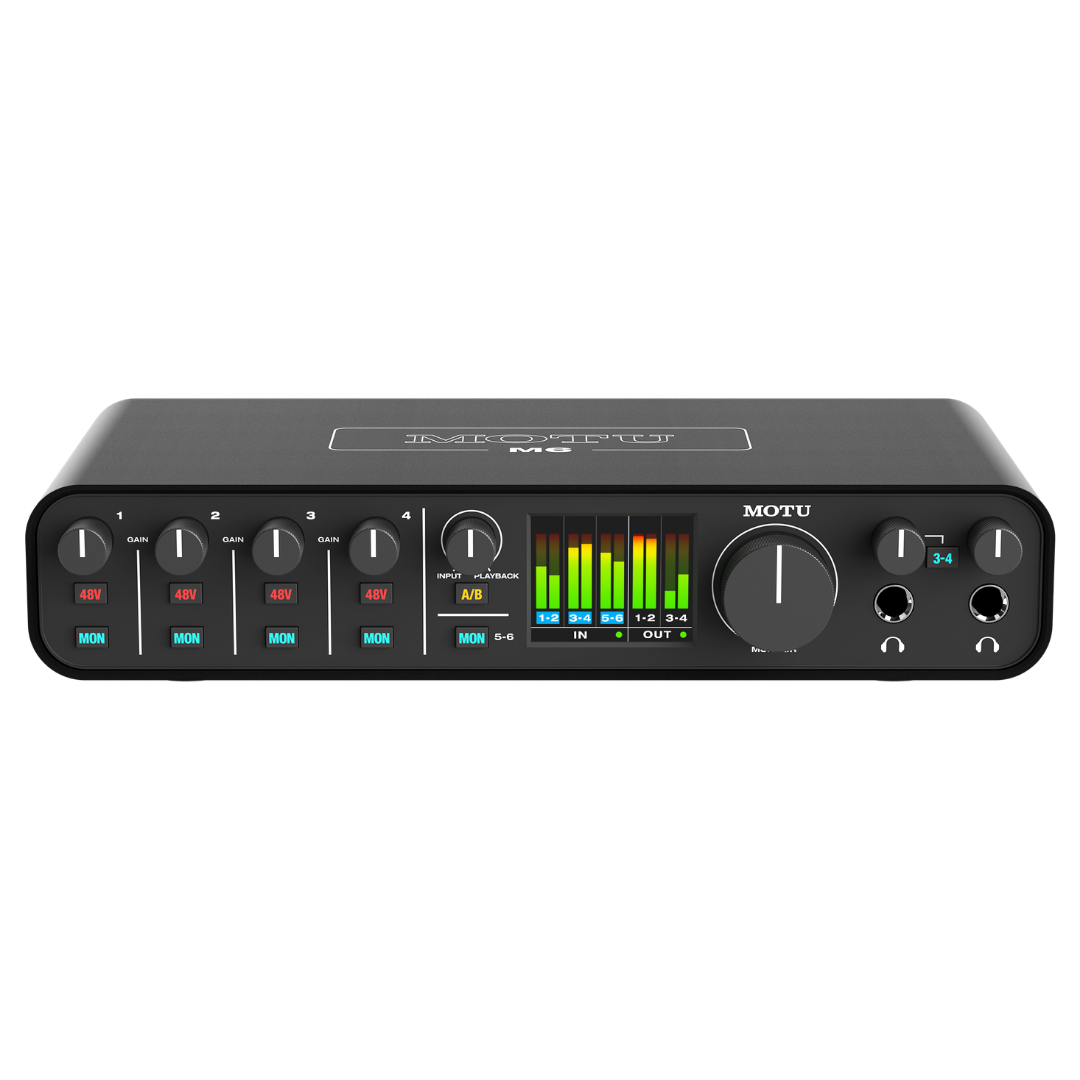
6-in/4-out USB-C Audio Interface • 120 dB Dynamic Range • —110 dB THD + N • —129 dBu EIN • Equipped with Renowned ESS Sabre32 Ultra™ DAC Technology • Best-in-Class Audio Quality • Speed & Metering • Dual Headphone Outputs • A/B Monitor Switching — The Most Feature-Rich M Series Interface
 Get 5% OFF on Prepaid Orders
Copied!
Get 5% OFF on your First Purchase.
Copied!
Buy 2 and GET 10% OFF
Copied!
Get 5% OFF on Prepaid Orders
Copied!
Get 5% OFF on your First Purchase.
Copied!
Buy 2 and GET 10% OFF
Copied!
GENERAL OVERVIEW
| SPECIFICATION | DETAILS |
|---|---|
| Product Name | MOTU M6 |
| Manufacturer | MOTU (Mark Of The Unicorn, Inc.) |
| Product Category | USB Audio Interface / Soundcard |
| M-Series Position | Flagship of the M-Series (above M2 and M4) |
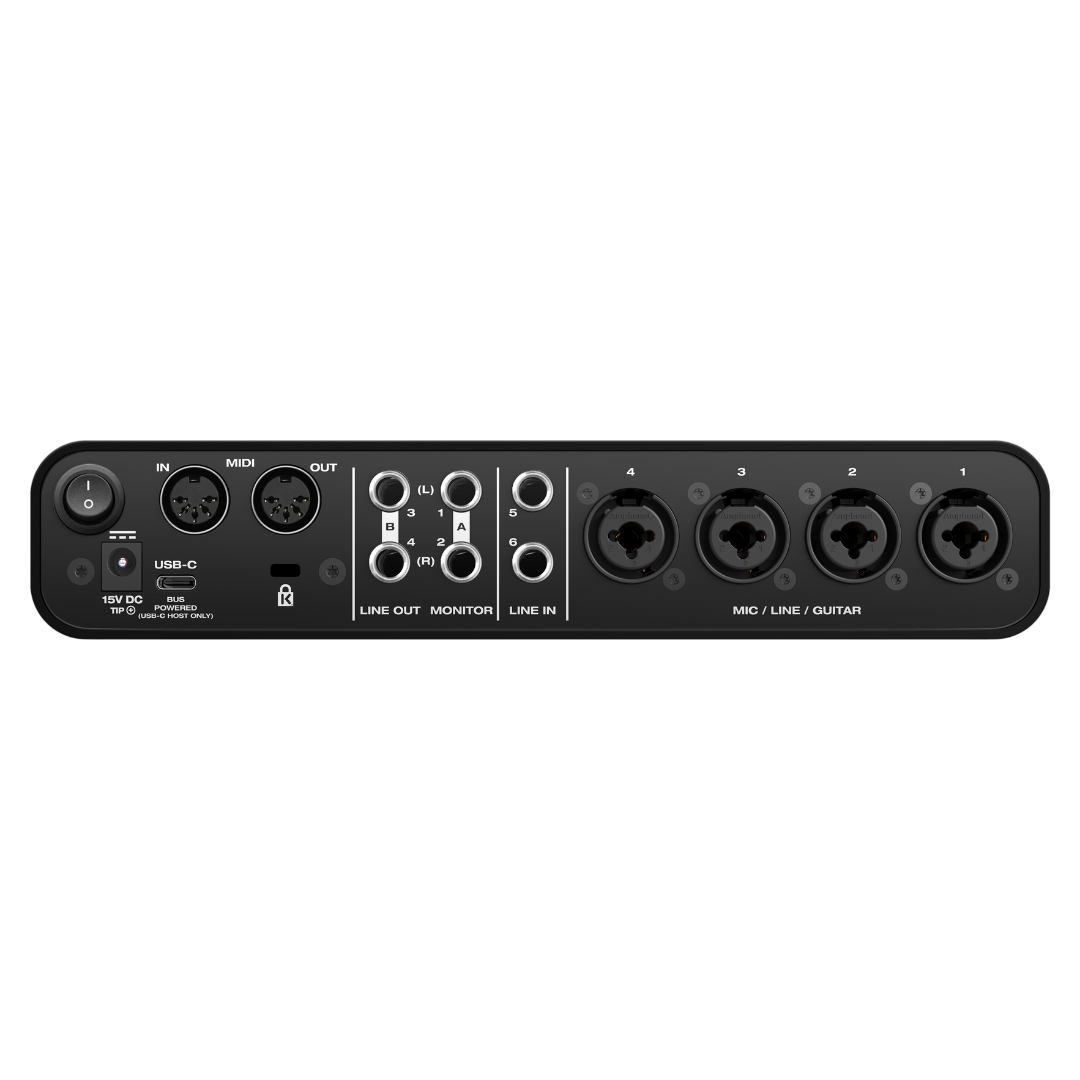
| Total Analogue Inputs | 6 (4 × combo XLR/TRS + 2 × 1/4" TRS line) |
| Total Analogue Outputs | 4 × 1/4" TRS balanced line + 2 × 1/4" TRS stereo headphone |
| Converter Technology | ESS Sabre32 Ultra™ DAC Technology |
| USB Standard | USB 2.0 Audio Class Compliant (USB-C connector) |
| MIDI I/O | 1 × MIDI IN, 1 × MIDI OUT (16 channels each) |
| Warranty | Two-year limited hardware warranty |
| Manufacturer Product Page | motu.com/en-us/products/m-series/m6/ |
ANALOGUE INPUTS
| SPECIFICATION | DETAILS |
|---|---|
| Mic/Line/Guitar Inputs | 4 × XLR/TRS combination (combo) jacks — Channels 1–4 |
| Input Type — XLR | Balanced microphone input, pin 2 hot |
| Input Type — TRS | Balanced line input, tip hot |
| Input Type — TS | Unbalanced hi-Z guitar/instrument input |
| Additional Line Inputs | 2 × 1/4" TRS line input (balanced/unbalanced) — Channels 5–6 |
| Phantom Power | Individual +48V per channel (Channels 1–4 only) |
| Line Input Dynamic Range | 115 dB (A-weighted) |
| Line Input THD+N | -107 dB (unweighted) |
| Line Input Max Level | +18 dBu |
| Mic Input Dynamic Range | 115 dB (A-weighted) |
| Mic Input EIN | -129 dBu (Equivalent Input Noise) |
| Mic Input Max Level (min gain) | +10 dBu |
| Preamp Gain Control | Per-channel rotary potentiometer (knurled metal knob) |
ANALOGUE OUTPUTS
| SPECIFICATION | DETAILS |
|---|---|
| Line Outputs | 4 × 1/4" TRS balanced (DC coupled) |
| Output Configuration | Monitor Out 1-2 (primary) + Line Out 3-4 (secondary) |
| Line Output Dynamic Range | 120 dB (A-weighted) |
| Line Output THD+N | -110 dB (unweighted) |
| Line Output Max Level | +16 dBu |
| DC Coupling | Yes — all four TRS line outputs are DC-coupled |
| A/B Monitor Switching | Yes — dedicated front-panel switch routes Out 1-2 to Monitor A or B |
| Headphone Outputs | 2 × 1/4" TRS stereo (independent volume control per output) |
| Headphone Dynamic Range | 115 dB (A-weighted) |
| Headphone THD+N | -110 dB (unweighted) |
| Headphone Max Output Level | +12.5 dBu |
| Headphone Default Source | Both outputs mirror Line Out 1-2 |
| 3-4 Switch Function | Routes Headphone Output 2 to mirror Line Out 3-4 (secondary mix) |
| Headphone Drive Capability | ESS Sabre32 Ultra converters drive both headphone outputs |
CONVERTER TECHNOLOGY
| SPECIFICATION | DETAILS |
|---|---|
| DAC/ADC Platform | ESS Technology Sabre32 Ultra™ |
| ESS Architecture | 32-bit Hyperstream modulator, 8-channel array DAC |
| Line Output Dynamic Range | 120 dB A-weighted |
| Line Input Dynamic Range | 115 dB A-weighted |
| Microphone Input Dynamic Range | 115 dB A-weighted |
| Headphone Output Dynamic Range | 115 dB A-weighted |
| Line Output THD+N | -110 dB unweighted |
| Line Input THD+N | -107 dB unweighted |
| Headphone THD+N | -110 dB unweighted |
| Supported Sample Rates | 44.1, 48, 88.2, 96, 176.4, 192 kHz |
| Bit Depth | Up to 24-bit (standard USB Audio Class 2.0) |
MICROPHONE PREAMPS
| SPECIFICATION | DETAILS |
|---|---|
| Preamp Count | 4 (one per combo jack input, Channels 1–4) |
| Connector Type | XLR/TRS combination (combo) jack — accepts XLR, TRS, or TS |
| XLR Wiring | Balanced, pin 2 hot (standard IEC 60268-3) |
| Phantom Power | Individual +48V per channel, front-panel switch |
| EIN (Equivalent Input Noise) | -129 dBu (measured) |
| Mic Input Max Level | +10 dBu at minimum gain setting |
| Gain Control | Dedicated rotary potentiometer per channel |
| Hi-Z Instrument Mode | Yes — automatic when TS connector inserted |
| Theoretical Preamp Dynamic Range | ~139 dB (from +10 dBu max to -129 dBu EIN, unweighted) |
| Per-Channel Direct Monitor | Yes — dedicated MON button per channel |
COMPUTER CONNECTIVITY
| SPECIFICATION | DETAILS |
|---|---|
| Computer Connection | 1 × USB-C (USB 2.0) |
| USB Compatibility | USB-C and USB Type-A hosts (via included cables) |
| Included Cables | USB C-to-C and USB C-to-A cables included in box |
| USB Audio Class | Class 2.0 compliant (plug-and-play on Mac and iOS, no driver) |
| Mac Driver | Optional (Core Audio) — enables 2.5 ms RTL and loopback |
| Windows Driver | Included (ASIO + WDM Wave) — mandatory for minimum latency |
| Round Trip Latency | 2.5 ms (96 kHz, 32-sample buffer, with driver) |
| Loopback Channels | Yes (with MOTU driver on Mac or Windows) |
| iOS Compatibility | Yes — USB Audio Class 2.0; Lightning port requires Apple Lightning to USB3 Camera Adapter (sold separately) |
| Bus Power | Yes — from USB-C hosts only (not from USB-A hosts) |
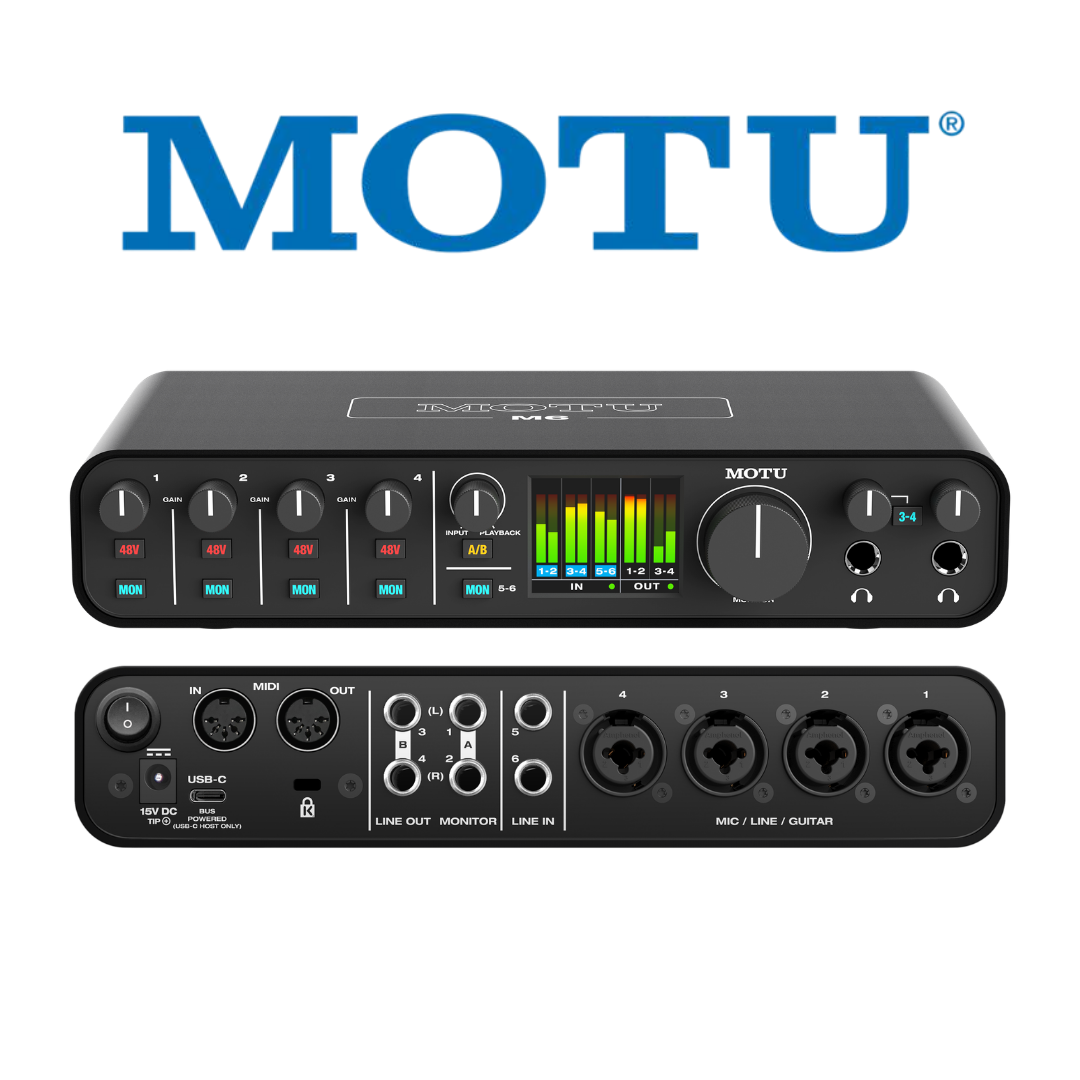
FRONT PANEL CONTROLS & DISPLAY
| SPECIFICATION | DETAILS |
|---|---|
| LCD Display | 160 × 128 pixel full-colour LCD |
| LCD Content | Real-time level meters for all inputs and outputs |
| Potentiometers (total) | 5 × knurled metal rotary pots |
| Pot 1 — Monitor Volume | Master monitor output volume |
| Pot 2 — Headphone 1 Volume | Independent volume for Headphone Output 1 |
| Pot 3 — Headphone 2 Volume | Independent volume for Headphone Output 2 |
| Pot 4 — Input Monitor Mix | Blend between direct inputs and computer playback |
| Pots 5–8 — Input Gain | 4 × per-channel gain controls (Channels 1–4) |
| Switches — 48V | 4 × individual phantom power (one per mic input) |
| Switches — MON | 5 × direct monitor engage (per channel, plus global) |
| Switch — A/B | 1 × A/B monitor output selector |
| Switch — 3-4 | 1 × Headphone 2 source selector (Line Out 1-2 or 3-4) |
| Headphone Jacks | 2 × 1/4" TRS stereo headphone (front panel) |
| Combo Jack Inputs | 4 × XLR/TRS combo jacks (front panel) |
MIDI I/O
| SPECIFICATION | DETAILS |
|---|---|
| MIDI Input | 1 × MIDI IN |
| MIDI Output | 1 × MIDI OUT |
| MIDI Channel Capacity | 16 MIDI channels to/from USB host |
| MIDI Connector Type | Standard 5-pin DIN (TRS-to-DIN or standard DIN — verify with unit) |
| MIDI over USB | Yes — MIDI data carried over the same USB-C connection as audio |
POWER & STANDALONE OPERATION
| SPECIFICATION | DETAILS |
|---|---|
| Primary Power | USB bus power (USB-C hosts only) |
| Standalone Power | Optional DC adapter (included) — 15V, 1.0A max |
| DC Tip Polarity | Tip positive or negative (switchable/auto) |
| International Voltage | 100–240V, 50/60 Hz (universal) |
| Blade Adapters Included | US/Japan, EU, UK, Australia |
| Standalone Operation | Yes — full monitoring without USB host when DC adapter connected |
| USB-A Host Compatibility | Yes — requires DC adapter (no bus power from USB-A) |
| Power Switch | Yes — front panel power button |
PHYSICAL SPECIFICATIONS
| SPECIFICATION | DETAILS |
|---|---|
| Width | 9.21 inches / 23.4 cm |
| Depth | 4.75 inches / 12.0 cm |
| Height | 1.8 inches / 4.57 cm |
| Weight | 2.15 lbs / 0.975 kg |
| Chassis Construction | Extruded aluminium case |
| Faceplate Material | Metal |
| Knob Material | Knurled metal |
| Security | Kensington security slot |
| Colour / Finish | Not specified by manufacturer (dark anodised aluminium) |
SYSTEM REQUIREMENTS
| SPECIFICATION | DETAILS |
|---|---|
| Mac — OS Version | macOS 12 (Monterey) or later |
| Mac — Processor | Apple Silicon (M1/M2/M3/M4) and Intel processors supported |
| Mac — RAM | 8 GB or more recommended |
| Mac — Driver | Optional Core Audio driver (for minimum latency and loopback) |
| Windows — OS Version | Windows 11 23H2 or later |
| Windows — Processor | x86-64 (Intel/AMD) and ARM (Snapdragon) supported |
| Windows — RAM | 8 GB or more recommended |
| Windows — Driver | ASIO + WDM Wave drivers included (mandatory for minimum latency) |
| iOS — Version | USB Audio Class 2.0 compatible (plug-and-play) |
| iOS — Adapter | Lightning to USB 3 Camera Adapter for Lightning devices (sold separately) |
| Class-Compliant | Yes — Mac and iOS, no driver required |
| USB Port Required | 1 × available USB port (USB-C recommended; USB-A with power adapter) |
INCLUDED SOFTWARE & CONTENT
| SPECIFICATION | DETAILS |
|---|---|
| DAW 1 | MOTU Performer Lite (full multitrack recording, editing, mixing, mastering) |
| DAW 2 | Ableton Live Lite 11 |
| Virtual Instruments (Performer Lite) | 100+ instruments (pianos, guitars, basses, drums, organs, synths, orchestral, world) |
| Sample Content | 6 GB of loops, one-shots, and sample packs |
| Sample Providers | Big Fish Audio, LucidSamples, Loopmasters, MOTU |
| Mac Software Compatibility | Pro Tools, Logic Pro, GarageBand, Ableton Live, Cubase, Reaper, Studio One, Reason, FL Studio, and all Core Audio apps |
| Windows Software Compatibility | Pro Tools, Ableton Live, Cubase, FL Studio, Reaper, Studio One, Sonar, Vegas Pro, Sound Forge, and all ASIO/WDM apps |
NOTABLE FEATURE SUMMARY
| SPECIFICATION | DETAILS |
|---|---|
| A/B Monitor Switching | Yes — unique in class; compare two speaker pairs with one button |
| Full-Colour LCD Metering | Yes — 160 × 128 px, real-time all I/O metering |
| Round Trip Latency | 2.5 ms at 96 kHz / 32-sample buffer (with driver) |
| DC-Coupled Outputs | Yes — all 4 TRS line outputs (CV / sub-bass compatible) |
| Loopback | Yes — with MOTU driver on Mac or Windows |
| Standalone Operation | Yes — DC adapter (included) |
| Per-Channel 48V Phantom Power | Yes — 4 independent switches |
| Per-Channel Direct Monitor | Yes — 5 MON buttons |
| Mono / Stereo Monitor Toggle | Yes — press and hold MON button |
| ESS Sabre32 Headphone Drive | Yes — both headphone outputs use ESS converters |
| Kensington Security Slot | Yes |
| International Power Adapter | Yes — included, all major blade types |
| Bus Power (USB-C) | Yes — no adapter needed with USB-C hosts |
1. PRODUCT OVERVIEW
The MOTU M6 is a six-input, four-output USB audio interface positioned as the flagship model of MOTU's M-Series lineup, sitting above the M2 and M4 in channel count and feature breadth. Designed for musicians, producers, podcasters, and content creators who demand studio-grade sound quality without the complexity or cost of a professional rack-mount interface, the M6 delivers an extraordinary combination of audio quality, operational speed, and front-panel intelligence into a compact, bus-powered metal chassis.
At the heart of the M6's design philosophy is MOTU's stated goal of delivering 'best in class' performance across three critical dimensions: audio quality, recording speed (latency), and metering feedback. To achieve the first, MOTU equipped the M6 with ESS Sabre32 Ultra™ DAC Technology — the same ESS ES9016 converter architecture found in high-end audiophile components and audio interfaces costing several times more. The result is a measured 120 dB A-weighted dynamic range on the main outputs, a figure that competes directly with interfaces at two to three times the price point. The mic preamp inputs achieve a measured Equivalent Input Noise (EIN) of -129 dBu — a benchmark figure for ultra-low-noise preamp performance that places the M6 in elite company for its market category.
For speed, MOTU's proprietary USB drivers deliver a Round Trip Latency (RTL) of just 2.5 milliseconds at 96 kHz with a 32-sample buffer — a figure that makes real-time software monitoring and plugin processing genuinely viable without audible delay. This RTL benchmark, combined with USB audio class compliance for Mac and iOS (enabling plug-and-play operation with no driver installation), ensures the M6 is immediately productive straight from the box. The M6 also offers a feature unique to its class: A/B monitor switching, allowing engineers to instantly compare a mix across two pairs of studio monitors. A 160×128 pixel full-colour LCD with comprehensive level metering for all inputs and outputs completes a front panel unusually rich in professional feedback for this price tier.
The M6 was introduced as part of MOTU's ongoing M-Series expansion and is backed by MOTU's two-year hardware warranty. It ships with an extensive software bundle — MOTU Performer Lite, Ableton Live Lite 11, and over 6 GB of loops and samples from Big Fish Audio, LucidSamples, and Loopmasters — making it a complete production package for new and intermediate users. As the authorised MOTU distributor for Eastern India, Shivansh Electronics supplies and supports the full M-Series range across West Bengal and neighbouring states.
2. COMPUTER CONNECTIVITY & USB ARCHITECTURE
The M6 uses a single USB-C 2.0 connection for both audio data transfer and bus power (from USB-C hosts). MOTU ships both USB C-to-C and USB C-to-A cables in the box, ensuring compatibility with modern laptops (USB-C) as well as legacy desktops and workstations (USB Type-A). This is an important practical consideration: while bus power is only available through USB-C hosts, the M6 can operate from USB-A hosts provided the included DC power adapter is connected — a detail that maximises deployment flexibility without requiring any adapters or hubs.
The USB 2.0 specification delivers amply sufficient bandwidth for the M6's audio data: at 192 kHz stereo, a 24-bit stream requires approximately 9.2 Mbps, and the M6's full 6-in/4-out configuration at 192 kHz requires well under the ~480 Mbps USB 2.0 ceiling. MOTU's implementation is USB Audio Class 2.0 compliant, enabling the device to operate on macOS and iOS without any driver installation — the operating system natively recognises and manages the interface. On Windows, MOTU provides dedicated ASIO and WDM Wave drivers that unlock the minimum-latency performance and the loopback streaming feature. The Mac driver is optional but recommended for minimum-latency (2.5 ms RTL) operation and loopback access.
iOS compatibility is supported via USB Audio Class compliance. For iOS devices with a Lightning port, an Apple Lightning to USB 3 Camera Adapter is required (sold separately). USB-C iPad and iPhone models connect directly with a USB C-to-C cable. This makes the M6 a genuinely portable field recording and podcast production tool usable with an iPhone or iPad as the host — no computer required, provided the DC power adapter or a powered USB hub is available.
3. CONVERTER TECHNOLOGY & AUDIO QUALITY
The M6's exceptional measured performance originates directly from MOTU's decision to use ESS Technology's Sabre32 Ultra architecture for both D/A and A/D conversion. ESS Technology is one of a small number of companies that manufacture audiophile-grade converter ICs; the Sabre32 platform is characterised by its 32-bit processing core, patented Hyperstream modulator architecture, and 8-channel array DAC topology. These architectural choices allow the ESS converters to achieve ultra-low noise floors and harmonic distortion figures that translate directly to the M6's published measurements.
The main line outputs achieve a measured 120 dB A-weighted dynamic range with a maximum output level of +16 dBu. The A-weighting designation is important: A-weighting is a frequency-dependent filter applied to noise measurements that mimics the ear's reduced sensitivity to very low and very high frequencies. A 120 dB A-weighted dynamic range is an excellent real-world figure — it means that the noise floor is approximately 120 dB below full-scale output, ensuring that even quiet acoustic passages recorded and reproduced through the M6 are free from audible hiss or granularity. By comparison, many competing interfaces in the same price tier measure 110–114 dB dynamic range on their main outputs.
The THD+N (Total Harmonic Distortion plus Noise) of the line outputs is specified as -110 dB unweighted, corresponding to approximately 0.00032% THD+N. This is an extremely low distortion figure, meaning that the M6 does not colour audio with harmonic artefacts during playback or monitoring — critical for accurate mixing and mastering work. The line inputs achieve -107 dB THD+N with 115 dB A-weighted dynamic range and a maximum input level of +18 dBu, providing adequate headroom for connecting professional-level line sources such as synthesisers, drum machines, and studio outboard gear.
The headphone outputs are driven by the same ESS Sabre32 converters — an unusual and significant design choice in this market segment where headphone outputs frequently use inferior, cost-reduced amplifier stages. The measured 115 dB A-weighted dynamic range and -110 dB THD+N on the headphone outputs means that the M6 rivals dedicated headphone amplifiers costing several hundred dollars. This is particularly valuable for critical mix checking through high-end reference headphones. The maximum headphone output level of +12.5 dBu provides ample drive for both low-impedance consumer headphones and higher-impedance professional reference models.
4. MICROPHONE PREAMPS
The M6 provides four microphone preamp channels, each accessible via a dedicated XLR/TRS combination (combo) jack on the front panel. Each combo jack simultaneously accepts: a balanced XLR microphone (standard pin-2-hot wiring), a balanced TRS line-level signal, or an unbalanced TS hi-Z (high-impedance) instrument signal such as a guitar, bass, or keyboard. The automatic selection of mic vs. line vs. instrument input is determined by the physical connector type inserted, with no additional switching required — a practical convenience feature that simplifies setup.
Each of the four channels provides an independent rotary gain potentiometer (knurled metal, matching the overall build aesthetic), an independent 48V phantom power switch for condenser microphone operation, and an independent MON (monitor) button to route that input to the direct hardware monitoring path. The Equivalent Input Noise (EIN) of -129 dBu is the single most important specification for evaluating microphone preamp performance: it represents the noise that the preamp itself adds to the signal at its input, referenced to the noise of the source impedance. A -129 dBu EIN is exceptional — it places the M6 preamps at or above the performance of many standalone preamp units in the $200–$500 range. Practically, this means that the M6 preamps will not add audible noise when recording quiet acoustic sources such as whispered dialogue, pianissimo classical instruments, or ambient room acoustics.
The maximum input level at minimum gain is +10 dBu on the mic inputs. While this is lower than the +18 dBu maximum on the line inputs (as expected for a preamp input), it provides adequate headroom for even hot microphone sources such as dynamic microphones placed close to loud sources like kick drums or bass amplifiers. The full gain range available is not specified numerically by MOTU on the current specification sheet; however, the combination of a -129 dBu EIN and a minimum-gain clipping point of +10 dBu yields a theoretical input dynamic range of approximately 139 dB (unweighted) at the preamp input — a figure that exceeds any real-world acoustic source and the ADC's own dynamic range, confirming that the preamp stage is not the limiting factor in the signal chain.
5. ANALOGUE OUTPUTS
The M6 provides four balanced, DC-coupled 1/4-inch TRS line outputs. The four outputs are configured as two stereo pairs: Line Out 1-2 serves as the primary monitor output, and Line Out 3-4 provides a secondary output path for a second pair of monitors, headphone cue mix, or routing to outboard gear. The 120 dB A-weighted dynamic range and maximum output level of +16 dBu makes these outputs suitable for driving both studio monitor amplifiers and line-level outboard processing chains.
The DC coupling of all four line outputs is a technically significant feature that distinguishes the M6 from many competing interfaces. DC-coupled outputs pass frequency content down to 0 Hz — meaning they can accurately transmit DC voltage levels and very-low-frequency signals. In audio production, this has two primary applications: firstly, it enables accurate playback of sub-bass content on subwoofers and bass management systems; secondly, and more uniquely, DC-coupled outputs can be used with a CV-to-MOTU adapter or modular synthesis software to send Control Voltage (CV) signals to analogue synthesisers and modular Eurorack systems. This makes the M6 directly addressable as a CV interface when combined with appropriate software, opening workflows in electronic music production and modular synthesis that are unavailable on non-DC-coupled interfaces.
The A/B monitor switching function, controlled by a dedicated front-panel button, routes Line Out 1-2 to either Monitor Output A (typically the primary speaker pair) or Monitor Output B (a secondary speaker pair connected to the secondary TRS output path). This gives mixing engineers the ability to instantly switch between reference monitors with a single button press — a feature normally found only on dedicated monitor controllers costing significantly more. The ability to compare a mix across two different speaker systems is standard practice in professional mixing rooms and is one of the M6's most compelling differentiators in its price class.
6. HEADPHONE OUTPUTS
The M6 provides two independent headphone outputs, both on the front panel as 1/4-inch TRS stereo jacks. Each headphone output has its own dedicated volume potentiometer, allowing a performer and an engineer (or two performers) to simultaneously monitor at different levels without affecting each other. Both headphone outputs default to mirroring Line Out 1-2 — the main monitor mix.
A dedicated 3-4 button on the front panel allows the second headphone output to optionally mirror Line Out 3-4 instead of Line Out 1-2. This enables a genuinely independent cue mix scenario: the engineer monitors the main mix on Headphone Out 1 (or on monitor speakers via Line Out 1-2), while a performer receives a separate, independently controlled cue mix through Headphone Out 2 which mirrors the content sent to Line Out 3-4. In conjunction with DAW routing, this provides a basic but functional two-mix headphone monitoring setup without any external headphone amplifier or dedicated cue system.
7. DIGITAL I/O, MIDI & SAMPLE RATES
The M6 does not feature optical (ADAT/TOSLINK) or coaxial (S/PDIF) digital audio I/O. This is a deliberate design choice that keeps the unit compact and focused on its core use case as a high-quality analogue interface with USB connectivity. Engineers who require digital I/O for connecting digital mixers, effects processors, or digital consoles should consider MOTU's larger studio-grade interfaces such as the 16A, 828es, or 1248.
The M6 does include one MIDI input and one MIDI output, each capable of carrying 16 MIDI channels simultaneously to and from the USB host. The MIDI connectivity uses standard 5-pin DIN connectors (Type-A Mini-DIN physically — verify with unit), enabling connection to hardware synthesisers, drum machines, MIDI controllers, and other MIDI-equipped instruments without requiring a separate USB MIDI interface. This is a valuable inclusion that reduces the number of devices required in a small studio setup.
The M6 supports sample rates from 44.1 kHz through to 192 kHz in the standard professional series: 44.1, 48, 88.2, 96, 176.4, and 192 kHz. The availability of 176.4 kHz (the 4x multiple of 44.1 kHz) alongside 192 kHz (the 4x multiple of 48 kHz) is notable — it ensures compatibility with high-resolution audio production workflows oriented around the 44.1 kHz sample rate family (common in music production and vinyl mastering) as well as the 48 kHz family (standard in film, broadcast, and post-production). At 192 kHz, the M6 is recording and monitoring at four times the standard CD sample rate, capturing frequency content well beyond human hearing and providing the headroom for sample rate conversion without aliasing artefacts.
8. FRONT PANEL, CONTROLS & LCD DISPLAY
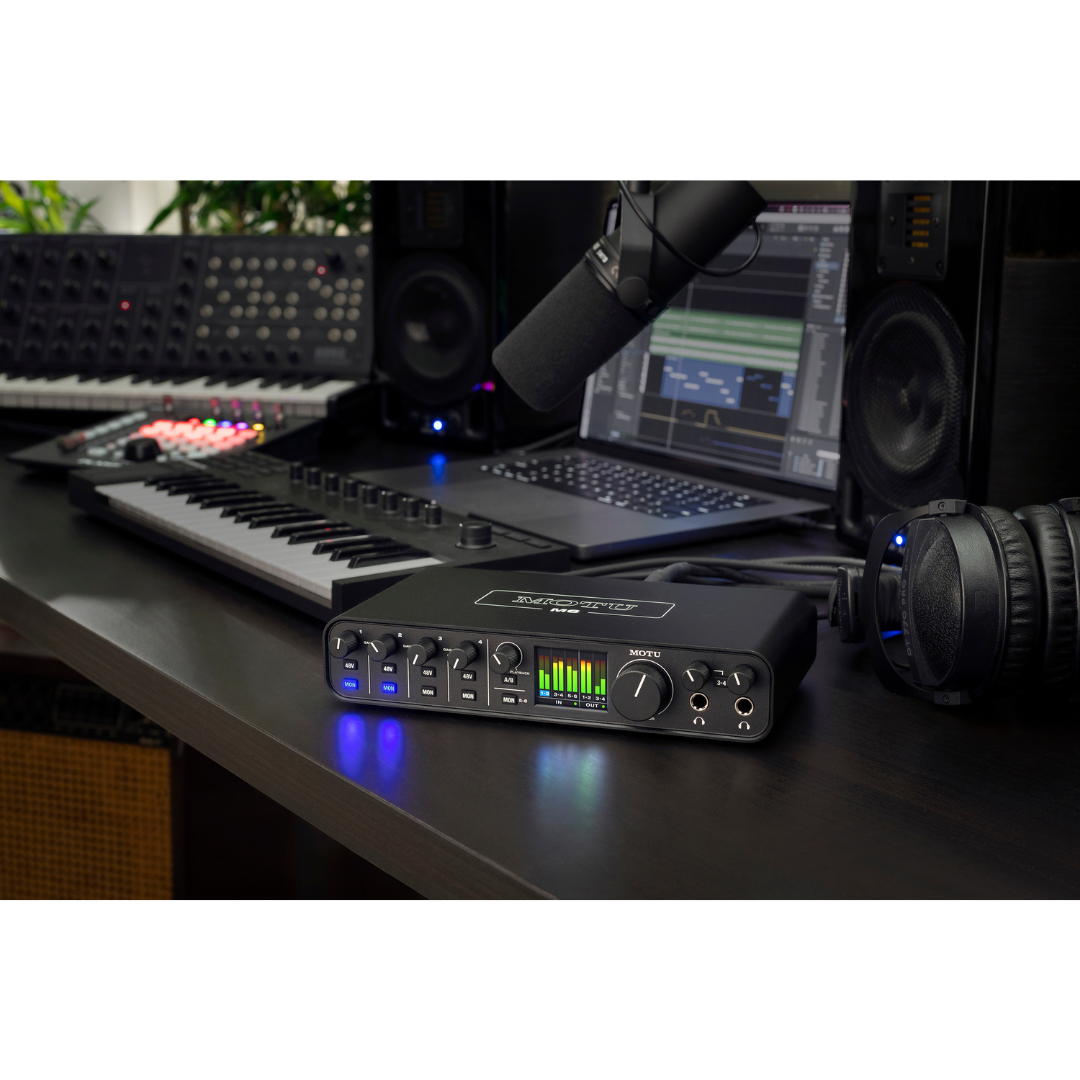
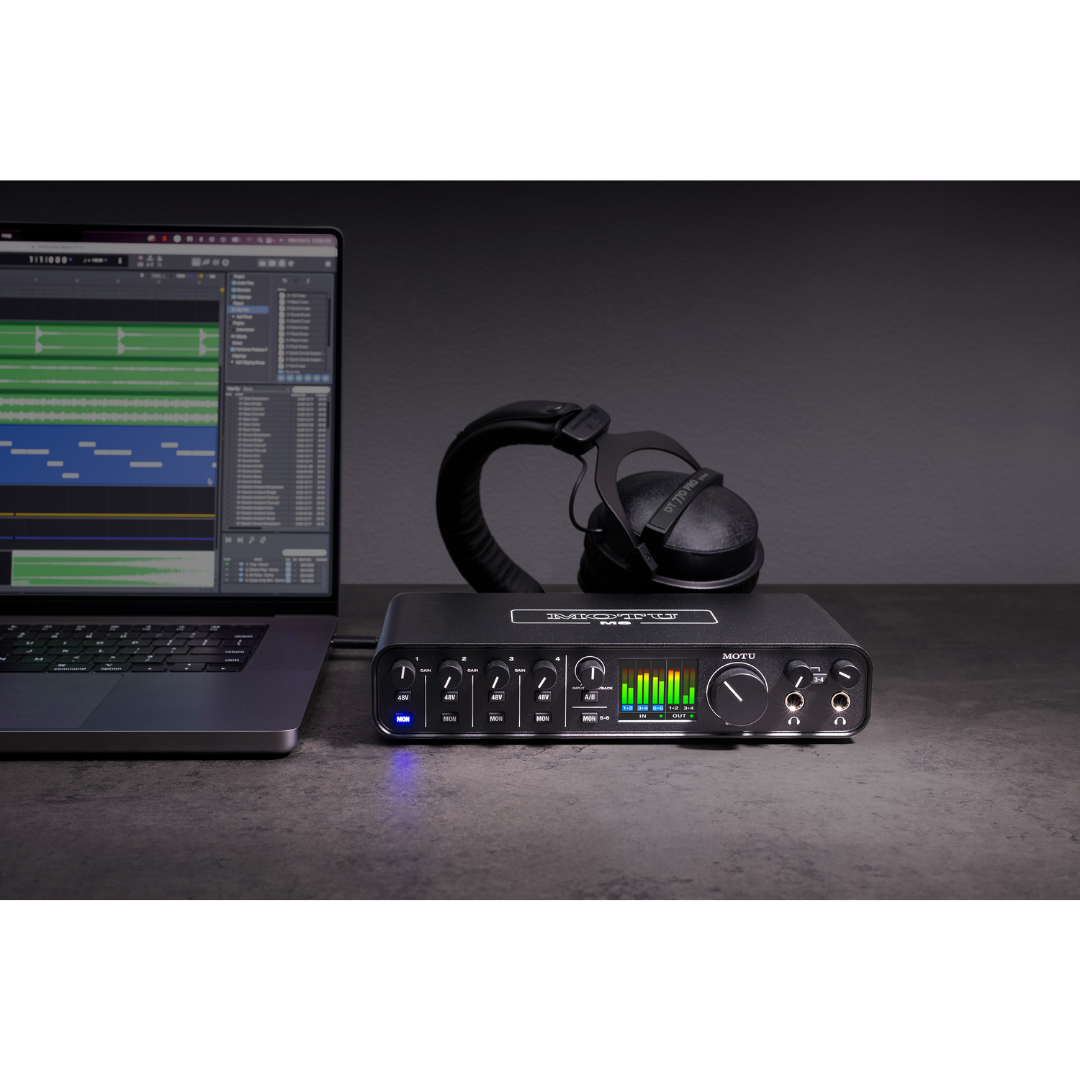
The M6's front panel is the most information-dense and feature-rich in its market class. The centrepiece is a 160×128 pixel full-colour LCD that displays real-time level meters for all inputs and outputs simultaneously. This full-colour LCD is a significant differentiator: most competing interfaces at this price point either have no metering at all, or provide a small number of LED-segment meters that cannot simultaneously display all inputs and outputs. Having a full software-style level meter on the hardware unit itself means that engineers can verify recording levels without looking at a computer screen — essential in physically separated recording and control room scenarios, in mobile production, or when recording without a computer monitor.
The physical control complement consists of eleven switches and five potentiometers (all with knurled metal knobs). The four phantom power (48V) switches are individually assigned to each mic preamp input, allowing selective phantom power engagement — important when mixing dynamic microphones (which can be damaged by 48V if their cables have wiring faults) with condenser microphones on the same unit. The five MON buttons provide per-channel direct (hardware) monitoring: pressing MON on a channel routes that channel's input directly to the headphone and monitor outputs with zero latency — the signal bypasses the computer entirely, travelling only through the M6's internal circuitry. The single A/B switch controls monitor output routing, and the 3-4 button controls the second headphone output source.
The Input Monitor Mix knob on the front panel controls the blend between the direct-monitored live inputs and the computer playback signal. At the fully counterclockwise position, only the live inputs are heard; at fully clockwise, only the computer playback is heard; at the centre position, both are blended equally. This provides an intuitive and tactile way to manage the live-to-playback balance during recording — a function that would otherwise require opening a software mixer on the computer.
9. STANDALONE OPERATION & POWER
The M6 includes a multi-blade international DC power adapter (15V, 1.0A maximum, tip polarity switchable) as a standard accessory in the box. When connected, the power adapter enables the M6 to operate independently of a computer — powering up, monitoring live inputs through the headphone and line outputs, and performing all hardware-monitoring functions without any USB host connected. This standalone operation mode is practically useful in several scenarios: as a simple monitoring hub for performers during soundcheck when the engineer's computer is off; as a stand-alone mic/line preamplifier and headphone amplifier without a recording workstation; and for iOS users who need to power the M6 from a device that provides insufficient bus power (such as older iOS devices or USB-A iPads).
The power adapter supports all major international mains voltages (100–240V, 50/60Hz) and ships with blade adapters for the US/Japan, EU, UK, and Australia formats. This makes the M6 genuinely globally deployable without requiring travel voltage converters — an important consideration for touring musicians and international production teams.
10. DIRECT MONITORING, LOOPBACK & STREAMING
Direct (hardware) monitoring is a fundamental feature of all serious audio interfaces, and the M6 implements it with per-channel control. When a MON button is pressed for any input channel, that channel's signal is routed directly from the ADC (analogue-to-digital converter) output — before the USB transmission and computer processing pathway — to the monitoring outputs. The latency in this path is determined only by the ADC conversion time plus the M6's internal routing hardware, resulting in a monitoring latency that is imperceptible. Monitoring with MON engaged eliminates the 'double audio' problem that occurs when a signal is being monitored through software (which adds USB round-trip latency) while also reaching the ears through acoustic bleed.
The M6 supports mono or stereo input monitoring, selectable by pressing and holding the MON button. In mono monitoring mode, all active direct-monitored inputs are summed to mono before being sent to both channels of the stereo monitoring output — useful when monitoring multiple microphone inputs simultaneously without needing to pan them. Stereo monitoring mode preserves the stereo positioning of inputs as they are panned in the monitoring mix.
The loopback feature, enabled through the MOTU driver on both Mac and Windows, creates virtual audio channels that capture the computer's own audio output and route it back into the recording application as additional input channels. This is the core mechanism for live streaming and podcasting: a streamer can record four microphone channels from the M6 while simultaneously capturing the audio output from a web browser, music player, or other application — all within a single DAW or streaming application such as OBS Studio. The loopback channels appear as standard audio inputs to the host application, requiring no additional routing software or virtual audio driver from a third party.
11. BUILD QUALITY & FORM FACTOR
The M6 is constructed with an extruded aluminium chassis — a manufacturing method that produces a single seamless piece of metal for the main enclosure, eliminating the seams and flex points of a pressed-steel box. The front and rear faceplates are also metal, and the control knobs are knurled metal rather than plastic — a tactile and durability distinction that the consumer market frequently overlooks. This all-metal construction gives the M6 significant resistance to impact damage during transport, and a premium physical feel that is consistent with its premium audio performance.
The unit measures 9.21 inches wide by 4.75 inches deep by 1.8 inches tall (23.4 × 12.0 × 4.57 cm) and weighs 2.15 lbs (0.975 kg). These dimensions make it small enough to sit on a desk beside a laptop or in front of a studio monitor, and light enough to fit easily in a backpack or laptop bag. The M6 includes a Kensington security slot — a feature normally seen on laptops and professional equipment — which allows it to be secured to a desk or workstation in shared studio or educational environments. The two-year limited warranty backs the M6's construction against defects.
12. INCLUDED SOFTWARE & ECOSYSTEM
Every M6 ships with a substantial software bundle. MOTU Performer Lite is MOTU's own DAW (Digital Audio Workstation) — a streamlined version of Digital Performer, MOTU's flagship professional production application used on numerous hit records and film scores. Performer Lite includes over 100 virtual instruments covering acoustic and electric pianos, guitars, basses, drums, organs, synthesisers, orchestral instruments, and world instruments, plus full multitrack recording, editing, mixing, and mastering capabilities. It is a complete production environment that requires no further software purchases for many users.
Ableton Live Lite 11 is included as an alternative, providing the session view workflow and the clip-launching performance paradigm for which Ableton Live is widely used. Live Lite's limitations (track count, plug-in slots) are well within the scope of the M6's I/O capacity. The 6 GB sample library from Big Fish Audio, LucidSamples, and Loopmasters provides immediate inspiration across dozens of musical styles. The M6 is compatible with virtually all Core Audio, ASIO, and WDM-compatible applications on Mac and Windows respectively — Pro Tools, Logic, Cubase, Studio One, FL Studio, Reaper, Kontakt, and many others are all supported.
13. M-SERIES FAMILY COMPARISON
The M6 sits above the M2 (2-in/2-out) and M4 (4-in/4-out) in the M-Series family, offering the greatest number of simultaneous analogue inputs and the unique A/B monitor switching and second headphone output with independent 3-4 source selection. All three models share the ESS Sabre32 Ultra DAC platform, the same -129 dBu EIN preamp specification, and the full-colour LCD. The M6 uniquely adds two additional simultaneous line inputs (inputs 5-6, for a total of six inputs when all four combo jacks and both line inputs are in use), a second headphone output, and the A/B monitor switch. For engineers who regularly record full bands (drums, bass, guitar, vocals simultaneously), the M6 represents the practical limit of the M-Series without stepping up to MOTU's rack-mount studio interfaces.
FEATURE COMPARISON: M-SERIES FAMILY
| FEATURE | M2 | M4 | M6 |
|---|---|---|---|
| Mic/Line/Guitar Inputs | 2 | 4 | 4 |
| Additional Line Inputs | — | — | 2 |
| Total Analogue Inputs | 2 | 4 | 6 |
| Line Outputs (TRS) | 2 | 4 | 4 |
| Headphone Outputs | 1 | 2 | 2 |
| A/B Monitor Switch | No | No | Yes |
| Output Dynamic Range | 120 dB | 120 dB | 120 dB |
| Mic EIN | -129 dBu | -129 dBu | -129 dBu |
| Full-Colour LCD | Yes | Yes | Yes |
| MIDI I/O | No | Yes | Yes |
14. MATHEMATICAL & SPECIFICATION CROSS-VALIDATION
A rigorous technical document requires verification that published specifications are internally consistent. The following cross-checks are performed against the MOTU M6 specification sheet.
14.1 Line Output: Dynamic Range vs. Max Level vs. THD+N
The specified dynamic range of 120 dB A-weighted on the line outputs, with a maximum output level of +16 dBu, implies a noise floor at the output of approximately +16 dBu − 120 dB = −104 dBu (unweighted equivalent, roughly). The THD+N specification of −110 dB unweighted refers to the sum of all harmonic distortion products and noise relative to a full-scale (or near full-scale) sine wave test tone. A −110 dB THD+N figure is consistent with a 120 dB dynamic range (A-weighted), since A-weighting typically adds ~3–5 dB to a noise measurement by de-emphasising low-frequency noise content. These two figures are therefore internally consistent and mutually confirming.
14.2 Mic Preamp: EIN vs. Stated Mic Input Dynamic Range
The EIN of −129 dBu and the mic input dynamic range of 115 dB A-weighted represent two different ways of characterising the same preamp. The maximum input level at minimum gain is +10 dBu. The theoretical unweighted dynamic range from the input perspective is therefore approximately +10 dBu − (−129 dBu) = 139 dB. The stated 115 dB is the A-weighted dynamic range of the complete ADC output chain (not just the preamp), measured at a defined gain setting — this is a different and more conservative measurement that accounts for converter noise in the chain and is the operationally relevant figure for recording applications. There is no contradiction between −129 dBu EIN and 115 dB dynamic range; they describe different aspects of the signal path. MOTU's specifications are consistent.
14.3 Headphone Output vs. Line Output
The headphone output specifies 115 dB A-weighted dynamic range, compared to 120 dB on the line outputs, with the same −110 dB THD+N. The 5 dB reduction in dynamic range at the headphone stage is a standard engineering reality: the headphone amplifier stage introduces a small additional noise contribution to the ESS DAC output, accounting for the difference. This is entirely expected and the 115 dB headphone dynamic range still represents exceptional performance for the product category. No discrepancy is identified.
14.4 Maximum Input vs. Output Levels
The line input accepts a maximum of +18 dBu while the line output delivers a maximum of +16 dBu. This 2 dB asymmetry is deliberate and common: a higher input clipping point provides headroom for hotter professional signal sources, while the lower output maximum is adequate for all professional line-level destinations (which typically begin clipping at +20 to +24 dBu). No discrepancy is identified.
15. IDEAL APPLICATIONS & USE CASES
- Home studio and project studio music production (up to 6 simultaneous inputs — full band demos, overdub sessions)
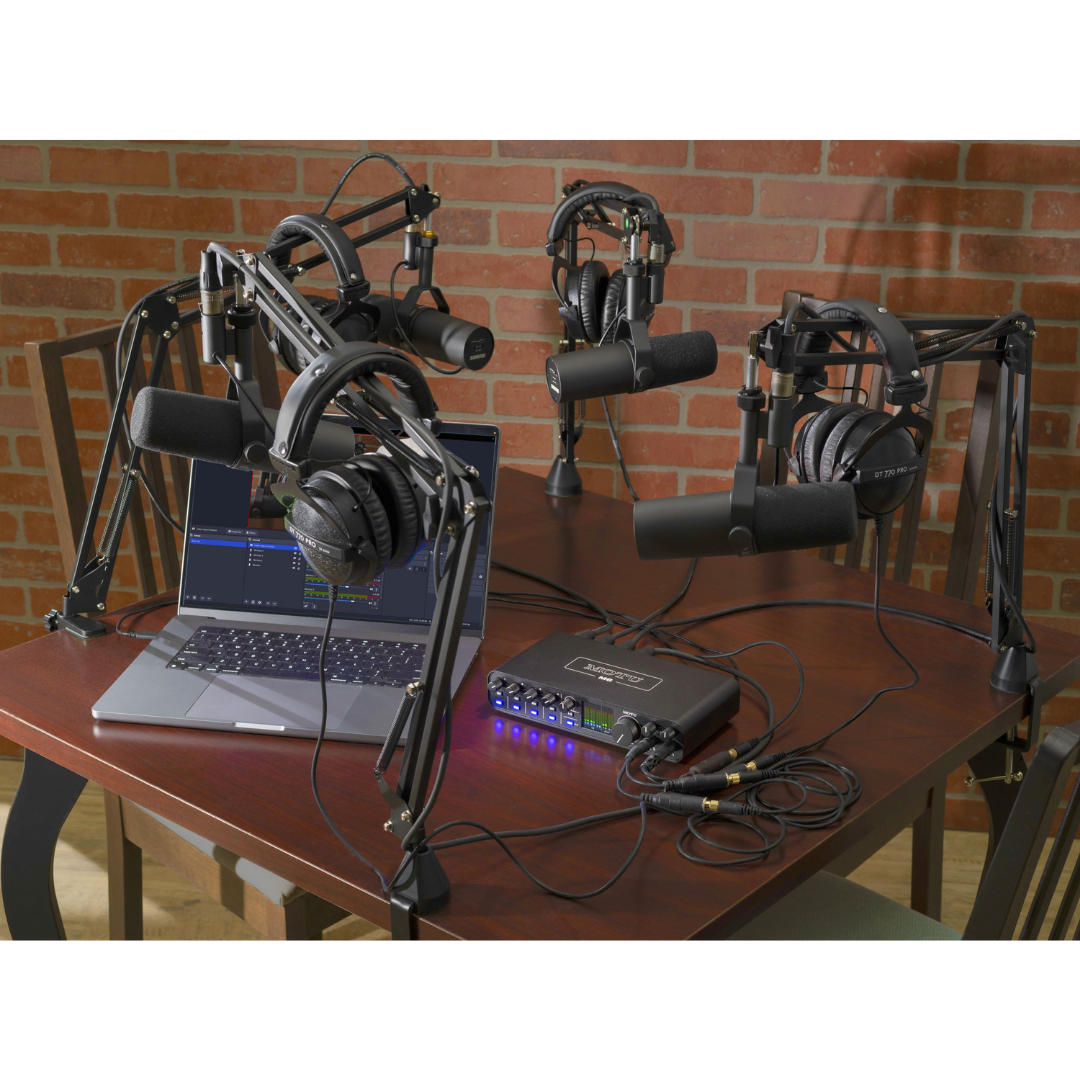
- Podcast production with multiple hosts (up to 4 microphone inputs, loopback for audio clips and remote guests)
- Live streaming and content creation (loopback driver, full-colour level metering for broadcast confidence)
- Singer-songwriter and solo artist recording (2 mics plus DI guitar/bass simultaneously, low latency for live monitoring)
- Video production and filmmaking voiceover/dialogue recording (clean preamps, USB-C bus power for laptop-based field use)
- Educational music technology studios (robust metal build, Kensington lock, minimal-maintenance plug-and-play operation)
- Electronic music and modular synthesis (DC-coupled outputs for CV routing from software)
- Mobile recording and on-location production (lightweight 0.975 kg, bus-powered, international DC adapter included)
- iOS-based recording for musicians without a laptop (USB audio class compliant with Lightning or USB-C adapter)
- Dual-monitor speaker system auditioning (A/B monitor switching for professional mix referencing)
- Studio monitor headphone comparison (dual independent headphone outputs for performer/engineer split monitoring)
- Commercial photography and product audio (standalone operation with power adapter, no computer required)
HOW TO READ THIS DOCUMENT
This document is the operational companion to the MOTU M6 Product Description and Technical Specifications document. Where the specifications document answers 'what does the M6 do and how is it measured?', this document answers the practitioner's question: 'how do I actually set this up and use it in my specific professional environment?' Every workflow section describes a distinct deployment scenario, covering physical positioning, signal routing decisions, driver and software configuration, and the specific M6 features that make each scenario efficient and reliable.
Each workflow is structured identically for ease of navigation: a scenario description explains the environment and how the M6 is deployed within it, followed by a Routing/Configuration Summary Table that serves as a working checklist for practitioners. These tables are designed to be printed, laminated, or bookmarked alongside the physical setup — they distil the operational details of each workflow into a scannable reference that engineers can consult during setup without searching through prose.
Three defining workflow advantages of the M6 appear consistently across nearly all scenarios and are worth understanding before reading the individual workflows. First, the 2.5 ms Round Trip Latency at 96 kHz makes software monitoring genuinely viable — engineers can route signals through plugins in the DAW and hear them with negligible delay, eliminating the traditional trade-off between direct monitoring (zero latency but no software processing) and software monitoring (full plugin access but audible delay). Second, the A/B monitor switching allows engineers in any environment with two speaker pairs to reference their work without reaching for cables or external controllers. Third, the DC-coupled analogue outputs enable the M6 to serve as a CV interface for electronic music systems, a capability that distinguishes it from most competitors at this price point.
WORKFLOW 1 — THE HOME STUDIO / PROJECT STUDIO
Scenario: Songwriter & Multi-Instrumentalist Personal Recording Environment
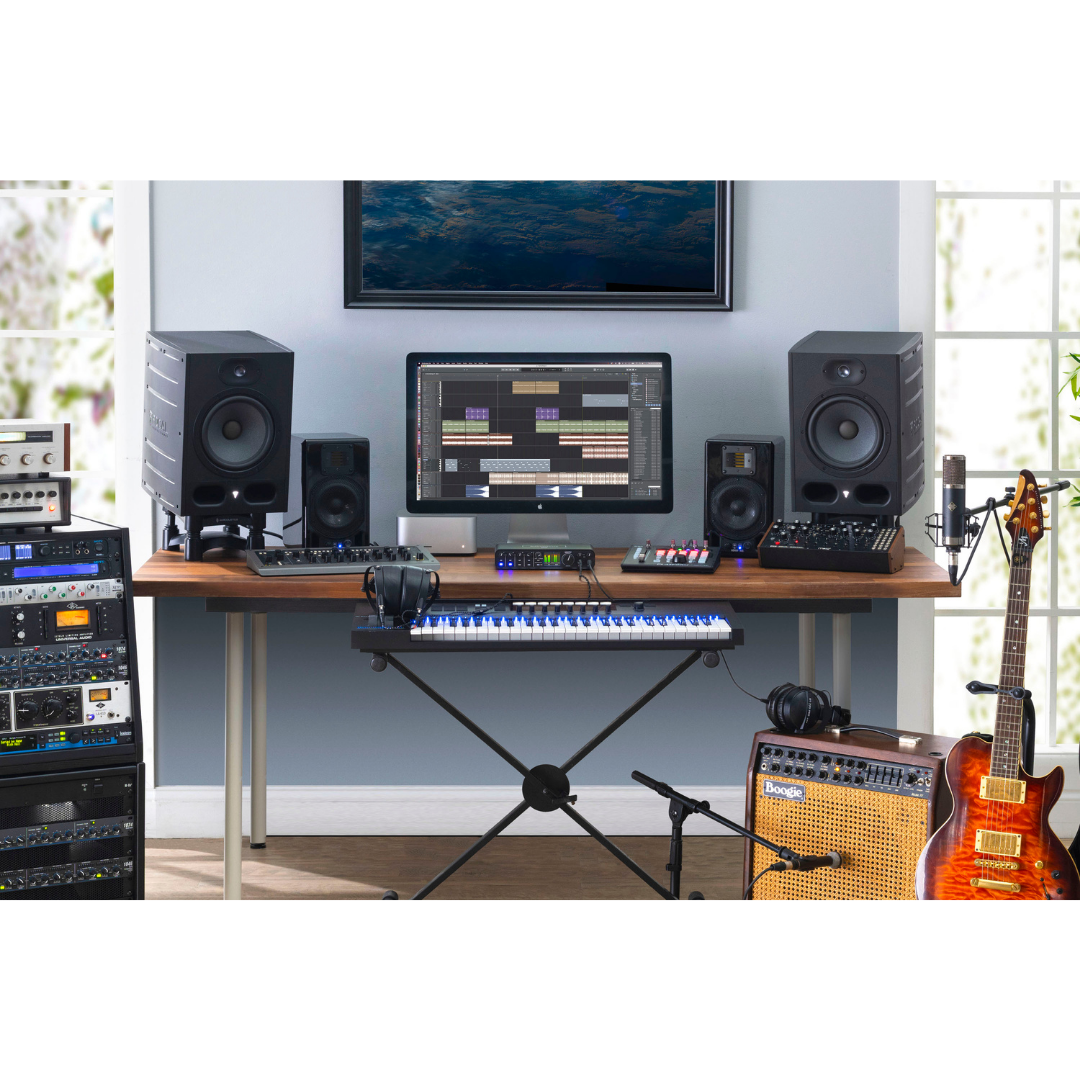
The home studio is the M6's primary deployment environment. A typical setup involves the M6 placed on a desk between a computer monitor and one or two pairs of studio monitors. The USB-C cable connects to the host computer (Mac or Windows laptop/desktop), and the four XLR/TRS combo jacks on the rear panel are the primary recording connections. In a standard single-artist session, Channels 1-2 might carry a large-diaphragm condenser microphone for vocals (XLR, phantom power on) and a dynamic microphone for an amplifier cabinet, while Channels 3-4 carry a DI guitar or bass signal (TS connector to hi-Z input). The two additional line inputs (Channels 5-6) can be connected to a hardware synthesiser or keyboard via standard 1/4-inch TRS cables, allowing the full keyboard part to be monitored and recorded simultaneously.
The A/B monitor switch is especially valuable in the home studio context, where engineers frequently use two speaker pairs of very different characters — a pair of nearfield studio monitors and a pair of consumer Hi-Fi or Bluetooth speakers — to check how a mix translates to real-world listening systems. Rather than unplugging and replugging, the engineer connects Monitor A to Line Out 1-2 and Monitor B to Line Out 3-4 (using the A/B output routing), then switches between them at the press of a button. The full-colour LCD provides at-a-glance level information for all active channels without requiring the engineer to look away from the arrangement in the DAW, reducing the cognitive load of managing multiple sources.
Because the M6 is bus-powered, the home studio setup requires only a single cable from the interface to the computer — no external power supply is needed on a USB-C Mac or PC. The included international DC power adapter can be connected to enable standalone monitoring for listening to reference tracks through the studio monitors without booting up the computer, or for powering the M6 when connected to a USB-A host that cannot supply sufficient bus power.
Workflow 1 — Configuration Summary
| WORKFLOW ELEMENT | DETAILS / CONFIGURATION |
|---|---|
| Computer Connection | USB-C to USB-C (or USB-C to USB-A with DC adapter) — single cable |
| Channel 1 | Large-diaphragm condenser microphone (XLR, 48V phantom ON) |
| Channel 2 | Dynamic microphone on amplifier cabinet (XLR, 48V OFF) |
| Channel 3 | DI bass or guitar (TS into hi-Z auto-detected input) |
| Channel 4 | Second microphone or instrument as needed |
| Channels 5-6 | Hardware synthesiser or keyboard via 1/4" TRS line inputs |
| Monitor Output A (Line Out 1-2) | Primary nearfield studio monitors |
| Monitor Output B (Line Out 3-4) | Secondary consumer speakers or Hi-Fi reference |
| A/B Switch | Toggle between Monitor A and Monitor B for mix referencing |
| Headphone 1 | Engineer mix (mirrors Line Out 1-2) |
| Headphone 2 | Performer cue mix (set 3-4 button to mirror Line Out 3-4 with separate DAW mix) |
| DAW Sample Rate | 48 kHz or 96 kHz (96 kHz recommended for lowest RTL) |
| Buffer Size | 32 samples at 96 kHz for 2.5 ms RTL during overdub; increase to 128-256 for mixing |
| Phantom Power | Enable individually per channel only where required |
| Monitoring Mode | Software monitoring via DAW with low-latency plugin processing |
WORKFLOW 2 — PODCAST STUDIO & MULTI-HOST RECORDING
Scenario: Multi-Host Podcast with Remote Guest and Loopback Audio Integration
The MOTU M6 is exceptionally well-suited to podcast production, offering a capability set that matches or exceeds dedicated podcast audio interfaces at comparable or higher price points. In a standard multi-host setup, two to four microphones are connected to the XLR inputs on Channels 1 through 4, each with independent gain control and 48V phantom power for condenser microphone operation. Each host monitors their own voice and the programme output through dedicated headphones; the two independent headphone outputs on the M6 each carry independent volume control, enabling the engineer (or co-host doubling as operator) to adjust their own listening level without affecting the other headphone feed.
The loopback feature, enabled through the MOTU driver (available on both Mac and Windows), is central to the podcast workflow. Loopback creates virtual audio input channels in the recording or streaming application — these channels capture the computer's audio output and route it back as recordable audio inputs. This means that a remote guest appearing via Skype, Zoom, Riverside, or any VoIP platform is captured on its own loopback channel within the DAW or recording application, perfectly synchronised with the microphone channels. Similarly, any pre-produced audio clips, sound effects, or music played on the computer are captured via loopback and mixed into the recording without any external cable routing or secondary audio interface.
For live streaming podcast scenarios using OBS Studio or Streamlabs, the M6 appears as a multi-channel audio device: the physical microphone channels arrive on inputs 1-4, and the loopback channels carry the programme output from the streaming service's audio monitor return. The OBS audio mixer can then independently level all sources for the stream output and the local recording simultaneously. The full-colour LCD is particularly useful in this context because it shows all active channel levels at a glance — presenters can self-monitor their recording levels without relying on the computer screen.
Workflow 2 — Configuration Summary
| WORKFLOW ELEMENT | DETAILS / CONFIGURATION |
|---|---|
| Channel 1 | Host 1 microphone (XLR, 48V if condenser) |
| Channel 2 | Host 2 microphone (XLR, 48V if condenser) |
| Channel 3 | Host 3 or guest in-room microphone (if applicable) |
| Channel 4 | Host 4 or spare for sound effects controller |
| Channels 5-6 | Musical instrument, sound pad, or line source as needed |
| Loopback Channels | Remote guest audio (Zoom/Skype/Riverside) + computer audio clips |
| Monitor Output | Line Out 1-2 to studio monitor speakers for general monitoring |
| Headphone 1 | Host 1 / Engineer headphone feed (mirrors programme mix) |
| Headphone 2 | Host 2 headphone feed (independent volume) |
| Input Monitor Mix | Blend of direct mic inputs + playback to taste (avoid full direct monitor to prevent mic bleed into loopback) |
| DAW / Application | MOTU Performer Lite, Reaper, or OBS Studio for streaming |
| Driver | MOTU driver required on Windows; optional but recommended on Mac for loopback |
| Sample Rate | 48 kHz (standard for voice/speech workflows) |
| 48V Phantom Power | Enable per channel for condenser microphones only |
| Gain Setting | Set each channel gain so voice peaks around -12 to -6 dBFS on LCD meter |
WORKFLOW 3 — LIVE STREAMING & CONTENT CREATION
Scenario: Gaming Streamer, YouTube Creator, or Music Livestream Production
Live streaming content creators — whether gaming streamers, music performers streaming on YouTube or Twitch, or educational presenters on platforms like Zoom webinars — share a common audio challenge: they need to simultaneously capture microphone input, route game/computer audio into the stream, and monitor everything in real time at the lowest possible latency. The M6 addresses all three requirements within a single compact device. One to four microphones connect to the rear-panel combo jacks; game audio, DAW playback, browser audio, and application sounds are captured through the MOTU loopback driver as virtual input channels.
For music performers streaming live on YouTube, Twitch, or Instagram Live, the M6's low latency is the critical enabling factor. At 2.5 ms RTL, a vocalist or guitarist can monitor their performance through software (including effects plugins such as reverb and compression applied within the DAW) and hear a result that is indistinguishable from hardware-only processing. This eliminates the historic compromise that forced performers to choose between hearing raw, unprocessed audio through direct monitoring or enduring the double-image smear of audible software latency. The M6 running at 96 kHz with a 32-sample buffer achieves this without strain on modern computers.
Camera-based content creators — reviewers, educators, and tutorial presenters — particularly benefit from the M6's standalone operation mode. When a camera rig is the primary host device (via a USB-C connection to a camera with USB audio capability, or via an iPad acting as the recording computer), the M6 can be powered from the camera's USB port or from the included DC adapter, with no desktop computer required. The full-colour LCD provides the presenter with independent level monitoring without needing to check a screen.
Workflow 3 — Configuration Summary
| WORKFLOW ELEMENT | DETAILS / CONFIGURATION |
|---|---|
| Channel 1 | Primary microphone (XLR, directional cardioid condenser or dynamic) |
| Channel 2 | Secondary microphone or instrument DI as needed |
| Loopback | Game audio / application audio / browser media routed back into stream mix |
| Monitor Output | Line Out 1-2 to reference speakers or powered monitors |
| Headphone Output | Headphone 1 for presenter in-ear monitoring (programme mix) |
| Input Monitor Mix | Set towards computer playback side to hear game/programme audio in headphones |
| Streaming Application | OBS Studio, Streamlabs, or XSplit — M6 multi-channel inputs visible as sources |
| Sample Rate | 48 kHz |
| Buffer Size | 32–64 samples for live performance; 128–256 for non-realtime content capture |
| MON Button Usage | Enable MON on Channel 1 for zero-latency voice confidence monitoring |
| Phantom Power | Enable on Channel 1-2 only if condenser microphone connected |
| Standalone Mode | Use DC adapter for iPad or camera-based recording without desktop computer |
WORKFLOW 4 — BAND SELF-RECORDING & DEMO PRODUCTION
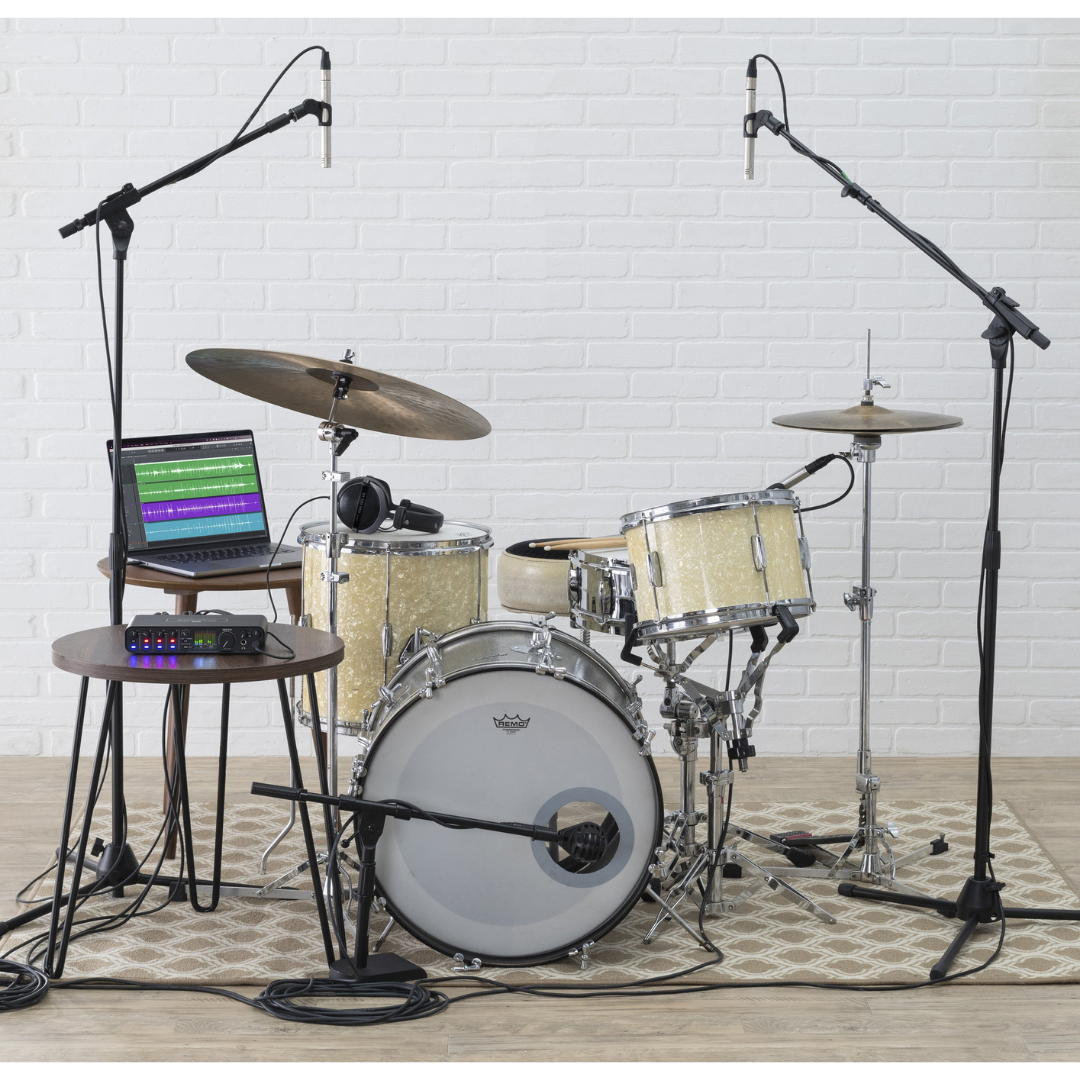
Scenario: Four-Piece Band Simultaneous Tracking Session
With six simultaneous input channels, the M6 allows a small band to record together without a dedicated recording engineer. A typical four-piece (drums, bass, guitar, vocals) demo session benefits from the M6's maximum channel count: Channel 1 receives a kick drum or overhead microphone (or the most important single drum microphone the band chooses to prioritise), Channel 2 receives a snare or hi-hat microphone, Channel 3 carries a DI bass signal, Channel 4 carries a guitar amplifier microphone, Channel 5 carries the vocal microphone via the line input (with an external preamp to boost the signal to line level), and Channel 6 provides a scratch reference for a second vocalist or a keyboard pad.
For self-recording sessions without an engineer, the M6's per-channel MON buttons are essential: each musician in the live room can independently engage direct hardware monitoring for their own input (hearing themselves in the headphones with zero latency) while the other channels remain in software monitor mode for DAW return signals. The Input Monitor Mix knob allows the whole group to adjust the blend between their live inputs and the click track or pre-recorded guide parts returning from the DAW. Both headphone outputs run simultaneously and independently — the drummer and vocalist can have different monitoring volumes without any negotiation or external headphone amplifier.
The M6's rugged all-metal construction is a practical advantage in the live-room environment where cables are pulled, heavy microphone stands are moved nearby, and condensation or humidity can be present. The Kensington slot allows the M6 to be secured to a table or mic stand adapter in shared spaces. For overdub sessions following the initial tracking, the M6 handles the standard singer-with-headphone-cue scenario natively, with the performer on Headphone 2 receiving a cue mix routed through Line Out 3-4 from the DAW, and the engineer on Headphone 1 monitoring the main mix.
Workflow 4 — Configuration Summary
| WORKFLOW ELEMENT | DETAILS / CONFIGURATION |
|---|---|
| Channel 1 | Kick drum or overhead microphone (XLR, dynamic or condenser) |
| Channel 2 | Snare microphone (XLR, dynamic, 48V OFF) |
| Channel 3 | Bass DI (TS into hi-Z input) or bass amplifier microphone (XLR) |
| Channel 4 | Guitar amplifier microphone (XLR, dynamic) |
| Channel 5 (Line In) | Vocal microphone via external preamp, or keyboard line output |
| Channel 6 (Line In) | Second vocalist via external preamp, or rhythm pad/keyboard |
| Headphone 1 (Engineer) | Main monitor mix (Line Out 1-2) |
| Headphone 2 (Performer) | Cue mix via DAW routed to Line Out 3-4, 3-4 button engaged |
| Monitor Speakers | Line Out 1-2 to control room monitors |
| MON Buttons | Engage per channel for zero-latency direct monitoring as required |
| Input Monitor Mix | Adjust to balance direct inputs vs. DAW click/playback for performers |
| Sample Rate | 48 kHz or 96 kHz |
| Click Track | Routed from DAW to both headphone outputs via main mix |
| 48V Phantom Power | Enable only on condenser microphone channels |
| DC Adapter | Optional — recommended for USB-A laptop connectivity or long sessions |
WORKFLOW 5 — ELECTRONIC MUSIC PRODUCTION & MODULAR SYNTHESIS
Scenario: DAW Integration with Eurorack Modular System via CV Outputs
The M6's DC-coupled analogue outputs distinguish it from most competing interfaces in its price category and open a compelling workflow for electronic music producers who work with analogue synthesisers or modular Eurorack systems. DC coupling means the outputs pass audio frequencies all the way to 0 Hz without the high-pass filtering that AC-coupled outputs apply. This is the technical prerequisite for transmitting Control Voltage (CV) signals, which are the analogue control language of modular synthesisers — voltages that change pitch, open filter cutoffs, trigger envelopes, and modulate any parameter in the synthesiser architecture.
When the M6's outputs are connected to a synthesiser's CV inputs (typically through a dedicated attenuator or interface module such as the Expert Sleepers ES-8 or similar, or directly to CV-tolerant inputs on the synth), software running on the computer — such as Ableton Live with the CV Tools pack, or Max/MSP — can send precisely timed, pitch-accurate CV signals to external hardware modules. The MIDI output on the M6 can simultaneously carry note data and clock signals to MIDI-equipped synthesisers, creating a hybrid MIDI-plus-CV control environment from a single USB cable and interface. This is a powerful production architecture that allows the computer's sequencing precision, plugin processing, and audio routing to work seamlessly alongside the organic, tactile quality of analogue hardware synthesis.
In this workflow, Line Out 1-2 typically carries the stereo audio programme mix (the processed final sound of the synthesiser and DAW tracks) to the studio monitors, while Line Out 3-4 carries CV signals — the M6's DC coupling ensures that a 0–5V or ±5V CV range can be transmitted accurately without distortion. The four combo jack inputs receive the synthesiser's audio output back into the DAW for recording and processing, while Channels 5-6 accept additional line-level audio returns from outboard effects or secondary synthesisers.
Workflow 5 — Configuration Summary
| WORKFLOW ELEMENT | DETAILS / CONFIGURATION |
|---|---|
| Line Out 1-2 | Stereo audio programme output to studio monitors |
| Line Out 3-4 (DC-coupled) | CV signals to modular synthesiser or analogue hardware |
| CV Software | Ableton Live with CV Tools / Max MSP / VCV Rack with ASIO/Core Audio bridge |
| CV Voltage Range | Typically 0–5V (1V/octave pitch CV) or ±5V (bipolar modulation) |
| MIDI Output | Clock, note data, and CC to MIDI-equipped synthesisers |
| Channel 1-2 (Combo Jacks) | Synthesiser main audio output back into DAW |
| Channel 3-4 (Combo Jacks) | Effects return or secondary synthesiser audio |
| Channels 5-6 (Line Inputs) | Additional line-level audio returns |
| Sample Rate | 44.1 kHz (compatible with most CV tools) or 48 kHz |
| Buffer Size | 64–128 samples (trade-off between CV timing accuracy and CPU load) |
| Monitoring | Direct monitor of live synth inputs while DAW processes CV output |
| DC Adapter | Recommended for long sessions to avoid USB bus power interruption |
WORKFLOW 6 — MOBILE & LOCATION RECORDING
Scenario: Field Recording, Interview Capture, and On-Location Production
The M6 is well-suited to mobile and location recording work by virtue of its physical characteristics: 0.975 kg weight, bus-powered USB-C operation, metal construction that survives transport, and support for 44.1 kHz through 192 kHz sample rates. For interview recording, documentary audio capture, or location sound for short films, the M6 provides up to four simultaneous microphone channels with individual phantom power — a capability set that previously required more expensive portable recorders or heavier rack gear.
In the most compact configuration, the M6 runs entirely from the USB-C bus power of a laptop in the field, eliminating the need to carry separate power supplies or batteries. The journalist or location recordist connects two directional microphones (e.g., cardioid condensers on boom poles or hypercardioid interview microphones) to Channels 1 and 2, sets the gain on the front panel by observing the full-colour LCD meters, and records directly into a DAW or audio capture application. The LCD metering removes the need to prop the laptop open to check recording levels — the engineer can watch the meters on the M6 itself while keeping attention on the interview subject or performance.
For multi-microphone location scenarios — a panel discussion, a group interview, or a small ensemble recorded in an acoustic space — all four combo jacks provide simultaneous independent preamp channels, and the two additional line inputs (Channels 5-6) can receive line-level sources such as a portable mixer or playback device. The MOTU driver on Windows delivers the 2.5 ms RTL for real-time software monitoring through headphones during the recording session, eliminating the latency-induced disorientation that plagues many field recording setups. The M6's Kensington lock slot allows it to be secured to a laptop stand or equipment case in a semi-permanent location setup.
Workflow 6 — Configuration Summary
| WORKFLOW ELEMENT | DETAILS / CONFIGURATION |
|---|---|
| Channel 1 | Primary interview or location microphone (XLR, 48V if condenser) |
| Channel 2 | Secondary microphone for subject, ambience, or redundancy |
| Channel 3-4 | Additional microphones for panel or multi-subject recording |
| Channels 5-6 (Line) | Field mixer output, playback device, or tone reference generator |
| Host Device | MacBook / Windows laptop via USB-C (bus powered, no power adapter needed) |
| iOS Device | iPad or iPhone with USB-C, or Lightning device with Apple Lightning-to-USB3 adapter |
| Power | USB bus power from laptop/iPad; bring DC adapter as backup |
| Monitoring | In-ear monitors or closed-back headphones on Headphone Out 1 |
| Performer/Subject Feed | Headphone Out 2 with independent volume for talent monitoring |
| Sample Rate | 48 kHz (standard for film/video sync) or 96 kHz for high-res capture |
| Bit Depth | 24-bit (standard for location production) |
| LCD Metering | Watch M6 LCD for levels without opening laptop screen |
| Direct Monitoring | MON buttons for zero-latency in-ear monitoring during performance recording |
| Security | Kensington lock to secure M6 to equipment case or stand |
WORKFLOW 7 — IOS-BASED RECORDING (IPAD & IPHONE)
Scenario: Mobile Studio with iPad as DAW Host
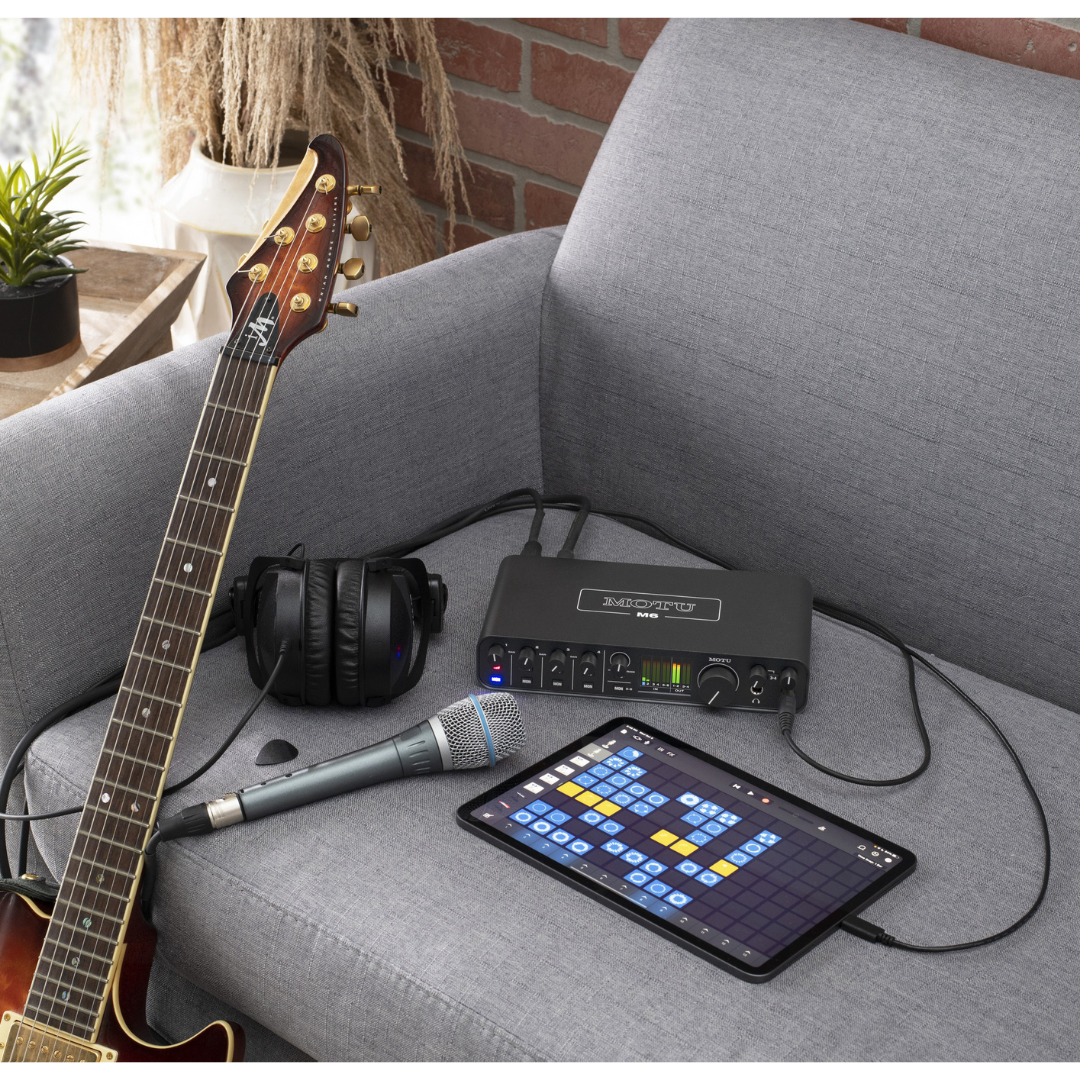
The M6's USB Audio Class 2.0 compliance makes it fully operational with iPad and iPhone as host devices, enabling a complete portable studio setup without a laptop. Modern iPads with USB-C ports (iPad Pro, iPad Air 2020 and later, iPad mini 6 and later) connect directly to the M6 via the included USB C-to-C cable. For older iPads and iPhones with Lightning ports, Apple's Lightning to USB 3 Camera Adapter (sold separately) provides the necessary connection. Because the M6 is class-compliant, no driver installation is required — iOS recognises the M6 automatically when connected.
In the iOS configuration, the M6 requires the included DC power adapter for operation, since most iOS devices cannot supply sufficient bus power for the interface over the Lightning-to-USB adapter path (USB-C iPad models can supply bus power, but using the DC adapter is recommended for sustained use to avoid draining the iPad battery). Once powered and connected, all four microphone preamp channels are accessible from any Core Audio-compatible iOS application, including GarageBand, Cubasis, AUM, or n-Track Studio. The full-colour LCD metering works identically on iOS as on a computer, providing independent level feedback without reference to the iPad screen.
The practical applications for this workflow are considerable: a field composer can record acoustic instruments in a hotel room using high-quality condensers connected to the M6 and capture directly into GarageBand on an iPad Pro; a touring musician can assemble demos and overdubs in a tour bus with a quality far above the built-in microphone; an educator can conduct live demonstration recording lessons in a classroom without requiring a dedicated computer workstation. Note that the loopback feature is not available in class-compliant mode — a Mac driver is required to enable loopback on macOS; on iOS, routing of app audio into recording is managed within the iOS application itself.
Workflow 7 — Configuration Summary
| WORKFLOW ELEMENT | DETAILS / CONFIGURATION |
|---|---|
| Host Device (USB-C iPad) | iPad Pro / Air / mini 6+ connected via USB-C to USB-C cable (included) |
| Host Device (Lightning iPad/iPhone) | Connected via Apple Lightning to USB 3 Camera Adapter (sold separately) + USB-C to USB-A cable |
| Power | DC adapter (included) mandatory for Lightning path; recommended for USB-C iOS for battery preservation |
| Driver | No driver required — USB Audio Class 2.0 plug-and-play on iOS |
| iOS App Compatibility | GarageBand, Cubasis, AUM, n-Track Studio, BeatMaker, and all Core Audio iOS apps |
| Channels Available on iOS | All 6 inputs and 4 outputs accessible |
| Channel 1-4 | Microphone/instrument inputs with individual phantom power and gain |
| Channels 5-6 | Line-level instruments, keyboards, or external preamp outputs |
| Headphone Output | Both headphone outputs operational for performer/engineer split |
| Direct Monitoring | MON buttons operational for zero-latency monitoring |
| Sample Rate | 44.1 kHz or 48 kHz recommended for iOS (192 kHz supported by hardware) |
| Loopback | Not available in class-compliant iOS mode — managed within iOS apps |
| Metering | Full-colour LCD operational on iOS — independent level monitoring |
WORKFLOW 8 — MUSIC TECHNOLOGY CLASSROOM & EDUCATIONAL STUDIO
Scenario: University or College Music Technology Teaching Lab
Educational environments impose a distinct set of requirements on audio interfaces: robustness against student handling, ease of operation without constant instructor supervision, low maintenance overhead, and compatibility with the broad range of DAW software (Pro Tools, Logic, Ableton, Reaper) used in different institutional curricula. The M6 addresses all four. The all-metal extruded chassis and metal knobs are significantly more durable than plastic-bodied alternatives, and the Kensington security slot allows the interface to be cable-locked to the desk — essential in shared computer labs where equipment regularly disappears.
Plug-and-play class-compliant operation on macOS means that a student connecting the M6 to a Mac in the lab for the first time will have a working interface in seconds, without installing drivers or requesting administrator permissions. On Windows lab machines, the MOTU ASIO driver is installed once by the IT administrator and then functions transparently for all users. The full-colour LCD simplifies the teaching of gain staging — one of the most fundamental and frequently misunderstood concepts in audio recording — because students can directly observe the effect of adjusting the preamp gain on the hardware metering without opening a software window. This creates a direct, tactile feedback loop between the physical control and the audio result.
For a typical music technology teaching session, the M6's four combo jacks allow simultaneous microphone technique demonstrations (XLR microphone on Channel 1), DI instrument recording (Channel 2), and playback of reference material (from the DAW through Line Out 1-2 to the monitor speakers). The A/B monitor switch enables instructors to demonstrate the differences in frequency response, bass extension, and spatial imaging between two different monitor pairs — a live, practical illustration of acoustic monitoring concepts that would otherwise require swapping cables or leaving the teaching position.
Workflow 8 — Configuration Summary
| WORKFLOW ELEMENT | DETAILS / CONFIGURATION |
|---|---|
| Channel 1 | Teaching demonstration microphone (XLR condenser, 48V ON) |
| Channel 2 | Student instrument DI (guitar, bass, keyboard) |
| Channel 3-4 | Additional microphones or instruments for comparative demonstrations |
| Monitor Output A (1-2) | Primary studio reference monitors |
| Monitor Output B (3-4 via A/B) | Consumer or secondary reference monitors for listening comparison demo |
| Headphone 1 | Instructor monitoring and confidence feed |
| Headphone 2 | Student headphone for simultaneous independent monitoring |
| Security | Kensington lock cable securing M6 to desktop in shared lab environment |
| Driver Setup (Mac) | No driver required — class-compliant Core Audio auto-recognised |
| Driver Setup (Windows) | MOTU ASIO driver installed once by IT administrator |
| DAW Compatibility | Pro Tools, Logic Pro, Ableton Live, Reaper — all supported |
| LCD Metering Use | Teach gain staging directly via hardware LCD — no software window needed |
| Sample Rate | 44.1 kHz or 48 kHz for general teaching purposes |
| 48V Phantom Power | Set once by instructor before session; individual per-channel control prevents accidents |
WORKFLOW 9 — VIDEO PRODUCTION & VOICEOVER RECORDING
Scenario: Corporate Video, YouTube Production, and ADR/Dialogue Recording
Video production audio has specific requirements that the M6 handles well: clean, quiet preamps for the wide dynamic range of voice recordings; 48 kHz sample rate support aligned with video sync standards; accurate metering for broadcast-safe level compliance; and reliable USB operation during lengthy recording sessions. The -129 dBu EIN on the M6's preamp inputs is particularly significant for voiceover work, where the microphone may be at considerable distance from the speaker's lips (such as with a broadcast-style hypercardioid or a large-diaphragm studio condenser), and where the ambient noise floor of even a treated recording space can be very low — making preamp self-noise audible on cheaper interfaces.
For a small voiceover or ADR (Automated Dialogue Replacement) studio, the M6 provides a complete two-microphone setup: Channel 1 carries the primary talent microphone (the voice actor or narrator's large-diaphragm condenser), and Channel 2 carries a room reference microphone or a second talent position. Line Out 1-2 drives the director's monitor speakers in the control position, while Headphone 2 provides the performer's in-booth cue feed (set to mirror Line Out 3-4 with a custom cue mix from the DAW that includes the guide track and playback). The low 2.5 ms RTL ensures that the performer hears their own voice without the uncomfortable 'double voice' effect that mid-latency systems produce.
Video producers working in non-linear editing applications (Adobe Premiere Pro, DaVinci Resolve, Final Cut Pro) can use the M6 as the system's Core Audio or ASIO audio device, with the balanced line outputs driving reference monitors directly. The A/B monitor switch allows comparison between large near-field monitors (for checking overall frequency balance) and small computer speakers (for checking intelligibility and speech clarity at typical consumer viewing levels) — an important stage in the quality control workflow for broadcast and online video content.
Workflow 9 — Configuration Summary
| WORKFLOW ELEMENT | DETAILS / CONFIGURATION |
|---|---|
| Channel 1 | Primary talent/voiceover microphone (XLR, large-diaphragm condenser, 48V ON) |
| Channel 2 | Room reference or second talent microphone |
| Monitor Output A (1-2) | Director/engineer reference monitors in control position |
| Monitor Output B (A/B switch) | Small consumer speakers for intelligibility check |
| Headphone 1 | Director / engineer monitoring feed |
| Headphone 2 | Performer in-booth cue feed (3-4 button, custom cue mix from DAW via Line Out 3-4) |
| Sample Rate | 48 kHz (standard for video sync; matches all professional video formats) |
| Buffer Size | 64 samples for performer monitoring comfort; 256+ for editing/mixing pass |
| DAW Integration | Pro Tools, Logic Pro, Adobe Premiere (via Core Audio), DaVinci Resolve, Reaper |
| Target Record Level | -18 dBFS nominal (broadcast standard); peaks to -6 dBFS maximum |
| LCD Metering | Confirm levels are within broadcast-safe range without opening software meters |
| Phantom Power | Enable on condenser microphone channels only |
| Low Latency Benefit | -129 dBu EIN — no preamp noise audible even with high-gain, quiet-source recording |
WORKFLOW 10 — HOUSE OF WORSHIP & SMALL VENUE RECORDING
Scenario: Live Service Recording, Multi-Camera Live Stream, and Archive Capture
Houses of worship, community halls, and small venues increasingly produce multitrack recordings of their services, concerts, or events for live streaming, archive, or broadcast. The M6 fits naturally into a compact recording rig for these environments: a laptop with the M6 connected via USB-C sits at the back of the hall or in a dedicated recording position, while microphones placed on lecterns, altars, choir risers, and instrument positions connect to the interface. With six analogue inputs, the M6 can simultaneously capture a spoken word microphone (Channel 1), a choir overhead (Channel 2), a piano or organ microphone (Channel 3), and a music stand instrument microphone (Channel 4), with the two additional line inputs (5-6) accepting a mix output from the venue's FOH (Front of House) sound console as a reference or broadcast feed.
The loopback feature is again central to this scenario: if the live stream is being produced in parallel with the recording, the computer's playback of the stream monitor return can be captured on a loopback channel alongside the M6's physical microphone inputs. This means a single computer and the M6 can handle both the multitrack archival recording and the live stream production without additional hardware. The operator monitors the entire session through the M6's headphone output, with the full-colour LCD providing level confidence without requiring a secondary monitor screen.
The M6's standalone operation capability is relevant in house of worship contexts where the recording position may not always have a computer present: the DC power adapter allows the M6 to remain connected to microphones and monitors in a semi-permanent installation, powering up for playback or monitoring even when the recording computer is absent. The Kensington lock secures the interface to the recording position furniture between services, preventing accidental displacement.
Workflow 10 — Configuration Summary
| WORKFLOW ELEMENT | DETAILS / CONFIGURATION |
|---|---|
| Channel 1 | Lectern / pulpit microphone (XLR, cardioid condenser or gooseneck) |
| Channel 2 | Choir overhead microphone (XLR, condenser, 48V ON) |
| Channel 3 | Piano or instrument microphone (XLR, condenser) |
| Channel 4 | Additional instrument or ambient microphone |
| Channel 5 (Line In) | FOH console mix-out A (main programme feed) |
| Channel 6 (Line In) | FOH console aux-out or recording bus B |
| Loopback | Live stream monitor return for programme confidence check |
| Monitor Output | Line Out 1-2 to recording engineer's monitor speakers |
| Headphone | Operator confidence monitoring during service |
| Recording Application | Reaper, Ableton Live, or Audacity for multi-track archive |
| Live Stream | OBS Studio using M6 inputs and loopback for stream mix |
| Sample Rate | 48 kHz (broadcast standard for live stream/video sync) |
| Security | Kensington lock to semi-permanent recording desk |
| Standalone Power | DC adapter for permanent installation — powering up without laptop |
| Phantom Power | Enable per channel for condenser microphones only |
WORKFLOW 11 — MASTERING & REFERENCE MONITORING
Scenario: Stereo Mastering Suite with Dual-Monitor Reference Comparison
While the M6 is not designed as a primary mastering converter (dedicated mastering converters typically cost significantly more and specialise entirely in two-channel output quality at the highest possible specification), its 120 dB A-weighted dynamic range and ESS Sabre32 Ultra converters make it a capable reference playback device for mastering work in project studio environments. Engineers mastering at the project level — finishing tracks for streaming release, creating DDP images for distribution, or preparing stems for label delivery — can use the M6 as their primary monitor controller and D/A converter with confidence in the converter quality.
The defining feature for mastering applications is the A/B monitor switch: Line Out 1-2 drives the primary mastering monitors (the accurate, flat-response pair used for analytical listening), and Line Out 3-4 provides the secondary reference (a consumer speaker, a small broadband system, or a Hi-Fi component). The mastering engineer switches between these at will to verify translation — checking that the low-end balance that sounds correct on the primary monitors also translates correctly to the secondary system, and that the midrange detail is present on speakers with limited frequency extension. This is standard mastering practice, and the M6 provides it natively without an external monitor controller.
For the analogue mastering chain, the M6's DC-coupled outputs (which extend to 0 Hz with no high-pass filtering) are particularly valuable for sub-bass-intensive music genres such as electronic dance music, hip-hop, and trap, where bass and kick drum transients at 30-60 Hz must be reproduced accurately through the converter without phase shift or level variation introduced by AC coupling capacitors. The 115 dB A-weighted dynamic range on the line inputs allows the outputs of analogue mastering gear (EQ, compressors) to be returned into the DAW for digital capture with sufficient headroom and a noise floor that will not compromise the final master.
Workflow 11 — Configuration Summary
| WORKFLOW ELEMENT | DETAILS / CONFIGURATION |
|---|---|
| Monitor Output A (Line Out 1-2) | Primary mastering reference monitors (flat, analytical) |
| Monitor Output B (Line Out 3-4 via A/B) | Consumer/secondary reference speakers for translation check |
| Analogue Insert Return (Channels 1-2) | Return from analogue mastering processor (EQ, compressor) |
| Line Input Dynamic Range | 115 dB A-weighted — adequate for capturing analogue chain output |
| Line Output Dynamic Range | 120 dB A-weighted — minimal converter colouration on playback |
| DC Coupling | Yes — accurate sub-bass reproduction without AC coupling phase shift |
| A/B Switching | Instant reference comparison between two monitor pairs |
| Sample Rate | 44.1 kHz (for music mastering aligned to CD/streaming) or 96 kHz for hi-res delivery |
| DAW | Wavelab, Reaper (with ReaLimit), or Logic Pro Mastering channel |
| Headphone Monitoring | ESS-driven headphone output for critical check on reference headphones |
| Headphone Dynamic Range | 115 dB A-weighted — suitable for high-end reference headphone monitoring |
WORKFLOW 12 — STUDIO PRODUCER WITH HARDWARE SYNTHESISER COLLECTION
Scenario: Hybrid Production Setup — DAW, Hardware Synths, and MIDI Control
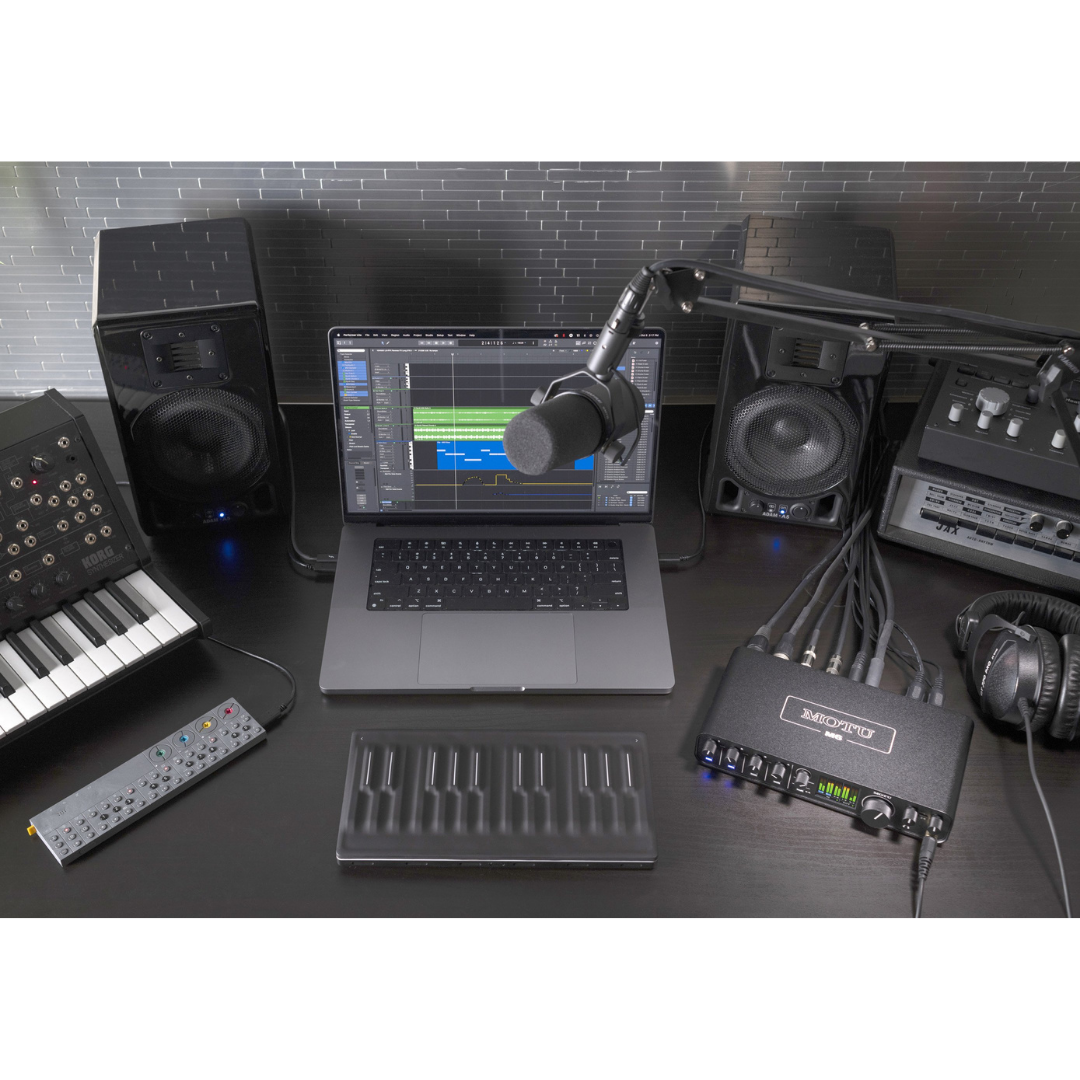
Many modern producers work in a hybrid production environment combining a DAW with multiple hardware synthesisers, drum machines, and effects processors. The M6 is well-suited to serving as the hub of such a setup. The MIDI output connects to the first hardware synthesiser in a MIDI daisy-chain, distributing clock and note data from the DAW to an entire hardware rig on 16 independent MIDI channels. The MIDI input returns expression controller data, aftertouch, and real-time performance data from a master keyboard or controller back to the DAW for recording or parameter automation.
On the audio side, the four combo jack inputs and two line inputs provide six simultaneous audio returns from the hardware studio. A typical configuration might allocate Channel 1-2 to the stereo output of a polyphonic analogue synthesiser, Channel 3-4 to the stereo output of a drum machine, and Channels 5-6 to the stereo output of a hardware effects processor or a second synthesiser. All six channels record simultaneously into the DAW for later editing and arrangement. The DC-coupled Line Out 3-4 can additionally carry CV pitch and gate signals to control purely analogue synthesisers that lack MIDI, making the M6 the bridge between the digital MIDI world and the pre-MIDI analogue synthesis world in a single interface.
The A/B monitor switch is useful in this production context for quickly auditioning the same mix through monitors with different bass extension characteristics — checking that a kick and bass relationship that sounds balanced on large-diaphragm monitors is not obscured or exaggerated on the smaller, bass-limited monitors more representative of the target listener's system. The M6's MIDI in/out, six analogue inputs, four analogue outputs, DC coupling, and loopback driver combine to make it a genuinely comprehensive production hub for a mid-sized hybrid studio.
Workflow 12 — Configuration Summary
| WORKFLOW ELEMENT | DETAILS / CONFIGURATION |
|---|---|
| MIDI Output | DAW clock + note data to hardware synth/drum machine (16 channels) |
| MIDI Input | Master keyboard or controller expression data back to DAW |
| Channels 1-2 (Combo Jacks) | Polyphonic analogue synthesiser stereo audio return |
| Channels 3-4 (Combo Jacks) | Drum machine stereo audio return or second synthesiser |
| Channels 5-6 (Line Inputs) | Hardware effects processor return or third synthesiser |
| Line Out 1-2 | Main studio monitor programme output |
| Line Out 3-4 (DC-coupled) | CV pitch/gate signals to analogue synthesisers without MIDI |
| CV Software | Ableton Live CV Tools, Max/MSP, or VCV Rack bridge |
| A/B Monitor Switch | Large monitors (A) vs. small reference speakers (B) for translation check |
| Sample Rate | 44.1 kHz or 48 kHz depending on delivery format |
| MIDI Daisy-Chain | MIDI OUT to Synth 1 MIDI IN → Synth 1 MIDI THRU to Synth 2, etc. |
| Headphone 1 | Producer mix monitoring |
| Headphone 2 | Guest/collaborator monitoring or second engineer position |
FEATURE-TO-WORKFLOW CROSS-REFERENCE MATRIX
The following table maps every major feature of the MOTU M6 to the workflow categories where that feature delivers the most operational value. Engineers evaluating whether the M6 fits a specific deployment scenario can use this matrix as a quick reference.
| WORKFLOW ELEMENT | DETAILS / CONFIGURATION |
|---|---|
| ESS Sabre32 Ultra™ DAC (120 dB output DR) | Home Studio, Mastering, Voiceover, Podcast, Band Recording |
| -129 dBu EIN Microphone Preamps | Voiceover/ADR, Mobile Recording, Band Recording, House of Worship, Educational Studio |
| 4 × Combo XLR/TRS/TS Inputs | Band Recording, Podcast, HOW, Mobile, Educational, Video Production |
| 2 × Additional 1/4" Line Inputs | Electronic Music/Synth Studio, Band Recording, HOW, Producer with Hardware Synths |
| DC-Coupled Analogue Outputs (Line Out 3-4) | Electronic Music & Modular Synthesis, Producer with Hardware Synths, Mastering (sub-bass accuracy) |
| A/B Monitor Switch | Home Studio, Mastering, Video Production, Educational Studio, Producer/Synth Studio |
| Full-Colour 160×128 LCD Metering | All workflows — especially Mobile Recording, HOW (no laptop screen needed), Podcast, Live Streaming |
| 2.5 ms Round Trip Latency (96 kHz) | Band Recording (performer monitoring), Live Streaming (vocal FX), Video Voiceover, Electronic Music |
| Loopback Driver | Podcast, Live Streaming, Content Creation, House of Worship Live Stream |
| Individual 48V Phantom Power (×4) | All microphone-based workflows — essential for condenser microphone use |
| Per-Channel MON (Direct Monitor) Buttons | Band Recording, iOS Recording, Mobile, Live Streaming, Electronic Music (zero-latency live inputs) |
| Input Monitor Mix Knob | Band Recording, Podcast, Home Studio (blend live vs. DAW playback during overdub) |
| 2 × Independent Headphone Outputs | Band Recording, Podcast, Voiceover/ADR, Educational Studio, HOW |
| 3-4 Switch (Headphone 2 Source) | Band Recording (performer cue mix), Voiceover (talent feed), HOW |
| MIDI In + Out (16 channels) | Electronic Music, Producer with Hardware Synths, Home Studio (hardware controller) |
| USB Audio Class Compliant (plug-and-play) | Educational Studio (no driver install), iOS Recording, Mobile (instant setup) |
| Bus Power via USB-C | Mobile Recording, iOS Recording, Home Studio (cable simplicity) |
| Included International DC Power Adapter | Mobile/Location, iOS Recording, HOW (standalone), USB-A hosts, International touring |
| Standalone Operation (without computer) | HOW permanent installation, Mobile Recording (pre-session monitor check), Home Studio (listening without computer) |
| Kensington Security Slot | Educational Studio, HOW semi-permanent installation, Shared venue setups |
| Rugged All-Metal Construction | Mobile/Location, Band Recording live rooms, Educational Studio (student handling) |
| Mono/Stereo Monitor Toggle (hold MON) | Home Studio, Mastering (mono compatibility check), Band Recording, Live Streaming |
| Included DAW Software (Performer Lite + Ableton Live Lite) | Home Studio, iOS Recording, Educational Studio, Mobile Recording (zero additional software cost) |