




Brand: TASCAM
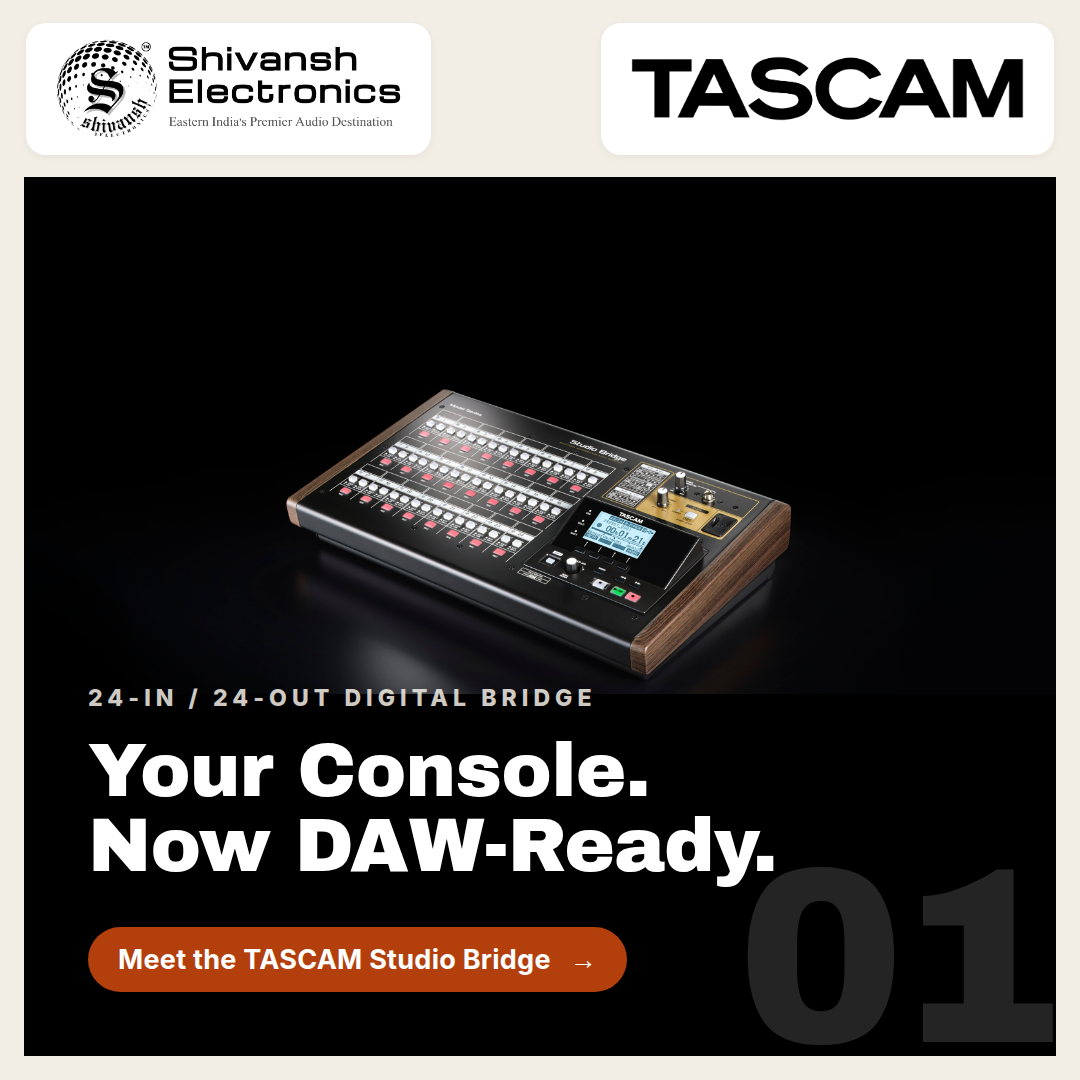
TASCAM Studio Bridge
Category: Recording Mixers
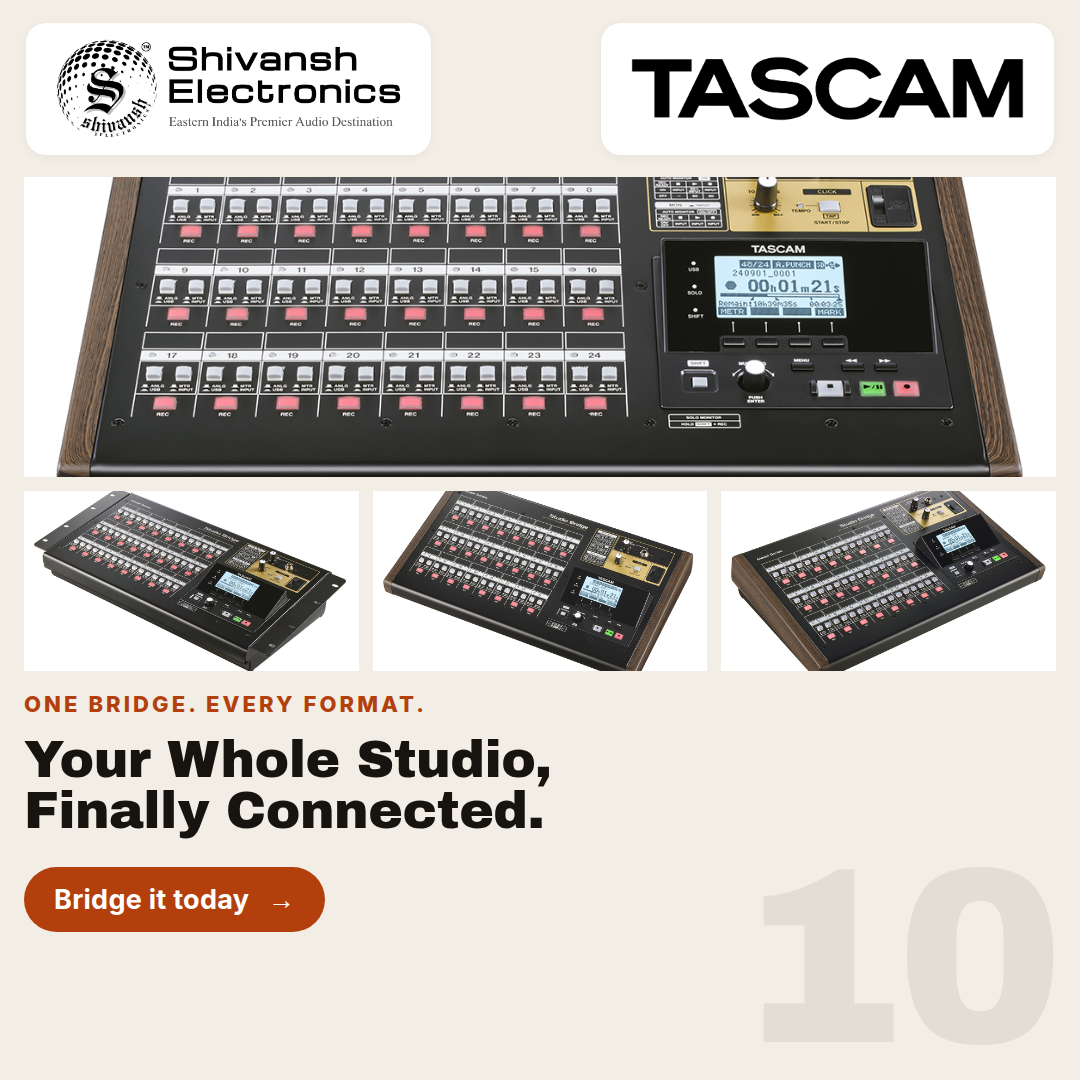
Bridge analog mixing and digital recording with 24-in/24-out USB interface, onboard SD multitrack recording, MIDI I/O, and DAW transport control.
PLEASE NOTE: Kindly contact us at +91 98316 62458 / +91 91477 00677 to confirm current availability and the best possible pricing (including any additional discount we may be able to offer) before making any payment.

GENERAL / FORM FACTOR
| SPECIFICATION | DETAILS |
|---|---|
| Product name | TASCAM Studio Bridge |
| Manufacturer | TASCAM (TEAC Corporation) |
| Product type | 24-channel modular multitrack recorder / AD-DA interface |
| Rackmount | 19-inch rack-mountable (optional AK-RMSTBG kit) |
| Dimensions (W × H × D) | 446.5 × 114.6 × 269.5 mm (including rear protrusions) |
| Weight | 4.5 kg |
CHANNEL COUNT & I/O
| SPECIFICATION | DETAILS |
|---|---|
| Total channels | 24 inputs / 24 outputs |
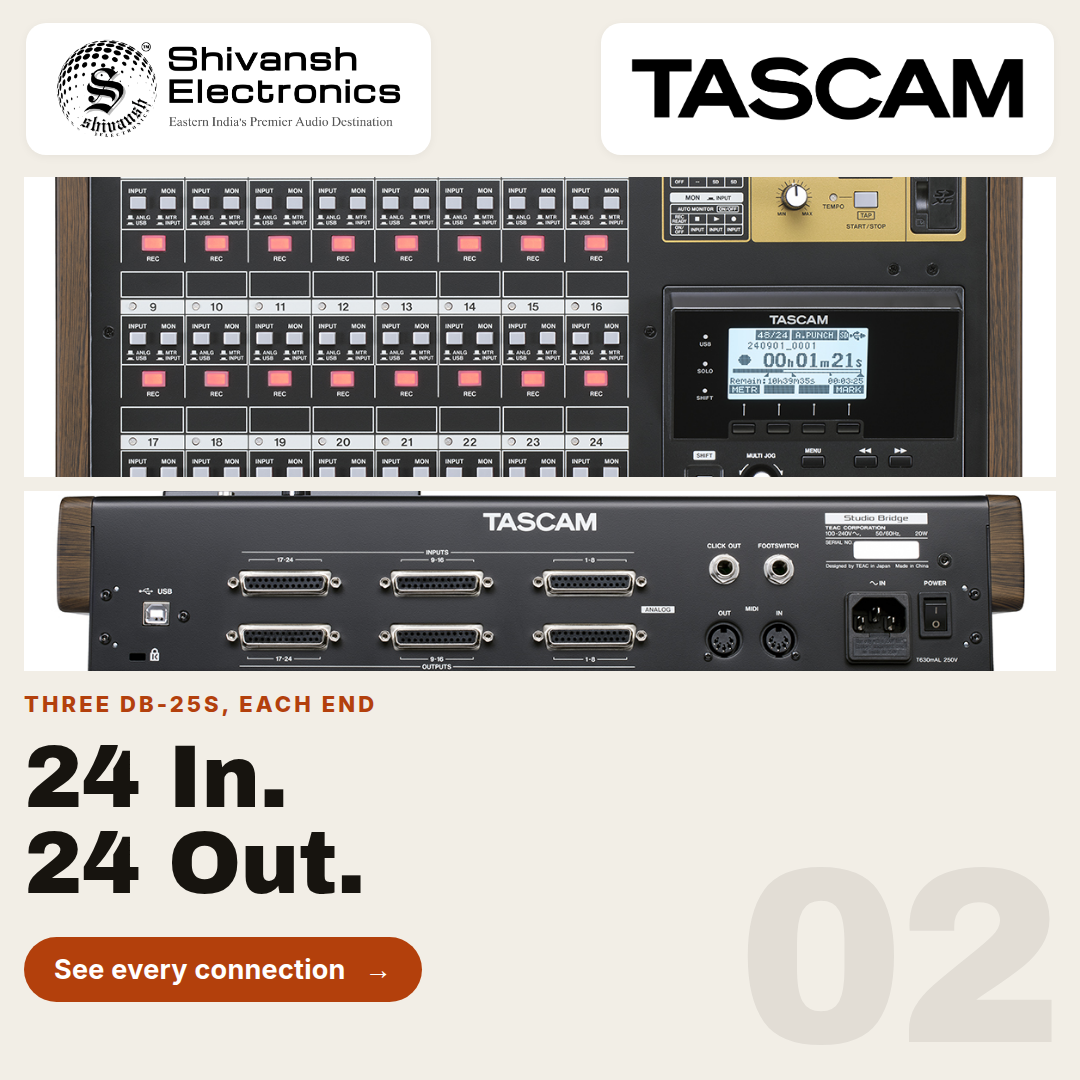
| Audio connectors | 3× DB-25 inputs (channels 1–24), 3× DB-25 outputs |
| Microphone preamps | None — line-level I/O only, by design |
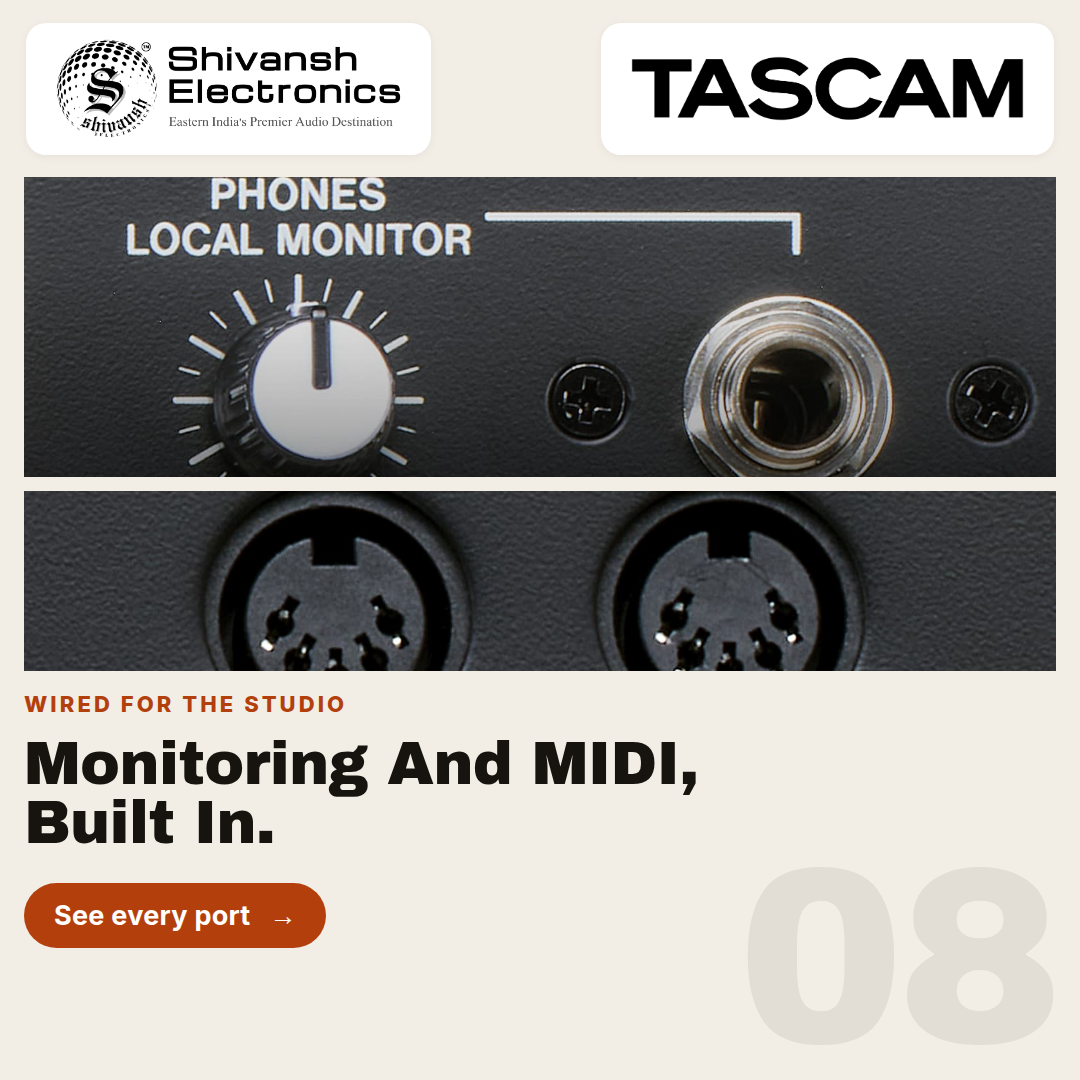
| Monitoring output | 1/4-inch stereo headphone/local monitor jack (80 mW + 80 mW) |
| Control / sync | MIDI In/Out (5-pin DIN), dual footswitch jack, 1/4-inch audio click output |
SIGNAL SPECIFICATIONS
| SPECIFICATION | DETAILS |
|---|---|
| Maximum input level | +24 dBu (DB-25 line inputs) |
| Nominal input level | +4 dBu (DB-25 line inputs) |
| Input impedance | ≥ 10 kΩ |
| Output impedance | 200 Ω (DB-25 line outputs) |
CONVERTER SPECIFICATIONS
| SPECIFICATION | DETAILS |
|---|---|
| Sampling rate | 44.1 kHz / 48 kHz |
| Bit depth | 16-bit / 24-bit |
| THD+N | ≤ 0.003% (1 kHz, at maximum input level) |
| Dynamic range | ≥ 100 dB (22 kHz LPF + A-weight) |
| Crosstalk | ≤ -100 dB (1 kHz, BPF) |
RECORDING SPECIFICATIONS
| SPECIFICATION | DETAILS |
|---|---|
| Media supported | SD card, up to 512 GB |
| File format | WAV (BWF) |
| File capacity | Approx. 2 hours 33 minutes of 24-bit/48 kHz, 24-track audio per 32 GB |
DIGITAL AUDIO TRANSPORT
| SPECIFICATION | DETAILS |
|---|---|
| USB interface | 24-in / 24-out (USB Type-B) |
| Software layer | Dedicated Settings Panel application with virtual Meter Bridge |
1. PRODUCT OVERVIEW
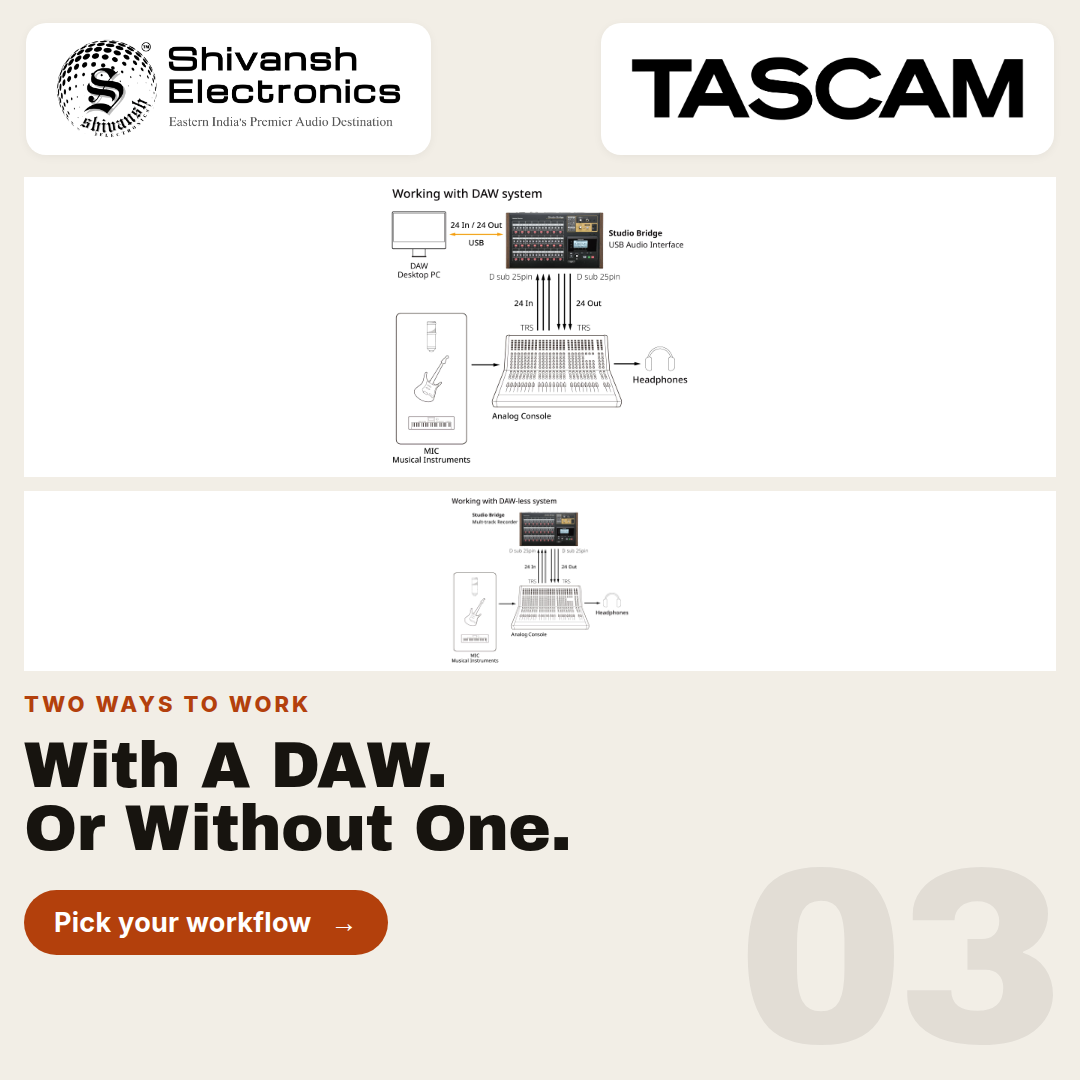
The TASCAM Studio Bridge is a physical, 19-inch rack-mountable hardware device engineered to act as a modular bridge between traditional analog mixing consoles and digital audio environments. TASCAM's own documentation flags this explicitly as a point of clarification: preliminary or secondary materials sometimes describe the Studio Bridge in software-adjacent language because of how deeply it integrates with a connected computer, but the official technical specifications confirm it is a standalone hardware unit — not an application. Functionally, the Studio Bridge operates as two devices in one chassis: a 24-channel standalone multitrack recorder, and a 24-in/24-out USB Audio/MIDI interface.
The defining engineering decision behind the Studio Bridge is what it deliberately omits: it features exactly zero microphone preamps. Every one of its 24 inputs and 24 outputs is line-level, transmitted over standard 25-pin balanced D-sub (DB-25) connectors that comply with the AES59-2012 standard. This is not a limitation so much as a design philosophy — the Studio Bridge exists to provide massive AD/DA conversion and recording capacity without introducing a second, redundant stage of preamplification into a signal chain that already has one it doesn't want replaced.
That philosophy points directly at its intended buyer: audio engineers who already own high-end, vintage analog mixing consoles — classic SSL, Neve, or API desks among them — and want to bolt a DAWless 24-track SD recorder and a 24-channel USB interface onto that console's own direct outputs and tape returns, without disturbing the console's distinct analog coloration and preamplification. Beyond its role as a transparent recording and interfacing bridge, the Studio Bridge also functions as a synchronization hub, outputting MIDI Time Code (MTC) and MIDI clock with Song Position Pointer so that vintage analog sequencers and tape machines can slave accurately to a modern digital timeline. A dedicated Settings Panel software application, running on a connected computer, acts as a virtual meter bridge for the unit.
2. LINE-LEVEL I/O AND DB-25 CONNECTIVITY
2.1 A 24-Channel Signal Path Built on DB-25
The Studio Bridge's entire analog signal path runs through six DB-25 connectors on the rear panel: three carrying the 24 inputs (channels 1–24) and three carrying the 24 outputs. Each DB-25 connector breaks out to eight discrete channels via a standard TASCAM/AES59-2012 pinout, meaning the Studio Bridge patches directly into the same snake and breakout-cable infrastructure already common in consoles and outboard racks fitted with DB-25 I/O — no proprietary cabling required.
Because there is no preamp stage to manage, the input specifications are those of a pure line-level receiver: a maximum input level of +24 dBu gives the Studio Bridge substantial headroom above a typical +4 dBu professional line level, which matters when it's fed directly from the hot direct outputs of a busy analog console rather than from a calibrated line source. Input impedance is rated at 10 kΩ or greater, and output impedance at 200 Ω on the DB-25 line outputs — both consistent with transparent, load-tolerant professional line-level design.
DB-25 I/O SUMMARY
| SPECIFICATION | DETAILS |
|---|---|
| Total channels | 24 inputs / 24 outputs |
| Connectors | 3× DB-25 in (ch. 1–24), 3× DB-25 out, AES59-2012 standard |
| Preamps | None — line-level only, by design |
| Maximum input level | +24 dBu |
| Nominal input level | +4 dBu |
| Input impedance | ≥ 10 kΩ |
| Output impedance | 200 Ω |
3. CONVERTER PERFORMANCE AND SIGNAL INTEGRITY
Because the Studio Bridge's entire value proposition rests on being an inaudible, transparent middleman between an analog console and a digital recording chain, its converter specifications are built around low coloration rather than headline loudness or gain. The internal converters operate at 44.1 kHz or 48 kHz with a selectable bit depth of 16-bit or 24-bit. Total harmonic distortion plus noise (THD+N) is rated at 0.003% or better, measured at 1 kHz at maximum input level, while crosstalk between channels is held to -100 dB or better at 1 kHz (band-pass filtered) — a figure that matters directly when 24 independent channels share the same chassis and power supply.
Dynamic range is rated at 100 dB or greater (22 kHz low-pass filter, A-weighted), giving the conversion stage enough headroom to capture the hot, sometimes unpredictable direct-out levels of a vintage console without audible noise intruding on quiet passages. Taken together, these figures describe a converter designed to disappear: the goal is for whatever analog coloration the source console already has to reach the digital domain unchanged, rather than adding a second, competing sonic signature of its own.
4. STANDALONE SD RECORDING
Independent of any connected computer, the Studio Bridge writes all 24 input channels directly to SD media as standard WAV (Broadcast Wave Format) files, supporting cards up to 512 GB. TASCAM specifies a file capacity of approximately 2 hours 33 minutes of 24-bit/48 kHz, 24-track audio per 32 GB of card capacity — a figure that scales roughly linearly with card size, putting a 512 GB card at somewhere in the neighborhood of 40 hours of full 24-track recording before the card fills.
This standalone recording capability is what allows the Studio Bridge to function entirely without a host computer in the room: a location recording rig, a backup capture path for a live console, or a DAWless multitrack recorder patched straight off a vintage desk's direct outputs can all run from the Studio Bridge alone, with the SD card as the only storage medium and no operating system, driver, or software crash anywhere in the signal path.
5. MIDI SYNCHRONIZATION AND VINTAGE GEAR INTEGRATION
Beyond audio, the Studio Bridge is engineered as a synchronization hub for facilities that still run analog sequencers or tape machines alongside modern digital tools. Its 5-pin DIN MIDI In/Out ports output MIDI Time Code (MTC) and MIDI clock with Song Position Pointer, giving external analog sequencers and tape machines — the kind of hardware that has no native way to reference a DAW's timeline — a reliable way to slave to the digital session's clock and locate to the correct position on the fly, rather than simply free-running at a fixed tempo.
Two further control features round out the Studio Bridge's role as a hands-on hub: a dual footswitch jack for hands-free transport or punch control, and a dedicated 1/4-inch audio click output for feeding a metronome reference directly to a performer's headphone or in-ear monitor system — useful in exactly the kind of hybrid analog/digital sessions the unit is built for, where a human performance needs to stay locked to a machine-generated grid.
6. USB INTERFACE, MONITORING AND CONTROL SOFTWARE
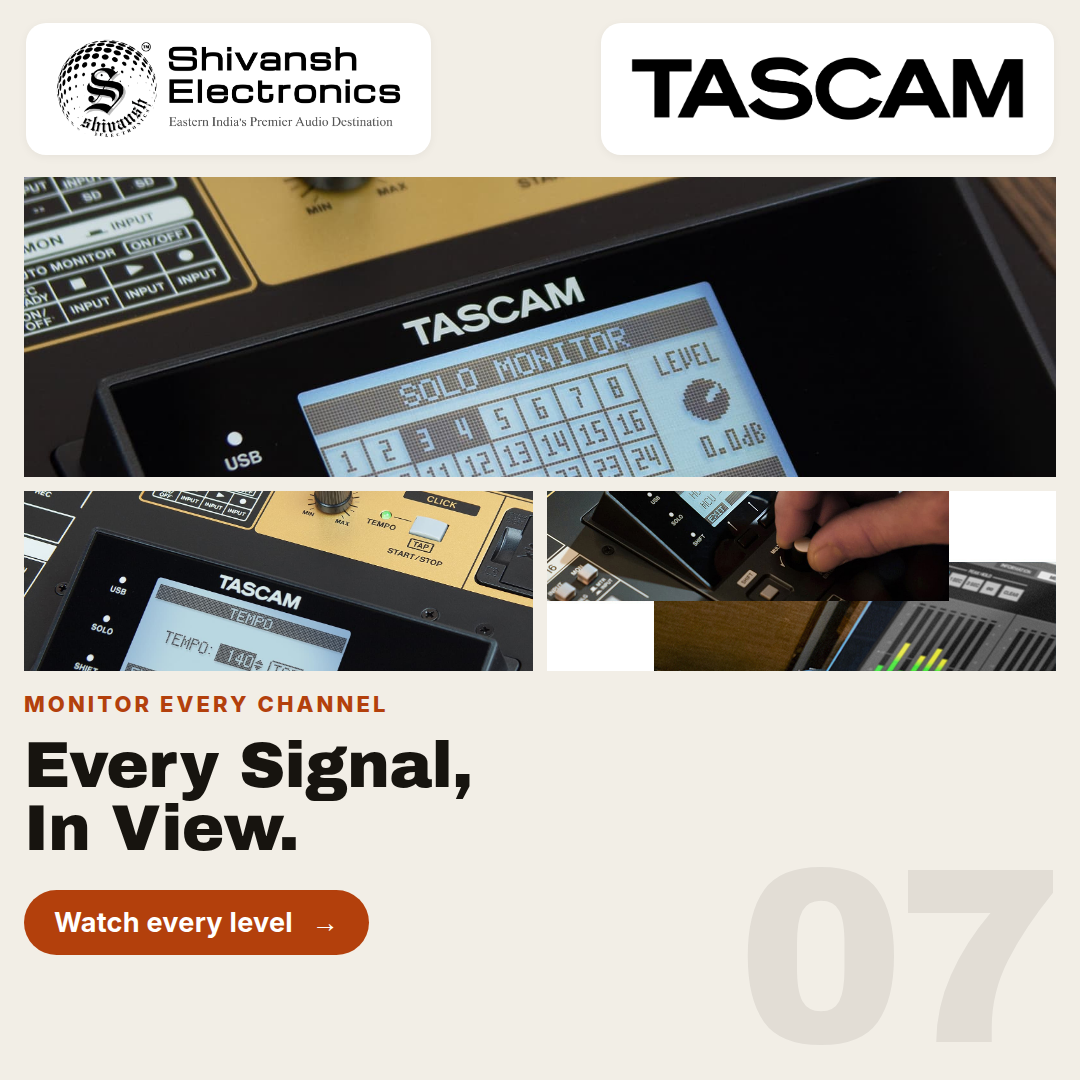
When a computer is part of the workflow, the Studio Bridge presents itself as a 24-in/24-out USB Audio/MIDI interface over a USB Type-B connection, giving a DAW direct access to all 24 channels simultaneously — the same channel count as the standalone SD recorder, so nothing is lost moving between DAWless and computer-connected operation. A dedicated Settings Panel software application, installed on the connected computer, functions as a virtual meter bridge, giving the engineer visual confirmation of levels across all 24 channels without needing physical meter hardware on the unit itself.
For local monitoring at the unit, the Studio Bridge includes a 1/4-inch stereo headphone/local monitor jack rated at 80 mW + 80 mW, allowing an engineer working directly at the rack — during a location recording setup, for instance — to check signal without routing back through a separate monitor system.
7. PHYSICAL SPECIFICATIONS AND RACK INTEGRATION
The Studio Bridge is built as a 19-inch rack-mountable unit measuring 446.5 × 114.6 × 269.5 mm (W × H × D, including rear-panel protrusions) and weighing 4.5 kg. An optional AK-RMSTBG rack-mount kit is available for facilities that want to permanently integrate the unit into a machine room or outboard rack, alongside the vintage console and outboard gear it's designed to interface with.
HOW TO READ THIS DOCUMENT
This document is the operational companion to the TASCAM Studio Bridge Product Description and Technical Specifications document. Where the Specs document answers "what does the Studio Bridge do and how is it measured?", this document answers "how do I actually deploy and use the Studio Bridge in my specific professional environment?" Every workflow section describes a named scenario with physical setup, signal routing, configuration detail, and the specific features of the Studio Bridge that make that workflow efficient or even possible. Together, the two documents constitute a complete technical and operational reference for the TASCAM Studio Bridge.
Three defining workflow advantages of the Studio Bridge appear repeatedly across the scenarios in this document. First, its zero-preamp, pure line-level DB-25 architecture means it patches directly into a console or outboard rack's existing DB-25 infrastructure without adding a second, competing gain stage — it is designed to be transparent, not colored. Second, its dual-mode operation as both a standalone SD recorder and a 24-in/24-out USB interface means the exact same physical patching serves a DAWless location rig and a computer-connected studio session equally well, with no re-cabling between the two. Third, its role as a MIDI Time Code and Song Position Pointer sync hub means it bridges not just audio, but time itself — letting vintage analog sequencers and tape machines slave accurately to a modern digital session.
Each workflow section is structured as follows: a scenario description, a physical and signal-routing walkthrough, a discussion of which Studio Bridge features are most critical in that environment, and a summary table for use as a practitioner's checklist. Select the workflows most relevant to your application — not every section will apply to every reader.
WORKFLOW 1 — RETROFITTING A VINTAGE ANALOG CONSOLE FOR DAW INTEGRATION
Scenario: Modernizing an SSL, Neve, or API Desk Without Recabling
A high-end recording studio built around a vintage 24-channel analog console — the kind of classic SSL, Neve, or API desk that predates any native digital conversion — needs a path into a modern DAW without disturbing the console's own signal path or replacing it with a disjointed array of smaller rack interfaces. The Studio Bridge is patched directly into that path: the console's analog direct outputs feed the Studio Bridge's DB-25 inputs, while the Studio Bridge's DB-25 outputs return to the console's tape returns, positioning the unit as a transparent AD/DA middleman sitting between the console and the digital domain.
Because the Studio Bridge's line inputs accept up to +24 dBu without clipping, the engineer can capture the console's hottest analog mix busses at full level directly into Pro Tools over a single USB Type-B cable, with the console's own preamps and summing character reaching the DAW essentially unchanged. This approach preserves the vintage desk's distinct analog coloration in its entirety, and does so without the cost or rack space of assembling several 8-channel interfaces to cover the same 24 channels.
Workflow Summary: Vintage Console DAW Retrofit
| WORKFLOW ELEMENT | DETAILS / CONFIGURATION |
|---|---|
| Signal source | Vintage analog console (SSL/Neve/API-class desk), 24 direct outputs |
| Studio Bridge inputs | DB-25, fed from console direct outs |
| Studio Bridge outputs | DB-25, returned to console tape returns |
| Host connection | Single USB Type-B cable to Pro Tools (or equivalent DAW) |
| Headroom | +24 dBu maximum input level — captures hot console busses cleanly |
| Console coloration | Fully preserved — Studio Bridge adds no preamp stage of its own |
| Alternative avoided | Multiple disjointed 8-channel rack interfaces |
WORKFLOW 2 — DAWLESS LOCATION RECORDING RIG
Scenario: Orchestral Location Capture with Boutique Preamps, No Computer
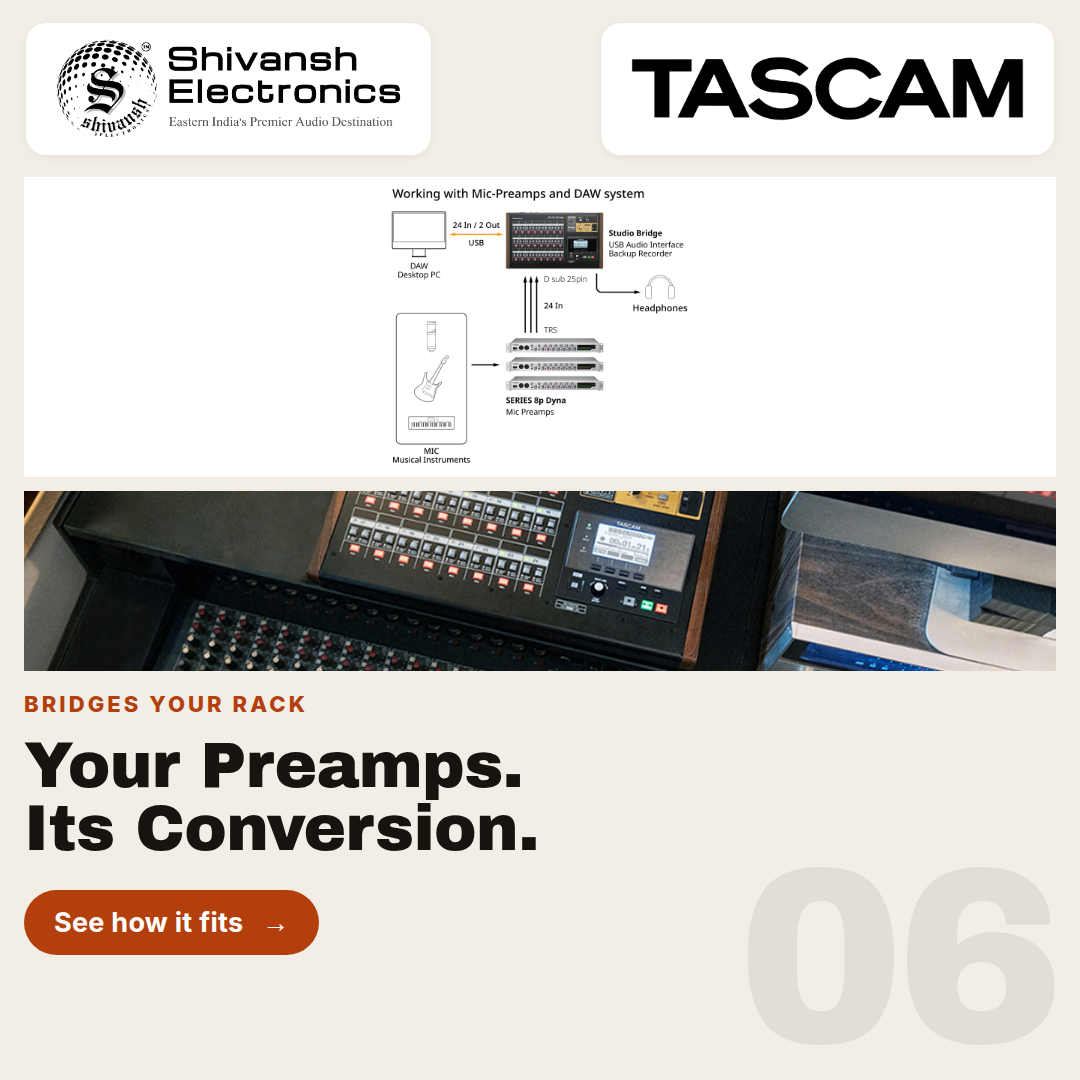
A location recording engineer building a portable rig for a live orchestra assembles three boutique 8-channel microphone preamplifiers to handle the microphone array, then patches all three directly into the Studio Bridge via DB-25 cables. No computer is brought to the venue at all — removing any risk of an operating system crash, driver conflict, or software update interrupting an irreplaceable live performance.
Operating entirely as a standalone modular recorder, the Studio Bridge writes all 24 channels of 24-bit/48 kHz WAV files directly to a 512 GB SD card, giving the engineer roughly 40 hours of recording headroom on a single card. The engineer monitors input levels safely throughout the session using the unit's dedicated local monitor output and front-panel interface, confirming healthy signal on every channel without needing a laptop or external meter bridge anywhere in the rig.
Workflow Summary: DAWless Location Recording
| WORKFLOW ELEMENT | DETAILS / CONFIGURATION |
|---|---|
| Microphone preamps | 3× boutique 8-channel preamps (24 channels total) |
| Connection to Studio Bridge | DB-25 cables, direct from preamp outputs |
| Computer present | None — fully standalone operation |
| Recording format | 24-bit / 48 kHz WAV, all 24 channels simultaneously |
| Storage | SD card, up to 512 GB (~40 hours of full 24-track recording) |
| Level monitoring | Dedicated local monitor output + front-panel interface |
| Risk eliminated | No OS crash, driver conflict, or software failure in the signal path |
WORKFLOW 3 — HYBRID MIDI AND AUDIO SEQUENCING
Scenario: Synchronizing Classic Hardware Sequencers to a Digital Timeline
An electronic musician working with an array of classic Akai MPCs and analog sequencers uses the Studio Bridge as the center of the rig, capturing the analog audio output of every synthesizer and drum machine through its DB-25 inputs. Rather than treating synchronization as a separate problem, the Studio Bridge doubles as the rig's master timekeeper.
Over its 5-pin DIN MIDI outputs, the unit sends MIDI Time Code (MTC) and MIDI clock with Song Position Pointer to every hardware sequencer in the chain, keeping them locked not just to a tempo but to an actual position in the arrangement — critical when jumping between sections of a track rather than always starting from bar one. The built-in click output feeds a drummer's in-ear monitor directly, so that even a human performance layered on top of the sequenced material stays rigorously locked to the same MIDI grid as the hardware.
Workflow Summary: Hybrid MIDI Sequencing Rig
| WORKFLOW ELEMENT | DETAILS / CONFIGURATION |
|---|---|
| Hardware synced | Akai MPCs, analog sequencers (via MIDI) |
| Audio capture | DB-25 inputs, direct from synthesizer/drum machine outputs |
| Sync signal | MTC + MIDI clock with Song Position Pointer (5-pin DIN out) |
| Sync capability | Locks to tempo and arrangement position, not tempo alone |
| Drummer reference | 1/4-inch click output to in-ear monitor |
| Recording | Standalone SD or USB to DAW, as the session requires |
WORKFLOW 4 — STANDALONE STEREO MIXDOWN EXPORT
Scenario: Printing a Finished Master Entirely in the Analog Domain
A mix engineer finalizing a 24-track analog mix on a physical console wants the final stereo bus to stay in the analog domain for as long as possible, rather than routing it back into a computer immediately. Instead of engaging the DAW at all for the final print, the engineer routes the console's finished stereo mix into the Studio Bridge and uses the unit to sum the mix directly to its own onboard recorder.
This lets the engineer export the finished stereo mix as .wav files entirely independent of a DAW session — no plugin chain, no digital summing, no software in the loop at the final stage. The result is a release-ready master generated completely in the analog domain right up until the moment of digital capture, which is exactly the workflow that engineers built around vintage analog consoles are typically trying to protect.
Workflow Summary: Analog-Domain Mixdown Export
| WORKFLOW ELEMENT | DETAILS / CONFIGURATION |
|---|---|
| Mix source | Console's finished stereo bus (post-fader, post-processing) |
| Studio Bridge role | Final AD conversion and file export — no DAW involved |
| File output | Standalone .wav export directly from the unit |
| Digital domain involvement | None until final capture |
| Use case | Release-ready master with a fully analog signal chain |
WORKFLOW 5 — POST-PRODUCTION DUB STAGE MODERNIZATION
Scenario: Adding Modern Recording Capacity to a Film Mixing Console
A post-production dub stage built around a large-format film mixing console has no native digital conversion of its own, and the facility doesn't want to replace or recable a console the mixing team already knows intimately. The Studio Bridge patches into the console's direct outputs and monitor bus the same way it would a music console — via DB-25 — giving the stage a modern 24-channel USB connection to a DAW and a fully independent SD backup recorder, without a single change to the console's own wiring.
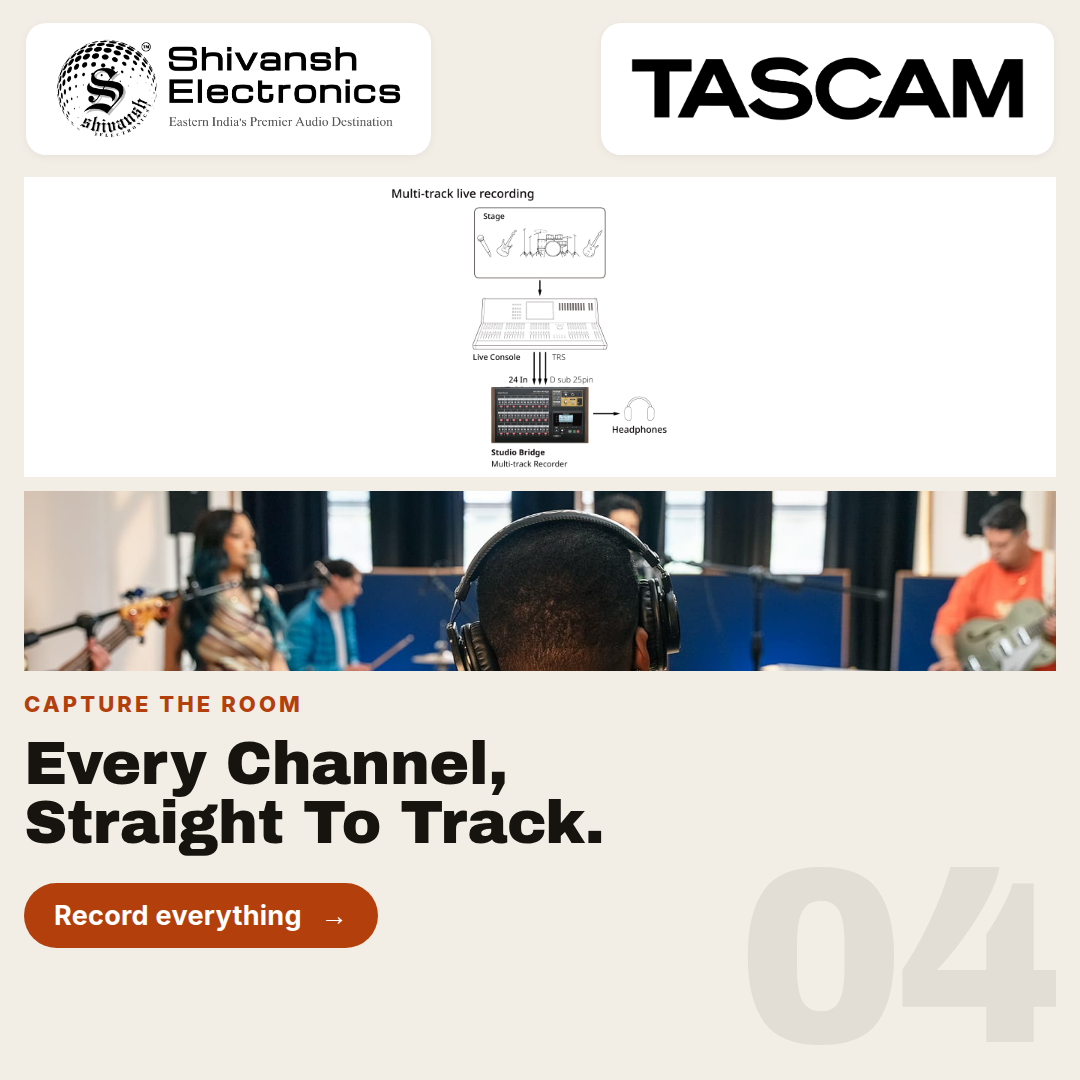
Because dub stage sessions often run long and can't tolerate a computer crash mid-reel, engineers frequently let the Studio Bridge's standalone SD recorder run continuously as a safety capture of every stem and print, entirely separate from whatever the connected DAW is doing. If the computer side of the session has a problem, the SD card still holds a complete, uninterrupted 24-track record of the session to fall back on.
Workflow Summary: Dub Stage Modernization
| WORKFLOW ELEMENT | DETAILS / CONFIGURATION |
|---|---|
| Console type | Large-format film mixing console, no native digital I/O |
| Connection method | DB-25, direct outputs and monitor bus — no recabling |
| DAW connection | 24-in/24-out USB, independent of the console's own signal path |
| Backup recording | Standalone SD capture, running continuously alongside the DAW |
| Failure protection | Full 24-track session preserved even if the computer session fails |
WORKFLOW 6 — BROADCAST OB VAN FAILOVER RECORDING
Scenario: Independent 24-Track Safety Recording for a Touring Broadcast Console
An outside broadcast (OB) van's digital console already handles the live mix and its own onboard recording, but the broadcast engineer wants a completely independent backup capture that doesn't depend on the console's own software or storage in any way. The console's DB-25 direct-out card feeds the Studio Bridge, giving the truck a second, entirely separate recording path for every show.
Running in standalone mode off its own SD card, the Studio Bridge has no dependency on the console's operating system, network connection, or internal storage — if the primary broadcast console's recording system fails mid-show for any reason, the Studio Bridge's independent 24-track capture is still running, untouched, on its own card and its own power path.
Workflow Summary: OB Van Failover Recording
| WORKFLOW ELEMENT | DETAILS / CONFIGURATION |
|---|---|
| Primary system | Touring digital console with its own onboard recording |
| Studio Bridge connection | DB-25, from console's direct-out card |
| Recording mode | Standalone SD — fully independent of console software/storage |
| Purpose | Redundant, computer- and console-independent 24-track safety capture |
| Failure isolation | Console recording failure does not affect Studio Bridge capture |
WORKFLOW 7 — ANALOG TAPE MACHINE SYNCHRONIZATION
Scenario: Locking a Multitrack Tape Machine to a Modern DAW Session
A hybrid studio still tracking through an analog multitrack tape machine wants to combine tape's sonic character with the editing flexibility of a modern DAW, but the tape machine has no native way to reference a DAW timeline. The Studio Bridge's MIDI outputs solve the synchronization half of that problem: sending MIDI Time Code and MIDI clock with Song Position Pointer to a tape synchronizer lets the tape transport slave accurately to the DAW session.
With synchronization handled, the studio patches the tape machine's line outputs into the Studio Bridge's DB-25 inputs to bring the tape tracks into the digital session at full quality, while the DB-25 outputs can return processed or overdubbed material back to tape when the workflow calls for bouncing a submix back onto an open track. The result is a genuinely two-way hybrid session, with tape and DAW locked to the same timeline rather than operating as separate, manually-synced systems.
Workflow Summary: Tape Machine / DAW Synchronization
| WORKFLOW ELEMENT | DETAILS / CONFIGURATION |
|---|---|
| Tape machine role | Analog multitrack tracking, sonic character |
| Sync signal | MTC + MIDI clock with Song Position Pointer, to tape synchronizer |
| Audio path in | Tape machine line outs → Studio Bridge DB-25 inputs |
| Audio path out | Studio Bridge DB-25 outputs → tape machine inputs (for bounce-back) |
| Result | Tape transport and DAW session locked to a shared timeline |
WORKFLOW 8 — HANDS-FREE SOLO SESSION CONTROL
Scenario: Footswitch-Controlled Recording for an Engineer Working Alone
A solo engineer — tracking their own vocal or instrumental overdubs without anyone else in the room to operate transport — uses the Studio Bridge's dual footswitch jack to control recording hands-free, starting and stopping, or punching in and out of, a take from an instrument or performance position without walking back to the rack or reaching for a mouse.
Local monitoring runs through the unit's 1/4-inch stereo headphone/local monitor jack, so the engineer can check a take immediately at the rack position itself, whether the session is running standalone to SD or connected to a DAW over USB. Combined, the footswitch and local monitor jack let a single person run a complete recording pass — performing, triggering, and checking playback — without breaking their physical position in the room.
Workflow Summary: Hands-Free Solo Recording
| WORKFLOW ELEMENT | DETAILS / CONFIGURATION |
|---|---|
| Transport control | Dual footswitch jack — hands-free start/stop or punch in/out |
| Local monitoring | 1/4-inch stereo headphone/local monitor jack (80 mW + 80 mW) |
| Recording mode | Standalone SD or USB-connected DAW, either supported |
| Use case | Single engineer tracking their own performance without an assistant |
| Benefit | No need to leave the performance position to control recording |