
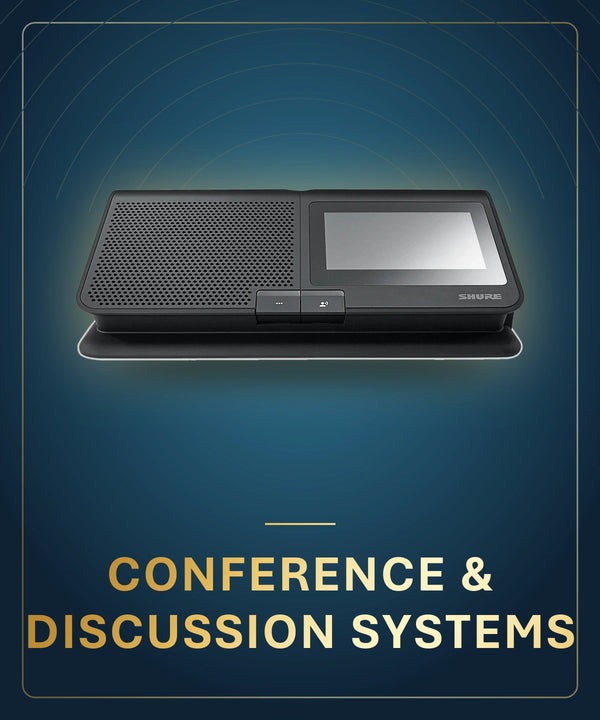
Conference & Discussion Systems Buying Guide
November 22, 2026 · Shivansh Electronics, Kolkata
Conference and discussion systems give each participant in a formal meeting a microphone, a speak button and a loudspeaker, and give the chair control of who speaks and when. They keep debates in council chambers, courtrooms and boardrooms orderly and easy to follow, and they can feed recording, public address and video-conferencing systems. This guide explains how to choose from our range of conference and discussion systems.
What a discussion system does
Each seat has a conference unit with a microphone, usually on a gooseneck, a speak button with a clear indicator and a built-in loudspeaker, so everyone at the table hears the speaker clearly. The system controls how many microphones can be open at once, keeps a list of requests to speak and gives the chair a priority button that mutes the other microphones. Some systems also offer voting, a choice of interpretation channels and meeting information on a touchscreen.
Types of conference and discussion systems
- Wired discussion systems: conference units connected by cable to a central control unit that powers them and carries the audio, suited to permanent chambers.
- Wireless discussion systems: battery-powered units linked by radio to an access point, which can be set up in any room without floor cables.
- Gooseneck microphones: interchangeable microphones in different lengths that plug into the conference units; see also our conference and gooseneck microphones.
- Conferencing kits: an array microphone in the ceiling or on the table with an audio network interface that connects the room to video calls on a computer.
Wired or wireless
Wired systems suit permanent installations such as council chambers and courtrooms, where cables can run under the floor or through the furniture. Wireless systems avoid cabling altogether: units can be placed on any table, moved between rooms and set up quickly, which suits multipurpose halls, hotels, temporary venues and heritage buildings where drilling is not allowed. Wireless units run on rechargeable batteries, so check the operating time against your longest sessions.
Wireless operation and security
Many wireless discussion systems work in the 2.4 GHz and 5 GHz bands that are also used by Wi-Fi. The access point scans for clear channels and can move the system to another channel if interference appears. Encrypted transmission helps keep confidential discussions private. Check the operating range from the access point, the maximum number of units the system supports and how many microphones can be active at once.
Speaking modes and chairman control
Discussion systems offer several ways to manage the floor. In an open mode, delegates speak by pressing their button, up to a set number of open microphones. In a request mode, delegates join a queue and the chair or an operator opens each microphone in turn. The chairman unit can always speak and can mute all delegates at once. Conference units can often be set up as chairman, delegate or listening positions, so the same units can be reused when the room layout changes.
Conferencing kits for meeting rooms
For meeting rooms that join video calls, an array microphone in the ceiling or on the table picks up everyone around the table without a microphone in front of each person. Its steerable pickup zones focus on the seats and reject noise from elsewhere in the room, and some array microphones include processing such as echo cancellation and automatic mixing. An audio network interface connects the microphone to the room's computer over USB and to other equipment through analogue connections, and both are usually powered over the network cable from a PoE switch. See also our Dante audio converters.
Choosing for your application
Council chambers and assemblies
Chairman and delegate units with a request-to-speak queue keep long debates orderly, and outputs to recording and public address systems capture the proceedings.
Courtrooms
Clear speech from every position matters most. A microphone at the bench, the witness stand and each counsel's table feeds both the room and the court's recording system.
Boardrooms and meeting rooms
Wireless conference units suit large boardroom tables, while a conferencing kit with an array microphone keeps smaller rooms free of table microphones and connects them to video calls.
Setup tips
- Plan the seating and the position of the chairman unit before the meeting
- Place the access point within its rated range and in clear line of sight of the conference units
- Charge every battery fully before each session
- Adjust each gooseneck so that the microphone points at the speaker's mouth from a short distance
- Test every unit and the recording feed before the participants arrive
Common mistakes to avoid
- Allowing too many open microphones at once, which makes speech harder to follow
- Placing the access point inside a closed metal cabinet
- Starting a long session with partly charged batteries
- Leaving goosenecks pointing away from the talker, which forces the gain up
- Ignoring the acoustics of rooms with hard, reflective surfaces
Related guides
- How to Choose Conference & Gooseneck Microphones
- Digital Audio Matrices and Processors Guide
- Network Audio Explained: Dante, AVB and AES67
- Broadcast and Installation Microphones Guide
Buying conference and discussion systems at Shivansh Electronics
Explore our full range of conference and discussion systems at Shivansh Electronics, Kolkata, West Bengal, India, with delivery across India. Contact / WhatsApp +91 89818 07755 / +91 91477 00677 for advice on planning conference units, microphones and charging for your room.


