
How to Choose Network & Data Connectors
November 5, 2026 · Shivansh Electronics, Kolkata
Network and data connectors link modern audio equipment, from Dante and AVB networks to USB interfaces, video links and control systems. A poor connector or cable causes dropouts that are hard to trace. This guide explains how to choose from our range of network and data connectors for studios, stages and installations.
Where network connectors are used
Audio over IP systems such as Dante, AES67 and AVB send multichannel audio over standard Ethernet. Digital mixers, stage boxes, processors and amplifiers all connect with Ethernet cable. See our guides to Dante audio converters and AVB networking for system design. USB and HDMI connections link interfaces, computers and displays, while serial and control connectors manage installed equipment.
RJ45 connectors and Cat cable
RJ45 is the standard Ethernet connector. The cable category decides performance: Cat5e supports gigabit Ethernet for up to 100 metres, Cat6 and Cat6a offer a higher margin and better shielding for longer, noisier or faster links. For audio networks, gigabit is the usual requirement. Use quality solid-core cable for fixed installations and stranded cable for patch leads that are moved.
Shielded or unshielded
Shielded cable (STP or FTP) protects against electrical interference, which is useful near lighting dimmers, power cables and large amplifiers. Shielded connectors need a metal shell and proper termination of the shield. Unshielded cable (UTP) is lighter and cheaper, and works well in clean environments. Do not mix shielded and unshielded parts casually, as poor grounding can create more noise than none.
Rugged connectors for stage
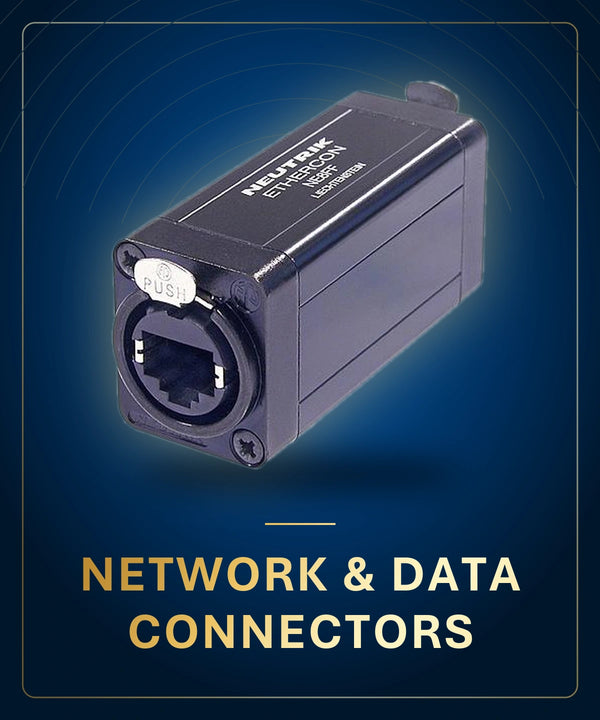
Touring and live use needs connectors that survive stepping, pulling and repeated plugging. Metal-bodied locking Ethernet connectors, often called etherCON-style, have a shell and latch that withstand rough handling and keep the connection firm. Use them on stage with robust cable and protective boots. For fixed rooms, standard RJ45 with a good boot and strain relief is enough.
USB, HDMI and other data connectors
USB connections come in several types, such as USB-A, USB-B and USB-C, and in different speed generations. Check that the cable matches the speed and power the device needs, and keep cables short, since long passive USB runs lose reliability. HDMI and other video connectors have their own limits on length and bandwidth; see also our BNC video connectors. Extenders or fibre links can carry signals further.
Wall plates, couplers and patch panels
Installations use keystone jacks, wall plates and patch panels so that cables are terminated neatly. Couplers join two cables, and in-line couplers add extra connection points, so use them sparingly. Label each patch point, test the cable after termination and keep a record of the layout. Tidy cabling makes later troubleshooting much faster.
Termination quality
Poorly crimped or punched-down connectors are a common cause of network faults. Use proper tools, follow the wiring standard (T568B is common) and test with a cable tester. Pre-made patch leads have reliable molded ends, while field-terminated cables should be tested. For long fibre or copper runs, see the guide on fibre-optic connectors and cables.
Setup and maintenance tips
Keep a tested spare patch lead of each length in your kit, and use cable ties or hook-and-loop straps, not tight plastic ties, which can damage the pairs inside the cable. Avoid sharp bends, keeping to at least four times the cable diameter. Label both ends of every run, and record port numbers on a simple chart. Clean dust from connectors and check latches regularly, and always carry a cable tester to find faults quickly when a show is under way.
Common mistakes to avoid
Network faults often trace back to the physical layer.
- Running Cat cable beyond 100 metres without a switch or repeater
- Placing network cable alongside mains cable over long distances
- Using cheap, unshielded cable on a noisy stage
- Crimping connectors without proper tools or testing
- Using non-locking connectors for stage use, then losing audio when pulled
- Using too many couplers in one link
Buying network and data connectors at Shivansh Electronics
Shivansh Electronics, Kolkata, West Bengal, India supplies genuine products only, exactly as the manufacturers build and specify them. Every product page has its specifications, so you can compare models side by side before you decide. Our team can help you shortlist options for your studio, venue or project, explain how the specifications apply to your setup and suggest the accessories you will need. For advice, message us on WhatsApp or call us, and we will be glad to help.


