ART ZDirect
MRP - Rs. 4,004
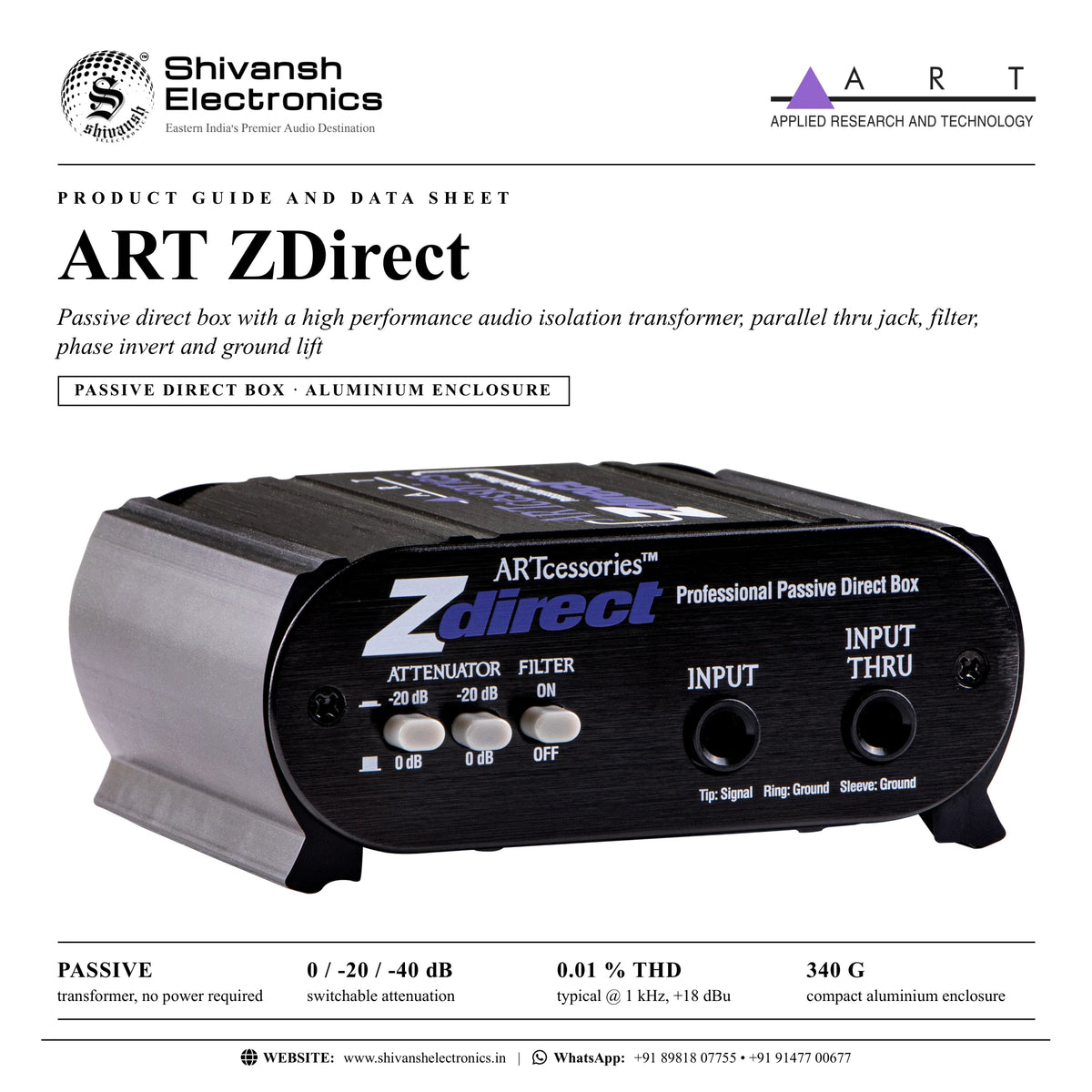
ART ZDirect passive DI: 1/4 inch TRS input and Thru, transformer isolated XLR output, pad, low-pass filter, ground lift, phase invert. Available in India from Shivansh Electronics, Kolkata, West Bengal, India.
VISUAL GUIDE — See Every Photo, Spec & Setup Step (PDF)
The price shown is the MAXIMUM RETAIL PRICE (MRP), inclusive of all taxes. For the best price, exclusive offers and discounted rates, delivery timelines, or any other information, please DM us or call +91 89818 07755 / +91 91477 00677. We will gladly share an exclusive coupon code that you can apply at checkout. All payments are processed securely through Razorpay, our trusted payment gateway partner.
Specifications
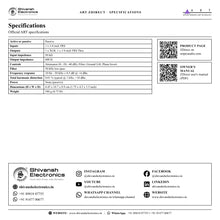
| Active or passive | Passive |
| Inputs | 1 x 1/4 inch TRS |
| Outputs | 1 x XLR; 1 x 1/4 inch TRS Thru |
| Input impedance | 50 kΩ |
| Output impedance | 600 Ω |
| Controls | Attenuator (0 dB, -20 dB, -40 dB); Filter; Ground Lift; Phase Invert |
| Filter | 30 kHz low‑pass |
| Frequency response | 10 Hz - 50 kHz ± 0.5 dB @ +4 dBu |
| Total harmonic distortion | 0.01 % typical @ 1 kHz, +18 dBu |
| Power | None (passive) |
Physical
| Dimensions (H x W x D) | 4.45 x 10.7 x 8.9 cm (1.75 x 4.2 x 3.5 inch) |
| Weight | 340 g (0.75 lb) |
| Enclosure | Aluminium |
Product overview
The ART ZDirect is a passive direct box for connecting unbalanced instrument, line or speaker signals to balanced inputs.
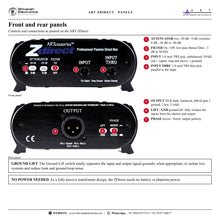
The input signal is sent to a transformer isolated XLR output and a parallel Thru jack, so it can be connected to an amplifier on stage at the same time. Simple and durable, the ZDirect is a compact DI in a rugged aluminium enclosure with a versatile feature set: front panel switches engage up to 40 dB of attenuation and a low-pass Bessel filter, and rear switches activate a ground lift against hum and invert the signal polarity to resolve phase issues, such as those that can occur when DI and microphone sources are combined. Passive DIs are often a great match for powered sources such as synthesisers or guitars and basses with active preamps, and need no external power source.
| Transformer, no power required | Passive |
| Switchable attenuation | -40 dB |
| THD typical @ 1 kHz, +18 dBu | 0.01 % |
| Aluminium enclosure | 340 g |
Key features
- 1/4 inch TRS input and Thru connector
- Balanced XLR output, transformer isolated, 600 Ω
- Switchable attenuation (0 dB, -20 dB, -40 dB)
- Switchable low-pass filter, ground lift and phase invert
- Passive design: no power required
Transformer design
The high impedance single-ended 1/4 inch input is converted by a high performance audio isolation transformer into an isolated, balanced, low impedance signal. With an extremely flat, wide frequency response and the ability to handle high signal levels, ART describes the ZDirect's sound as very clean and neutral with a wide variety of sources and over long signal runs in high noise environments.
Filter, phase and ground lift
The switchable low-pass Bessel filter (-3 dB at 30 kHz) sits on the output, outside the audio range, and is primarily intended to reduce radio frequency interference; it is also very effective against digital computer noise between a computer-based audio workstation and monitors. The Phase Invert switch changes polarity right at the source, and the Ground Lift switch fully isolates the inputs from the chassis and output to reduce hum and ground-loop noise.
Applications
ART names live sound, permanent / fixed installations, DJ use and virtually any PA application.
In the box
- ZDirect passive direct box
ART ZDirect: frequently asked questions
Does the ZDirect need batteries or phantom power?
No. It is a fully passive transformer design.
Which sources suit a passive DI?
ART names powered sources such as synthesisers, or guitars and basses with active preamps.
What does the filter do?
It is a low-pass Bessel filter (-3 dB at 30 kHz) above the audio range that reduces radio frequency interference and digital computer noise.
Where can I buy the ART ZDirect in India?
The ART ZDirect is available from Shivansh Electronics, Kolkata, West Bengal, India, with delivery across India.
Workflow 1: Keyboard or synthesiser into the PA
Keyboard players and bands.
Connections
| Connect | To |
|---|---|
| Keyboard output | ZDirect Input |
| ZDirect XLR Output | Mixer input |
Setup
- Set the attenuator for line level.
- Use Lift if hum is heard.
Tip: Passive DIs suit powered sources such as synthesisers.
Workflow 2: Active bass to amplifier and PA
Bass players with active pickups.
Connections
| Connect | To |
|---|---|
| Bass guitar | ZDirect Input |
| ZDirect Input Thru | Bass amplifier |
| ZDirect XLR Output | Stage box |
Setup
- Connect the Thru jack to the amplifier.
- Send the XLR output to the stage box.
Tip: No battery or phantom power is needed.
Workflow 3: Combining DI and microphone
Engineers blending a DI with a miked amplifier.
Connections
| Connect | To |
|---|---|
| Instrument | ZDirect Input |
| ZDirect XLR Output | Mixer channel next to the microphone |
Setup
- Compare DI and microphone in the mix.
- Switch Phase to Invert if the blend sounds thin.
Tip: Polarity is changed right at the source.
Workflow 4: Amplifier output to the mix
Engineers taking a feed from an amplifier's speaker output.
Connections
| Connect | To |
|---|---|
| Amplifier speaker output | ZDirect Input |
| ZDirect XLR Output | Console |
Setup
- Engage both attenuator switches for -40 dB.
- Raise the console gain as needed.
Tip: The ZDirect accepts instrument, line or speaker signals.
Workflow 5: Computer audio to monitors
Studios connecting a computer-based audio workstation to monitors.
Connections
| Connect | To |
|---|---|
| Computer output | ZDirect Input |
| ZDirect XLR Output | Monitor input |
Setup
- Switch the Filter on.
- Use Lift against ground-loop noise.
Tip: ART notes the filter is very effective against digital computer noise.
Workflow 6: Fixed installation feed
Installations with unbalanced playback equipment and long cable runs.
Connections
| Connect | To |
|---|---|
| Unbalanced source | ZDirect Input |
| ZDirect XLR Output | Balanced input of the system |
Setup
- Set the attenuator for the source level.
- Run a balanced XLR cable to the system.
Tip: ART names permanent / fixed installations among the ZDirect's uses.