
BRICASTI DESIGN M7M
PRICE ON ENQUIRY
BRICASTI DESIGN M7M stereo reverb processor mainframe: the full M7 engine, 200+ presets, 192 kHz AES and XLR I/O, controlled by the M10. Available in India from Shivansh Electronics, Kolkata, West Bengal, India.
VISUAL GUIDE — See Every Photo, Spec & Setup Step (PDF)
PRICE ON ENQUIRY. For the price, exclusive offers, delivery timelines, or any other information, please DM us or call +91 89818 07755 / +91 91477 00677. We will gladly share a personalised quotation for Shivansh Electronics, Kolkata, West Bengal, India. All payments are processed securely through Razorpay, our trusted payment gateway partner.
Digital inputs and outputs
| Connectors | XLR AES/EBU |
| Format | AES/EBU 24‑bit single wire |
| Sample rates | 44.1, 48, 88.2, 96, 192 kHz (self‑clocking) |
Analog inputs
| Connectors | XLR balanced (pin 2 hot) |
| Impedance | 100 kΩ |
| Maximum input level | +24 dBu |
| Minimum input level for 0 dBFS | +4 dBu |
| Input level control | Stepped, 2 dB steps |
| A/D conversion | 24‑bit, 96 kHz |
| Dynamic range | Above 117 dB, A‑weighted |
| THD+N | Below 0.001 % |
Analog outputs
| Connectors | XLR balanced (pin 2 hot) |
| Impedance | 40 Ω |
| Maximum output level | +24 dBu (balanced) |
| D/A conversion | 24‑bit, 96 kHz; dual D/A |
| Dynamic range | Above 117 dB, A‑weighted |
| THD+N | Below 0.001 % |
| Jitter | Below 20 ps |
Programs and control
| Presets | More than 200 |
| User memory | 100 user registers |
| Program parameters | 12 parametric parameters |
| Control | M10 Remote Console via RS‑422 remote port; loop through |
| MIDI | MIDI In / Out |
General
| Finish | Anodised aluminium front panel; stainless steel top cover and chassis |
| Dimensions (W x H x D) | 483 x 44 x 279 mm (19 x 1.75 x 11 in) |
| Weight | 4.1 kg (9 lb) |
| Mains voltage | 100‑240 V AC, 50‑60 Hz, set at the factory |
| Power consumption | Below 40 W |
| Operating temperature | 0‑40 °C |
| EMC | EN 55103‑1, EN 55103‑2 |
| Safety | IEC 60065 |
Product overview
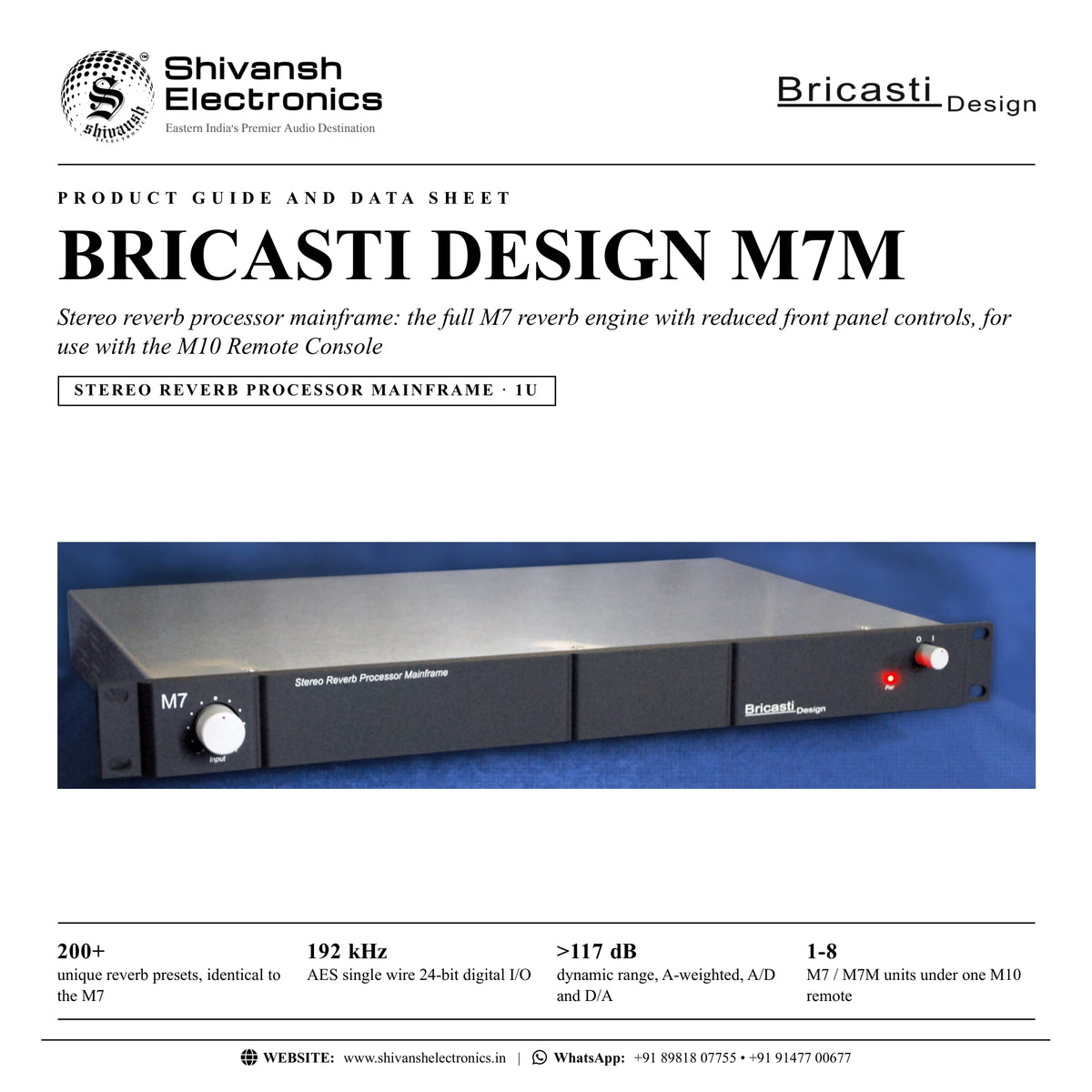
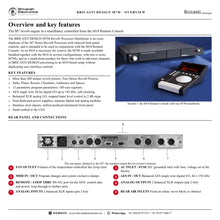
The BRICASTI DESIGN M7M is the Model 7 Mainframe Stereo Reverb Processor: an exact duplicate of the M7 Stereo Reverb Processor with reduced front panel controls, intended to be used with the M10 Remote Console.
As an M10 is necessary for control, the M7M is made available bundled with the M10 in several configurations, with one or more M7Ms, and as a stand-alone product for those who wish to add more channels of BRICASTI DESIGN processing to an M10-based setup without duplicating user interface controls. Inside it carries the full M7 reverb engine: more than 200 unique presets, the True Stereo Reverb Process, AES single wire digital I/O up to 192 kHz and a fully balanced analog section with its own linear power supply.
| Unique reverb presets | 200+ |
| AES single wire digital I/O | 192 kHz |
| Dynamic range, A‑weighted | >117 dB |
| Units under one M10 remote | 1‑8 |
Key features
- Exact duplicate of the M7 reverb engine with reduced front panel controls
- More than 200 unique reverb presets: halls, plates, rooms, chambers, ambience and spaces
- True Stereo Reverb Process reverb algorithm
- 12 parametric program parameters and 100 user registers
- AES single wire 24-bit digital I/O, self-clocking from 44.1 to 192 kHz
- Balanced XLR analog I/O with 24-bit conversion and dual D/A
- Positive-feel analog input level control in 2 dB steps on the front panel
- Dual dedicated power supplies: toroidal transformer linear supply for analog, switching supply for digital
- Separate digital and analog modules; fully balanced, DC-coupled analog circuits
- Stainless steel chassis and top cover; milled anodised aluminium front panel
- RS-422 remote port with loop through, and MIDI I/O
- Hand crafted in the USA
Built to work with the M10 Remote Console
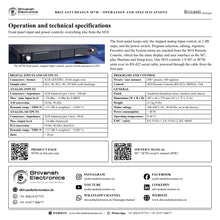
The M7M front panel keeps only the stepped Input control and the power switch. Program selection, editing, user registers, Favorites and the System menu are all reached from the M10 Remote Console, which has the same display and user interface as the M7, plus Machine and Setup keys. Pictured on the official page is System 1: the M10 with one M7M, which can be used as a stand-alone system or added to an M7.
More reverb channels for M10-based studios
One M10 controls from one to eight M7 or M7M units. The first unit connects to the M10 over an RS-422 serial cable that also carries its DC power, and further units are linked with the rear-panel loop through, so more channels of processing can be added without more front panels.
The M7 reverb engine
The M7M runs the same reverb presets and parameters as the M7: halls, plates, rooms, chambers, ambience and spaces, with reverb time, size, pre delay, diffusion, density, modulation, rolloff and high and low frequency shaping, all built on a modern high-resolution digital design.
Studio-grade analog and digital I/O
Balanced XLR analog inputs and outputs (pin 2 hot) handle up to +24 dBu with a dynamic range above 117 dB (A-weighted) and THD+N below 0.001 %. The AES single wire 24-bit digital I/O is self-clocking from 44.1 to 192 kHz, and jitter is below 20 ps.
In the box
- M7M Stereo Reverb Processor Mainframe
- Three-wire grounding-type power cord for the country of destination
BRICASTI DESIGN M7M: frequently asked questions
What is the difference between the M7M and the M7?
The M7M is an exact duplicate of the M7 Stereo Reverb Processor with reduced front panel controls: it is controlled from the M10 Remote Console.
Do I need an M10 to use the M7M?
Yes. An M10 is necessary for control, so the M7M is offered bundled with the M10 in several configurations, or on its own to add channels to an existing M10 setup.
How many M7M units can one M10 control?
The M10 controls from one to eight M7 or M7M units, linked through the rear-panel RS-422 loop through.
Does the M7M have analog and digital connections?
Yes: balanced XLR analog inputs and outputs and AES single wire 24-bit digital I/O from 44.1 to 192 kHz.
Where can I buy the BRICASTI DESIGN M7M in India?
The BRICASTI DESIGN M7M is available from Shivansh Electronics, Kolkata, West Bengal, India, with delivery across India.
Workflow 1: System 1: one M7M with the M10 remote
Studios starting with a remote-controlled reverb.
Connections
| Connect | To |
|---|---|
| M10 remote cable | M7M Remote port |
| Console aux send L / R | M7M Analog In L / R |
| M7M Analog Out L / R | Console stereo return |
Setup
- Connect the M10 to the M7M remote port with the supplied serial cable.
- Power on the M7M: the M10 is powered through the cable.
- Set the M7M Input control so peaks sit just below the top LED.
- Select and edit programs from the M10.
Tip: The M10 can sit in the sweet spot while the mainframe stays in the rack.
Workflow 2: Adding channels to an M10 setup
Owners of an M7 and M10 who need more reverbs.
Connections
| Connect | To |
|---|---|
| First M7 Loop thru | M7M Remote port |
| M7M outputs | Further console returns |
Setup
- Link the M7M to the loop through of the last unit.
- Press the Machine key on the M10 to select the unit.
- Load a different program on each unit.
- Watch all units on the M10 meters.
Tip: The M10 meters four stereo pairs at a time.
Workflow 3: All-digital AES chain
Studios working digitally up to 192 kHz.
Connections
| Connect | To |
|---|---|
| AES output of the converter or interface | M7M AES In |
| M7M AES Out | AES input of the converter or interface |
Setup
- Set Audio Format to Digital in the System menu from the M10.
- Check that the M7M locks to the incoming sample rate.
- Use cabling designed for AES digital audio.
- Load and edit programs as usual.
Tip: No level matching is needed on the AES path.
Workflow 4: Multi-reverb mixing
Mix engineers who use several reverbs at once.
Connections
| Connect | To |
|---|---|
| Aux sends 1‑4 | M7 / M7M inputs |
| Outputs | Console returns |
Setup
- Assign a hall, a plate, a room and a chamber to separate units.
- Switch between units with the Machine key.
- Store each edit to the user registers.
- Recall the set for the next session.
Tip: Up to eight M7 or M7M units can be controlled from one M10.
Workflow 5: Post-production suite
Post engineers adding space to dialogue and effects.
Connections
| Connect | To |
|---|---|
| Dialogue and effects sends | M7M Analog In L / R |
| M7M Analog Out L / R | Returns |
Setup
- Choose Rooms or Ambience presets from the M10.
- Adjust size and pre delay.
- Use Spaces presets for outdoor scenes.
- Save each scene to labelled registers.
Tip: The rack unit can be installed in a machine room, with the M10 at the desk.
Workflow 6: Session recall with MIDI
Studios with recurring sessions.
Connections
| Connect | To |
|---|---|
| Sequencer MIDI out | M7M MIDI In |
| M7M MIDI Out | Sequencer MIDI in |
Setup
- Set the MIDI channel in the System menu.
- Send a system exclusive dump to the sequencer.
- Send the dump back to restore the session.
- Use program changes to switch presets.
Tip: MIDI program changes can be mapped to registers or presets.