ECLER VEO-XRI1CG2
MRP - Rs. 69,900
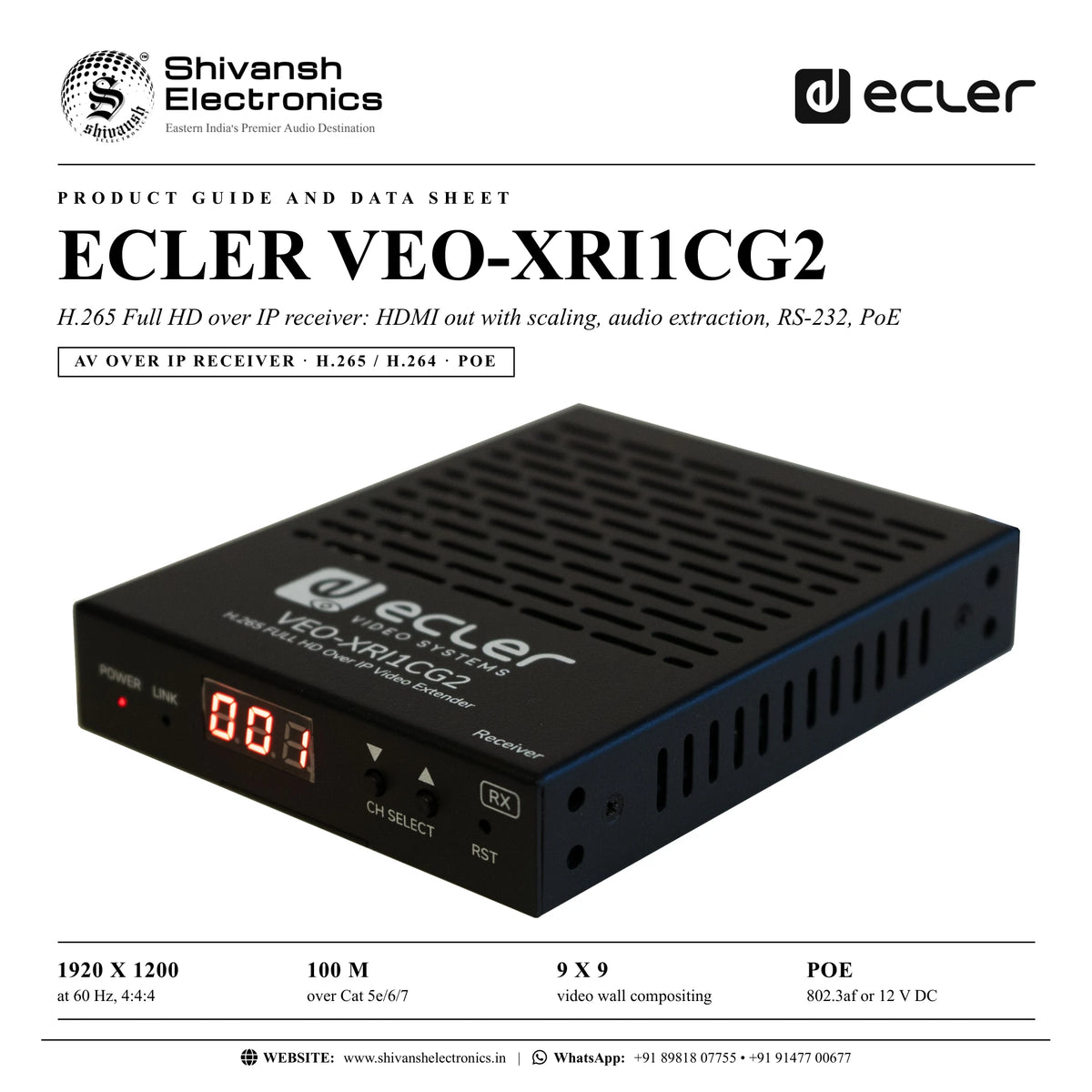
ECLER VEO-XRI1CG2 H.265 Full HD over IP receiver: 1920 x 1200 at 60 Hz, 100 m, 9 x 9 video wall, audio, RS-232, PoE. Available in India from Shivansh Electronics, Kolkata, West Bengal, India.
VISUAL GUIDE — See Every Photo, Spec & Setup Step (PDF)
The price shown is the MAXIMUM RETAIL PRICE (MRP), inclusive of all taxes. For the best price, exclusive offers and discounted rates, delivery timelines, or any other information, please DM us or call +91 89818 07755 / +91 91477 00677. We will gladly share an exclusive coupon code that you can apply at checkout. All payments are processed securely through Razorpay, our trusted payment gateway partner.
Video and audio
| HDMI | Transmitter input / receiver output: HDMI Type A female, 10.2 Gbps |
| Resolution | Up to 1920 x 1200 at 60 Hz |
| Codec | H.265 and H.264 |
| Latency | Under 100 ms, depending on content and network |
| Chroma | RGB 4:4:4, YCbCr 4:4:4, YCbCr 4:2:2 |
| Colour depth | 8, 10, 12, 16‑bit (1080p at 60 Hz) |
| HDCP | 1.4 |
| Video wall | Up to 9 x 9 |
| Scaling | Supported |
| HDMI distance | 15 m with ECLER VEO cables |
| Audio | 3‑pin Euroblock, stereo unbalanced (transmitter in / out, receiver out); LPCM 2.0; 32 / 44.1 / 48 kHz, 24‑bit; 20 Hz - 20 kHz |
Control, network, power and physical
| Control | RJ45, Euroblock; web, TCP (with VEO‑XCTRLG2), RS‑232; up / down buttons |
| EDID | Front panel and web |
| Indicators | Power LED red, link LED green, LCD status display |
| Pass‑through | RS‑232 on Euroblock |
| Network | RJ45; IGMP snooping; 1 - 20 Mbps per stream (software); 100 m |
| Power | PoE 802.3af class 3, or 12 V DC 1 A adapter (100‑240 V AC, EU, UK, US, AU blades); 3 W |
| Operating | -10 to 45 °C; under 90 % RH |
| Installation | Desktop; 19 inch rack with VEO‑RK1CG2 |
| Dimensions (W x H x D) | 95 x 21.5 x 120 mm |
| Weight | 0.3 kg |
| Shipping | 188 x 75 x 137 mm, 0.7 kg |
| Chassis | Metal, black |
| Reference | CVEOXRI1CG2 |
Product overview
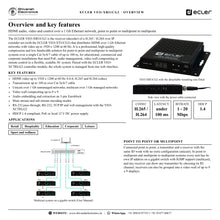
The ECLER VEO-XRI1CG2 is the receiver of a H.265 / H.264 over IP extender set (with the ECLER VEO-XTI1CG2) that distributes HDMI over 1 Gb Ethernet networks with video up to 1920 x 1200 at 60 Hz.
It is a professional, high-quality compression and low bandwidth solution for point to point and multipoint to multipoint systems over a single Cat 5e/6/7 cable of up to 100 m, for educational, commercial and corporate installations that need PoE, audio management, video wall compositing or remote control. With the ECLER VEO-XCTRLG2 controller module the whole system is managed from one web interface.
| At 60 Hz, 4:4:4 | 1920 x 1200 |
| Over Cat 5e/6/7 | 100 m |
| Video wall compositing | 9 x 9 |
| 802.3af or 12 V DC | PoE |
Key features
- HDMI video up to 1920 x 1200 at 60 Hz 4:4:4; H.265 and H.264
- Transmission up to 100 m over Cat 5e/6/7 cable
- Unicast over 1 Gb unmanaged networks; multicast over 1 Gb managed networks
- Video wall compositing up to 9 x 9
- Audio embedding and extraction on 3-pin Euroblock
- Main stream and sub stream encoding modes
- RS-232 pass-through; RS-232, TCP/IP and web management with the VEO-XCTRLG2
- HDCP 1.4 compliant; PoE or local 12 V DC power supply
Panels
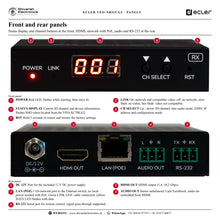
Front: red power LED, link LED, status display with the ID channel, up / down channel buttons and a reset button (hold 5 seconds for factory settings). Rear: DC 12 V, HDMI OUT, LAN (PoE) with link and data LEDs, AUDIO OUT (de-embedded from HDMI) and RS-232.
Set-up and control
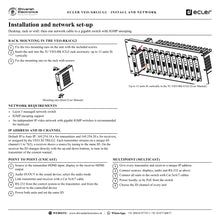
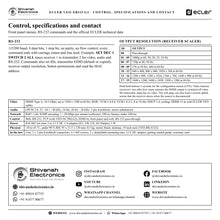
Units start with Auto IP (169.254.10.x transmitters, 169.254.20.x receivers) or take addresses from the VEO-XCTRLG2. Each transmitter streams on a unique ID channel from 1 to 762 and a receiver shows it by tuning to the same ID. Point to point needs no configuration beyond the same ID; multicast systems need a layer 3 managed gigabit switch with IGMP snooping. The units mount on a desk or, with the included ears, in the 3U VEO-RK1CG2 rack accessory (up to 12 units). RS-232 runs at 115200 baud. Configuration menus on the front buttons set the ID, the output resolution of the built-in scaler (pass-through or 19 fixed resolutions from 640 x 480 to 1920 x 1200) and a video timeout that switches the HDMI output off when the transmitter has no video; the web page can also load a custom splash screen.
In the box
- 1 x VEO-XRI1CG2 receiver
- 2 x 3-pin Euroblock connectors
- 4 x screws
- 2 x detachable mounting ears
- 1 x 12 V DC power adapter with international blades
- Getting started guide
- Warranty card
ECLER VEO-XRI1CG2: frequently asked questions
Which network do I need?
A 1 Gb network: unmanaged is fine point to point; multicast needs a layer 3 managed switch with IGMP snooping.
Do I need the VEO-XCTRLG2?
Not for basic use: IDs are set on the front buttons, the web page or RS-232. The VEO-XCTRLG2 adds one web interface for the whole system, TCP control, preview, matrix and video wall management.
Can it be powered from the switch?
Yes, by PoE (802.3af class 3); otherwise use the included 12 V DC adapter.
Where can I buy the ECLER VEO-XRI1CG2 in India?
The ECLER VEO-XRI1CG2 is available from Shivansh Electronics, Kolkata, West Bengal, India, with delivery across India.
Workflow 1: Point to point extension
Meeting rooms and classrooms sending one source to one display.
Connections
| Connect | To |
|---|---|
| Source | VEO‑XTI1CG2 HDMI in |
| VEO‑XTI1CG2 | Cat 5e/6/7 cable |
| VEO‑XRI1CG2 HDMI out | Display |
Setup
- Connect source and display.
- Link the two units with a Cat cable.
- Power both units.
- Set the same ID.
Tip: No further configuration is needed in unicast.
Workflow 2: Multicast distribution
Venues sending several sources to many displays.
Connections
| Connect | To |
|---|---|
| Transmitters and receivers | Layer 3 gigabit switch with IGMP snooping |
Setup
- Give every unit a unique IP address.
- Connect sources and displays.
- Connect all units to the switch.
- Choose each receiver's ID channel.
Tip: An independent video network is recommended.
Workflow 3: Video wall
Retail and hospitality spaces with tiled displays.
Connections
| Connect | To |
|---|---|
| Transmitter | Network |
| Receivers | Wall displays |
| VEO‑XCTRLG2 | Video wall management |
Setup
- Install a receiver per display.
- Create the wall in the VEO-XCTRLG2.
- Assign the receivers.
- Route the source.
Tip: Layouts up to 9 x 9.
Workflow 4: Audio embedding and extraction
Sites that need audio at the display end or into the system.
Connections
| Connect | To |
|---|---|
| Sound device | Transmitter AUDIO IN/OUT |
| Receiver AUDIO OUT | Amplifier |
Setup
- Connect the audio device.
- Choose the audio mode in the configuration menu.
- Connect the amplifier at the receiver.
- Check the levels.
Tip: Mode AEI sends the transmitter's AUDIO IN to the receiver's AUDIO OUT.
Workflow 5: RS-232 control of displays
Integrators switching displays on and off from a control system.
Connections
| Connect | To |
|---|---|
| Control system | Transmitter RS‑232 |
| Receiver RS‑232 | Display serial port |
Setup
- Wire the RS-232 ports.
- Set 115200 baud, 8 data bits, 1 stop bit.
- Send commands through the link.
- Test each display.
Tip: Commands end with carriage return and line feed.
Workflow 6: Rack installation
Equipment rooms with many encoders and decoders.
Connections
| Connect | To |
|---|---|
| Units with mounting ears | VEO‑RK1CG2 3U rack accessory |
Setup
- Fix the ears with the included screws.
- Insert the units vertically.
- Screw the ears to the rack.
- Cable network, HDMI and power.
Tip: Up to 12 units fit in the 3U rack accessory.