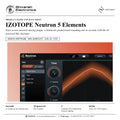
IZOTOPE Neutron 5 Elements
PRICE - Rs. 7,222
iZotope Neutron 5 Elements: easy-to-use assistive mixing plugin with the AI-powered Mix Assistant for essential EQ, compression and transient shaping. Available in India from Shivansh Electronics, Kolkata, West Bengal, India.
VISUAL GUIDE — See Every Photo, Spec & Setup Step (PDF)
The price shown is inclusive of all taxes. Contact / WhatsApp +91 89818 07755 / +91 91477 00677 to check if any offers or additional discounts are available. If available, we will gladly share a coupon code that you can apply at checkout for the best price. All payments are processed securely through Razorpay, our trusted payment gateway partner.
Product
| Product | iZotope Neutron 5 Elements |
| Type | Assistive mixing plugin |
| Category | Audio mixing |
| Key features | AI-powered Mix Assistant, essential EQ, compression and transient shaping |
| Delivery | Download, software licence |
Formats and compatibility
| Plug-in formats | AAX, AU, VST3 |
| Architecture | 64-bit only |
| Hosts | Full system requirements and supported hosts are confirmed with your quotation |
Licence options
| Neutron 5 Elements (full licence) | 34338 |
| Neutron 5 Elements EDU | 34340 |
Product overview
The iZotope Neutron 5 Elements is an easy-to-use assistive mixing plugin that brings balance to your tracks, fast: mix in seconds with an essential set of tools and the AI-powered Mix Assistant.
Whether you are just starting to create your own music at home or you are a professional looking for new mixing tools, Neutron Elements has the assistive technology you need to get a professional-sounding mix quickly.
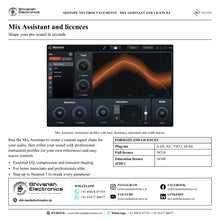
The Mix Assistant of Neutron 5 is also available in Neutron 5 Elements, so you get to a great starting point quickly. Run the Assistant to create a custom signal chain for your audio, then refine your sound with professional instrument profiles (or your own references) and easy macro controls for essential EQ, compression and transient shaping.
If you want to go under the hood and tweak every parameter of every module, take the step up to the full version, Neutron 5.
| To a balanced mix starting point | Seconds |
| Mix Assistant | AI-powered |
| Essentials: EQ, compression, transient shaping | 3 |
| AAX, AU and VST3 plug-in | 64-bit |
Key features
- AI-powered Mix Assistant: a custom signal chain for your audio in seconds
- Professional instrument profiles, or your own references
- Easy macro controls
- Essential EQ, compression and transient shaping
- Plug-in for AAX, AU and VST3 hosts, 64-bit
Made for
- Musicians starting to create their own music at home
- Professionals looking for new, fast mixing tools
- Balancing vocals, keys, guitars, drums and bass quickly
- Anyone who wants a professional-sounding mix fast
What's included
- Neutron 5 Elements plugin with Mix Assistant
- Neutron 5 Elements software licence (download)
Licence options
- Full licence (34338): Neutron 5 Elements
- Education licence (EDU) (34340): for eligible students and teachers
iZotope Neutron 5 Elements: frequently asked questions
What does Neutron 5 Elements do?
It brings balance to your tracks fast: the Mix Assistant creates a custom signal chain for your audio, which you refine with instrument profiles and macro controls.
Is it the same Mix Assistant as in Neutron 5?
Yes. The Mix Assistant of Neutron 5 is also available in Neutron 5 Elements.
Can I edit every module parameter?
Neutron 5 Elements works with the Assistant and its macros. To go under the hood and tweak every parameter of every module, step up to Neutron 5, which is offered with an upgrade from Neutron Elements.
Is it for beginners?
It suits both people just starting to create music at home and professionals looking for new mixing tools.
Which plug-in formats are supported?
AAX, AU and VST3, 64-bit only. Full system requirements and supported hosts are confirmed with your quotation.
Where can I buy iZotope Neutron 5 Elements in India?
iZotope Neutron 5 Elements is available from Shivansh Electronics, Kolkata, West Bengal, India, delivered as a software licence anywhere in India.
Workflow 1: Balance a track in seconds
Musicians mixing their own songs at home.
Connections
| Connect | To |
|---|---|
| Instrument or vocal track | Neutron 5 Elements insert |
| Neutron 5 Elements output | Mix bus |
Setup
- Insert Neutron 5 Elements on the track.
- Run the Mix Assistant.
- Listen to the custom signal chain and adjust the macros.
Tip: The Assistant gives you a great starting point quickly.
Workflow 2: Pick an instrument profile
Anyone mixing keys, guitars, drums, bass or vocals.
Connections
| Connect | To |
|---|---|
| Track | Neutron 5 Elements: instrument profile |
Setup
- Choose the professional instrument profile that fits the track.
- Run the Assistant again with that profile.
- Refine the tone with the macros.
Tip: Profiles help the Assistant target the right sound for each instrument.
Workflow 3: Mix towards a reference
Producers who want the sound of a favourite track.
Connections
| Connect | To |
|---|---|
| Reference track | Neutron 5 Elements Mix Assistant |
| Your track | Neutron 5 Elements insert |
Setup
- Load your own reference in the Assistant.
- Run the Assistant on your track.
- Adjust the macros to taste.
Tip: Your own references work alongside the professional instrument profiles.
Workflow 4: Control dynamics on vocals
Singer-songwriters with uneven vocal takes.
Connections
| Connect | To |
|---|---|
| Vocal track | Neutron 5 Elements insert |
Setup
- Run the Assistant on the vocal.
- Use the compression macro to even out the level.
- Use the EQ macro for clarity.
Tip: Essential EQ and compression are part of Neutron 5 Elements.
Workflow 5: Punchier drums with transient shaping
Beat makers and producers.
Connections
| Connect | To |
|---|---|
| Drum track or bus | Neutron 5 Elements insert |
| Neutron 5 Elements output | Mix bus |
Setup
- Run the Assistant on the drums.
- Shape the transients for more punch.
- Balance the result in the mix.
Tip: Transient shaping is one of the essential tools in Neutron 5 Elements.
Workflow 6: Step up to Neutron 5
Users who outgrow the macros.
Connections
| Connect | To |
|---|---|
| Neutron 5 Elements | Upgrade to Neutron 5 |
Setup
- Keep using the same Mix Assistant.
- Upgrade to Neutron 5 to edit every parameter of every module.
Tip: Neutron 5 is offered with an upgrade from Neutron Elements or Elements Suite.