IZOTOPE Ozone 12 Elements
PRICE - Rs. 7,222
iZotope Ozone 12 Elements: essential mastering plugin with Master Assistant, new Custom flow, Assistant View and Assistive Vocal Balance. Available in India from Shivansh Electronics, Kolkata, West Bengal, India.
VISUAL GUIDE — See Every Photo, Spec & Setup Step (PDF)
The price shown is inclusive of all taxes. Contact / WhatsApp +91 89818 07755 / +91 91477 00677 to check if any offers or additional discounts are available. If available, we will gladly share a coupon code that you can apply at checkout for the best price. All payments are processed securely through Razorpay, our trusted payment gateway partner.
Product
| Product | iZotope Ozone 12 Elements |
| Type | Mastering plugin suite |
| Category | Audio mastering |
| Key features | Master Assistant (Auto-Master and Custom flows), Assistive Vocal Balance, Tonal Balance curve metering |
| Individual modules | Not accessible (Assistant-controlled processing) |
| Delivery | Download, software licence |
Formats and compatibility
| Plug-in formats | AAX, AU, VST3 |
| Architecture | 64-bit only |
| Hosts | Full system requirements and supported hosts are confirmed with your quotation |
Licence options
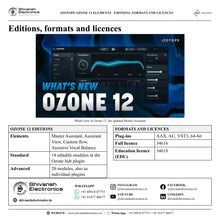
| Ozone 12 Elements (full licence) | 34616 |
| Ozone 12 Elements EDU | 34618 |
Included features
| Master Assistant | Auto-Master flow, Custom flow |
| Assistant View | Macros for key controls |
| Vocals | Assistive Vocal Balance |
| Matching | Tonal balance, width, impact; reference matching |
Product overview
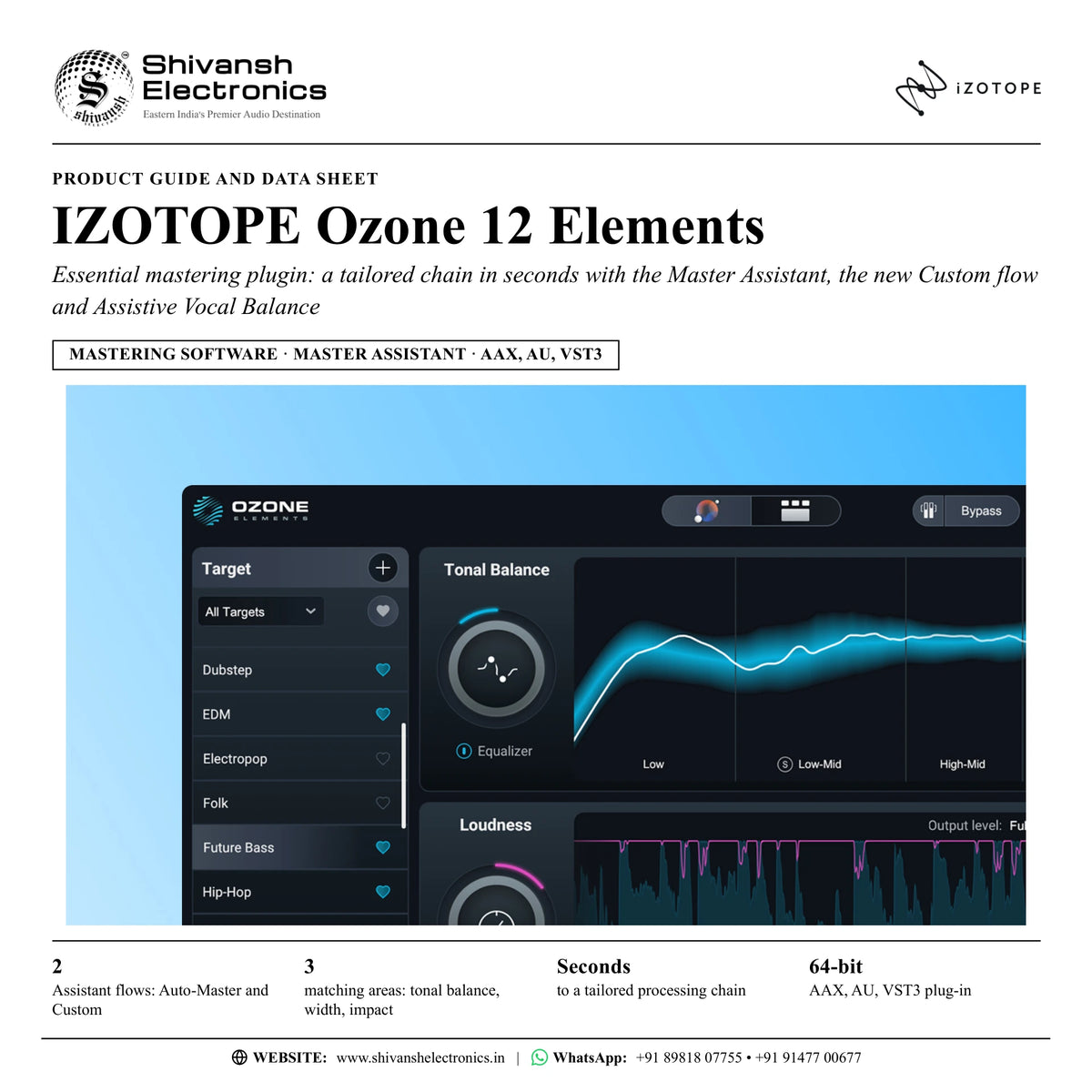
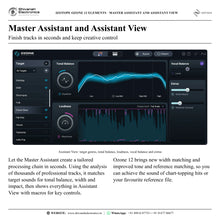
The iZotope Ozone 12 Elements is an essential mastering plugin designed to give tracks the professional polish, fast: let the Master Assistant create a tailored processing chain in seconds, or take control and build your own with the new Custom flow.
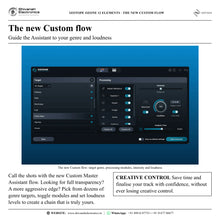
Mastering has never been easier. Achieve the sound of chart-topping hits or your favourite reference file using matching technology for tonal balance, width and impact in the updated Master Assistant. Use the new Custom flow to guide the Assistant to specific genres, loudness targets and more, so you stay in creative control.
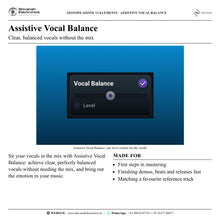
Sit your vocals in the mix with Assistive Vocal Balance, and customise the processing suggestions to your liking in the updated Assistant View, which shows the big picture of your Ozone processing with macros for key controls in one place.
Ozone 12 Elements is the first step into Ozone: it includes the Master Assistant (with Assistant View and the Custom flow) and Assistive Vocal Balance; the individual modules are not accessible, as they are in Ozone 12 Standard and Advanced.
| Assistant flows: Auto-Master and Custom | 2 |
| Matching areas: tonal balance, width, impact | 3 |
| To a tailored processing chain | Seconds |
| AAX, AU and VST3 plug-in | 64-bit |
Key features
- Master Assistant with Auto-Master and Custom flows: a tailored processing chain in seconds
- Custom flow (new): pick from dozens of genre targets, toggle modules and set loudness levels
- Matching technology for tonal balance, width and impact: new width matching, improved tone and reference matching
- Assistant View: macros for key controls, all in one place
- Assistive Vocal Balance: clear, perfectly balanced vocals without needing the mix
- Tonal Balance curve metering
Made for
- Musicians and producers taking their first steps in mastering
- Finishing demos, beats and releases in seconds
- Matching the sound of a favourite reference track
- Anyone who wants a polished master while keeping creative control
What's included
- Master Assistant with Auto-Master and Custom flows
- Assistant View
- Assistive Vocal Balance
- Ozone 12 Elements software licence (download)
Licence options
- Full licence (34616): Ozone 12 Elements
- Education licence (EDU) (34618): for eligible students and teachers
iZotope Ozone 12 Elements: frequently asked questions
What does Ozone 12 Elements do?
It masters your track in seconds: the Master Assistant analyses your audio and builds a tailored processing chain, which you then shape in Assistant View.
What is the Custom flow?
The new Custom Master Assistant flow lets you guide the Assistant: pick from dozens of genre targets, toggle modules and set loudness levels to create a module chain that is truly yours.
Can I edit the individual modules?
Not in Elements: the individual plugins and modules are not accessible. Ozone 12 Standard adds 14 editable mastering modules, and Ozone 12 Advanced 20 modules that also load as individual plugins.
What is new in Ozone 12 Elements?
The Custom flow, new width matching and improved tone and reference matching in the Master Assistant.
Which plug-in formats are supported?
AAX, AU and VST3, 64-bit only. Full system requirements and supported hosts are confirmed with your quotation.
Where can I buy iZotope Ozone 12 Elements in India?
iZotope Ozone 12 Elements is available from Shivansh Electronics, Kolkata, West Bengal, India, delivered as a software licence anywhere in India.
Workflow 1: Master a track in seconds
Musicians who want a finished sound fast.
Connections
| Connect | To |
|---|---|
| Stereo mix | Ozone 12 Elements insert on the master bus |
| Ozone output | Bounce / export |
Setup
- Insert Ozone 12 Elements on the master bus.
- Run the Master Assistant.
- Listen to the tailored chain and adjust the macros in Assistant View.
Tip: The Assistant is a creative co-pilot: you keep the final say.
Workflow 2: Guide the Assistant with the Custom flow
Producers working to a genre or loudness target.
Connections
| Connect | To |
|---|---|
| Stereo mix | Ozone 12 Elements: Custom flow |
| Custom flow | Assistant View |
Setup
- Choose the Custom flow.
- Pick a genre target and set the loudness level.
- Toggle the modules you want, then start the Assistant.
Tip: Dozens of genre targets are available.
Workflow 3: Match a favourite reference
Anyone chasing the sound of a reference file.
Connections
| Connect | To |
|---|---|
| Reference file | Ozone 12 Elements Master Assistant |
| Your mix | Ozone 12 Elements on the master bus |
Setup
- Load your reference file in the Master Assistant.
- Let it match tonal balance, width and impact.
- Fine-tune the result in Assistant View.
Tip: Ozone 12 improves reference and tone matching and adds width matching.
Workflow 4: Sit the vocals in the mix
Singer-songwriters and producers with vocal-led tracks.
Connections
| Connect | To |
|---|---|
| Stereo mix | Ozone 12 Elements: Assistive Vocal Balance |
Setup
- Switch on Vocal Balance in Assistant View.
- Set the level to bring the vocals forward or back.
Tip: No need to go back to the mix.
Workflow 5: Check the tonal balance
Anyone mastering in an untreated room or on headphones.
Connections
| Connect | To |
|---|---|
| Ozone 12 Elements | Tonal Balance curve metering |
Setup
- Watch the Tonal Balance curve against the target.
- Use the Equalizer macro in Assistant View to correct the balance.
Tip: The curve metering shows low, low-mid, high-mid and high bands.
Workflow 6: Finish an album or EP consistently
Artists releasing several tracks at once.
Connections
| Connect | To |
|---|---|
| Each track | Ozone 12 Elements, same genre target |
| Ozone output | Bounce / export |
Setup
- Use the same genre target and loudness level for each track.
- Run the Assistant on every track.
- Compare and adjust the macros so the tracks sit together.
Tip: Save your Custom flow settings as the default.