

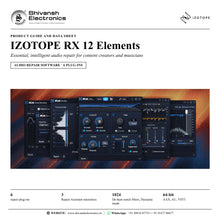


IZOTOPE RX 12 Elements
PRICE - Rs. 12,815
iZotope RX 12 Elements: six intelligent repair plug-ins with Repair Assistant, Voice De-noise, De-hum, De-reverb, De-click and De-clip. Available in India from Shivansh Electronics, Kolkata, West Bengal, India.
VISUAL GUIDE — See Every Photo, Spec & Setup Step (PDF)
The price shown is inclusive of all taxes. Contact / WhatsApp +91 89818 07755 / +91 91477 00677 to check if any offers or additional discounts are available. If available, we will gladly share a coupon code that you can apply at checkout for the best price. All payments are processed securely through Razorpay, our trusted payment gateway partner.
Product
| Product type | Assistive audio repair software (plug-ins) |
| Category | Audio repair and restoration |
| Plug-ins | 6: De-click, De-clip, De-hum, De-reverb, Voice De-noise and Repair Assistant |
| Key features | Repair Assistant, Voice De-noise, De-click and Adaptive / Static De-hum |
| New in RX 12 | Rebuilt Repair Assistant with improved neural nets |
| Delivery | Download, available immediately |
Formats and compatibility
| Plug-in formats | AAX, AU, VST3 |
| Architecture | 64-bit only |
| Repair Assistant plug-in | AAX AudioSuite, AU, VST3 |
| System requirements | Full system requirements and supported hosts are confirmed with your quotation |
Licence options
| Full Licence | 35299 |
| Education Licence (EDU) | 38231 |
Included plug-ins
| Repair Assistant | Analyses audio and suggests processing in three intensities |
| Voice De-noise | Zero-latency dialogue and vocal de-noiser, Adaptive mode |
| De-hum | Static (16 harmonic bands) and Dynamic (up to 1024 notch filters) modes |
| De-reverb | Reduces reverb and room sound |
| De-click | Clicks, pops and digital impulses, low latency |
| De-clip | Digital and analogue clipping repair |
Product overview
iZotope RX 12 Elements is your guide to clean, clear and compelling sound: easy-to-use, intelligent noise reduction and audio restoration software for content creators and musicians.
Featuring six plug-ins, including RX's intelligent Repair Assistant, RX 12 Elements is the core toolkit to give your sound the pro polish. Whether you are editing a podcast, fixing a mix or working on the next viral video, it lets you bring out the best in your audio and captivate your audience. The six plug-ins are De-click, De-clip, De-hum, De-reverb, Voice De-noise and Repair Assistant.
Bedroom, car or coffee shop, it does not matter: remove room echo with De-reverb, background noise with Voice De-noise and hum with De-hum, so you can deliver pro studio sound wherever you hit record. Clicks, pops and digital interference are handled by De-click, and distortion from a live set recording by De-clip.
Rescue recordings in seconds with the Repair Assistant: hit Learn, let it analyse your audio and get a tailored starting point with suggested processing, ready to tweak. In RX 12 the Repair Assistant is rebuilt with new machine learning to polish dialogue and sung vocals with ease.
| Repair plug-ins | 6 |
| Repair Assistant intensities: light, medium, aggressive | 3 |
| Variable notch filters in De-hum Dynamic mode | 1024 |
| AAX, AU and VST3 | 64-bit |
Key features
- Repair Assistant, rebuilt with new machine learning: choose voice, tonal / harmonic instruments, percussion or sound effects and get processing suggestions in light, medium or aggressive intensity
- Voice De-noise: zero-latency de-noiser for dialogue and sung vocals, with an Adaptive mode for a changing noise floor
- De-hum: Static mode with a fundamental and 16 harmonic bands, Dynamic mode with up to 1024 variable notch filters
- De-reverb: reduce the reverb of a recorded space and make roomy vocals sound studio-recorded
- De-click: remove clicks, pops and digital impulses with a low-latency algorithm
- De-clip: repair digital and analogue clipping in recordings that cannot be re-recorded
- Plug-ins for your host in AAX, AU and VST3 formats, 64-bit
Made for
- Podcasters and content creators
- Musicians recording at home or on the go
- Video creators and vloggers
- Voiceover and spoken-word recording
- Live set recordings
- Students learning audio repair
What's included
- RX 12 Elements software licence (download, available immediately)
- Six RX plug-ins: De-click, De-clip, De-hum, De-reverb, Voice De-noise and Repair Assistant
Licence options
- Full licence (35299): RX 12 Elements
- Education licence (EDU): for eligible students and teachers
iZotope RX 12 Elements: frequently asked questions
Which plug-ins are included in RX 12 Elements?
Six plug-ins: De-click, De-clip, De-hum, De-reverb, Voice De-noise and Repair Assistant.
Who is RX 12 Elements for?
Content creators and musicians who want clean, clear and compelling sound: podcasts, mixes, videos and spoken word, recorded at home or anywhere else.
What is new in RX 12 Elements?
The rebuilt Repair Assistant with new machine learning and improved neural nets, for faster and more precise clean-up of dialogue and sung vocals, with deeper controls for final tweaks.
Which plug-in formats are supported?
AAX, AU and VST3, 64-bit only; the Repair Assistant plug-in runs as AAX AudioSuite, AU and VST3. Full system requirements and supported hosts are confirmed with your quotation.
Can I move up to RX 12 Standard or Advanced later?
Yes. iZotope offers official upgrades from RX Elements to RX 12 Standard and to RX 12 Advanced.
Where can I buy iZotope RX 12 Elements in India?
iZotope RX 12 Elements is available from Shivansh Electronics, Kolkata, West Bengal, India, delivered as a software licence anywhere in India.
Workflow 1: Podcast voice clean-up
Podcasters and spoken-word creators.
Connections
| Connect | To |
|---|---|
| Voice track | Voice De-noise insert |
| Voice De-noise output | Mix bus |
Setup
- Insert Voice De-noise on the voice track.
- Choose dialogue optimisation and enable Adaptive mode.
- Set the threshold and reduction until the background noise disappears.
- Leave it running: it adapts to a changing noise floor.
Tip: Voice De-noise is zero-latency, so you can use it while recording or editing.
Workflow 2: Fix it fast with Repair Assistant
Creators and musicians who want a quick starting point.
Connections
| Connect | To |
|---|---|
| Audio clip | Repair Assistant |
| Repair Assistant output | Track |
Setup
- Open Repair Assistant and choose the type of material.
- Hit Learn and let it analyse the audio.
- Compare the suggestions in light, medium or aggressive intensity.
- Tweak to taste and apply.
Tip: New machine learning makes dialogue and sung vocals easier to polish.
Workflow 3: Remove room echo
Anyone recording in a bedroom, car or untreated room.
Connections
| Connect | To |
|---|---|
| Roomy vocal or dialogue | De-reverb insert |
| De-reverb output | Mix bus |
Setup
- Insert De-reverb on the roomy track.
- Shape the reverb profile across the bands.
- Set the reduction to remove as much room sound as needed.
- Check that the voice keeps its natural tone.
Tip: Make roomy vocals sound like they were recorded in a proper studio space.
Workflow 4: Remove hum and buzz
Musicians and video creators with hum from cables, cameras or generators.
Connections
| Connect | To |
|---|---|
| Humming track | De-hum insert |
| De-hum output | Mix bus |
Setup
- Insert De-hum on the track.
- Use Static mode for a steady hum with its harmonics.
- Use Dynamic mode to learn and remove changing hum.
- Check the result in context.
Tip: De-hum also removes wireless ring and radio or transmitter interference.
Workflow 5: Rescue a live set recording
Bands and DJs recording live performances.
Connections
| Connect | To |
|---|---|
| Live recording | De-clip insert |
| De-clip output | De-click insert |
Setup
- Insert De-clip to repair distortion from clipping.
- Add De-click to remove clicks and pops.
- Adjust the threshold for each problem.
- Bounce the repaired recording.
Tip: De-clip is ideal for audio that cannot be re-recorded.
Workflow 6: Polish a video soundtrack
Video creators and vloggers.
Connections
| Connect | To |
|---|---|
| Video dialogue track | Repair Assistant |
| Repaired dialogue | Voice De-noise and De-reverb |
Setup
- Start with Repair Assistant on the dialogue.
- Fine-tune noise with Voice De-noise.
- Reduce room echo with De-reverb.
- Export the clean soundtrack.
Tip: Keep your audience focused on what matters: your story.


