





JVC DLA-NZ900
PRICE ON ENQUIRY
JVC DLA-NZ900 D-ILA laser projector: three Gen3 native 4K devices, Gen2 8K/e-shiftX, 3,300 lm, 150,000:1 native contrast, 48 Gbps HDMI. Available in India from Shivansh Electronics, Kolkata, West Bengal, India.
VISUAL GUIDE — See Every Photo, Spec & Setup Step (PDF)
PRICE ON ENQUIRY. For the price, exclusive offers, delivery timelines, or any other information, please Contact / WhatsApp +91 89818 07755 / +91 91477 00677. We will gladly share a personalised quotation for Shivansh Electronics, Kolkata, West Bengal, India. All payments are processed securely through Razorpay, our trusted payment gateway.
Device
| Technology | D-ILA |
| Device | 3rd generation 0.69-inch native 4K D-ILA device |
| Number of devices | 3 |
| Native resolution | 4096 x 2160 |
| 8K/e-shiftX | Yes (Gen2) |
| Display resolution | 8192 x 4320 |
Light source
| Type | New BLU-Escent laser diode |
| Life time (standard mode) | 20,000 hours |
Picture
| Brightness | 3,300 lm |
| Native contrast | 150,000:1 |
| Dynamic contrast | ∞:1 |
| Dynamic light power control | Yes: Low, High, Balance, Off |
| Manual aperture | Yes: -15 (stops down) to 0 (opens up) |
| DCI-P3 colour gamut | Yes |
| 100 % Rec. 709 | Yes |
| Colour bit depth | 12-bit |
| Professional calibration controls | Yes, certified calibration controls mode |
HDR
| HDR10 / HDR10+ / HLG | Yes / Yes / Yes |
| Frame Adapt HDR | Yes |
| Theater Optimizer | Yes |
| Auto tone mapping | Yes |
| Mastering info display | Yes: MaxCLL, MaxFALL and DML |
| Deep Black Tone Control | Yes |
Lens
| Zoom | 2x, motorised |
| Throw ratio | 1.35 - 2.75:1 |
| Lens diameter | 100 mm |
| Material and build | All-glass, 18 elements in 16 groups, full aluminium lens barrel |
| Lens shift | Motorised; horizontal ±43 %, vertical ±100 % |
| Motorised focus | Yes |
| Projection size (diagonal) | 60 - 300 inch |
| Lens memory | Yes, 10 user presets |
| Lens cover | Yes |
HDMI
| Inputs | 2 |
| Data rate | 48 Gbps |
| HDCP version | 2.3 |
| 8K60p / 4K120p / 4K60p input | Yes / Yes / Yes |
| Video signal range | 480p, 576p, 720p 60/50, 1080i 60/50, 1080p 120/100/60/50/30/25/24, 3840 x 2160p 120/100/60/50/30/25/24, 4096 x 2160p 120/100/60/50/30/25/24, 7680 x 4320p 60/50/30/25/24 |
| PC signal range | VGA, SVGA, XGA, WXGA, WXGA+, SXGA, WSXGA+, UXGA, WUXGA, WQHD (60), WQHD (120) |
| Input level adjustment | Auto, Standard (16-235), Enhanced (0-255), Super White (16-255) |
| Colour space range | Auto, YCbCr444, YCbCr422, RGB |
| EDID modes | A, B and C (older hardware may need the B setting) |
Connections
| Trigger out | 3.5 mm mini-jack, DC 12 V / 100 mA |
| 3D Synchro | Mini-DIN 3-pin |
| LAN | RJ-45 |
| RS-232 | D-sub 9-pin |
| Service | USB Type A, for firmware update or backup |
3D
| 3D formats | Frame Packing, Side-by-Side, Top & Bottom |
| Frame Packing | 720p 60/50, 1080p 24 |
| Side-by-Side | 720p 60/50, 1080p 60/50/24, 1080i 60/50 |
| Top & Bottom | 720p 60/50, 1080p 24 |
| 3D emitter (optional) | PK-EM2 |
| 3D glasses (optional) | PK-AG3 |
Picture settings
| Picture modes | Natural, Cinema, Film, Vivid, HDR10+, Frame Adapt HDR, HDR10, HLG, a filmmaker-intent mode, 6 User modes |
| Colour temperatures | Xenon 1, Xenon 2, 5500K, 6500K, 7500K, 9300K, High Bright, HDR10+, HDR10, HLG, Custom 1, Custom 2 |
| Gamma processing depth | 12-bit |
| Gamma | HDR (Auto), HDR (PQ), HDR (HLG), 2.2, 2.4, 2.6, Cinema 1, Cinema 2, Film 1, Film 2, 3 Custom modes |
| Colour management | 6-axis adjustable CMS |
| MPC | Yes |
| Filmmaker-intent picture mode | Yes |
| Low Latency Mode | Yes |
| Clear Motion Drive / Motion Enhance | Yes / Yes |
| Auto Calibration | Yes (optional sensor needed) |
| Installation Mode | 10 modes: Lens Control, Pixel Adjustment, Mask, Anamorphic on or off, Screen Adjust, Installation Style, Keystone, Aspect |
| Anamorphic modes | 4 (A, B, C, D) |
| Network discovery for home-automation systems | Yes |
Power and environment
| Power requirement | AC 100-240 V, 50/60 Hz |
| Power consumption | 440 W |
| Standby | Eco mode 0.3 W; network standby 1.5 W (LAN) |
| Fan noise | 24 dB |
| Eco mode / standby timer | Yes / Yes |
| Operating temperature | 5 °C to 35 °C |
| Operating humidity | 20 % to 80 % |
| Installation angle | Horizontal ±10°, vertical ±10° |
| Installation altitude | Below 2,000 m |
In the box
| Remote control | RM-MH27 |
| Batteries | 2 x AAA |
| Also included | Power cord, quick guide, lens cover (attached) |
Dimensions and weight
| Dimensions (W x H x D) | 500 x 234 x 528 mm |
| Weight | 25.3 kg |
| Package (W x H x D) | 640 x 415 x 665 mm |
| Package weight | 30.7 kg |
Product overview
The JVC DLA-NZ900 is the high-end D-ILA home theatre projector of JVC's 2025 line-up: three third-generation 0.69-inch native 4K D-ILA devices, Gen2 8K/e-shiftX, a 3,300-lumen BLU-Escent laser and an 18-element all-glass lens project 8K-resolution images with 150,000:1 native contrast.
The D-ILA device is the heart of the projector. The third-generation 0.69-inch native 4K device (4096 x 2160 pixels) improves the alignment control of the liquid crystals and the flatness of the pixels, giving 1.5 times the native contrast of the Gen2 device, and a refined manufacturing process improves screen uniformity. With the wire-grid optical engine, native contrast reaches 150,000:1. Dynamic laser light control analyses the incoming video signal and sets the laser output automatically; in pitch-black scenes it shuts the light source off completely, for a dynamic contrast of ∞:1 and images that come closer to human perception.
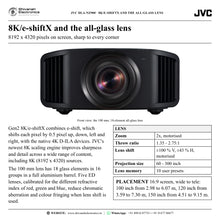
Gen2 8K/e-shiftX combines the native 4K devices with e-shift, which shifts each pixel by 0.5 pixel up, down, left and right, to display 8192 x 4320 pixels, and JVC's newest 8K scaling engine sharpens detail across all content, including 8K sources. Both HDMI inputs take full 48 Gbps signals up to 8K60p and 4K120p. To carry that resolution to every corner of the screen, the 100 mm lens uses 18 glass elements in 16 groups in a full aluminium barrel, with five ED lenses that reduce chromatic aberration and colour fringing when lens shift is used. Zoom (2x), focus and shift (±100 % vertical, ±43 % horizontal) are motorised.
The BLU-Escent laser gives 3,300 lumens of peak brightness and a life of 20,000 hours, with 1.9 times the brightness per effective watt of JVC's first-generation laser projector, and Light Source Control sets the luminance in 101 steps. For HDR, the projector supports HDR10, HDR10+ and HLG. Gen2 Frame Adapt HDR analyses HDR10 content scene by scene or frame by frame and tone-maps it in real time, Theater Optimizer adapts the result to the size and gain of your screen, and Deep Black Tone Control deepens the darkest tones for night scenes with greater realism.
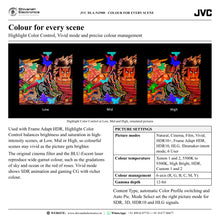
New features released with firmware in October 2025 add the Frame Adapt HDR Vivid picture mode, Highlight Color Control, an MPC Smoother, Auto Low Latency Mode (ALLM), an on-screen menu guide, OSD brightness correction, improved calibration and custom settings on the ADVANCED key. With 3D, ten Installation Mode memories, a 12 V trigger, LAN and RS-232C control and a 24 dB fan, the DLA-NZ900 is made for dedicated home cinemas with screens of up to 300 inches.
| Display resolution, Gen2 8K/e-shiftX | 8192 x 4320 |
| Brightness, BLU-Escent laser, 20,000 hours | 3,300 lm |
| Native contrast; dynamic contrast ∞:1 | 150,000:1 |
| 2 x HDMI, 8K60p and 4K120p input | 48 Gbps |
Key features
- Gen2 8K/e-shiftX: 8192 x 4320 display resolution with JVC's newest 8K scaling engine
- Three third-generation 0.69-inch native 4K D-ILA devices (4096 x 2160) and a wire-grid optical engine
- Native contrast 150,000:1; dynamic contrast ∞:1 with dynamic laser light control
- BLU-Escent laser: 3,300 lm, 20,000 hours, Light Source Control in 101 steps
- 100 mm all-glass lens: 18 elements in 16 groups, five ED lenses, full aluminium barrel
- Motorised 2x zoom, focus and lens shift (±100 % vertical, ±43 % horizontal), 10 lens memory presets
- HDR10, HDR10+ and HLG with Gen2 Frame Adapt HDR, Theater Optimizer and Deep Black Tone Control
- New in 2025: Frame Adapt HDR Vivid, Highlight Color Control, MPC Smoother and ALLM
- Two 48 Gbps HDMI inputs (HDCP 2.3) for 8K60p and 4K120p signals
- 3D with the optional PK-EM2 emitter and PK-AG3 glasses
- Auto Calibration with an optional sensor, 6-axis colour management and professional calibration controls
- LAN, RS-232C and a 12 V trigger for system control; 24 dB fan noise
Lens and installation
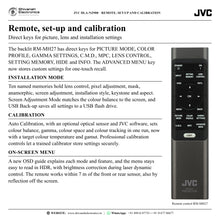
The throw ratio of 1.35 to 2.75:1 gives wide placement freedom: a 120-inch 16:9 screen can be filled from about 3.59 m to 7.30 m. Rear air intake and front exhaust suit a variety of installations, the screw holes at the feet fit a conventional ceiling-mount bracket, and the anti-skid grooves stop the projector slipping while it is lifted. Installation Mode stores ten named set-ups of lens control, pixel adjustment, mask, anamorphic, screen adjustment, installation style, keystone and aspect, and Screen Adjustment Mode matches the colour balance to the screen in use.
Made for
- Dedicated home cinema rooms with screens from 60 to 300 inches
- 8K and 4K HDR films from disc players, streamers and media servers
- Large-screen gaming at 4K120p with Low Latency Mode and ALLM
- 2.35:1 scope screens with an optional anamorphic lens
- 3D films with the optional emitter and glasses
- Calibrated reference set-ups and home-automation installations
In the box
- DLA-NZ900 projector with lens cover (attached at shipment)
- Remote control RM-MH27
- 2 x AAA batteries
- Power cord
- Quick guide, safety precautions and warranty card
Connections
- 2 x HDMI input (HDMI 1, HDMI 2): 48 Gbps, HDCP 2.3
- 3D Synchro: mini-DIN 3-pin, for the optional PK-EM2 emitter
- LAN: RJ-45, 10BASE-T/100BASE-TX, for control, firmware and configuration updates
- RS-232C: D-sub 9-pin (male), for external control
- Trigger: 3.5 mm mini-jack, DC 12 V / 100 mA, for an anamorphic lens or motorised screen
- Service: USB Type A, for firmware updates and settings backup
- AC power inlet
JVC DLA-NZ900: frequently asked questions
Is the DLA-NZ900 a native 4K projector?
Yes. It uses three 0.69-inch native 4K D-ILA devices of 4096 x 2160 pixels each, and Gen2 8K/e-shiftX shifts the pixels by half a pixel in four directions to display 8192 x 4320.
Can it show 8K content and 4K120p games?
Yes. Both HDMI inputs accept full 48 Gbps signals, including 8K60p and 4K120p. Low Latency Mode speeds up the response for fast games, and ALLM switches it on automatically when an ALLM-compliant device is connected. Use Ultra High Speed HDMI cables certified for 48 Gbps.
How big a screen can it fill?
The official specification gives a projection size of 60 to 300 inches diagonal. With the 2x motorised zoom, a 120-inch 16:9 screen needs a projection distance of about 3.59 m (wide) to 7.30 m (tele), and a 150-inch 16:9 screen about 4.51 m to 9.15 m.
Which HDR formats does it support?
HDR10, HDR10+ with dynamic metadata, and HLG. Frame Adapt HDR tone-maps HDR10 scene by scene or frame by frame, using MaxCLL and DML metadata, and Theater Optimizer adapts it to your screen size and gain.
Does it play 3D films?
Yes. Connect the optional PK-EM2 3D synchro emitter to the 3D SYNCHRO terminal and use the optional PK-AG3 RF glasses. Frame packing, side-by-side and top-and-bottom signals are supported.
Where can I buy the JVC DLA-NZ900 in India?
The JVC DLA-NZ900 is available from Shivansh Electronics, Kolkata, West Bengal, India, with delivery across India.
Workflow 1: Dedicated home cinema for 4K HDR films
Families building a dedicated cinema room with a large screen.
Connections
| Connect | To |
|---|---|
| 4K disc player or streamer (HDMI out) | AV receiver HDMI input |
| AV receiver HDMI output | DLA-NZ900 HDMI 1 |
| AV receiver speaker outputs | Surround speakers |
Setup
- Place the projector on a rear shelf or ceiling bracket, square to the screen, with the front exhaust and rear intake clear.
- Press LENS CONTROL on the remote to set focus, zoom and shift; a 120-inch 16:9 screen fills from about 3.59 m to 7.30 m.
- Enter the screen size and gain under Theater Optimizer and choose Frame Adapt HDR for HDR10 films.
- Fine-tune Deep Black Tone Control and Highlight Color Control (Low, Mid or High) to suit the room.
- Save the set-up as an Installation Mode memory.
Tip: For a long run to a ceiling mount, the JVC VX-UH1150LC 15 m optical HDMI cable carries 48 Gbps signals.
Workflow 2: 2.35:1 scope screen with an anamorphic lens
Cinema rooms with a wide 2.35:1 screen.
Connections
| Connect | To |
|---|---|
| DLA-NZ900 TRIGGER (DC 12 V) | Optional anamorphic lens or motorised screen |
| Source (HDMI out) | DLA-NZ900 HDMI 1 |
Setup
- Fit the optional anamorphic lens in front of the projection lens.
- Choose the Anamorphic mode (A, B, C or D) that suits the lens.
- Set Mask and Aspect for the 2.35:1 screen.
- Set Trigger to Anamo so the 12 V output switches when the anamorphic setting changes.
- Store the scope set-up and a 16:9 set-up as separate Installation Mode memories.
Tip: SETTING MEMORY on the remote opens the Installation Mode list for one-touch changes.
Workflow 3: Large-screen gaming at 4K120p
Gamers who want a big picture with fast response.
Connections
| Connect | To |
|---|---|
| Games console or PC (4K120p HDMI output) | DLA-NZ900 HDMI 2 |
| Ultra High Speed HDMI cable | 48 Gbps signal path |
Setup
- Connect the console to HDMI 2 with an Ultra High Speed HDMI cable.
- Set the console to 4K120p output.
- Set ALLM to On; with an ALLM-compliant device the projector switches to Low Latency Mode automatically.
- With ALLM active, Frame Adapt HDR, laser dynamic control and Clear Motion Drive switch off for speed and responsiveness.
Tip: Vivid picture mode makes SDR animation and gaming CG more vivid.
Workflow 4: 3D film night
Families who enjoy 3D films at home.
Connections
| Connect | To |
|---|---|
| PK-EM2 3D synchro emitter | DLA-NZ900 3D SYNCHRO terminal |
| 3D-compatible player (HDMI out) | DLA-NZ900 HDMI 1 |
Setup
- Plug the PK-EM2 emitter into the 3D SYNCHRO terminal.
- Play a 3D title; with 3D Format on Auto the projector detects frame packing, side-by-side or top-and-bottom.
- Switch on the PK-AG3 glasses and put them on.
- Adjust Parallax (-15 to +15) and Crosstalk Cancel (-8 to +8) under 3D Setting if needed.
Tip: 3D settings are saved separately for each HDMI input.
Workflow 5: Calibrated reference picture
Enthusiasts and calibration professionals who want a measured picture.
Connections
| Connect | To |
|---|---|
| Optional optical sensor | PC with JVC calibration software |
| PC (network) | DLA-NZ900 LAN (RJ-45) |
Setup
- Set a network password on the projector, then connect it to the network through the LAN terminal.
- Download the calibration software from the JVC website and connect the optional sensor.
- Choose the target colour temperature and colour gamut, then run Auto Calibration.
- Refine hue, saturation and brightness with the 6-axis colour management system.
- Save the result to a User picture mode.
Tip: Auto Calibration corrects colour balance, gamma, colour space and colour tracking in a single run.
Workflow 6: Ceiling-mounted media room with home automation
Homes where the projector works with the screen, lights and audio system.
Connections
| Connect | To |
|---|---|
| Home-automation controller | DLA-NZ900 LAN (RJ-45) or RS-232C |
| DLA-NZ900 TRIGGER | Motorised screen with 12 V trigger input |
Setup
- Remove the four feet and fix the projector to a ceiling bracket with M5 screws (20 to 25 mm), level within ±10°.
- Set Installation Style to Ceiling Mount (F).
- Connect the controller over LAN or RS-232C; turn ECO Mode off if control is needed in standby.
- Set Trigger to Power so the screen drops when the projector switches on.
- Back up all menu settings to a USB flash drive through the SERVICE terminal.
Tip: Above 900 m altitude, set High Altitude Mode to On.


