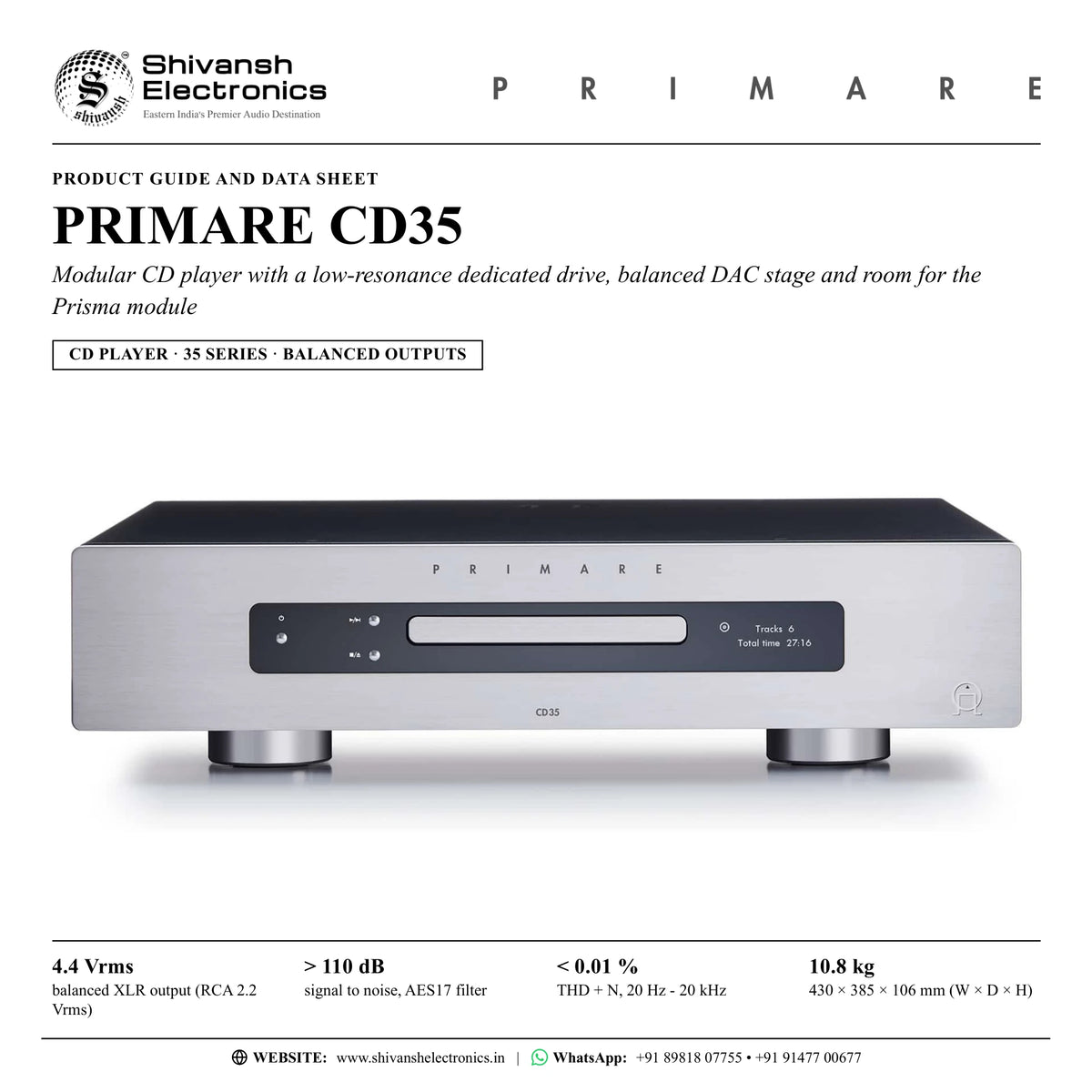


PRIMARE CD35
PRICE ON ENQUIRY
Primare CD35 modular CD player: low-resonance dedicated drive, balanced DAC stage, XLR and RCA outputs, coaxial and optical out, Prisma-ready. Available in India from Shivansh Electronics, Kolkata, West Bengal, India.
VISUAL GUIDE — See Every Photo, Spec & Setup Step (PDF)
PRICE ON ENQUIRY. For the price, exclusive offers, delivery timelines, or any other information, please Contact / WhatsApp +91 89818 07755 / +91 91477 00677. We will gladly share a personalised quotation for Shivansh Electronics, Kolkata, West Bengal, India. All payments are processed securely through Razorpay, our secure payment gateway.
CD player
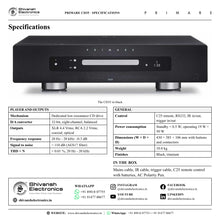
| Type | Modular CD player, 35 Series |
| Mechanism | Dedicated low-resonance CD drive (isolated transport) |
| D/A converter | 1 × 32-bit, eight-channel DAC chipset, balanced conversion |
| PCM sample rate | 44.1 kHz |
| Optional module | SM35 Prisma network connectivity and control module |
Outputs
| Balanced output | 1 × XLR stereo pair, 4.4 Vrms, 100 Ω impedance |
| Unbalanced output | 1 × RCA stereo pair, 2.2 Vrms, 370 Ω impedance |
| Digital outputs | Coaxial: RCA; optical: TOSLINK |
Performance
| Frequency response | 20 Hz - 20 kHz: -0.3 dB |
| Signal to noise ratio | > 110 dB (AES17 filter) |
| THD + N | < 0.01 %, 20 Hz - 20 kHz |
Control
| Remote control | C25 system remote control (IR) |
| RS232 | Outboard system control port |
| IR | 3.5 mm in / out |
| 12 V trigger | 3.5 mm in / out |
General
| Power supply | Custom linear supply with switch-mode standby supply |
| Power consumption | Standby < 0.5 W; operating 19 W < 50 W |
| Dimensions (W × D × H) | 430 × 385 × 106 mm with buttons and connectors; 430 × 382 × 106 mm without buttons and connectors |
| Weight | 10.8 kg |
| Colour | Black or titanium |
Versions
| CD35-BLACK | Black |
| CD35-TITANIUM | Titanium |
Product overview
The Primare CD35 is a full-size modular CD player from the 35 Series, combining a state-of-the-art, low-resonance dedicated CD drive with a sophisticated balanced digital-to-analogue converter stage and a finely tuned output stage, with the option of adding Prisma network technology at any time.
Each component part of the CD35, the drive, the DAC and the output stage, works together in balance and harmony, contributing to what Primare describes as the best CD player it has ever offered. The isolated transport is adjustable for precise, smooth tray loading and low clamp noise, and an internal I2S and S/PDIF digital audio interface with buffered memory supplies a jitter-free digital signal to the converter.
Conversion takes place in an all-new reference DAC stage built around a 32-bit, eight-channel DAC chipset, used in a balanced D/A conversion scheme that feeds a discrete analogue output stage with a hand-selected FET input section. A custom linear power supply is combined with a switch-mode standby supply that is turned off during playback to minimise noise, in line with Primare's Practical Design Approach: thoroughly implemented power supplies and ultra-short signal paths on 2- and 4-layer circuit boards with surface-mount components.
Balanced XLR outputs (4.4 Vrms, recommended) and unbalanced RCA outputs (2.2 Vrms) connect to any stereo amplifier or preamplifier, while coaxial and optical digital outputs feed a digital preamplifier or surround processor. The C25 system remote control, RS232, IR in/out and 12 V trigger in/out link the CD35 with other Primare components and with control systems. Even the front-panel buttons are crafted for the best tactile feel, not too large or too small, too soft or too stiff, in the Scandinavian spirit of lagom: everything in balance, proportion and harmony.
The modular design allows the SM35 Prisma network connectivity and control module to be added at any time, at purchase or later. Within the 35 Series the CD35 is an ideal companion to the I35 integrated amplifier: keeping the digital circuitry in the CD35 separate from the all-analogue amplification of the I35 gives a lower noise floor and improved power supply delivery.
| Balanced XLR output (RCA 2.2 Vrms) | 4.4 Vrms |
| Signal to noise, AES17 filter | > 110 dB |
| THD + N, 20 Hz - 20 kHz | < 0.01 % |
| Frequency response, 20 Hz - 20 kHz | -0.3 dB |
Key features
- Dedicated low-resonance CD drive: isolated transport, precise and smooth tray loading, low clamp noise
- Internal I2S and S/PDIF digital audio interface with buffered memory
- All-new reference balanced DAC stage with a 32-bit, eight-channel DAC chipset
- Discrete analogue output stage with a hand-selected FET input section
- Custom linear power supply; switch-mode standby supply turned off during playback
- Balanced XLR and unbalanced RCA analogue outputs
- Coaxial (RCA) and optical (TOSLINK) digital outputs
- Modular: the SM35 Prisma network module can be added at any time
- C25 system remote control, RS232, IR in/out and 12 V trigger in/out
- Auto resume, repeat, direct track entry and four time-display modes
- Carefully crafted control buttons; black or titanium finish
Made for
- Two-channel systems with an integrated amplifier or preamplifier, balanced or unbalanced
- Pairing with the Primare I35 integrated amplifier, keeping digital and analogue stages apart
- Digital preamplifiers and surround processors, through the coaxial or optical output
- CD collections in living rooms and dedicated listening rooms
- Systems that may add network streaming later with the SM35 Prisma module
In the box
- CD35 CD player
- Mains cable
- IR cable
- Trigger cable
- C25 remote control with batteries
- AC Polarity Pen
Connections
- Analogue output, balanced: 1 × XLR stereo pair, 4.4 Vrms, 100 Ω
- Analogue output, unbalanced: 1 × RCA stereo pair, 2.2 Vrms, 370 Ω
- Digital output: 1 × coaxial (RCA)
- Digital output: 1 × optical (TOSLINK)
- RS232 outboard system control port
- IR in and IR out, 3.5 mm
- 12 V trigger in and trigger out, 3.5 mm
- Mains inlet with power switch on the back panel
Finishes
- Black
- Titanium
Primare CD35: frequently asked questions
Should I use the XLR or the RCA outputs?
Primare recommends the balanced XLR outputs (4.4 Vrms, 100 Ω). The conventional unbalanced RCA outputs (2.2 Vrms, 370 Ω) suit amplifiers and preamplifiers without balanced inputs.
Can I connect the CD35 to an AV receiver or a digital preamplifier?
Yes. Alongside the analogue outputs, the CD35 has one coaxial (RCA) and one optical (TOSLINK) digital output for a digital preamplifier or digital surround processor.
Can I add network streaming later?
Yes. The CD35 is modular: the SM35 Prisma network connectivity and control module can be added at the time of purchase or at a later date.
Which amplifier suits the CD35?
Any stereo amplifier or preamplifier with balanced or unbalanced inputs. Within the 35 Series the CD35 is an ideal companion to the Primare I35 integrated amplifier, keeping the digital circuitry of the player apart from the all-analogue amplification for a lower noise floor.
How do I get the best sound from the CD35?
Use the supplied AC Polarity Pen so that the live pin of the mains cable goes to the left-hand pin of the power connector, viewed from the back. The CD35 starts to sound its best after a burn-in of about 24 hours, with a further smaller improvement over at least another three days of playing. Leave at least 50 mm of free space around the sides and top.
Where can I buy the Primare CD35 in India?
The Primare CD35 is available from Shivansh Electronics, Kolkata, West Bengal, India, with delivery across India.
Workflow 1: 35 Series pairing with the I35
Listeners building a Primare 35 Series stereo system around the I35 integrated amplifier.
Connections
| Connect | To |
|---|---|
| CD35 balanced output (XLR) | I35 balanced input (XLR) |
| I35 12 V trigger out (3.5 mm) | CD35 TRIG IN |
| I35 speaker terminals | Pair of loudspeakers |
Setup
- Stack or place both units with at least 50 mm of free space around the sides and top.
- Connect the CD35 XLR outputs to an XLR input of the I35.
- Link the trigger so the CD35 follows the amplifier on and off.
- Press CD on the C25 remote to control the CD35, AMP to control the I35.
- Name the I35 input CD so the source is clear on the display.
Tip: Keeping the digital stages in the CD35 apart from the all-analogue I35 gives a lower noise floor.
Workflow 2: Stereo listening room with any amplifier
Music lovers adding a reference CD player to an existing two-channel system.
Connections
| Connect | To |
|---|---|
| CD35 XLR or RCA analogue outputs | Amplifier or preamplifier input |
Setup
- Use the balanced XLR outputs if the amplifier has balanced inputs, otherwise the RCA outputs.
- Check the mains plug with the AC Polarity Pen, then switch on at the back panel.
- Press and hold the stop/open button, load a disc label up and press play.
- Allow about 24 hours of burn-in, and three more days for the last refinement.
Tip: Remove the protective film from the display glass for a clearer, whiter display.
Workflow 3: CD in the home theatre
Home theatre owners who want CDs through the AV receiver or surround processor.
Connections
| Connect | To |
|---|---|
| CD35 coaxial (RCA) or optical (TOSLINK) digital output | AV receiver or surround processor digital input |
| CD35 XLR or RCA outputs | Stereo amplifier (optional, for two-channel listening) |
Setup
- Connect the coaxial or optical digital output to a digital input of the processor.
- Select that input on the processor and assign the CD source.
- Keep the analogue outputs connected to a stereo amplifier if the room also has a two-channel system.
Tip: The digital outputs carry the 44.1 kHz PCM signal from the disc.
Workflow 4: Long concert and classical discs
Collectors of opera, classical and long concert recordings.
Connections
| Connect | To |
|---|---|
| CD35 | Amplifier through XLR or RCA |
| C25 remote control | CD35 (CD mode) |
Setup
- Turn on AUTO RESUME in PLAYBACK SETTINGS so a disc restarts from the saved point.
- Enter track numbers directly on the remote; hold 0 for a three-digit number.
- Use repeat for one track or the whole disc.
- Press i to switch between elapsed and remaining time for the track or the disc.
Tip: Hold the skip buttons on the remote to scan through a track at 4X speed.
Workflow 5: Custom-installed rack
Installers and owners of media rooms with central control.
Connections
| Connect | To |
|---|---|
| Home-automation controller | CD35 RS232 port (null-modem cable) |
| Amplifier 12 V trigger out | CD35 TRIG IN (3.5 mm) |
| IR distribution | CD35 IR IN / IR OUT (3.5 mm) |
Setup
- Connect the controller to the RS232 port with a twisted (null-modem) cable.
- Run the supplied trigger cable so the CD35 switches on and off with the system.
- Use the supplied IR cable and the IR in/out jacks for IR control inside a cabinet.
- Lock the front panel in GENERAL SETTINGS if the rack is in a shared space.
Tip: AUTO-STANDBY can switch the CD35 to standby after 10, 15 or 20 minutes without use.
Workflow 6: Adding network streaming later
Owners who start with CD and want stored and streamed music later.
Connections
| Connect | To |
|---|---|
| CD35 | SM35 Prisma network module (fitted in the module slot) |
Setup
- Start with the CD35 as a pure CD player.
- When ready, have the SM35 Prisma network module added; it can be fitted at any time.
- The player then gains Prisma network connectivity and control, managed from the Prisma app.
Tip: With the Prisma module fitted, the CD35 becomes the CD35 Prisma CD and network player.