
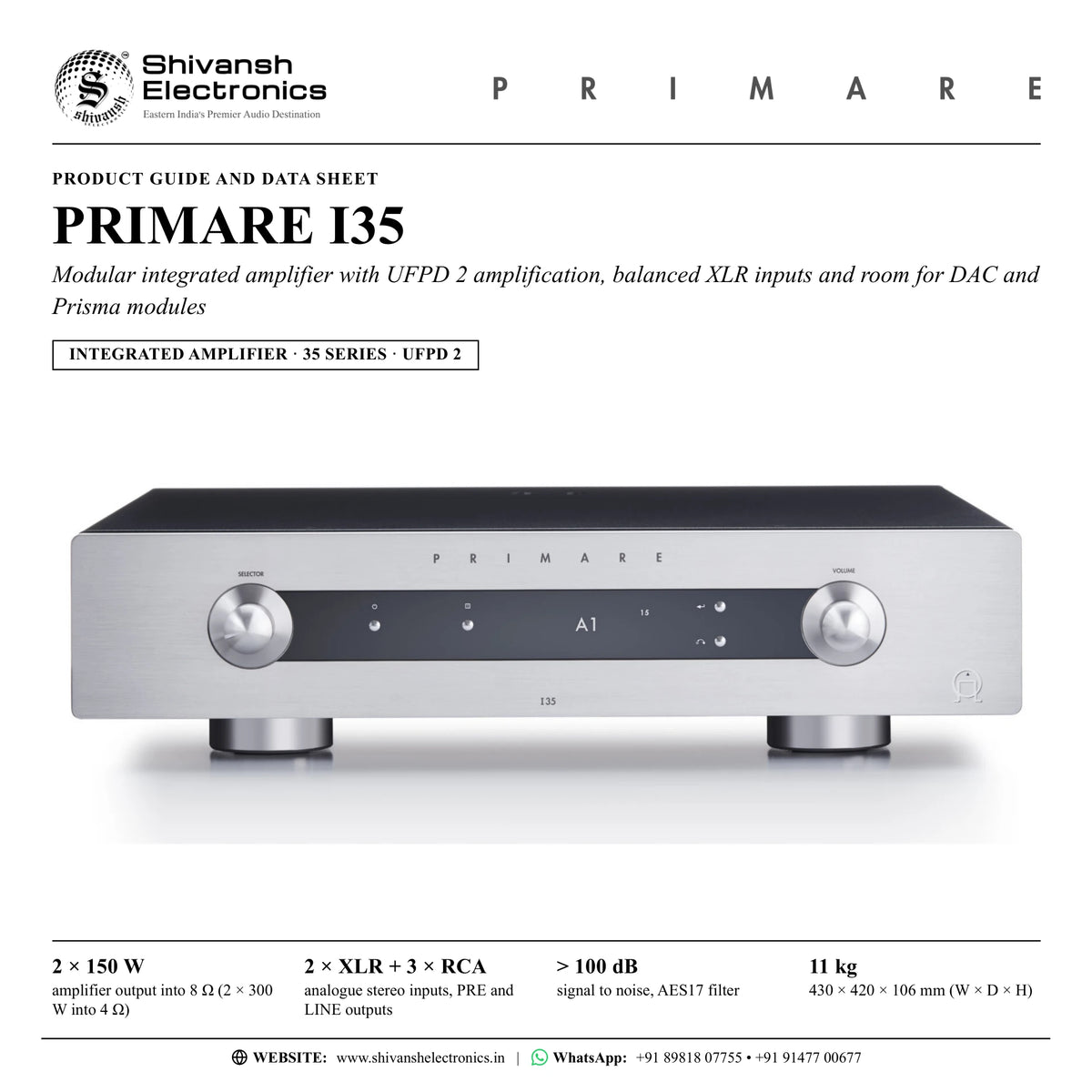



PRIMARE I35
PRICE ON ENQUIRY
Primare I35 modular integrated amplifier: UFPD 2, 2 × 150 W into 8 Ω, balanced XLR inputs, ready for DM36 DAC and Prisma modules. Available in India from Shivansh Electronics, Kolkata, West Bengal, India.
VISUAL GUIDE — See Every Photo, Spec & Setup Step (PDF)
PRICE ON ENQUIRY. For the price, exclusive offers, delivery timelines, or any other information, please Contact / WhatsApp +91 89818 07755 / +91 91477 00677. We will gladly share a personalised quotation for Shivansh Electronics, Kolkata, West Bengal, India. All payments are processed securely through Razorpay, our secure payment gateway.
Amplifier
| Type | Modular stereo integrated amplifier, 35 Series |
| Amplifier module | Primare UFPD 2 |
| Power supply | Primare APFC (switch-mode, Active Power-Factor Correction) |
| Amplifier output | 2 × 150 W into 8 Ω, 2 × 300 W into 4 Ω |
| Optional modules | DM36 DAC module, SM35 Prisma network player module |
Inputs and outputs
| Balanced inputs | 2 × XLR stereo pair (A1, A2), 30 kΩ impedance |
| Unbalanced inputs | 3 × RCA stereo pair (A3 - A5), 15 kΩ impedance |
| Preamplifier output | 1 × RCA stereo pair (PRE), 100 Ω impedance |
| Line output | 1 × RCA stereo pair (LINE), 100 Ω impedance |
| Speaker outputs | Left and right terminals for spade terminals, banana plugs or bare wires |
Performance
| Gain, RCA inputs | Preamplifier output 16.5 dB; line output 0 dB; speaker output 42.5 dB |
| Gain, XLR inputs | Preamplifier output 10.5 dB; speaker output 36.5 dB |
| Analogue frequency response | 20 Hz - 20 kHz: -0.2 dB |
| Distortion, THD + N | < 0.05 %, 20 Hz - 20 kHz, 10 W at 8 Ω |
| Signal to noise | > 100 dB (AES17 filter) |
Control
| Remote control | C25 system remote control (IR) |
| RS232 | Outboard system control port |
| IR | 3.5 mm input / output |
| 12 V trigger | 3.5 mm output |
General
| Display | OLED |
| Power consumption | Standby < 0.5 W; operating 36 W < 600 W |
| Dimensions (W × D × H) | 430 × 420 × 106 mm with knobs and connectors; 430 × 382 × 106 mm without knobs and connectors |
| Weight | 11 kg |
| Colour | Black or titanium |
Versions
| I35-BLACK | Black |
| I35-TITANIUM | Titanium |
Product overview
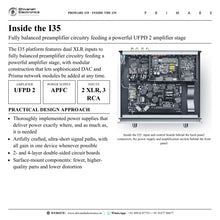
The Primare I35 is a full-size modular integrated amplifier from the 35 Series: Primare's UFPD 2 amplification delivers 150 W per channel into 8 Ω, two balanced XLR and three RCA inputs feed fully balanced preamplifier circuitry, and digital-to-analogue converter and Prisma network player modules can be added at any time.
Providing 150 W per channel into 8 Ω, and 300 W into 4 Ω, of absolutely linear UFPD 2 amplification across the entire audible bandwidth, the I35 delivers naturally fast, clean and agile sound with an unprecedented ability to bring music to life. UFPD 2 gives immediate and sustained high power with very low distortion and instantaneous rise time. Its new error amplifier circuit does not affect the gain-versus-frequency curve, so the bandwidth need not be limited; phase shift in the audio band stays very low, and a custom-made output coil keeps feedback control working across the entire audio band, for even more linear amplification, lower noise and absolutely black backgrounds.
Two pairs of XLR inputs feed fully balanced preamplifier circuitry, inputs are switched by relays for better isolation and sound than conventional CMOS switches, and a 2 × 4 channel balanced-mode volume control IC gives optimal channel balance and low-listening-level performance. The APFC switch-mode supply was chosen because it follows the rapidly varying demand of the UFPD 2 module with stable voltage and capacitive storage for peak transients; its dual PFC converters run 180 degrees out of phase to avoid input current harmonics and interference with other equipment on the same mains supply, and it works in transition mode to minimise switching losses.
The I35 is built for easy integration: an OLED display developed for long life and readability, auto-sense input circuitry that selects a source as it starts playing, input aliases and input gain, and a fixed-gain setting that lets the I35 power the front channels of a home theatre. Speaker mute silences the loudspeakers while the RCA outputs feed a headphone amplifier, and the C25 system remote control, RS232, IR in and out and a 12 V trigger output connect it to the rest of the system.
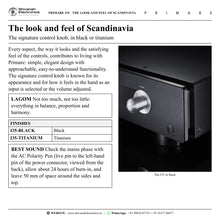
Modular by design, the I35 accepts the DM36 digital-to-analogue converter module and the SM35 Prisma network player module, either at the time of purchase or at a later date, turning it into an integrated digital and analogue music system control centre. It continues the Primare tradition of astonishing performance from compact, elegant integrated amplifiers for easy installation into virtually any living environment, with Scandinavian design, the signature control knob, known for how it feels in the hand, and the idea of lagom: not too much, not too little, everything in balance, proportion and harmony.
| Amplifier output into 8 Ω (2 × 300 W into 4 Ω) | 2 × 150 W |
| Analogue stereo inputs | 2 × XLR + 3 × RCA |
| Primare amplification technology | UFPD 2 |
| Signal to noise, AES17 filter | > 100 dB |
Key features
- UFPD 2 amplification: amplifier output 2 × 150 W into 8 Ω, 2 × 300 W into 4 Ω, absolutely linear across the entire audible bandwidth
- Modular design: DM36 DAC and SM35 Prisma network player modules can be added at any time
- Fully balanced preamplifier circuitry with two XLR and three RCA analogue inputs
- Relay input switching for better isolation and sound
- 2 × 4 channel balanced-mode volume control IC for channel balance and low-level performance
- APFC switch-mode power supply: dual PFC converters 180 degrees out of phase, capacitive storage for peak transients
- Class D design with the heat sink on the circuit board and the output devices connected directly to the loudspeaker posts
- OLED display, auto sense, input aliases and input gain from -30 dB to +30 dB
- Fixed-gain setting (0 dB) for surround sound pass-through in a multi-channel system
- Variable PRE and fixed LINE outputs; speaker mute for listening through a headphone amplifier
- C25 system remote control with new proprietary control codes, RS232, IR in / out and 12 V trigger out
- Scandinavian design with the signature control knob, in black or titanium
Made for
- Two-channel music systems in living rooms and dedicated listening rooms
- Balanced sources such as the CD35 CD player, and phono preamplifiers such as the R35
- Systems that will add digital inputs and network streaming later
- Multi-channel home theatre systems, as the amplifier for the front channels via fixed gain
- Custom installations with RS232, IR and 12 V trigger control
In the box
- I35 integrated amplifier
- Mains cable
- IR cable
- Trigger cable
- C25 remote control with batteries
- AC Polarity Pen
Connections
- 2 × balanced analogue stereo inputs, XLR (A1, A2), 30 kΩ
- 3 × unbalanced analogue stereo inputs, RCA (A3 to A5), 15 kΩ
- 1 × preamplifier output (PRE, variable level), RCA, 100 Ω
- 1 × line output (LINE, fixed level), RCA, 100 Ω
- Loudspeaker terminals, left and right, for spade terminals, banana plugs or bare wires
- RS232 outboard system control port
- IR in and IR out, 3.5 mm
- 12 V trigger out, 3.5 mm
- Mains inlet with power switch on the back panel
Finishes
- Black (I35-BLACK)
- Titanium (I35-TITANIUM)
Primare I35: frequently asked questions
Can I add digital inputs and streaming later?
Yes. The I35 is modular: the DM36 digital-to-analogue converter module and the SM35 Prisma network player module can be added either at the time of purchase or at a later date. The SM35 needs a DAC module, so the DM36 comes first.
Which sources can I connect?
Up to two balanced sources on XLR inputs A1 and A2, such as the Primare CD35 CD player, and up to three unbalanced sources on RCA inputs A3 to A5, such as a phono preamplifier or a streamer with analogue outputs. Each input can be renamed and its level matched with input gain.
Can the I35 be used in a home theatre system?
Yes. Any input can be set to fixed gain (0 dB, equivalent to volume setting 66). This works as a surround sound pass-through, so the I35 can be the amplifier for the front left and right channels of a multi-channel system.
How do I listen on headphones?
Connect a headphone amplifier to the RCA outputs and turn on SPEAKER MUTE: the loudspeakers are muted while the RCA outputs stay active. Use the LINE output when the volume is set on the headphone amplifier, or the PRE output to control the volume from the I35. Press and hold MUTE on the C25 remote to toggle speaker mute.
How do I get the best sound from the I35?
Use the supplied AC Polarity Pen to make sure the live pin of the mains cable goes to the left-hand pin of the power connector, viewed from the back. The I35 starts to sound its best after a burn-in of about 24 hours, with a further smaller improvement over at least another three days of playing. Leave at least 50 mm of free space around the sides and top for ventilation.
Where can I buy the Primare I35 in India?
The Primare I35 is available from Shivansh Electronics, Kolkata, West Bengal, India, with delivery across India.
Workflow 1: Stereo listening room with a CD35
Music lovers building a two-box 35 Series system in a living room or dedicated listening room.
Connections
| Connect | To |
|---|---|
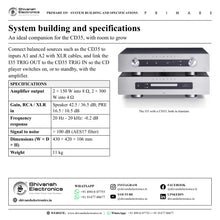
| CD35 XLR outputs | I35 balanced input A1 |
| I35 TRIG OUT | CD35 TRIG IN (supplied trigger cable) |
| I35 speaker terminals | Pair of passive loudspeakers |
Setup
- Place the I35 on a rack or stand made for audio equipment, with at least 50 mm of space around the sides and top.
- Connect red to + and black to - on both loudspeakers, using spades, banana plugs or bare wire.
- Connect the CD35 to balanced input A1 with high-quality XLR cables.
- Run the supplied trigger cable from the I35 TRIG OUT to the CD35 TRIG IN so the CD35 switches on, or to standby, with the I35.
- Check the mains plug with the AC Polarity Pen, then switch on at the back panel.
Tip: Rename A1 with ALIAS, for example CD, so the display names the source.
Workflow 2: Vinyl corner with the R35
Record collectors adding a turntable to a Primare system.
Connections
| Connect | To |
|---|---|
| Turntable | R35 phono input and GND |
| R35 XLR outputs | I35 balanced input A2 |
| I35 TRIG OUT | R35 TRIG IN; R35 TRIG OUT to the next Primare product |
Setup
- Set the R35 for the cartridge and connect its XLR outputs to balanced input A2.
- Give A2 the alias PHONO so it shows clearly on the display.
- Set INPUT GAIN so records play at the same level as the other sources.
- Link the trigger from the I35 TRIG OUT to the R35 TRIG IN, and daisy-chain onwards from the R35 TRIG OUT.
- If DECREASE INPUT GAIN appears, lower the gain until the warning clears.
Tip: Disable unused inputs with STATUS so only the sources in use are offered.
Workflow 3: Living-room TV sound
Families who want the TV and music through the same loudspeakers.
Connections
| Connect | To |
|---|---|
| TV with an analogue audio output | I35 unbalanced input A3 (RCA) |
| I35 speaker terminals | Loudspeakers beside the TV |
Setup
- Connect the TV's analogue output to input A3 and name it TV.
- Set AUTO SENSE for A3 to WAKE+SELECT.
- The I35 now wakes from standby and selects the TV when sound arrives.
- Set DEFAULT VOLUME to a comfortable start-up level.
Tip: AUTO-STANDBY returns the I35 to standby after 10, 15 or 20 minutes without signal or use.
Workflow 4: Front channels of a 5.1 home theatre
Home theatre owners who want the I35 to power the front speakers for films and music.
Connections
| Connect | To |
|---|---|
| AV processor front left / right pre-outs | I35 input set to FIXED |
| I35 speaker terminals | Front left and right loudspeakers |
| Stereo sources | Other I35 inputs (variable) |
Setup
- Connect the processor's front left and right pre-outs to one I35 input.
- Set VOLUME for that input to FIXED (0 dB, equivalent to volume 66) and confirm the loud-volume warning.
- The processor now controls the front channel level for films.
- Keep the other inputs variable for stereo listening through the I35 volume control.
Tip: Fixed gain overrules MAXIMUM VOLUME, so set the processor levels before playing.
Workflow 5: Late-night headphone listening
Listeners who share a home and want quiet listening at night.
Connections
| Connect | To |
|---|---|
| I35 LINE or PRE output (RCA) | Headphone amplifier input |
| Headphone amplifier | Headphones |
Setup
- Connect a headphone amplifier to the LINE output (volume on the headphone amplifier) or the PRE output (volume on the I35).
- Turn on SPEAKER MUTE in AUDIO SETTINGS; the display shows SM in front of the volume.
- The loudspeakers stay silent while the RCA outputs remain active.
- Press and hold MUTE on the C25 remote to switch back to the loudspeakers.
Tip: When speaker mute is turned off, the volume returns to the DEFAULT VOLUME setting.
Workflow 6: Custom-installed system with central control
Installers and owners of whole-home and media-room systems.
Connections
| Connect | To |
|---|---|
| Controller system | I35 RS232 port (null modem cable) |
| I35 TRIG OUT | TRIG IN of another component |
| IR distribution | I35 IR IN / IR OUT (3.5 mm) |
Setup
- Connect the controller to the RS232 port with a twisted (null modem) cable.
- Run the supplied trigger cable from TRIG OUT so another component follows the I35 on and to standby.
- Use the IR cable and IR in / out for wired IR control of equipment in a cabinet.
- Lock the front panel in GENERAL SETTINGS if needed.
Tip: The C25 remote also operates the other Primare products in the system through its AMP, CD and PRE modes.


