SHURE ADX2/K9
PRICE ON ENQUIRY
Shure ADX2/K9: ShowLink-enabled Axient Digital handheld transmitter with KSM9 capsule, High Density mode, AES 256-bit encryption, G56 band. Available in India from Shivansh Electronics, Kolkata, West Bengal, India.
VISUAL GUIDE — See Every Photo, Spec & Setup Step (PDF)
PRICE ON ENQUIRY. For the price, exclusive offers, delivery timelines, or any other information, please Contact / WhatsApp +91 89818 07755 / +91 91477 00677. We will gladly share a personalised quotation for Shivansh Electronics, Kolkata, West Bengal, India. All payments are processed securely through Razorpay, our trusted payment gateway.
Transmitter
| Microphone cartridge | KSM9 dual-pattern condenser, KSM9 Nickel (RPW188) |
| Mic offset range | -12 to 21 dB, in 1 dB steps |
| Battery type | Shure SB920A rechargeable Li-ion |
| Battery runtime @ 10 mW | SB920A: up to 9 hours |
| Runtime chart (SB920A) | 2 mW: 11.0-12.0 h; 10 mW: 9.0-11.0 h; 40 mW: 6.0-8.0 h |
| Dimensions (L × dia.) | 254 × 51 mm (10.0 × 2.0 in) |
| Weight | 338 g (11.9 oz), without battery |
| Housing | Cast aluminium, nickel finish |
| Operating temperature | -18 °C (0 °F) to 50 °C (122 °F); battery characteristics may limit this range |
| Storage temperature | -29 °C (-20 °F) to 74 °C (165 °F); battery characteristics may limit this range |
Audio input
| Configuration | Unbalanced |
| Maximum input level (1 kHz at 1 % THD) | 145 dB SPL typical, stated with the SM58 cartridge; dependent on microphone type |
| Input pad | -12 dB (Audio > Pad) |
| Audio frequency response | 20 Hz - 20 kHz (±1 dB), dependent on microphone type |
RF output
| Antenna type | Dual-band helical |
| Occupied bandwidth | <200 kHz |
| Channel-to-channel spacing | Standard mode: 350 kHz; High Density mode: 125 kHz (varies by region) |
| Modulation type | Shure Axient Digital proprietary |
| RF output power | 2 mW, 10 mW, 40 mW (G56: 2/10/40 mW; varies by region) |
| Specific absorption rate (SAR) | <0.19 W/kg |
ShowLink
| Network type | IEEE 802.15.4 |
| Antenna type | Dual conformal |
| Frequency range | 2.40 to 2.4835 GHz (16 channels) |
| RF output power | 10 dBm (EIRP), varies by region |
System (with an Axient Digital receiver)
| RF carrier frequency range | 470-960 MHz, varies by region; this item: G56, 470-636 MHz |
| Working range | 100 m (330 ft); actual range depends on RF signal absorption, reflection and interference |
| RF tuning step size | 25 kHz, varies by region |
| Image rejection | >70 dB, typical |
| RF sensitivity | -98 dBm at 10⁻⁵ BER |
| Latency | Standard mode: 2.0 ms; High Density mode: 2.9 ms |
| Audio dynamic range (A-weighted, typical, system gain +10) | XLR analog output: 120 dB (117 dB unweighted); Dante digital output: 130 dB (126 dB unweighted) |
| Total harmonic distortion (-6 dBFS input, 1 kHz, system gain +10) | <0.01 % |
Versions
| ADX2IN/K9N=-G56 | Nickel finish, KSM9, G56: 470-636 MHz |
Product overview
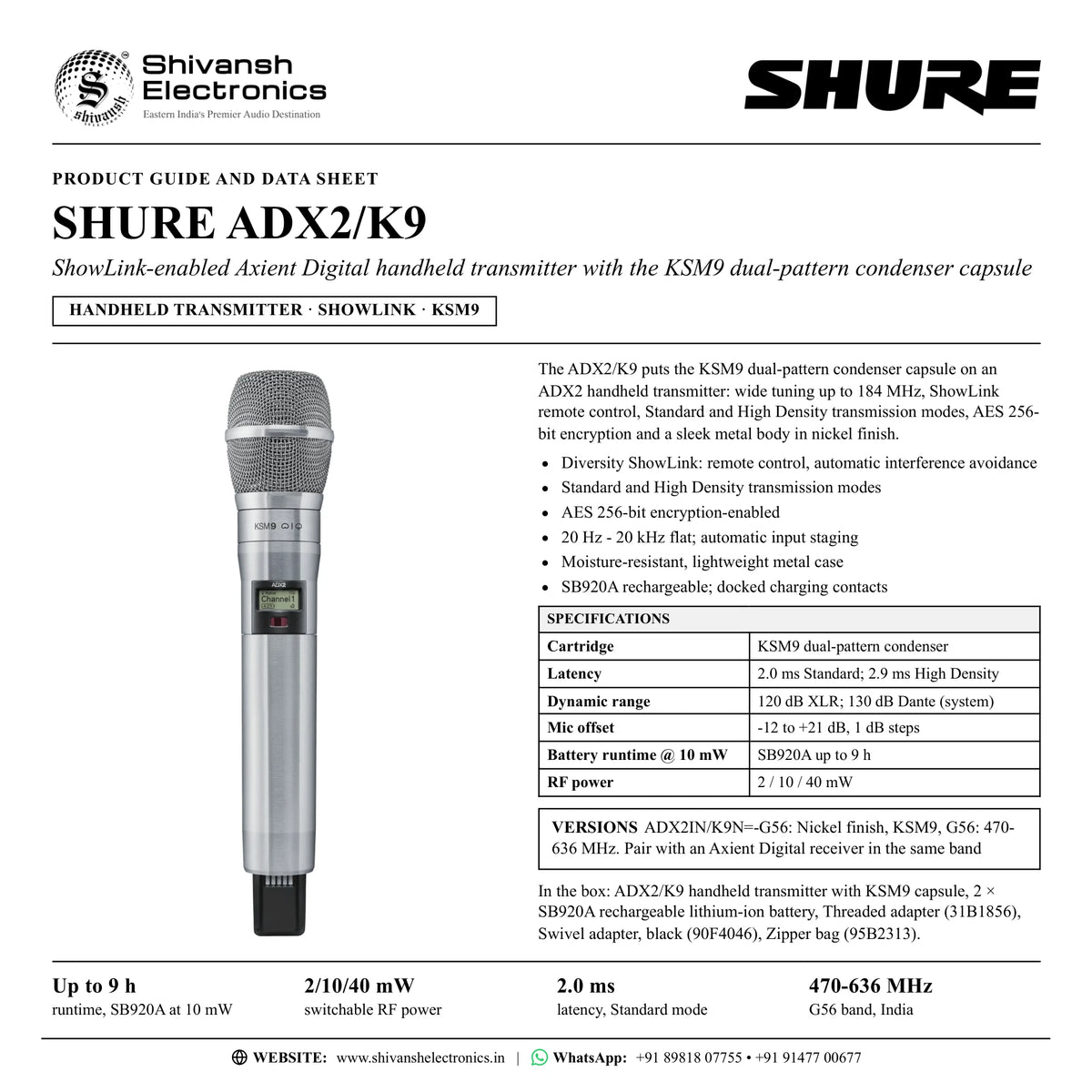
The Shure ADX2/K9 is a ShowLink-enabled Axient Digital handheld wireless microphone transmitter with the KSM9 dual-pattern condenser capsule, in a sleek metal body with nickel finish.
Like all ADX transmitters, the ADX2/K9 sets the stage for exceptional performance, with wide tuning up to 184 MHz, interference protection, advanced rechargeability, a streamlined design and ShowLink remote control for real-time parameter adjustments right from the booth. Diversity ShowLink also gives automatic interference avoidance, so a channel can be moved to a clear frequency without anyone handling the microphone.
The ADX2/K9 is a component of Axient Digital Wireless Systems and pairs with an Axient Digital receiver such as the AD4D two-channel or AD4Q four-channel receiver in the same frequency band. Two transmission modes are selectable: Standard for optimal coverage with 2.0 ms latency, and High Density for a dramatic increase in maximum system channel count, with 125 kHz channel spacing instead of 350 kHz and 2.9 ms latency. AES 256-bit encryption secures the link, the audio path is flat from 20 Hz to 20 kHz with automatic input staging, and line-of-sight operating range is 100 m (300 ft).
The durable, moisture-resistant, lightweight cast aluminium case unscrews at the handle to reach the battery and the controls. A Shure SB920A lithium-ion rechargeable battery gives up to 9 hours of runtime at 10 mW, with precision metering and zero memory effect, and external charging contacts allow docked charging in the SBC240 networked docking charger. A backlit LCD, menu and power lockout, Safe Start, RF mute, a -12 dB input pad, a built-in tone generator and RF markers for walk-testing complete the package.
In India the ADX2/K9 is offered in the G56 band, 470 to 636 MHz, as ADX2IN/K9N=-G56 (nickel finish). The cartridge is interchangeable: other Shure wireless cartridges listed in the ADX2 user guide, such as the SM58, Beta 58A, Beta 87A, KSM8, KSM9 and KSM11, fit the same ADX2 body. When buying separate wireless components, match their frequency bands.
| Runtime with SB920A at 10 mW | Up to 9 h |
| Switchable RF power, G56 | 2/10/40 mW |
| Latency, Standard mode | 2.0 ms |
| G56 band, India versions | 470-636 MHz |
Key features
- KSM9 capsule: KSM9 dual-pattern condenser capsule
- Diversity ShowLink for remote transmitter control and automatic interference avoidance
- Two transmission modes: Standard for optimal coverage, High Density for maximum system channel count and robust coverage
- Wide tuning range up to 184 MHz
- AES 256-bit encryption-enabled, secure transmission
- 20 Hz to 20 kHz flat frequency response; automatic input staging optimises the gain setting
- Durable, moisture-resistant, lightweight metal case in nickel finish
- Up to 9 hours of runtime with the SB920A rechargeable battery; external contacts for docked charging
- Backlit LCD with easy-to-navigate menu; menu and power lockout
- Built-in tone generator and RF markers for walk-testing
- Optional AD651B talk switch button for remote audio routing at AD4 receivers
- Interchangeable Shure wireless microphone cartridges
Made for
- Handheld performers and presenters on live stages
- Professional musical entertainment and similar productions
- Multi-channel productions in crowded RF using High Density mode
- Productions where engineers adjust transmitters remotely from the booth over ShowLink
- Broadcasts and live performances (optional battery contact cover against reflections)
- Events that need encrypted, secure wireless audio
In the box
- 1 × ADX2/K9 handheld transmitter with KSM9 capsule
- 2 × SB920A rechargeable lithium-ion battery
- 1 × Threaded adapter (31B1856)
- 1 × Swivel adapter, black (90F4046)
- 1 × Zipper bag (95B2313)
Connections
- Wireless link to an Axient Digital receiver, G56 band 470-636 MHz, integrated dual-band helical antenna
- ShowLink 2.4 GHz remote control link (IEEE 802.15.4) to an AD610 ShowLink access point
- Infrared (IR) port for IR sync and firmware updates from the receiver
- Battery charging contacts for Shure docking chargers
- Threaded head for interchangeable Shure wireless cartridges and the AD651B talk switch
Shure ADX2/K9: frequently asked questions
Is the ADX2/K9 a complete wireless system?
No. The ADX2/K9 is the handheld transmitter only. It needs an Axient Digital receiver, such as the AD4D or AD4Q, in the same frequency band; the India versions are G56, 470 to 636 MHz.
What is ShowLink?
ShowLink is a 2.4 GHz remote control link through an AD610 ShowLink access point. It allows real-time adjustment of transmitter parameters from the booth and automatic interference avoidance, without handling the microphone. If the transmitter leaves ShowLink coverage, audio is not affected as long as it is within RF range.
How long does the battery last?
The SB920A gives up to 9 hours at 10 mW. The user guide chart shows 11 to 12 hours at 2 mW, 9 to 11 hours at 10 mW and 6 to 8 hours at 40 mW; runtime varies with battery age and conditions. Batteries charge to 50 % in one hour and fully within three hours.
Standard or High Density mode: which should I use?
Standard mode gives optimal coverage and the lowest latency (2.0 ms). High Density mode dramatically increases the maximum system channel count, with 125 kHz channel spacing, at 2.9 ms latency.
Can I change the microphone cartridge?
Yes. The ADX2 takes interchangeable Shure wireless cartridges; the user guide lists models such as the SM58, SM86, SM87A, Beta 58A, Beta 87A, Beta 87C, VP68, KSM8, KSM9, KSM9HS, KSM11 and NXN8. The ADX2/K9 ships with the KSM9 capsule.
Where can I buy the Shure ADX2/K9 in India?
The Shure ADX2/K9 is available from Shivansh Electronics, Kolkata, West Bengal, India, with delivery across India.
Workflow 1: Handheld microphone on a live stage
Performers, presenters and live sound engineers who want a wireless KSM9 on stage.
Connections
| Connect | To |
|---|---|
| ADX2/K9 (G56) | Axient Digital AD4D or AD4Q receiver (470-636 MHz) |
| Receiver XLR output (mic or line) | Mixing console input |
Setup
- Select a receiver channel and run a group scan for a clear frequency.
- Power on the transmitter and press SYNC on the receiver; align the IR windows until Sync Success! appears.
- Set the receiver output to mic or line to match the console input and adjust system gain.
- Lock the power switch and menu (Utilities > Locks) before the show.
Tip: Hold the up button while powering on to lock or unlock the transmitter controls quickly.
Workflow 2: Remote control from the booth over ShowLink
Engineers and RF technicians who need to change transmitter settings during a show.
Connections
| Connect | To |
|---|---|
| ADX2/K9 | AD610 ShowLink access point (2.4 GHz) |
| AD610 and receiver | Network with Wireless Workbench |
Setup
- IR sync the transmitter to its receiver channel so it links to ShowLink.
- Walk the area with Utilities > SL Test to check the ShowLink coverage bars.
- Adjust frequency, gain offset or RF power from the booth in real time.
- Let Diversity ShowLink move the channel to a clear frequency if interference appears.
Tip: One AD610 access point controls up to 24 transmitters; add access points to extend coverage.
Workflow 3: High channel-count production in High Density mode
Productions that must fit many wireless channels into limited spectrum.
Connections
| Connect | To |
|---|---|
| ADX2/K9 transmitters | AD4Q four-channel receivers |
| Receivers | Wireless Workbench for frequency coordination |
Setup
- Set the receiver channels to High Density transmission mode.
- Scan and coordinate frequencies; High Density channels can be spaced 125 kHz apart instead of 350 kHz.
- IR sync each transmitter so it takes the mode, frequency and encryption settings.
- Walk-test the space with the tone generator and RF markers before the show.
Tip: Standard mode gives optimal coverage and the lowest latency (2.0 ms); High Density gives maximum channel count (2.9 ms).
Workflow 4: Rechargeable fleet with docked charging
Rental companies, theatres and venues running many transmitters every day.
Connections
| Connect | To |
|---|---|
| ADX2/K9 with SB920A battery | SBC240 networked docking charger |
| SBC240 | Network with Wireless Workbench |
Setup
- Check runtime, charge, health, cycle count and temperature under Utilities > Battery.
- Between shows, dock the transmitters by their external charging contacts.
- Batteries charge to 50 % in one hour and fully within three hours.
- Store spare batteries at room temperature, at about 40 % charge for long storage.
Tip: Clean the battery contacts at least every 6 months with a contact cleaner made for gold contacts and safe on plastics.
Workflow 5: Digital console over Dante with secure transmission
Venues, tours and corporate events with a Dante audio network.
Connections
| Connect | To |
|---|---|
| ADX2/K9 | Axient Digital AD4D or AD4Q receiver |
| Receiver Dante outputs | Dante network and digital console |
Setup
- Enable encryption on the receiver channel.
- IR sync the transmitter; a new AES 256-bit key is generated on every sync.
- Patch the receiver Dante outputs to the console.
- Match several handhelds with Audio > Offset (-12 to +21 dB) after a sound check of each.
Tip: The Dante digital output gives 130 dB dynamic range (A-weighted), against 120 dB at the XLR analog output.
Workflow 6: Talk switch for a host or presenter
Hosts, directors and presenters who need to talk to the crew without going on air.
Connections
| Connect | To |
|---|---|
| KSM9 cartridge | AD651B talk switch button |
| AD651B on the ADX2 body | AD4 receiver audio output routing |
Setup
- Fit the coin cell battery in the AD651B talk switch.
- Thread the cartridge onto the talk switch and the switch onto the transmitter body.
- Link it under Utilities > Talk Sw and press the talk switch button twice.
- Set the routing in the receiver channel menu; press and hold the button to route the audio.
Tip: Rotate the switch ring to line it up with the display.