SHURE ADX5D
PRICE ON ENQUIRY
Shure ADX5D Axient Digital dual-channel portable slot-in receiver: ShowLink Direct, up to 184 MHz tuning, High Density, 2 ms latency, bands A/B/C. Available in India from Shivansh Electronics, Kolkata, West Bengal, India.
VISUAL GUIDE — See Every Photo, Spec & Setup Step (PDF)
PRICE ON ENQUIRY. For the price, exclusive offers, delivery timelines, or any other information, please Contact / WhatsApp +91 89818 07755 / +91 91477 00677. We will gladly share a personalised quotation for Shivansh Electronics, Kolkata, West Bengal, India. All payments are processed securely through Razorpay, our trusted payment gateway.
General
| Type | Axient Digital ADX Series dual-channel portable slot-in wireless receiver |
| Channels | 2 |
| Compatible transmitters | All AD Series and ADX Series transmitters |
| Display | High-resolution OLED |
| Metering | 5-segment Channel Quality meters per channel |
RF
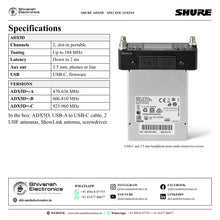
| Tuning range | Up to 184 MHz, region dependent |
| Diversity | True digital diversity reception per channel |
| Modes | Standard; High Density (HD) for higher spectral efficiency |
| Transmitter control | ShowLink Direct Mode (country-specific restrictions) |
| Antennas | Removable, standard SMA connectors; 2 × UHF, 1 × ShowLink 2.4 GHz |
Audio
| Latency | Down to 2 ms |
| Aux output | 3.5 mm, headphones or balanced line-level input |
Control and connectivity
| Networked control | Wireless Workbench, ShurePlus Channels app |
| Third-party integration | Select portable mixers and recorders: RF scan and deployment, gain, transmitter battery monitoring |
| USB | USB-C for firmware upgrades |
| Mounting | Accessory mount with cold shoe adapter (sold separately) |
Versions
| ADX5D=-A | A: 470-636 MHz |
| ADX5D=-B | B: 606-810 MHz |
| ADX5D=-C | C: 925-960 MHz |
Product overview
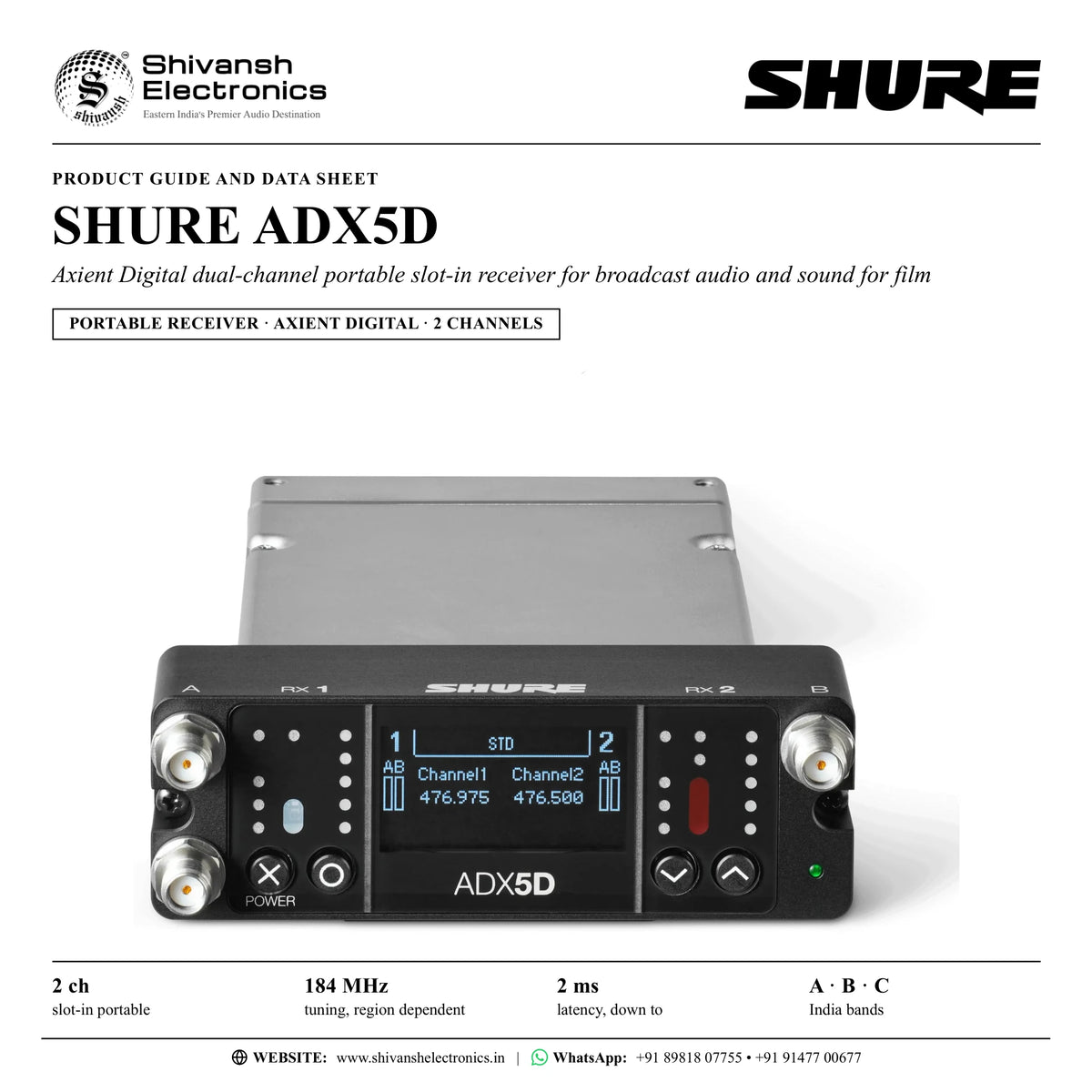
The Shure ADX5D is an Axient Digital dual-channel portable slot-in wireless receiver for broadcast audio and sound for film, compatible with all AD Series and ADX Series transmitters.
Made for people who work on a sound stage, in a sports arena or wherever on location takes them, the ADX5D brings Axient Digital RF performance, spectral efficiency and transparent audio quality into a portable, slot-in receiver design. Two independent receiver channels sit in one compact unit, with true digital diversity reception per channel for drop-out resistance and excellent range.
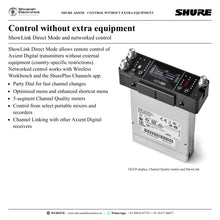
Wide tuning up to 184 MHz (region dependent), an advanced digital modulation scheme and the High Density mode give high spectral efficiency, so more wireless channels fit into the available RF space. Latency goes down to 2 milliseconds. As an ADX Series receiver, the ADX5D features ShowLink Direct Mode, which allows remote control of Axient Digital transmitters without the need for external equipment (country-specific functionality restrictions apply).
Day-to-day use is quick: a high-resolution OLED display, an optimised menu structure that keeps the most used features within a few clicks, an enhanced shortcut menu, the Party Dial for switching quickly between RF channels from a pre-selected group of frequencies, and 5-segment Channel Quality meters showing per-channel RF link quality. Networked control works with Shure Wireless Workbench software and the ShurePlus Channels app, and select portable mixers and recorders can integrate with it for RF scan and deployment, audio gain adjustments and transmitter battery monitoring.
The removable antennas use standard SMA connectors, a 3.5 mm aux output feeds headphones or a balanced line-level input, and a USB-C port handles firmware upgrades. Channel Linking lets an ADX5D take over a channel already set on another Axient Digital receiver, for example moving from a studio rack to an audio bag outdoors without re-syncing microphones. In India the ADX5D is offered in three bands: A (470-636 MHz), B (606-810 MHz) and C (925-960 MHz).
| Slot-in portable receiver | 2 channels |
| Tuning range, region dependent | Up to 184 MHz |
| Latency | Down to 2 ms |
| Transmitter control without external equipment | ShowLink Direct |
Key features
- Dual-channel slot-in portable wireless receiver
- Compatible with all AD Series and ADX Series transmitters
- Wide tuning range up to 184 MHz (region dependent)
- High spectral efficiency; High Density mode for even more channels
- True digital diversity reception per channel
- ShowLink Direct Mode for remote transmitter control without external equipment
- Networked control with Wireless Workbench and the ShurePlus Channels app
- Integration and control from select portable mixers and recorders
- Party Dial, optimised menu structure and enhanced shortcut menu
- 5-segment Channel Quality meters per channel
- 3.5 mm aux output for headphones or balanced line-level input
- Removable antennas with SMA connectors; USB-C for firmware; low latency down to 2 ms
Made for
- Sound for film and TV on location
- Broadcast audio, including sports arenas
- Sound stages and studio-to-location shoots
- Audio bags and camera set-ups with slot-in receivers
- Productions needing many wireless channels in limited spectrum
In the box
- ADX5D receiver
- USB-A to USB-C cable
- 2 × UHF antenna
- ShowLink (2.4 GHz) antenna
- Screwdriver
Connections
- 2 × UHF antenna ports, SMA (diversity A and B)
- ShowLink 2.4 GHz antenna port, SMA
- 3.5 mm aux audio output (headphones or balanced line-level input)
- USB-C port for firmware upgrades
- Slot-in connection to compatible portable mixers and recorders
- Accessory mount for a cold shoe adapter (sold separately)
Shure ADX5D: frequently asked questions
Which transmitters work with the ADX5D?
All AD Series and ADX Series Axient Digital transmitters, in the same frequency band as the receiver.
What is ShowLink Direct Mode?
It lets the ADX5D control Axient Digital ADX transmitters remotely without external equipment such as a separate access point. Shure notes country-specific functionality restrictions.
Can I use it outside a slot-in mixer?
Shure describes the ADX5D as a portable, slot-in receiver; an accessory mount with cold shoe adapter is available separately, and the 3.5 mm aux output can feed headphones or a balanced line-level input.
Which bands are available in India?
ADX5D=-A covers 470-636 MHz, ADX5D=-B covers 606-810 MHz and ADX5D=-C covers 925-960 MHz. Match the band of your transmitters.
Can it take over a channel from my rack receiver?
Yes, with Channel Linking: set the group and channel on the studio receiver, then link that channel on the ADX5D (Advanced > Channel Linking), so microphones do not need re-syncing when you move outdoors.
Where can I buy the Shure ADX5D in India?
The Shure ADX5D is available from Shivansh Electronics, Kolkata, West Bengal, India, with delivery across India.
Workflow 1: Two radio mics in an audio bag
Location sound mixers for film and TV.
Connections
| Connect | To |
|---|---|
| Two AD or ADX transmitters | ADX5D channels 1 and 2 |
| ADX5D slot-in connection | Compatible portable mixer / recorder |
Setup
- Slot the ADX5D into a compatible portable mixer or recorder.
- Fit the two UHF antennas and the ShowLink antenna to the SMA ports.
- Scan and deploy frequencies, then sync each transmitter.
- Set gain and watch transmitter battery life from the mixer.
Tip: Integration with select mixers and recorders covers RF scan and deployment, audio gain adjustments and transmitter battery monitoring.
Workflow 2: Remote transmitter control on set
Mixers who need to change a hidden transmitter without stopping the shoot.
Connections
| Connect | To |
|---|---|
| ADX transmitters | ADX5D ShowLink Direct Mode |
Setup
- Attach the ShowLink 2.4 GHz antenna.
- Link the ADX transmitters to the receiver.
- Adjust transmitter parameters remotely from the bag.
- Leave the talent and the plant or boom mics untouched.
Tip: ShowLink Direct Mode needs no external equipment; check country-specific functionality restrictions.
Workflow 3: Studio rack to outdoor bag with Channel Linking
TV productions moving between a studio and outdoor locations.
Connections
| Connect | To |
|---|---|
| Studio rack receiver channel | ADX5D channel (linked) |
| Same transmitters | Both receivers |
Setup
- Set the group and channel on the studio receiver.
- On the primary channel, go to Advanced > Channel Linking and choose the ADX5D as secondary.
- Move outside with the ADX5D; the microphones connect without re-syncing.
- Make frequency changes on the primary channel; they synchronise to the linked channel.
Tip: Linked receivers must share transmission mode, RF band, encryption mode and frequency diversity mode.
Workflow 4: Sports arena broadcast
Broadcast audio crews in congested RF.
Connections
| Connect | To |
|---|---|
| AD / ADX transmitters | ADX5D receivers |
| ADX5D aux out | Monitoring headphones |
Setup
- Switch to High Density mode where channel count matters.
- Use the Channel Quality meters to watch each link.
- Use Party Dial to jump between pre-selected frequencies.
- Monitor on headphones from the 3.5 mm aux output.
Tip: High Density mode gives even higher spectral efficiency, application dependent.
Workflow 5: Camera-mounted receiver
Camera operators and run-and-gun crews.
Connections
| Connect | To |
|---|---|
| ADX5D aux output | Camera balanced line-level input |
| ADX5D | Cold shoe adapter (sold separately) |
Setup
- Mount the ADX5D with the accessory mount and cold shoe adapter.
- Feed the 3.5 mm aux output into the camera's line input.
- Sync the interview or presenter transmitter.
- Check the OLED display and Channel Quality meters before rolling.
Tip: The aux output can drive headphones or a balanced line-level input.
Workflow 6: Coordinating with Wireless Workbench
RF coordinators on larger productions.
Connections
| Connect | To |
|---|---|
| ADX5D | Wireless Workbench / ShurePlus Channels app |
Setup
- Connect the receivers for networked control.
- Coordinate frequencies across all channels.
- Deploy and monitor RF, audio and batteries.
- Update firmware over the USB-C port when needed.
Tip: Keep receivers and transmitters on matching firmware versions.