



SHURE ANI4OUT
PRICE ON ENQUIRY
Shure ANI4OUT Audio Network Interface: converts 4 Dante channels to line / aux / mic level analog outputs with PEQ, summing and PoE; XLR or BLOCK. Available in India from Shivansh Electronics, Kolkata, West Bengal, India.
VISUAL GUIDE — See Every Photo, Spec & Setup Step (PDF)
PRICE ON ENQUIRY. For the price, exclusive offers, delivery timelines, or any other information, please Contact / WhatsApp +91 89818 07755 / +91 91477 00677. We will gladly share a personalised quotation for Shivansh Electronics, Kolkata, West Bengal, India. All payments are processed securely through Razorpay, our trusted payment gateway.
Connections
| Input | 1 × RJ45 (Dante digital audio) |
| Outputs | ANI4OUT-XLR: 4 × XLR connector; ANI4OUT-BLOCK: 4 × 3-pin block connector |
| Output configuration | Impedance balanced |
| Polarity | Non-inverting, any input to any output |
| Cable requirements | Cat 5e or higher (shielded cable recommended) |
| Control application | HTML5 browser-based |
Audio
| Frequency response | 20 to 20,000 Hz |
| Dante input channel count | 4 |
| Sampling rate | 48 kHz |
| Bit depth | 24 |
| Latency (excluding Dante latency) | 0.71 ms |
| Dynamic range (Dante to analog), 20 Hz to 20 kHz, A-weighted, typical | 117 dB |
| Total harmonic distortion, 1 kHz, -20 dBFS output, 0 dB analog gain | <0.05 % |
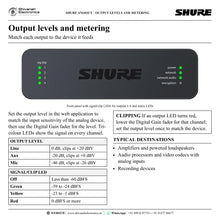
| Output clipping level | Line +20 dBV; Aux +0 dBV; Mic -26 dBV |
| Analog output level, selectable | Line 0 dB; Aux -20 dB; Mic -46 dB |
| Output impedance | 150 Ω |
| DSP per channel | Equaliser (4-band parametric), mute, invert polarity, gain (140 dB range) |
| DSP system | Audio summing |
Power and environment
| Power requirements | Power over Ethernet (PoE), Class 0 |
| Power consumption | 10 W maximum |
| Operating temperature | -6.7 °C (20 °F) to 40 °C (104 °F) |
| Storage temperature | -29 °C (-20 °F) to 74 °C (165 °F) |
Physical
| Dimensions (H × W × D) | 4 × 14 × 12.8 cm (1.6 × 5.5 × 5.0 in) |
| Weight | 663 g (1.5 lbs) |
| Mounting | 1/3 rack unit wide; mounting bracket included; CRT1 19" rack tray optional (up to 3 devices) |
Versions
| ANI4OUT-BLOCK | Block connectors, no power supply included |
| ANI4OUT-XLR | 3-pin XLR connectors, no power supply included |
Product overview
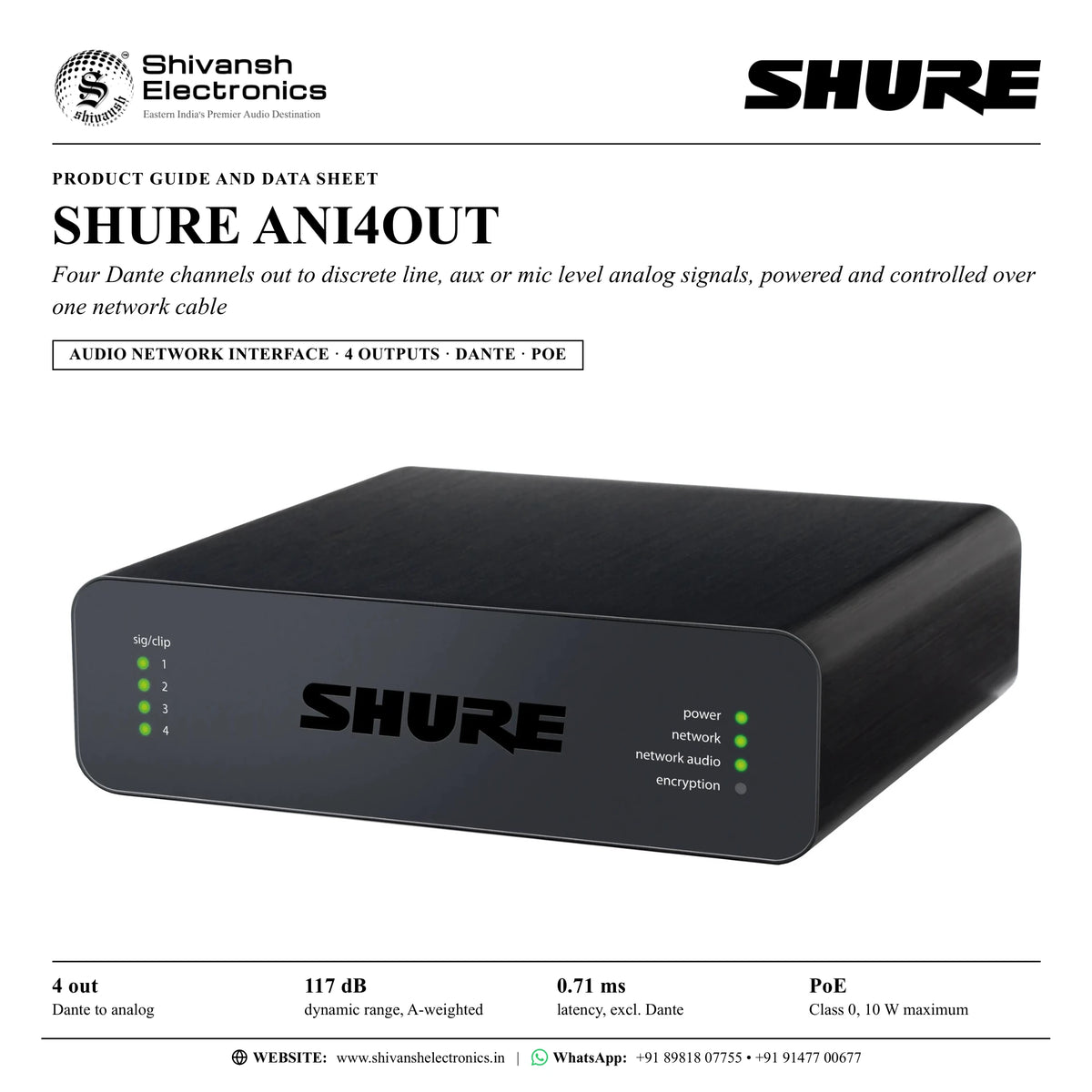
The Shure ANI4OUT is an Audio Network Interface that converts Dante digital audio into four discrete line / mic analog signals, for easy audio routing and convenient browser-based remote control.
The ANI4OUT converts 4 channels of Dante digital audio into discrete analog signals. Connect it to a processing device with analog connections, such as an audio processor, a video codec or a loudspeaker system, to fully integrate networked audio and analog equipment in a single system.
A single Ethernet port receives Dante audio and power (PoE, Class 0), so one network cable is all the box needs. Each impedance-balanced output can be set to line (0 dB), aux (-20 dB) or mic (-46 dB) level to match the input sensitivity of the analog device it feeds, and tri-colour LEDs show the signal level of every channel.
The browser-based web application controls every device parameter from any computer on the same network. Per output channel it gives mute, digital gain and polarity control plus a 4-band parametric equaliser. Channel summing combines Dante signals from the network and sends them over a single analog output, for a device with a limited number of analog inputs, and up to 10 presets can be stored on the device.
Two versions are offered: ANI4OUT-XLR with four XLR outputs and ANI4OUT-BLOCK with four 3-pin block connector outputs and a chassis ground screw. The 1/3 rack unit wide chassis mounts under a table with the included bracket, or up to three interfaces fit one 19-inch rack space in the optional CRT1 rack tray.
| Dante to analog, line / aux / mic level | 4 out |
| Dynamic range, Dante to analog, A-weighted | 117 dB |
| Latency, excluding Dante latency | 0.71 ms |
| Class 0, single Ethernet port | PoE |
Key features
- Converts 4 Dante channels to four discrete line / mic analog signals
- Single Ethernet port carries Dante audio and power (PoE, Class 0)
- Selectable output level per channel: line, aux or mic
- Per output channel: mute, digital gain and polarity control
- 4-band parametric equaliser on every channel
- Channel summing to send Dante signals over a single analog output
- LEDs indicate device status and audio signal
- Control strings for third-party preset controllers
- Up to 10 presets per device
- 1/3 rack unit wide; mounting bracket included
- Available with block connectors or standard XLR connectors
Made for
- Loudspeaker systems and amplifiers fed from a Dante network
- Audio processors and video codecs with analog inputs
- Networked conference rooms with Microflex Advance microphones
- Recording devices that need an analog feed
In the box
- ANI4OUT Audio Network Interface (XLR or BLOCK version)
- Hardware kit (90A29254 for the XLR model, 90A29252 for the block connector model)
- Mounting bracket, 1/3 rack unit (53A27742)
- No power supply included: the ANI4OUT is powered over Ethernet
Connections
- Input: 1 × RJ45 for Dante audio, PoE and control
- Outputs: 4 × XLR (ANI4OUT-XLR) or 4 × 3-pin block connector (ANI4OUT-BLOCK), impedance balanced
- Chassis ground screw (BLOCK version)
- Reset button: network reset or full factory reset
Shure ANI4OUT: frequently asked questions
ANI4OUT-XLR or ANI4OUT-BLOCK: which version should I choose?
Both have four impedance-balanced outputs with the same performance. Choose XLR for standard XLR cables, or BLOCK for 3-pin block connectors as used in fixed installations; the BLOCK version also has a chassis ground screw.
How is the ANI4OUT powered?
By Power over Ethernet (Class 0, 10 W maximum) from a PoE network switch or a PoE injector. No power supply is included.
How do I match the output to my amplifier or codec?
Set each output in the web application to line level (0 dB), aux level (-20 dB) or microphone level (-46 dB) to match the input sensitivity of the analog device.
Can I send several Dante channels to one analog input?
Yes. Channel summing combines Dante signals from the network and sends them over a single analog output. A limiter protects the summed signal and never affects the direct outputs.
Can it be controlled by a room control system?
Yes. Control strings are provided for third-party preset controllers, and all parameters are available in the browser-based web application from any computer on the same network.
Where can I buy the Shure ANI4OUT in India?
The Shure ANI4OUT is available from Shivansh Electronics, Kolkata, West Bengal, India, with delivery across India.
Workflow 1: Ceiling array to room loudspeakers
Conference rooms with Microflex Advance microphones and analog loudspeakers.
Connections
| Connect | To |
|---|---|
| Audio processor far-end output (Dante) | ANI4OUT Dante input |
| ANI4OUT XLR output | Amplifier or powered loudspeakers |
| ANI4OUT RJ45 | PoE network switch |
Setup
- Connect the ANI4OUT to a PoE switch.
- Route the far-end audio channel to an ANI4OUT input.
- Set the output to line level (0 dB) for the amplifier.
- Adjust loudspeaker volume remotely with the Digital Gain fader.
Tip: Loudspeaker volume that normally needs the hardware can be controlled remotely over the network.
Workflow 2: Video codec with analog inputs
Meeting rooms where the video codec takes analog microphone audio.
Connections
| Connect | To |
|---|---|
| Dante microphone mix | ANI4OUT input 1 |
| ANI4OUT output 1 | Codec analog audio input |
Setup
- Route the room mix to ANI4OUT channel 1.
- Set the output level to match the codec input sensitivity.
- Check the output LED stays out of red.
- Save the configuration as a preset.
Tip: Up to 10 presets can be stored on the device.
Workflow 3: Summing to a device with one input
Systems where an analog device has fewer inputs than the Dante sources.
Connections
| Connect | To |
|---|---|
| Several Dante channels | ANI4OUT inputs |
| Summed analog output | Single analog input |
Setup
- Route the Dante channels to the ANI4OUT.
- Select a summing option in the mixer toolbar.
- Balance the channels with the Digital Gain faders.
- Connect the summed output to the device.
Tip: A limiter protects the summed signal from overload and never affects the direct outputs.
Workflow 4: Zone outputs for a training room
Training and multipurpose rooms with several loudspeaker zones.
Connections
| Connect | To |
|---|---|
| Dante mix per zone | ANI4OUT inputs 1-4 |
| Outputs 1-4 | Zone amplifier inputs |
Setup
- Route a separate mix to each of the four channels.
- Set each output to line or aux level.
- Use the parametric EQ to adjust the response for the reinforcement system.
- Group mutes as needed.
Tip: Each output channel has its own mute, digital gain, polarity and 4-band EQ.
Workflow 5: Analog feed to a recorder
Facilities recording meetings or lectures from a networked microphone system.
Connections
| Connect | To |
|---|---|
| Dante programme mix | ANI4OUT input |
| ANI4OUT output | Recorder line input |
Setup
- Route the programme mix to an output channel.
- Set the output to line or aux level to match the recorder.
- Watch the tri-colour LED for signal and clipping.
- Lower the Digital Gain if the LED turns red.
Tip: Set the output level once to match the device; use Digital Gain for level changes.
Workflow 6: Rack or under-table installation
Installers fitting interfaces into furniture or equipment racks.
Connections
| Connect | To |
|---|---|
| ANI4OUT | Included mounting bracket |
| Up to 3 interfaces | CRT1 19" rack tray (optional) |
Setup
- Secure the interface with the screws from the hardware kit.
- Under a table, drill 4 holes and fix the tray with 4 screws.
- In a rack, set the adjustable ears forward; under a table, upward.
- Run a Cat 5e or better cable to the PoE switch.
Tip: Interfaces can be mounted to face either direction.