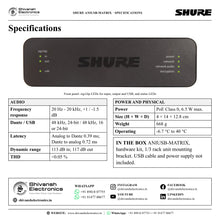
SHURE ANIUSB-MATRIX
PRICE ON ENQUIRY
Shure ANIUSB-MATRIX USB audio network interface: 4 Dante in / 2 out, 1 analog in / out and USB to the conferencing PC, with matrix mixer and PoE. Available in India from Shivansh Electronics, Kolkata, West Bengal, India.
VISUAL GUIDE — See Every Photo, Spec & Setup Step (PDF)
PRICE ON ENQUIRY. For the price, exclusive offers, delivery timelines, or any other information, please Contact / WhatsApp +91 89818 07755 / +91 91477 00677. We will gladly share a personalised quotation for Shivansh Electronics, Kolkata, West Bengal, India. All payments are processed securely through Razorpay, our trusted payment gateway.
Connections
| Analog input | 1 × 3-pin block connector (active balanced) |
| Analog output | 1 × 3-pin block connector (impedance balanced) |
| USB | 1 × USB 2.0, Type B; single port carries 1 input and 1 output channel (summed mono) |
| Network (Dante digital audio) | 1 × RJ45; 4 input channels, 2 output channels |
| Polarity | Non-inverting, any input to any output |
| Cable requirements | Cat 5e or higher (shielded cable recommended) |
| Control software | Shure Designer; HTML5 browser-based web application |
Audio
| Frequency response, +1 / -1.5 dB | 20 to 20,000 Hz |
| Dante digital audio | 48 kHz, 24-bit |
| USB audio | 48 kHz; 16 or 24-bit |
| Latency (excluding Dante latency) | Analog to analog 0.98 ms; analog to Dante 0.39 ms; Dante to analog 0.72 ms; Dante to Dante 0.14 ms |
| Dynamic range, 20 Hz to 20 kHz, A-weighted, typical | Analog to Dante 113 dB; Dante to analog 117 dB |
| Equivalent input noise, A-weighted, 150 Ω terminated | Line -86 dBV; Aux -98 dBV |
| Total harmonic distortion, 1 kHz, 0 dBV input, 0 dB gain | <0.05 % |
| Common mode rejection ratio, 150 Ω balanced source, 1 kHz | >70 dB |
| Input impedance | 10.6 kΩ |
| Input clipping level | Line +27 dBV; Aux +15 dBV |
| Output clipping level | Line +20 dBV; Aux +0 dBV; Mic -26 dBV |
| DSP per channel | Equaliser (4-band parametric, analog and USB output channels only), mute, limiter, gain (140 dB range) |
| DSP system | Matrix mixer |
Power and environment
| Power requirements | Power over Ethernet (PoE), Class 0 (PoE Plus compatible) |
| Power consumption | 6.5 W maximum |
| Thermal power dissipation | Maximum 6.8 W (23.0 BTU/hr); typical 6.0 W (20.8 BTU/hr) |
| Operating temperature | -6.7 °C (20 °F) to 40 °C (104 °F) |
| Storage temperature | -29 °C (-20 °F) to 74 °C (165 °F) |
Physical
| Dimensions (H × W × D) | 4 × 14 × 12.8 cm (1.6 × 5.5 × 5.0 in) |
| Weight | 668 g (1.5 lbs) |
| Mounting | Mounting bracket (1/3 rack unit) included; CRT1 19" rack tray optional |
Product overview
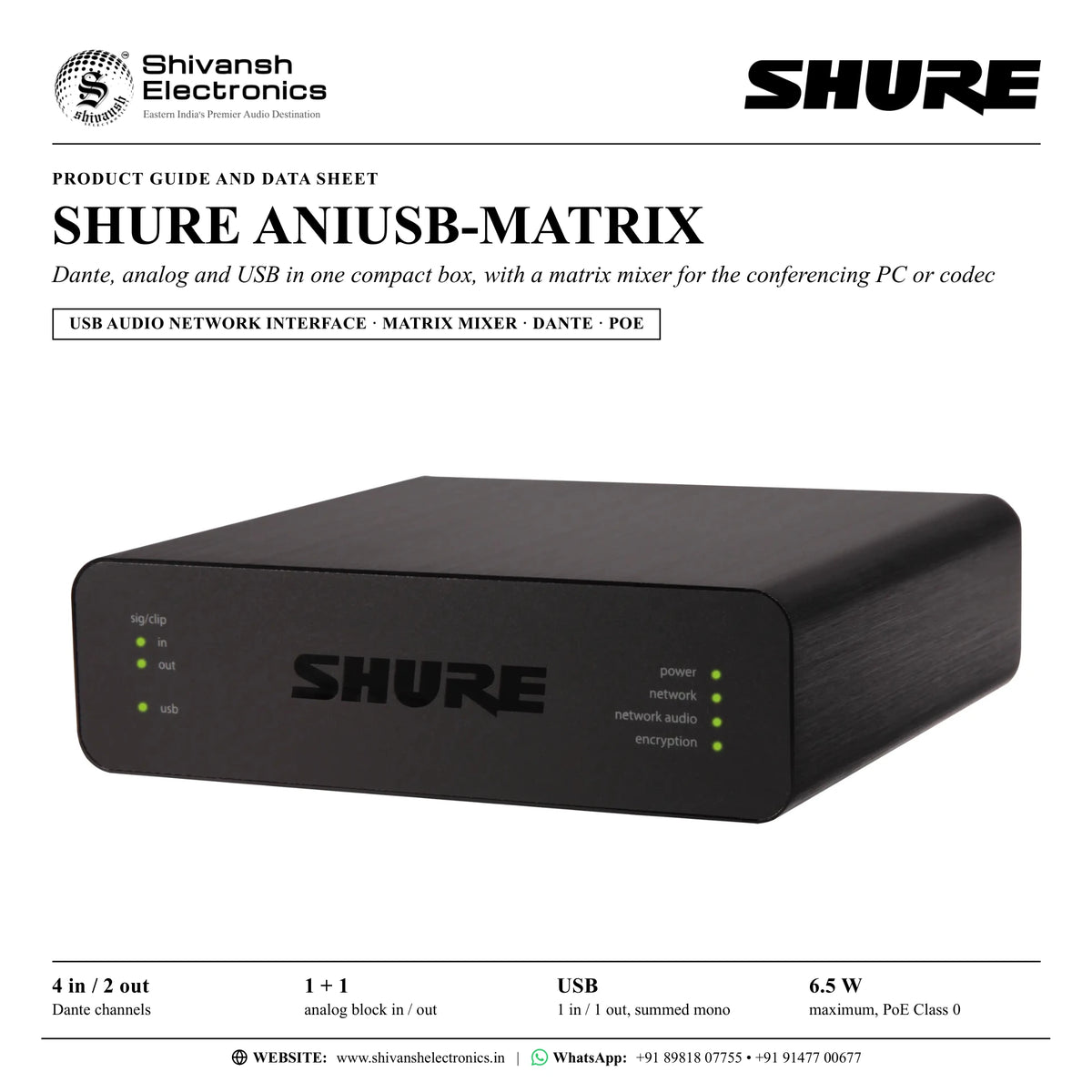
The Shure ANIUSB-MATRIX is a USB Audio Network Interface with matrix mixing that connects up to 4 Dante channels and 1 analog input to a room's audio and video conferencing system via USB.
The ANIUSB-MATRIX complements the Shure ANI4IN, ANI4OUT and ANI22 interfaces. It offers the ideal performance, connectivity and affordability for audio and video conferencing installations in small and medium-size meeting rooms, when a premium microphone solution is desired and the acoustic echo cancellation of an A/V conferencing codec will be used.
It connects 4 Microflex Advance or Microflex Wireless microphone channels via Dante (4 in / 2 out) and provides analog connectivity (1 block in / 1 block out) to a room audio / video conferencing system, or to a PC-based A/V conferencing application via USB (1 in / out). When it is first connected, the computer recognises it as a USB audio device. Wireless microphones or any line-level device connect to the analog input; loudspeakers, amplifiers or recording devices connect to the analog output.
An internal matrix mixer offers flexible routing, so any input can go to any output with adjustable crosspoint gain, and a 4-band parametric equaliser is available on the analog and USB outputs. Acting as the processor, the ANIUSB-MATRIX aligns the mute status of Shure devices in the room through logic, and synchronises mute with the conferencing software on the USB-connected computer.
A single network cable carries audio and power through Power over Ethernet (PoE), so no outboard power supply is needed. Settings are made in Shure Designer software, whose auto route workflow sets up Dante routes, mute control, matrix mixer routes and DSP in a few steps. The ANIUSB-MATRIX supports standards-based security protocols to manage access and protect data, including 802.1x, secure boot / storage and AES encryption for control and audio data.
| Dante channels | 4 in / 2 out |
| Analog block in and out | 1 + 1 |
| 1 in / 1 out to a computer or room PC | USB |
| Maximum, PoE Class 0 | 6.5 W |
Key features
- Connects 4 Dante audio inputs and 1 analog input to an AV conferencing system or a PC-based videoconferencing application
- Internal matrix mixer: route any input to any output
- Analog audio (1 block in / 1 block out) to the room AV conferencing system
- USB (1 in / out) to connect to a laptop or room PC
- 4-band parametric EQ on the analog and USB outputs; mute, limiter and gain on every channel
- Mute sync with the conferencing software and logic control of Shure devices
- Easy setup and deployment with Shure Designer system configuration software
- Dante device lock compatible
- 802.1x, secure boot / storage and AES encryption for control and audio data
- Power over Ethernet (PoE) eliminates the need for an outboard power supply
- Compact form factor, easy to mount without an equipment rack
Made for
- Small and medium-size meeting rooms
- Rooms using the acoustic echo cancellation of an A/V conferencing codec
- Microflex Advance and Microflex Wireless microphones
- Laptops and room PCs running videoconferencing software
- Wireless microphones, line-level sources, loudspeakers, amplifiers and recorders
In the box
- ANIUSB-MATRIX Audio Network Interface
- Hardware kit (90A33522)
- Mounting bracket, 1/3 rack unit (53A27742)
- USB cable and power supply not included
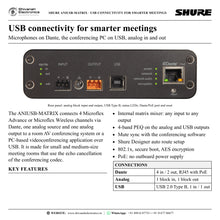
Connections
- Analog input: 1 × 3-pin block connector, active balanced
- Analog output: 1 × 3-pin block connector, impedance balanced
- USB: 1 × USB 2.0 Type B, 1 input and 1 output channel (summed mono)
- Network: 1 × RJ45, Dante 4 input / 2 output channels, PoE
- Chassis ground screw and reset button
Shure ANIUSB-MATRIX: frequently asked questions
What does the ANIUSB-MATRIX do in a meeting room?
It brings Dante microphone channels and one analog source to a computer or conferencing system over USB, sends far-end audio back to the room through Dante or the analog output, and mixes everything in its internal matrix mixer.
Does it have echo cancellation?
It is designed for rooms where the acoustic echo cancellation of the A/V conferencing codec will be used. A USB device type setting tells the codec whether it should apply its own echo cancellation.
How many microphones should I route to it?
For best results Shure recommends routing one microphone to the ANIUSB-MATRIX. With several microphones in a space, use a device with an automixer such as the Shure P300 or IntelliMix Room software.
How is it powered and configured?
By Power over Ethernet (Class 0, PoE Plus compatible, 6.5 W maximum) from a PoE switch or injector. Settings are made in Shure Designer software or in the device web application.
Is a USB cable included?
No. The box holds the interface, a hardware kit and a 1/3 rack unit mounting bracket; the USB cable is not included. The port is USB 2.0 Type B and works with USB-B to USB-C adapters on desktop and laptop computers.
Where can I buy the Shure ANIUSB-MATRIX in India?
The Shure ANIUSB-MATRIX is available from Shivansh Electronics, Kolkata, West Bengal, India, with delivery across India.
Workflow 1: Huddle room with a ceiling array and a laptop
Small meeting rooms using a Microflex Advance array and PC-based videoconferencing.
Connections
| Connect | To |
|---|---|
| MXA902 ceiling array | PoE+ switch port |
| ANIUSB-MATRIX RJ45 | PoE switch port |
| ANIUSB-MATRIX USB | Computer with videoconferencing software |
Setup
- Connect the array and the ANIUSB-MATRIX to the switch, and the computer to the USB port.
- In Designer, drag both devices into a design and select Auto route.
- Deploy the design to the installed devices.
- Choose the ANIUSB-MATRIX as speaker and microphone in the conferencing software and place a test call.
Tip: Auto route sets audio routes, DSP, mute synchronisation and LED control in one step.
Workflow 2: Using the codec's echo cancellation
Rooms where the A/V conferencing codec provides acoustic echo cancellation.
Connections
| Connect | To |
|---|---|
| Microflex microphone (Dante) | ANIUSB-MATRIX Dante input |
| ANIUSB-MATRIX USB | Codec or room PC |
Setup
- Route the microphone to the ANIUSB-MATRIX.
- In Designer, open Settings > General and choose the USB device type Speakerphone.
- Select the ANIUSB-MATRIX as the default audio device in the codec settings.
- Check the far-end sound on a test call.
Tip: The USB device type tells the codec whether to switch its echo cancellation on or off.
Workflow 3: Mute sync with the conferencing software
Meeting rooms where mute buttons and the software must always agree.
Connections
| Connect | To |
|---|---|
| Microflex microphones and mute buttons | Mute logic over the network |
| ANIUSB-MATRIX USB | Computer with conferencing software |
Setup
- Connect the computer to the USB port.
- Turn on mute sync and logic in the devices.
- Mute from a microphone button or from the software.
- Check that every device and the software show the same state.
Tip: Designer's auto route configures all mute sync and logic settings for you.
Workflow 4: Adding a wireless microphone
Rooms adding a presenter's wireless microphone to the conferencing system.
Connections
| Connect | To |
|---|---|
| Wireless receiver line output | ANIUSB-MATRIX analog block input |
| Matrix mixer | USB output to the computer |
Setup
- Wire the receiver output to the 3-pin block input.
- Set the input gain for line or aux level.
- Route the analog input to the USB output in the matrix mixer.
- Balance it against the Dante microphone channels.
Tip: Use the chassis ground screw for the shield wire if needed.
Workflow 5: Far-end audio to room loudspeakers
Rooms with analog amplifiers or networked loudspeakers.
Connections
| Connect | To |
|---|---|
| USB input (far-end audio) | Matrix mixer |
| Analog block output | Amplifier or powered loudspeaker |
| Dante outputs | Networked loudspeaker |
Setup
- Assign the USB input channel to the analog or Dante outputs.
- Set the output level to match the amplifier input.
- Apply the 4-band EQ on the analog output.
- Adjust levels in Designer to avoid clipping.
Tip: Output LEDs turn red at 0 dBFS.
Workflow 6: Recording a meeting
Organisations that record meetings in the room.
Connections
| Connect | To |
|---|---|
| Near-end microphones and USB input | Matrix mixer |
| Analog output or Dante output | Recording device |
Setup
- Route the near-end microphones to the recording output.
- Route the USB input (far end) to the same output.
- Set the output level for the recorder.
- Check both sides of the call on the recording.
Tip: Shure advises routing both the near-end microphones and the USB input to the recorder.