SHURE GLXD2+/B87A
PRICE ON ENQUIRY
Shure GLXD2+/B87A dual-band digital handheld transmitter with BETA 87A cartridge for GLX-D+ systems, SB904 battery included. Available in India from Shivansh Electronics, Kolkata, West Bengal, India.
VISUAL GUIDE — See Every Photo, Spec & Setup Step (PDF)
PRICE ON ENQUIRY. For the price, exclusive offers, delivery timelines, or any other information, please Contact / WhatsApp +91 89818 07755 / +91 91477 00677. We will gladly share a personalised quotation for Shivansh Electronics, Kolkata, West Bengal, India. All payments are processed securely through Razorpay, our trusted payment gateway.
System (GLX-D+)
| Tuning bandwidth (Z4) | 2400-2483.5 MHz and 5725-5875 MHz |
| Band modes | 2.4 GHz only, 5.8 GHz only, or best band 2.4 + 5.8 GHz (default) |
| Transmit mode | Shure proprietary digital |
| RF output power | 10 mW E.I.R.P. maximum |
| Audio frequency response | 20 Hz - 20 kHz |
| Battery life | Up to 11.5 hours |
| Latency | Group 1 and Group 3: 4.53 ms; Group 2: 8 ms |
| Ambient temperature | Operating 0 °C to 45 °C; charging 0 °C to 40 °C |
GLXD2+ handheld transmitter (BETA 87A)
| Power | Shure SB904 rechargeable lithium-ion battery; USB charging |
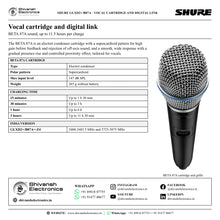
| Cartridge | BETA 87A |
| Cartridge type | Electret condenser |
| Polar pattern | Supercardioid |
| Maximum input level | 147 dB SPL |
| Length | 246 mm |
| Weight | 265 g, without battery |
| Housing | Aluminium alloy, ABS plastic |
| Controls and ports | Power switch, link button, status LED, USB-C charging port, screw-off battery cover |
SB904 battery
| Battery type | Rechargeable lithium-ion |
| Nominal capacity | 2420 mAh (8.71 Wh) |
| Nominal voltage | 3.6 V |
| Dimensions (H × W × D) | 72.8 × 20.96 × 20.80 mm |
| Weight | 53.7 g |
| Temperature | Charging 0 °C to 40 °C; operating -18 °C to 45 °C |
Versions
| GLXD2+/B87A=-Z4 | Z4: 2400-2483.5 MHz and 5725-5875 MHz |
Product overview
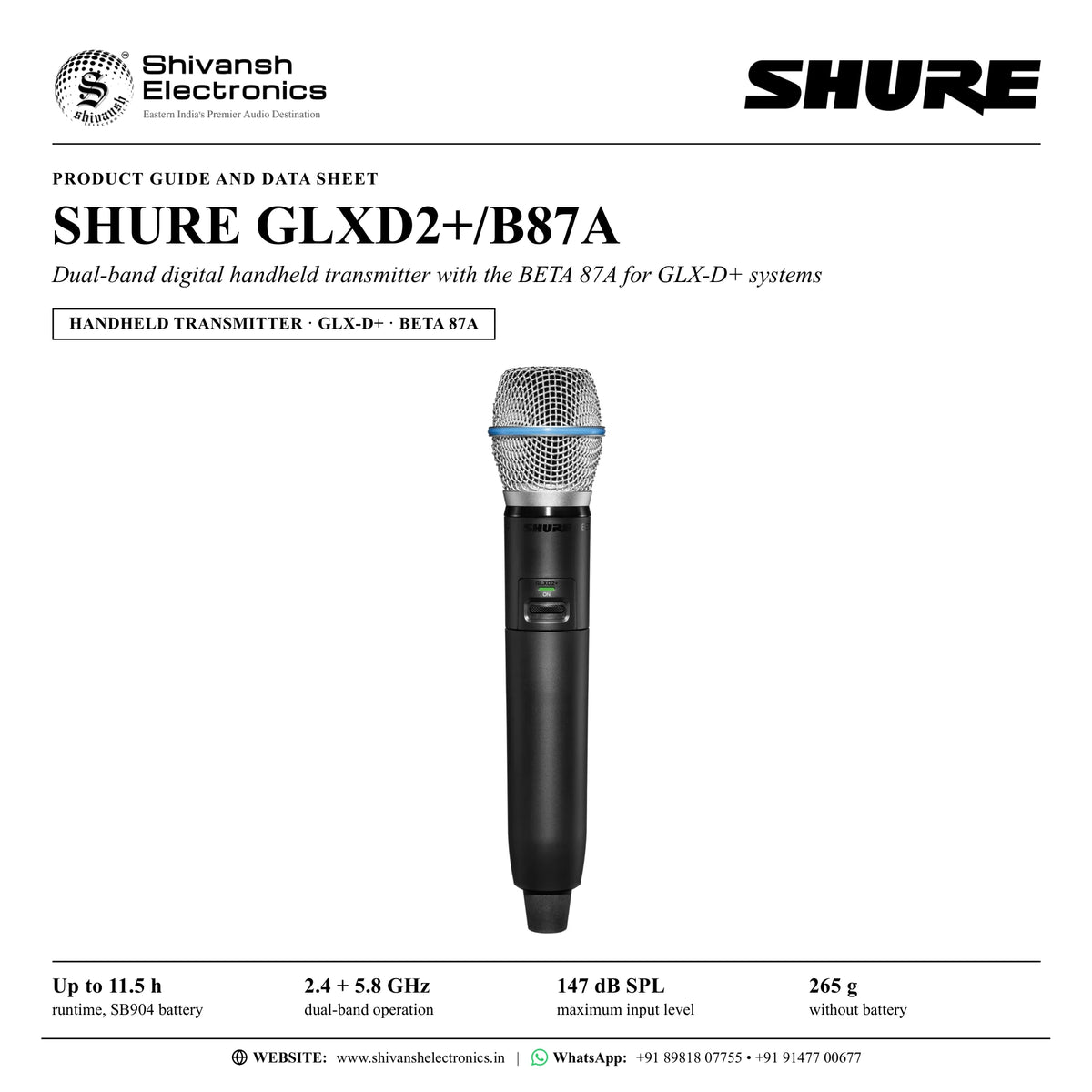
The Shure GLXD2+/B87A is the GLX-D+ dual-band digital handheld transmitter with the BETA 87A vocal microphone, delivering transparent digital audio for vocals and speech.
It is the handheld part of a GLX-D+ system on its own, without a receiver. The transmitter links with GLX-D+ receivers, the GLXD4+ tabletop and the GLXD4R+ half-rack, and transmits in both the 2.4 GHz and 5.8 GHz bands with Shure proprietary digital transmission. Automatic frequency management moves the system away from interference without interrupting the audio, so there is no frequency planning to do before a show.
The BETA 87A is an electret condenser cartridge with a supercardioid pattern for high gain before feedback and rejection of off-axis sound, and a smooth, wide response with a gradual presence rise and controlled proximity effect, tailored for vocals. On the GLXD2+ it handles a maximum input level of 147 dB SPL.
Power comes from the included Shure SB904 lithium-ion rechargeable battery, for up to 11.5 hours. Unscrew the battery cover to fit it, then charge it in the transmitter through the USB-C port or, with the battery taken out, in the charging bay of a GLXD4+ or GLXD4R+ receiver. A status LED shows normal operation, low battery and remote ID, and the controls can be locked against accidental changes or power-off.
In India it is supplied as GLXD2+/B87A=-Z4 for the Z4 band (2400-2483.5 MHz and 5725-5875 MHz). Use it to add a second handheld to a receiver (only one transmitter active at a time) or to replace the handheld in a GLX-D+ system.
| Runtime, SB904 battery | Up to 11.5 h |
| Dual-band operation | 2.4 + 5.8 GHz |
| Maximum input level | 147 dB SPL |
| Weight without battery | 265 g |
Key features
- BETA 87A vocal cartridge, supercardioid pattern
- Dual-band 2.4 GHz and 5.8 GHz digital transmission
- Automatic frequency management, no audio interruption
- SB904 lithium-ion rechargeable battery included, up to 11.5 hours
- USB-C charging port; battery also charges in the receiver bay
- Status LED for battery, link, lock and remote ID
- Lockable controls against accidental changes or power-off
- Aluminium alloy and ABS plastic housing
- Switches off after about 1 hour without a receiver signal
- Links with GLXD4+ and GLXD4R+ receivers
Made for
- Lead and backing vocals on stage
- Speech, hosting and presentations
- Adding a second handheld to a GLX-D+ receiver
- Replacing or keeping a spare handheld for a GLX-D+ system
In the box
- GLXD2+/B87A handheld transmitter with BETA 87A cartridge
- SB904 lithium-ion rechargeable battery
- Swivel adapter
Connections
- USB-C charging port
- Wireless link to a GLXD4+ or GLXD4R+ receiver (sold separately)
Shure GLXD2+/B87A: frequently asked questions
Does it include a receiver?
No. This is the handheld transmitter with an SB904 battery and a swivel adapter. It needs a GLX-D+ receiver such as the GLXD4+ or GLXD4R+; linked receivers and transmitters must operate in the same band.
How do I link the transmitter to a receiver?
Switch on the transmitter and hold its link button until the LED flashes green, then hold the link button on the receiver. The blue RF LED flashes and then stays lit when the link is made; test the audio.
Can two handhelds share one receiver?
Yes, but only one may be active at a time. Link each one in turn and set its gain; the receiver stores the gain for each transmitter.
How is the battery charged?
Through the USB-C port on the transmitter with a USB charger, or put the SB904 in the charging bay of a GLXD4+ or GLXD4R+ receiver. About 1 hour of charging gives up to 6 hours, 3 hours up to 11 h 30 min. The transmitter does not pass audio while the charging cable is connected.
Which frequencies does it use in India?
The India version (Z4) tunes 2400-2483.5 MHz and 5725-5875 MHz. By default the receiver uses the best band mode with both bands; it can also be set to 2.4 GHz only or 5.8 GHz only.
Where can I buy the Shure GLXD2+/B87A in India?
The Shure GLXD2+/B87A is available from Shivansh Electronics, Kolkata, West Bengal, India, with delivery across India.
Workflow 1: Lead vocals on a live stage
Singers and bands with a GLX-D+ receiver.
Connections
| Connect | To |
|---|---|
| GLXD2+/B87A | GLXD4+ or GLXD4R+ receiver |
| Receiver XLR output | Mixer microphone input |
Setup
- Fully charge the SB904 and fit it under the battery cover.
- Switch on the receiver and press channel to scan.
- Switch on the transmitter; the RF LED stays lit once linked.
- Set the gain with the receiver gain buttons while watching the audio meter.
- Hold the microphone within 30 cm of the mouth and keep the hand off the grille.
Tip: Move closer to the microphone for a warmer sound with more bass.
Workflow 2: Second handheld for one receiver
Two singers or hosts taking turns.
Connections
| Connect | To |
|---|---|
| Handheld 1 and handheld 2 | One GLX-D+ receiver |
Setup
- Switch off both transmitters.
- Select a group on the receiver.
- Link transmitter 1, set its gain, switch it off.
- Link transmitter 2 and set its gain.
- Use only one at a time.
Tip: Never operate both linked transmitters together.
Workflow 3: Event host or presenter
Hosts, speakers and compères.
Connections
| Connect | To |
|---|---|
| GLXD2+/B87A | GLX-D+ receiver |
| Receiver 6.35 mm (1/4") output | Amplifier or mixer |
Setup
- Place the receiver with a clear line of sight to the stage.
- Keep it at least 3 m from Wi-Fi access points and computers.
- Turn on any Wi-Fi before scanning for the best channel.
- Lock the transmitter controls before the event.
Tip: Do a walk-around test and mark any trouble spots.
Workflow 4: Several systems at one event
Venues and events running more than one GLX-D+ system.
Connections
| Connect | To |
|---|---|
| Each handheld | Its own GLX-D+ receiver |
| Receivers | Mixer inputs |
Setup
- Switch off all receivers and transmitters.
- Set every receiver to the same group.
- Switch on and link each pair one at a time.
- Keep transmitters more than 2 m apart.
- Use remote ID to find which receiver belongs to which handheld.
Tip: For more than two systems a GLXD4R+ with the GLX-D+ frequency manager is recommended.
Workflow 5: Replacing a handheld
Owners of a GLX-D+ system.
Connections
| Connect | To |
|---|---|
| New GLXD2+/B87A | Existing receiver |
Setup
- Switch on the new transmitter and hold its link button until the LED flashes green.
- Hold the link button on the receiver.
- Test the audio and set the gain.
Tip: If linking fails, update both units to the latest firmware with Shure Update Utility.
Workflow 6: Charging and storage
Anyone keeping handhelds ready for use.
Connections
| Connect | To |
|---|---|
| GLXD2+/B87A USB-C | USB charger |
| SB904 | Receiver charging bay |
Setup
- Fully charge a new battery before first use.
- Charge 15 minutes for up to 1 h 30 min in an emergency.
- Store transmitters and batteries at room temperature.
- For long storage keep the battery at about 40 %.
Tip: Check stored batteries every 6 months.