




SOUNDCRAFT Signature Plus 22
PRICE ON ENQUIRY
Soundcraft Signature Plus 22 analogue mixer: 22 channels, Ghost preamps, dbx one-knob compressors, Lexicon effects, 4×4 USB-C at 192 kHz. Available in India from Shivansh Electronics, Kolkata, West Bengal, India.
VISUAL GUIDE — See Every Photo, Spec & Setup Step (PDF)
PRICE ON ENQUIRY. For the price, exclusive offers, delivery timelines, or any other information, please Contact / WhatsApp +91 89818 07755 / +91 91477 00677. We will gladly share a personalised quotation for Shivansh Electronics, Kolkata, West Bengal, India. All payments are processed securely through Razorpay, our trusted payment gateway.
General
| Type | 22-channel analogue mixer with Lexicon effects and 4×4 USB-C audio interface |
| Number of inputs | 22: 14 mono, 4 stereo |
| Channel layout | Mono 1-14; stereo 15-16, 17-18; stereo with USB 1-2 19-20; RCA stereo with USB 3-4 21-22 |
| Ghost mic preamps with +65 dB gain | Yes: 17 channel inputs plus talkback |
| Inserts for adding your own character | Yes: channels 1-14, TRS, pre-EQ |
| dbx OverEasy one-knob compressors | Yes: channels 1-14 |
| Sapphyre asymmetric EQ | Yes: every input channel |
| Lexicon hardware effects | Yes: 32 programs in two banks of 16 |
| Tap Tempo and Store | Yes |
| Aux sends | 4, each switchable pre or post fader |
| Mix to Aux | Yes |
| Groups | 4, with TRS outputs, MIX assign and mono Sum |
| Listen system | Yes |
| Talkback To | Yes: MIX, Aux 1-4, FX send, headphones, control room |
| USB | 4×4 USB-C up to 192 kHz |
| Headphone monitor matrix | Yes |
| Control room monitor matrix | Yes |
| Simple Success Metering (SSM) | Yes |
Channel strips
| Preamp gain | +6 dB to +65 dB; -12 dB to +47 dB with PAD |
| Input pad | -18 dB |
| High-pass filter | 100 Hz (-3 dB) |
| EQ boost / cut | ±15 dB |
| EQ, mono channels | HF shelf 12 kHz, swept mid 150 Hz to 3 kHz, LF shelf 60 Hz |
| Hi-Z inputs | Channels 11-14, 1 MΩ |
| RCA input trim | -20 dB to +20 dB |
| Aux and FX send level | Up to +10 dB |
| Phantom power | +48 V, one GLOBAL 48V PHANTOM button for all XLR inputs, including talkback |
One-knob compressor
| Type | dbx OverEasy, one knob for threshold and make-up gain |
| Threshold | -20 dBu to +10 dBu |
| Ratio | 1.5:1 |
| Attack / release | 10 ms / 300 ms |
| Make-up gain | 3 dB to 12 dB, rising as the threshold is lowered |
Inputs and outputs
| Combo inputs (XLR / 6.35 mm jack) | 17: channels 1-14, 15, 17 and 19 |
| Insert jacks (TRS) | 14: channels 1-14 |
| Right-channel line inputs (TRS) | 3: channels 16, 18 and 20 |
| RCA stereo input | 1 pair: channels 21-22 |
| Talkback input | XLR, Ghost preamp +6 dB to +65 dB |
| MIX outputs | 2 × XLR (L/R), impedance-balanced |
| Control room outputs | 2 × XLR (C/RM L/R) |
| Aux outputs | 4 × 6.35 mm TRS (A1-A4), impedance-balanced |
| Group outputs | 4 × 6.35 mm TRS (GRP 1-4), impedance-balanced |
| Headphone output | 6.35 mm TRS stereo jack |
| Footswitch jacks | 2 × 6.35 mm TS: FX MUTE, TAP TEMPO |
| USB port | USB-C (USB 4X4) |
| Maximum input level | +16 dBu; +29 dBu with PAD (XLR and TRS balanced inputs) |
| Input impedance | 1.2 kΩ balanced; 10 kΩ with PAD; 1 MΩ Hi-Z |
| Maximum output level | +28 dBu balanced, +22 dBu single-ended (1 % THD+N, all outputs except headphones) |
| Headphone output power | 220 mW into 300 Ω, 400 mW into 43 Ω (1 % THD+N) |
| Dim | -12 dB |
Lexicon effects
| Programs | 32, in two banks of 16 (A and B) |
| Reverbs | Hall, plate, room, studio, chamber, ambience, arena, gated, reverse, spring, karaoke |
| Delays | Studio and modulated (stereo, up to 2.5 s); digital, tape, pong and reverse (mono, up to 5 s) |
| Modulation | Chorus, flanger, phaser, tremolo/pan, vibrato |
| Combination programs | RV/DL S, RV/DL L, PHSDEL, ROTDEL |
| Controls | Program Select, three parameter knobs, Store, Tap Tempo |
| Footswitch control | FX Mute and Tap Tempo |
USB audio
| Interface | USB-C, USB 2.0, class-compliant; 4 inputs, 4 outputs |
| Resolution and sample rates | 24-bit; 44.1 kHz to 192 kHz, set by the host device |
| Record channels | USB 1-2: MIX; USB 3-4: Group 3-4 |
| Playback channels | USB 1-2: channels 19-20, MIX (USB INT) and monitoring; USB 3-4: channels 21-22 and monitoring |
| Full-scale playback level | +17 dBu (USB trim at noon, through a unity-gain channel to MIX) |
| Full-scale recording level | +20 dBu (0 dBFS equivalent at the MIX output) |
| Dynamic range | 94 dB playback, 107 dB recording |
| THD+N, playback | < 0.01 % (-0.5 dBFS, USB trim set for +14 dBu at any output) |
| THD+N, recording | < 0.005 % (mono channel, 30 dB preamp gain, MIX and Group 3-4 at -1 dBFS) |
| Cables | USB-C to USB-C or USB-C to USB-A |
Audio performance
| Equivalent input noise (EIN) | -128 dBu (65 dB gain, A-weighted, AES17 20 kHz filter) |
| Frequency response | 20 Hz to 20 kHz, +0.5 dB / -1.5 dB (relative to 1 kHz) |
| Frequency response, -3 dB | 15 Hz to 80 kHz |
| Residual noise | -90 dBu (one channel routed, unity gain, A-weighted) |
| Residual noise, RCA channel | -78 dBu (trim at noon, A-weighted, USB not routed) |
| THD+N | < 0.005 % (30 dB preamp gain, +14 dBu at any output, AES17 20 kHz filter) |
| CMRR | > 80 dB (30 dB preamp gain, -10 dBu input) |
| Crosstalk | -80 dB (+30 dB preamp gain, +14 dBu at the output, measured on a non-routed output) |
| Aux send isolation | -75 dB (+30 dB preamp gain, relative to +14 dBu at the aux output, aux pot at minimum) |
| Measurement conditions | Faders at unity, one channel routed, other channels muted; EQ flat; compressor off; 1 kHz; source 150 Ω, load 200 kΩ; A-weighted; typical values ±5 % |
Power and physical
| Power supply | Worldwide: 90-260 V AC, 50-60 Hz; IEC inlet with power switch |
| Power consumption, maximum | 75 W |
| Dimensions (W × D × H) | 560 × 535 × 106 mm (22.05 × 21.06 × 4.17 in), height including knobs |
| Weight | 9.7 kg (21.38 lb) |
| Box dimensions | 732 × 655 × 213 mm (28.8 × 25.78 × 8.38 in) |
| Weight in box with accessories | 15.9 kg (35.05 lb) |
Included accessories
| AC power cord | Yes |
Product overview
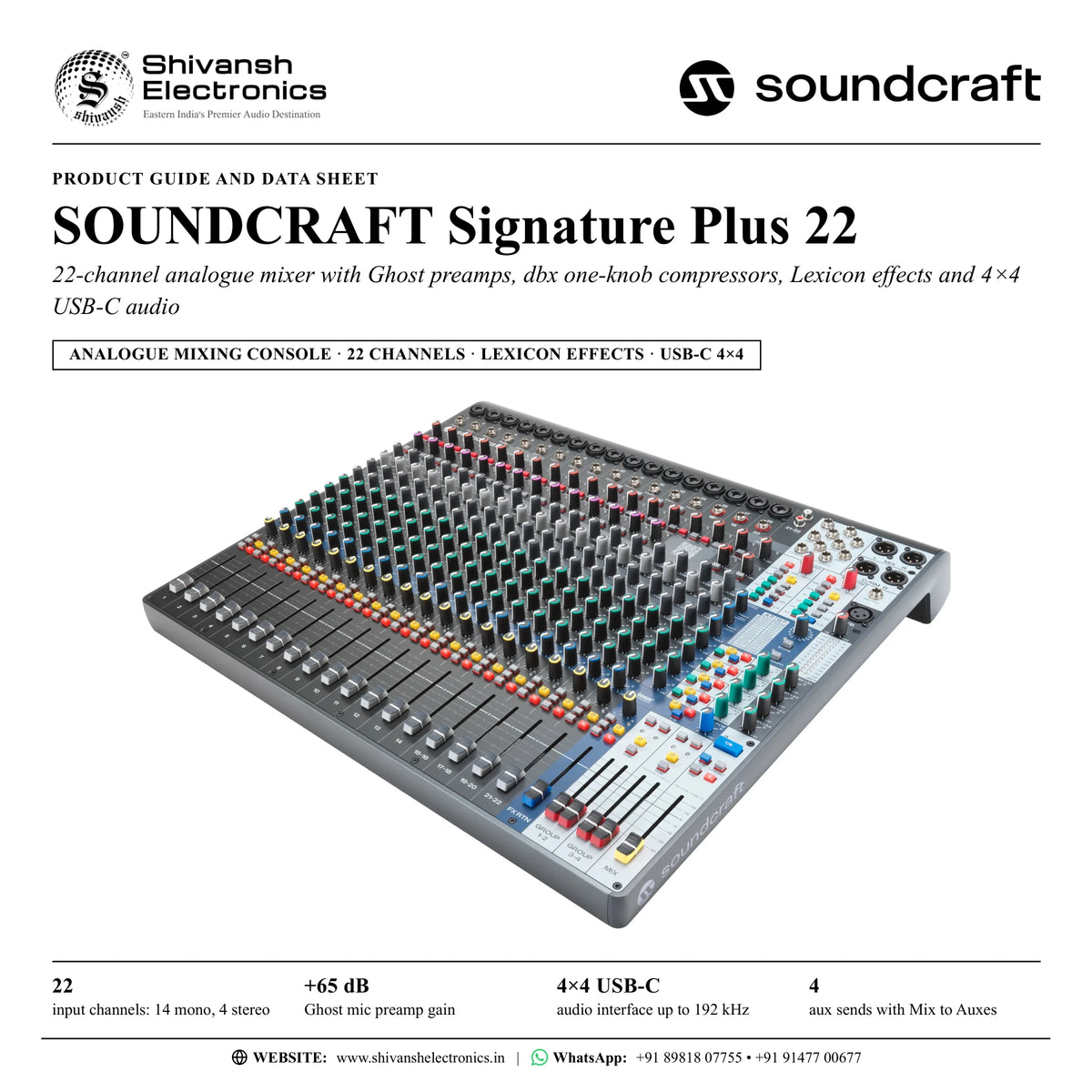
The Soundcraft Signature Plus 22 is a 22-channel analogue mixing console with Ghost mic preamps, Sapphyre EQ, dbx OverEasy one-knob compressors, a built-in Lexicon hardware effects processor with Store and Tap Tempo, and a 4×4 USB-C audio interface running at up to 192 kHz.
An evolution of the Soundcraft Signature Series, the Signature Plus 22 is a creative hub for artists, engineers and creators who want professional console workflows in the studio, on stage and on streaming platforms. Its 22 inputs are 14 mono channels (1-14) and four stereo channels: two stereo channels (15-16 and 17-18), a stereo channel with USB returns 1-2 (19-20) and an RCA stereo channel with USB returns 3-4 (21-22). The output section, with four aux sends, four groups, the Listen bus, Talkback To and two monitoring matrices, is the same full-featured design on every Signature Plus model, and rugged construction, colour-coded buttons and tactile “squircle” knobs keep every adjustment quick and precise, even in low light or under pressure.
The 17 mic inputs on the channels, and the talkback input, use Soundcraft Ghost preamps, known for ultra-low noise, high headroom, smooth overload behaviour and rich harmonics: gain runs from +6 dB to +65 dB with an equivalent input noise of -128 dBu, and each mic channel has an 18 dB pad and a 100 Hz high-pass filter. Channels 11-14, the four rightmost mono channels, switch to a 1 MΩ Hi-Z input for acoustic guitars, electric guitars and basses. Every mono channel adds a pre-EQ TRS insert point for outboard compressors, gates or de-essers, and a dbx OverEasy one-knob compressor: a single control lowers the threshold and raises the make-up gain together, at a gentle 1.5:1 ratio that suits speech, singing, acoustic instruments, bass, pianos and keyboards.
The Sapphyre asymmetric EQ, first developed for the Soundcraft Sapphyre console, is designed to work the way music does. Its shelving bands add a slight cut when boosting and a slight lift when cutting, so low-frequency boosts stay clear of muddiness and high-frequency boosts avoid harsh resonance, while the mid band boosts with a wide, musical bandwidth and cuts with a narrow one that targets rings, hum and feedback. Each band adjusts by ±15 dB, and on the mono channels the mid band has its own frequency control.
The built-in Lexicon hardware effects processor, designed for both live sound and home recording, holds 32 programs in two banks of 16: hall, plate, room, studio, chamber, ambience, arena, gated, reverse and spring reverbs and a karaoke program; studio, digital, tape, pong, modulated and reverse delays; chorus, flanger, phaser, tremolo/pan and vibrato; and combination programs. Three parameter knobs adjust each program, Store saves the settings into the current program, Tap Tempo sets delay times, and footswitch jacks for FX Mute and Tap Tempo let performers control the effects without lifting a finger.
Each of the four aux sends switches pre or post fader, and Mix to Auxes controls feed the complete mix to any aux for quick monitor or lobby feeds; four groups with their own TRS outputs can be added to the MIX in stereo or summed to mono. The Listen bus lets the engineer check channels, auxes, groups and effects on headphones or the control room outputs without interrupting the mixes, and Talkback To sends a dedicated talkback microphone to the MIX, any aux, the effects send, headphones or control room. The 4×4 USB-C interface records the MIX and Group 3-4 and returns four playback channels to the stereo channels, the monitoring or, for break music and DJ sets, straight to the MIX. Simple Success Metering (SSM) puts a three-colour level LED at every input, channel output and console output, and a QR code on the panel links to training videos, manuals and support.
| Input channels | 22 |
| Ghost mic preamp gain | +65 dB |
| USB-C audio interface up to 192 kHz | 4×4 |
| Aux sends with Mix to Auxes | 4 |
Key features
- Ghost mic preamps: +6 dB to +65 dB gain, -128 dBu EIN, 18 dB pad and 100 Hz high-pass filter
- dbx OverEasy one-knob compressors on channels 1-14: 1.5:1 ratio, threshold -20 dBu to +10 dBu with linked make-up gain
- Pre-EQ TRS insert points on channels 1-14 for outboard processing
- Sapphyre asymmetric EQ on every input channel, ±15 dB per band
- Hi-Z instrument inputs (1 MΩ) on channels 11-14
- Lexicon hardware effects processor: 32 programs in two banks, Store, Tap Tempo and footswitch jacks for FX Mute and Tap Tempo
- 4×4 USB-C audio interface: 24-bit, 44.1 kHz to 192 kHz, class-compliant USB 2.0
- Four aux sends with pre/post switching and Mix to Auxes; four groups with TRS outputs and mono Sum
- Listen bus and Talkback To with a dedicated XLR talkback input
- Headphone and control room monitor matrices with Mute, Dim and Mono Sum
- Simple Success Metering (SSM) at every input and output, plus a dBu/dBFS LED meter
- Colour-coded buttons, tactile “squircle” knobs, smooth premium-quality faders and a front-panel QR code
Channel layout
- Channels 1-14: mono, XLR/jack combo input, TRS insert, Ghost preamp, pad, 100 Hz filter, dbx OverEasy compressor and Sapphyre EQ; Hi-Z on channels 11-14
- Channels 15-16: stereo, combo input 15 (an XLR microphone feeds both sides, the jack is the left input) and a TRS input 16 for the right side
- Channels 17-18: stereo, combo input 17 (an XLR microphone feeds both sides, the jack is the left input) and a TRS input 18 for the right side
- Channels 19-20: stereo, combo input 19 and TRS input 20, plus USB returns 1-2
- Channels 21-22: stereo RCA input with -20 to +20 dB trim, plus USB returns 3-4
- FX return channel, Group 1-2 and Group 3-4 faders, and the MIX fader
Made for
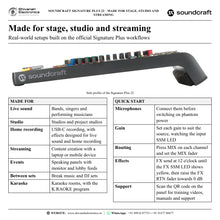
- Live sound for bands, singers and performing musicians
- Studios and project studios, with control room outputs and USB-C recording
- Streaming and content creation with a laptop or mobile device
- Speaking panels and events that need monitor or lobby feeds
- Break music and DJ sets between performances
- Karaoke rooms, with a dedicated karaoke effects program
In the box
- Soundcraft Signature Plus 22 mixing console
- AC power cord
Connections
- 17 × XLR/6.35 mm (¼-inch) jack combo inputs: channels 1-14, 15, 17 and 19
- 14 × 6.35 mm TRS insert jacks: channels 1-14 (tip send, ring return)
- 3 × 6.35 mm TRS right-channel line inputs: channels 16, 18 and 20
- 1 × RCA stereo input pair: channels 21-22
- 1 × XLR talkback microphone input (T/B)
- 2 × XLR MIX L/R outputs, impedance-balanced
- 2 × XLR C/RM L/R control room outputs
- 4 × 6.35 mm TRS aux outputs A1-A4, impedance-balanced
- 4 × 6.35 mm TRS group outputs GRP 1-4, impedance-balanced
- 1 × 6.35 mm TRS stereo headphone output (PHONES)
- 2 × 6.35 mm TS footswitch jacks: FX MUTE and TAP TEMPO
- 1 × USB-C port (USB 4X4), 4 in / 4 out audio
- IEC mains inlet with power switch
Soundcraft Signature Plus 22: frequently asked questions
How many microphones can I connect to the Signature Plus 22?
Up to 17 microphones on the channels: the 14 mono channels and the combo inputs of the stereo channels (15, 17 and 19) each take an XLR microphone through a Ghost preamp. A separate XLR input in the master section takes a talkback microphone. Phantom power for all XLR inputs, including talkback, is switched by the GLOBAL 48V PHANTOM button.
Can the Signature Plus 22 record to a computer or mobile device?
Yes. The USB-C port is a class-compliant 4×4 audio interface at 24-bit and 44.1 kHz to 192 kHz: USB 1-2 records the MIX and USB 3-4 records Group 3-4, while four playback channels return to channels 19-20 and 21-22, to the headphone and control room monitoring, or directly to the MIX. It works with laptops and mobile devices over USB-C to USB-C or USB-C to USB-A cables.
What effects are built in?
A Lexicon hardware effects processor with 32 programs in two banks of 16: reverbs (hall, plate, room, studio, chamber, ambience, arena, gated, reverse, spring and karaoke), delays (studio, digital, tape, pong, modulated and reverse) and modulation effects (chorus, flanger, phaser, tremolo/pan and vibrato), plus combination programs. Store keeps your knob settings in the current program, and Tap Tempo, on the panel or a footswitch, sets the delay time.
What does the one-knob compressor do?
The dbx OverEasy compressor on channels 1-14 sets threshold and make-up gain with one knob: turning it anticlockwise lowers the threshold from +10 dBu towards -20 dBu and raises the make-up gain from 3 dB to 12 dB, at a gentle 1.5:1 ratio with 10 ms attack and 300 ms release. It is made for voices, acoustic instruments, bass, pianos and keyboards; for harder compression, patch an external unit into the channel insert.
How do Listen and Talkback To help during a show?
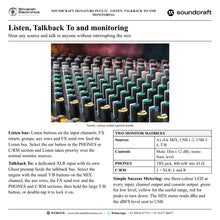
Listen sends a channel's post-EQ signal, or any aux, group, FX send or FX return, to the headphones or control room outputs without changing what the audience or the performers hear. Talkback To routes the talkback microphone to the MIX, any aux, the FX send, headphones or control room: select the targets, then hold the large T/B button, or double-tap it to lock it on.
Where can I buy the Soundcraft Signature Plus 22 in India?
The Soundcraft Signature Plus 22 is available from Shivansh Electronics, Kolkata, West Bengal, India, with delivery across India.
Workflow 1: Live gig: front of house and stage monitors
Sound engineers and bands playing clubs, halls and outdoor events.
Connections
| Connect | To |
|---|---|
| Vocal and instrument microphones | Combo inputs 1-14, 15, 17 and 19 (XLR) |
| Guitar or bass | Combo jack on a Hi-Z channel (11-14) |
| MIX L/R XLR outputs | Front-of-house loudspeakers or power amplifiers |
| Aux A1-A4 TRS outputs | Stage monitors or in-ear systems |
Setup
- Connect the microphones first, then switch on GLOBAL 48V PHANTOM for condenser microphones.
- Set each gain until the input SSM LED shows yellow on the loudest passages; use PAD and the 100 Hz filter where needed.
- Switch on the one-knob compressor for vocals and acoustic instruments and shape the tone with the Sapphyre EQ.
- Keep the aux POST buttons disengaged for pre-fade monitor mixes and build a mix for each performer on Aux 1-4.
- Add a hall or plate with the FX send pots and bring it in on the FX RTN fader.
Tip: Press Listen on any channel or aux to check it on headphones without changing what the audience hears.
Workflow 2: Drums and electric guitars with insert processing
Engineers who want harder-hitting kick, snare and guitars from outboard compressors.
Connections
| Connect | To |
|---|---|
| Kick, snare and guitar amp microphones | Mono channels 1-14 (XLR) |
| Channel INSERT jacks (TRS) | External compressors via insert cables |
| Drum channels FX send | Lexicon processor (D.HALL or GATED) |
Setup
- Patch an external compressor into each INSERT jack with an insert cable: send on the tip, return on the ring.
- The insert point is pre-EQ, so the Sapphyre EQ then shapes the processed sound.
- Choose D.HALL, the drum hall, or GATED from bank A and set the FX send on each drum channel.
- Check each drum channel on the Listen bus with headphones.
Tip: With tip and ring shorted in the lead, an insert send also works as a pre-fade, pre-EQ direct output.
Workflow 3: Speaking panel with monitor and lobby feeds
Event and venue crews running talks, launches and panel discussions.
Connections
| Connect | To |
|---|---|
| Panel and lectern microphones | Mono channel XLR inputs |
| MIX L/R XLR outputs | Main room loudspeakers |
| Aux A1-A3 TRS outputs | Panel monitor speakers |
| Aux A4 TRS output | Lobby loudspeakers |
Setup
- Set gain, the 100 Hz filter and the one-knob compressor on each speech microphone.
- Turn up the MIX to A1-A4 pots to feed the full mix to each aux output.
- Set each zone with its aux output pot and watch its SSM LED.
- With a talkback microphone in the T/B input, select T/B on the aux rows and hold the large T/B button to speak to the stage.
Tip: Double-tap the large T/B button to lock talkback on; a single tap releases it.
Workflow 4: Recording and streaming over USB-C
Creators, bands and engineers recording shows or streaming to online platforms.
Connections
| Connect | To |
|---|---|
| USB-C port (USB 4X4) | Laptop or mobile device |
| MIX | USB 1-2 record |
| Group 3-4 | USB 3-4 record |
| USB 1-2 / 3-4 playback | Channels 19-20 / 21-22 |
Setup
- Connect a USB-C to USB-C or USB-C to USB-A cable; the interface is class-compliant and the recording or streaming software sets the sample rate.
- Build the mix as usual: USB 1-2 carries the MIX.
- Assign channels with their 3-4 buttons to send a second stereo mix to Group 3-4 and USB 3-4.
- Check the record level on the dBFS scale of the MIX meter, with the MIX fader at unity.
- Bring playback back on the USB channels with their trim and ON buttons.
Tip: The MIX meter reads dBu on one side and the dBFS level going to USB on the other.
Workflow 5: Break music and DJ sets between performances
Venues and events that play music between live sets.
Connections
| Connect | To |
|---|---|
| Laptop or mobile device | USB-C port (USB 4X4) |
| USB 1-2 playback | MIX, via USB INT |
| MIX L/R XLR outputs | Front-of-house loudspeakers |
Setup
- Play the break music over USB 1-2 and set its level with the USB 1-2 trim.
- Check the playback on headphones with the 1-2 USB button in the PHONES section.
- When the set ends, engage USB INT in the MIX section: the band mix is muted and the MIX outputs carry the USB playback.
- Release USB INT when the next set starts.
Tip: For a DJ set through the channel strips, engage USB ON on channels 19-20 or 21-22 to use EQ, aux and effects sends.
Workflow 6: Project studio: tracking with talkback
Home and project studios recording singers and instrumentalists.
Connections
| Connect | To |
|---|---|
| C/RM L/R XLR outputs | Studio monitors |
| PHONES jack | Artist's headphones |
| USB-C port (USB 4X4) | Computer with recording software |
| Talkback microphone | T/B XLR input |
Setup
- Record through the Ghost preamps: USB 1-2 carries the MIX and USB 3-4 carries Group 3-4.
- In the C/RM section, select MIX and the USB returns to hear the session on the studio monitors.
- In the PHONES section, select the USB return that carries the headphone mix from the recording software, plus T/B.
- Hold the large T/B button to talk to the artist; press DIM to lower the monitors by 12 dB.
Tip: Engage SUM in the C/RM section to check the mix in mono.