ART Pro MPA III
MRP - Rs. 56,065
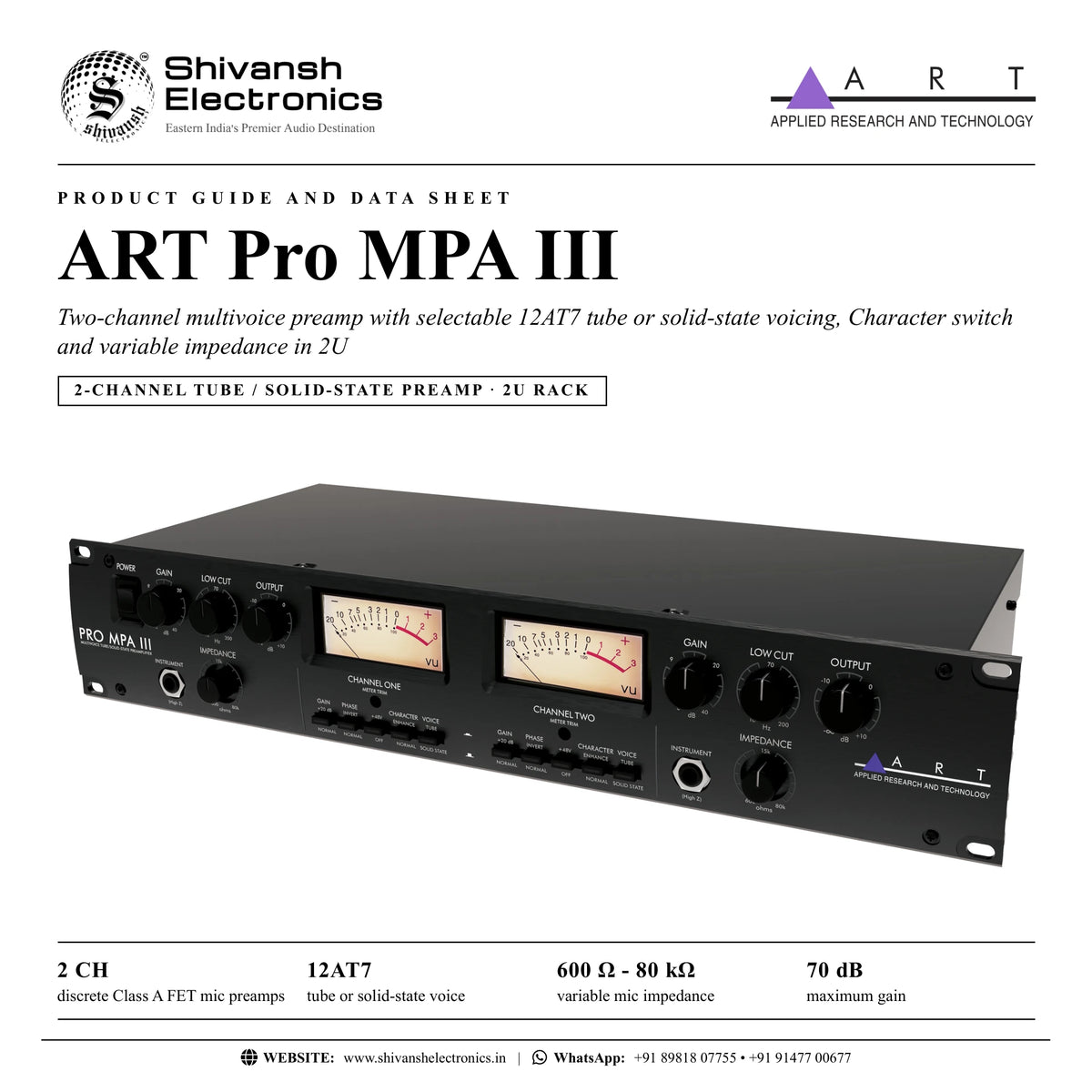
ART Pro MPA III 2-channel multivoice preamp: 12AT7 tube or solid-state voice, Character switch, 600 Ω - 80 kΩ impedance, DI inputs, VU meters, 2U. Available in India from Shivansh Electronics, Kolkata, West Bengal, India.
VISUAL GUIDE — See Every Photo, Spec & Setup Step (PDF)
The price shown is the MAXIMUM RETAIL PRICE (MRP), inclusive of all taxes. For the best price, exclusive offers and discounted rates, delivery timelines, or any other information, please DM us or call +91 89818 07755 / +91 91477 00677. We will gladly share an exclusive coupon code that you can apply at checkout. All payments are processed securely through Razorpay, our trusted payment gateway partner.
Specifications
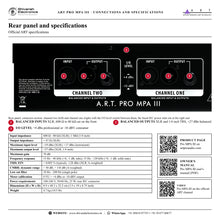
| Channels | 2 |
| Input impedance | 600 Ω - 80 kΩ (XLR); 1 MΩ (1/4 inch) |
| Output impedance | < 47 Ω (XLR) |
| Maximum input level | +19 dBu (XLR); +17 dBu (instrument) |
| Maximum output level | +27 dBu (XLR, 1/4 inch) |
| Maximum gain | 70 dB |
| Frequency response | 15 Hz - 48 kHz (+0, -1 dB, tube); 15 Hz - 120 kHz (+0, -1 dB, solid state) |
| Dynamic range | > 110 dB (A‑weighted) |
| Total harmonic distortion | < 0.005 % (typical) |
| Equivalent input noise | -128 dBu (XLR, A‑weighted) |
| CMRR | > 50 dB |
| Meter calibration | 0 VU = +4 dBu output (+4 dBu mode); 0 VU = -10 dBV output (-10 dBV mode) |
| Low cut filter | 10 Hz - 200 Hz (single pole) |
| Tube | 12AT7, hand selected |
Power and physical
| Power requirements | 100‑240 V, 50/60 Hz, 25 W; rear‑mounted IEC connector |
| Dimensions (H x W x D) | 8.9 x 48.3 x 22.2 cm (3.5 x 19 x 8.75 inch), 2U rack |
| Weight | 4.7 kg (10.5 lb) |
Product overview
The ART Pro MPA III is a versatile two-channel multivoice preamp with streamlined controls and real tube tone in a 2U rackmount enclosure.
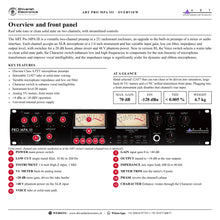
Packed with essential features, it is a powerful upgrade to the built-in preamps of a mixer or audio interface. Each channel accepts an XLR microphone or a 1/4 inch instrument and has variable input gain, low cut filter, impedance and output level, with switches for a 20 dB boost, phase invert and 48 V phantom power. New in version III, the Voice switch selects a warm tube or a clean solid-state signal path, and the Character switch enhances low and high frequencies to compensate for the non-linearity of microphone transformers and improve vocal intelligibility. The variable impedance range is significantly wider, a creative tool with dynamic and ribbon microphones. Balanced XLR and 1/4 inch outputs, selectable +4 dBu / -10 dBV operation and a universal internal power supply complete it.
| Discrete Class A FET mic preamps | 2 |
| Tube or solid‑state voicing | 12AT7 |
| Variable mic impedance | 600 Ω - 80 kΩ |
| Maximum gain | 70 dB |
Key features
- Discrete Class A FET microphone preamps
- Selectable 12AT7 tube or solid-state voicing
- Variable microphone impedance (600 Ω to 80 kΩ) and low cut filter (10 Hz to 200 Hz)
- Character switch to enhance vocal intelligibility
- Instrument level DI inputs on the front panel
- Analog VU meters, large and back-lit, with front meter trim
- +4 dBu or -10 dBV operation
- Universal internal power supply
Tube or solid state
The Voice switch routes each channel through the tube or the solid-state circuit. The hand selected 12AT7 can run clean or be driven into saturation: input gain runs from 0 to +40 dB, and the +20 dB switch and the output control (+10 dB) bring the total to 70 dB. The +20 dB switch also drives the tube harder, making it the dominant source of character.
Shaping the microphone
The Impedance control sets the load on the XLR input: ART describes lower settings as rejecting more cable noise and damping microphone resonance, and higher settings as giving a more open sound. The single tuned Low Cut filter removes pops and other low frequency content while preserving some low end, and the Character switch compensates for microphone deficiencies and transformer coupling issues. A Phase switch on each channel helps when two microphones cancel at certain frequencies.
Inputs and outputs
Each channel has a front 1/4 inch High Z instrument input (1 MΩ) that disables the rear input when used, a rear balanced XLR input, and active balanced XLR and 1/4 inch TRS outputs that keep the same level balanced or unbalanced (+27 dBu balanced). The I/O level switch sets professional (+4 dBu) or consumer (-10 dBV) operation; 0 VU on the meters follows it.
In the box
- Pro MPA III preamp
- QuickStart manual
- IEC power cord
ART Pro MPA III: frequently asked questions
Which tube does the Pro MPA III use?
A hand selected 12AT7, selectable per channel with the Voice switch against a solid-state path.
Can it be used as a DI?
Yes. Each channel has a front instrument level DI input.
What mains voltage does it accept?
100-240 V, 50/60 Hz, 25 W, through a rear IEC connector and a universal internal power supply.
Does it work with -10 dBV equipment?
Yes. A rear switch selects +4 dBu or -10 dBV operation.
Where can I buy the ART Pro MPA III in India?
The ART Pro MPA III is available from Shivansh Electronics, Kolkata, West Bengal, India, with delivery across India.
Workflow 1: Two-channel vocal and instrument tracking
Home and project studios upgrading interface preamps.
Connections
| Connect | To |
|---|---|
| Microphone | Channel one rear XLR input |
| Instrument | Channel two front instrument input |
| XLR or TRS outputs | Audio interface line inputs |
Setup
- Set the I/O level switch to match the interface.
- Choose Tube or Solid State with each Voice switch.
- Set Gain, then Output, watching the VU meters.
Tip: Plugging into the front instrument jack disables that channel's rear input.
Workflow 2: Clearer vocals
Singers and voice-over recording.
Connections
| Connect | To |
|---|---|
| Vocal microphone | XLR input |
Setup
- Engage Character (Enhance) for more presence and clarity.
- Sweep the Low Cut to remove pops and low frequency noise.
Tip: The Character switch compensates for microphone and transformer coupling issues.
Workflow 3: Ribbon and dynamic microphone voicing
Engineers matching preamp and microphone.
Connections
| Connect | To |
|---|---|
| Ribbon or dynamic microphone | XLR input |
Setup
- Start with the Impedance knob centred (15 kΩ load).
- Turn lower to focus the sound or higher for a more open sound.
Tip: The Impedance control only affects the XLR inputs.
Workflow 4: Driving the tube for character
Producers looking for saturation.
Connections
| Connect | To |
|---|---|
| Source | Pro MPA III input |
Setup
- Select Tube with the Voice switch.
- Engage +20 dB and raise the input gain; lower the Output to keep the level.
Tip: The +20 dB switch makes the tube the dominant source of character.
Workflow 5: Best noise performance
Quiet sources and critical recordings.
Connections
| Connect | To |
|---|---|
| Microphone | XLR input |
Setup
- Turn the Input Gain down, centre the Output and leave +20 dB at Normal.
- Raise the Input until the meter reads above -10 dB.
- If it stays below -10 dB at full input, centre the input, engage +20 dB and raise the Input again.
Tip: This optimises the gain elements for the widest dynamic range.
Workflow 6: Feeding consumer level equipment
Setups with -10 dBV inputs.
Connections
| Connect | To |
|---|---|
| XLR or 1/4 inch outputs | Recorder or mixer at -10 dBV |
Setup
- Select -10 dBV on the rear I/O level switch.
- Set the Output so the meters read around 0 VU.
Tip: The outputs keep the same level whether used balanced or unbalanced.