
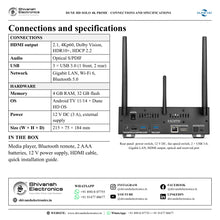
DUNE HD Solo 4K Prime
PRICE ON ENQUIRY
Dune HD Solo 4K Prime: certified 4K streaming player with the Dune HD Media Center, Dolby Vision, Dolby Atmos and a 3.5" HDD bay. Available in India from Shivansh Electronics, Kolkata, West Bengal, India.
VISUAL GUIDE — See Every Photo, Spec & Setup Step (PDF)
PRICE ON ENQUIRY. For the price, exclusive offers, delivery timelines, or any other information, please Contact / WhatsApp +91 89818 07755 / +91 91477 00677. We will gladly share a personalised quotation for Shivansh Electronics, Kolkata, West Bengal, India. All payments are processed securely through Razorpay, our secure payment gateway.
Hardware
| Media processor | Media processor with Dolby Vision, Dolby Atmos and DTS licences (special version with all licences) |
| CPU | 4-core |
| Operating memory | 4 GB |
| Flash memory | 32 GB |
| Built-in HDD rack | 3.5" SATA HDD, up to 32 TB and more, hot swap |
| Case | Metal |
| Cooling | Passive (entire case as a heatsink) and active (quiet fan for extra HDD cooling) |
| Fan speed | Adjustable with the rear-panel switch (High / Medium / Low / Off) |
| Front panel display | Multi-segment LED display, HH:MM:SS |
| Front panel power button | Yes |
| Dimensions (W × H × D) | 215 × 75 × 184 mm |
Network and connections
| Ethernet | 10/100/1000 Mbit/s |
| Wi-Fi | 802.11b/g/n/ac/ax (Wi-Fi 6), dual band 2.4 + 5 GHz, 2T2R |
| Bluetooth | 5.0 |
| Antennas | 2 × external Wi-Fi antenna (detachable) + external Bluetooth antenna (non-detachable, needed for the Bluetooth remote) |
| USB ports | 3 × USB 3.0 host (1 front, 2 rear) |
| HDMI output | HDMI 2.1, up to 4Kp60 HDR / HDR10+ / Dolby Vision, HDCP 2.2 |
| S/PDIF output | Optical S/PDIF |
| Reserved port | For potential extensions |
| Power input | 12 V DC IN (3 A) |
| Power supply | External, DC 12 V (3 A), AC 100-240 V |
Control
| Remote | Bluetooth remote with microphone (voice search) and programmable app button; its IR emitter controls TVs and AV receivers, and controls the player over IR when there is no Bluetooth connection |
| IR control | Built-in IR receiver; uses the IR codes of the certified smart TV platform (Dune HD IR codes are not supported on this certified model) |
Operating system and streaming
| OS | Android TV 11/14 + Linux-based Dune HD OS (Dune HD Media Center, available via app) |
| Android TV certification | Yes |
| Streaming service certification | Yes |
| DRM | Level 1 (L1) |
| Streaming services | Popular streaming services through their certified apps (depends on region and on the policies of each service) |
| Chromecast built-in | Yes |
| Filesystems | FAT16/FAT32 (read-write), exFAT (read-write), NTFS (read-only) |
Video
| Video decoding | AV1, VP9 profile 2, H.265 (HEVC), H.264 (AVC), VC1, MPEG4, MPEG2, MPEG1 |
| Video upscaling | Upscaling of SD and other resolutions up to 4K |
| 3D video | Side-by-Side, Top-and-Bottom (the TV is switched to 3D mode manually) |
Audio
| Audio in streaming services | Up to Dolby Atmos (depends on the streaming service) |
| Audio in Dune HD Media Center | Most popular formats, up to Dolby TrueHD with Atmos and DTS:X, multichannel FLAC and multichannel SACD (DSD) |
Dune HD Media Center
| Video file formats | MKV, MPEG-TS, MPEG-PS, M2TS, VOB, AVI, MOV, MP4, QT, ASF, WMV, ISO, movie folder structures |
| Dolby Vision playback | Profiles 5, 7 (MEL and FEL), 8; ISO, movie folder structure, MKV, MP4, M2TS; DTDL (double-track double-layer), STDL (single-track double-layer), STSL (single-track single-layer); profile 7 double-track / double-layer video is played with data from both tracks / layers (10-bit video from the first, RPU metadata from the second) |
| BD playback | Lite (direct video playback without menu), full menu |
| DVD-Video playback | Lite (direct video playback without menu), full menu |
| Automatic frame rate and resolution switching | Yes (flicker-free: the video mode switches before playback starts) |
| Audio decoding | MPEG-1/2 layer I/II/III, AAC, LPCM, FLAC, multichannel FLAC, Vorbis, WavPack, APE, ALAC, SACD DSD (stereo and multichannel), multichannel PCM (up to 7.1), Dolby and DTS formats |
| Dolby and DTS formats | Dolby Digital, Dolby Digital Plus, Dolby Digital Plus with Atmos, Dolby TrueHD, Dolby TrueHD with Atmos, DTS, DTS-HD HRA, DTS-HD MA, DTS:X; all can be decoded and output to HDMI as multichannel uncompressed PCM (up to 7.1, 48 kHz) |
| Bitstream output | Dolby Digital, Dolby Digital Plus (with Atmos), Dolby TrueHD (with Atmos), DTS; with the latest Android 14 firmware all formats up to Dolby TrueHD with Atmos and DTS:X; Dolby formats also as multichannel PCM with Atmos (Dolby MAT) when the receiver supports it |
| DSD output | Multichannel DSD to HDMI as multichannel PCM; stereo DSD to HDMI and S/PDIF as stereo PCM |
| Audio file formats | MP3, MPA, M4A, AAC, WAV, FLAC, Ogg/Vorbis, WavPack, APE, ALAC, SACD ISO, SACD DSF and SACD DFF (stereo and multichannel), AC3, DTS, DTS-WAV |
| Subtitle formats | SRT (external), SUB (external), text (MKV), SSA/ASS (MKV, external), VobSub (MP4, MKV, external SUB/IDX), PGS (ISO, TS, MKV) |
| Online subtitles | Automatic download of subtitles from the Internet |
| Picture file formats | JPEG, PNG, BMP |
| Photo viewer functions | Slideshow, transition effects, picture rotation, zoom, view playlist, repeat, shuffle |
| Playlist file formats | M3U, PLS, CUE |
| Playlist functions | Build playlists from selected folders, files or playlist files; view playlist file and current playlist; jump to next, previous or selected item; repeat; shuffle; photo, audio, video and mixed audio-video playlists |
| NFS network access | Browse NFS servers / shares, connect to a share manually, directly access and play files |
| SMB network access | Browse SMB servers / shares, connect to a share manually, directly access and play files |
| UPnP / DLNA | Browse and play files from PCs and NAS on the local network |
| SMB server | Shares local storage devices and internal memory via SMB (non-privileged port 10445) |
| FTP server | Shares local storage devices and internal memory via FTP (non-privileged port 10021) |
| Mobile app | Control through the Dune Control app for smartphones and tablets |
| IP control | IP Control interface for home automation systems (non-privileged port 11080) |
| Parental controls | Lock the entire player, including all apps, by a schedule |
| Player synchronisation | Watch marks and playback history kept in sync across several Dune HD players through a shared SMB folder |
Product overview
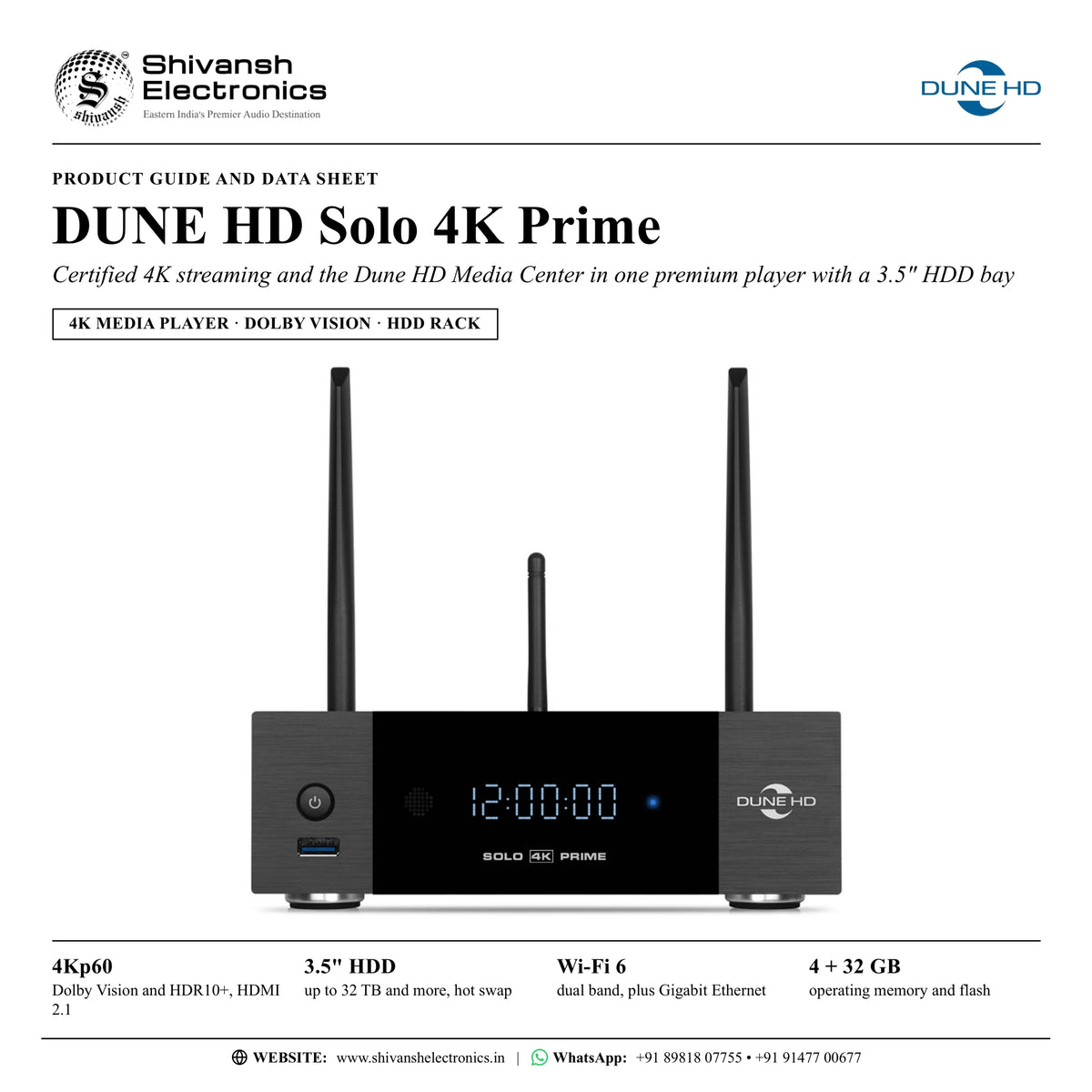
The Dune HD Solo 4K Prime is a premium all-in-one 4K media player that brings together a certified smart TV operating system with certified streaming apps, the advanced Dune HD Media Center for high-end local playback and a full-size 3.5" HDD bay in a solid metal chassis.
It combines three strengths in one device. Officially certified apps play the major streaming services in up to 4K Dolby Vision and Dolby Atmos. The Dune HD Media Center plays your own library to a very high standard, including 4K Dolby Vision FEL disc images with full menus and HD audio. And the premium metal chassis, styled after the Solo 8K, takes a 3.5" SATA hard drive of up to 32 TB and more for a large built-in film collection.
The Dune HD Media Center runs as a Linux-based Dune HD OS in a special virtual container, alongside the smart TV system, and is opened through an app. It brings the features Dune HD has developed for its standalone players over more than 15 years: an advanced file browser and player, full menu support for movie ISO files and disc structures, advanced Dolby Vision playback, a poster-style catalogue of your local films, the Dune Control mobile app and smart home integration. It also works hand in hand with the streaming apps: from a film in your library you can look up other films of the same director or actor, or similar titles, and start one straight away in a streaming service.
Picture and sound get the same care. The media processor carries Dolby Vision, Dolby Atmos and DTS licences, and Dolby Vision and HDR10+ let the brightness range change from frame to frame, so even very dark or very bright scenes keep their detail. AV1 and VP9 profile 2 decoding cover modern online video in 4K HDR. Dolby MAT partly decodes the audio in the player before Dolby Atmos goes to the TV or AV receiver, which improves A/V synchronisation, reduces latency and improves compatibility. In the Media Center, Dolby and DTS formats up to Dolby TrueHD with Atmos and DTS:X can be decoded to multichannel PCM up to 7.1, and multichannel SACD and FLAC music is supported too.
The hardware is generous: 4 GB of operating memory, 32 GB of flash, Gigabit Ethernet, dual-band Wi-Fi 6, Bluetooth 5.0 and three USB 3.0 ports. The front-panel display shows the playback position and the time, the metal case works as a heatsink with a quiet fan for extra HDD cooling, and the Bluetooth remote has a microphone for voice search, a customisable app button and an IR channel for the TV and AV receiver. Dune HD's single code base means its players receive software updates for many years.
| Dolby Vision and HDR10+, HDMI 2.1 | 4Kp60 |
| SATA, up to 32 TB and more, hot swap | 3.5" HDD bay |
| Operating memory and flash | 4 GB + 32 GB |
| Dual band 2T2R, plus Gigabit Ethernet | Wi-Fi 6 |
Key features
- Certified smart TV operating system with certified streaming apps, up to 4K Dolby Vision and Dolby Atmos
- Dune HD Media Center: advanced file browser and player, full disc menus, My Collection film catalogue
- Dolby Vision profiles 5, 7 (MEL and FEL) and 8 in ISO, folder structure, MKV, MP4 and M2TS
- Dolby and DTS formats up to Dolby TrueHD with Atmos and DTS:X; decoding to multichannel PCM up to 7.1
- Dolby MAT: multichannel PCM with Atmos for receivers that support it
- Multichannel SACD (DSD) in ISO, DSF and DFF; multichannel FLAC, WavPack, APE and ALAC
- AV1 and VP9 profile 2 decoding for 4K HDR online video
- Tool-free 3.5" SATA HDD rack with hot swap; 2.5" drives with an adapter (not included)
- Automatic, flicker-free frame rate and resolution switching
- Chromecast built-in for casting from phones, tablets and laptops
- 4 GB + 32 GB memory, Wi-Fi 6, Gigabit Ethernet, 3 × USB 3.0, Bluetooth 5.0
- Front-panel display; metal case with passive cooling and a quiet fan
Made for
- TV systems that need certified streaming apps and a local film library in one box
- Home cinemas with an AV receiver for Dolby Atmos, Dolby TrueHD and DTS:X
- Large film collections on a built-in 3.5" drive, USB drives or a NAS
- Disc image collections played with full menus, including 4K Dolby Vision
- Multichannel music libraries in FLAC and SACD (DSD)
- Smart homes and home automation, through IP control and IR
In the box
- Solo 4K Prime media player
- Bluetooth remote
- 2 × AAA battery
- Power supply (12 V DC)
- HDMI cable
- Quick installation guide
Connections
- HDMI 2.1 output: up to 4Kp60 HDR, HDR10+ and Dolby Vision, HDCP 2.2
- Optical S/PDIF output
- Gigabit Ethernet
- 3 × USB 3.0 host (1 front, 2 rear)
- 12 V DC power input
- Reserved port for potential extensions
- Rear-panel fan speed switch (High / Medium / Low / Off)
- 2 detachable Wi-Fi antennas and a Bluetooth antenna; built-in IR receiver
Dune HD Solo 4K Prime: frequently asked questions
Does it play the major streaming services in 4K?
Yes. The player runs a certified smart TV operating system and holds official streaming certifications, so popular streaming services play through their certified apps in up to 4K Dolby Vision, with Dolby Atmos where the service offers it. The choice of services depends on your region and on each service.
How do I get the Dune HD Media Center?
The Dune HD Media Center is installed on the player as an app; Dune HD publishes the current app status and set-up steps on its support pages. It then runs alongside the smart TV system in its own virtual container.
Can I fit my own hard drive?
Yes. The rack takes a 3.5" SATA hard drive of up to 32 TB and more, with no tools needed and hot swap supported. 2.5" SSDs or HDDs fit with a 2.5"-to-3.5" adapter (not included). The internal drive, USB drives and the internal memory can be reached from your network through the built-in FTP and SMB file server.
Does it play 4K disc images with menus and Dolby Vision?
Yes. The Dune HD Media Center plays BD and DVD-Video images and folder structures with full menus, and plays Dolby Vision profile 7 MEL and FEL using both tracks or layers, sending the Dolby Vision metadata to the TV together with 10-bit video.
Can the remote control my TV and AV receiver?
Yes. The remote talks to the player over Bluetooth, so you need not point it at the player and the player can be hidden, and it uses its IR channel to control TVs and AV receivers. The microphone enables voice search, and a customisable app button opens any app you choose.
Where can I buy the Dune HD Solo 4K Prime in India?
The Dune HD Solo 4K Prime is available from Shivansh Electronics, Kolkata, West Bengal, India, with delivery across India.
Workflow 1: Living-room 4K TV with streaming and a film library
Families who want certified streaming apps and their own films on one box in the living room.
Connections
| Connect | To |
|---|---|
| Solo 4K Prime HDMI output | TV HDMI input |
| Solo 4K Prime Gigabit LAN | Home router (or dual-band Wi-Fi 6) |
Setup
- Connect the HDMI output to an HDMI input of the TV with the supplied HDMI cable.
- Connect the player to the home network by Gigabit Ethernet or Wi-Fi 6.
- Pair the Bluetooth remote and sign in to your streaming apps for up to 4K Dolby Vision and Dolby Atmos.
- Install the Dune HD Media Center app and open your films from the internal drive, USB or the network.
- Set the customisable app button to the app you use most.
Tip: Chromecast built-in lets you cast from phones, tablets and laptops straight to the TV.
Workflow 2: 5.1.2 or 7.2.4 home theatre with an AV receiver
Home theatre owners with a Dolby Atmos AV receiver and a 4K Dolby Vision TV or projector.
Connections
| Connect | To |
|---|---|
| Solo 4K Prime HDMI output | AV receiver HDMI input |
| AV receiver HDMI output | TV or projector |
Setup
- Connect the player to an HDMI input of the AV receiver and the receiver to the display.
- Use bitstream output for Dolby TrueHD with Atmos, or multichannel PCM with Atmos through Dolby MAT where the receiver supports it.
- Let the Dune HD Media Center switch frame rate and resolution automatically; it changes the video mode before playback starts, so there is no flicker.
- Play 4K Dolby Vision disc images with full menus and HD audio.
Tip: Dolby MAT partly decodes the audio in the player, which improves A/V synchronisation and reduces latency.
Workflow 3: Built-in film library on a 3.5" hard drive
Collectors who want their library inside the player rather than on a separate drive.
Connections
| Connect | To |
|---|---|
| 3.5" SATA HDD | Built-in hot-swap HDD rack |
| PC on the home network | Player's SMB or FTP file server |
Setup
- Slide a 3.5" SATA drive of up to 32 TB and more into the rack; no tools are needed.
- Copy films to the drive from a PC over the network through the built-in SMB or FTP server.
- Let My Collection recognise the films and build a catalogue with posters and descriptions.
- Use the rear fan speed switch to set the HDD fan to High, Medium, Low or Off.
Tip: 2.5" SSDs or HDDs fit with a 2.5"-to-3.5" adapter (not included).
Workflow 4: Whole-home library on a NAS
Homes with a NAS and more than one Dune HD player.
Connections
| Connect | To |
|---|---|
| NAS (SMB, NFS or UPnP / DLNA) | Home network |
| Solo 4K Prime Gigabit LAN | Home network |
Setup
- Connect the player by Gigabit Ethernet for smooth playback of high-bitrate video.
- Browse the NAS shares over SMB, NFS or UPnP / DLNA in the Dune HD Media Center and add them to My Collection.
- Use a shared SMB folder to keep watch marks and the Recent menu in sync across all your Dune HD players.
- Mark films as watched on one player and see the same marks on the others.
Tip: The Recent menu shows what you played last, so playback resumes in a moment.
Workflow 5: Multichannel music room
Music lovers with SACD and FLAC libraries and a multichannel AV receiver.
Connections
| Connect | To |
|---|---|
| Solo 4K Prime HDMI output | AV receiver (multichannel PCM) |
| Solo 4K Prime optical S/PDIF | Stereo amplifier or DAC |
Setup
- Copy SACD ISO, DSF or DFF files and multichannel FLAC to the internal drive or the NAS.
- Play them in the Dune HD Media Center; multichannel DSD goes to HDMI as multichannel PCM.
- For a stereo system, send stereo DSD and PCM to the optical S/PDIF output.
- Build playlists from folders and files, with repeat and shuffle.
Tip: Files with DST compression are supported in all popular SACD formats.
Workflow 6: Smart home control and parental schedule
Smart homes and families who want app control and screen-time rules.
Connections
| Connect | To |
|---|---|
| Smartphone with the Dune Control app | Player on the home network |
| Home automation controller | IP Control interface (port 11080) or IR receiver |
Setup
- Install the Dune Control app; its menu mirrors the TV menu and it fully replaces the standard remote.
- Use the Now Playing section of the app to control playback.
- Integrate the player into the home automation system through IP Control or IR.
- Set parental controls to lock the whole player, including all apps, outside the hours you choose.
Tip: The parental schedule can, for example, allow use only from 14:00 to 16:00 and from 20:00 to 22:00.