
FONESTAR AIP-PLAYER
PRICE ON ENQUIRY
FONESTAR AIP-PLAYER IP audio player and SIP client: multicast music and messages, RCA and balanced outputs, dry contacts, 1 U. Available in India from Shivansh Electronics, Kolkata, West Bengal, India.
VISUAL GUIDE — See Every Photo, Spec & Setup Step (PDF)
PRICE ON ENQUIRY. For the price, exclusive offers, delivery timelines, or any other information, please DM us or call +91 89818 07755 / +91 91477 00677. We will gladly share a personalised quotation for Shivansh Electronics, Kolkata, West Bengal, India. All payments are processed securely through Razorpay, our trusted payment gateway partner.
Player
| Type | IP audio player and SIP client |
| Function | Streaming audio reception via multicast over the LAN; remote channel selection and configuration via PC |
| Updates | Remote via PC software or locally via USB |
Inputs
| Network | 1 Ethernet 10/100 Base‑T, RJ‑45 |
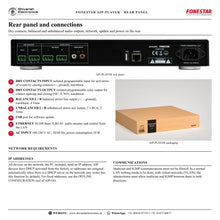
| Event input | 1 isolated programmable input for activation of events by closing contacts, euroblock |
| USB | Port for software update |
Outputs
| Unbalanced | 1 stereo aux, 2 x RCA, 2 Vrms |
| Balanced | 1 stereo line, euroblock, 4 Vrms |
| Relay | 1 isolated programmable output for contact opening and closing, euroblock |
Software
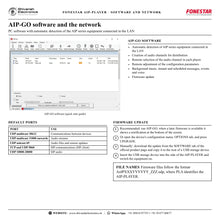
| Function 1 | PC software with automatic detection of AIP series equipment connected in the LAN |
| Function 2 | Creation of audio channels for distribution |
| Function 3 | Remote selection of the audio channel in each player |
| Function 4 | Remote adjustment of the configuration parameters |
| Function 5 | Background music, instant and scheduled messages, events and voice |
| Function 6 | Firmware update |
General
| Power supply | 100‑240 V AC, 10 W |
| Dimensions | 330 x 45 x 188 mm (depth), 1 U 19 inch rack |
| Weight | 2 kg |
| Accessories | 19 inch rack mount brackets |
Product overview
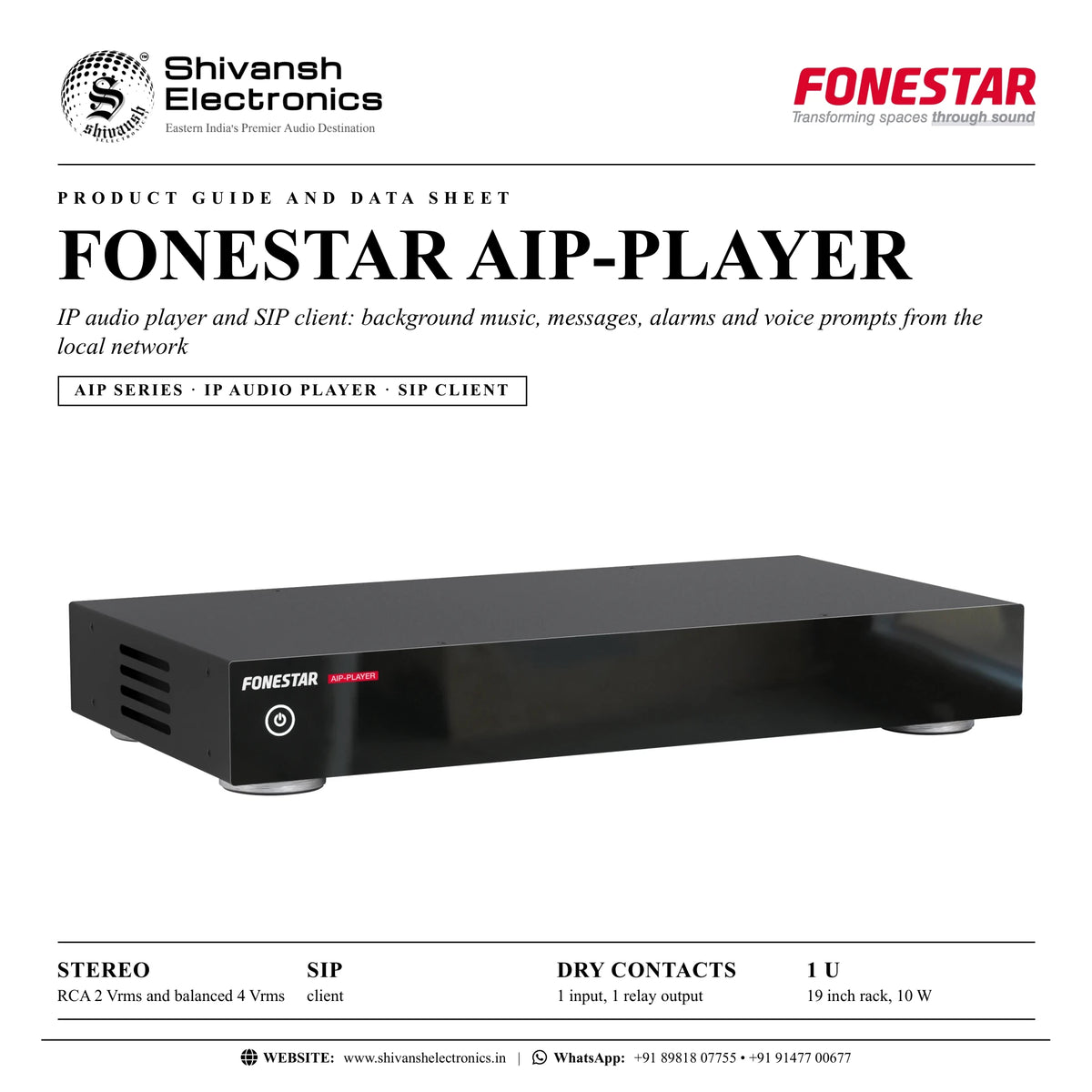
The FONESTAR AIP-PLAYER is an IP audio player and SIP client that plays background music, messages, alarms and voice prompts from the local network.
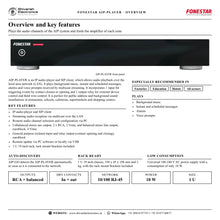
AIP-PLAYER allows audio playback over the local area network (LAN): it plays background music, instant and scheduled messages, alarms and voice prompts received by multicast streaming. It incorporates 1 input for triggering events by contact closure or opening and 1 output relay for external device control and third wire control, with balanced and unbalanced stereo outputs for the zone amplifier. It is perfect for public address and background sound installations for restaurants, schools, cafeterias, supermarkets and shopping centres.
| RCA and balanced outputs | Stereo |
| Client | SIP |
| Isolated dry contacts | In + out |
| 19 inch rack, 10 W | 1 U |
Key features
- IP audio player and SIP client
- Streaming audio reception via multicast over the LAN
- Remote audio channel selection and configuration via PC
- Unbalanced stereo aux output, 2 x RCA, 2 Vrms, and balanced stereo line output, euroblock, 4 Vrms
- General purpose isolated input and relay output, euroblock
- Remote update via PC software or locally via USB
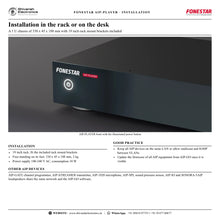
- 1 U 19 inch rack with rack mount brackets
One player for each zone
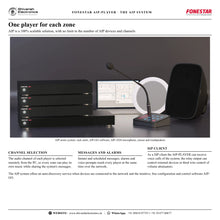
Each AIP-PLAYER feeds the amplifier of a zone. Its channel is selected remotely from the PC, so every zone can play its own music while receiving the system's messages and alarms.
Outputs for every amplifier
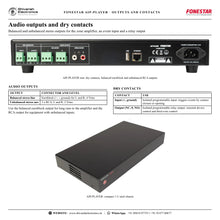
The balanced euroblock output (4 Vrms) suits long runs to the amplifier; the RCA output (2 Vrms) suits equipment with unbalanced inputs.
Contacts and SIP
The isolated input triggers events by contact closure or opening, the relay output controls external devices and third wire control, and as a SIP client the player can take part in the voice communications of the system.
In the box
- AIP-PLAYER
- 19 inch rack mount brackets
FONESTAR AIP-PLAYER: frequently asked questions
What can the AIP-PLAYER play?
Background music, instant and scheduled messages, alarms and voice prompts streamed over the LAN.
Which outputs does it have?
An unbalanced stereo aux output on 2 x RCA (2 Vrms) and a balanced stereo line output on euroblock (4 Vrms), plus an isolated relay output.
How is the channel selected?
Remotely from the PC with the AIP-GO software, which detects the player automatically.
Is it a SIP client?
Yes. The AIP-PLAYER is an IP audio player and SIP client.
Where can I buy the FONESTAR AIP-PLAYER in India?
The FONESTAR AIP-PLAYER is available from Shivansh Electronics, Kolkata, West Bengal, India, with delivery across India.
Workflow 1: Restaurant zone
Background music and messages in a dining area.
Connections
| Connect | To |
|---|---|
| AIP‑PLAYER | Network switch |
| Balanced output | Zone amplifier |
Setup
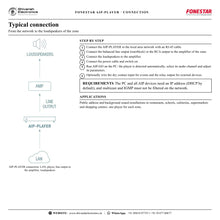
- Connect the player to the LAN.
- Connect the balanced output to the amplifier.
- Select the music channel in AIP-GO.
- Set the level of the zone.
Tip: Use the balanced output for long cable runs.
Workflow 2: School classrooms
Bells, messages and alarms in every building.
Connections
| Connect | To |
|---|---|
| AIP‑PLAYER per building | School LAN |
| Outputs | Building amplifiers |
Setup
- Install one player per building or zone.
- Assign the bell and message channels.
- Schedule events in AIP-GO.
- Test alarms in every zone.
Tip: Messages reach every player at the same time.
Workflow 3: Supermarket with attenuators
Third wire control of volume attenuators during messages.
Connections
| Connect | To |
|---|---|
| Relay output (NC, 0, NO) | Attenuator control line |
Setup
- Wire the relay output to the control line.
- Program the output to switch during messages.
- Test a message with the attenuators turned down.
- Verify music returns to the set level.
Tip: The relay output is isolated and programmable.
Workflow 4: Café with a hi-fi amplifier
Unbalanced equipment in a small venue.
Connections
| Connect | To |
|---|---|
| RCA output L / R | Amplifier input |
Setup
- Connect the RCA output to the amplifier.
- Select the channel in AIP-GO.
- Adjust the volume.
- Schedule promotional messages.
Tip: The RCA output delivers 2 Vrms.
Workflow 5: Event from a door contact
A contact closure starts a message.
Connections
| Connect | To |
|---|---|
| Door or button contact | Dry contacts input, euroblock |
Setup
- Wire the contact to the input.
- Program the event in AIP-GO.
- Test the trigger.
- Adjust the message level.
Tip: Use the isolated input for any contact closure or opening.
Workflow 6: SIP voice to a zone
Voice calls of the AIP system.
Connections
| Connect | To |
|---|---|
| AIP‑PLAYER (SIP client) | LAN |
| SIP server (AIP‑GATE) | LAN |
Setup
- Register the player as a SIP client.
- Allow TCP and UDP 5060 and UDP 10000-20000.
- Make a test call to the zone.
- Set the voice level.
Tip: Keep multicast and IGMP unfiltered on the network.