

FONESTAR MPX-410ES
MRP - Rs. 50,990
FONESTAR MPX-410ES wall audio I/O for the MPX-4088 matrix: XLR mic with 48 V phantom, RCA line, 2 balanced outputs. Available in India from Shivansh Electronics, Kolkata, West Bengal, India.
VISUAL GUIDE — See Every Photo, Spec & Setup Step (PDF)
The price shown is the MAXIMUM RETAIL PRICE (MRP), inclusive of all taxes. For the best price, exclusive offers and discounted rates, delivery timelines, or any other information, please DM us or call +91 89818 07755 / +91 91477 00677. We will gladly share an exclusive coupon code that you can apply at checkout. All payments are processed securely through Razorpay, our trusted payment gateway partner.
Specifications
| Type | Audio input / output control for audio matrix MPX‑4088 |
| Mic input | 1 balanced mic., XLR, 5,100 Ω, assignable to channels 10 or 12 |
| Line input | 1 stereo RCA line, 5,100 Ω, 7.74 V, assignable to channels 9/10 or 11/12 |
| RD port | 1 RD port for connection to matrix MPX‑4088, RJ‑45 |
| Outputs | 2 balanced line, euroblock, 240 Ω, 7.74 V, assignable to digital channels 9/10 or 11/12 |
| Controls | Microphone volume control; selectable phantom power |
| Phantom | 48 V |
| Connection | RJ‑45, Cat 5e cable |
| Power supply | 24 V DC, 100 mA, via RD port |
| Dimensions | 147 x 86 x 47 mm (depth) |
| Weight | 0.25 kg |
| Accessories | Surface box |
Product overview
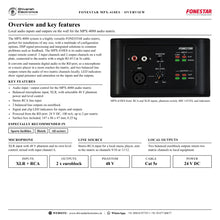
The FONESTAR MPX-410ES is the wall audio input and output control for the FONESTAR MPX-4088 audio matrix: a microphone input with 48 V phantom, a stereo RCA line input and two balanced line outputs, connected with one Cat 5e cable.
The MPX-4088 system is a highly versatile FONESTAR audio matrix, perfect for installations of any size, with a multitude of configuration options, DSP signal processing and integrated solutions to common problems such as feedback. The MPX-410ES converts and transmits digital audio to the RD port and returns two matrix channels on balanced euroblock outputs, with signal and clip indicators for inputs and outputs.
| Audio channels | 2 in / 2 out |
| Mic and line inputs | XLR + RCA |
| Phantom power | 48 V |
| Via RD port | 24 V DC |
Key features
- Audio input / output control for the MPX-4088 audio matrix
- Balanced XLR microphone input with selectable 48 V phantom and level control
- Stereo RCA line input
- 2 balanced line outputs on euroblock
- SIGNAL and CLIP LED indicators for inputs and outputs
- Powered from the RD port: 24 V DC, 100 mA; up to 2 per matrix
- Surface box included; 147 x 86 x 47 mm, 0.25 kg
Inputs
The RCA inputs A and B are assigned to channels 9 or 10 (A) and 11 or 12 (B), according to the RD port used on the matrix. The XLR microphone signal is mixed with input channel A and has its own MIC LEVEL control and PHANTOM 48 V switch.
Outputs
Two balanced euroblock outputs, 240 Ω, 7.74 V, carry output channels 9/10 or 11/12 of the matrix for local equipment.
Installation
Insert the RJ-45 connector in the RD port on the rear and the other end in RD port 9/10 or 11/12 of the MPX-4088, or the AUDIO port of the MPX-440X expansion. Two MPX-410ES per matrix, one in each RD port; total cable length up to 150 metres of STP Cat 5e.
In the box
- MPX-410ES audio input / output control
- Surface box
FONESTAR MPX-410ES: frequently asked questions
Can I connect a condenser microphone?
Yes. The XLR input has a selectable 48 V phantom power supply.
How many MPX-410ES can one matrix use?
Two, one in each RD port (9/10 and 11/12).
Does it need a power adaptor?
No. It is powered through the RD port: 24 V DC, 100 mA.
Where can I buy the FONESTAR MPX-410ES in India?
The FONESTAR MPX-410ES is available from Shivansh Electronics, Kolkata, West Bengal, India, with delivery across India.
Workflow 1: Hotel meeting rooms
Each room adjusts its own sound from the wall.
Connections
| Connect | To |
|---|---|
| Microphone | MIC (XLR) |
| MPX‑410ES RD port | MPX‑4088 RD 9/10 or 11/12 |
Setup
- Fix the surface box beside the door.
- Connect the microphone or music player to the XLR or RCA inputs.
- Connect the RJ-45 cable to the matrix RD port.
- Test the control with the matrix running.
Tip: Use Cat 5e or superior cable, up to 150 m with STP cable.
Workflow 2: Shopping mall zones
Shop areas and corridors with their own music level.
Connections
| Connect | To |
|---|---|
| Microphone | MIC (XLR) |
| MPX‑410ES RD port | MPX‑4088 RD 9/10 or 11/12 |
Setup
- Install the control in each zone.
- Connect the microphone or music player to the XLR or RCA inputs.
- Connect to the RD 9/10 or 11/12 port of the matrix.
- Configure the zones in the MPX-4088.
Tip: The control is powered through the same RJ-45 cable.
Workflow 3: Conference room
Speakers and presenters in a room served by the matrix.
Connections
| Connect | To |
|---|---|
| Microphone | MIC (XLR) |
| MPX‑410ES RD port | MPX‑4088 RD 9/10 or 11/12 |
Setup
- Mount the control near the lectern.
- Connect the microphone or music player to the XLR or RCA inputs.
- Connect it to the matrix.
- Check levels before the event.
Tip: LED or display feedback shows the state at a glance.
Workflow 4: Stadium hospitality areas
Boxes and lounges with independent control.
Connections
| Connect | To |
|---|---|
| Microphone | MIC (XLR) |
| MPX‑410ES RD port | MPX‑4088 RD 9/10 or 11/12 |
Setup
- Fit a control in each lounge.
- Connect the microphone or music player to the XLR or RCA inputs.
- Run Cat 5e cable to the matrix rack.
- Set the matrix routing per lounge.
Tip: FONESTAR recommends the MPX-4088 system for stadiums.
Workflow 5: Restaurant with several areas
Dining room, bar and terrace on one matrix.
Connections
| Connect | To |
|---|---|
| Microphone | MIC (XLR) |
| MPX‑410ES RD port | MPX‑4088 RD 9/10 or 11/12 |
Setup
- Place the control in the staff area.
- Connect the microphone or music player to the XLR or RCA inputs.
- Connect it to the matrix.
- Adjust each area during service.
Tip: The full system manual is on fonestar.com.
Workflow 6: School or campus building
Halls and classrooms connected to one matrix.
Connections
| Connect | To |
|---|---|
| Microphone | MIC (XLR) |
| MPX‑410ES RD port | MPX‑4088 RD 9/10 or 11/12 |
Setup
- Install controls where staff need them.
- Connect the microphone or music player to the XLR or RCA inputs.
- Connect to the matrix RD port or the MPX-440X.
- Document which control serves which zone.
Tip: Keep the total cable length within 150 m of STP Cat 5e.