FONESTAR PROX-120Z
PRICE ON ENQUIRY
FONESTAR PROX-120Z 120 W RMS PA amplifier, 3 speaker zones, Bluetooth/USB/FM player, 3 mic/line with phantom. Available in India from Shivansh Electronics, Kolkata, West Bengal, India.
VISUAL GUIDE — See Every Photo, Spec & Setup Step (PDF)
PRICE ON ENQUIRY. For the price, exclusive offers, delivery timelines, or any other information, please DM us or call +91 89818 07755 / +91 91477 00677. We will gladly share a personalised quotation for Shivansh Electronics, Kolkata, West Bengal, India. All payments are processed securely through Razorpay, our trusted payment gateway partner.
Amplifier
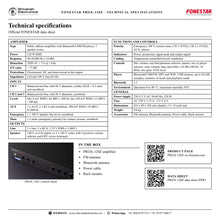
| Type | Public address amplifier with Bluetooth/USB/FM player, 3 speaker zones |
| Power | 120 W RMS |
| Response | 40‑20,000 Hz (-10 dB) |
| Distortion | THD+N: < 1% @ 1 kHz |
| S/N ratio | > 77 dB |
| Protections | Overcurrent, DC and short‑circuit at the output |
| Impedance | 4 Ω and 100 V line (83 Ω) |
Inputs
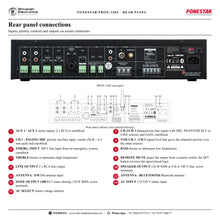
| CH 1 | Balanced mic/line with 48 V phantom; combo (XLR + 6.3 mm) and euroblock |
| CH 2 and 3 | Balanced mic/line with 48 V phantom; euroblock |
| Levels | Mic 6 mV RMS (-44 dBV) / 600 Ω; line 250 mV RMS (-12 dBV) / 100 kΩ |
| AUX | 2 x AUX, 2 x RCA and euroblock, 300 mV RMS (-10 dBV) / 47,000 Ω |
| Emergency | 1 x 100 V speaker line level, euroblock |
| Mute | 1 x mute (emergency priority) by contact closure, euroblock |
Outputs
| Line | 1 x line, 2 x RCA, 1.25 V RMS (+2 dBV) |
| Speaker | 100 V or 4 Ω output, or 3 x 100 V zones with 5‑position volume selector and OFF; screw terminals |
Functions and controls
| Priority | Emergency 100 V; remote mute; CH 1 (VOX); CH 2‑3 (VOX); AUX | player |
| Indicators | Power, protection, signal peak and output signal |
| Cooling | Temperature‑controlled forced ventilation |
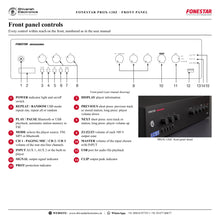
| Controls | Mic volume; mic/line/phantom selector; master; aux or player selector; zone volume; bass and treble ±10 dB (100 Hz, 10 kHz); mic gain; VOX level |
| Player | Bluetooth/USB/FM; MP3 and WAV; USB memory up to 64 GB; autoplay; memory of mode and playback mode |
| Bluetooth | 5.3 |
| Environment | Operation 0 to 40 °C; maximum humidity 95% |
General
| Power supply | 230/115 V AC 50‑60 Hz, 320 W |
| Fuse | AC 230 V 3.15 A / 115 V 6 A |
| Dimensions | 433 x 89 x 360 mm (depth), 2 U 19 inch rack |
| Weight | 9.6 kg |
| Accessories | FM antenna, Bluetooth antenna, Power cable, Rack mounts |
Product overview
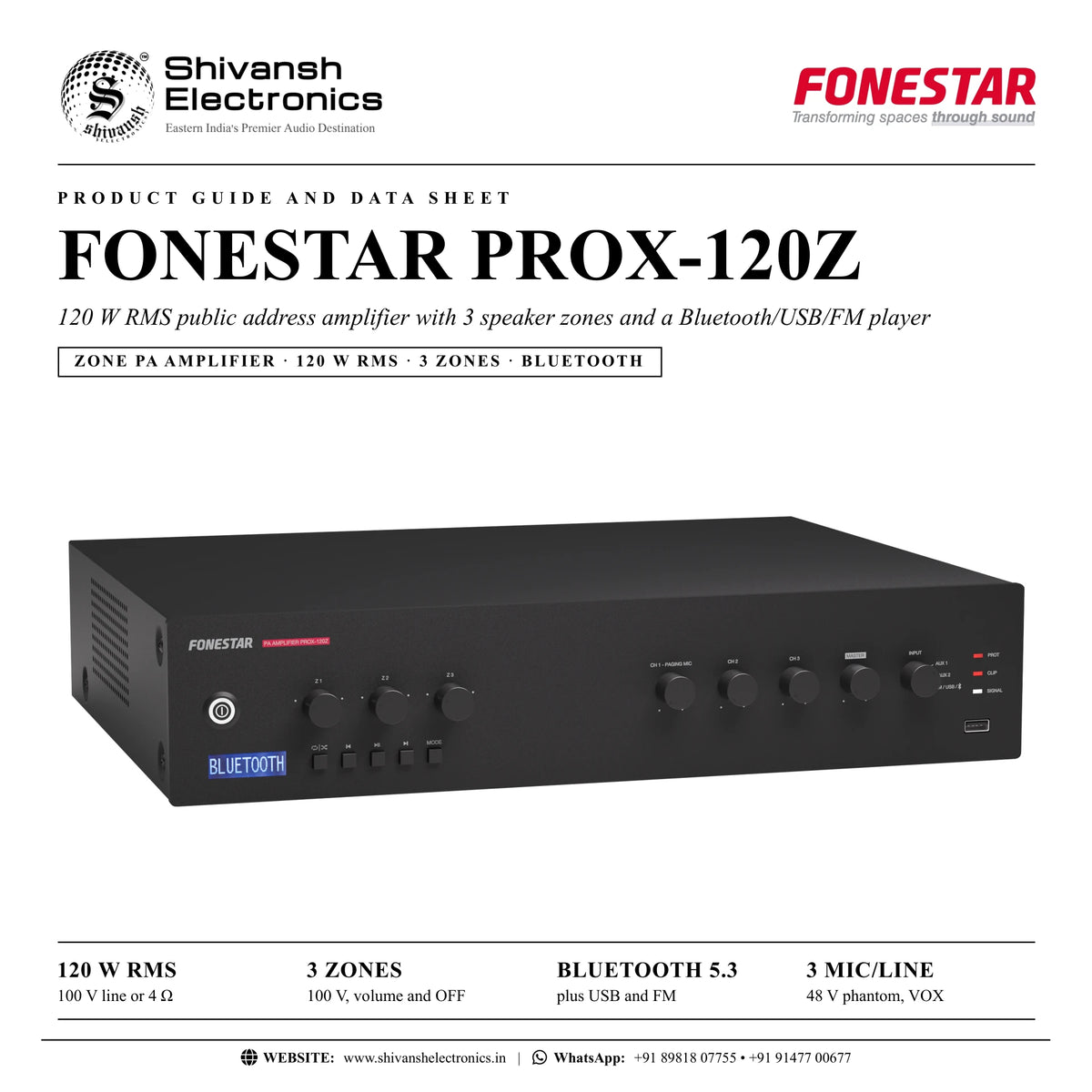
The FONESTAR PROX-120Z is a 120 W RMS public address amplifier with 3 speaker zones, a Bluetooth/USB/FM player and 3 mic/line channels with phantom power, for 100 V line or low impedance loudspeakers.
The PROX-120Z brings distributed audio to public address installations with 100 V loudspeakers and also has a low impedance output. Its 3 zone outputs each have their own volume control for different music levels per zone, and the versatile player plays background music from Bluetooth, FM or a USB memory, starting automatically at power on. Reliable for long working hours, with secure, durable connections, user-friendly operation and a modern, discreet design, usable as a tabletop unit or in a rack.
| 100 V line or 4 Ω | 120 W RMS |
| 100 V, volume and OFF | 3 zones |
| Plus USB and FM | Bluetooth 5.3 |
| 48 V phantom, VOX | 3 mic/line |
Key features
- Public address amplifier, 120 W RMS
- 3 x 100 V speaker zones with 5-position volume selector and OFF
- Bluetooth 5.3 / USB / FM player: MP3 and WAV, USB memory up to 64 GB, autoplay at power on
- 3 balanced mic/line channels with 48 V phantom power; CH 1 paging mic on combo and euroblock
- Input priorities by signal level (VOX), 100 V emergency input and remote mute
- Two auxiliary inputs and a 2 x RCA line output
- Bass and treble ±10 dB
- Protection against overcurrent, DC and short-circuit
- Temperature-controlled forced ventilation, 2 U 19 inch rack size
Music where you want it
The 3 zone outputs share the 120 W RMS on the 100 V line. Each zone has a front volume control and a 5-position volume selector with OFF, so a dining room, a terrace or a corridor can each get their own level, or be switched off. A single zone can also take the full power.
Background music player
Select FM, MP3 or Bluetooth with MODE: the tuner stores stations automatically, the USB player reads MP3 and WAV files from memories up to 64 GB, and Bluetooth 5.3 streams from a smartphone or tablet. Playback starts automatically at power on and the player remembers its mode and playback mode.
Paging takes priority
Each of the 3 channels accepts a dynamic or condenser microphone (48 V phantom) or a line source. CH 1 is the paging channel; the VOX control sets the level at which the channels cut the music, the 100 V emergency input overrides everything and remote mute silences everything except the emergency input.
In the box
- PROX-120Z amplifier
- FM antenna
- Bluetooth antenna
- Power cable
- Rack mounts
Available versions
- PROX-120Z: black
FONESTAR PROX-120Z: frequently asked questions
How many zones does the PROX-120Z have?
3 x 100 V speaker zones, each with its own volume control and OFF position.
Which music sources does the player support?
Bluetooth 5.3, USB memories up to 64 GB with MP3 and WAV files, and an FM tuner; playback starts automatically at power on.
Does it work with low impedance loudspeakers?
Yes. Besides the 100 V line and the zones there is a 4 Ω speaker output.
Can a paging microphone interrupt the music?
Yes. CH 1 is the paging channel, and the channels take priority over the music by signal level, set with VOX.
Where can I buy the FONESTAR PROX-120Z in India?
The FONESTAR PROX-120Z is available from Shivansh Electronics, Kolkata, West Bengal, India, with delivery across India.
Workflow 1: Restaurant with zones
Different music levels in dining room and terrace.
Connections
| Connect | To |
|---|---|
| Zone 1 loudspeakers | Z1 + COM |
| Zone 2 loudspeakers | Z2 + COM |
Setup
- Wire each area on its own zone.
- Set each 100 V zone selector.
- Play music from Bluetooth, USB or FM.
- Adjust Z1 and Z2 on the front.
Tip: Switch a zone OFF when the area is closed.
Workflow 2: Shop with Bluetooth music
Music from the manager's smartphone.
Connections
| Connect | To |
|---|---|
| Smartphone | Bluetooth |
| 100 V loudspeakers | 100 V + COM or zones |
Setup
- Select Bluetooth with MODE.
- Pair the smartphone with the amplifier.
- Start playback on the phone.
- Set MASTER and the zone volumes.
Tip: Set the phone volume high enough, then control the level on the amplifier.
Workflow 3: Hotel corridors and lobby
Background music from a USB memory all day.
Connections
| Connect | To |
|---|---|
| USB memory | Front USB port |
| Corridor loudspeakers | Zone outputs |
Setup
- Load MP3 or WAV files on the USB memory.
- Insert it and select MP3 mode.
- Choose repeat all or random.
- Playback starts again automatically at power on.
Tip: USB memories up to 64 GB.
Workflow 4: School paging
Announcements across all zones.
Connections
| Connect | To |
|---|---|
| Paging microphone | CH 1 combo or euroblock |
| Loudspeakers | Zone outputs |
Setup
- Set CH 1 to MIC and adjust GAIN.
- Set VOX so speech cuts the music.
- Check the zone volumes.
- Test from every zone.
Tip: The channels have priority over the player.
Workflow 5: Emergency integration
Evacuation messages override everything.
Connections
| Connect | To |
|---|---|
| Emergency system | EMERG. INPUT (100 V line) |
| Remote switch | REMOTE MUTE |
Setup
- Connect the 100 V emergency line.
- Wire a remote contact to REMOTE MUTE.
- Use SET for open or closed logic.
- Test the override with music playing.
Tip: Remote mute never silences the emergency input.
Workflow 6: Low impedance installation
A small room with 4 Ω loudspeakers.
Connections
| Connect | To |
|---|---|
| 4 Ω loudspeakers | 4 Ω + COM output |
| Media player | AUX 1 |
Setup
- Connect the loudspeakers to 4 Ω + COM.
- Connect the player to AUX 1.
- Select AUX 1 with INPUT.
- Set MASTER, BASS and TREBLE.
Tip: Match the loudspeaker impedance to the amplifier output.