



GENELEC 1237A
PRICE ON ENQUIRY
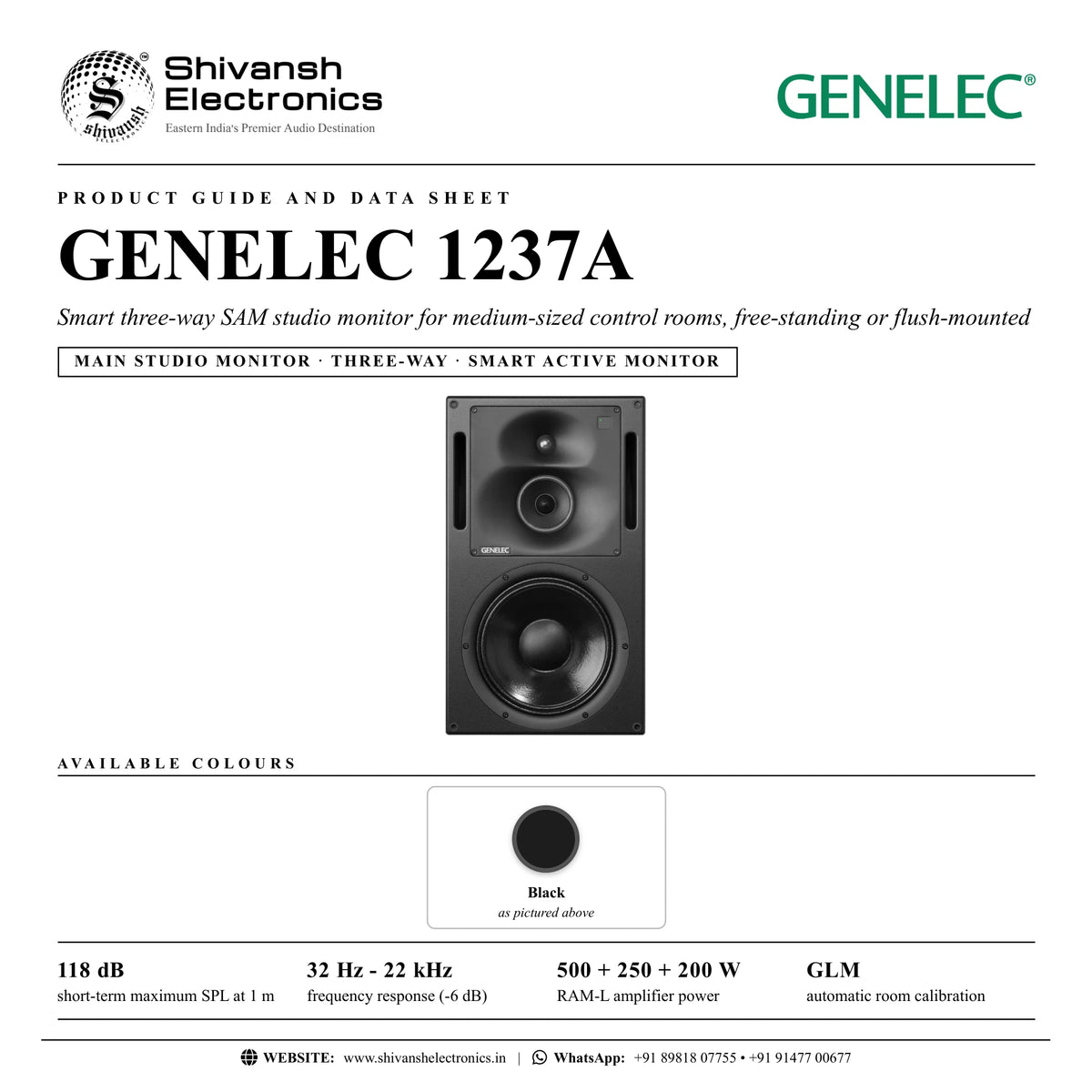
GENELEC 1237A three-way SAM studio monitor: 305 mm woofer, DCW, 118 dB SPL, RAM-L amplifier and GLM calibration. Available in India from Shivansh Electronics, Kolkata, West Bengal, India.
VISUAL GUIDE — See Every Photo, Spec & Setup Step (PDF)
PRICE ON ENQUIRY. For the price, exclusive offers, delivery timelines, or any other information, please DM us or call +91 89818 07755 / +91 91477 00677. We will gladly share a personalised quotation for Shivansh Electronics, Kolkata, West Bengal, India. All payments are processed securely through Razorpay, our trusted payment gateway partner.
System
| Free‑field response | 37 Hz - 20 kHz (±2.5 dB) |
| -3 dB points | < 35 Hz and > 21 kHz |
| -6 dB points | 32 Hz and 22 kHz |
| Short‑term max. SPL | > 118 dB at 1 m |
| Long‑term max. SPL | > 112 dB at 1 m |
| Peak SPL per pair | > 122 dB at 2 m |
| Self‑generated noise | < 10 dB (A‑weighted, 1 m) |
| Harmonic distortion | At 95 dB SPL: 50‑200 Hz < 3 %, above 200 Hz < 0.5 % |
Drivers
| Bass | 305 mm (12 in) cone |
| Midrange | 125 mm (5 in) cone |
| Treble | 25 mm (1 in) metal dome |
| Shielding | All drivers magnetically shielded |
RAM-L amplifier
| Bass amplifier | 500 W short term, Class D |
| Midrange amplifier | 250 W short term, Class D |
| Treble amplifier | 200 W short term, Class AB |
| Amplifier THD | < 0.01 % at nominal output |
| S/N (full output) | > 115 dB bass, midrange and treble |
| Mains voltage | 100‑240 V AC, 50/60 Hz |
| Power consumption | Standby < 0.5 W, idle 25 W, full output 750 W |
Inputs, processing and control
| Analogue input | XLR female, balanced 10 kΩ; maximum +25.0 dBu |
| Analogue sensitivity | -6 dBu for 100 dB SPL at 1 m; input gain 0, +6, +12, +18 dB |
| Digital input | AES/EBU, XLR female 110 Ω; single or dual wire; 16‑24 bit; 32‑192 kHz |
| Digital sensitivity | -30 dBFS for 100 dB SPL at 1 m |
| Digital thru | AES/EBU, XLR male 110 Ω (up to three more SAM monitors or subwoofers) |
| Control network | Proprietary GLM network, 2 x RJ45 (CAT5) |
| GLM adjustment | Notch filters 4 LF and 2 HF; shelving filters 2 LF and 2 HF |
| System calibration | GENELEC GLM AutoCal |
| Crossover | Bass/mid 450 Hz, mid/treble 3.0 kHz |
| Latency | 5.0 ms (analogue input, Extended Phase Linearity off) |
Physical
| Dimensions (H x W x D) | 680 x 400 x 380 mm |
| Weight | 42 kg with integrated amplifier; 36 kg without; amplifier 6 kg |
| Enclosure | MDF, bass reflex, 65 litres |
| Amplifier (rack) | 3U, 483 mm wide, 252 mm deep |
| Colour options | Black |
Product overview
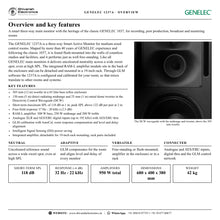
The GENELEC 1237A is a three-way Smart Active Monitor for medium-sized control rooms, following the heritage of the classic GENELEC 1037. It delivers uncoloured neutrality across a wide sweet spot, even at high SPL, free-standing or flush-mounted in the wall.
A 305 mm woofer in a 65 litre bass reflex enclosure works with a 130 mm midrange and a 25 mm metal dome tweeter in the Directivity Control Waveguide (DCW). The integrated RAM-L amplifier module provides 500 W, 250 W and 200 W, DSP crossover, protection and room compensation, and it can be detached and mounted in a 19-inch rack. GLM software configures and calibrates the 1237A for your room, so that mixes translate to other rooms and systems.
| Short‑term max. SPL at 1 m | 118 dB |
| Frequency response (-6 dB) | 32 Hz - 22 kHz |
| RAM‑L amplifier power | 950 W |
| With integrated amplifier | 42 kg |
Key features
- Three-way design: 305 mm woofer, 130 mm midrange and 25 mm metal dome tweeter
- Directivity Control Waveguide (DCW) for excellent imaging and neutral response
- 118 dB short-term SPL at 1 m; peak above 122 dB per pair at 2 m
- 37 Hz - 20 kHz (±2.5 dB) free-field response
- RAM-L amplifier: 500 W + 250 W + 200 W, integrated or rack-mounted
- Analogue and AES/EBU inputs (up to 192 kHz) with AES/EBU thru
- GLM calibration with AutoCal, room compensation and level and delay alignment
- Intelligent Signal Sensing (ISS) power saving
Heritage meets innovation
Shaped by more than 40 years of GENELEC experience and following the classic 1037, the 1237A can be found flush-mounted into the walls of countless studios and facilities.
Perfect translation
As part of the Smart Active Monitoring family, the 1237A integrates closely with GLM, which configures and calibrates it for your listening environment and compensates for room influences.
Integrated or rack-mounted amplifier
The RAM-L sits on vibration absorbers in the back of the enclosure and can be detached and rack-mounted; the rack front plate and ears are included.
In the box
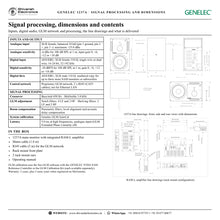
- GENELEC 1237A main monitor with integrated RAM-L amplifier
- Mains cable (1.8 m)
- RJ45 cable (5 m)
- Rack mount front plate
- 2 rack mount ears
- Operating manual
GLM calibration uses the free GLM software with the GENELEC 9320A SAM Reference Controller or the GLM Calibration Kit (each available separately).
GENELEC 1237A: frequently asked questions
Can the 1237A be flush-mounted?
Yes. It performs well free-standing and flush-mounted in control room walls; the RAM-L amplifier can then be moved to a 19-inch rack with the included parts.
Which inputs does it have?
A balanced analogue XLR input and an AES/EBU digital input (up to 192 kHz) with AES/EBU thru, plus two RJ45 sockets for the GLM network.
What do I need for GLM calibration?
The free GLM software and a GENELEC 9320A SAM Reference Controller or GLM Calibration Kit (each available separately).
Where can I buy the GENELEC 1237A in India?
The GENELEC 1237A is available from Shivansh Electronics, Kolkata, West Bengal, India, with delivery across India.
Workflow 1: Stereo main monitoring with GLM calibration
Set up a pair of 1237A monitors as the calibrated reference of a control room.
Connections
| Connect | To |
|---|---|
| Console or monitor controller outputs | ANALOG IN (XLR) or DIGITAL IN AES/EBU |
| GLM adapter (9320A or GLM Calibration Kit) | CONTROL NETWORK (RJ45) |
| Computer with GLM | GLM adapter, USB |
| Mains | MAINS INPUT, earthed outlet |
Setup
- Place the monitors symmetrically with their acoustic axes aimed at the listening position.
- Leave the RAM-L in the enclosure, or move it to a rack with the included front plate and ears.
- Daisy-chain the CONTROL NETWORK sockets and end at the GLM adapter; place the measurement microphone at ear height.
- Run GLM AutoCal, then store the settings in the monitors.
Tip: Keep the AES/EBU source level near 0 dBFS and lower the GLM level instead, to keep full digital resolution.
Workflow 2: Flush mounting in the front wall
Build the monitors into the wall to avoid edge diffraction and wall reflections.
Connections
| Connect | To |
|---|---|
| Monitor enclosure | Wall opening with 50‑100 mm clearance |
| Vibration isolators | Under the enclosure (2‑8 Hz resonance) in light walls |
| Facing panel and gasket | Front of the wall, 5‑10 mm soft rubber gap |
Setup
- Make the wall stiff and heavy and angle it so the monitors aim at the listener (tilt under 15 degrees).
- Fill the cavity with mineral wool, foam or sand bags.
- Fit the facing panel flush with the enclosure and fill the gap with a soft rubber gasket.
- Keep any cloth frame under 20 mm deep and acoustically transparent.
Tip: Arrange ventilation for the amplifier when the monitor is built into the wall.
Workflow 3: Rack-mounting the RAM-L
Move the integrated amplifier to a rack when the monitor is flush-mounted.
Connections
| Connect | To |
|---|---|
| RAM‑L amplifier | 19‑inch rack, 3U |
| Enclosure | WOOFER and MIDRANGE/TWEETER Speakon, LED CONNECTOR RJ45 |
| GLM network | CONTROL NETWORK, in any order in the chain |
Setup
- Disconnect all cables and remove the two screws of the vibration isolating mounts on the left.
- Pull out the left side, detach the flat cable, undo the right mounts and remove the amplifier.
- Swap the front mounting ears for the included angled rack ears and front plate.
- Connect two Speakon cables and the RJ45 LED cable between amplifier and cabinet.
Tip: Never mix amplifier and enclosure pairs: each amplifier is calibrated for its own enclosure.
Workflow 4: Surround and immersive systems
Use the monitors as the main channels of a 5.1 or immersive system.
Connections
| Connect | To |
|---|---|
| 1237A monitors | Main channels on the GLM network |
| GENELEC SAM subwoofers and monitors | Same GLM network |
| AES/EBU source | DIGITAL IN, with DIGITAL THRU to the next monitor |
Setup
- Place the monitors according to ITU-R BS.775-1 for 5-channel work.
- Assign each monitor's AES/EBU subframe (A or B) in GLM.
- Measure all monitors and subwoofers together with GLM.
- Store the settings or keep the computer connected for control.
Tip: One AES/EBU line can feed up to four SAM units through the DIGITAL THRU connectors.
Workflow 5: Broadcast and post production without a computer
Run calibrated monitors in a facility where no computer stays connected.
Connections
| Connect | To |
|---|---|
| AES/EBU or analogue feed | DIGITAL IN or ANALOG IN |
| Mains | MAINS INPUT |
Setup
- Calibrate the system with GLM.
- Use Store the Settings to write the setup into the monitors.
- Disconnect the computer; the monitors keep their calibration.
- Switch on ISS in GLM if the monitors should go to standby when idle.
Tip: Watch the front light: red means overload or an AES/EBU data error; turn the source down.
Workflow 6: Mastering and critical listening
Make final decisions on a neutral, low-distortion reference.
Connections
| Connect | To |
|---|---|
| Mastering chain output | DIGITAL IN AES/EBU (up to 192 kHz) or ANALOG IN |
| GLM network | CONTROL NETWORK |
Setup
- Place the monitors symmetrically at equal distance from the listening position.
- Calibrate with GLM and check the level alignment.
- Set the input sensitivity in GLM for a comfortable working level.
- Keep symmetrical reflective surfaces around the listening position.
Tip: These monitors can exceed 85 dB SPL: protect your hearing in long sessions.