

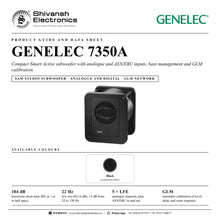


GENELEC 7350A
MRP - Rs. 2,92,000
GENELEC 7350A SAM studio subwoofer: LSE enclosure, 22 Hz, 104 dB SPL, analogue and AES/EBU inputs, GLM calibration. Available in India from Shivansh Electronics, Kolkata, West Bengal, India.
VISUAL GUIDE — See Every Photo, Spec & Setup Step (PDF)
The price shown is the MAXIMUM RETAIL PRICE (MRP), inclusive of all taxes. For the best price, exclusive offers and discounted rates, delivery timelines, or any other information, please DM us or call +91 89818 07755 / +91 91477 00677. We will gladly share an exclusive coupon code that you can apply at checkout. All payments are processed securely through Razorpay, our trusted payment gateway partner.
System
| Type | Smart Active (SAM) studio subwoofer |
| Free‑field response | 25 to 150 Hz (±3 dB) 22 to 160 Hz (-6 dB) |
| Maximum short‑term SPL | ≥104 dB (sine wave averaged 30 to 85 Hz, half space, 1 m) |
| Self‑generated noise | ≤5 dB SPL (half space, 1 m on axis, A‑weighted) |
| Harmonic distortion (90 dB SPL, 1 m, half space, 30 to 85 Hz) | 2nd ≤4 % 3rd ≤1 % |
| Driver | 205 mm (8 in) cone, magnetically shielded |
| Enclosure | Laminar Spiral Enclosure (LSE), reflex port |
Signal processing
| Subsonic filter | 18 dB/octave below 20 Hz |
| LFE cut‑off | 150 Hz |
| Midband rejection | ≥50 dB above 400 Hz |
| GLM AutoCal tools | 20 parametric notch filters Delay adjustment 160 ms Level adjustment 60 dB |
Connections
| Analogue inputs / outputs | 5 x XLR female / 5 x XLR male |
| LFE input | 1 x XLR female |
| Input impedance | 10 kΩ balanced |
| Input level for 100 dB SPL at 1 m | -6 dBu (variable in GLM) |
| Output gain | 0 dB (unfiltered copy of the input) |
| Digital input / output | 1 x XLR female / 1 x XLR male, AES/EBU single wire, 16‑24 bits, 32‑192 kHz |
| GLM network | 2 x RJ45 |
Amplifier and power
| Amplifier | 150 W Class D (short‑term; long‑term output limited by driver protection) |
| Amplifier THD at nominal output | ≤0.005 % |
| Mains voltage | 100, 120 or 230 V, 50/60 Hz, according to region |
| Power consumption | ISS standby ≤0.5 W Idle 8.5 W Full output 150 W |
Physical
| Dimensions (H x W x D) | 410 x 350 x 319 mm (16 1/8 x 13 3/4 x 12 9/16 in) |
| Weight | 19 kg (41.9 lb) |
| Product code | 7350AP |
| Warranty | 2 years parts and labour, extended to 5 years with free registration |
| Colour options | Black |
Product overview
The GENELEC 7350A is a compact Smart Active (SAM) studio subwoofer that delivers powerful, intelligent low-frequency performance, with analogue and AES/EBU digital connections, bass management and automatic room calibration through GLM software.
Designed to complement the 8320A and 8330A Smart Active Monitors, the 7350A delivers clean, precise bass that extends the low end and increases the headroom of the whole monitoring system: the main monitors are free to concentrate on the rest of the spectrum while the low frequencies stay articulate with very low distortion. Its 205 mm driver in a Laminar Spiral Enclosure reaches 104 dB and extends down to 22 Hz. Connected to the GENELEC Loudspeaker Manager (GLM) network, the 7350A is configured for stereo or multichannel formats, and GLM analyses your room and adjusts frequency response, level, delay and crossover phase so monitors and subwoofer integrate perfectly. It also works as a general-purpose smart subwoofer with any analogue or digital monitor.
| Maximum short‑term SPL | 104 dB |
| Low cut‑off (-6 dB) | 22 Hz |
| Magnetically shielded driver | 205 mm |
| Class D amplifier | 150 W |
Key features
- Smart Active Monitoring (SAM) subwoofer with GLM network control and AutoCal room calibration
- Laminar Spiral Enclosure (LSE) with a 205 mm (8 in) magnetically shielded driver
- 22 to 160 Hz (-6 dB), ±3 dB from 25 to 150 Hz; 104 dB maximum short-term SPL
- 150 W Class D amplifier with driver overload, thermal and short-circuit protection
- Five analogue XLR inputs and outputs plus an analogue LFE input
- AES/EBU digital input and output, 32 to 192 kHz, 16 to 24 bits, subframe selection in GLM
- GLM AutoCal tools: 20 parametric notch filters, delay up to 160 ms, 60 dB level adjustment
- Intelligent Signal Sensing (ISS): standby below 0.5 W, configured in GLM
- Two RJ45 GLM network connectors; 5 m network cable supplied
Clean and precise
Flexible bass management lets the 7350A take the low frequencies away from the main monitors, so the whole system gains headroom and the bass remains well articulated with very low distortion. The LSE enclosure's spiral reflex port keeps the airflow linear even at high levels.
Perfect integration with GLM
All SAM monitors and subwoofers connect to a computer running GLM through the GLM adapter, daisy-chained with RJ45 cables in any order. With the GLM measurement microphone at the listening position, GLM calibrates the subwoofer response for maximum flatness and, with Smart Active Monitors, aligns output level and crossover phase. Keep the computer connected or save the settings into the subwoofer. Calibration uses the free GLM software and the GLM Calibration Kit, available separately.
Analogue and digital
Five balanced analogue channels pass through the subwoofer's IN and OUT connectors, with a dedicated LFE input for the .1 channel of a multichannel source. An AES/EBU input accepts digital audio from 32 to 192 kHz, and the digital output passes the signal on to the next monitor or subwoofer.
In the box
- 1 x GENELEC 7350A subwoofer
- 1 x mains cable (1.8 m)
- 1 x RJ45 cable (5 m)
- 1 x operating manual
GLM calibration uses the free GLM software and the GLM Calibration Kit (sold separately).
GENELEC 7350A: frequently asked questions
Which monitors is the 7350A designed for?
It is designed to complement the 8320A Smart Active Monitors in stereo or multichannel systems and the 8330A in stereo systems, and it can be used as a smart subwoofer with any analogue or digital monitor.
Does it accept digital audio?
Yes. It has an AES/EBU input and output on XLR, accepting 16 to 24-bit audio at 32 to 192 kHz; the subframe it reproduces (A, B or A+B) is selected in GLM.
How is the 7350A calibrated to my room?
With GENELEC GLM software, the GLM adapter and measurement microphone. GLM measures the room and sets the response, level, delay and crossover phase automatically.
Where can I buy the GENELEC 7350A in India?
The GENELEC 7350A is available from Shivansh Electronics, Kolkata, West Bengal, India, with delivery across India.
Workflow 1: Stereo SAM system with GLM
Add calibrated, deep bass to a pair of 8320A or 8330A Smart Active Monitors.
Connections
| Connect | To |
|---|---|
| Source left and right | IN 1 and IN 2 (XLR) |
| Left and right monitors | OUT 1 and OUT 2 |
| GLM adapter and monitors | GLM NETWORK (RJ45, daisy‑chain) |
Setup
- Switch everything off and connect audio and the GLM network.
- Place the 7350A at the front wall, slightly off the centre line, driver less than 0.6 m from the wall.
- Connect the GLM adapter to the computer and put the microphone at the listening position.
- Run the GLM set-up, then save the settings into the devices.
Tip: After calibration you can disconnect the computer: the settings stay in the subwoofer.
Workflow 2: Multichannel system with LFE
Handle the bass of five channels and the LFE of a surround mix.
Connections
| Connect | To |
|---|---|
| Main channels 1‑5 | IN 1‑5 |
| LFE (.1) channel | LFE IN |
| Five monitors | OUT 1‑5 |
Setup
- Connect each main channel through the subwoofer to its monitor.
- Connect the LFE output of the source to LFE IN.
- Configure the multichannel format in GLM.
- Let GLM AutoCal align level, delay and phase.
Tip: The 8320A is designed for multichannel use with the 7350A; with the 8330A check that the SPL suits the application.
Workflow 3: Digital AES/EBU studio
Feed the subwoofer digitally and pass the signal on to the next device.
Connections
| Connect | To |
|---|---|
| AES/EBU source | DIGITAL IN (XLR) |
| Next monitor or subwoofer | DIGITAL OUT |
Setup
- Connect the AES/EBU signal to DIGITAL IN.
- Pass the signal on from DIGITAL OUT to the next device.
- Select subframe A, B or A+B in GLM (default A+B).
- Calibrate the system in GLM.
Tip: The digital input accepts 16 to 24-bit audio at 32 to 192 kHz.
Workflow 4: Room calibration with GLM AutoCal
Correct the room's low-frequency problems automatically.
Connections
| Connect | To |
|---|---|
| GLM adapter | Computer USB and GLM NETWORK |
| Measurement microphone | Listening position |
Setup
- Place the microphone at the listening position.
- Start the GLM set-up and let it measure each device.
- GLM applies up to 20 notch filters, delay and level correction.
- Store the result in the subwoofer or keep the computer connected.
Tip: Moving the subwoofer slightly left or right before calibrating can give a flatter starting point.
Workflow 5: General-purpose smart subwoofer
Use the 7350A with any analogue or digital monitor.
Connections
| Connect | To |
|---|---|
| Source | IN 1‑5 or DIGITAL IN |
| Monitors | OUT 1‑5 |
| Computer with GLM | GLM NETWORK via the GLM adapter |
Setup
- Route each channel through the subwoofer to its monitor.
- Connect only the 7350A to the GLM adapter if it is the only smart device.
- Calibrate the subwoofer response in GLM.
- Adjust the level to the monitors by ear or measurement.
Tip: The analogue outputs carry an unfiltered copy of each input.
Workflow 6: Flush mounting and energy saving
Build the subwoofer into a wall or cabinet and save power when idle.
Connections
| Connect | To |
|---|---|
| Recess | At least 7.5 cm wider than the subwoofer |
| GLM | ISS Power Saving menu |
Setup
- Place the subwoofer at the right side of the recess with the driver facing the room.
- Leave free space at the reflex port and ensure cooling.
- Enable ISS in GLM's ISS Power Saving menu and choose the delay.
- Playback resumes automatically when a signal returns.
Tip: ISS is off by default; in standby the 7350A uses less than 0.5 W.


