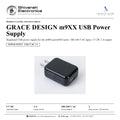
GRACE DESIGN m9XX USB Power Supply
PRICE ON ENQUIRY
GRACE DESIGN m9XX USB Power Supply: regulated USB supply for the m900 / m9XX, 100-240 V AC in, 5 V DC 2 A out; US plug (T900) or Euro plug (T901). Available in India from Shivansh Electronics, Kolkata, West Bengal, India.
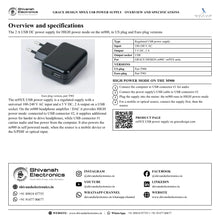
VISUAL GUIDE — See Every Photo, Spec & Setup Step (PDF)
PRICE ON ENQUIRY. For the price, exclusive offers, delivery timelines, or any other information, please DM us or call +91 89818 07755 / +91 91477 00677. We will gladly share a personalised quotation for Shivansh Electronics, Kolkata, West Bengal, India. All payments are processed securely through Razorpay, our trusted payment gateway partner.
Specifications
| Type | Regulated USB power supply |
| Input | 100‑240 V AC |
| Output | 5 V DC, 2 A |
| Output socket | USB‑A |
| Versions | US plug (T900); Euro plug (T901) |
| For | GRACE DESIGN m900 / m9XX units |
Product overview
The GRACE DESIGN m9XX USB Power Supply is the regulated USB power supply for GRACE DESIGN m900 and m9XX units: 100-240 V AC input and 5 V DC, 2 A output, available with a US plug (part T900) or a Euro plug (part T901).
On the m900 headphone amplifier / DAC this is the 2 A USB DC power supply for HIGH power mode: connected to USB connector #2, it provides additional power for harder to drive headphones, while USB connector #1 carries audio from the computer. It also powers the m900 in self powered mode, when the audio source is a mobile device or the S/PDIF or optical input. The universal 100-240 V AC input suits mains supplies worldwide.
| Output voltage | 5 V DC |
| Output current | 2 A |
| Input | 100‑240 V AC |
| Plug versions | 2 |
Key features
- Regulated USB power supply: 5 V DC, 2 A output
- Universal input: 100-240 V AC
- USB-A output socket for a USB cable to the unit
- US plug (T900) or Euro plug (T901) versions
- HIGH power mode supply for the m900 headphone amplifier / DAC
HIGH power mode on the m900
The m900 has two power operation modes. LOW power mode runs from USB connector #1, with bus power along with data from the computer. HIGH power mode is available by connecting the 2 A USB DC power supply to USB connector #2, which provides additional power for harder to drive headphones.
Compatible with
- GRACE DESIGN m900 and m9XX units (as listed on the official page: 'm900 / m9XX USB Power Supply')
Available versions
- US plug: GRACE DESIGN part T900
- Euro plug: GRACE DESIGN part T901
In the box
- 1 x m9XX USB power supply (US plug T900 or Euro plug T901)
GRACE DESIGN m9XX USB Power Supply: frequently asked questions
What does it do on the m900?
Connected to USB connector #2 it enables HIGH power mode, with additional power for harder to drive headphones; it also powers the m900 in self powered mode.
Which plug versions are there?
A US plug version (part T900) and a Euro plug version (part T901), both 100-240 V AC input and 5 V DC, 2 A output.
Where can I buy the GRACE DESIGN m9XX USB Power Supply in India?
The GRACE DESIGN m9XX USB Power Supply is available from Shivansh Electronics, Kolkata, West Bengal, India, with delivery across India.
Workflow 1: HIGH power mode for demanding headphones
m900 owners driving harder to drive headphones from a computer.
Connections
| Connect | To |
|---|---|
| Computer USB | m900 USB connector #1 (audio) |
| m9XX USB power supply | m900 USB connector #2 (power) |
Setup
- Connect the computer to USB connector #1.
- Connect the power supply's USB cable to USB connector #2.
- Plug the supply into the mains: the m900 runs in HIGH power mode.
Tip: The same m900 runs in LOW power mode from the computer alone when less power is needed.
Workflow 2: Optical or mobile source with self powered mode
Listeners feeding the m900 from an optical, S/PDIF or mobile source.
Connections
| Connect | To |
|---|---|
| m9XX USB power supply | m900 USB connector #2 |
| Optical / S/PDIF source or mobile device | m900 input |
Setup
- Connect the power supply to USB connector #2 first.
- Then connect the source to the m900.
- The m900 receives power from the supply and audio from the source.
Tip: For a mobile device, connect the external supply before the device.