
PRIMARE NP5 Prisma MK2
PRICE ON ENQUIRY
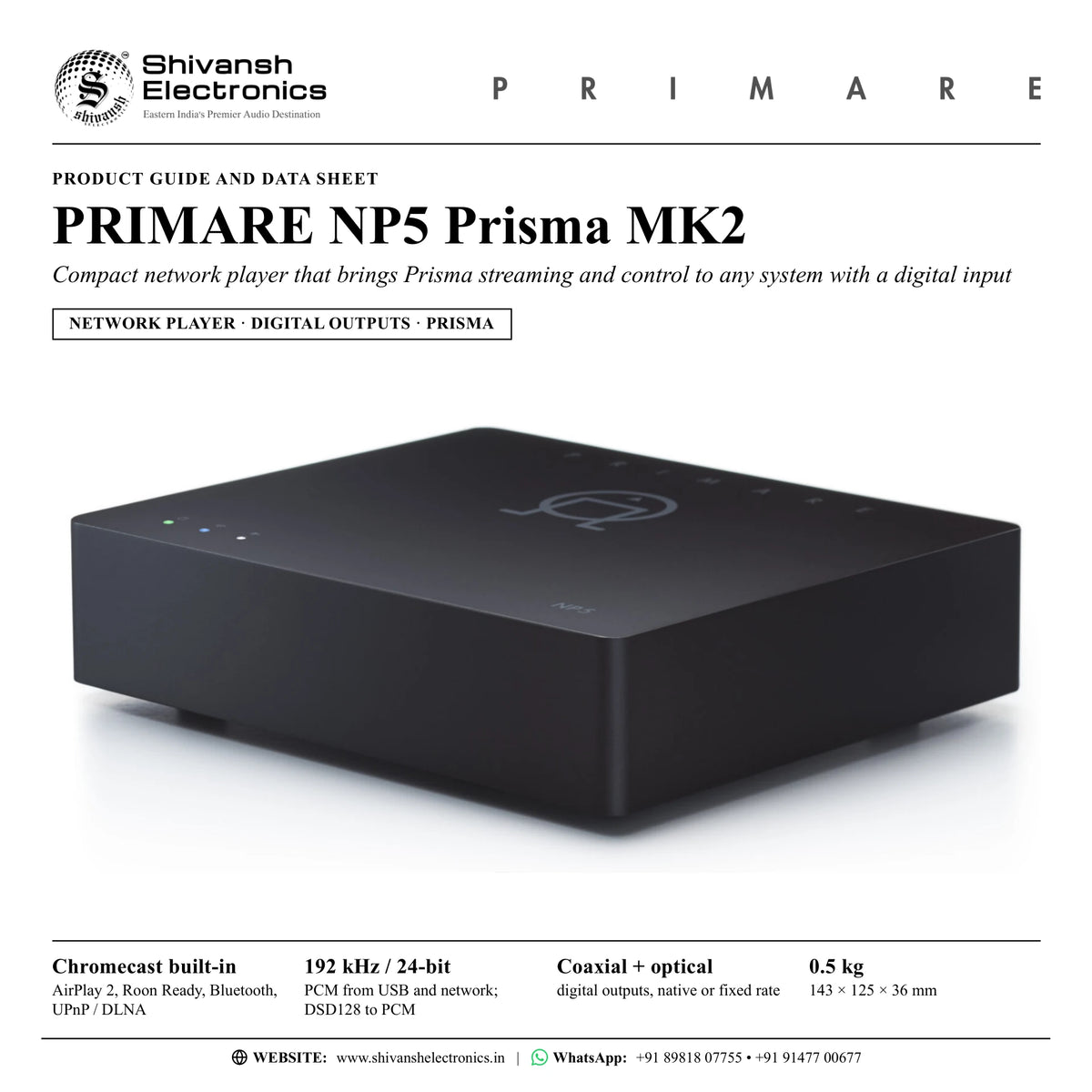
Primare NP5 Prisma MK2 network player for any system with a digital input: coaxial and optical outputs, Chromecast built-in, AirPlay 2, Roon Ready. Available in India from Shivansh Electronics, Kolkata, West Bengal, India.
VISUAL GUIDE — See Every Photo, Spec & Setup Step (PDF)
PRICE ON ENQUIRY. For the price, exclusive offers, delivery timelines, or any other information, please Contact / WhatsApp +91 89818 07755 / +91 91477 00677. We will gladly share a personalised quotation for Shivansh Electronics, Kolkata, West Bengal, India. All payments are processed securely through Razorpay, our secure payment gateway.
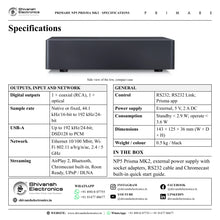
General
| Type | Network player with digital outputs |
| Platform | Prisma: connectivity and control |
Digital outputs
| Coaxial | 1 × RCA |
| Optical | 1 × |
| Sample rate | Selectable fixed or native: 44.1 kHz/16-bit, 48, 88.2, 96, 176.4 or 192 kHz/24-bit |
| MQA | Passthrough |
| DoP output | Available with Roon Ready and a DoP-ready DAC |
Digital input
| USB | 1 × USB-A: up to 192 kHz/24-bit; up to DSD128 (5.6 MHz), converted to PCM for output |
| USB drives | Tested up to 2 TB, NTFS and FAT32 |
Network
| Ethernet | 1 × LAN port, 10/100 Mbit |
| Wi-Fi | IEEE 802.11 a/b/g/n/ac, 2.4 / 5 GHz |
| Antennas | 2 × internal, for Bluetooth and Wi-Fi |
Audio formats
| WAV, LPCM, AIFF, FLAC, ALAC, WMA, OGG | Up to 192 kHz/24-bit |
| MP3, MP4 (AAC) | Up to 48 kHz/16-bit, VBR and CBR 320 kbps |
| DSD | Up to DSD128 (5.6 MHz), converted to PCM output |
| MQA | Passthrough |
Streaming
| Platforms | AirPlay 2, Bluetooth, Chromecast built-in, Roon Ready, UPnP / DLNA |
| Connect streaming | Connect support for a popular streaming service |
| Prisma | Internet radio; hi-res streaming services up to 24/192 kHz, gapless |
Control
| RS232 | For use with external control systems |
| RS232 Link | Control of other Primare products over RS232 |
| App | Prisma app |
Power
| External power supply | 5 V, 2 A, DC |
| Power consumption | Standby < 2.9 W; operate < 3.6 W |
Physical
| Dimensions (W × D × H) | 143 × 125 × 36 mm with knobs and connectors; 143 × 120 × 36 mm without |
| Weight | 0.5 kg |
| Colour | Black |
Product overview
The Primare NP5 Prisma MK2 is a compact network player that brings complete Prisma network player connectivity and control to virtually any system with a digital input: stereo or home cinema, Primare or another make. It is designed to be small enough to slip inconspicuously into any system, making it the network player for anyone and any system.
NP5 Prisma MK2 has all the network functionality of Primare's Prisma-enabled models. Its coaxial and optical digital outputs connect to the digital input of a DAC, an amplifier, an AV receiver or any other component, and the output sample rate can follow the source (native) or be fixed between 44.1 kHz and 192 kHz. Music comes from the network, from a USB drive or from a phone, tablet or computer, and the volume can be controlled in the NP5 itself or left to the connected component.
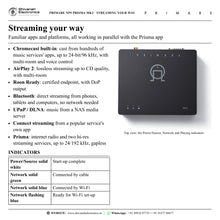
Prisma is Primare's bundle of network player and multi-room technologies. Streaming platforms that work in parallel with the Prisma app include AirPlay 2, Bluetooth, Chromecast built-in, Roon Ready and Connect streaming from a popular service's own app, so hundreds of music services and apps can be used in the familiar way, including voice control. The Prisma app adds full control of network-connected drives, internet radio and hi-res streaming services up to 24/192 kHz with gapless playback, and the configuration of the player.
The MK2 is the latest evolution of the NP5 Prisma. Its circuit was redesigned around a new sample-rate converter chip to keep the performance of the original while adding DoP (DSD over PCM) output, available with Roon Ready and a DoP-ready DAC, and MQA passthrough, which sends MQA files from a streaming service or a NAS to a connected MQA-capable DAC for processing.
With the supplied RS232 cable, the NP5 Prisma MK2 also adds app control to earlier Primare models with RS232 inputs: volume, mute, standby and input selection from the Prisma app, even when the linked product plays through its analogue inputs. Its inconspicuous design follows the Scandinavian idea of lagom: not too much, not too little, everything in balance, proportion and harmony.
| PCM from USB and network; DSD128 to PCM | 192 kHz / 24-bit |
| Digital outputs, native or fixed sample rate | Coaxial + optical |
| AirPlay 2, Roon Ready, Bluetooth, UPnP / DLNA | Chromecast built-in |
| 143 × 125 × 36 mm | 0.5 kg |
Key features
- Prisma network player for any system with a digital input, stereo or home cinema
- Small enough to slip inconspicuously into any system: 143 × 125 × 36 mm, 0.5 kg
- Coaxial and optical digital outputs: native or fixed sample rate, 44.1 kHz to 192 kHz
- MQA passthrough, and DoP (DSD over PCM) output with Roon Ready and a DoP-ready DAC
- Chromecast built-in, AirPlay 2, Roon Ready, Bluetooth and UPnP / DLNA
- Connect streaming from a popular service's own app
- Prisma app: internet radio and hi-res streaming services up to 24/192 kHz, gapless playback
- Multi-room and multi-zone playback and control
- USB-A input for drives: PCM up to 192 kHz/24-bit, DSD up to DSD128
- Variable or fixed output, balance, default, maximum and mute volume settings
- RS232 Link: volume, mute, standby and input control of earlier Primare models from the Prisma app
- Ethernet and dual-band Wi-Fi (2.4 / 5 GHz)
Made for
- Adding network streaming to an amplifier, DAC or AV receiver with a digital input
- Earlier Primare systems, with app control over RS232
- Stereo and home cinema systems
- Multi-room music around the home
- Discreet placement on a shelf or in a system, with 50 mm of free space around the sides and top for ventilation
In the box
- NP5 Prisma MK2 network player
- External power supply
- Socket adapters for the power supply
- RS232 cable
- Chromecast built-in quick start guide
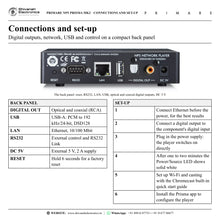
Connections
- Coaxial digital output (RCA)
- Optical digital output
- USB-A input
- Ethernet LAN port (10/100 Mbit)
- RS232 port for external control systems and RS232 Link
- DC 5 V input for the external power supply
- Reset button
- Internal antennas for Wi-Fi and Bluetooth
Primare NP5 Prisma MK2: frequently asked questions
What do I connect the NP5 Prisma MK2 to?
To any component with a coaxial or optical digital input: a DAC, an amplifier or an AV receiver with a digital input. It is a network player with digital outputs, so the connected component converts the signal to analogue.
Can the NP5 Prisma MK2 control the volume?
Yes. With Output set to Variable (the default), the volume is adjusted in the NP5 Prisma MK2 from the Prisma app or the streaming app. Set Output to Fixed when the volume is adjusted in the connected component.
Which streaming platforms does it support?
Chromecast built-in, AirPlay 2, Roon Ready, Bluetooth, UPnP / DLNA and Connect streaming from a popular service's own app, plus internet radio and two hi-res streaming services built into the Prisma app, up to 24/192 kHz.
Does it pass MQA and DSD?
MQA files pass through to an MQA-capable DAC when the digital output is set to Native at 192 kHz. DSD files up to DSD128 (5.6 MHz) are converted to PCM for output; with Roon Ready and a DoP-ready DAC, DoP output can be selected.
Can it control my earlier Primare amplifier?
Yes. Connect the supplied RS232 cable and set up RS232 Link in the Prisma app: the app then controls the volume, mute, standby and input selection (next / previous) of the linked Primare product, even when it plays through its analogue inputs.
Where can I buy the Primare NP5 Prisma MK2 in India?
The Primare NP5 Prisma MK2 is available from Shivansh Electronics, Kolkata, West Bengal, India, with delivery across India.
Workflow 1: Streaming for a stereo amplifier with a digital input
Music lovers adding network streaming to an integrated amplifier or DAC in the living room.
Connections
| Connect | To |
|---|---|
| NP5 Prisma MK2 coaxial or optical output | Digital input of the amplifier or DAC |
| Home router | NP5 Prisma MK2 LAN port |
Setup
- Connect the Ethernet cable from the router before connecting the power; a cable connection is recommended for the best results.
- Connect the coaxial or optical output to a digital input of the amplifier or DAC.
- Plug the external 5 V supply into DC 5V, using the right socket adapter; the NP5 switches on directly.
- Wait one to two minutes until the Power/Source LED shows solid white, then open the Prisma app.
- Leave Output at Variable to set the volume from the apps, or choose Fixed to use the amplifier's volume control.
Tip: Rename the player in the Prisma app, for example 'Living room streamer', so it is easy to find on the network.
Workflow 2: App control for an earlier Primare system
Owners of earlier Primare amplifiers and preamplifiers with RS232 inputs.
Connections
| Connect | To |
|---|---|
| NP5 Prisma MK2 digital output | Digital input of the Primare product |
| NP5 RS232 port, supplied RS232 cable | RS232 port of the Primare product |
Setup
- Connect the supplied RS232 cable between the NP5 Prisma MK2 and the other Primare product.
- In the Prisma app choose Settings, General settings, RS232 link, and select the device to link.
- Match Linked default volume and Linked maximum volume to the linked product.
- Enable Auto-On and Auto-Off, as recommended, and press Connect.
- When Link status shows Connected, use the app for volume, inputs (next / previous) and standby.
Tip: The link controls the Primare product even while it plays through its analogue inputs.
Workflow 3: Music streaming in a home theatre
Home cinema owners who want music services on the AV receiver or processor.
Connections
| Connect | To |
|---|---|
| NP5 Prisma MK2 optical or coaxial output | Digital audio input of the AV receiver |
| NP5 Prisma MK2 | Home network, Ethernet or Wi-Fi |
Setup
- Connect the optical or coaxial output to a digital audio input of the AV receiver.
- Set Output to Fixed so the receiver controls the volume.
- In Digital output choose Native, with the highest sample rate the receiver accepts, or Fixed to convert every source to one rate.
- Cast music from a service's app with Chromecast built-in, or use AirPlay 2 or Bluetooth from a phone or tablet.
- Select the receiver input whenever music is played.
Tip: Fixed mode up- or down-samples all sources to the selected rate: 44.1, 48, 88.2, 96, 176.4 or 192 kHz.
Workflow 4: Hi-res, MQA and DSD with an external DAC
Listeners with a high-resolution, MQA-capable or DoP-ready DAC and a music library on a NAS.
Connections
| Connect | To |
|---|---|
| NP5 Prisma MK2 coaxial output | DAC digital input |
| NAS running a UPnP / DLNA media server | Same network as the NP5 |
Setup
- Connect the coaxial or optical output to the DAC.
- For MQA passthrough, set Digital output to Native and the sample rate to 192 kHz.
- For DSD files with Roon Ready, select DoP mode; the DAC must accept DSD over PCM.
- Browse and play the NAS library, playlists and queues in the Prisma app.
- Use the hi-res streaming services in the Prisma app for gapless playback up to 24/192 kHz.
Tip: The NAS should run a UPnP / DLNA media server so the music can be browsed by artist, genre, album or composer.
Workflow 5: Multi-room music
Homes that want music in several rooms, managed from phones and tablets.
Connections
| Connect | To |
|---|---|
| NP5 Prisma MK2 in one room | Prisma and Chromecast built-in devices in other rooms |
| Phone or tablet | Prisma app and streaming apps |
Setup
- Set up casting, multi-room and the network connection by following the supplied Chromecast built-in quick start guide.
- Give each player a clear name for its room.
- Cast to one or more Chromecast built-in devices, or use AirPlay 2 multi-room from a phone or tablet.
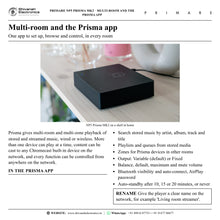
- Use Zone in the Prisma app to connect Prisma devices in other areas of the house.
- Control playback from anywhere on the network.
Tip: More than one device can play at a time, and content can be cast to any Chromecast built-in device on the network.
Workflow 6: Music library on a USB drive
Listeners with a ripped CD collection on a portable drive.
Connections
| Connect | To |
|---|---|
| USB drive, NTFS or FAT32 | NP5 Prisma MK2 USB-A input |
| NP5 Prisma MK2 digital output | Amplifier or DAC |
Setup
- Copy the music to the drive in folders, arranged alphabetically by artist.
- Connect the drive to the USB-A input.
- Open the Prisma app and browse the drive.
- Play WAV, AIFF, FLAC, ALAC, WMA or OGG files up to 192 kHz/24-bit, MP3 and AAC, and DSD up to DSD128.
Tip: USB drives up to 2 TB with NTFS or FAT32 have been tested.