




RME Digiface Dante
MRP - Rs. 1,81,154
RME Digiface Dante 256-channel USB 3 interface: 64 Dante (AES67) + 64 MADI channels each way, 4 Gigabit ports, stand-alone Dante/MADI converter, bus-powered. Available in India from Shivansh Electronics, Kolkata, West Bengal, India.
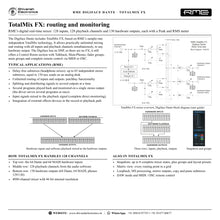
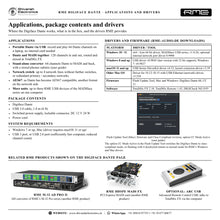
VISUAL GUIDE — See Every Photo, Spec & Setup Step (PDF)
The price shown is the MAXIMUM RETAIL PRICE (MRP), inclusive of all taxes. For the best price, exclusive offers and discounted rates, delivery timelines, or any other information, please DM us or call +91 89818 07755 / +91 91477 00677. We will gladly share an exclusive coupon code that you can apply at checkout. All payments are processed securely through Razorpay, our trusted payment gateway partner.
General
| Type | 256‑channel 192 kHz USB audio interface, Dante (AES67) and MADI |
| Channels | 128 in / 128 out at 48 kHz (64 Dante + 64 MADI each way); 64 / 64 at 96 kHz; 32 / 32 at 192 kHz |
| Computer connection | 1 x USB 3.0 (USB 2.0 compatible: 64 channels, Dante only) |
| Supported sample rates | 44.1 kHz up to 192 kHz |
| Buffer sizes | 32 to 8192 samples |
| Clock sources | Internal, Dante, word clock, MADI |
| Mixer | TotalMix FX: 4096‑channel mixer, 46‑bit internal resolution |
| Modes | Driver‑based USB 3, Class Compliant, stand‑alone Dante/MADI converter |
Network
| Ports | 4 x RJ45 Gigabit Ethernet (100 Mbit/s compatible), Auto MDI‑X |
| Port modes | Switched (4 ports) or redundant (2 x primary, 2 x secondary) |
| Protocol | Dante, AES67 compatible; 64 channels each way |
| Remote | Network‑based remote control via TotalMix Remote |
Inputs and outputs
| MADI | 1 x coaxial I/O on BNC, 75 Ohm, AES10‑1991 (shared with word clock) |
| Word clock | 1 x BNC I/O (shared with MADI); input switchable 75 Ohm termination |
| Headphone output | 1 x 6.3 mm TRS stereo, DC‑coupled, usable as line output |
| MIDI | Virtual MIDI port embedded in MADI, 16 channels |
| USB | 1 x USB 3.0; DC input for external supply |
Digital
| MADI formats | 56 and 64 channel mode, plus 96k Frame |
| MADI channels | 64 at 48 kHz; 32 at 96 kHz (S/MUX); 16 at 192 kHz (S/MUX4) |
| MADI input sensitivity | < 0.2 Vpp |
| MADI output | 400 mVpp; cable length up to 50 m |
| Word clock out | 4.0 Vpp into 75 Ohm; 10 Ohm impedance |
Headphone output
| Dynamic range (A‑weighted) | 113 dB |
| Dynamic range (unweighted) | 110 dB |
| Output level | +9.5 dBu at 0 dBFS, 1 kOhm load |
| Output impedance | 2 Ohm |
| Max power | 50 mW at 0.1 % THD |
Physical
| Dimensions (W x H x D) | 17.0 x 2.6 x 8.4 cm |
| Weight | 500 g |
| Power | USB bus power or external power supply (12 V DC, included) |
| Power consumption | Typical 3 W; max. 6 W |
System requirements
| Windows | RME MADIface series driver for Windows (Intel and ARM) |
| Mac | RME MADIface series driver for macOS (Intel and ARM) |
| Computer port | USB 3 port (or USB 2.0 with reduced channels, at least Intel Core i3 CPU) |
Included software
| Mixer | TotalMix FX |
| Remote | TotalMix Remote |
| Analysis | DIGICheck |
Product overview
The RME Digiface Dante is a 256-channel 192 kHz USB audio interface: 64 channels of Dante (AES67) plus 64 channels of MADI in each direction over USB 3.0, in a lightweight, portable unit with four Gigabit network ports and stand-alone Dante/MADI conversion.
RME describes it as combining Dante network connectivity with everything RME is known for: USB 3, MADI, TotalMix FX and strong options in both USB and stand-alone operation. The two BNC sockets switch between word clock I/O and coaxial MADI I/O with up to 64 channels, and the total of Dante and MADI, 128 channels each way, is transferred over USB 3.0. Four RJ45 ports work as a built-in switch or as redundant primary/secondary pairs, a headphone output gives a quick listen to any channel, and the unit runs on USB bus power with an included power supply for full load.
| Channels at 48 kHz (128 in / 128 out) | 256 |
| Dante + MADI channels each way | 64 + 64 |
| Gigabit network ports | 4 |
| Max sample rate | 192 kHz |
Key features
- 64 channels Dante (AES67) and 64 channels MADI in each direction at 48 kHz
- 128 record / 128 playback channels over USB 3.0; 64 / 64 at 96 kHz, 32 / 32 at 192 kHz
- 4 x Gigabit Ethernet: switch mode (4 ports) or redundancy mode (primary/secondary)
- Coaxial MADI I/O on BNC, switchable to word clock I/O
- Stand-alone 64-channel Dante/MADI converter when no computer is connected
- Headphone output (6.3 mm TRS), DC-coupled, also usable as line output with its own submix
- TotalMix FX routing and mixing with Control Room section and talkback
- USB bus power plus external supply input for stable, redundant power
- Class Compliant mode; RME MADIface series driver for Windows and macOS
- MIDI over MADI virtual port; ARC USB support; TotalMix Remote over the network
Dante and MADI over USB 3
The Digiface Dante sends and receives 64 Dante channels on the network and 64 MADI channels on BNC, all transferred over USB 3.0 and handled through Dante control software and TotalMix FX. At 96 kHz 32 channels each of Dante and MADI are available, at 192 kHz 16 each. Clock comes from Dante, MADI, word clock or the internal clock, and Dante's AES67 compatibility adds another network format.
Built-in network switch and redundancy
With two banks of network ports, the Digiface Dante also works as a switch, connecting up to four network lines without extra switches. Alternatively, run redundancy mode with two ports each for the primary and secondary networks.
Stand-alone Dante/MADI converter
Without USB, the Digiface Dante automatically becomes a 64-channel Dante to MADI and MADI to Dante converter, transferring all channels unchanged both ways. The headphone output can be preconfigured to play exactly the mix of channels you need, and full network redundancy and switch functions remain available. Power comes from the included supply or from a USB power supply or battery.
TotalMix FX and TotalMix Remote
TotalMix FX mixes as many independent submixes as there are outputs, with a dedicated Control Room section, talkback, fader and mute groups and Mackie/OSC remote control. TotalMix Remote controls the mixer from an iPad or another computer.
In the box
- RME Digiface Dante
- USB 3.0 cable, 1.8 m
- Switched power supply, lockable connector, 12 V DC, 24 W
- Power cord
Free RME software: TotalMix FX, TotalMix Remote and DIGICheck. Drivers for Windows (Intel and ARM) and macOS (Intel and ARM).
RME Digiface Dante: frequently asked questions
How many channels does the Digiface Dante handle?
256 at 48 kHz: 128 inputs and 128 outputs over USB 3.0, made up of 64 Dante and 64 MADI channels in each direction.
Can it work without a computer?
Yes. Without USB it works as a 64-channel Dante/MADI converter in both directions, with a preconfigured headphone mix.
Do I need a network switch?
Not for small systems. The four network ports can work as a built-in switch, or as two redundant pairs for primary and secondary networks.
Is it bus-powered?
Yes, it uses USB bus power. An external power supply is included for stable operation at highest load, for example with all four network ports in use.
Where can I buy the RME Digiface Dante in India?
The RME Digiface Dante is available from Shivansh Electronics, Kolkata, West Bengal, India, with delivery across India.
Workflow 1: Live multitrack recording from a Dante network
Record up to 64 Dante channels from stage boxes or a console on a laptop.
Connections
| Connect | To |
|---|---|
| Dante network or Dante device | Network port 1 (primary) |
| Laptop | USB 3.0 |
| Headphones | Phones output |
| Power supply | DC input (for full load) |
Setup
- Install the RME driver and connect the Digiface Dante to the network.
- Route the Dante channels to the Digiface Dante with the Dante control software.
- Arm up to 64 Dante channels in your recording software.
- Monitor any channel on headphones via TotalMix FX.
Tip: Add a MADI source on the BNC ports for another 64 channels at 48 kHz.
Workflow 2: Dante to MADI bridge
Connect a MADI console or recorder to a Dante network, with or without a computer.
Connections
| Connect | To |
|---|---|
| Dante network | Network port 1 |
| MADI console or recorder | BNC MADI IN and OUT |
| Power supply | DC input or USB power |
Setup
- Set the BNC sockets to MADI.
- Disconnect from the computer: the unit becomes a 64-channel Dante/MADI converter.
- All channels pass unchanged in both directions.
- Store a headphone submix beforehand for monitoring in stand-alone mode.
Workflow 3: Redundant network for broadcast
Run Dante on separate primary and secondary networks for critical broadcasts and events.
Connections
| Connect | To |
|---|---|
| Primary network switch | Network ports 1‑2 (PRIMARY) |
| Secondary network switch | Network ports 3‑4 (SECONDARY) |
| Broadcast computer | USB 3.0 |
| Power supply | DC input plus USB bus power |
Setup
- Set the network ports to redundancy mode.
- Connect the primary and secondary networks.
- Configure Dante routing in the Dante control software.
- Use both USB and external power for redundant supply.
Workflow 4: Small Dante system without a switch
Connect up to four Dante devices directly, using the built-in switch.
Connections
| Connect | To |
|---|---|
| Dante stage box | Network port 1 |
| Dante amplifier or speaker | Network port 2 |
| Dante mixer | Network port 3 |
| Control computer | Network port 4 or USB 3.0 |
Setup
- Set the network ports to switched mode.
- Connect the Dante devices directly to the four ports.
- Route channels in the Dante control software.
- Record or play back through USB 3.0 if needed.
Workflow 5: House of worship and event recording
Record services or events from a Dante network and play back music and announcements.
Connections
| Connect | To |
|---|---|
| Dante console | Network port 1 |
| Recording/playback computer | USB 3.0 |
| Headphones | Phones output |
Setup
- Route console channels and the main mix to the Digiface Dante.
- Record the channels in your recording software.
- Send playback channels back to the console over Dante.
- Use TotalMix FX to build a headphone mix for the operator.
Workflow 6: Studio with Dante and MADI converters
Connect Dante and MADI converters to one computer for production work.
Connections
| Connect | To |
|---|---|
| Dante AD/DA converters | Network ports |
| MADI converter | BNC MADI I/O |
| Computer | USB 3.0 |
Setup
- Select Dante or MADI as clock source.
- Route Dante and MADI channels in TotalMix FX.
- Record up to 128 channels at 48 kHz.
- Monitor via the phones output or a converter output.


