

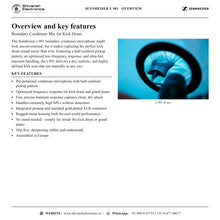

SENNHEISER e 901
MRP - Rs. 24,000
SENNHEISER e 901: Boundary Condenser Mic for Kick Drum. Available in India from Shivansh Electronics, Kolkata, West Bengal, India.
VISUAL GUIDE — See Every Photo, Spec & Setup Step (PDF)
The price shown is inclusive of all taxes. Contact / WhatsApp +91 89818 07755 / +91 91477 00677 to check if any offers or additional discounts are available. If available, we will gladly share a coupon code that you can apply at checkout for the best price. All payments are processed securely through Razorpay, our trusted payment gateway partner.
Product
| Transducer type | Condenser |
Frequency Specifications
| Audio frequency response | 20 - 20,000 Hz |
Acoustic Properties
| Pickup pattern | Half cardioid |
Connectivity
| Connection | Wired |
| Connectors | 3-pin XLR |
Battery & Power
| Phantom power | P48 V |
Electrical Properties
| Sensitivity in free field, no load (1kHz) | 0.5 mV/Pa |
| Nominal impedance | < 100 Ohm |
| Min. terminating impedance | 1000 Ohm |
Dimensions
| Dimensions | 126,5 x 105 x 26,5 mm |
| Product weight | 550 g |
Product overview
The SENNHEISER e 901 is a boundary condenser mic for kick drum from SENNHEISER, part of the Evolution 900 range.
The Sennheiser e 901 boundary condenser microphone might look unconventional, but it makes capturing the perfect kick drum sound easier than ever. Featuring a half-cardioid pickup pattern, an optimized low-frequency response, and ultra-fast transient handling, the e 901 delivers a dry, realistic, and highly defined kick tone that sits naturally in any mix.
| Pickup pattern | Half cardioid |
| Transducer type | Condenser |
| Audio frequency response | 20 - 20,000 Hz |
| Sensitivity in free field, no load (1kHz) | 0.5 mV/Pa |
Key features
- Pre-polarized condenser microphone with half-cardioid pickup pattern
- Optimized frequency response for kick drum and grand piano
- Fast, precise transient response captures clean, dry attack
- Handles extremely high SPLs without distortion
- Integrated preamp and standard gold-plated XLR connector
- Rugged metal housing built for real-world performance
- No stand needed—simply lay inside the kick drum or grand piano
- Slip-free, dampening rubber pad underneath
- Assembled in Europe
SENNHEISER e 901: frequently asked questions
What is the pickup pattern of the e 901?
Half cardioid, according to the official specification.
What is the frequency response of the e 901?
20 - 20,000 Hz.
Which connector does the e 901 use?
3-pin XLR.
Where can I buy the SENNHEISER e 901 in India?
The SENNHEISER e 901 is available from Shivansh Electronics, Kolkata, West Bengal, India, with delivery across India.
Workflow 1: Instrument miking on stage
Live sound engineers.
Connections
| Connect | To |
|---|---|
| e 901 output (3-pin XLR) | Microphone input of the mixer, interface or recorder |
Setup
- Mount the e 901 on a stand or clamp close to the source.
- Switch on phantom power on that input if the official specification for the e 901 calls for it.
- Set the gain while the musician plays at full level.
- Angle the microphone so the loudest nearby sources sit in its rejection zone.
Workflow 2: Studio recording
Recording studios and home studios.
Connections
| Connect | To |
|---|---|
| e 901 output (3-pin XLR) | Microphone input of the mixer, interface or recorder |
Setup
- Place the e 901 close to the instrument and listen on closed headphones while moving it.
- Set the preamp gain with headroom for the loudest passages.
- Record a short test and adjust the position before the take.
Workflow 3: Rehearsal room
Bands rehearsing with a small PA.
Connections
| Connect | To |
|---|---|
| e 901 output (3-pin XLR) | Microphone input of the mixer, interface or recorder |
Setup
- Leave the e 901 on its stand at the instrument between rehearsals.
- Keep cable runs tidy and use balanced microphone cables.
Workflow 4: Recording at home or in the studio
Home studios and project studios.
Connections
| Connect | To |
|---|---|
| e 901 output | Microphone input of an audio interface |
Setup
- Connect the e 901 to an audio interface with a balanced microphone cable.
- Switch on phantom power on that input if the official specification for the e 901 calls for it.
- Set the gain so the loudest parts peak well below clipping.
Workflow 5: Podcasts and streaming
Podcasters and content creators.
Connections
| Connect | To |
|---|---|
| e 901 output | Audio interface or mixer microphone input |
Setup
- Mount the e 901 on a desk stand or boom arm.
- Speak from a constant distance for an even level.
- Monitor on headphones while recording.
Workflow 6: Live events and rentals
Rental companies and event sound teams.
Setup
- Check the e 901 and its cable before each event.
- Label microphones and cables per channel for quick changeovers.
- Store the microphone in its pouch or case after use.