

TASCAM TA-1VP
MRP - Rs. 64,000
TASCAM TA-1VP rack vocal processor with mic preamp, real-time pitch correction, mic modelling, dynamics and doubling. Available in India from Shivansh Electronics, Kolkata, West Bengal, India.
VISUAL GUIDE — See Every Photo, Spec & Setup Step (PDF)
The price shown is the MAXIMUM RETAIL PRICE (MRP), inclusive of all taxes. For the best price, exclusive offers and discounted rates, delivery timelines, or any other information, please DM us or call +91 89818 07755 / +91 91477 00677. We will gladly share an exclusive coupon code that you can apply at checkout. All payments are processed securely through Razorpay, our trusted payment gateway partner.
General
| Type | Vocal processor and mic preamp, 1U rack mount |
| Processing modules | Mic modeller and tube, pitch correction, compressor/gate, de‑esser, 2‑band EQ, double tracking |
| Presets | 35 (factory presets can be edited and restored) |
| Display | 2 x 20 character LCD; LED meters for input, output, correction and gain reduction |
| Input analogue trim | 0 to +30 dB |
Processing
| Pitch correction | Chromatic and 24 diatonic scales, all user customisable; retune speed; pitch detection sensitivity |
| Mic modeller | Source: specific and generic mics (hand‑held dynamic, studio dynamic, wireless, small and large diaphragm condenser) Model: hand‑held and studio dynamic, small diaphragm condenser 1‑2, large diaphragm condenser 1‑3, drum mic kick / snare / cymbal, telephone |
| Tube saturation drive | 0 to 12 dB |
| Compressor | Threshold -36 to 0 dB; ratio 1.0:1 to 99:1; attack 1 to 200 ms; release 1 to 200 ms; knee continuously variable |
| Gate | Threshold -96 to 0 dB; ratio 1:1.0 to 1:99 |
| De‑esser | Threshold -60 to 0 dB; ratio 1.0:1 to 99:1; attack 1 to 200 ms; release 20 to 2,550 ms; high‑pass 2,971 Hz to 20 kHz |
| Parametric EQ | 2 bands: 6 / 12 dB low‑pass and high‑pass, band‑pass, notch, low and high shelf (variable slope), peaking |
| Double tracking | Stereo or variable mono mix |
Inputs and outputs
| MIC IN | |
|---|---|
| Connector | XLR‑3‑31, balanced |
| Impedance | 2.2 kΩ |
| Nominal level | -20.5 to +9.5 dBu (pad: -56.5 to -26.5 dBu) |
| Maximum level | +9.5 dBu |
| LINE IN | |
| Connector | 1/4‑inch TRS, balanced |
| Impedance | 10 kΩ |
| Nominal level | +8 to +24 dBu |
| Maximum level | +24 dBu |
| LINE OUT MAIN | |
| Connector | 1/4‑inch TRS, balanced |
| Impedance | 100 Ω |
| Nominal level | +4 dBu |
| Maximum level | +20 dBu |
| LINE OUT DOUBLE TRACK | |
| Connector | 1/4‑inch TRS, balanced |
| Impedance | 100 Ω |
| Nominal level | +4 dBu |
| Maximum level | +20 dBu |
| Digital output | RCA coaxial, IEC 60958‑3 (S/PDIF), 75 Ω, 0.5 Vpp; 44.1 kHz |
| MIDI | IN and OUT, 5‑pin DIN |
| Footswitch | 1/4‑inch TS jack (TASCAM RC‑1F compatible) |
| Phantom power | +48V on MIC IN |
Audio performance
| Frequency response | 20 Hz to 20 kHz ±0.5 dB (mic and line input to line output) |
| S/N ratio | 98 dB or more (mic and line input) |
| THD | 0.008% or less (mic and line input) |
| Dynamic range | 120 dB or more (line output) |
Physical
| Power | TASCAM PS‑P1220E AC adapter (included), AC 100‑240 V, 50/60 Hz |
| Power consumption | 4 W |
| Dimensions (W x H x D) | 48.26 x 4.4 x 12.81 cm (482.6 x 44 x 128.1 mm) |
| Weight | 2.0 kg |
| Operating temperature | 5 to 35 °C |
Product overview
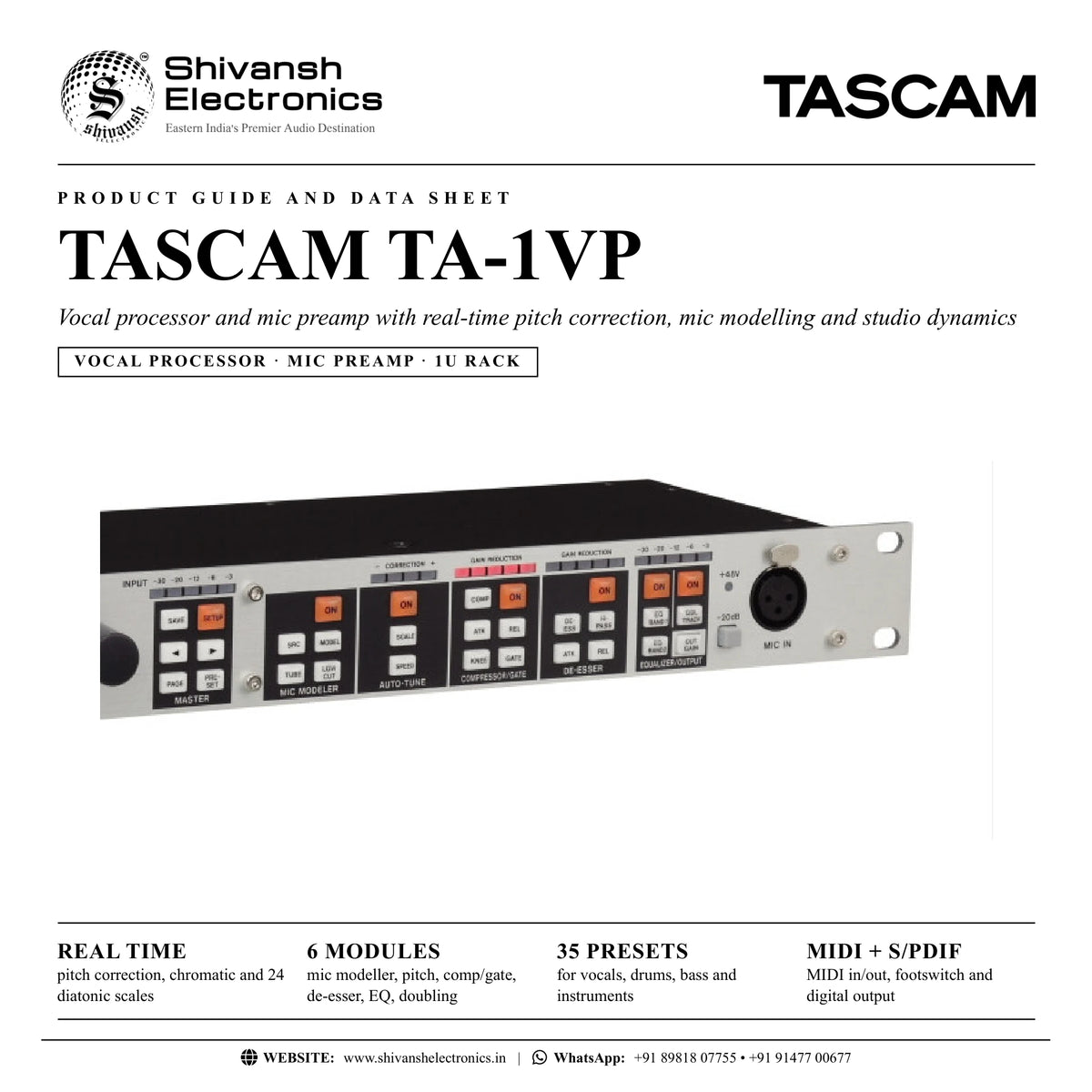
The TASCAM TA-1VP is a 1U rack-mount vocal processor and mic preamp that brings real-time pitch correction, microphone and tube modelling, compression, gating, de-essing, EQ and double tracking together for a polished, modern vocal sound, live or in the studio.
Whether you want gentle, transparent pitch correction, studio-style doubling or the full-strength pitch effect heard on pop and hip hop vocals, the TA-1VP does it in one stand-alone unit for live sound, studio and broadcast. Its premium mic preamp is derived from TASCAM's DM-4800/3200 professional digital mixing consoles, and processing is laid out in simple blocks, each with dedicated buttons and metering, so you can dial in a great vocal fast, even under live pressure. 35 presets, MIDI in and out and a footswitch input that toggles up to eight functions complete the package.
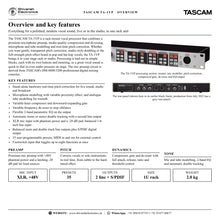
| Pitch correction | Real time |
| User‑programmable presets | 35 |
| XLR mic input with -20 dB pad | +48V |
| Dynamic range | 120 dB |
Key features
- Real-time pitch correction with chromatic and 24 diatonic scales, all customisable, plus retune speed and sensitivity
- Microphone modelling with variable proximity effect, and analogue tube modelling for warmth
- Variable-knee compressor and downward-expanding gate
- Variable-frequency de-esser that stops sibilance
- 2-band parametric EQ on the output
- Automatic mono or stereo double tracking with a dedicated DOUBLE TRACK output
- XLR mic input with phantom power and a -20 dB pad, plus a balanced 1/4-inch line input
- Balanced main and double track outputs and an S/PDIF digital output
- MIDI in and out for control from sequencing software or a MIDI controller
- Footswitch input that toggles up to eight functions at once
Real-time pitch correction
The TA-1VP detects the pitch of a voice or solo instrument and moves it to the target note in real time. Choose a chromatic scale or any of 24 diatonic scales, customise which notes are corrected or bypassed, and set the speed: fast for short notes and the hard-tuned effect, slower for natural phrasing. An audio type setting (soprano, alto/tenor, low male voice or instrument) optimises pitch detection, and detune lets you match an instrument that is not at A = 440 Hz.
Mic modelling, tube warmth and doubling
The mic modeller gives your vocal the character of a range of studio microphones, with adjustable proximity effect and low cut, while the tube stage adds the harmonic richness of a vintage tube preamp with 0 to 12 dB of saturation drive. Automatic double tracking adds a doubled part, mixed into the main output or sent in stereo to the DOUBLE TRACK output, for thicker leads and wide backing vocals.
Studio dynamics and EQ
A variable-knee compressor (threshold -36 to 0 dB, ratio up to 99:1, attack and release 1 to 200 ms) works with a downward-expanding gate that removes noise and breaths. The de-esser has its own threshold, ratio, attack, release and a high-pass frequency from 2,971 Hz to 20 kHz, and two independent EQ bands offer low and high cut, shelving, band-pass, notch and peaking curves.
Built for the stage and the studio
Use the TA-1VP between a mic and the console, as an insert on a mixer channel, or during mixdown where settings can be tried in the context of the whole song. 35 factory presets cover vocals, drums, bass and instruments as starting points, MIDI program and control change automate it from sequencing software, and a footswitch can switch main bypass, presets or any module hands-free.
In the box
- TASCAM TA-1VP vocal processor
- AC adapter (TASCAM PS-P1220E)
- Rack-mounting screw kit
- Warranty card
- Owner's Manual
The TASCAM RC-1F footswitch is available separately. From July 2022 production the rear panel is grey instead of black.
TASCAM TA-1VP: frequently asked questions
Can I connect a microphone directly to the TA-1VP?
Yes. The front-panel XLR MIC IN has a premium preamp with +48V phantom power and a -20 dB pad. A balanced 1/4-inch LINE IN on the rear accepts line-level sources such as a mixer insert send or an external preamp.
Can it be used live?
Yes. It is a stand-alone hardware processor for live sound, studio and broadcast, with presets, front-panel buttons for every module and a footswitch input for hands-free control.
Does it have a digital output?
Yes. An RCA S/PDIF output carries the main output on the left channel and the double track on the right, at 44.1 kHz.
Can I control it over MIDI?
Yes. Presets can be selected by MIDI program change, parameters controlled by control change, and presets and settings saved or loaded as SysEx through MIDI OUT and IN.
Where can I buy the TASCAM TA-1VP in India?
The TASCAM TA-1VP is available from Shivansh Electronics, Kolkata, West Bengal, India, with delivery across India.
Workflow 1: Live vocal straight from the mic
Process a singer's mic on stage when the console has no insert point.
Connections
| Connect | To |
|---|---|
| Vocal mic | MIC IN (XLR) |
| Console line input | LINE OUT MAIN |
| Footswitch (TASCAM RC‑1F) | FOOT SWITCH |
Setup
- In the Setup menu set Input Select to MIC IN; turn phantom power on only if the mic needs it.
- Press -20dB for very loud sources and set the input trim so the top red INPUT LED rarely lights.
- Choose a vocal preset, then adjust compressor, de-esser and EQ to the voice.
- Assign the footswitch (for example main bypass or pitch correction on/off) in Footswitch Assign.
Tip: Let the singer monitor their original voice, not the corrected one.
Workflow 2: Insert effect on a mixer channel
Use the TA-1VP as a pre-fader insert on a vocal channel of a mixer.
Connections
| Connect | To |
|---|---|
| Mixer insert send | LINE IN |
| Mixer insert return | LINE OUT MAIN |
| Second mixer channel (optional) | LINE OUT DOUBLE TRACK |
Setup
- Patch the insert send to LINE IN and LINE OUT MAIN to the insert return (with a single insert jack, use a Y cable with one TRS and two TS plugs).
- Set Input Select to LINE.
- Set the input level with the mixer's channel trim or the TA-1VP input trim.
- For stereo double tracking, bring DOUBLE TRACK out to a separate mixer channel.
Workflow 3: Pitch correction during mixdown
Correct and polish a recorded vocal in the context of the whole song.
Connections
| Connect | To |
|---|---|
| Mixer direct output of the vocal channel | LINE IN |
| Second mixer channel | LINE OUT MAIN |
Setup
- Patch the direct output of the vocal channel to LINE IN and LINE OUT MAIN to a second channel; keep the first channel out of the main mix.
- Set the audio type (soprano, alto/tenor, low male voice or instrument).
- Choose the key's scale, bypass notes that need no correction and set the speed.
- Switch the pitch correction module on and save the preset.
Tip: A slow speed keeps natural phrasing; a very fast speed gives the hard-tuned effect.
Workflow 4: Thick lead and wide backing vocals
Create doubled vocals without recording a second take.
Connections
| Connect | To |
|---|---|
| Vocal source | MIC IN or LINE IN |
| Mixer channel (left) | LINE OUT MAIN |
| Mixer channel (right) | LINE OUT DOUBLE TRACK |
Setup
- Select a preset such as BackingVocals or ThickBacking.
- Press DBL TRACK and choose stereo double tracking.
- Pan the two mixer channels left and right.
- Adjust the double track amount and save the preset.
Tip: In mono mode the double is mixed into the main output instead.
Workflow 5: Processing instruments and drums
Use the dynamics, EQ and modelling on bass, guitar, saxophone, synths and drums.
Connections
| Connect | To |
|---|---|
| Instrument or recorder output | LINE IN |
| Recorder or mixer input | LINE OUT MAIN |
Setup
- Set Input Select to LINE and set the input trim.
- Choose a drum, bass or instrument preset (for example KickEnhance, FatBass or TheSaxCuts).
- Adjust compressor threshold, EQ and modelled mic proximity to the track.
- Save the result to a preset location.
Tip: Gate presets such as SnareGate and TomGate isolate drums from the rest of the kit.
Workflow 6: MIDI-controlled performance
Change presets and settings automatically from sequencing software or a MIDI controller.
Connections
| Connect | To |
|---|---|
| Sequencer or controller MIDI out | MIDI IN |
| Sequencer MIDI in | MIDI OUT |
| Console or recorder | LINE OUT MAIN or DIGITAL OUT |
Setup
- Set the MIDI channel in the Setup menu.
- Enable MIDI program change and the MIDI controllers you need.
- Program preset changes in your sequence at places where no audio is passing.
- Back up presets and settings with a SysEx dump through MIDI OUT.
Tip: DIGITAL OUT carries the main output on the left and the double track on the right.