



TASCAM TM-95GN
MRP - Rs. 19,150
TASCAM TM-95GN cardioid gooseneck condenser microphone with dual gooseneck, stable stand with ON/OFF switch, windscreen and XLR cable. Available in India from Shivansh Electronics, Kolkata, West Bengal, India.
VISUAL GUIDE — See Every Photo, Spec & Setup Step (PDF)
The price shown is the MAXIMUM RETAIL PRICE (MRP), inclusive of all taxes. For the best price, exclusive offers and discounted rates, delivery timelines, or any other information, please DM us or call +91 89818 07755 / +91 91477 00677. We will gladly share an exclusive coupon code that you can apply at checkout. All payments are processed securely through Razorpay, our trusted payment gateway partner.
Acoustic
| Element | Back electret condenser |
| Polar pattern | Cardioid (unidirectional) |
| Frequency response | 50 Hz to 16 kHz |
| Sensitivity | -39 dB ±3 dB (0 dB = 1 V/Pa at 1 kHz) |
Electrical
| Output impedance | 250 Ω ±30% |
| Load impedance | 100 Ω |
| Output connector | 3‑pin XLR, male |
| Power | 48 V ±4 V DC phantom power |
| Current | 3 mA |
Physical
| Dimensions (W x H x D) | 132.5 x 457.5 x 140 mm, excluding protrusions |
| Weight | 970 g |
| Compliance | RoHS compliant |
Included items
| Accessories | Windscreen, mic cable (XLR‑XLR, 1,890 mm) |
| Documents | Owner's Manual (including warranty) |
Product overview
The TASCAM TM-95GN is a gooseneck condenser microphone with its own stand, perfect for the podium, the board room, conferencing and the podcast host.
It uses a condenser element known for capturing the subtle nuances of speech: a lightweight diaphragm in a custom capsule delivers excellent audio fidelity with rejection of unwanted off-axis sound. A dual gooseneck makes positioning easy, the dedicated stand is very stable and has its own ON/OFF switch, and the XLR output is on the back of the stand. A custom pop windscreen and an XLR-XLR cable are included, so it is ready to use straight out of the box with any mixer that supplies phantom power.
| Rejects off‑axis sound | Cardioid |
| Frequency response | 50 Hz - 16 kHz |
| Easy positioning | Dual gooseneck |
| Phantom power | 48 V |
Key features
- Back electret condenser element for clear speech
- Cardioid (unidirectional) pattern
- Dual gooseneck: position the microphone freely without an extra mic stand
- Dedicated stand, very stable, with its own ON/OFF switch
- XLR output on the back of the stand
- Custom pop windscreen against plosives and sibilance
- 48 V phantom power; XLR-XLR mic cable included
Podcasts and talk shows
Clear voices keep listeners watching. Use the TM-95GN for the host and a TASCAM TM-90BM boundary microphone for the guests, connected to an audio interface with at least two XLR inputs such as the TASCAM MiNiSTUDIO CREATOR US-42. On camera, a real gooseneck microphone also makes the show look better.
Conferences, seminars and podiums
A gooseneck microphone is easy to set up without a sound engineer. The TASCAM System Design Guide uses the TM-95GN in conference rooms, parliaments, panel discussions with automatic mixing, auditoriums and banquet halls.
Switch off between speakers
The ON/OFF switch on the stand lets the speaker switch the microphone off when no one is talking, so no unnecessary noise is recorded.
In the box
- TASCAM TM-95GN gooseneck microphone with stand
- Windscreen
- Mic cable (XLR-XLR, 1,890 mm)
- Owner's Manual (including warranty)
TASCAM TM-95GN: frequently asked questions
Does the TM-95GN need a separate stand?
No. It comes with its own dedicated, very stable stand with an ON/OFF switch and the XLR output on the back.
How is it powered?
By 48 V phantom power from the connected mixer, audio interface or other device.
How do I assemble it?
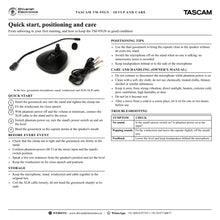
Insert the gooseneck mic into the stand, turn the clamp nut to tighten it, connect the XLR cable and turn the power switch on.
Is a windscreen included?
Yes. A custom-fitted pop windscreen is included to avoid plosives and sibilance in close-mic use.
Where can I buy the TASCAM TM-95GN in India?
The TASCAM TM-95GN is available from Shivansh Electronics, Kolkata, West Bengal, India, with delivery across India.
Workflow 1: Podcast host microphone
A clear, close voice for the host of a podcast or talk show.
Connections
| Connect | To |
|---|---|
| TM‑95GN (host) | XLR input 1 of a TASCAM audio interface such as the MiNiSTUDIO CREATOR US‑42 |
| TM‑90BM (guests) | XLR input 2 |
Setup
- Assemble the TM-95GN and fit the windscreen.
- Connect the XLR cable with phantom power off, then switch phantom power on.
- Turn on the stand's switch and bend the gooseneck towards the host.
- Set the levels and record or stream.
Workflow 2: Lectern and podium
Speech reinforcement for a presenter at a lectern.
Connections
| Connect | To |
|---|---|
| TM‑95GN | On the lectern |
| XLR cable | Phantom‑powered mic input of the PA mixer |
Setup
- Place the stand on the lectern.
- Connect it to the mixer and switch phantom power on.
- Point the capsule at the speaker's mouth.
- Set the level and keep loudspeakers behind the microphone.
Tip: Switch the microphone off on the stand between speakers.
Workflow 3: Board room and conference room
Microphone for the chair in a meeting room system.
Connections
| Connect | To |
|---|---|
| TM‑95GN | Mic input of a TASCAM MX‑8A matrix mixer |
| TM‑90BM | Second mic input for the table |
Setup
- Place the TM-95GN at the chair position.
- Connect it and switch phantom power on.
- Set the level and routing on the mixer.
- Record the meeting on a TASCAM SS-R250N.
Workflow 4: Parliament or council meeting
A microphone per participant with network audio, as in the TASCAM System Design Guide.
Connections
| Connect | To |
|---|---|
| TM‑95GN (each seat) | Inputs of TASCAM MM‑4D/IN Dante converters |
| Dante network | TASCAM DA‑6400dp multitrack recorder and ML‑4D/OUT for the amplifier |
Setup
- Place a TM-95GN at each seat.
- Connect the microphones to the Dante converters with phantom power.
- Set levels and routing.
- Record each participant on its own track.
Workflow 5: Panel discussion with automatic mixing
Several speakers on stage without constant fader riding.
Connections
| Connect | To |
|---|---|
| TM‑95GN for the chair and each panellist | Mic inputs of a TASCAM Sonicview 16 |
| Sonicview 16 output | Active speakers |
Setup
- Place a TM-95GN in front of each panellist.
- Connect them with phantom power on.
- Assign the channels to the automatic mixer groups and set priority for the chair.
- Run the discussion and record it.
Workflow 6: Seminar or online class
Clear speech for a seminar recorded or streamed from a desk.
Connections
| Connect | To |
|---|---|
| TM‑95GN | XLR input with phantom power on a TASCAM recording mixer or interface |
| Mixer USB | Computer for streaming or recording |
Setup
- Set the TM-95GN on the desk and fit the windscreen.
- Connect it and switch phantom power on.
- Bend the gooseneck towards the speaker and set the level.
- Start the recording or stream.


