




VERTIGO SOUND VSM-2
PRICE ON ENQUIRY
VERTIGO SOUND VSM-2 Mix Satellite: analog MS mix and mastering tool, 2 balanced inserts, parallel blend, width, 2nd / 3rd harmonics. Available in India from Shivansh Electronics, Kolkata, West Bengal, India.
VISUAL GUIDE — See Every Photo, Spec & Setup Step (PDF)
PRICE ON ENQUIRY. For the price, exclusive offers, delivery timelines, or any other information, please DM us or call +91 89818 07755 / +91 91477 00677. We will gladly share a personalised quotation for Shivansh Electronics, Kolkata, West Bengal, India. All payments are processed securely through Razorpay, our trusted payment gateway partner.
Audio
| Inputs and outputs | All electronically balanced, fully floating |
| Dynamic range | 128 dB |
| Frequency response | 10 Hz - 70 kHz (± 1 dB) |
| Max. output level | +30 dBu |
| Max. input level | +30 dBu |
| THD | ≤ 0.003 % at +28 dBu |
| Signal‑to‑noise ratio | 104 dB at +6 dBu (20 Hz - 20 kHz, unweighted, RMS) |
| Noise | -98 dBu (20 Hz - 22 kHz, unweighted, RMS) at unity gain |
| Minimum output load | 600 Ω |
Connections and controls
| Inputs | 2 x XLR (L, R) |
| Outputs | 2 x XLR (L, R) |
| Insert 1 | XLR sends L (M) / R (S) and XLR returns; LR / Off / MS; Dry / Wet |
| Insert 2 | XLR sends L (M) / R (S) and XLR returns; LR / Off / MS; M / S width |
| Solo | AFL Solo M / Off / Solo S |
| Harmonic generators | 2nd Harmonic Fet Crusher; 3rd Harmonic Zener Blender |
| Input Filter modes | Low 10‑120 Hz; Mid 120 Hz‑1.5 kHz; Hi Mid 800 Hz‑4 kHz; High 4‑20 kHz; Full 120 Hz‑20 kHz; Track 10 Hz‑20 kHz |
| Metering | Input / output bargraph -30 to +30 with clip LEDs |
Power
| Mains voltage | 115 V or 230 V (changed by the manufacturer) |
| Mains fuse | 230 V: 160 mA; 115 V: 315 mA |
| Power consumption | Max. 30 W |
| Power supply | Linear, toroidal transformer |
| Format | 2U rack unit |
Product overview
The VERTIGO SOUND VSM-2, a.k.a. the Mix Satellite, is a creative, fully analog mix and mastering tool in 2U: MS encoding and decoding on two fully balanced inserts, parallel blending, stereo width, AFL Solo of M and S, and two harmonic generators for 2nd and 3rd harmonics.
The VSM-2 is VERTIGO SOUND's second unique design and an all-in-one solution for mastering studios, replacing switching devices and MS encoders and decoders. Switch between conventional stereo and MS processing within seconds, blend the mix with the unprocessed signal with one knob, and colour, saturate, enhance, compress, limit or distort your programme material with the Fet Crusher and Zener Blender. VERTIGO SOUND also offers the VSM-2 as a basic version without the harmonic generators.
| Max. input and output level | +30 dBu |
| Dynamic range | 128 dB |
| THD at +28 dBu | ≤ 0.003 % |
| Signal‑to‑noise ratio at +6 dBu | 104 dB |
Key features
- All analog, latency-free processing in 2U
- Two fully balanced inserts on XLR with level-compensated MS encoding and decoding
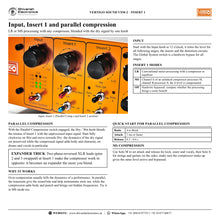
- Insert 1 Dry / Wet control for parallel compression in LR and MS
- Insert 2 M / S stereo width control with a zoomed centre
- Level-compensated AFL Solo for the M and S signal
- 2nd Harmonic Fet Crusher and 3rd Harmonic Zener Blender, each switchable to M, S or LR
- Six input filter modes per generator, including the unique Track mode; soft and hard style
- Hardwire bypass for all and each processing stage
- Up to +30 dBu at the inputs and outputs; fast input / output metering and clip LEDs
- Stepped controls, pointer knobs and fine scales for easy recall
Inserts and MS processing
Insert 1 is designed for a compressor: in MS mode an unlinked compressor processes M on channel A and S on channel B, with the S level compensated. Its Dry / Wet knob blends the compressed returns with the dry input for parallel compression. Insert 2 suits an equaliser: in MS mode it engages the stereo width control, in LR mode the knob is a stereo balance control. Each insert can be switched off with a hardwire bypass to compare.
AFL Solo for M and S
The Solo toggle lets you listen to the VSM-2 output encoded in M or S, after the output controls, so you hear the effect of every stage on the M or S part of the mix and can optimise compressor time constants for the centre and the sides separately.
Fet Crusher and Zener Blender
The 2nd Harmonic Fet Crusher produces pure second harmonics emulating a class A triode tube stage, for warmth and richness. The 3rd Harmonic Zener Blender creates third harmonics, like a pentode driven into overload, for a brighter sound, more detail or a compression and limiting effect. Each has Drive, Input Filter (Low, Mid, Hi Mid, High, Full, Track), Shape, THD Mix, Level, Style and an LR / M / S selector.
Built for the studio
All inputs, inserts and outputs are electronically balanced and fully floating. Audio grounds are separated from the steel case to avoid ground loops, and a noiseless linear power supply with a toroidal transformer keeps switching noise away from A/D conversion.
In the box
- VSM-2 Mix Satellite
VERTIGO SOUND VSM-2: frequently asked questions
Can I use any compressor or equaliser with the VSM-2?
Yes. Insert 1 is designed mainly for a compressor and Insert 2 for an equaliser; for MS work, set the compressor to unlinked (dual mono) mode.
How does parallel compression work on the VSM-2?
Engage Parallel Compression on Insert 1 and turn the Dry / Wet knob from Wet towards Dry to blend the compressed returns with the unprocessed input signal.
What do the harmonic generators add?
The Fet Crusher adds pure 2nd harmonics and the Zener Blender 3rd harmonics; each can be sent LR, M or S and filtered to a frequency band.
Does the VSM-2 need ventilation space?
It generates a fair amount of heat: keep the ventilation holes on top of the housing open.
Where can I buy the VERTIGO SOUND VSM-2 in India?
The VERTIGO SOUND VSM-2 is available from Shivansh Electronics, Kolkata, West Bengal, India, with delivery across India.
Workflow 1: Mastering centre
Mastering studios wanting MS, inserts and blending in one unit.
Connections
| Connect | To |
|---|---|
| Source L / R | VSM‑2 Input L / R |
| VSM‑2 Output L / R | Recorder or converter |
| Compressor / equaliser | Insert 1 / Insert 2 sends and returns |
Setup
- Set the Input knob to 12 o'clock.
- Choose LR or MS on each insert.
- Compare each stage with its hardwire bypass.
- Document the setting on the recall sheet.
Tip: The Global System switch bypasses the whole VSM-2.
Workflow 2: Parallel compression on the mix bus
Mixing engineers adding body without losing dynamics.
Connections
| Connect | To |
|---|---|
| Mix bus | VSM‑2 Input |
| Compressor | Insert 1 |
Setup
- Set the compressor: ratio 4 to Brick, attack 1 ms or faster, release 0.3-0.6 s.
- Engage Parallel Compression.
- Start fully on Wet.
- Turn towards Dry until the balance is right.
Tip: Try parallel compression in MS mode too.
Workflow 3: MS compression
Engineers treating centre and sides differently.
Connections
| Connect | To |
|---|---|
| Unlinked compressor | Insert 1 (A = M, B = S) |
Setup
- Switch Insert 1 to MS.
- Engage Solo M and set attack and release for kick, snare and vocals.
- Engage Solo S and set them for strings and guitars.
- Match the make-up level active and bypassed.
Tip: The S level is compensated, so no very low threshold is needed.
Workflow 4: MS equalisation
Fixing a mix with a buried vocal and woolly sides.
Connections
| Connect | To |
|---|---|
| Equaliser | Insert 2 |
Setup
- Switch Insert 2 to MS.
- Add 160 Hz on M.
- Cut 160 Hz and add 12 kHz shelving on S.
- Correct the centre with the width knob towards M if needed.
Tip: The width control has a zoom around the centre.
Workflow 5: Analog colour
Adding warmth or detail to digital mixes.
Connections
| Connect | To |
|---|---|
| Mix | VSM‑2 Input |
| VSM‑2 Output | Recorder |
Setup
- Engage the Fet Crusher or Zener Blender with System in.
- Choose LR, M or S and an Input Filter band.
- Set Drive and THD Mix.
- Tame harshness with Shape and match level with the yellow LEDs.
Tip: High drive usually calls for a low mix; low drive allows a high mix.
Workflow 6: Track processing and limiting
Saturating vocals, drums or single instruments.
Connections
| Connect | To |
|---|---|
| Instrument track | VSM‑2 Input |
| VSM‑2 Output | Recording software input |
Setup
- Select Track mode on the Input Filter.
- Use Shape to filter the distortion.
- For limiting, use the Zener Blender Drive as threshold.
- Switch to Full if the effect is too brutal.
Tip: In Track mode the Mix control is off.


