
ART MX624
MRP - Rs. 21,347
ART MX624 six channel 1U zone mixer: two stereo zones with EQ, three XLR mic inputs with +48 V phantom and pad, Mic 1 ducking, chainable bus inputs. Available in India from Shivansh Electronics, Kolkata, West Bengal, India.
VISUAL GUIDE — See Every Photo, Spec & Setup Step (PDF)
The price shown is the MAXIMUM RETAIL PRICE (MRP), inclusive of all taxes. For the best price, exclusive offers and discounted rates, delivery timelines, or any other information, please DM us or call +91 89818 07755 / +91 91477 00677. We will gladly share an exclusive coupon code that you can apply at checkout. All payments are processed securely through Razorpay, our trusted payment gateway partner.
Specifications
| Type | Six channel stereo mixer with two zone outputs |
| Inputs | XLR female balanced (mic, channels 1‑3); RCA unbalanced (line inputs 1‑6, left and right); 1/4 inch TRS unbalanced stereo (bus inputs, Zone 1 and 2) |
| Outputs | 1/4 inch TS unbalanced (Zone 1 and 2 out, left and right) |
| Input impedance | 4 kΩ (mic), 10 kΩ (line), 10 kΩ (bus) |
| Output impedance | 200 Ω (Zone 1 and 2) |
| Maximum input level | -4 dBu, +16 dBu with 20 dB pad (mic); > 25 dBu (line) |
| Maximum output level | +20 dBu (unbalanced) |
| Maximum gain | 57 dB (mic), 31 dB (line) |
| Frequency response | 20 Hz - 20 kHz (+0, -1 dB) (channels 1‑6 in, zone out) |
| Total harmonic distortion | < 0.01 % at 1 kHz, typical |
| Signal to noise ratio | > 90 dB typical (ref. 0 dBu) |
| CMRR | > 43 dB typical |
| Ducking threshold | -49.5 dBV, adjustable with rear‑panel DIP switches (user's manual) |
| Ducking depth | 15 dB (user's manual) |
| Tone controls | ± 12 dB at 100 Hz and 10 kHz (user's manual) |
| Phantom power | Switch selectable, +48 V DC (regulated and filtered), 7 mA current limiting per leg |
Power and physical
| Power requirements | USA: 85‑125 V AC, 50‑60 Hz, < 15 W; export units configured for the country of destination |
| Format | 1U, 19 inch rackmount steel chassis |
| Dimensions (H x W x D) | 4.45 x 48.3 x 15.2 cm (1.75 x 19 x 6 inch) |
| Weight | 2.2 kg (4.9 lb) |
Product overview
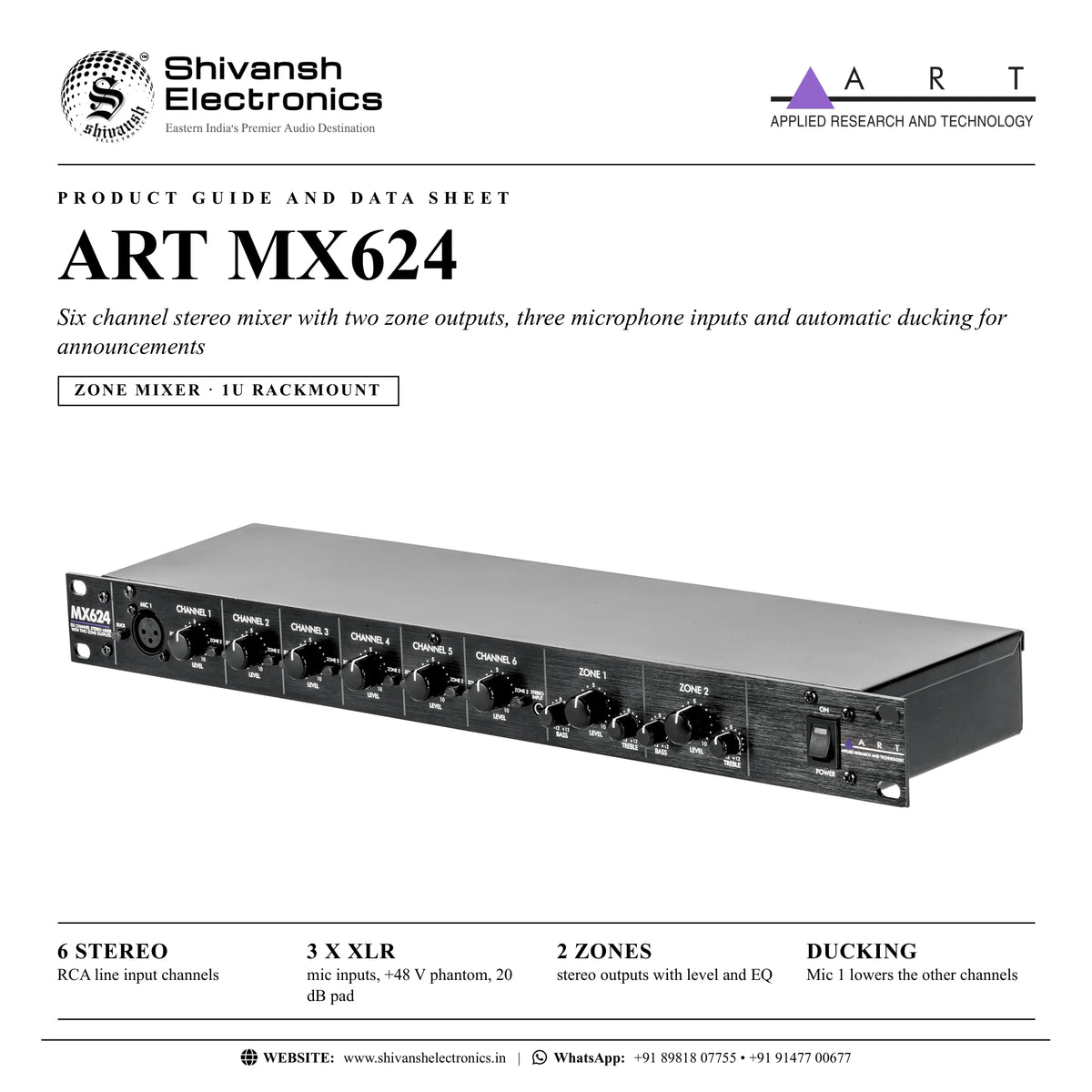
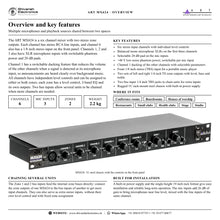
The ART MX624 is a six channel stereo rackmount mixer with two zone outputs, three microphone inputs and automatic ducking, made for sharing multiple mics and playback sources between two spaces.
Each channel has stereo RCA line inputs, and channel 6 also has a 1/8 inch stereo input on the front panel. Channels 1, 2 and 3 also have XLR microphone inputs with switchable phantom power and 20 dB pads. Channel 1 has a switchable ducking feature that reduces the volume of the other channels when a signal is detected at its microphone input, so announcements are heard clearly over background music. All channels have independent level controls and can be assigned to either or both zones; each zone has a level control, 2-band EQ and its own outputs. ART names conference rooms, corporate boardrooms, churches, restaurants, small clubs and health clubs, as well as stage and studio use.
| RCA line input channels | 6 stereo |
| Mic inputs, +48 V phantom, 20 dB pad | 3 x XLR |
| Stereo outputs with level and EQ | 2 zones |
| Mic 1 lowers the other channels | Ducking |
Key features
- Six stereo input channels with individual level controls
- Balanced mono microphone XLRs on the first three channels
- Selectable 20 dB padding on the mic inputs
- +48 V low-noise phantom power, independently switchable for each mic input
- Channel 1 ducking of the other channels with selectable parameters
- Front 1/8 inch stereo (TRS) input for a portable music player
- Two sets of left and right 1/4 inch TS zone outputs with level, bass and treble controls
- Two bus inputs (1/4 inch TRS) to chain units for extra inputs
- Rugged 1U rack-mount steel chassis with built-in power supply
Ducking for announcements
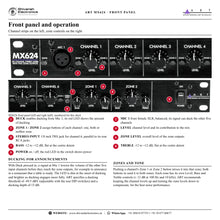
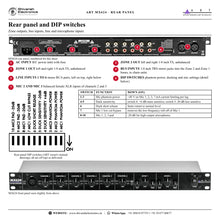
Mic 1 on the front panel works like the rear microphone inputs, with one exception: with the Duck switch pressed in, its signal lowers the volume of the other five channels before they reach the zone outputs, for example to announce in a restaurant that a table is ready. The red LED in the Duck switch shows the amount of ducking. ART specifies a ducking threshold of -49.5 dBV and a ducking depth of 15 dB; rear DIP switches make the detector 6 dB more or 20 dB less sensitive, shorten the release time and bypass the Mic 1 low cut filter.
Two zones with their own EQ
Two buttons on each channel route it to Zone 1, Zone 2, both or neither. Each zone has Level, Bass and Treble controls (± 12 dB at 100 Hz and 10 kHz, flat at the centre detent) and left and right 1/4 inch TS outputs for amplifiers, powered speakers or main mixers.
Microphone inputs
The three balanced XLR inputs (Mic 1 on the front, Mic 2 and Mic 3 on the rear) add 26 dB of gain to bring a microphone near line level and feed both sides of their stereo channel, mixed with the RCA line input of the same channel. Rear DIP switches apply +48 V phantom power (7 mA current limiting per leg) and a 20 dB pad for high-output microphones.
Chaining and bus inputs
The Zone 1 and 2 bus inputs (1/4 inch TRS) feed the internal zone buses directly. Connecting the zone outputs of one MX624 to the bus inputs of another chains the units for more input channels; the bus inputs can also serve as extra stereo inputs with fixed zone assignment and no level control.
In the box
- MX624 zone mixer
ART MX624: frequently asked questions
How many microphones can I connect?
Three: Mic 1 on the front panel and Mic 2 and Mic 3 on the rear, all balanced XLR with switchable +48 V phantom power.
Can announcements lower the music automatically?
Yes. With Duck enabled, a signal at Mic 1 lowers the other five channels by 15 dB; sensitivity and release are set with rear DIP switches.
Can each zone have its own sources and tone?
Yes. Each channel is assigned to one, both or neither zone, and each zone has level, bass and treble controls.
Can I connect a phone or music player directly?
Yes. Channel 6 has a 1/8 inch stereo input on the front panel, in parallel with its rear RCA jacks.
Where can I buy the ART MX624 in India?
The ART MX624 is available from Shivansh Electronics, Kolkata, West Bengal, India, with delivery across India.
Workflow 1: Restaurant music with table announcements
Restaurants and cafes with a dining room and a bar or terrace.
Connections
| Connect | To |
|---|---|
| Paging microphone | Mic 1 (front XLR) |
| Music players | Line inputs 2 to 6 (RCA) |
| Zone 1 and 2 out | Amplifiers of the two areas |
Setup
- Press the Duck switch in.
- Assign the music channels to the zones and set the zone levels.
- Speak into Mic 1: the other channels are lowered automatically.
Tip: The Duck LED brightens as ducking engages more fully.
Workflow 2: Two meeting rooms from one rack
Corporate offices and boardrooms.
Connections
| Connect | To |
|---|---|
| Microphones | Mic 1, 2 and 3 |
| Laptop or media player | Line inputs |
| Zone outputs | Room amplifiers |
Setup
- Enable phantom power for condenser microphones with rear DIP switches 1 to 3.
- Assign each channel to the room or rooms that should hear it.
Tip: Apply phantom power only to microphones designed to use it.
Workflow 3: Adjusting ducking behaviour
Installers fine-tuning announcements over music.
Connections
| Connect | To |
|---|---|
| Rear DIP switches 4 to 8 | Ducking settings |
Setup
- Switch 4 makes ducking 6 dB more sensitive, switch 5 makes it 20 dB less sensitive.
- Switch 6 shortens the release; switch 7 bypasses the Mic 1 low cut filter.
Tip: The Mic 1 pad (switch 8) also makes ducking 20 dB less sensitive.
Workflow 4: More inputs by chaining two MX624s
Venues that need more than six channels.
Connections
| Connect | To |
|---|---|
| Zone 1 and 2 out of the first MX624 | Zone 1 and 2 bus inputs of the second MX624 |
Setup
- Use cables with dual 1/4 inch TS plugs to a single 1/4 inch TRS plug (tip left, ring right).
- Use the second unit's zone outputs to feed the amplifiers.
Tip: Use shielded cable for the bus connections.
Workflow 5: Portable player on the front panel
Staff plugging in a phone or tablet for quick playback.
Connections
| Connect | To |
|---|---|
| Phone or tablet | Front 1/8 inch stereo input (channel 6) |
Setup
- Plug the player into the front jack.
- Set the channel 6 level and zone assignment.
Tip: The front jack is in parallel with the rear RCA inputs of channel 6.
Workflow 6: Best noise performance
Anyone setting levels on the MX624.
Connections
| Connect | To |
|---|---|
| Channel and zone level controls | Front panel |
Setup
- Turn unused channel levels fully down.
- Keep the channel levels up and turn the zone levels down to compensate.
Tip: This order gives the best noise performance while keeping distortion low, as ART's manual explains.


