
ECLER eMCONTROL1
MRP - Rs. 35,900
ECLER eMCONTROL1 digital wall control for HUB zoners and eMIMO1616: LCD, encoder, source, volume, MUTE and EQ, one CAT5 cable, surface box. Available in India from Shivansh Electronics, Kolkata, West Bengal, India.
VISUAL GUIDE — See Every Photo, Spec & Setup Step (PDF)
The price shown is the MAXIMUM RETAIL PRICE (MRP), inclusive of all taxes. For the best price, exclusive offers and discounted rates, delivery timelines, or any other information, please DM us or call +91 89818 07755 / +91 91477 00677. We will gladly share an exclusive coupon code that you can apply at checkout. All payments are processed securely through Razorpay, our trusted payment gateway partner.
Specifications
Control
| Controls | Encoder and selection key |
| Display | LCD, 128 x 128 pixels |
| Functions | Source selection, volume, MUTE, 3‑band EQ |
| Communication | RS‑485, RJ45 remote port |
| Configuration | HANGAR web application |
| Cable | CAT‑5e or better |
Power
| Nominal supply | 12 V DC from the RJ45 remote input; 24 V DC external input |
| Minimum supply | RJ45: 9.5 V (11 V with WPaMIX‑T); external: 18 V DC |
| Maximum consumption | RJ45: 60 mA (80 mA with WPaMIX‑T); external: 25 mA at 24 V DC |
| External supply | Optional, 24 V DC (min. 30 mA); ECLER WP24‑PSU recommended |
Mechanical
| Colour | White (RAL 9016) |
| Dimensions (W x H x D) | 86 x 86 x 28 mm |
| Round box | 60 mm internal diameter |
| Weight | 0.15 kg |
| Operating temperature | -10 °C to 40 °C, < 85 % RH |
| Storage | -10 °C to 40 °C, < 90 % RH |
| Shipping | 120 x 220 x 80 mm, 0.3 kg |
| Reference | CEMCONTROL1R |
Product overview
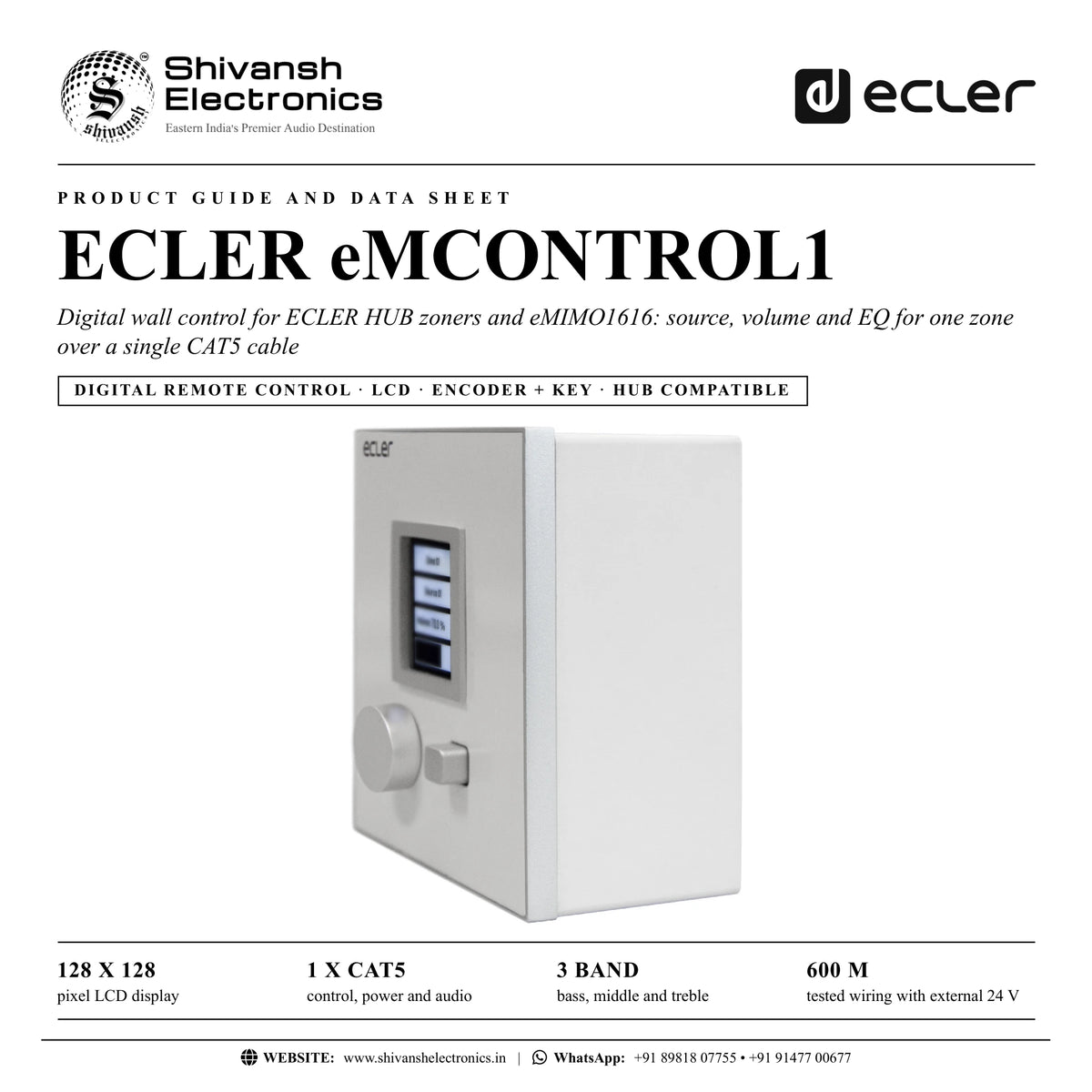
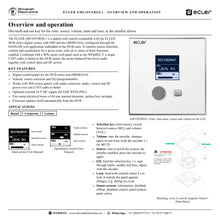
The ECLER eMCONTROL1 is a digital wall control for the ECLER HUB series digital zoners and the eMIMO1616, giving source selection, volume and equalisation for one zone.
The installer decides in the HANGAR web application, embedded in the HUB units, which functions each panel offers. A rotary encoder and a selection key drive the 128 x 128 pixel LCD. Paired with a WPa series wall panel such as the WPaMIX-T, a single CAT5 cable or better to the HUB carries the mono balanced line-level audio together with control data and DC power.
| Pixel LCD display | 128 x 128 |
| Control, power and audio | 1 x CAT5 |
| Bass, middle and treble | 3 band |
| Tested wiring with external 24 V | 600 m |
Key features
- Digital control panel for the HUB series and eMIMO1616
- Volume, source selection and EQ (programmable)
- Works with WPa series panels with audio connector: audio, control and DC power over one CAT5 cable
- Optional external 24 V DC supply (ECLER WP24-PSU)
- Round electrical boxes with 60 mm internal diameter
- Surface mount box included
- Automatic firmware update from the HUB
Simple for the user
A short press of the selection key switches between source and volume. Turn the encoder to set the volume in real time, hold it 2 seconds for MUTE, or scroll the enabled sources and press to apply. Holding the selection key opens the treble, middle and bass controls.
Safe for the venue
Holding both controls for about 5 seconds locks the panel against changes, useful during events. Clear screens show when the panel is offline, disabled, a control is disabled, the panel is locked or the HUB panic function is active.
Long cable runs
Over the RJ45 link the panel takes its power from the HUB: up to 270, 340 or 425 m with AWG24, AWG23 or AWG22 cable, or 85 to 130 m when a WPaMIX-T is attached. With the external 24 V supply and good CAT5e cable, data exchange has been tested over 600 m.
Compatible with
- ECLER HUB series digital zoners
- ECLER eMIMO1616
- ECLER WPaMIX-T
- ECLER WP24-PSU
- ECLER WPa2FMBOX
- ECLER WPa2SMBOX
In the box
- 1 x eMCONTROL1
- Frame for mounting a mechanism in a system
- Screws for fixing to surface or flush mounting box
- Magnet for cover removal
- Surface mounting box
- Cable for direct connection to WPaMIX-T
- Quick User Guide
- Warranty card
Available versions
- eMCONTROL1: reference CEMCONTROL1R
ECLER eMCONTROL1: frequently asked questions
Which ECLER units does the eMCONTROL1 work with?
The HUB series digital zoners and the eMIMO1616; it is configured in the HANGAR web application embedded in the HUB units.
Does it need its own power supply?
No. It is powered through the RJ45 remote input; an external 24 V DC supply (ECLER WP24-PSU) is optional and recommended for long cable runs or with a WPaMIX-T.
Can a microphone input be added at the same point?
Yes. Next to a WPaMIX-T in a WPa2SMBOX or WPa2FMBOX double box, the supplied cable links both panels and one CAT5 cable carries the audio to the HUB.
Does the firmware need updating?
No manual update is needed: the panel checks and updates its firmware automatically when connected to a HUB unit.
Where can I buy the ECLER eMCONTROL1 in India?
The ECLER eMCONTROL1 is available from Shivansh Electronics, Kolkata, West Bengal, India, with delivery across India.
Workflow 1: Restaurant zone control
Staff set music and volume in a dining room.
Connections
| Connect | To |
|---|---|
| eMCONTROL1 RJ45 | HUB REMOTE input |
Setup
- Mount the panel in its surface box.
- Cable it to a HUB REMOTE input.
- Enable source and volume for the zone in HANGAR.
- Label the zone and its sources.
Tip: Disable EQ for staff panels if only volume and source are needed.
Workflow 2: Meeting room with microphone point
A wall microphone input and zone control at one point.
Connections
| Connect | To |
|---|---|
| eMCONTROL1 + WPaMIX‑T | Supplied interconnection cable |
| eMCONTROL1 RJ45 | HUB REMOTE input |
Setup
- Fit both panels in a WPa2SMBOX or WPa2FMBOX.
- Link them with the supplied cable.
- Run one CAT5 cable to the HUB.
- Add the WP24-PSU for long runs.
Tip: With a WPaMIX-T keep AWG24 runs within 85 m, or add the external supply.
Workflow 3: Event lock
Prevent guests changing the sound during an event.
Connections
| Connect | To |
|---|---|
| eMCONTROL1 | HUB zone |
Setup
- Set the level for the event.
- Hold both controls for about 5 seconds.
- Check PANEL LOCKED is shown.
- Repeat to unlock afterwards.
Tip: The lock is temporary and needs no software.
Workflow 4: Shop tone adjustment
Quick bass and treble tweaks for a retail zone.
Connections
| Connect | To |
|---|---|
| eMCONTROL1 | HUB zone with EQ enabled |
Setup
- Enable EQ for the panel in HANGAR.
- Hold the selection key for 2 seconds.
- Step through treble, middle and bass.
- Hold again to return.
Tip: The main screen returns by itself after a few seconds.
Workflow 5: Long cable run
A panel far from the rack in a large venue.
Connections
| Connect | To |
|---|---|
| WP24‑PSU | eMCONTROL1 24 V DC input |
| eMCONTROL1 RJ45 | HUB REMOTE input (CAT5e) |
Setup
- Use good quality CAT5e cable.
- Connect the WP24-PSU to the panel.
- Connect the remote cable.
- Check the panel is not OFFLINE.
Tip: Data exchange has been tested over 600 m with external power.
Workflow 6: Leisure centre zones
Separate panels for gym, bar and lobby on one HUB.
Connections
| Connect | To |
|---|---|
| eMCONTROL1 x 3 | HUB REMOTE inputs |
Setup
- Assign each panel to its zone in HANGAR.
- Choose the sources each zone may use.
- Name each panel.
- Test from every panel.
Tip: The information screen (hold both controls) shows the panel name and firmware.