

ECLER TUBE
MRP - Rs. 90,900
ECLER TUBE 3 inch WiSpeak wireless lamp-style speaker for lighting rails, 18 W RMS, powered from the rail, AUX OUT, white or black. Available in India from Shivansh Electronics, Kolkata, West Bengal, India.
VISUAL GUIDE — See Every Photo, Spec & Setup Step (PDF)
The price shown is the MAXIMUM RETAIL PRICE (MRP), inclusive of all taxes. For the best price, exclusive offers and discounted rates, delivery timelines, or any other information, please DM us or call +91 89818 07755 / +91 91477 00677. We will gladly share an exclusive coupon code that you can apply at checkout. All payments are processed securely through Razorpay, our trusted payment gateway partner.
Wireless (WiSpeak)
| Frequency band | 5.18 - 5.32 GHz, 5.55 - 5.825 GHz |
| RF channels | Up to 24 non‑overlapping; DFS support |
| Coverage range | Up to 12 m from the transmitter, direct line of sight |
| Audio transmission | 24 bit uncompressed, 48 kHz |
| Digital frequency response | 20 Hz - 20 kHz (-0.1 dB) |
| DAC | 24 bit, 100 dB dynamic range |
| Latency | Below 6 ms, transmitter input to speaker |
| Jitter among receivers | ±1 µs |
| Pairing and reconnection time | Up to 120 s |
System and amplifier
| Effective frequency range | 105 Hz - 20 kHz (-10 dB) |
| Coverage angle (H x V) | 180° x 180° |
| Sensitivity (1 W / 1 m) | 83 dB |
| Maximum SPL | 96 dB continuous / 102 dB peak |
| Driver | 3 inch, 1‑way |
| Nominal impedance | 4 Ω |
| Power | 18 W RMS / 72 W peak |
| THD + noise | Below 0.15 % at 1 kHz, full power |
| AUX OUT | Analogue, mono, balanced, Euroblock |
| Signal to noise ratio | Above 95 dB at AUX OUT |
Power and control
| Power supply | Universal, internal, 100 - 240 V AC, 50 - 60 Hz |
| Mains connection | From the lighting rail bracket |
| Power consumption | 15 W (rated) |
| Control | WiSpeak grip app: volume, SOLO, ID test signal, pair / unpair |
| Panel | Pair button; WiS and STR LEDs |
Physical
| Installation | Ceiling lighting rail, or surface with TUBE SMA |
| Rail system | 4‑wire, 3‑circuit track systems |
| Orientation | Swivel (pan and tilt) |
| Certifications | FCC, EMC |
| Operating temperature | -10 °C to 40 °C |
| Operating humidity | Below 85 % RH |
| Colours | White (RAL9003), black (RAL9005) |
| Dimensions (Ø x D) | 96 x 130 mm |
| Weight | 0.8 kg |
| Shipping dimensions (W x H x D) | 195 x 185 x 245 mm |
| Shipping weight | 1.12 kg |
| Optional accessory | TUBE SMA surface mount |
Product overview
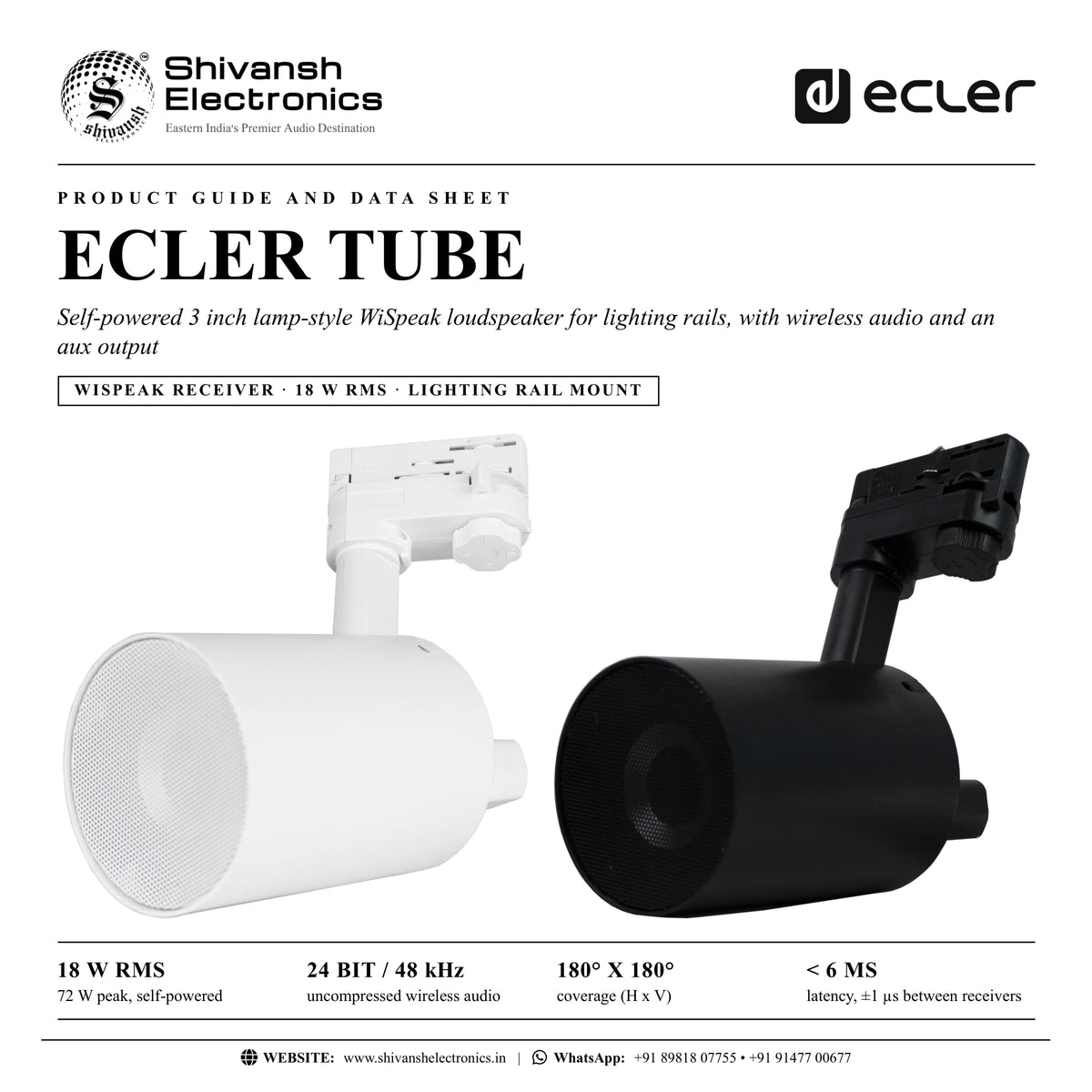
The ECLER TUBE is a self-powered 3 inch lamp-style WiSpeak loudspeaker that mounts on a ceiling lighting rail, takes its power from the rail and receives its audio wirelessly from a WiSpeak CORE transmitter.
Designed for retail, hospitality and corporate spaces, the TUBE looks like a track spotlight and installs like one: the lighting rail bracket comes fitted, so there is no audio or power cable to run. Its 3 inch driver and 18 W RMS amplifier deliver 105 Hz to 20 kHz with 180° x 180° coverage. Audio arrives uncompressed at 24 bit / 48 kHz, in sync with up to 24 other WiSpeak receivers, and a balanced AUX OUT on the back can feed an amplifier, a subwoofer or a second WiSpeak transmitter. Available in white (RAL9003) and black (RAL9005).
| 72 W peak, self‑powered | 18 W RMS |
| Uncompressed wireless audio | 24 bit / 48 kHz |
| Coverage (H x V) | 180° x 180° |
| Latency, ±1 µs between receivers | < 6 ms |
Key features
- Lamp-style self-powered WiSpeak receiver with a 3 inch driver
- 18 W RMS / 72 W peak; 96 dB continuous, 102 dB peak SPL
- Lighting rail mount included: 4-wire, 3-circuit track systems
- Universal internal power supply, 100 - 240 V AC from the rail bracket
- Wireless audio from the paired CORE, up to 12 m with direct line of sight
- AUX OUT: balanced copy of the received signal, to extend the network or feed amplifiers and subwoofers
- Back panel pair key and WiS / STR status LEDs
- WiSpeak grip app: individual volume, SOLO and ID test signal per speaker
- Swivel pan and tilt; optional TUBE SMA surface mount
- Available in white (RAL9003) and black (RAL9005)
Installs like a track light
Set the circuit selector to OFF, insert the TUBE in the rail, rotate the safety lug and turn the selector to the circuit that carries mains power. The LEDs on the back confirm power, and the speaker swivels to aim at the area it serves. Where there is no rail, the optional TUBE SMA surface mount takes its place.
Part of a WiSpeak system
A WiSpeak system is one CORE transmitter and up to 24 TUBE, CUBE and GLOBE receivers. A short press on the CORE's pair key links them all; when the lights stop blinking, the system plays. The CORE sets the input and master volume, and the WiSpeak grip app adds per-speaker volume and fine tuning.
In the box
- 1 x TUBE loudspeaker
- 1 x lighting rail mount (fitted)
Available versions
- TUBE white (RAL9003): reference CTUBE3WH
- TUBE black (RAL9005): reference CTUBE3BK
ECLER TUBE: frequently asked questions
Does the TUBE need speaker cables?
No. It takes mains power from the lighting rail and receives audio wirelessly from a WiSpeak CORE transmitter.
How many TUBEs can I use?
Up to 24 WiSpeak receivers (TUBE, CUBE and GLOBE) per CORE transmitter.
Can I mount it without a lighting rail?
Yes, with the optional TUBE SMA surface mount accessory.
What is the AUX OUT for?
It delivers a balanced copy of the received signal, to link another WiSpeak transmitter and extend the network, or to feed amplifiers, mixers or subwoofers.
Where can I buy the ECLER TUBE in India?
The ECLER TUBE is available from Shivansh Electronics, Kolkata, West Bengal, India, with delivery across India.
Workflow 1: Boutique on a lighting track
Background music from the existing track lights.
Connections
| Connect | To |
|---|---|
| Music player | CORE input |
| CORE | TUBE speakers (wireless) |
Setup
- Set each TUBE's selector to OFF and insert it in the track.
- Select the powered circuit and check the LEDs.
- Short press WiS PAIR on the CORE.
- Select the input and set the volume.
Tip: Keep each TUBE within 12 m of the CORE with a clear line of sight.
Workflow 2: Café counter and seating
Even music over a café with black track lights.
Connections
| Connect | To |
|---|---|
| Phone (Bluetooth) | CORE |
| CORE | Black TUBE speakers |
Setup
- Install black TUBEs on the track.
- Pair them with the CORE.
- Aim each speaker at its seating area.
- Balance levels per speaker in the app.
Tip: Use the ID test signal in the app to find each speaker.
Workflow 3: Showroom without a rail
Spaces that need a surface mount.
Connections
| Connect | To |
|---|---|
| Mains AC | TUBE SMA |
| TUBE SMA | TUBE |
Setup
- Mount and power the TUBE SMA.
- Insert the TUBE and lock it.
- Select the circuit and check the LEDs.
- Pair with the CORE.
Tip: Power the TUBE SMA with mains AC before inserting the speaker.
Workflow 4: Adding a subwoofer
More bass in one zone.
Connections
| Connect | To |
|---|---|
| TUBE AUX OUT | Powered subwoofer |
Setup
- Wire the TUBE's balanced AUX OUT to the subwoofer.
- Pair the TUBE as usual.
- Set the subwoofer level.
- Fine tune in the app.
Tip: AUX OUT carries a copy of the received signal.
Workflow 5: Extending to another room
A second WiSpeak network beyond 12 m.
Connections
| Connect | To |
|---|---|
| TUBE AUX OUT | Second CORE input |
| Second CORE | More WiSpeak receivers |
Setup
- Link a TUBE's AUX OUT to a second CORE.
- Pair the second CORE with its receivers.
- Keep COREs 15 to 20 m apart.
- Check both networks play.
Tip: The second network shares the audio and master volume of the first.
Workflow 6: Office reception
Discreet sound that matches white track lights.
Connections
| Connect | To |
|---|---|
| Media player | CORE |
| CORE | White TUBE speakers |
Setup
- Fit white TUBEs on the reception track.
- Pair them with the CORE.
- Limit the volume range in the app.
- Hand the simple user screen to staff.
Tip: The app can give staff only volume and source, within the installer's limits.