ECLER VEO-XPT44A
MRP - Rs. 68,900
ECLER VEO-XPT44A HDBaseT extender kit with audio extraction: 4K 60 Hz 4:4:4 to 40 m, 1080p to 70 m, loop out, IR, RS-232, PoH. Available in India from Shivansh Electronics, Kolkata, West Bengal, India.
VISUAL GUIDE — See Every Photo, Spec & Setup Step (PDF)
The price shown is the MAXIMUM RETAIL PRICE (MRP), inclusive of all taxes. For the best price, exclusive offers and discounted rates, delivery timelines, or any other information, please DM us or call +91 89818 07755 / +91 91477 00677. We will gladly share an exclusive coupon code that you can apply at checkout. All payments are processed securely through Razorpay, our trusted payment gateway partner.
Video
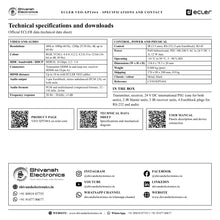
| Resolutions | 480i to 1080p up to 60 Hz, 1200p 25/30 Hz, 4K up to 60 Hz |
| Colour space | RGB, YCbCr |
| Chroma subsampling | 4:4:4, 4:2:2, 4:2:0 |
| Colour depth | 8, 10, 12‑bit; 16‑bit only at 4K 30 Hz |
| HDR | HDR10 |
| Signal bandwidth | 18 Gbps |
| HDCP | 2.2 / 1.4 |
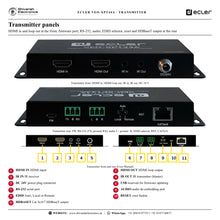
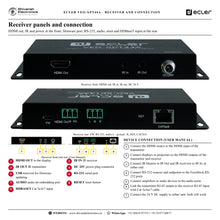
| Connectors | Transmitter HDMI Type A in and out (loop); receiver HDMI Type A out |
| HDMI distance | Up to 10 m with ECLER VEO cables |
Audio
| Output | 1 x 3‑pin Euroblock stereo unbalanced (PCM 2.0) on transmitter and receiver |
| Formats | PCM and multichannel compressed formats (pass‑through) |
| Sample rate | 32, 44.1, 48, 88.2, 96, 176.4, 192 kHz |
| Bit depth | Up to 24‑bit |
| Frequency response | 20 Hz - 20 kHz, ±3 dB |
Control and link
| Control connectors | 3.5 mm jack, 3‑pin Euroblock, RJ‑45 |
| Control protocols | IR, RS‑232 |
| Buttons | EDID mode selector (transmitter), reset |
| Status | Green: HDBaseT OK; orange flashing: HDCP negotiation; orange fixed: HDCP encryption |
| Cat 5e / 6 | 4K up to 35 m; 1080p up to 60 m |
| Cat 6a / 7 | 4K up to 40 m; 1080p up to 70 m |
Electrical and physical
| Power supply | PoH bidirectional; 100‑240 V AC 50/60 Hz to 24 V DC 1 A |
| Power consumption | 12 W maximum |
| Operating | -10 °C to 50 °C, 5 - 90 % RH |
| Dimensions (W x H x D) | 154.4 x 78.3 x 20 mm |
| Weight | 0.688 kg (pair) |
| Shipping dimensions (W x H x D) | 170 x 90 x 200 mm |
| Shipping weight | 0.9 kg |
| Chassis / colour | Metal, black |
Product overview
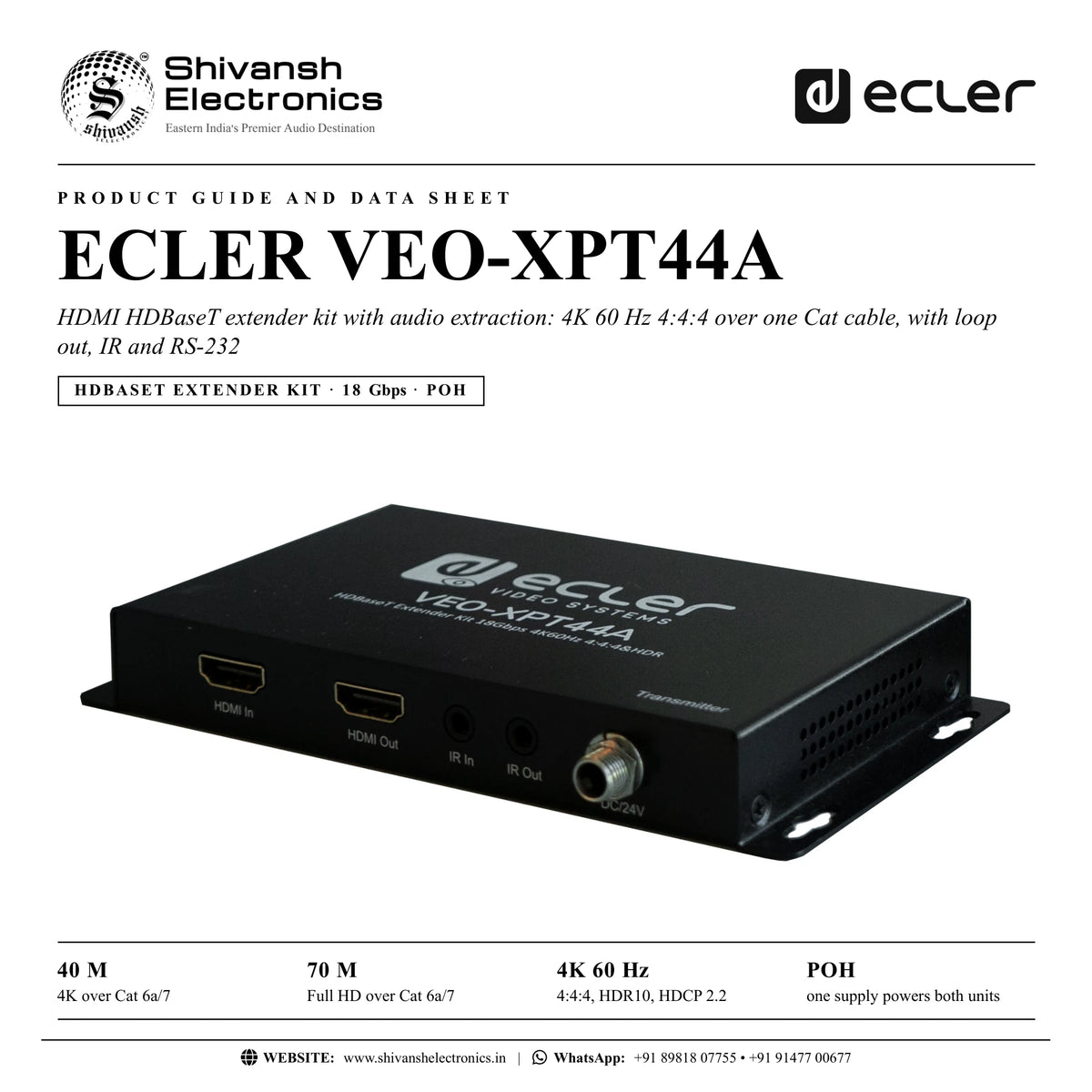
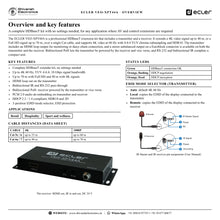
The ECLER VEO-XPT44A is a professional HDBaseT extender kit with audio extraction: a transmitter and a receiver that extend 4K up to 40 m, or Full HD up to 70 m, over a single Cat cable, with 4K 60 Hz 4:4:4 and HDR10.
The complete kit needs no settings. The transmitter includes an HDMI loop output for monitoring or daisy-chain connection, and a stereo unbalanced output on a Euroblock connector is available on both units. Bidirectional PoH lets either unit power the other, and RS-232 and bidirectional IR in a reduced form factor make it a fit for any application where AV and control extensions are needed.
| 4K over Cat 6a/7 | 40 m |
| Full HD over Cat 6a/7 | 70 m |
| 4:4:4, HDR10, HDCP 2.2 | 4K 60 Hz |
| One supply for both units | PoH |
Key features
- Complete HDBaseT extender kit, no settings needed
- Up to 4K 60 Hz YUV 4:4:4; 18 Gbps
- 70 m with Full HD, 40 m with 4K
- HDMI loop out on the transmitter
- Bidirectional IR and RS-232 pass-through
- Bidirectional PoH: receiver powered by the transmitter or vice versa
- PCM 2.0 audio de-embedding on transmitter and receiver
- HDCP 2.2 / 1.4; HDR10 and 3D
- 3-position EDID selector; ESD protection
Loop out and audio at both ends
A local display can be connected to the transmitter loop output, and each unit de-embeds PCM 2.0 audio to a Euroblock output for local amplifiers.
EDID made simple
The transmitter EDID selector offers Auto (default 4K 60 Hz), Local (copies the EDID of the display connected to the transmitter) and Remote (copies the EDID of the display connected to the receiver).
Clear status
A green LED shows a good HDBaseT connection; orange flashing shows HDCP negotiation and orange fixed shows HDCP encryption.
In the box
- 1 x transmitter unit
- 1 x receiver unit
- 1 x 24 V DC international power supply (one PSU for both units)
- 2 x IR blaster units
- 2 x IR receiver units
- 4 x Euroblock plugs for RS-232 and audio
Available versions
- VEO-XPT44A (black): reference CVEOXPT44A
ECLER VEO-XPT44A: frequently asked questions
How far does it reach?
4K up to 35 m on Cat 5e/6 and 40 m on Cat 6a/7; 1080p up to 60 m on Cat 5e/6 and 70 m on Cat 6a/7.
Does it need configuration?
No settings are needed; the EDID selector on the transmitter offers Auto, Local and Remote.
Can I connect a local monitor?
Yes, to the HDMI loop output of the transmitter.
Do both units need power?
No: one 24 V supply at either unit powers both over the link.
Where can I buy the ECLER VEO-XPT44A in India?
The ECLER VEO-XPT44A is available from Shivansh Electronics, Kolkata, West Bengal, India, with delivery across India.
Workflow 1: Retail display
A media player in the stock room feeding a shop display.
Connections
| Connect | To |
|---|---|
| Player HDMI | Transmitter HDMI IN |
| Transmitter RJ‑45 | Receiver RJ‑45 |
| Receiver HDMI OUT | Display |
Setup
- Run Cat 6a or 7 for the longest distances.
- Leave the EDID selector on Auto.
- Plug the supply into either unit.
- Check the green link LED.
Tip: Orange fixed means HDCP encryption is active.
Workflow 2: Bar with local monitor
A screen at the bar and a monitor at the source.
Connections
| Connect | To |
|---|---|
| Source | Transmitter |
| Transmitter HDMI OUT (loop) | Local monitor |
| Receiver | Bar screen |
Setup
- Connect the local monitor to the loop out.
- Set EDID to Local or Remote as needed.
- Connect the far screen.
- Test both pictures.
Tip: Remote copies the EDID of the display on the receiver.
Workflow 3: Restaurant audio
Sound from the video source to a local amplifier.
Connections
| Connect | To |
|---|---|
| Receiver audio L / R | Amplifier |
Setup
- Wire the Euroblock audio output.
- Play the source.
- Set the amplifier level.
- Check both ends if needed.
Tip: PCM 2.0 audio is available on both units.
Workflow 4: Gym screens
Training video on a wall screen far from the rack.
Connections
| Connect | To |
|---|---|
| Rack source | Transmitter |
| Receiver | Screen |
Setup
- Measure the cable run.
- Use 1080p beyond 40 m.
- Fit the IR receiver near the screen.
- Control the source from the floor.
Tip: 1080p reaches 70 m on Cat 6a/7.
Workflow 5: Display control
RS-232 to switch a remote display.
Connections
| Connect | To |
|---|---|
| Controller RS‑232 | Transmitter RS‑232 |
| Receiver RS‑232 | Display |
Setup
- Wire the 3-pin plugs.
- Send commands from the controller.
- Check the display reacts.
- Label the cables.
Tip: RS-232 is bidirectional.
Workflow 6: Hotel meeting room
A table source feeding a projector.
Connections
| Connect | To |
|---|---|
| Laptop | Transmitter |
| Receiver | Projector |
Setup
- Place the transmitter at the table.
- Install the receiver at the projector.
- Power from the table end.
- Test.
Tip: No settings needed: it works out of the box.