

ECLER VIVO-X8
PRICE ON ENQUIRY
ECLER VIVO-X8 EclerPLEX host matrix, 1 RU: 8 analogue MIC/LINE inputs, 8 outputs, 4 GPI, 4 players, scalable to 32 x 32 with BIO units. Available in India from Shivansh Electronics, Kolkata, West Bengal, India.
VISUAL GUIDE — See Every Photo, Spec & Setup Step (PDF)
PRICE ON ENQUIRY. For the price, exclusive offers, delivery timelines, or any other information, please DM us or call +91 89818 07755 / +91 91477 00677. We will gladly share a personalised quotation for Shivansh Electronics, Kolkata, West Bengal, India. All payments are processed securely through Razorpay, our trusted payment gateway partner.
Digital engine and converters
| Processor | Quad core 64‑bit, 1.5 GHz |
| Sampling rate | 48 kHz |
| Resolution | 32 bit |
| Latency | 3.87 ms |
| Frequency response | 10 Hz - 20 kHz (-0.5 dB) |
| Dynamic range | ADC 115 dB, DAC 115 dB |
Analogue inputs
| Inputs | 8, MIC/LINE level |
| Connection | 3‑pin Euroblock, balanced |
| Input sensitivity | -32.5 dBV to +18.5 dBV (-30.3 dBu to +20.7 dBu) |
| Input impedance | 8 kΩ balanced, 4 kΩ unbalanced |
| Max input level | 18.5 dBV / 20.7 dBu |
| Mic preamp EIN | < -129.5 dBV (< -127.3 dBu) |
| Dynamic range | Gain 0 dB: > 110.2 dB; 21 dB: > 109.5 dB; 42 dB: > 105.5 dB; 51 dB: > 99.5 dB |
| THD + noise | Gain 0 dB, 0 dBV: 0.0025 %; 21 dB, -21 dBV: 0.0026 %; 42 dB, -42 dBV: 0.0044 %; 51 dB, -51 dBV: 0.0085 % |
| CMRR | > 70 dB typ (1 kHz); > 60 dB typ (20 Hz - 20 kHz) |
| Phantom power | +48 V DC, 10 mA per input max |
Analogue outputs
| Outputs | 8, LINE level |
| Connection | 3‑pin Euroblock, balanced |
| Max output level | 18.5 dBV / 20.7 dBu |
| Output impedance | 300 Ω balanced, 150 Ω unbalanced |
| Dynamic range | > 112.5 dB |
| Crosstalk | > 95 dB |
Connectivity and storage
| Ethernet | 2 x RJ45 (NET1, NET2), 10/100 Mb, 1 Gb auto X‑over, no switch capability |
| X‑LINK | 2 x USB‑C |
| Serial port | RS‑232, 3‑pin Euroblock |
| Programming and control | EclerPLEX (web application), TP‑NET (UDP / RS‑232), UCP control panels |
| GPI | 4, 0 - 12 V DC |
| Real‑time clock | > 5 years retention, ±1 minute / month |
| microSD | SDXC, up to 2 TB; FAT16, FAT32, VFAT (read/write), NTFS (read) |
| Playable files | mp3, ogg, WAV, FLAC, AIFF |
Power and physical
| Power supply | Internal universal switching supply, 100 - 240 V AC, 50 - 60 Hz |
| Mains connector | IEC C14 inlet |
| Power consumption | < 16 W standard, < 18 W typ, < 21.5 W max |
| Heat load | < 65 BTU/h typ, < 80 BTU/h max |
| Ventilation | Fan |
| Operating temperature | 0 °C to 50 °C |
| Operating humidity | 5 - 85 % RH, non‑condensing |
| Installation | Desktop, 19 inch rack (1 RU) |
| Dimensions (W x H x D) | 482.4 x 44 x 214 mm |
| Weight | 3.2 kg |
| Shipping dimensions | 585 x 385 x 75 mm |
| Shipping weight | 4.65 kg |
| Compatible products | ECLER BIO‑X8, BIO‑X8G |
Product overview
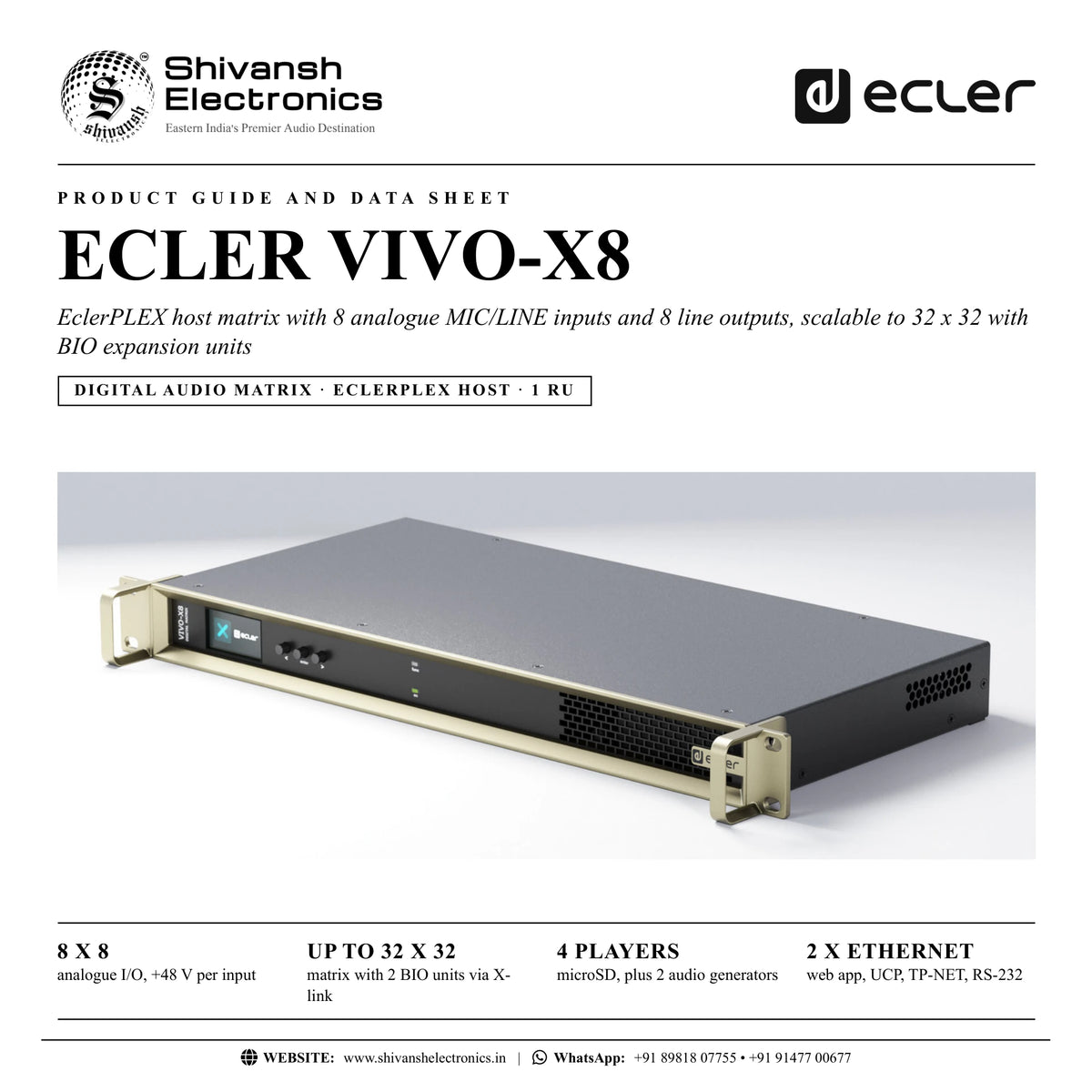
The ECLER VIVO-X8 is an EclerPLEX host matrix with 8 analogue MIC/LINE inputs and 8 analogue line outputs in one rack unit, scalable to a 32 x 32 audio matrix by adding BIO Series expansion units through its two X-link ports.
As the host of an EclerPLEX deployment, VIVO-X8 runs multiple projects simultaneously and serves user control panels to end users. Its flexible DSP structure allows custom-size matrices with routing, level control, equalisation, dynamics, delay and signal generation. Four internal audio players play background music and messages from a microSD card, two audio generators are built in, and four GPI ports connect wall panels. Everything is configured from the embedded EclerPLEX web application, with control via user control panels, TP-NET over Ethernet or RS-232, and EclerCLOUD monitoring.
| Analogue inputs and outputs | 8 x 8 |
| Maximum matrix with 2 BIO units | 32 x 32 |
| Internal audio players | 4 |
| 19 inch rack | 1 RU |
Key features
- EclerPLEX ecosystem host matrix unit
- 8 MIC/LINE analogue inputs with +48 V phantom power selectable per input
- 8 LINE analogue outputs on balanced 3-pin Euroblocks
- 4 GPI ports (0 - 12 V DC) for wall panels and remote control
- microSD card slot for the 4 internal audio players; 2 internal audio generators
- 2 X-link ports: scalable to 32 x 32 with 24 x 24 analogue and 24 x 24 GPI ports (2 x BIO-X8 or BIO-X8G)
- 2 Ethernet ports (NET1, NET2 control) and 1 RS-232 control port
- 1.9 inch colour TFT display
- Embedded EclerPLEX: projects, events, calendars, presets, UCP editor and server, scripting, EclerCLOUD, auto update
A host for the whole system
VIVO-X8 is the controller of an EclerPLEX system. Each X-link port connects one BIO-X8 or BIO-X8G expansion unit with a USB-C cable, adding 8 analogue inputs and 8 analogue outputs each (and GPI/GPO with BIO-X8G), for a matrix of up to 32 x 32.
Players, events and control panels
The four stereo software players play audio files from the microSD card (up to 2 TB) for background music or voice messages, with playlist management and calendar events for automation. Administrators create projects and user control panels in the EclerPLEX web app; users get simple controls such as volume without access to configuration.
Integration
NET1 carries the web interface, user control panels and third-party control; NET2 is also a control port. The RS-232 port uses the TP-NET protocol at 115200 baud for GET and SET commands from external control systems, and the GPI ports accept wall panels for volume, preset and playlist control.
In the box
- 1 x VIVO-X8 unit
- 1 x EU mains cord
- 1 x multi-plug mains cord
- 4 x washers
- 4 x rubber feet
- 9 x Euroblock connectors (green)
- 12 x Euroblock connectors (blue)
- 2 x USB holders
- 2 x screws
- 1 x First Steps Guide
- 1 x warranty card
ECLER VIVO-X8: frequently asked questions
How many inputs and outputs can the system grow to?
With two BIO-X8 or BIO-X8G units on its X-link ports, VIVO-X8 scales to a 32 x 32 audio matrix with 24 x 24 analogue ports.
Do I need software on my computer?
No. The EclerPLEX application is embedded in the unit and opens in a standard web browser.
Can it play background music on its own?
Yes. Four internal audio players play files from a microSD card, with playlists and calendar events.
Can a control system operate it?
Yes, with the TP-NET protocol over UDP (Ethernet) or RS-232, and through its GPI ports.
Where can I buy the ECLER VIVO-X8 in India?
The ECLER VIVO-X8 is available from Shivansh Electronics, Kolkata, West Bengal, India, with delivery across India.
Workflow 1: Multi-zone retail store
Music and announcements in several sales areas.
Connections
| Connect | To |
|---|---|
| Music players and paging microphone | Analogue inputs (Euroblock) |
| Analogue outputs 1 - 8 | Zone amplifiers |
Setup
- Open the EclerPLEX web app and create a project.
- Route sources to the zones in the matrix.
- Add calendar events for opening and closing times.
- Create a user control panel for staff.
Tip: The internal players can play music from the microSD card without an external source.
Workflow 2: Expanding with BIO units
Projects that need more than 8 inputs or outputs.
Connections
| Connect | To |
|---|---|
| X‑LINK 1 and 2 (USB‑C) | BIO‑X8 or BIO‑X8G units |
Setup
- Connect each BIO unit with its X-link cable.
- Wait for the X-LINK LED on the BIO unit to light steadily.
- Add the new inputs and outputs to the project.
Tip: Two BIO units take the system to 24 x 24 analogue ports.
Workflow 3: Corporate meeting rooms
Microphones, presentation audio and room combining.
Connections
| Connect | To |
|---|---|
| Microphones | MIC/LINE inputs with +48 V phantom |
| Outputs | Room amplifiers |
Setup
- Enable phantom power on the condenser microphone inputs.
- Set gain, EQ and dynamics in the web app.
- Create presets for each room layout.
Tip: Presets can be recalled from user control panels or GPI wall panels.
Workflow 4: Gym and wellness centre
Music zones with local volume control.
Connections
| Connect | To |
|---|---|
| Wall panels | GPI ports |
| Outputs | Zone amplifiers |
Setup
- Wire the wall panels to the GPI ports.
- Assign each GPI to a zone volume in EclerPLEX.
- Schedule the music with calendar events.
Tip: GPI ports can also load presets or playlists.
Workflow 5: Control system integration
Venues with a central room controller.
Connections
| Connect | To |
|---|---|
| Control system | RS‑232 (Euroblock) or NET1, TP‑NET |
Setup
- Connect the controller by RS-232 at 115200 baud, 8-N-1, or over UDP.
- Use TP-NET GET and SET commands.
- Test volume and preset commands.
Tip: Auxiliary IP of NET1: 192.168.0.100, UDP port 2210.
Workflow 6: Remote monitoring
Integrators managing several sites.
Connections
| Connect | To |
|---|---|
| NET1 or NET2 | Network with Internet access |
Setup
- Connect the unit to the Internet.
- Register it in EclerCLOUD.
- Monitor and control it remotely; keep auto update on.
Tip: Internet access also synchronises the clock for calendar events.