

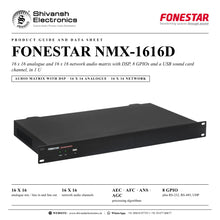


FONESTAR NMX-1616D
MRP - Rs. 7,65,990
FONESTAR NMX-1616D audio matrix with DSP: 16 x 16 analogue and 16 x 16 network audio, AEC/AFC/ANS/AGC, 8 GPIO, 1 U. Available in India from Shivansh Electronics, Kolkata, West Bengal, India.
VISUAL GUIDE — See Every Photo, Spec & Setup Step (PDF)
The price shown is the MAXIMUM RETAIL PRICE (MRP), inclusive of all taxes. For the best price, exclusive offers and discounted rates, delivery timelines, or any other information, please DM us or call +91 89818 07755 / +91 91477 00677. We will gladly share an exclusive coupon code that you can apply at checkout. All payments are processed securely through Razorpay, our trusted payment gateway partner.
Inputs and outputs
| Analogue inputs | 16 balanced lines, gain in 3 dB steps from 0 dB to -48 dB; 24 mV RMS (-30 dBu) to 6.15 V RMS (+18 dBu), 5.4 kΩ; 110 dB dynamic range; euroblock |
| Phantom power | Selectable 48 V (10 mA max.) |
| Analogue outputs | 16 balanced lines, max. 6.15 V RMS (+18 dBu), 600 Ω; 112 dB dynamic range; euroblock |
| Network audio | 16 input channels and 16 output channels |
| USB | Sound card input and output channel |
| Control ports | 1 x LAN RJ‑45; 1 x RS‑232, euroblock; 1 x RS‑485, euroblock; 8 GPIO |
Audio performance
| Digital audio | 48 kHz, 24‑bit |
| Latency | < 3 ms |
| Response | 20‑20,000 Hz ±0.3 dB |
| Distortion | THD+N < 0.002% @ 4 dBu |
| S/N ratio | 112 dB |
Processing and control
| Algorithms | Echo cancellation (AEC), feedback cancellation (AFC), noise suppression (ANS), automatic gain control (AGC) |
| Input modules | 5 per channel: expander, compressor, noise gate, AGC, priority, parametric filter, graphic filter, AFC, delay |
| Output modules | 4 per channel: crossover, parametric filter, graphic filter, delay, limiter |
| Functions | Two‑channel stereo linking; auto mixing; matrix volume assignment; 8 GPIOs; 16 scenes; PTZ camera tracking control |
| Control | Modular PC control software; App for a customised user control interface; UDP, RS‑232 and RS‑485 protocol |
General
| Power supply | 100‑240 V AC, 50‑60 Hz, 30 W |
| Dimensions | 482 x 44 x 268 mm (depth), 1 U 19 inch rack |
| Weight | 3.1 kg |
| Optional | NMX‑WP wall control unit; TAB‑10‑16 10 inch touch screen |
Product overview
The FONESTAR NMX-1616D is a 16 x 16 analogue and 16 x 16 network audio matrix with DSP, 8 GPIOs and a USB sound card channel, in 1 U of a 19 inch rack, for distributed audio and conference systems of any size.
The NMX-1616D offers a complete and versatile solution for handling and processing audio signals. It gives the installer the possibility of configuring sound systems with multiple inputs and outputs, and gives the user an easy way to control the sound. Its 40-bit floating point processing architecture has a high processing capacity (400 MIPS, 1600 MFLOPS), with 16 analogue inputs and outputs, 16 network audio inputs and outputs and a USB sound card input and output channel for playback and recording on the PC or for video calls.
| Analogue in / out | 16 x 16 |
| Network audio channels | 16 x 16 |
| Latency | < 3 ms |
| S/N ratio | 112 dB |
Key features
- 16 analogue mic / line inputs with selectable 48 V phantom power and 16 analogue line outputs on euroblock
- 16 network audio inputs and 16 outputs, primary and secondary ports
- Echo cancellation (AEC), feedback cancellation (AFC), noise suppression (ANS) and automatic gain control (AGC)
- 5 processing modules per input and 4 per output
- Auto mixing, priority, matrix volume assignment and stereo linking of two channels
- 16 scenes and auto-save of the last session
- 8 GPIOs, PTZ camera tracking control, RS-232, RS-485 and UDP control
- USB sound card input and output channel
- Modular configuration software for PC and a customisable user interface App for touch screens, tablets and smartphones
Processing for voice and music
Echo cancellation serves video conferences; feedback cancellation allows flexible placement of microphones and speakers, improving speech amplification; noise suppression eliminates stationary noise other than voice; and automatic gain control keeps the inputs at an optimal level. Each input takes 5 modules among expander, compressor, noise gate, AGC, priority, parametric and graphic filters, AFC and delay, and each output takes 4 among crossover, parametric and graphic filters, delay and limiter. Processing applies to analogue and network audio channels alike.
Matrix, scenes and GPIO
The assignment matrix routes inputs to outputs with an independent volume on each assignment, so every output can carry a different mix. Each channel volume works independently or links two channels into a stereo channel. Up to 16 scenes can be loaded, the last session is auto-saved, and 8 GPIO ports control actions on the matrix or on other devices. For conference systems the matrix offers PTZ camera control for discussion tracking.
Software and user control
The modular PC software configures every channel and can manage several matrices as one system (up to 8 at the same time). Customised control panels run on touch screens, tablets or smartphones and show only the functions each user needs. The matrix connects through its Ethernet port and offers UDP, RS-232 and RS-485 connectivity with a communication protocol for integration with other control systems. Optional FONESTAR control devices include the NMX-WP wall control unit and the TAB-10-16 10 inch touch screen.
In the box
- NMX-1616D audio matrix
FONESTAR NMX-1616D: frequently asked questions
How many inputs and outputs does the NMX-1616D have?
16 analogue mic / line inputs and 16 analogue line outputs on euroblock connectors, plus 16 network audio inputs and 16 network audio outputs and a USB sound card input and output channel.
Is it suitable for conference rooms?
Yes. It has echo cancellation for video conferences, feedback cancellation, noise suppression, automatic gain control, auto mixing and PTZ camera tracking control.
How is the matrix configured and controlled?
With the modular FONESTAR PC software over Ethernet. Users can control it from customised panels on touch screens, tablets or smartphones, from the NMX-WP wall control unit, or from other systems via UDP, RS-232 or RS-485.
How much rack space does it need?
1 U of a 19 inch rack: 482 x 44 x 268 mm, 3.1 kg.
Where can I buy the FONESTAR NMX-1616D in India?
The FONESTAR NMX-1616D is available from Shivansh Electronics, Kolkata, West Bengal, India, with delivery across India.
Workflow 1: Video conference room
Meeting rooms with ceiling or table microphones and video calls.
Connections
| Connect | To |
|---|---|
| Microphones | MIC/LINE INPUTS (ANALOG) |
| PC with video calling software | USB port, front |
| Amplifier | LINE OUTPUTS (ANALOG) |
Setup
- Connect the microphones and switch on 48 V phantom power where needed.
- Enable echo cancellation, noise suppression and AGC on the microphone inputs.
- Route the USB channel to the room speakers and the microphone mix to the USB output.
- Use auto mixing so only active microphones are open.
Tip: PTZ camera tracking via RS-232 or RS-485 follows the speaker.
Workflow 2: Hotel background music zones
Restaurants, lobbies and bars of a hotel with their own music and level.
Connections
| Connect | To |
|---|---|
| Music sources | Analogue inputs |
| Zone amplifiers | Line outputs |
| NMX‑WP wall controls | Same LAN, PoE switch |
Setup
- Assign the sources to each zone output in the matrix.
- Set EQ, delay and limiter on every output.
- Configure the NMX-WP controls for source and volume in each zone.
- Store the settings as scenes.
Tip: Up to 20 NMX-WP controls can be associated with one matrix.
Workflow 3: Sports facility announcements
Speech and music across halls, courts and changing rooms.
Connections
| Connect | To |
|---|---|
| Announcement microphone | Analogue input with priority |
| Zone amplifiers | Line outputs |
Setup
- Give the announcement microphone priority over music.
- Apply feedback cancellation on microphones near the speakers.
- Set the output level and limiter for each area.
- Use GPIO inputs to trigger scenes or messages.
Tip: AGC keeps announcements at an optimal level whoever speaks.
Workflow 4: Networked audio system
Installations spread over several rooms on the data network.
Connections
| Connect | To |
|---|---|
| LAN port | Network switch |
| PRIMARY network audio port | Network switch |
| SECONDARY port | Second network for redundancy |
Setup
- Connect all devices in a star to a switch or router.
- Configure the static IP addresses to avoid conflicts.
- Route the 16 network audio channels in the matrix like the analogue ones.
- Use category 5e or 6 cables up to 100 m.
Tip: The secondary port can also daisy-chain other devices.
Workflow 5: Touch screen control for staff
Simple everyday control without access to the configuration.
Connections
| Connect | To |
|---|---|
| TAB‑10‑16 touch screen | PoE switch |
| PC software | Same LAN |
Setup
- Design the user pages in the PC software with only the needed controls.
- Load the pages to the touch screen App.
- Add zone volumes, mutes and scene buttons.
- Hand over the touch screen to the staff.
Tip: Several touch screens, tablets or smartphones can control one matrix.
Workflow 6: Integration with a control system
Installations managed from a room or building control system.
Connections
| Connect | To |
|---|---|
| Control system | RS‑232 or RS‑485, euroblock |
| Control system over the network | LAN port, UDP |
Setup
- Wire RX, TX and ground for RS-232, or A, B and ground for RS-485.
- Use the FONESTAR communication protocol for volume, mute and scenes.
- Configure GPIO inputs for contact closures and GPIO outputs for indicators.
- Test every command before handover.
Tip: A GPIO pin can be set as an ADC input for an external volume potentiometer.


