GENELEC 8320A
MRP - Rs. 1,23,000
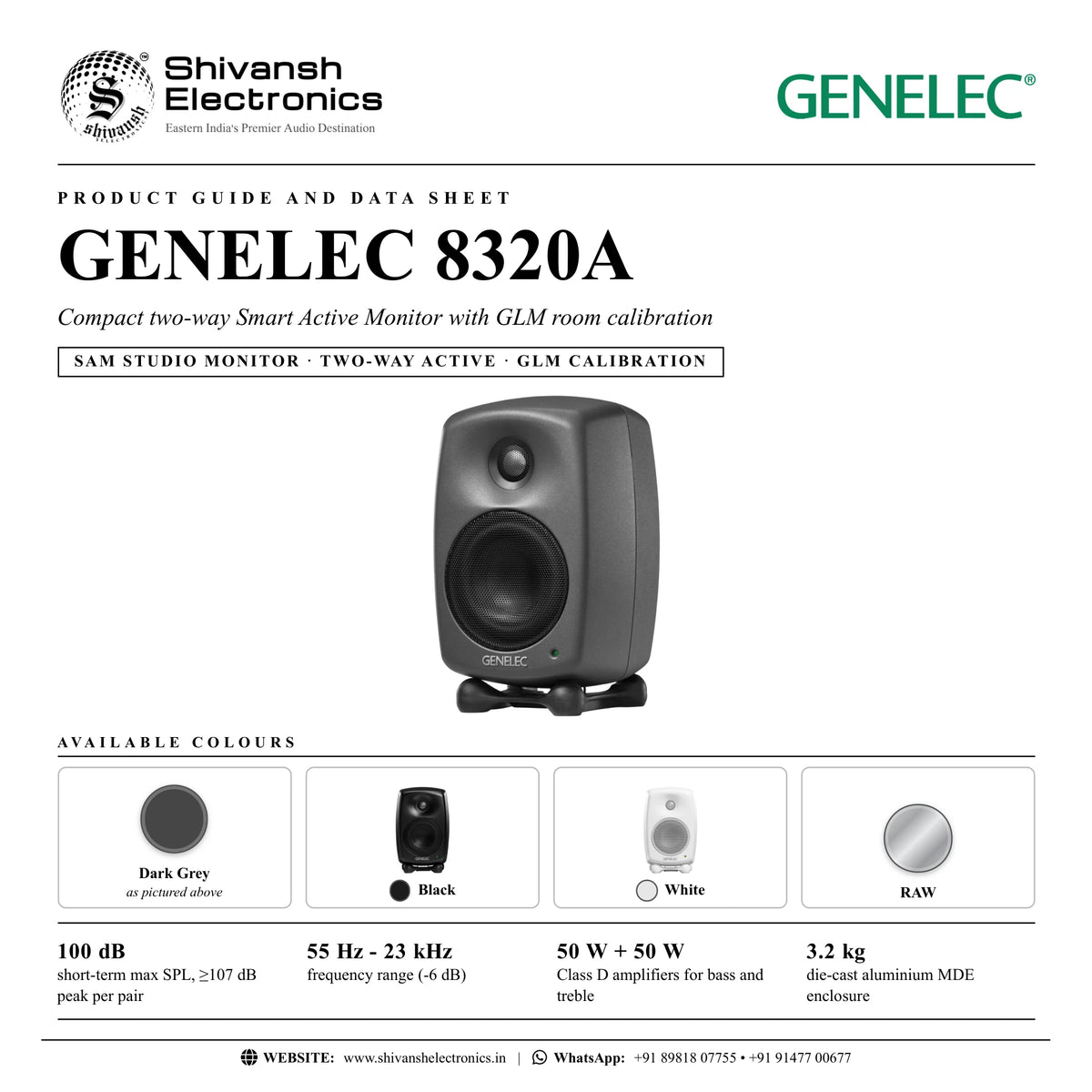
GENELEC 8320A two-way Smart Active Monitor, 100 dB SPL, 55 Hz - 23 kHz, GLM room calibration. Available in India from Shivansh Electronics, Kolkata, West Bengal, India.
VISUAL GUIDE — See Every Photo, Spec & Setup Step (PDF)
The price shown is the MAXIMUM RETAIL PRICE (MRP), inclusive of all taxes. For the best price, exclusive offers and discounted rates, delivery timelines, or any other information, please DM us or call +91 89818 07755 / +91 91477 00677. We will gladly share an exclusive coupon code that you can apply at checkout. All payments are processed securely through Razorpay, our trusted payment gateway partner.
Acoustic performance
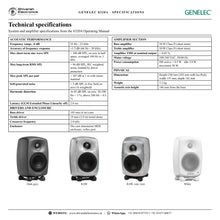
| Frequency range, -6 dB | 55 Hz - 23 kHz |
| Accuracy of frequency response | ±1.5 dB (66 Hz - 20 kHz) |
| Max short‑term sine wave SPL | > 100 dB SPL (on axis in half space, averaged 100 Hz to 3 kHz) |
| Max long‑term RMS SPL | > 94 dB SPL (IEC weighted noise, limited by driver protection) |
| Max peak SPL per pair | > 107 dB at 1 m with music material |
| Self‑generated noise | < 5 dB SPL on axis (A‑weighted) |
| Harmonic distortion | At 85 dB SPL on axis: 50‑200 Hz < 3 %, above 200 Hz < 0.5 % |
| Latency (GLM Extended Phase Linearity off) | 2.8 ms |
Drivers and enclosure
| Bass driver | 105 mm (4 in) cone |
| Treble driver | 19 mm (3/4 in) metal dome |
| Crossover frequency | 2.9 kHz |
| Enclosure | Die‑cast aluminium Minimum Diffraction Enclosure (MDE), reflex port |
| Directivity | Directivity Control Waveguide (DCW) |
Amplifier section
| Bass amplifier | 50 W Class D |
| Treble amplifier | 50 W Class D |
| Amplifier THD at nominal output | < 0.05 % |
| Mains voltage | 100‑240 VAC, 50/60 Hz |
| Power consumption | ISS active < 0.5 W; idle 3.0 W; maximum 50 W |
Inputs and control
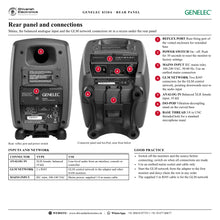
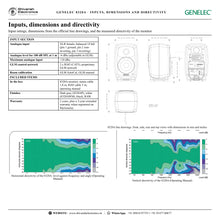
| Analogue input | XLR female, balanced 10 kΩ |
| Analogue level for 100 dB SPL at 1 m | -6 dBu (adjustable in GLM) |
| Maximum analogue input | +24 dBu |
| Control network | 2 x RJ45 (CAT5), proprietary GLM network |
| Room calibration | GLM AutoCal, GLM manual |
Physical
| Height | 230 mm (242 mm with Iso‑Pod) |
| Width | 151 mm |
| Depth | 142 mm |
| Weight | 3.2 kg |
| Acoustic axis height | 146 mm from the base |
| Finish | Dark Grey, Black, White, RAW |
Product overview
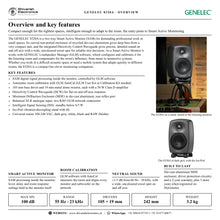
The GENELEC 8320A is a two-way Smart Active Monitor (SAM) with built-in DSP that GENELEC Loudspeaker Manager (GLM) software configures and calibrates for your listening room.
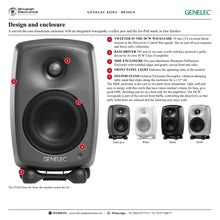
Compact enough for the tightest spaces, the 8320A is the entry point into Smart Active Monitoring. Its recycled die-cast aluminium, rear-ported enclosure gives deep bass from a very compact unit, and the integrated Directivity Control Waveguide gives precise, detailed sound on and off axis with a wide, uncoloured sweet spot.
| Short‑term max SPL | 100 dB |
| Frequency range (-6 dB) | 55 Hz - 23 kHz |
| Class D amplification | 50 W + 50 W |
| AutoCal room calibration | GLM |
Key features
- Smart Active Monitoring: SAM DSP inside the monitor, managed by GLM software
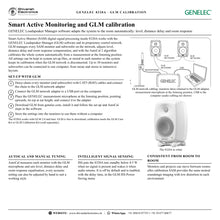
- GLM AutoCal automatic room calibration of level, distance delay and room response
- 105 mm bass driver and 19 mm metal dome tweeter, each with its own Class D amplifier (50 W + 50 W)
- Directivity Control Waveguide (DCW) for flat on and off-axis response
- Minimum Diffraction Enclosure (MDE) in die-cast aluminium with a rear reflex port
- Balanced XLR analogue input
- Intelligent Signal Sensing (ISS) automatic power saving
- Iso-Pod vibration-decoupling, tilting table stand
Smart Active Monitoring and GLM
GLM manages every SAM monitor and subwoofer on its proprietary network: up to 30 devices on one computer. AutoCal measures the room from the listening position and sets level, distance delay and room response compensation, from stereo to immersive layouts. Settings can be kept in set-up files or stored in each monitor, so the calibration stays in place without a computer.
Directivity Control Waveguide and MDE enclosure
The DCW waveguide shapes the wavefront for flat on and off-axis response, fewer early reflections and better imaging. The die-cast aluminium Minimum Diffraction Enclosure, with rounded edges and gently curved surfaces, is stiff and well damped, shields the electronics and acts as a heat sink for the amplifiers.
Connections
A balanced XLR analogue input, two RJ45 GLM network connectors and a universal 100-240 VAC mains inlet.
In the box
- GENELEC 8320A monitor
- Mains cable (1.8 m)
- RJ45 cable (5 m)
- Operating manual
GLM software is a free download from genelec.com. Calibration needs the GLM Calibration Kit or the 9320A SAM Reference Controller (sold separately).
GENELEC 8320A: frequently asked questions
Does the 8320A need a computer?
No. After calibration with GLM the settings are stored in the monitors, which then work without a computer.
What inputs does the 8320A have?
A balanced XLR analogue input.
What is GLM AutoCal?
GENELEC's automatic calibration in GLM software: it measures each monitor at the listening position and sets level, distance delay and room response compensation.
Where can I buy the GENELEC 8320A in India?
The GENELEC 8320A is available from Shivansh Electronics, Kolkata, West Bengal, India, with delivery across India.
Workflow 1: Stereo near-field mixing
Set up a calibrated stereo pair for music production and mixing.
Connections
| Connect | To |
|---|---|
| Audio interface outputs | ANALOG IN (balanced XLR) on each monitor |
| GLM adapter | GLM NETWORK, daisy‑chained with the 5 m RJ45 cables |
| Measurement microphone | Listening position, at ear height |
| Level control | Volume from the interface or monitor controller |
Setup
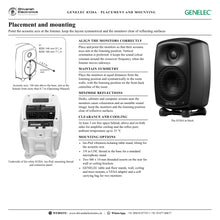
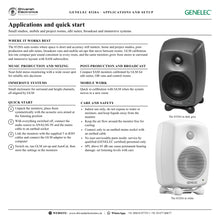
- Place the two monitors in an equilateral triangle with the listening position, acoustic axes aimed at the listener.
- Connect the audio outputs and the GLM network, then switch the monitors on.
- Run GLM set-up and AutoCal with the microphone at the listening position.
- Store the settings in the monitors and set a comfortable listening level.
Tip: Use the Iso-Pod to tilt the monitors so the acoustic axis points at your ears.
Workflow 2: Room calibration with GLM AutoCal
Correct the influence of a small or untreated room on the monitoring.
Connections
| Connect | To |
|---|---|
| GLM adapter | Computer USB port |
| Monitors | GLM NETWORK chain from the adapter |
| Microphone | Adapter microphone input, at the listening position |
Setup
- Install GLM from genelec.com and connect the adapter to the computer.
- Point the microphone upwards with its top at ear height.
- Let AutoCal measure each monitor and set level, distance delay and room response.
- Save the system set-up file and store the group settings in the monitors.
Tip: Repeat the calibration whenever the monitors or the listening position move.
Workflow 3: Post-production and edit suite
Accurate, consistent monitoring for picture editing and sound for video.
Connections
| Connect | To |
|---|---|
| Edit system audio outputs | ANALOG IN |
| GLM network | All monitors daisy‑chained to the adapter |
Setup
- Mount the monitors on stands or on the wall with GENELEC mounting accessories.
- Calibrate the room with GLM AutoCal.
- Use GLM groups to recall different set-ups for different tasks.
- Enable ISS power saving in GLM so the monitors sleep when the suite is idle.
Tip: Keep the monitors clear of screens and desk edges to reduce reflections.
Workflow 4: Immersive and surround systems
Use the monitor as one channel of a surround or immersive layout with SAM subwoofers.
Connections
| Connect | To |
|---|---|
| Monitors | One per channel position |
| SAM subwoofer | Same GLM network |
| GLM adapter | Computer USB port |
Setup
- Position the monitors at equal distances from the listening position where possible.
- Connect all monitors and subwoofers to one GLM network (up to 30 devices).
- Run AutoCal: GLM aligns level, delay and bass management for every channel.
- Store the settings in the devices for use without a computer.
Tip: GLM compensates distance differences when equal distances are impossible in the room.
Workflow 5: Mobile and small-room work
Take a compact calibrated system from room to room.
Connections
| Connect | To |
|---|---|
| Monitors | Iso‑Pod on the desk or stands |
| GLM adapter | Laptop USB port |
Setup
- Set up the monitors symmetrically in the new room.
- Re-run GLM AutoCal for the new room.
- Save each room as its own set-up file.
- Store the settings in the monitors.
Tip: A soft carrying bag for two monitors is available from GENELEC.
Workflow 6: Broadcast and OB monitoring
Compact, reliable monitoring in control rooms and vans.
Connections
| Connect | To |
|---|---|
| Console monitor outputs | ANALOG IN |
| Mounting | GENELEC wall, ceiling or VESA mounts |
Setup
- Mount the monitors with GENELEC mounting accessories, axes aimed at the operator.
- Calibrate with GLM AutoCal.
- Store the settings in the monitors.
- Enable ISS power saving if the room is unattended for long periods.
Tip: Keep at least 3 cm free space around the monitor for cooling.