


SHURE DCA901
PRICE ON ENQUIRY
Shure DCA901 digital broadcast microphone array: 8 steerable lobes, built-in DSP, 5.1 and stereo, Dante/AES67 audio, power and control on one cable. Available in India from Shivansh Electronics, Kolkata, West Bengal, India.
VISUAL GUIDE — See Every Photo, Spec & Setup Step (PDF)
PRICE ON ENQUIRY. For the price, exclusive offers, delivery timelines, or any other information, please Contact / WhatsApp +91 89818 07755 / +91 91477 00677. We will gladly share a personalised quotation for Shivansh Electronics, Kolkata, West Bengal, India. All payments are processed securely through Razorpay, our trusted payment gateway.
General
| Coverage type | Steerable, up to 8 lobes (wide, medium, narrow) |
| Power requirements | Power over Ethernet (PoE), Class 0 |
| Power consumption | 10.1 W maximum |
| Control software | Browser-based web application |
| Cable requirements | Cat 5e or higher (shielded cable recommended) |
| Connector type | RJ45 |
| Plenum rating | UL2043 (suitable for air handling spaces) |
| Dust protection | IEC 60529 IP5X dust protected |
| Operating temperature | -6.7 °C (20 °F) to 40 °C (104 °F) |
| Storage temperature | -29 °C (-20 °F) to 74 °C (165 °F) |
Audio
| Frequency response | 100 Hz to 20 kHz |
| Digital output | AES67 or Dante |
| Channel count | 12 total: 8 channel outputs, 1 mono automix output, stereo left and right automix outputs, 1 PFL output |
| Sampling rate / bit depth | 48 kHz / 24-bit |
| Sensitivity (1 kHz) | -36.4 dBFS/Pa |
| Maximum SPL (10 % THD) | 130.4 dB SPL at 500 Hz and higher; 128 dB SPL at 250 Hz; 120 dB SPL at 125 Hz; 118 dB SPL at 63 Hz and lower |
| Signal-to-noise ratio (ref. 94 dB SPL at 1 kHz) | 67.1 dB A-weighted |
| Latency (excluding network audio latency) | Direct outputs 13.5 ms; automix outputs 21.5 ms |
| Self noise | 26.9 dB SPL-A |
| Dynamic range | 103.5 dB |
| Built-in DSP | Automatic mixing, noise reduction, compressor, delay, equaliser (4-band parametric), mute, gain (140 dB range) |
| Lobe coverage at -6 dB (2 kHz, 3.05 m lobe) | Wide 169 cm; medium 142.1 cm; narrow 123.1 cm |
Physical
| Height | 41.66 mm (1.64 in) |
| Diameter | 342.9 mm (13.5 in); smaller top diameter 294.89 mm (11.61 in) |
| Weight | 2.3 kg (5 lb) |
| Mounting | VESA MIS-D: M4 thread, 75 mm square, 8.5 mm hole depth; eyelet screw holes for suspension; pole and suspension mount clip holes |
| Indicators | Status LED bar (customisable); network status LED (green); network speed LED (amber) |
| Presets | 10 slots; pre-loaded 5.1 surround and 7-channel fan out |
Accessories
| In the box | DCA901 array microphone; network port cover |
| Optional | A901-JMR windscreen; A901B-R-GM suspension mount kit with black cover; A901B-R-PM-1.5IN 1.5 in. pole mount kit with black cover |
Product overview
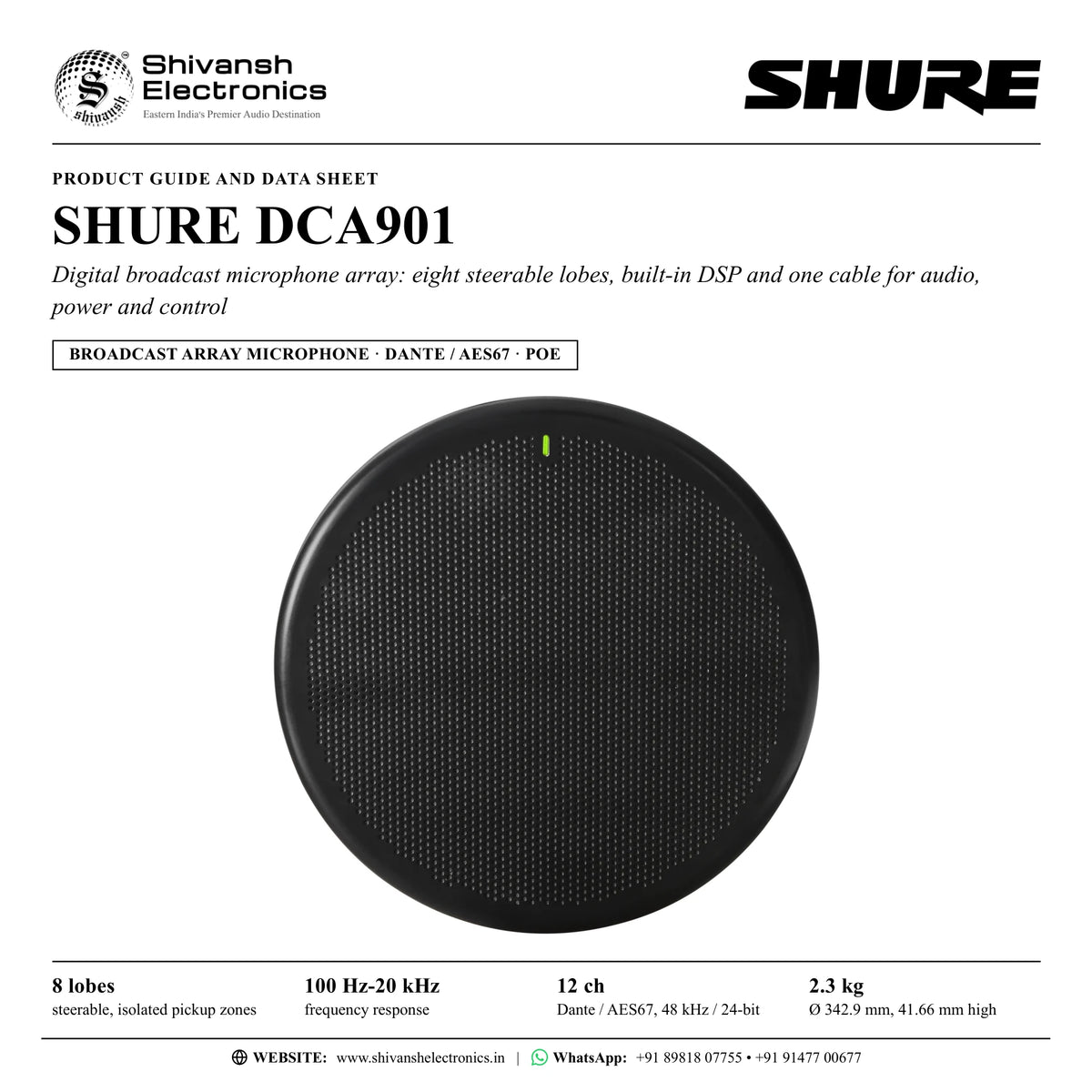
The Shure DCA901 is a compact digital broadcast microphone array, the first digital array microphone tailored for broadcast, that delivers up to eight isolated channels of high-fidelity audio from steerable pickup lobes through a single network cable.
The DCA901 recreates the front-row experience for the viewer, delivering immersive, natural audio that pulls the audience closer to the action, whether the job is a fast-paced game or a live studio production. Digitally steerable lobes cover more ground than traditional analogue setups and capture everything from fast movements to subtle exchanges with fewer physical microphones and cables.
Each of the up to eight lobes can be moved in the browser-based web application, set to wide, medium or narrow width, renamed and locked, without touching the hardware. Auto Position helps orient a lobe quickly toward a person standing where it should point. Built-in DSP handles automatic mixing, noise reduction, compression, delay, 4-band parametric EQ, mute and gain, so audio is processed at the source for cleaner mixes and more efficient routing.
One RJ45 network connection carries audio, power (PoE Class 0) and control, using Dante or AES67 at 48 kHz / 24-bit. The DCA901 sends 12 channels: eight direct lobe outputs, a mono automix, a stereo automix pair and a pre-fade listen channel. It supports REMI workflows and alternate feeds with flexible routing and remote lobe control, and 10 preset slots, pre-loaded with a 5.1 surround preset and a 7-channel fan out preset, keep setups consistent across shows and seasons.
The low-profile design, 342.9 mm across and 41.66 mm high, installs cleanly in stadiums, studios and mobile setups and blends into camera-ready environments. VESA MIS-D mounting holes (75 mm square) and eyelets for suspension mounting fit a wide range of mounting accessories.
| Steerable, isolated pickup zones | 8 lobes |
| Frequency response | 100 Hz-20 kHz |
| Dante / AES67 outputs, 48 kHz / 24-bit | 12 ch |
| Audio, PoE power and control | 1 cable |
Key features
- Up to 8 isolated audio channels from a single broadcast array microphone
- Steerable lobes virtually adjust pickup zones, reducing mic count and the need to reposition gear
- Lobe widths: wide, medium or narrow; Auto Position to orient a lobe quickly
- One Dante or AES67 connection delivers audio, power and control
- Built-in DSP: automatic mixing, noise reduction, compressor, delay, 4-band parametric EQ, mute, gain
- Mono and stereo automix outputs plus pre-fade listen channel
- Supports REMI workflows and alternate feeds with flexible routing and remote lobe control
- 10 preset slots, pre-loaded with 5.1 surround and 7-channel fan out presets
- 5.1 immersive capture and stereo conversion for modern and legacy formats
- Low-profile design for stadiums, studios and mobile setups; VESA MIS-D mounting
- IP5X dust protected; UL2043 plenum rated
Made for
- Sports broadcast: courtside, stanchion and in-stand capture
- Live studio productions
- 5.1 surround and stereo broadcast capture
- REMI (remote) production workflows
- Mobile and outside broadcast setups
In the box
- DCA901 array microphone
- Network port cover
Connections
- RJ45 network port: Dante or AES67 audio, PoE Class 0 power and control
- Cat5e or higher cable (shielded recommended) to a PoE network switch or PoE injector
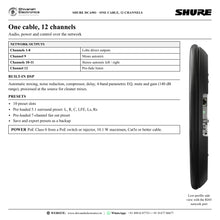
- 12 network output channels: 1-8 lobe direct outputs, 9 mono automix, 10-11 stereo automix, 12 PFL
- Controlled from a browser-based web application, found with Shure Discovery
Shure DCA901: frequently asked questions
How is the DCA901 powered?
By Power over Ethernet. It needs a Class 0 PoE source, either a network switch that provides PoE or a PoE injector, and draws 10.1 W maximum. The same cable carries audio and control.
How many channels does it send?
12 in total: up to 8 direct outputs, one per steerable lobe, a mono automix output, stereo left and right automix outputs and a pre-fade listen channel, over Dante or AES67 at 48 kHz / 24-bit.
Can it record 5.1 surround?
Yes. The pre-loaded 5.1 surround preset sets six lobes for left, right, centre, LFE, left surround and right surround. Install the microphone parallel to the ground with the grille facing up and the status LED pointed at the centre channel sound source.
How do I mount it?
The rear plate has VESA MIS-D holes (M4 thread, 75 mm square, 8.5 mm deep) for VESA brackets, and eyelets for suspension mounting. Shure offers a suspension mount kit (A901B-R-GM) and a 1.5 in. pole mount kit (A901B-R-PM-1.5IN), plus the A901-JMR windscreen to reduce wind noise.
Does it have a mute button?
No. The DCA901 has no device mute button; muting is done per channel in the software's automix section.
Where can I buy the Shure DCA901 in India?
The Shure DCA901 is available from Shivansh Electronics, Kolkata, West Bengal, India, with delivery across India.
Workflow 1: Basketball stanchion
Sports broadcasters capturing court action.
Connections
| Connect | To |
|---|---|
| DCA901 on a VESA bracket on the stanchion | Cat5e shielded cable |
| Cable | PoE network switch |
| Switch | Broadcast mixer on the Dante or AES67 network |
Setup
- Mount the DCA901 vertically on the stanchion with the status LED pointed at the ceiling.
- Connect it to the PoE switch.
- Open the web application from Shure Discovery.
- Apply the 7-channel fan out preset as a starting point.
- Move, add or remove lobes and route the channels to the mixer.
Tip: Save and export a preset once coverage is finished, as a backup.
Workflow 2: Arena 5.1 surround capture
Broadcast engineers producing immersive sports sound.
Connections
| Connect | To |
|---|---|
| DCA901 parallel to the floor, grille up | PoE switch |
| Lobe outputs | 5.1 inputs on the broadcast console |
Setup
- Install the microphone parallel to the ground with the grille facing up.
- Point the status LED at the centre channel sound source.
- Apply the 5.1 surround preset: left, right, centre, LFE, left and right surround.
- Route the six channels and check each lobe.
Tip: The LFE channel has a low-pass filter applied in the preset.
Workflow 3: Crowd sound from the stands
Productions that want the sound of the fans.
Connections
| Connect | To |
|---|---|
| DCA901 on a VESA bracket behind arena seats | PoE switch |
| Switch | Broadcast mixer |
Setup
- Mount the microphone vertically on a ledge in the stands.
- Apply the 7-channel fan out preset.
- Steer lobes toward the crowd sections you want.
- Balance the channels or use the stereo automix.
Tip: Steerable lobes reduce mic count and repositioning.
Workflow 4: REMI production
Remote production teams mixing from a central facility.
Connections
| Connect | To |
|---|---|
| DCA901 at the venue | Venue PoE network |
| Network outputs | Remote mixing facility |
Setup
- Install and connect the microphone at the venue.
- Route the direct and automix outputs to the remote feed.
- Adjust lobes remotely in the web application.
- Recall presets for each show or season.
Tip: Remote lobe control means no one has to climb up to move the microphone.
Workflow 5: Live studio production
TV studios with hosts, guests and an audience.
Connections
| Connect | To |
|---|---|
| DCA901 suspended above the set | PoE switch |
| Automix outputs | Studio console |
Setup
- Suspend the microphone with the suspension mount kit and a secondary safety cable.
- Place a lobe on each talker with Auto Position or by dragging.
- Use the mono or stereo automix output for the programme feed.
- Monitor lobes on the PFL channel.
Tip: Auto Position is not recommended in live or noisy conditions: set it up before the show.
Workflow 6: Outdoor and mobile setups
Outside broadcast crews.
Connections
| Connect | To |
|---|---|
| DCA901 with A901-JMR windscreen | Pole mount kit |
| Cat5e cable | PoE injector or switch in the truck |
Setup
- Fit the A901-JMR windscreen to reduce wind noise.
- Mount the microphone on a 1.5 in. pole with the pole mount kit.
- Connect it to the PoE source.
- Recall the saved preset for the venue.
Tip: One cable for audio, power and control speeds up setup.