

SHURE IntelliMix P300
PRICE ON ENQUIRY
Shure IntelliMix P300 audio conferencing processor: 8-channel AEC, noise reduction, AGC, Dante, USB, analog and mobile, PoE+. Available in India from Shivansh Electronics, Kolkata, West Bengal, India.
VISUAL GUIDE — See Every Photo, Spec & Setup Step (PDF)
PRICE ON ENQUIRY. For the price, exclusive offers, delivery timelines, or any other information, please Contact / WhatsApp +91 89818 07755 / +91 91477 00677. We will gladly share a personalised quotation for Shivansh Electronics, Kolkata, West Bengal, India. All payments are processed securely through Razorpay, our trusted payment gateway.
General
| Inputs | 2 × 3-pin block connector, active balanced |
| Outputs | 2 × 3-pin block connector, impedance balanced |
| Mobile | 1 × TRRS 3.5 mm (1/8") |
| USB | 1 × USB 2.0 Type B; 2 input and 2 output channels (summed mono) |
| Network (Dante) | 1 × RJ45; 10 Dante inputs, 8 Dante outputs |
| Matrix mixer | 14 × 6 |
| Polarity | Non-inverting, any input to any output |
| Power requirements | 802.3at Type 2 (PoE Plus), Class 4 |
| Power consumption | 17.5 W, maximum |
| Thermal dissipation | Maximum 17.5 W (60 BTU/hr); typical 14.6 W (50 BTU/hr) |
| Weight | 1710 g |
| Dimensions (H × W × D) | 4 × 21 × 22.6 cm |
| Control software | Shure Designer |
| Operating temperature | -6.7 °C to 50 °C |
| Storage temperature | -29 °C to 74 °C |
| Network cable | Cat 5e or higher (shielded cable recommended) |
Audio
| Frequency response | 20 Hz to 20 kHz, +1 / -1.5 dB |
| Dante digital audio | 48 kHz, 24-bit |
| USB audio | 48 kHz, 16 or 24-bit |
Latency (firmware 4.1 and newer, excluding Dante latency)
| Dante 1-8 in to Dante out | 15.4 ms with AEC; 8.7 ms without AEC |
| Dante 9-10 in to Dante out | 3.4 ms |
| Analog in to analog out | 3.8 ms |
Latency (firmware 3.1 and older)
| Dante 1-8 in to Dante out | 12.5 ms with AEC; 5.8 ms without AEC |
| Dante 9-10 in to Dante out | 1.8 ms |
| Analog in to analog out | 2.2 ms |
Analog connections (block connectors)
| Dynamic range | Analog-to-Dante 113 dB; Dante-to-analog 117 dB (20 Hz - 20 kHz, A-weighted) |
| Equivalent input noise | Line -86 dBV; Aux -98 dBV |
| Total harmonic distortion | < 0.05 % (1 kHz, 0 dBV input, 0 dB analog gain) |
| Common mode rejection | > 50 dB (150 Ω balanced source, 1 kHz) |
| Input impedance | 9.6 kΩ |
| Input sensitivity | Line (+4 dBu) or Aux (-10 dBV) |
| Input clipping level | Line +27 dBV; Aux +15 dBV |
| Output impedance | 80 Ω |
| Output clipping level | Line +20 dBV; Aux 0 dBV; Mic -26 dBV |
Mobile connection (3.5 mm)
| Pin assignments | Tip audio input left; ring 1 audio input right; ring 2 ground; sleeve audio output to phone |
| Dynamic range | Analog-to-Dante 99 dB; Dante-to-analog 90 dB |
| Equivalent input noise | -95 dBV |
| Total harmonic distortion | < 0.05 % |
| Input impedance | 3.7 kΩ |
| Input clipping level | +4 dBV |
| Output impedance | 1.4 kΩ |
| Output clipping level | -20 dBV (into 2.2 kΩ) |
Versions
| P300-IMX | Audio conferencing processor, block connectors, no power supply included (PoE+ powered) |
Product overview
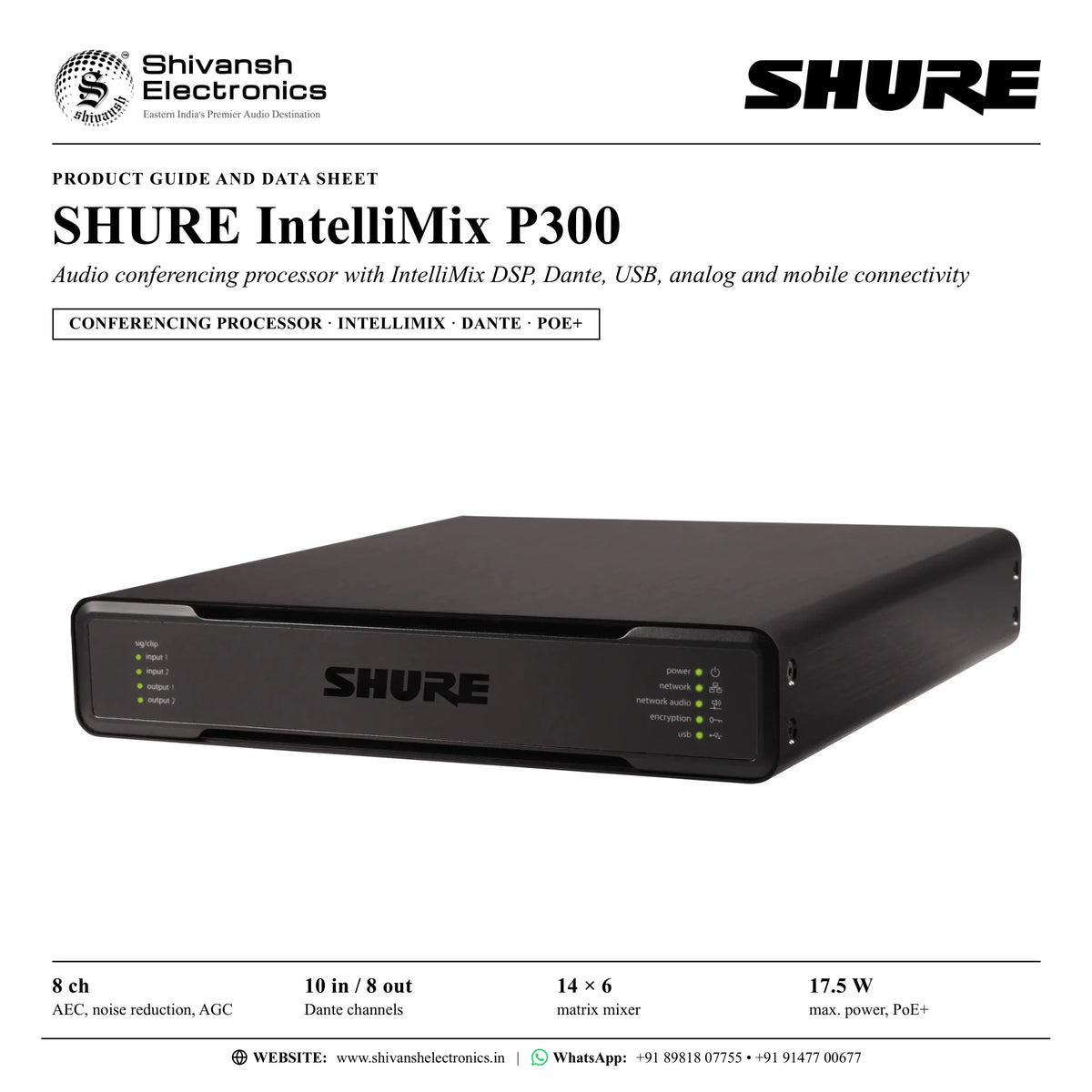
The Shure IntelliMix P300 is an audio conferencing processor with IntelliMix DSP algorithms optimised for audio and video conferencing, connecting Dante, analog, USB and mobile devices to the meeting.
The P300 provides acoustic echo cancellation, noise reduction and automatic gain control for up to 8 Dante channels, together with IntelliMix automatic mixing, a 14 × 6 matrix mixer, delay, compressor and parametric equalisation, so conference room audio stays free of echo and noise for better interaction with remote participants.
A predefined matrix and presets simplify the set-up and cut the long commissioning time often associated with DSP. Shure Designer software configures the processor, and its auto route feature routes the microphones, the AEC reference and the loudspeakers in one step; projects can be designed offline. SystemOn audio asset management software monitors and manages the installed device.
Connectivity covers 10 Dante inputs and 8 Dante outputs on a single network port, 2 analog block inputs and 2 block outputs for a room hardware codec or loudspeakers, a driverless USB audio connection to a laptop or room PC running a soft codec, and a 3.5 mm TRRS jack that lets a mobile phone bring in an additional participant. Mute sync aligns the mute status of Shure devices in the room and works with leading software codecs.
The P300 is powered over Ethernet (PoE+, Class 4), so no outboard power supply is needed. Its compact form factor mounts discreetly under a table, behind a display or in a credenza with the included single-unit tray, or two units side by side in the optional CRT1 19-inch rack tray. Security includes 802.1X, secure boot and storage, and AES-256 encryption for control and audio data.
| AEC, noise reduction, AGC | 8 ch |
| Dante channels | 10 in / 8 out |
| Matrix mixer | 14 × 6 |
| Max. power, PoE+ | 17.5 W |
Key features
- IntelliMix DSP: acoustic echo cancellation, noise reduction and automatic gain control for up to 8 Dante channels
- IntelliMix automatic mixing with gating, gain sharing and manual modes
- 14 × 6 matrix mixer, delay, compressor and parametric EQ
- 10 Dante inputs, 8 Dante outputs on one RJ45 port
- 2 analog block inputs and 2 block outputs (Line, Aux or Mic level outputs)
- Driverless USB 2.0 audio to a laptop or room PC
- 3.5 mm TRRS mobile input to bring in a phone caller
- Predefined matrix and presets for quick set-up with Shure Designer
- Mute sync with Shure microphones and leading software codecs
- PoE+ powered, no outboard power supply
- Compact, rackless mounting under a table or behind a display
- 802.1X, secure boot and AES-256 encryption
Made for
- Audio and video conference rooms of many sizes
- Rooms with a computer running a soft codec over USB
- Rooms with a hardware codec over analog
- Adding a phone caller to a meeting
- Presenter microphone and zoned loudspeaker reinforcement with the matrix mixer
- Microflex Advance and Microflex Wireless microphone systems
In the box
- IntelliMix P300 audio conferencing processor
- Hardware kit (P300-IMX)
- Half rack unit bracket (single-unit mounting tray)
- USB cable
Connections
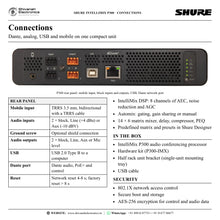
- Dante network port (RJ45): Dante audio, PoE+ power and control data
- 2 × audio input, 3-pin block connector, Line or Aux sensitivity
- 2 × audio output, 3-pin block connector, Line, Aux or Mic level
- USB 2.0 Type B to a computer
- 3.5 mm TRRS mobile input (bidirectional with a TRRS cable)
- Chassis ground screw
- Reset button (network reset or full factory reset)
Shure IntelliMix P300: frequently asked questions
Does it need a power supply?
No. The P300 runs on Power over Ethernet Plus (PoE+, Class 4) from a network switch or a gigabit PoE+ injector; no power supply is included or needed.
How do I connect a computer for video calls?
Connect the computer to the USB port and choose the P300 as speaker and microphone in the videoconferencing software. In Designer, route the automix to the USB output and the USB input to the loudspeaker output, and set the AEC reference to the loudspeaker channel.
Can I connect a hardware codec?
Yes. Connect the codec audio output to analog input 1 and the codec audio input to analog output 1; analog output 2 feeds a powered loudspeaker or amplifier, or use Dante PoE loudspeakers on the network.
How is it configured?
With Shure Designer software on a computer in the same network. Predefined templates and Designer's auto route speed up the set-up; the device settings are also reachable with Shure Web Device Discovery.
How can it be mounted?
Under a table with the included single-unit mounting tray, or in the optional CRT1 19-inch rack tray, which holds two P300 units, or one P300 and one Shure audio network interface, in a rack or under a table.
Where can I buy the Shure IntelliMix P300 in India?
The Shure IntelliMix P300 is available from Shivansh Electronics, Kolkata, West Bengal, India, with delivery across India.
Workflow 1: Huddle room with a soft codec
Meeting rooms using a computer for video calls.
Connections
| Connect | To |
|---|---|
| Ceiling or table array microphones (Dante) | P300 via PoE+ switch |
| P300 USB | Room PC or laptop |
| P300 analog output 2 | Powered loudspeaker |
Setup
- Connect the P300 to a PoE+ switch with Cat 5e cable.
- Connect the computer to the USB port.
- In Designer, run auto route and check the matrix mixer routes.
- Set the AEC reference to the loudspeaker output.
- Select the P300 as speaker and microphone in the meeting software and place a test call.
Tip: Mount the P300 under the table or behind the display.
Workflow 2: Boardroom with a hardware codec
Rooms with a dedicated video conferencing codec.
Connections
| Connect | To |
|---|---|
| Codec audio output | P300 analog input 1 |
| P300 analog output 1 | Codec audio input |
| P300 analog output 2 | Amplifier or powered loudspeakers |
Setup
- Wire the block connectors to the codec.
- Set input sensitivity (Line or Aux) and output level to match.
- Route automix to Analog - To Codec in the matrix mixer.
- Set the AEC reference and sound-check.
Tip: Watch the signal/clip LEDs and avoid red.
Workflow 3: Phone caller joins the meeting
Meetings that bridge a remote caller by phone.
Connections
| Connect | To |
|---|---|
| Mobile phone | P300 3.5 mm TRRS input |
| P300 analog output 2 | Loudspeaker |
Setup
- Connect the phone with a 1/8-inch TRRS cable with a non-conductive flange.
- Route automix to the mobile output and the mobile input to the loudspeaker.
- Set the AEC reference and test the call.
Tip: The phone simply carries the call; the room microphones and loudspeakers do the rest.
Workflow 4: Presenter reinforcement
Training rooms and larger meeting spaces.
Connections
| Connect | To |
|---|---|
| Presenter microphone | P300 input |
| P300 matrix mixer | Zoned loudspeakers |
Setup
- Add the presenter microphone to the design.
- Use the matrix mixer to feed the zoned loudspeakers.
- Adjust delay and PEQ for the room.
Tip: Onboard matrix mixing scales the room without extra hardware.
Workflow 5: Unified mute
Rooms with Shure microphones and mute buttons.
Connections
| Connect | To |
|---|---|
| P300 | logic-enabled Shure microphones |
| P300 USB | Software codec |
Setup
- Turn on mute synchronisation with Designer's auto route.
- Set the microphone mute buttons to logic out.
- Check that the LEDs follow the codec mute status.
Tip: Mute sync aligns mute status across Shure devices in the room.
Workflow 6: Secure, managed installation
IT and AV staff.
Connections
| Connect | To |
|---|---|
| P300 | Managed network with 802.1X |
| Shure Designer / SystemOn | Configuration and monitoring |
Setup
- Set up 802.1X for the device.
- Enable audio encryption with a shared passphrase.
- Monitor the device with SystemOn.
Tip: The encryption LED turns green when encryption is enabled.