

SONODYNE WP10
PRICE ON ENQUIRY
SONODYNE WP10: wall panel for remote source and volume control, 10 buttons with 8 programmable and volume, Cat5, euroblock. Available in India from Shivansh Electronics, Kolkata, West Bengal, India.
VISUAL GUIDE — See Every Photo, Spec & Setup Step (PDF)
PRICE ON ENQUIRY. For the price, exclusive offers, delivery timelines, or any other information, please DM us or call +91 89818 07755 / +91 91477 00677. We will gladly share a personalised quotation for Shivansh Electronics, Kolkata, West Bengal, India. All payments are processed securely through Razorpay, our trusted payment gateway partner.
Specifications
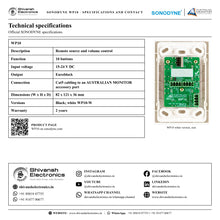
| Description | Remote source and volume control |
| Function | 10 buttons |
| Input voltage | 15‑24 V DC |
| Output | Euroblock |
| Connection | Cat5 cabling to an AUSTRALIAN MONITOR product with an accessory port |
| Dimensions (W x H x D) | 82 x 121 x 36 mm |
| Versions | Black; white WP10‑W |
| Warranty | 2 years |
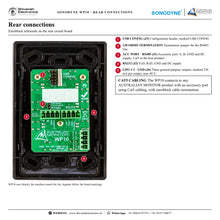
Rear terminals (board markings)
| ACC PORT / RS485 (J1) | A, B, GND, DC supply; 120 Ohms termination jumper |
| RS232 (J2) | TxD, RxD, GND, DC supply |
| GPO (J6) | GPO 1‑3 and GND; 250 mA per output, max 48 V |
| USB CONFIG (J3) | Configuration header |
Product overview
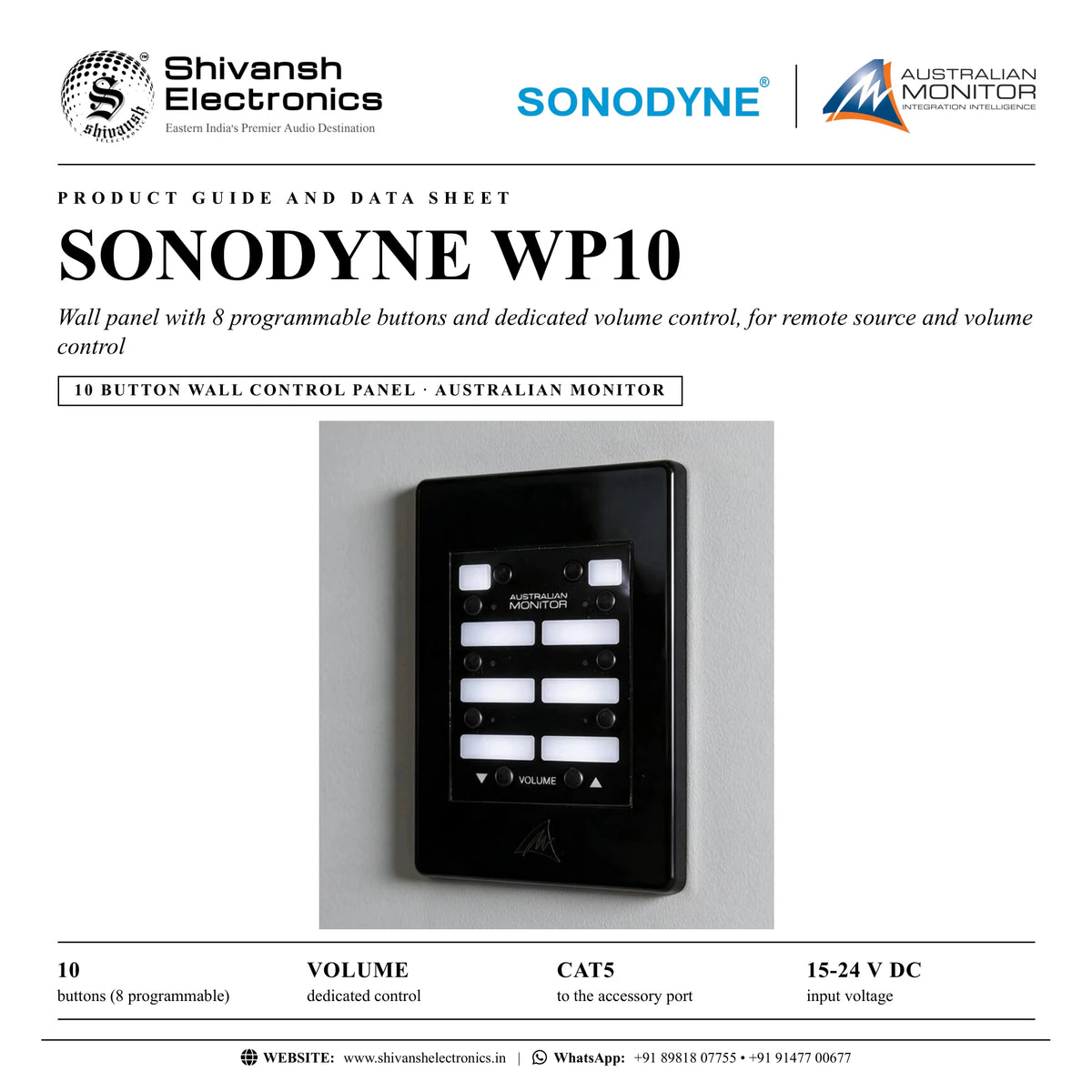
The SONODYNE WP10 is an AUSTRALIAN MONITOR wall panel for remote source and volume control: a 10 button controller with 8 programmable buttons and a dedicated volume control.
Each button can be configured in software to provide a wide range of actions including source selection, volume control, muting, preset activation and more. Three rear panel general purpose outputs can be connected to external systems requiring logic control, for example a projector screen. The WP10 has LED button status indicators and ample button label space, and connects to any AUSTRALIAN MONITOR product with an accessory port using Cat5 cabling.
| Buttons (8 programmable) | 10 |
| Dedicated control | Volume |
| To the accessory port | Cat5 |
| Input voltage | 15‑24 V DC |
Key features
- 8 programmable buttons and a dedicated volume control (volume down / up buttons)
- Buttons configured in software: source selection, volume control, muting, preset activation and more
- Three general purpose outputs for external systems requiring logic control
- LED button status indicators and ample button label space
- Euroblock cable termination; Cat5 cabling to an AUSTRALIAN MONITOR accessory port
- Optional colour customised cover plates
- Also available in white: WP10-W
Front panel
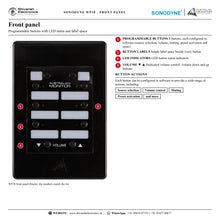
The front carries 8 programmable buttons with LED status indicators and label space, and the VOLUME down and up buttons of the dedicated volume control.
Rear connections
The rear circuit board carries euroblock terminals marked ACC PORT / RS485 (A, B, GND and DC supply) with a 120 Ohms termination jumper, RS232 (TxD, RxD, GND and DC supply), GPO 1-3 with GND (marked 250 mA per output, max 48 V) and a USB CONFIG header.
Colour customised cover plates
The wall panel can be optionally colour customised using cover plates, to create a unique look for each installation. SONODYNE also lists a white version, WP10-W.
In the box
- WP10 wall panel
SONODYNE WP10: frequently asked questions
What can the WP10 buttons do?
Each button can be configured in software for a wide range of actions, including source selection, volume control, muting, preset activation and more.
How is the WP10 connected?
With Cat5 cabling to any AUSTRALIAN MONITOR product with an accessory port, on euroblock cable termination.
Can the WP10 control other equipment?
Yes. Three rear panel general purpose outputs can be connected to external systems requiring logic control, for example a projector screen.
Where can I buy the SONODYNE WP10 in India?
The SONODYNE WP10 is available from Shivansh Electronics, Kolkata, West Bengal, India, with delivery across India.
Workflow 1: Source selection in a zone
Zones where users select the audio source from the wall.
Connections
| Connect | To |
|---|---|
| WP10 ACC PORT | AUSTRALIAN MONITOR product accessory port (Cat5) |
Setup
- Mount the WP10 in the zone.
- Run Cat5 to the host product's accessory port.
- Configure the buttons for source selection in software.
- Label the buttons.
Tip: LED status indicators show the active selection.
Workflow 2: Volume control from the wall
Zones that need local volume adjustment.
Connections
| Connect | To |
|---|---|
| WP10 ACC PORT | Host product accessory port |
Setup
- Connect the panel with Cat5.
- Use the dedicated volume control.
Tip: Muting can also be set on a button.
Workflow 3: Preset recall
Venues that switch between set-ups.
Connections
| Connect | To |
|---|---|
| WP10 | Host product accessory port |
Setup
- Assign preset activation to buttons in software.
- Label the buttons with the preset names.
Tip: Each button can carry a different action.
Workflow 4: Muting
Spaces that need a quick mute.
Connections
| Connect | To |
|---|---|
| WP10 | Host product accessory port |
Setup
- Configure a button for muting in software.
Tip: The LED indicator shows the button state.
Workflow 5: Control of external systems
Rooms with a projector screen or similar equipment.
Connections
| Connect | To |
|---|---|
| GPO 1‑3 (J6) | External system requiring logic control |
Setup
- Wire the external system to a general purpose output.
- Configure the output action in software.
Tip: SONODYNE names a projector screen as an example.
Workflow 6: Matching the interior
Designers who want the panel to match the room.
Connections
| Connect | To |
|---|---|
| Colour cover plate | WP10 |
Setup
- Choose a colour customised cover plate.
- Or choose the white version, WP10-W.
Tip: Cover plates give each installation a unique look.