ALLEN & HEATH SQ SLink Card
PRICE ON ENQUIRY
Allen & Heath SQ SLink Card: an intelligent SLink port for SQ and AHM with 128 x 128 channels at 96 or 48 kHz, for gigaACE, GX, DX, dSnake and ME. Available in India from Shivansh Electronics, Kolkata, West Bengal, India.
VISUAL GUIDE — See Every Photo, Spec & Setup Step (PDF)
PRICE ON ENQUIRY. For the price, exclusive offers, delivery timelines, or any other information, please Contact / WhatsApp +91 89818 07755 / +91 91477 00677. We will gladly share a personalised quotation for Shivansh Electronics, Kolkata, West Bengal, India. All payments are processed securely through Razorpay, our trusted payment gateway.
General
| Type | SLink option card for the I/O Port: one intelligent SLink socket |
| Order code | M-SQ-SLINK |
| Compatible with | SQ / SQ+ mixers (including SQ-Rack), AHM-16, AHM-32, AHM-64 |
| Firmware | SQ firmware V1.3 or above |
| Installation | Plug 'n play |
Audio and network
| Channels | 128 inputs and 128 outputs of audio and preamp control (maximum 128 x 128) |
| Operation | 96 kHz or 48 kHz |
| Connectivity | gigaACE, GX, DX or dSnake |
| Protocol sample rates | gigaACE 96 kHz, DX 96 kHz, dSnake 48 kHz |
| Modes | dSnake/ME, DX or gigaACE, with intelligent switching between modes |
| Protocols per port | One at a time |
| SRC | Independent SRC for use of two different protocols in one system |
| SQ I/O Port capacity | 128 x 128 with the SLink card fitted (64 x 64 with other option cards) |
Connections
| SLink port | 1 x locking RJ45 |
| Link Status LED | Flashes to indicate network activity |
Setup
| Patching | SQ I/O screen, to or from the I/O Port |
| Mixer clock source | Setup / Audio / Audio Sync: typically Internal; I/O Port when connecting directly to another desk (dLive gigaACE option card or another SLink port) |
| Clock master | Only one in a system |
Installation and compliance
| Fitting | I/O Port slot, 2 screws (Torx T8 driver), with the system switched off |
| EU directives | Electromagnetic Compatibility 2014/30/EU, Low Voltage 2014/35/EU |
Product overview
The Allen & Heath SQ SLink Card adds an intelligent SLink port to any SQ mixer or AHM processor, with 128 inputs and 128 outputs of audio and preamp control at 96 kHz or 48 kHz.
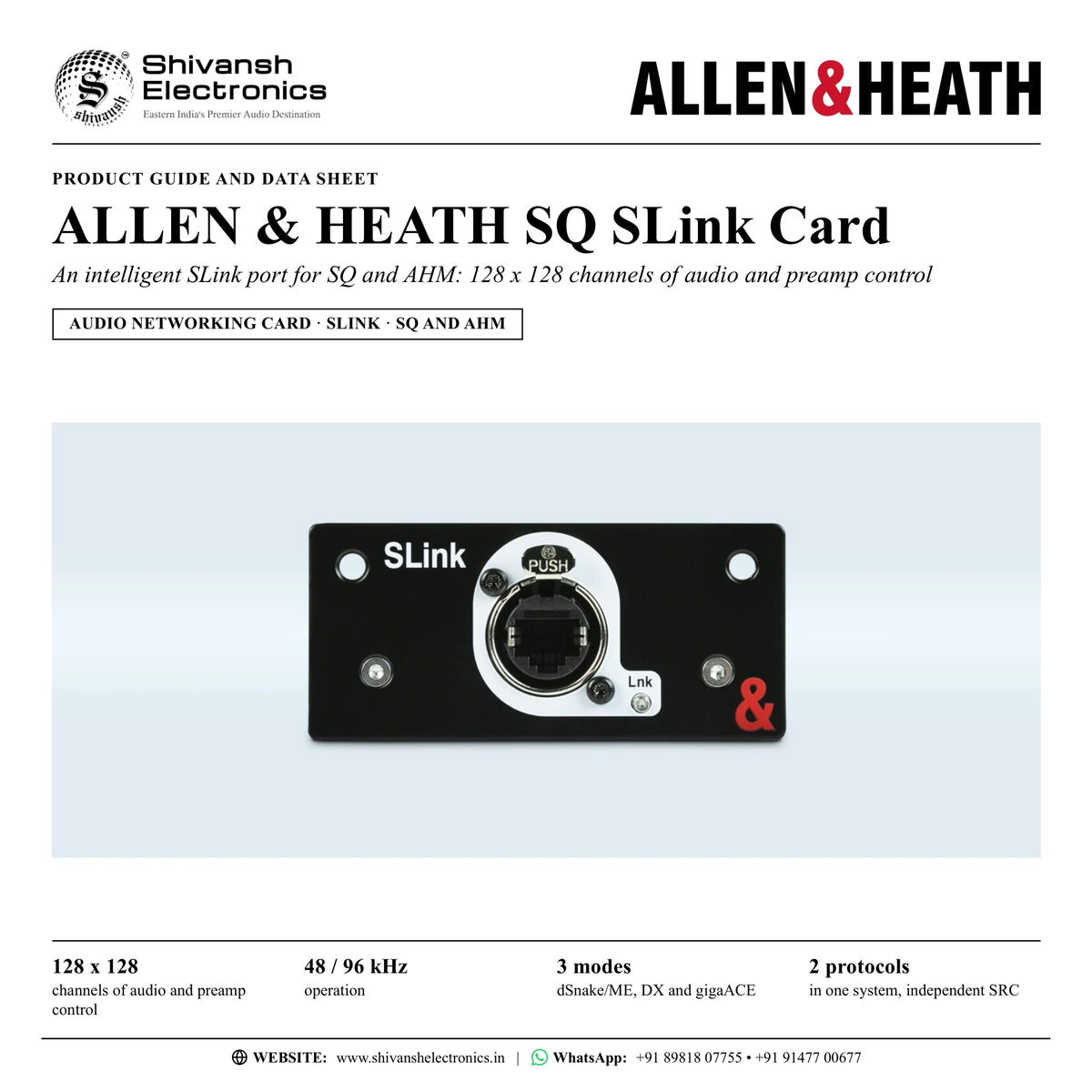
SQ SLink (M-SQ-SLINK) fits the I/O Port and provides a single intelligent SLink socket on a locking RJ45 connector, with a maximum of 128 x 128 channels and 48 / 96 kHz operation. It offers gigaACE, GX, DX and dSnake connectivity: gigaACE and DX run at 96 kHz and dSnake at 48 kHz, and the port switches intelligently between its dSnake/ME, DX and gigaACE modes. Installation is plug 'n play, and a Link Status LED flashes to show network activity.
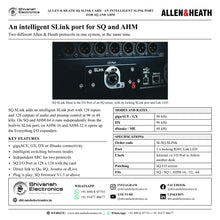
On SQ, the option card runs independently from the built-in SLink port, so two different Allen & Heath protocols can be used in one system at the same time, with independent SRC. With two SLink ports an SQ can be combined with any ME personal monitoring system and DX, GX or dSnake expanders, and with the SLink card fitted the SQ I/O Port carries 128 x 128 channels instead of the 64 x 64 of the other option cards. Any SQ console fitted with an SLink card can also be connected directly to a Qu, SQ, Avantis or dLive system, enabling FOH / monitor splits, broadcast feeds and more.
For AHM, the card gives the AHM-16 and AHM-32 processors access to the Everything I/O range of audio expanders, and adds further I/O capability to the AHM-64, where it runs independently from the built-in SLink port. SLink allows plug 'n play connection of up to 8 remote expanders from the Everything I/O range, in wall mount, rack and portable formats.
Signals are patched to and from the I/O Port in the SQ I/O screen. The mixer clock source, set in the Setup / Audio / Audio Sync screen, is typically Internal, and can be switched to I/O Port when connecting directly to another desk, for example to a dLive gigaACE option card or another SLink port; there should only be one clock master in a system. Each port can be in dSnake/ME, DX or gigaACE mode, but one port cannot run two different protocols at once. SQ SLink requires SQ firmware V1.3 or above.
| Channels of audio and preamp control | 128 x 128 |
| Operation | 48 / 96 kHz |
| dSnake/ME, DX and gigaACE, switched automatically | 3 modes |
| In one system, with independent SRC | 2 protocols |
Key features
- Intelligent SLink port for any SQ mixer or AHM processor, fitted in the I/O Port
- 128 inputs and 128 outputs of audio and preamp control
- 96 kHz or 48 kHz operation
- gigaACE, GX, DX or dSnake connectivity: gigaACE (96 kHz), DX (96 kHz), dSnake (48 kHz)
- Intelligent switching between dSnake/ME, DX and gigaACE modes
- Independent SRC for two different protocols in one system
- Runs independently from the built-in SLink port of SQ and AHM-64
- SQ I/O Port at 128 x 128 channels with the SLink card fitted
- Direct connection to Qu, SQ, Avantis or dLive systems
- Gives AHM-16 and AHM-32 access to the Everything I/O expanders
- Locking RJ45 SLink port with Link Status LED
- Plug 'n play installation; requires SQ firmware V1.3 or above
Fitting and setup
Switch the system off, use a Torx T8 driver to remove the 2 screws that secure the I/O Port blank panel, slide the card into the slot and press it firmly into the mating connector, then refit the 2 screws. Patch the signals in the SQ I/O screen and choose the mixer clock source in the Setup / Audio / Audio Sync screen.
Made for
- SQ systems with an ME personal monitoring system and DX, GX or dSnake expanders
- FOH / monitor splits with Qu, SQ, Avantis or dLive systems
- Broadcast feeds to another Allen & Heath console
- Everything I/O expansion for AHM-16 and AHM-32
- Further I/O for AHM-64, alongside its built-in SLink port
- Systems that combine 48 kHz and 96 kHz protocols
In the box
- SQ SLink option card (M-SQ-SLINK)
Connections
- SLink port: 1 x locking RJ45, dSnake/ME, DX or gigaACE mode
- Link Status LED (Lnk): flashes to indicate network activity
- Mating connector in the I/O Port slot of the SQ or AHM, card fixed with 2 screws
Allen & Heath SQ SLink Card: frequently asked questions
What does the SQ SLink card add to an SQ mixer?
A second SLink port that runs independently from the built-in one, so two different Allen & Heath protocols can be used in one system at the same time. With the SLink card fitted, the SQ I/O Port carries 128 x 128 channels.
Which devices and protocols can it connect to?
ME personal monitoring systems, DX, GX and dSnake expanders, and Qu, SQ, Avantis or dLive systems. It supports gigaACE (96 kHz), DX (96 kHz) and dSnake (48 kHz) and switches between modes automatically; one port cannot run two different protocols at once.
Can it link two consoles for a FOH / monitor split?
Yes. Any SQ fitted with an SLink card can be connected directly to a Qu, SQ, Avantis or dLive system for FOH / monitor splits and broadcast feeds. When connecting directly to another desk, such as a dLive gigaACE option card or another SLink port, the SQ clock source can be switched to I/O Port; there should only be one clock master in a system.
What does it do in an AHM system?
It gives AHM-16 and AHM-32 processors access to the Everything I/O range of audio expanders, and adds further I/O capability to the AHM-64, where it runs independently from the built-in SLink port.
How is the card installed?
Installation is plug 'n play: with the system switched off, remove the 2 screws of the I/O Port blank panel with a Torx T8 driver, slide the card in, press it firmly into the mating connector and refit the screws. On SQ it requires firmware V1.3 or above.
Where can I buy the Allen & Heath SQ SLink Card in India?
The Allen & Heath SQ SLink Card is available from Shivansh Electronics, Kolkata, West Bengal, India, with delivery across India.
Workflow 1: SQ with ME personal mixing and a stage box
Bands and engineers who want personal monitor mixing and remote stage inputs on one SQ.
Connections
| Connect | To |
|---|---|
| SQ built-in SLink port | DX or GX expander, such as a DX168 or GX4816 |
| SQ SLink card | ME personal monitoring system: ME-1 or ME-500 personal mixers, or the ME-U hub |
Setup
- Fit the SQ SLink card in the I/O Port with the system switched off.
- Connect the stage expander to one SLink port and the ME system to the other.
- Each port switches automatically to the dSnake/ME, DX or gigaACE mode it needs.
- Patch the signals to and from the I/O Port in the SQ I/O screen.
- Set the remote preamps from the SQ: the card carries audio and preamp control.
Tip: The two ports are independent, so two different Allen & Heath protocols run in one system at the same time.
Workflow 2: FOH / monitor split with two SQ mixers
Engineers running front of house and monitors from two SQ mixers with one stage box.
Connections
| Connect | To |
|---|---|
| GX4816 expander | Built-in SLink port of the first SQ (gigaACE / GX, Cat6 or higher) |
| SQ SLink card in the first SQ | Built-in SLink port of the second SQ: 128 channels at 96 kHz |
Setup
- Connect the GX4816 to the built-in SLink port of the first SQ.
- Fit the SQ SLink card in the first SQ and connect it to the SLink port of the second SQ with Cat6 or higher cable.
- The link carries 128 channels at 96 kHz between the mixers.
- Keep one clock master: on the SQ with the card, the Setup / Audio / Audio Sync screen can be switched to I/O Port to follow the other desk.
- Patch the shared inputs in the SQ I/O screen of each mixer.
Tip: There should only be one clock master in a system.
Workflow 3: Split or broadcast feed to dLive
Engineers linking an SQ to a dLive system for a split or a broadcast feed.
Connections
| Connect | To |
|---|---|
| SQ SLink card | gigaACE option card in the dLive system |
Setup
- Fit the SQ SLink card in the I/O Port of the SQ.
- Connect it to the gigaACE option card of the dLive system; the card port switches to gigaACE mode.
- In the Setup / Audio / Audio Sync screen, set the SQ clock source to I/O Port.
- Patch the signals to send and receive in the SQ I/O screen.
Tip: Any SQ with an SLink card can also be connected directly to a Qu, SQ or Avantis system.
Workflow 4: AHM-16 or AHM-32 with Everything I/O
Installers adding remote inputs and outputs to an AHM-16 or AHM-32 in single rooms or distributed spaces.
Connections
| Connect | To |
|---|---|
| SQ SLink card in the AHM I/O Port | Everything I/O expanders: wall mount, rack or portable |
Setup
- Fit the card in the 128 x 128 I/O Port of the AHM-16 or AHM-32.
- Connect the Everything I/O expanders; SLink allows plug 'n play connection of up to 8 remote expanders.
- Place wall mount, rack or portable expanders where the inputs and outputs are needed.
- Assign the remote inputs and outputs in the AHM system.
Tip: An SLink port is built in on AHM-64 and added with this card on AHM-16 and AHM-32.
Workflow 5: Two SLink ports on an AHM-64
Integrators who need more remote I/O, or two different protocols, on an AHM-64.
Connections
| Connect | To |
|---|---|
| AHM-64 built-in SLink port | Everything I/O expanders |
| SQ SLink card in the AHM-64 I/O Port | Further Everything I/O expanders, on the same or a different protocol |
Setup
- Fit the card in the I/O Port of the AHM-64.
- Connect expanders to the built-in SLink port and to the card.
- Each port switches automatically to the mode of the connected devices.
- Assign the extra inputs and outputs in the AHM system.
Tip: On AHM-64 the option card runs independently from the built-in SLink port, allowing two different protocols at the same time.
Workflow 6: 48 kHz and 96 kHz expanders on one SQ
SQ systems that use 48 kHz dSnake expanders together with 96 kHz DX expanders.
Connections
| Connect | To |
|---|---|
| SQ built-in SLink port | DX expander at 96 kHz, such as a DX168 |
| SQ SLink card | dSnake expander at 48 kHz, such as an AR2412 or AB168 |
Setup
- Fit the SQ SLink card in the I/O Port.
- Connect the DX expander to one port and the dSnake expander to the other.
- Each port switches automatically to its mode; the independent SRC handles both protocols in one system.
- Patch the inputs and outputs in the SQ I/O screen and set the remote preamps from the SQ.
Tip: One port cannot run two different protocols at once, so give each protocol its own port.