

JVC LX-NZ30
PRICE ON ENQUIRY
JVC LX-NZ30 4K UHD laser projector: 3,300 lm BLU-Escent laser, 20,000 h life, HDR10/HLG, 1080p 240 Hz low latency, in black or white. Available in India from Shivansh Electronics, Kolkata, West Bengal, India.
VISUAL GUIDE — See Every Photo, Spec & Setup Step (PDF)
PRICE ON ENQUIRY. For the price, exclusive offers, delivery timelines, or any other information, please Contact / WhatsApp +91 89818 07755 / +91 91477 00677. We will gladly share a personalised quotation for Shivansh Electronics, Kolkata, West Bengal, India. All payments are processed securely through Razorpay, our secure payment gateway.
Device
| Technology | DLP, single chip |
| Chip | 0.47-inch DMD |
| Number of chips | 1 |
| Display resolution | 3840 x 2160 (4K UHD) |
Light source
| Type | BLU-Escent laser |
| Life time (standard mode) | 20,000 hours |
Picture
| Brightness | 3,300 lm |
| Contrast | ∞:1 with dynamic laser dimming |
| Dynamic light power control | Yes, 2 modes |
| Manual light power control | Yes |
| 100 % Rec. 709 | Yes |
HDR
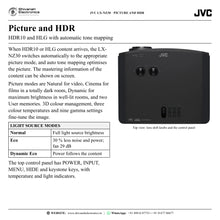
| HDR10 / HLG | Yes / Yes |
| Auto tone mapping | Yes |
| Mastering info display | Yes |
| HDR picture modes | HDR10, HLG |
Lens
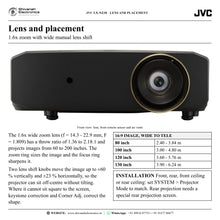
| Zoom | 1.6x |
| Throw ratio | 1.36 - 2.18:1 |
| Focal length | f = 14.3 - 22.9 mm |
| Aperture | F = 1.809 |
| Lens shift | Horizontal ±23 %, vertical ±60 % |
| Projection size (diagonal) | 60 - 200 inch |
HDMI
| Version | 2.0 |
| Inputs | 2 |
| HDCP version | 2.3 |
| 4K60p input | Yes |
| 2K240p input | Yes |
| Video signal range | 480p, 576p, 720p 60/50, 1080i 60/50, 1080p 240/120/60/50/24, 3840 x 2160p 60/50/30/25/24 |
| PC signal range | VGA, SVGA, XGA, WXGA, WXGA+, SXGA, UXGA, WQHD (60), FHD (240), UHD (60) |
| Input level adjustment | Auto, Normal (16-235), Enhanced (0-255) |
Connections
| DisplayPort | Yes |
| USB | 1 x USB Type-C input (DP Alt Mode), 1 x USB Type-A output (5 V / 1.5 A) |
| LAN | RJ-45 |
| RS-232 | D-sub 9-pin |
| Trigger out | DC 12 V / 100 mA |
Picture settings
| Picture modes | Natural, Cinema, Dynamic, User 1, User 2 |
| Colour temperatures | High, Normal, Low |
| Gamma | 2.2, 1.8, 2.0, 2.1, 2.3, 2.4, 2.6, Contrast Priority, Brightness Priority |
| Colour management | 3D colour management |
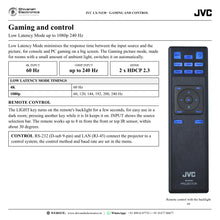
| Low Latency Mode | Yes |
Power and environment
| Power requirement | AC 100-240 V, 50/60 Hz |
| Power consumption | 360 W |
| Standby | 0.5 W |
| Fan noise | 34 dB; Eco mode 29 dB |
| Eco mode | Yes |
| Operating temperature | 0 °C to 40 °C |
| Operating humidity | 10 % to 90 % |
In the box
| Remote control | Yes |
| Batteries | Yes |
| Also included | Power cord, user manual (quick start guide) |
Dimensions and weight
| Dimensions (W x H x D) | 405 x 145.8 x 341 mm |
| Weight | 5.9 kg |
| Package (W x H x D) | 515 x 276 x 450 mm |
| Package weight | 8 kg |
Versions
| LX-NZ30B | Black |
| LX-NZ30W | White |
Product overview
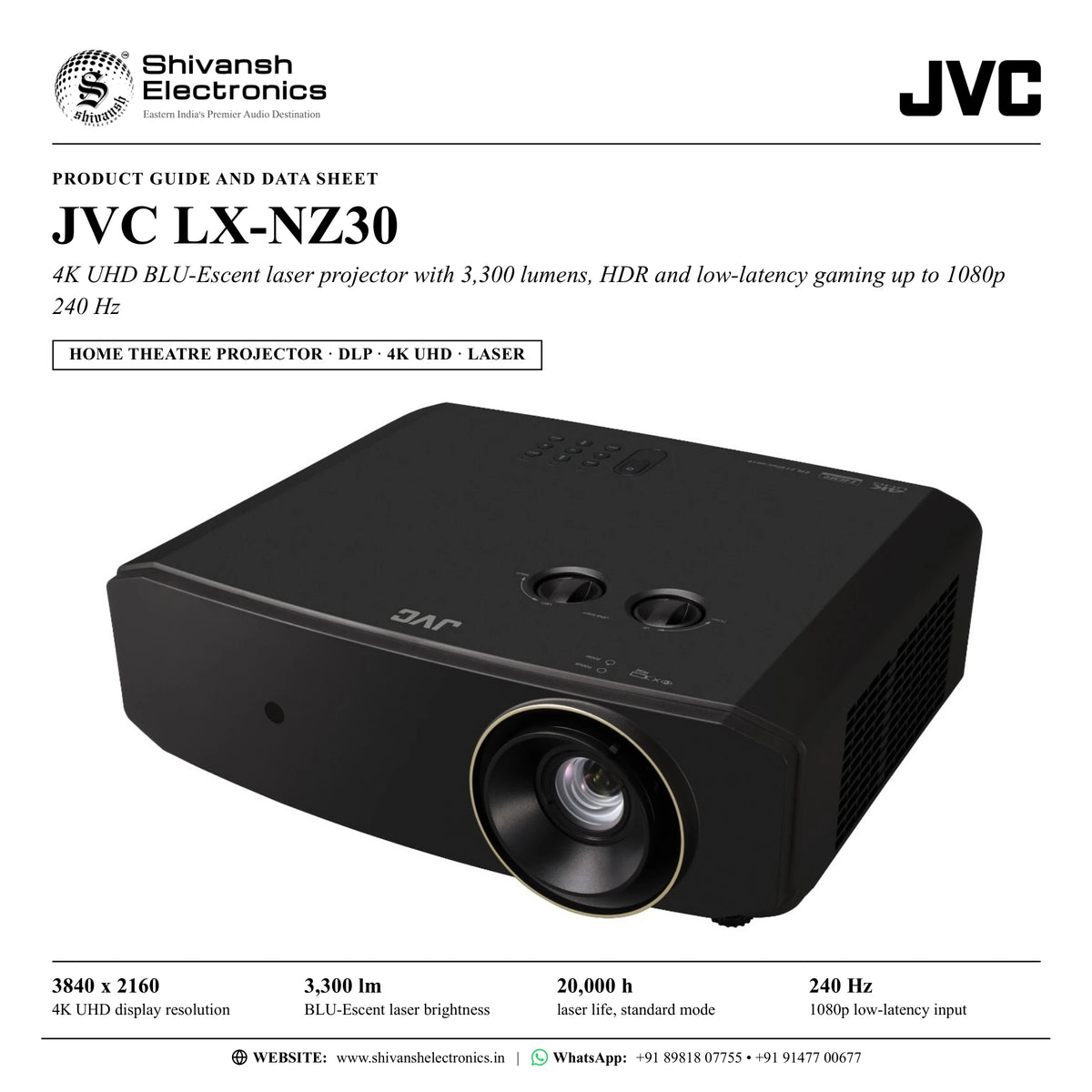
The JVC LX-NZ30 is a 4K UHD HDR home theatre projector with JVC's BLU-Escent laser light source: 3,300 lumens of brightness, about 20,000 hours of laser life, a 1.6x zoom lens with wide lens shift and low-latency gaming up to 1080p at 240 Hz, in black or white.
The LX-NZ30 is a single-chip DLP projector built around a 0.47-inch DMD that displays a 4K UHD picture of 3840 x 2160 pixels. It accepts 4K signals at 60p and 50p (4:4:4 8-bit and 4:2:2 12-bit) and at 30p, 25p and 24p (4:4:4 12-bit), and it reproduces HDR10 and HLG content, switching automatically to the matching HDR picture mode with automatic tone mapping.
Its BLU-Escent laser gives 3,300 lumens, bright enough that there is no need to draw the curtains every time, and the laser lasts about 20,000 hours, so there is no lamp to replace. Dynamic laser dimming gives an ∞:1 contrast, and the light source can run in Normal, Eco or Dynamic Eco mode; Eco reduces noise and light source power consumption by 30 %, with the fan at 29 dB instead of 34 dB.
Installation is flexible. The 1.6x zoom lens has a throw ratio of 1.36 to 2.18:1, so a 100-inch 16:9 image fills from about 3.0 m to 4.8 m, and the lens shift knobs move the image up to ±60 % vertically and ±23 % horizontally. Keystone correction and four-corner adjustment help where the projector cannot sit square to the screen, and the projector can be set up for front, rear, front-ceiling or rear-ceiling projection.
For gaming, Low Latency Mode minimises the time between input and picture at 4K 60 Hz and at 1080p up to 240 Hz, and the Gaming picture mode switches it on automatically. Two HDMI inputs with HDCP 2.3, a DisplayPort input and a USB Type-C input with DP Alt Mode take signals from players, consoles and computers, while RS-232, LAN and a 12 V trigger output link it to a control system or a motorised screen. At 5.9 kg it is easy to place on a shelf or table, or to mount on the ceiling.
| 4K UHD display resolution | 3840 x 2160 |
| BLU-Escent laser brightness | 3,300 lm |
| Laser life in standard mode | 20,000 h |
| Low-latency input for gaming | 1080p 240 Hz |
Key features
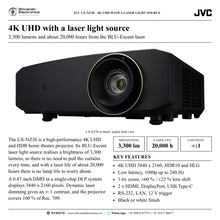
- 4K UHD (3840 x 2160) from a 0.47-inch DMD, single-chip DLP system
- BLU-Escent laser: 3,300 lumens and about 20,000 hours of life
- ∞:1 contrast with dynamic laser dimming; Normal, Eco and Dynamic Eco light modes
- HDR10 and HLG with automatic tone mapping and mastering information display
- Low Latency Mode: 4K 60 Hz and 1080p up to 240 Hz
- 1.6x zoom lens, throw ratio 1.36 - 2.18:1, for 60 to 200-inch images
- Lens shift ±60 % vertical and ±23 % horizontal; keystone and four-corner adjustment
- 2 x HDMI (HDCP 2.3), DisplayPort and USB Type-C with DP Alt Mode
- RS-232, LAN and 12 V trigger output for control systems and motorised screens
- Backlit remote control
- Fan noise 34 dB, 29 dB in Eco mode
- Black (LX-NZ30B) or white (LX-NZ30W) finish
Made for
- Living rooms with some ambient light, where the curtains need not be drawn
- Home theatres with screens from 60 to 200 inches
- 4K HDR films and series from disc players and streamers
- Gaming on consoles and PCs with high-frame-rate 1080p signals
- Ceiling or shelf installations, including rear projection with a suitable screen
In the box
- LX-NZ30 projector
- Remote control and batteries
- Power cord
- Quick start guide
Connections
- 2 x HDMI input (HDMI 2.0, HDCP 2.3), 4K/HDR
- DisplayPort input
- USB Type-C input with DP Alt Mode
- USB Type-A output, 5 V / 1.5 A power supply
- RS-232: D-sub 9-pin
- LAN: RJ-45
- Trigger output: DC 12 V / 100 mA
- AC power inlet
Finishes
- Black: LX-NZ30B
- White: LX-NZ30W
JVC LX-NZ30: frequently asked questions
What resolution does the LX-NZ30 display?
It displays a 4K UHD picture of 3840 x 2160 pixels from a single 0.47-inch DMD, and accepts 4K signals at up to 60p.
Is it bright enough for a living room?
The BLU-Escent laser gives 3,300 lumens, so there is no need to pull the curtains every time. The Dynamic picture mode maximises brightness for well-lit rooms.
Is it good for gaming?
Yes. Low Latency Mode minimises the response time at 4K 60 Hz and at 1080p 60, 120, 144, 192, 200 and 240 Hz, and the Gaming picture mode turns it on automatically.
How far from the screen should it be placed?
With the 1.6x zoom, a 100-inch 16:9 image needs about 3.0 m (wide) to 4.8 m (tele), and a 120-inch image about 3.6 m to 5.76 m. Image sizes from 60 to 200 inches are supported.
Does the laser need replacing?
The laser has a life of about 20,000 hours in standard mode, so there is no lamp to replace or look after.
Where can I buy the JVC LX-NZ30 in India?
The JVC LX-NZ30 is available from Shivansh Electronics, Kolkata, West Bengal, India, with delivery across India.
Workflow 1: Bright living-room big screen
Families who watch films, sport and series in a living room with daylight.
Connections
| Connect | To |
|---|---|
| Streamer or set-top box (HDMI out) | LX-NZ30 HDMI 1 |
| Disc player (HDMI out) | LX-NZ30 HDMI 2 |
Setup
- Place the projector on a shelf or table facing the screen and set SYSTEM > Projector Mode > Front.
- Turn the zoom ring to size the image: a 100-inch 16:9 image needs about 3.0 m to 4.8 m.
- Turn the lens shift knobs to centre the image instead of tilting the projector.
- Choose the Dynamic picture mode for a bright room, or Natural for everyday viewing.
Tip: Keep the air intake and the exhaust vents clear of curtains and walls.
Workflow 2: 4K HDR home theatre
Film lovers with a darkened home theatre and a surround system.
Connections
| Connect | To |
|---|---|
| 4K disc player (HDMI out) | AV receiver HDMI input |
| AV receiver HDMI output | LX-NZ30 HDMI 1 |
| AV receiver | Surround speakers |
Setup
- Use a certified Premium High Speed HDMI cable (18 Gbps) for 4K signals.
- Select the Cinema picture mode for SDR films in a dark room.
- Play HDR10 or HLG content: the projector switches to the matching HDR mode automatically.
- Set Light Source Mode to Normal for full brightness, or Eco for quieter running.
Tip: The information menu shows the mastering data of HDR content.
Workflow 3: Low-latency gaming room
Console and PC gamers who want a big, responsive picture.
Connections
| Connect | To |
|---|---|
| Game console (HDMI out) | LX-NZ30 HDMI 1 |
| Gaming PC (DisplayPort out) | LX-NZ30 DisplayPort |
Setup
- Connect the console to HDMI and the PC to DisplayPort.
- Select the Gaming picture mode; Low Latency Mode turns on automatically.
- Set the PC to 1080p at up to 240 Hz, or 4K at 60 Hz.
- Use the backlit remote to switch inputs in a dark room.
Tip: Low Latency Mode supports 4K 60 Hz and 1080p 60/120/144/192/200/240 Hz.
Workflow 4: Laptop and desktop presentation
Home offices and study rooms that share laptop content on a big screen.
Connections
| Connect | To |
|---|---|
| Laptop with USB-C (DP Alt Mode) | LX-NZ30 USB Type-C input |
| Streaming stick | LX-NZ30 HDMI 2 and USB Type-A (5 V / 1.5 A power) |
Setup
- Connect the laptop with a certified Type-C to Type-C cable that supports DP Alt Mode.
- Press INPUT and pick the USB source.
- Power a streaming stick from the USB Type-A port.
- Use keystone or Corner Adj. if the projector cannot sit square to the wall.
Tip: The USB Type-C port accepts Type-C to Type-C cables only.
Workflow 5: Ceiling mount with a motorised screen
Rooms where the projector hangs from the ceiling and the screen drops down.
Connections
| Connect | To |
|---|---|
| Ceiling mount kit | LX-NZ30 ceiling mount holes (M4 screws, 8 mm) |
| LX-NZ30 12 V trigger output | Motorised screen control |
Setup
- Fix the projector to a proper ceiling mount kit with M4 screws of 8 mm length.
- Set SYSTEM > Projector Mode > Front Ceiling.
- Connect the 12 V trigger output to the screen so it lowers when the projector turns on.
- Fine-tune focus, zoom and lens shift by hand, then lock the mount.
Tip: Use the security bar or lock slot as a secondary restraint for the ceiling mount.
Workflow 6: Control-system integration
Smart homes with a central control system.
Connections
| Connect | To |
|---|---|
| Control system (serial) | LX-NZ30 RS-232 (D-sub 9-pin) |
| Home network | LX-NZ30 LAN (RJ-45) |
Setup
- Connect RS-232 or LAN, depending on the control system.
- Set the control method and baud rate in the projector menu.
- Program power, input and picture-mode commands in the control system.
- Test the trigger output and the control commands together.
Tip: LAN control settings are kept when the picture settings are reset.