


PRIMARE PRISMA Remote
PRICE ON ENQUIRY
Primare PRISMA Remote: backlit universal remote for every IR-controlled Primare product, up to four products plus basic TV control. Available in India from Shivansh Electronics, Kolkata, West Bengal, India.
VISUAL GUIDE — See Every Photo, Spec & Setup Step (PDF)
PRICE ON ENQUIRY. For the price, exclusive offers, delivery timelines, or any other information, please Contact / WhatsApp +91 89818 07755 / +91 91477 00677. We will gladly share a personalised quotation for Shivansh Electronics, Kolkata, West Bengal, India. All payments are processed securely through Razorpay, our secure payment gateway.
General
| Type | Universal IR remote control for Primare products |
| Products controlled | Up to four Primare products plus a TV |
| Primare coverage | More than 10 component categories, 21 layers, more than 54 models |
| TV control | Basic control, 1166 brands, about 160,000 models |
| Mode keys | AMP / AV, TV, PRE / CD |
| Backlight | Yes, LIGHT button; off after 10 seconds without a key press |
| Batteries | 2 × LR03 (AAA), about one year of normal use |
| Updates | Through a free infrared app on a phone or tablet |
Default modes
| AMP | I15, I25 or I35 |
| AV | SP25 or SPA25 |
| PRE | PRE35 or SC15 |
| CD | CD15, CD35, DD15 or DD35 |
Product overview
The Primare PRISMA Remote is essentially a Primare universal remote control, able to operate virtually every function of every Primare model with IR remote control, as well as basic control of most current TVs and video displays.
PRISMA controls up to four Primare products plus a TV. Current Primare products work out of the box with no special configuration: as supplied, AMP is set for the I15, I25 or I35, AV for the SP25 or SPA25, PRE for the PRE35 or SC15 and CD for the CD15, CD35, DD15 or DD35. Older Primare models are added by entering a two-digit layer code, and any mode key can be assigned to any product.
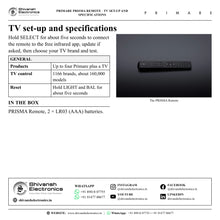
It is configured for more than 10 component categories with 21 layers covering more than 54 Primare models, from the current 15, 25 and 35 Series back to earlier amplifiers, CD players, preamplifiers, tuners, DVD and Blu-ray players and AV processors, with more models to be added by future updates. A dedicated TV key gives basic control of video displays from 1166 brands, about 160,000 models, set up with a free infrared app on a phone or tablet, which is also used to update the remote with improved functions, features and models.
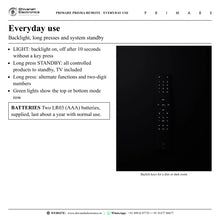
Three mode buttons, AMP / AV, TV and PRE / CD, select the product to control, with green indicator lights showing the top or bottom row. A LIGHT button switches on the key backlight for a dim or dark room, a long press on STANDBY puts every controlled product into standby, including the TV, and long presses give alternate functions and two-digit numbers. Two LR03 (AAA) batteries power the remote for about a year of normal use.
Key features
- Primare universal remote: controls every Primare product built with IR remote control
- Controls up to four Primare products plus a TV
- Current Primare models work out of the box; older models by two-digit layer code
- Basic TV control for about 160,000 models from 1166 brands
- Backlit keys for use in low light
- Updates for functions, features and models through a free infrared app
Made for
- Primare systems with several components: amplifier, preamplifier, AV processor, CD player
- Living rooms where one remote should run the Primare system and the TV
- Owners of older Primare models replacing or adding a remote
In the box
- PRISMA Remote
- 2 × LR03 (AAA) batteries
Primare PRISMA Remote: frequently asked questions
Which Primare products does it control?
Every Primare product with IR remote control: current models such as the I15, I25, I35, PRE35, SC15, SP25, SPA25, CD15, CD35, DD15 and DD35 out of the box, and older amplifiers, CD players, preamplifiers, tuners, DVD and Blu-ray players and AV processors by entering their layer code.
How do I set it up for my TV?
Install the free infrared app named in the PRISMA Remote user guide on your phone or tablet, hold the SELECT button on the remote for about five seconds to connect, update the firmware if asked, then choose your TV brand and test the remote.
How do I add an older Primare product?
Select the mode key you want to use (AMP or PRE once, AV or CD twice), hold the TV button for about five seconds until a green light flashes twice, then enter the two-digit layer code for the product. Three green flashes confirm it.
Where can I buy the Primare PRISMA Remote in India?
The Primare PRISMA Remote is available from Shivansh Electronics, Kolkata, West Bengal, India, with delivery across India.
Workflow 1: One remote for a Primare system and the TV
Families with a Primare amplifier, source and a TV in the living room.
Connections
| Connect | To |
|---|---|
| PRISMA Remote AMP / CD keys | Primare amplifier and CD player |
| PRISMA Remote TV key | TV |
Setup
- Fit the two AAA batteries supplied.
- Use AMP and CD (press CD twice) for current Primare models with no set-up.
- Install the free infrared app on a phone, hold SELECT for about five seconds and choose your TV brand.
- Test the TV functions and confirm with done.
Tip: A long press on STANDBY puts every controlled product, including the TV, into standby.
Workflow 2: Adding an older Primare component
Owners of earlier Primare amplifiers, CD players, tuners or processors.
Connections
| Connect | To |
|---|---|
| PRISMA Remote mode key (AMP, AV, PRE or CD) | Older Primare product (layer code) |
Setup
- Look up the product's two-digit layer code in the user guide.
- Press the mode key to program (twice for AV or CD).
- Hold TV for about five seconds until a green light flashes twice.
- Enter the layer code; three green flashes confirm it.
Tip: To restore factory settings, hold LIGHT and BAL together for about five seconds.


